
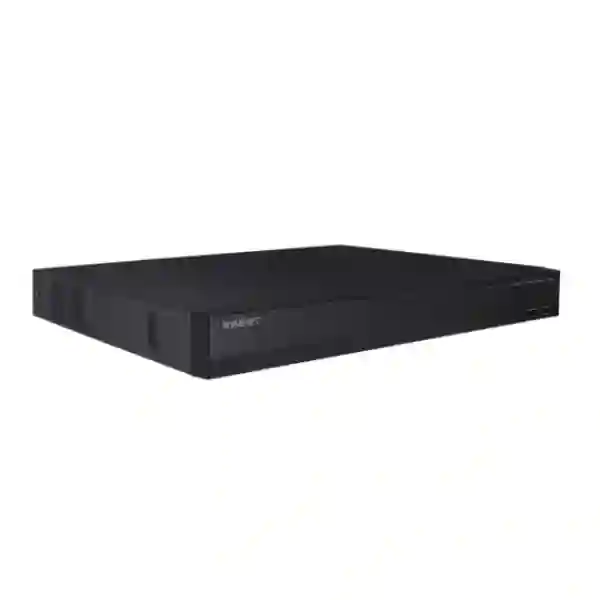
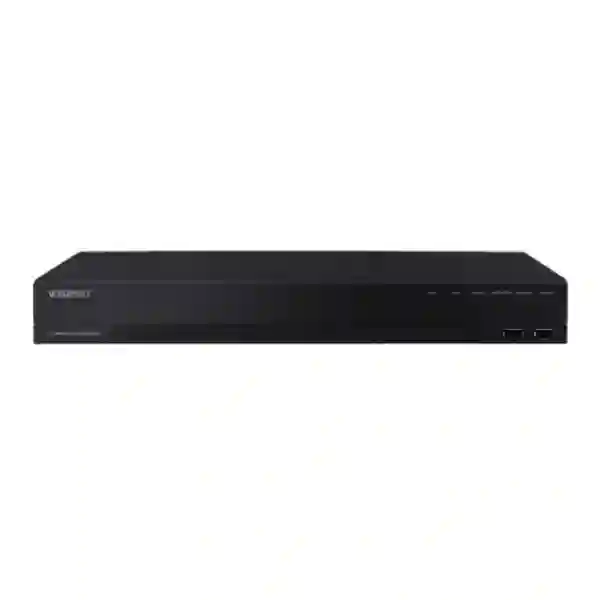
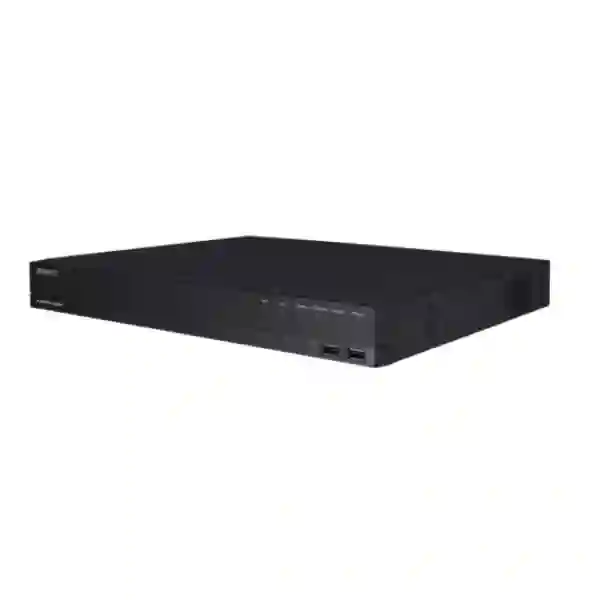
Hanwha Vision QRN-1620S — 16-Channel 8 MP NVR with Built-In PoE
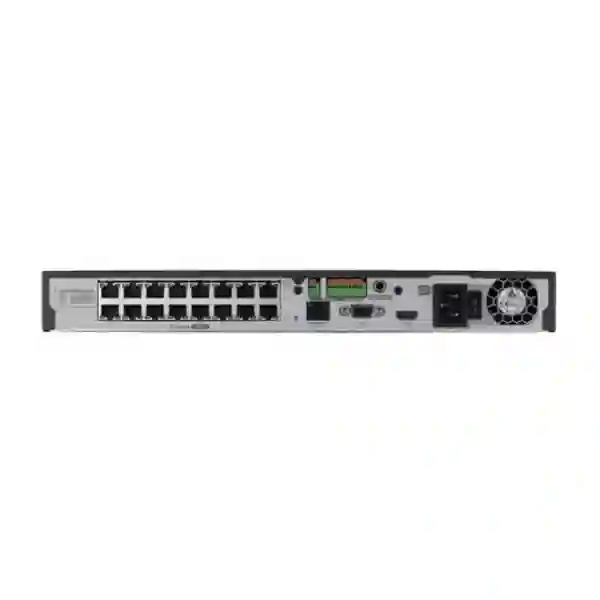
The Hanwha Vision QRN-1620S is a 16-channel IP camera network video recorder (NVR) with an integrated 16-port PoE switch. It is intended for buyers who want to connect supported network cameras, view them on a local display and preserve recordings for later search and export. Its published capabilities include cameras up to 8 MP, a 128 Mbps maximum recording input, H.265/H.264/MJPEG codecs and two SATA hard-drive bays supporting up to 12 TB in total. For a Tanzania surveillance project, suitability depends on camera bitrate, power demand, storage retention, power conditions and network design. Request confirmation of regional availability and support status before ordering: Hanwha Vision marks this model discontinued on its UK site while still displaying it in its Middle East and Africa catalog.
Availability and lifecycle support must be confirmed for the exact Tanzania offer.
Verified specification snapshot
| Recorder type | Network video recorder for IP cameras |
|---|---|
| Channel capacity | Up to 16 network cameras |
| Maximum camera resolution | Up to 8 MP |
| Maximum recording bandwidth | 128 Mbps |
| Video compression | H.265, H.264, MJPEG; WiseStream support |
| Camera power / connection | 16 integrated PoE camera ports; 130 W combined PoE budget |
| Internal storage | Two SATA bays; up to 6 TB per supported disk, 12 TB total |
| Local viewing | HDMI and VGA outputs |
| Recording | Normal, scheduled, event-based and dual-track features |
| Camera interoperability | Supported Wisenet and ONVIF devices; verify exact functions |
| Local environment | 0°C–40°C; 20%–85% relative humidity |
| Electrical input | 100–240 V AC range per published datasheet |
| Commercial availability | Confirm current Tanzania supply, support and included hardware |
Specifications are model-level published limits; exact supplied configuration and compatibility require verification.
Start with the surveillance requirement
A successful CCTV recording system starts with the views that matter, not with a recorder model number. Document entrances, cash-handling areas, public corridors, perimeter approaches, storerooms and other relevant locations, then choose suitable IP cameras for each scene. A clear list of locations tells the installer how many channels are needed and whether any spare channels should remain for foreseeable expansion. The QRN-1620S accommodates up to sixteen network camera inputs, but the number actually usable at your preferred quality depends on the total incoming stream load.
Ask who will review video, what incidents they need to investigate, how quickly footage must be found and how many days the footage should remain available. Those answers shape resolution, frame rate, event recording, storage and user permissions. They also influence whether the on-site display, browser access or an authorized mobile workflow is the principal way the customer will work with the system.
Understand what sixteen channels mean
A channel is a recorder input for a camera stream; it is not a guarantee that sixteen cameras can simultaneously run at every camera’s highest advertised settings. Different cameras produce different bitrates depending on resolution, scene motion, image detail, frame rate, codec and compression configuration. The QRN-1620S has a maximum 128 Mbps network-camera recording bandwidth, so the combined streams should be planned with margin rather than designed to sit continuously at the ceiling.
A business with a dozen fixed cameras may find a sixteen-channel NVR a sensible configuration because the remaining inputs allow modest additions. A buyer already planning sixteen cameras with complex scenes should request a bandwidth calculation per camera and consider whether a higher-capacity recorder would offer more operational headroom. Channel count and recording bandwidth are two separate purchase checks, and neither replaces camera compatibility testing.
Choose camera resolution for identification
The recorder accepts supported camera resolutions up to 8 MP, often called 4K-class surveillance resolution, but actual image usefulness depends on the camera optics and mounting position. A wide overview camera may show a larger area without capturing the facial or object detail needed at an entry point. Conversely, a well-positioned lower-resolution camera can sometimes answer a specific operational question more effectively than a poorly located high-resolution camera.
Specify the evidence task for each view: recognizing movement, monitoring an aisle, reading a visible label or identifying a person at a controlled entrance. Check field of view, lighting, backlight and night performance as part of the camera selection. The NVR records the images supplied by the cameras; it cannot restore details that were never captured. Camera specification, placement and commissioning remain essential parts of image quality.
Calculate recording bandwidth
The published 128 Mbps figure is the maximum network-camera recording bandwidth, not a recommendation to configure every site at exactly that load. As a planning illustration, sixteen cameras averaging 6 Mbps would create about 96 Mbps of incoming video before allowing for variations. Those averages must be checked against actual camera profiles and the peak behavior expected in active scenes. A static office after hours and a busy vehicle entrance can have very different compression demands.
Create a simple worksheet listing camera name, desired resolution, frame rate, codec and expected bitrate. Add the streams and leave comfortable capacity for fluctuating video complexity and configuration changes. If analytics or motion events cause higher activity, validate real traffic during commissioning. Recording capacity, local decoding and remote viewing are different limits, so confirm each separately instead of treating one quoted Mbps number as universal performance.
Use the integrated PoE switch appropriately
The recorder provides sixteen built-in PoE camera ports, making a compact installation easier to wire and manage. Power over Ethernet carries compatible camera power and data over the same cable, reducing the number of separate camera power supplies required. This is especially convenient in small or medium deployments where camera runs terminate in the same equipment location. However, the number of physical PoE ports is not equivalent to unlimited electrical power.
The QRN-1620S has a published maximum combined PoE budget of 130 W. For perspective, dividing that budget across sixteen ports gives roughly 8 W per port on average, not a promised individual-port allowance. Cameras with strong infrared illumination, heaters, motorized functions or other higher loads may require more power. Compare each camera’s specified maximum consumption and the full system total with the recorder’s power budget before using all ports.
Check demanding camera power requirements
A PoE-compatible camera may draw comparatively little power in daylight and considerably more when infrared illumination or other functions are active. Design for the camera’s manufacturer-rated maximum power rather than a convenient daytime measurement. If the cameras together require more than the QRN-1620S budget, some may need a suitably rated external PoE switch or another supported power arrangement. Make sure the network architecture still permits supported video registration and recording.
A camera that uses PoE+ should be checked against both the per-port capabilities and the aggregate switch budget. The published interface includes sixteen PoE+ RJ-45 ports, but practical compatibility still depends on the exact camera model and total consumption. For long runs, consider cable quality and voltage drop as well as switching topology. Do not approve a bill of materials merely because the number of connected cameras equals sixteen.
Plan cable routes before installation
Network cameras need reliable cable routes, suitable connectors and locations protected against physical damage. Map cable distances and pathways before selecting the recorder position. Where cameras are exposed to weather, select camera housings, junction boxes and cable accessories appropriate to the environment. The recorder itself is not an outdoor weatherproof device; locate it in a secure, ventilated indoor space with controlled access and reliable power.
Use a structured cable labeling scheme that links each run to the drawing, camera name and NVR channel. Test terminations and verify that each camera negotiates a reliable network connection before moving on to image tuning. Avoid routing unprotected data cable through areas subject to excessive heat, water intrusion or electrical interference. An installation that documents and tests physical connections is easier to troubleshoot and maintain than one built without a cable schedule.
Understand the storage ceiling
The QRN-1620S provides two SATA hard-drive bays with a published maximum total capacity of 12 TB, using supported drives up to 6 TB each. This describes recorder capacity; it does not establish that any particular product offer includes fitted disks. Ask the seller to state clearly whether the quoted unit includes no drive, one drive or two drives, and identify the exact hard-drive models offered.
Select surveillance-suitable drives from the recorder’s current compatibility information and confirm the applicable firmware requirements. More capacity may be useful, but unsupported disk combinations can introduce avoidable reliability questions. Drives also have limited service lives, so retention planning should include health checks, maintenance and a process for replacing a failed disk. The system owner should know where footage resides and who is responsible for preserving important exports.
Estimate days of video retention
Retention depends on how much data cameras actually write, not only on their megapixel rating or the raw capacity printed on a disk. Each camera has its own average bitrate and recording schedule. Continuous recording for twenty-four hours will use storage more quickly than event-only recording under otherwise equal conditions, although event patterns can be unpredictable. Higher frame rates, more complex scenes and less efficient codec settings also affect consumption.
Before purchase, request a retention worksheet showing each camera’s profile, expected daily recording, usable capacity and estimated days of footage. Verify that the estimate is an approximation and not a guaranteed retention period. If the business has a formal evidence retention requirement, configure and test the actual installation against that requirement. Important clips may need prompt export and separate secure storage rather than reliance on an automatically overwriting recorder alone.
Compare H.265 and H.264 choices
Hanwha lists H.265, H.264 and MJPEG recording codec support for the QRN-1620S. H.265 can use available bandwidth and disk capacity more efficiently for many scenes than H.264 at comparable visual quality, but savings vary with camera implementation and image conditions. Compatibility with playback tools, export workflows and other devices must also be considered when choosing the codec. The most efficient file format on paper is not always the most convenient operational setting.
Agree a practical profile with the people who will retrieve and review video. Test normal playback, searching and exported footage using their intended computers and applications. If legacy review software struggles with a modern codec, balance the compatibility need against storage demand. The recorder’s advertised codec support says what the platform can handle; it does not remove the need to check specific cameras, viewers or evidence-handling processes.
Apply WiseStream with care
The manufacturer describes WiseStream support for the QRN-1620S. Depending on the camera and configuration, this technology can help reduce unnecessary video data while maintaining useful image information. The benefit is not a fixed percentage and should not be written into a storage guarantee. It is especially important to consider how compression behaves in complex or high-motion areas where detail is operationally important.
For a new system, make trial recordings from representative scenes in daylight and low light, then review fine detail at normal speed and when paused. Compare the recording size and visible quality under realistic compression settings. Do not use an aggressive compression target to compensate for under-sized storage if the resulting footage no longer meets the intended surveillance task. Camera-side features must be supported and configured for any claimed benefit to be realized.
Make use of dual-track recording
Hanwha lists dual-track recording among the features of this model. This capability can support workflows that retain different video streams or qualities, helping a system distinguish high-detail evidence needs from smoother monitoring or lower-bandwidth viewing needs. The exact configuration should be confirmed in the recorder’s current documentation and tested with the chosen camera profiles, because a named feature alone does not define how every connected camera behaves.
Discuss who needs high-resolution review and who mainly needs a quick operational overview. A carefully configured second stream can assist responsiveness, but both streams and their recording behavior must be included in capacity and retention estimates where applicable. Ask the installer to demonstrate that a required detail is still visible in the primary recording, even when an operator uses a lighter live-view stream elsewhere.
Choose local monitor connections
The recorder’s published local display connections include HDMI and VGA. HDMI can provide output resolutions up to 3840 by 2160 according to the manufacturer datasheet, while VGA supports lower listed display modes. That describes monitor output capability, not proof that every connected 8 MP camera can be decoded at full frame rate in every multi-camera layout. Display performance depends on the configured view and the recorder’s decoding resources.
Position the local monitor for the actual operator workflow. A security desk may need a multi-camera overview and the ability to enlarge a selected camera quickly, while an office manager may only review an incident occasionally. Verify the monitor’s accepted resolution and connector type before ordering accessories. Test the installed display configuration with real streams so operators do not encounter unexpected blank screens, unsuitable scaling or sluggish view changes.
Set up event-based recording intentionally
The device supports normal, scheduled and event-oriented recording modes, with event triggers that may include alarm input, video loss and supported camera events such as motion detection or analytics. Whether a particular event is available depends on the connected camera and configured integration. Event recording can make navigation easier and may reduce storage use in some systems, but it can also miss footage if triggers are poorly tuned.
Choose recording rules according to the risk of each area. A critical entry or transaction point may justify continuous recording with event markers, whereas a less sensitive view may use a planned schedule. Review false alarms, overlooked movement and the period captured before and after events. Treat motion detection as a configuration feature to test, not as an automatic assurance that every important incident will be recorded.
Use alarm inputs and outputs appropriately
The manufacturer datasheet lists four alarm inputs and two alarm outputs for this model. These interfaces may support integration with suitable external sensors or signaling equipment when their electrical characteristics and supported recorder functions match the project. An alarm input is not a substitute for a properly engineered safety or intrusion system, and integration should be checked against the related equipment’s documentation.
Decide in advance what each input means, what the recorder should do when it activates and who will respond. Potential responses in the supported event framework include recording actions and selected notifications, depending on configuration. After wiring, exercise each alarm contact and verify time stamps, associated camera footage and operator instructions. Provide a clear handover sheet so future maintenance does not accidentally reverse or disable a critical alarm condition.
Search incidents rather than hours of video
A good recorder is valuable because operators can find relevant footage without manually watching every minute. The QRN-1620S’s manufacturer information describes search and playback functions including date-and-time access and event-related investigation options. Their usefulness depends on accurate clock settings, sensible channel names and properly configured event information. A camera labeled only with a number provides less context than one named for the scene it covers.
Agree a repeatable investigation procedure: note the incident time, select the camera and time range, review surrounding footage, then preserve the relevant clip. Test fast and slow review with a realistic recording before the system is accepted. Keep the operating guide near the authorized monitoring workstation. This preparation can save much more time than adding additional cameras without an equally clear footage retrieval process.
Plan evidence export and record handling
The manufacturer specifies local and network export options, including supported backup formats. The exact format selected should be tested with the software used by the business or investigating party. A file that exports successfully is not automatically useful if the receiving computer cannot open it, the timestamp is unclear or contextual footage was omitted. Build evidence handling into the initial commissioning procedure.
Establish who may export footage, where copies may be stored and how access will be recorded. Check that a retained export includes enough time before and after the event to explain what happened. Sensitive images should be shared only with authorized recipients through approved channels. Regularly confirm that the NVR’s clock is synchronized and that saved footage can be retrieved after ordinary power interruptions or system maintenance.
Understand mobile and remote access
Hanwha lists QR-code-based P2P service for this model, as well as supported mobile viewing workflows. Remote access should be assessed for the exact firmware, supported application and network conditions, not simply presumed from a marketing icon. Some functions may require internet connectivity and a compatible vendor service. The manufacturer has also documented differences between mobile P2P access and computer-based remote access for its recorder ranges.
Before promising access outside the site, perform a supported end-to-end test with the intended phone or workstation. Check video quality over a constrained mobile connection and decide whether users need live viewing, historical search or both. Do not expose recorder management interfaces directly to the internet without a security review. Business internet speed, uptime and local network policies affect the practical experience even when the recorder supports remote viewing.
Protect recorder accounts and network access
Network video equipment stores potentially sensitive footage, so the access design matters as much as image quality. Give each authorized operator appropriate credentials and permissions, replace defaults, use strong authentication practices supported by the device and maintain an access list. The datasheet describes security capabilities including HTTPS-related access, user access logging and IP filtering. Which controls are enabled should be verified on the installed firmware.
Place the CCTV system on a deliberately managed network segment where practical, limit administrative access and retain a record of configuration changes. Review official security notices and firmware availability for the exact model, especially because regional lifecycle information is not uniform. Remove access promptly when staff responsibilities change. A recorder that is physically locked but reachable through poorly managed network credentials remains an avoidable operational risk.
Check Wisenet and ONVIF interoperability
The QRN-1620S is intended for supported network cameras, with Wisenet and ONVIF protocols identified in Hanwha’s product materials. ONVIF compatibility is useful when evaluating mixed-vendor cameras, but a protocol label does not guarantee that every camera feature, alarm event, audio function or image setting will work through the recorder. Basic video streaming and advanced event integration are different levels of compatibility.
Request the exact camera make, model, firmware and stream settings for a compatibility assessment. Test discovery, stable recording, timestamps, motion events, playback and any required PTZ functions. If a third-party camera only supports a limited feature set, document that before purchase. For an upgrade, assess existing cameras individually rather than assuming a recorder swap will preserve every previous function or automatically improve recorded image quality.
Consider PTZ and specialized cameras
Some deployments need pan-tilt-zoom cameras, fisheye views or specialized imaging functions. The QRN-1620S datasheet mentions PTZ control and fisheye dewarping functions, but those features are dependent on supported camera models, relevant protocols and compatible viewing software. A camera with a high power demand may also influence whether the recorder’s integrated PoE switch can supply it safely.
Before specifying specialized cameras, write down the required operator actions: live steering, preset recalls, dewarped review, event-triggered positioning or recording of the full overview. Then validate each action using the intended equipment. Do not equate a feature appearing in a datasheet with guaranteed behavior for every manufacturer or firmware combination. Specialty cameras frequently deserve a separate compatibility and power check in the bill of materials.
Prepare for power interruptions
The recorder uses AC power and its published datasheet identifies a 100 to 240 V AC input range, but this does not mean it can tolerate every power disturbance without protection. For business surveillance, design an appropriately rated UPS and consider how long the recorder, network equipment and relevant cameras must remain operational during an outage. The combined load should include PoE camera demand, not only the recorder chassis consumption.
Evaluate the power path from incoming supply through surge protection, UPS and distribution to the equipment rack. Where an external PoE switch is used, include it in the continuity plan. Test orderly recovery after a controlled power loss and confirm that recordings resume as intended. The required backup runtime depends on the site’s operational priorities; a generic recorder listing cannot establish a safe or adequate runtime for a particular premises.
Manage heat and the operating environment
The published QRN-1620S operating range is 0 to 40 degrees Celsius with 20 to 85 percent relative humidity under the documented conditions. This makes equipment-room ventilation important, particularly where the recorder powers many cameras through its built-in PoE ports. Avoid sealed cabinets that trap heat, dusty locations, direct sun and spaces exposed to water or condensation. Installed hard drives also need suitable operating conditions.
Check the intended rack or shelf for airflow, service clearance and cable access. Measure the environment when the room is warm and equipment is running, not only when the installation is idle. If the room’s conditions exceed the product range, improve the environment or select equipment designed for the actual conditions. Reliable surveillance depends on sensible facility engineering as well as camera and recorder specifications.
Secure the physical equipment
The NVR should be positioned where unauthorized people cannot unplug it, remove disks or access its network ports. A locked, ventilated equipment space is generally preferable to an exposed reception counter or public corridor. Security of the recording hardware also matters when the footage is required after an incident: equipment that is easy to damage or remove creates a weakness regardless of picture quality.
Keep a labeled channel diagram, inventory of installed drives and a record of who has physical keys or authorized access. Provide enough cable slack for maintenance without leaving connectors unprotected. If several systems share a cabinet, separate and label CCTV power, network and display cables clearly. Physical access controls should complement—not replace—proper user accounts, network controls and evidence-handling procedures.
Design for offices and reception areas
An office installation often prioritizes entrance visibility, access routes, reception activity and secure rooms. The sixteen-channel capacity can support several views without requiring a large server-based recording platform, provided bitrate, storage and PoE calculations fit. Camera placement should respect the purpose of each view; excessive wide-angle coverage can generate recordings that are large but unhelpful for understanding a specific incident.
For an office, define who will view live cameras and who is permitted to search recordings. Reception staff may need a simple monitor layout, while administrators may require occasional access to historical footage. Keep private or sensitive spaces out of surveillance coverage unless a legitimate and properly authorized need exists. Agree retention and access policies before the system goes live instead of leaving those decisions entirely to technical installation defaults.
Evaluate retail and stockroom workflows
Retail locations may need coverage of customer entries, transaction approaches, stock movements and delivery access points. Video from those scenes can contain fast motion or challenging lighting, which affects bitrate and image clarity. For each view, decide whether the objective is a general activity record or a detailed image of a particular interaction. The recorder’s 8 MP support can be helpful only when an appropriate camera captures the detail.
Consider whether busy trading periods will increase recording demand and whether event searches can assist staff during an investigation. Confirm camera visibility at both opening and closing times, especially when shop lighting changes. Test exports from a real transaction-related scenario and make sure clock synchronization is correct. A robust retail system is one that staff can operate consistently, not simply a recorder filled with sixteen streams.
Assess warehouses and vehicle approaches
Warehouses and logistics sites can combine indoor aisle views, loading points and outdoor approaches. These scenes have different lighting, movement and lens requirements. The integrated PoE switch can simplify nearby camera connections, but large sites may need a distributed network design because of cable lengths and geography. Do not assume the central recorder’s PoE ports can conveniently or safely reach every camera location.
Review whether distant cameras should connect through suitably designed network infrastructure and whether the final recording bandwidth remains within the QRN-1620S limit. At a loading area, verify that camera placement gives the specific detail the operator wants at likely vehicle speeds. Inside the warehouse, account for shelving changes and potential camera obstruction. The site survey should drive the design rather than assuming one standard camera position suits all areas.
Think carefully about schools and shared spaces
Shared facilities may have many people, changing occupancy and differing expectations about privacy. Where a lawful and authorized surveillance need exists, select camera positions to address defined safety or operational questions while avoiding unnecessary observation of sensitive spaces. The recorder’s channel capacity can support distributed views, but appropriate governance is required for the people appearing in them.
Identify the authorized system owner, routine operators and escalation contact. Determine an appropriate retention schedule, access rights and the process for responding to requests for footage. Make sure the system can retrieve video consistently without giving every staff member administrator access. The right surveillance design combines useful visual coverage with clear policies about who can view, preserve and disclose recordings.
Support multi-area sites without confusing operators
A single premises can contain many separate coverage zones. Develop logical camera names and monitor layouts based on the actual geography of the site: for example, main entry, service corridor or loading bay, using names that staff recognize. Keep channel labels consistent across plans, monitor screens and exported evidence. These operational details are especially important when the recorder reaches a double-digit number of cameras.
If a site has separate buildings, confirm the networking and power design for links between them. Fiber or other engineered connectivity may be appropriate in some cases, but the specific solution depends on distance, environment and site infrastructure. A sixteen-channel recorder is not automatically a substitute for a multi-building network plan. Include network link resilience, power continuity and maintenance access in the design review.
Build a complete bill of materials
The recorder is one component of the installation. A useful quotation should separate the NVR, compatible IP cameras, suitable hard drives, mounting accessories, cable and termination materials, displays, switching equipment where necessary, protective power equipment and labor. If site conditions are not yet known, ask for a survey or clearly marked assumptions. This avoids the common mistake of comparing a recorder-only price with a complete working surveillance solution.
State whether each item is supplied, installed, configured and tested. Distinguish optional accessories from parts essential to the stated scope. Request the supported camera and storage models as part of the technical offer. Since exact Tanzanian stock, commercial price, delivery period, warranty terms and local support arrangements have not been established for this listing, those items should be confirmed directly in a written quote rather than implied by this product description.
Use a structured installation sequence
Start with an approved camera schedule and wiring plan, then install cable routes, mount cameras, terminate connections and bring up the recorder in a secure equipment location. Register supported cameras, assign descriptive names and set the correct network and time configuration. Configure recording profiles only after the camera picture and bandwidth assumptions have been checked. Save a secure copy of the commissioned configuration where supported and appropriate.
Next, apply recording schedules, verify events and configure access roles. Test the monitor layout and any authorized remote viewing before handover. Document the physical port for each camera and the settings that determine its bitrate and retention use. A deliberate sequence makes later troubleshooting far easier because the installer can isolate whether a problem comes from power, cable, camera registration, network traffic, storage or viewing.
Commission with real recordings
Acceptance testing should go beyond seeing live video on a screen. Record sample scenes at the intended quality settings, leave the system running under ordinary activity and review the resulting footage. Check day and night image quality where relevant, confirm each expected camera is present and verify that the recorder does not show storage, network or power errors. Note any streams that fall short of the agreed detail or frame-rate requirements.
Test a representative event, a playback search and a file export. Confirm that authorized users can access the functions they need and cannot access restricted settings unnecessarily. If remote use is included in the scope, test it on the actual network and client devices. Log the outcome of every check and resolve exceptions before final sign-off. A demonstrable acceptance process provides more value than a general promise that installation will be easy.
Operate and maintain the system
Once installed, the recorder needs routine attention. Designate a responsible person to check recording status, disk health, date and time accuracy, camera connectivity and any persistent error notifications. Changes to camera scene, lighting, building layout or network configuration can silently affect footage quality even while the system appears connected. Review representative video periodically rather than waiting for the first critical incident.
Maintain the documented camera inventory, operator access list and contact process for technical support. Plan drive replacement and apply firmware changes only after reviewing the correct model guidance and any compatibility implications. Keep secure copies of important footage outside the normal overwrite cycle when policy requires it. A maintenance checklist should include both the recorder and supporting infrastructure such as UPS batteries, ventilation and PoE switches.
Consider expansion before filling all channels
A recorder with sixteen inputs may look sufficiently large today but become constrained when new entrances, production areas or storage zones are added. Expansion has three dimensions: available camera channels, incoming recording bandwidth and disk retention capacity. More cameras can also exceed the shared PoE budget even when channels remain free. For that reason, planning spare capacity should cover more than one numerical specification.
Ask whether the business expects to add cameras within the anticipated service period. If the answer is yes, document likely future camera types and locations now. A larger or newer recorder may be a better choice when the planned expansion would otherwise require replacing equipment prematurely. Compare total ownership and operational fit rather than choosing a recorder solely because the current channel count fits exactly.
Review lifecycle and regional supply
There is a specific purchasing consideration for the QRN-1620S: Hanwha Vision’s UK product listing labels it discontinued, while the manufacturer’s Middle East and Africa listing still presents the model and cautions that regional availability varies. This difference does not prove whether any particular Tanzanian seller has genuine current stock, whether a specific unit is new or what support arrangements apply to it. Those details require direct verification.
Before committing, request confirmation of the supplied hardware revision, manufacturing and warranty conditions where relevant, firmware support, expected replacement-part access and the supplier’s procedure if the exact model cannot be provided. If lifecycle support is a key requirement, ask for a currently supported comparable sixteen-channel recorder and compare its storage, power and integration specifications. Do not substitute a different model without updating the camera compatibility and system sizing review.
Decide when a different recorder is better
The QRN-1620S is a candidate for a compatible sixteen-camera IP installation with moderate bandwidth and storage needs. It may be a poor fit when the project needs substantially more than twelve terabytes of supported internal storage, more than 128 Mbps of incoming recording traffic or a higher aggregate PoE budget than 130 W. Sites requiring advanced resilience, multiple simultaneous high-demand clients or future expansion should define those needs before selecting this model.
A replacement or higher-tier model should be evaluated against the actual workload rather than assumed superior solely because it is newer. Confirm camera registration features, decoding capacity, hard-drive compatibility, power architecture and export workflow. If there are existing Hanwha cameras, check how their advanced features integrate with each candidate. The objective is a reliable system configuration, not an isolated list of maximum numbers.
Prepare a meaningful quotation request
A productive enquiry identifies the exact model QRN-1620S and states the camera count, camera makes if already owned, preferred recording resolution, retention target, installation environment and whether local or remote monitoring is required. Include a list of any high-power PoE cameras and whether the site already has cabling, a display and UPS equipment. This gives the seller enough information to clarify fit rather than quote a bare unit without its essential context.
Ask the quotation to itemize the condition and lifecycle status of the recorder, disk inclusion, compatible components, installation responsibilities and post-installation assistance. Request confirmation of availability and commercial conditions for Tanzania, without assuming an office location or delivery service. If the model cannot meet the confirmed scope, request a technically comparable option with a written explanation of the changes. A clear proposal makes procurement decisions easier to defend.
Technical summary for evaluators
The model is a network video recorder rather than an analog DVR. The official product information lists up to sixteen network-camera channels, supported camera resolutions through 8 MP, H.265/H.264/MJPEG compression, up to 128 Mbps recording bandwidth, WiseStream support, dual-track recording, sixteen integrated PoE ports, two SATA storage bays with up to 12 TB total, HDMI/VGA viewing outputs and QR-code-based P2P capability. These are maximum or supported features, not a performance promise for every combination of cameras.
The manufacturer datasheet also gives a total 130 W PoE budget, sixteen PoE+ network ports, a separate network connection, alarm interfaces and specified environmental limits. Integration and remote use are subject to camera, software and network compatibility. For any quote, verify the currently applicable documentation, supplied accessories and lifecycle status. Details such as installed drive capacity, price, local supply and warranty cannot be inferred from the model number alone.
A straightforward buyer decision checklist
First, confirm that the exact camera list fits within sixteen channels and that each camera has a usable recording and management integration. Second, calculate the aggregate video bitrate with margin below the 128 Mbps recorder ceiling. Third, total the maximum PoE demands and compare them with the 130 W combined budget; arrange other supported power where needed. Fourth, calculate retention from expected bitrate and selected compatible drive capacity.
Fifth, check the recorder location, ventilation and power continuity. Sixth, demonstrate local display, event search, export and any required remote access. Seventh, establish ownership of account management, evidence handling and maintenance. Finally, obtain written confirmation of regional availability, lifecycle conditions and the exact contents of the commercial offer. These checks distinguish a reliable installation from a product purchase made only on an attractive channel count.
Frequently asked questions about QRN-1620S
Is QRN-1620S a DVR or an NVR?
It is a network video recorder intended for supported IP cameras. It is not presented by Hanwha as a traditional analog-camera DVR. If a site already uses coax-connected analog cameras, the system design may require different recording equipment or a separately evaluated conversion approach. Confirm the interfaces of existing cameras before assuming they can plug into the sixteen PoE ports.
How many cameras can it record?
The published maximum is sixteen supported network-camera channels. That figure must be assessed alongside the total 128 Mbps incoming recording bandwidth and the 130 W combined PoE budget. Sixteen low-demand cameras and sixteen high-demand cameras can have very different installation requirements. Count the cameras, then calculate each camera’s expected video and power needs.
Can it record 8 MP or 4K-class IP cameras?
Hanwha lists camera support up to 8 MP. This is a per-camera supported resolution, not a guarantee of sixteen simultaneous streams at every maximum frame rate and bitrate. Validate the exact cameras, aggregate bandwidth and local decoding demands. Image clarity also depends on camera lenses, positioning, lighting and configuration.
Does the NVR include sixteen PoE ports?
Yes. The manufacturer identifies sixteen integrated PoE camera ports, with a published maximum total PoE power budget of 130 W. Do not confuse the count of powered ports with sixteen times an individual camera’s maximum demand. Calculate the combined worst-case load and confirm compatibility when using PoE+ or specialized cameras.
Are hard drives supplied with the recorder?
The model specification states two SATA bays supporting up to 12 TB total, with supported drives up to 6 TB per bay. It does not establish whether a particular sales offer includes installed disks. Ask the supplier to identify any included drives and verify the current compatibility information before relying on a stated retention capacity.
How many days of footage can it keep?
There is no universal retention period for this NVR. Days retained depend on usable installed storage, each camera’s bitrate, the selected codec, frame rate and recording schedule. Request a per-camera calculation for the proposed configuration, then validate it using real recorded footage. Important evidence should be exported according to an agreed policy before automatic overwriting.
Does it support H.265 video?
Yes. Hanwha lists H.265, H.264 and MJPEG. H.265 can improve compression efficiency in suitable scenarios, but actual savings and compatibility vary with camera settings, scene complexity and the playback tools used. Test exported recordings on the systems that will review evidence before standardizing every camera on one codec.
Can footage be viewed on a local screen?
The device provides HDMI and VGA outputs with published display modes. Match the output setting to a supported monitor and test the intended multi-camera layout. A 4K-capable HDMI output does not mean that every camera can be decoded at maximum resolution and frame rate simultaneously in every split view.
Is phone viewing available?
The manufacturer lists QR-code-based P2P and mobile viewing capabilities for the model. Practical access depends on compatible firmware, a supported application, the available network and correct security configuration. Confirm supported services and test live viewing and playback with the actual users’ devices. Never assume a mobile feature removes the need for secure access management.
Can it work with cameras from another brand?
The product materials identify ONVIF support, which can help with interoperability. However, mixed-brand operation should be demonstrated using the exact camera models and firmware. Check video, audio where needed, motion events, stream profiles and PTZ features individually; basic ONVIF connectivity does not automatically provide every advanced camera capability.
What is the power requirement for the recorder?
The manufacturer datasheet specifies a 100–240 V AC input range and a maximum 130 W combined PoE budget. Full system electrical planning should account for the recorder, powered cameras, drives, display, additional switches and any UPS. Choose backup equipment against the actual load and desired runtime, and test restart after controlled power interruption.
Is QRN-1620S still a current model?
Lifecycle information is region-specific. The Hanwha Vision UK listing marks QRN-1620S discontinued, while the Middle East and Africa listing still describes the recorder and states that regional availability can vary. A Tanzania buyer should obtain written confirmation of current supply, condition, warranty and firmware support before placing an order.
Is the quoted price the full CCTV installation price?
Not necessarily. A recorder-only quote may omit cameras, compatible drives, displays, cable, accessories, backup power, network work and commissioning. Ask for an itemized bill of materials and a written statement of what is supplied and tested. No Tanzania price, stock or delivery commitment is asserted on this page.
What should I send when requesting a quote?
Provide the proposed number of cameras, any existing camera models, target recording quality, required days of retention, location of the equipment, monitoring needs and expected power constraints. State whether cameras, hard drives and cabling are already installed. Ask the supplier to confirm this exact recorder’s availability and identify a suitable alternative if lifecycle or sizing requirements make it unsuitable.
Request a QRN-1620S configuration review
Share the intended camera count, existing camera models, expected retention, site power and monitoring needs. Request a written check of the recorder’s compatibility, included drives, regional availability and lifecycle support, together with an itemized quotation. If the QRN-1620S is unsuitable or unavailable, ask for a verified alternative rather than accepting an unreviewed substitution.




Reviews
There are no reviews yet.