
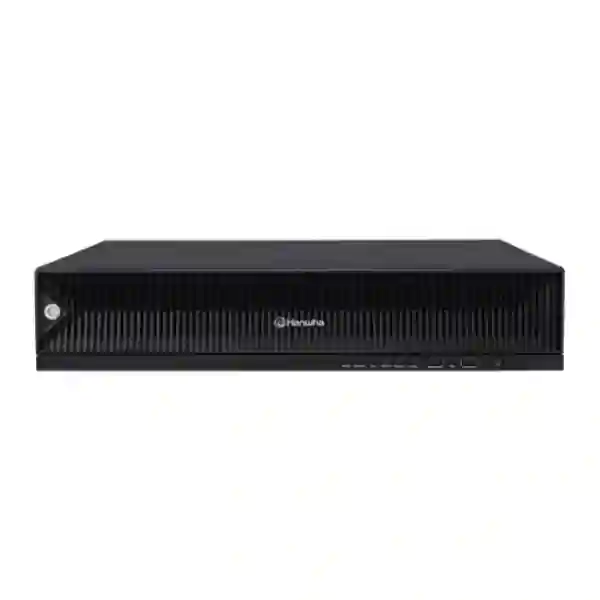
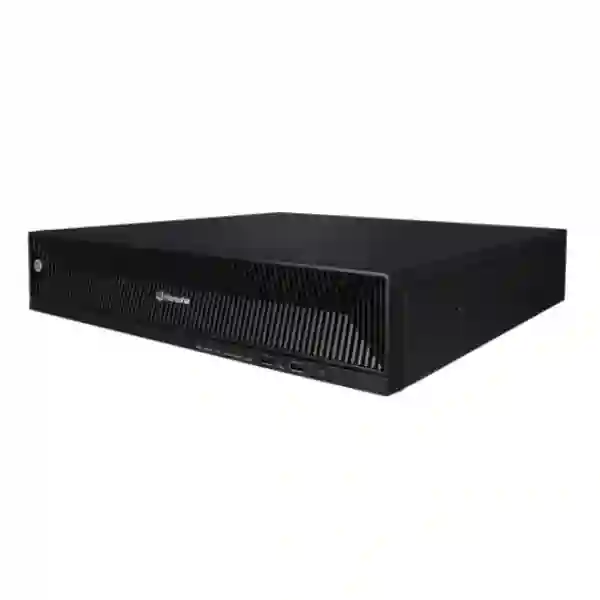
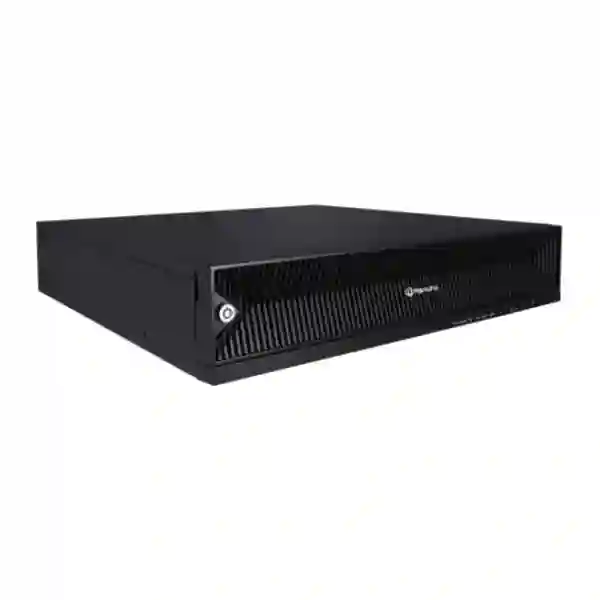
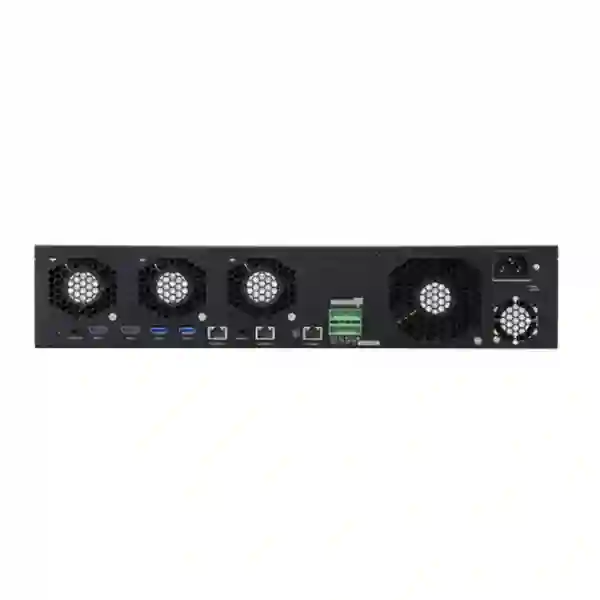
Hanwha XRN-K6410RB2-60 — 64-Channel, 60 TB Network Video Recorder
Plan a high-channel-count CCTV installation with an informed view of recording bandwidth, nominal storage, RAID resilience, AI-camera integration and configuration-specific procurement. For Tanzania projects, request written confirmation of the exact model suffix, installed drives and supported system design before ordering.
Specifications at a glance
A project-oriented summary of the published platform capabilities. Check the exact delivered -60 variant and firmware wherever a specification affects acceptance.
| Camera inputs | Up to 64 IP camera channels |
|---|---|
| Camera resolution | Up to 32 MP on supported profiles |
| Recording bandwidth | Up to 400 Mbps in an appropriate supported configuration |
| Nominal -60 package | 60 TB raw storage designation; verify shipment |
| Drive bays | 8 SATA bays; published family ceiling up to 80 TB |
| Recording formats | H.265 / H.264 / MJPEG; WiseStream-related optimization |
| Storage resilience | RAID 5/6 listed for the model family |
| Display | Two HDMI monitor outputs: up to 4K and FHD |
| AI-related search | Dependent on compatible Hanwha AI-camera metadata |
| Network camera protocol | SUNAPI and ONVIF listed in published model-family material |
Important: the 60 TB figure is nominal raw capacity, not an unconditional retention or usable-capacity promise.
What the Hanwha XRN-K6410RB2-60 is designed to do
The Hanwha XRN-K6410RB2-60 is a high-capacity network video recorder intended for a substantial IP-camera system rather than a small standalone installation. The exact requested designation is associated with a 64-channel, nominal 60 TB configuration. The recorder family supports camera video up to 32 megapixels, modern compression formats and a rated recording bandwidth reaching 400 Mbps in suitable configurations. Those figures explain the product category, but a sensible purchase decision also depends on storage layout, connected camera bitrates, software compatibility and the exact shipped variant.
For a security manager, the practical value is the ability to bring many camera streams into a managed recording environment, review footage through a recorder interface and plan retention in one place. For a systems integrator, the more important question is whether the proposed camera mix, recording profiles, RAID settings and operating procedures meet the client’s security requirements. Neither a 64-channel label nor a 60 TB label alone answers those questions. A reliable design starts with an accurate camera schedule and an evidence-retention policy.
This page is intended for buyers and technical teams considering the model for a project in Tanzania. It explains confirmed model-family capabilities and what still needs confirmation against an actual quote. Request a configuration-specific quotation that states the full suffix, fitted drives, RAID mode, usable recording capacity and deployment requirements before placing an order. That approach is particularly important for regional or special-market variants, because a similar-looking global model number does not prove that every accessory, approval or software detail is identical.
Model identification: why the exact suffix matters
The model string XRN-K6410RB2-60 should be retained exactly in procurement conversations. Korean-market product references associate this designation with a nominal 60 TB recorder and the K6410RB2 64-channel platform. Hanwha Vision’s current Korean lineup also identifies an XRN-K6410RB2-60T variant; the added T is part of that published designation. Do not assume that the -60 and -60T labels are interchangeable in a specific purchase order. Ask the supplier to provide a current manufacturer part number, product label photograph or signed specification identifying the item that will actually be delivered.
Some search results also discuss XRN-6410RB2, without the K, or later XRN-6420 series models. These references are useful for understanding the broader product family but are not proof that the quoted device has the same hard drives, performance profile, compliance paperwork or software release. A model substitution should be documented rather than silently applied. Where a project tender names the exact K variant, the buyer should compare the full specification and permitted equivalents before accepting an alternative.
The 60 TB figure is best treated as nominal installed raw storage until a bill of materials confirms the actual disk count and usable capacity. A supplier may describe it as a factory or bundled configuration, but the buyer should still ask how many surveillance-rated drives are fitted, the individual drive capacity, the condition of those drives and the RAID configuration. Record these facts on the purchase order and acceptance checklist. They will influence serviceability, replacement stock and the number of days of video that can be retained.
Who benefits from a 64-channel recording platform
A 64-channel network recorder can suit sites that have outgrown entry-level surveillance equipment or want to consolidate camera recording under one managed appliance. Examples of possible deployments include an industrial site with perimeter and process cameras, a large commercial building with entrances and parking areas, or a distributed campus where cameras report to a central equipment room. These are examples of potential uses, not claims that the recorder is installed at any particular Tanzanian site or that a given application is certified.
Channel headroom can also support phased rollout. A project may begin with fewer than 64 cameras, leaving unallocated inputs for future buildings or critical blind spots. However, an unused channel does not guarantee spare recording bandwidth or storage retention. A new 4K camera using a demanding frame rate and quality profile may consume much more capacity than a lower-resolution stream. Expansion planning should reserve bandwidth, disk space, network switch capacity, electrical protection and operator screen real estate, not just channel numbers.
An NVR of this class is less compelling for a small installation where a compact recorder, simpler operating procedure or fewer hard drives would be sufficient. It may also be unsuitable when an application requires a greater channel count, unusually long continuous retention, more than the available internal storage bays or specialized third-party analytics. Choose the recording architecture on project needs rather than on the largest headline specification. A pre-purchase system design will usually save more time than changing the storage plan after commissioning.
Core recording specifications in plain language
The platform is associated with up to 64 network camera inputs, support for recordings from cameras as high as 32 MP, H.265, H.264 and MJPEG decoding or recording support, and a headline recording bandwidth of 400 Mbps. That rated maximum is not necessarily the throughput available in every disk and recording mode. A project design must distinguish the network rate generated by all cameras from the rate the recorder can sustain while carrying out its normal recording, playback and storage-management work.
Eight SATA bays and a stated family maximum of 80 TB provide a way to think about the mechanical storage ceiling. They do not mean a -60 unit necessarily has two unused bays, supports every currently sold hard drive or can achieve the same maximum with every RAID layout. The compatible-drive list, supported firmware and physical configuration govern the safe upgrade path. For the exact delivery, ask whether the installed 60 TB is divided across six drives and whether changing the disk arrangement affects warranty or support terms.
Other useful capabilities identified for the K6410RB2 line include RAID 5/6 options, dual-monitor operation, event-based recording and review, and AI-assisted searches with compatible Hanwha AI cameras. These functions are attractive only when configured for the site’s objectives. An event workflow must be tested against the chosen camera firmware; a storage-resilience plan must be rehearsed; and investigators need a reproducible export process. The system’s real value is dependable evidence management, not just a long feature list.
Camera compatibility, protocols and image quality
Hanwha’s published K6410RB2 lineup identifies SUNAPI and ONVIF among the network-camera protocols. That is a useful starting point for combining the recorder with compatible IP cameras, but a protocol label is not a promise that every brand or camera feature will work identically. Live video, recording, motion events, PTZ controls, metadata, audio and edge-based analytics can have different compatibility requirements. An integrator should test the exact camera model, firmware version and intended settings before committing to a mixed-brand deployment.
Picture quality also depends on more than the recorder’s supported maximum resolution. Lens selection, camera placement, lighting, exposure settings, network packet loss and compression all affect whether footage is useful. A 32 MP capability does not transform a poorly positioned camera into an identification-quality camera. Start from the operational question: does the team need an overview, a clear face at an access point, vehicle information at a gate or detailed process monitoring? Then choose cameras and recording profiles that answer that question.
If existing cameras will be reused, request a compatibility worksheet that lists IP address plan, camera model, codec, resolution, frame rate, average and peak bitrate, audio use, event type and the monitoring software to be used. Include any cameras with special profiles or unusual codecs. Confirm which devices the recorder can discover automatically and which need manual configuration. A limited proof of concept with representative cameras is valuable because it reveals integration issues before the final installation window.
Understanding the 400 Mbps headline
Recording bandwidth is the sum of video and related stream traffic that the recorder can ingest under its supported recording configuration. A headline value of up to 400 Mbps is useful as an upper design reference, not a guarantee that 64 cameras can all record at any desired quality setting simultaneously. Hanwha’s documentation for related 6410RB2 recorders distinguishes normal operation from configurations using RAID or distributed recording. The exact K model’s current performance matrix should be confirmed by the supplier before a final bitrate budget is approved.
A practical bandwidth schedule begins with every camera’s intended recording profile. Add average bitrates, but also allow room for higher peaks caused by movement, noise, complex scenes and simultaneous events. Consider secondary streams, live viewers, recording schedules and the consequences of losing a disk or rebuilding an array. For example, a site with modest average traffic may still suffer if bursts arrive simultaneously. The design should not rely on operating permanently at the recorder’s published ceiling.
The network topology matters just as much as the recorder rating. Aggregate switch uplinks, shared network segments and congested WAN links can become bottlenecks long before the NVR reaches its own limits. Place recording traffic on a deliberately engineered network, monitor actual throughput and test recording continuity while security operators view live cameras and investigators export footage. Commissioning measurements are more meaningful than a simple count of powered-on cameras. Keep the final measured values in the handover documentation.
What nominal 60 TB storage actually means
Capacity shown on a product label usually describes raw physical disk capacity, not necessarily the amount of video storage available after RAID parity, formatting, system overhead and reserved space. A 60 TB raw package, for example, may consist of six 10 TB drives, as some model-specific listings describe; confirm the actual drive population for the supplied unit. If six equal-capacity 10 TB drives are arranged as one RAID 5 array, the simple nominal parity calculation is 50 TB before other overhead. RAID 6 would yield approximately 40 TB on the same assumptions.
These figures are conceptual sizing examples, not an assertion of the delivered recorder’s current usable capacity. Actual file-system display values, spare-disk allocation, array policy and recording reservations can reduce the amount visible to operators. The buyer should ask for a screen capture or commissioning report showing total raw capacity, RAID state, usable recording space and health for each drive. This report makes it easier to interpret a later storage alert or plan a drive replacement without guessing what was originally installed.
More installed capacity does not automatically mean a long retention period. High-resolution cameras, fast frame rates and busy scenes generate video more quickly. A sensible requirement names the target number of days for each camera group, continuous versus event recording, required evidence quality and whether older footage may be overwritten automatically. Compare these requirements with a written retention calculation. If the site needs more space than the internal platform can reasonably provide, consider a different recorder class or a documented external-storage architecture.
RAID 5, RAID 6 and recording resilience
RAID is used to reduce the risk that a single drive failure immediately removes access to the array, but it is not a backup of security footage. RAID 5 commonly allocates parity equivalent to one drive across an array, while RAID 6 allocates parity equivalent to two drives. In return for consuming more space, RAID 6 can offer a stronger response to overlapping disk failures. The best choice depends on the supported drive count, manufacturer’s configuration rules, required availability and the site’s willingness to trade usable retention for redundancy.
The current Hanwha family documentation lists RAID 5/6 for the K6410RB2-class unit. Verify the exact model’s supported RAID configurations and firmware before selecting a disk layout. A published maximum raw capacity is not the same as capacity usable after enabling redundancy, and a failed array or controller can still interrupt recording. It is also important to understand how the appliance behaves during a degraded array state or rebuilding: throughput and response times may change, and operations should not assume normal performance.
A complete resilience plan should cover camera-side recording where supported, incident exports, equipment access, disk spares, recovery procedures and monitoring of drive-health alarms. Determine who receives fault notifications and what they do next. Test the loss of a disk only under a safe planned procedure, never by improvisation on a live system without a rollback plan. If continuous recording is mission critical, ask about the documented role of an additional recorder and whether the specific software and camera combination supports the intended failover workflow.
How to calculate recording retention correctly
Retention is a design calculation, not an automatic promise attached to 60 TB. A useful first approximation converts the combined average recording bitrate to data per day. At a constant 1 Mbps, recording uses roughly 10.8 GB per day before file-system and operational overhead. Multiply by the sum of camera bitrates and the desired number of days, then compare with usable rather than raw capacity. Real-world variable-bitrate streams are not constant, so measured traffic and a conservative margin remain essential.
Consider a hypothetical site with forty cameras each averaging 4 Mbps. Its aggregate average is about 160 Mbps. Before overhead, that corresponds to roughly 1.73 TB of video per day. Ten days might therefore require approximately 17.3 TB, while thirty days might require approximately 51.8 TB. These are illustrative mathematical examples, not predicted performance for this NVR, because motion, compression, secondary streams, array overhead and per-camera settings can change the result substantially.
The retention policy should distinguish footage that can be overwritten from protected incident clips that must be preserved. It should also specify how recordings are searched, exported and retained after an incident. For a regulated or contract-driven application, the buyer must obtain the applicable retention requirement from its own legal, compliance or security team rather than relying on a marketing page. After commissioning, validate the calculated days against actual storage consumption and adjust camera profiles before the system reaches its overwrite threshold.
Compression and WiseStream in a storage budget
H.265 can reduce recorded data compared with less efficient profiles in suitable scenes, but the amount saved varies with settings, camera implementation and scene complexity. H.264 remains relevant when older viewers or integrations cannot handle a preferred H.265 stream. MJPEG may be required for some legacy workflows but can be less storage-efficient. The recorder and cameras must agree on the actual profiles used for recording and playback; support for a codec in a specification does not mean that every client application handles it equally.
Hanwha’s WiseStream technology can help optimize bandwidth on compatible equipment. The benefit is not a fixed percentage, and it should not be used to reduce storage estimates without evidence from representative cameras. Outdoor cameras with heavy foliage, rain, headlights or night noise may behave differently from a calm indoor corridor. Test the planned resolution, frame rate, quality and event policy during realistic operating hours. Record both average and peak traffic rather than quoting a theoretical best case.
Compression is a balance between operational detail and resource use. Excessively aggressive settings can make images small but weaken their investigative value, particularly around moving faces, vehicles and low-light scenes. The right starting point is a defined identification or observation requirement, followed by camera-specific tuning. Keep an approved reference image and a sample exported clip for each critical view. That lets security teams verify the recorded quality, not merely admire a sharp live display.
AI search and the camera-side analytics dependency
The K6410RB2 platform is associated with AI-supported object searches when paired with compatible Hanwha AI cameras. This distinction matters: the recorder is not a universal AI engine that turns footage from every basic network camera into identical searchable metadata. The compatible camera generally needs to produce the relevant analytics information, and the selected firmware and integration path must preserve that information for search. Ask for a live demonstration using the actual camera families proposed for the project.
AI-assisted searches can reduce the time needed to examine long recording periods when the required metadata is available. For instance, an investigator may want to narrow an event window to camera-generated object categories before reviewing video manually. However, automated detections can miss events or produce false positives. They are aids to investigation, not substitutes for checking recorded images or maintaining a chain of custody. Do not build an incident-response policy that assumes every relevant person or vehicle will always be recognized.
Before approving the AI workflow, define a practical test: which camera generates the data, what event or attribute can be searched, how fast results appear and whether the associated video can be exported reliably. Confirm whether any features depend on camera model, camera license, recorder firmware or viewing software. If analytics are not part of the deployment, the NVR still needs to meet basic recording and review requirements. Buying it for AI claims alone would not be a sound design criterion.
Local viewing, dual monitors and operator workflow
Dual-monitor output can help a security control room split duties, such as keeping a live overview visible while examining an event on another screen. Manufacturer information for the K model family describes an HDMI output supporting up to 4K and another supporting full HD. The displayed resolution is a monitor-output capability; it should not be confused with the maximum resolution of an incoming camera stream. Also verify the number of simultaneous camera tiles and decoding demands with the intended layout.
Operator experience improves when cameras are grouped by function rather than displayed as one undifferentiated wall of images. A facility may use separate views for perimeter zones, public entrances, restricted areas and loading operations. Each layout should use descriptive camera names that match a site plan. Reviewers should be able to move from a live view to the correct recording without hunting through numbered channels. Establish who can change layouts, alter recording settings or export sensitive footage.
The physical control-room setup deserves attention. Check the viewing distance, monitor resolution, keyboard and mouse access, equipment noise, airflow and the security of the recorder location. A dual-output recorder does not itself provide a complete video-wall management system for a large operation. When multiple operators require independent access, test the permitted remote viewer limits and software functionality. The most useful interface is one that staff can operate accurately during an urgent incident.
Events, searches, playback and evidence export
Beyond continuous recording, the system family offers scheduled and event-oriented modes, bookmarks, camera events and various alarm actions. Those capabilities can support workflows such as reviewing a perimeter event, checking the approach to an access gate or marking a time window for later investigation. However, the exact event types require compatible camera signals and proper configuration. An alarm that has never been tested at the actual site is not an operational control merely because it appears in a features list.
Develop an evidence procedure before the first incident occurs. Operators should know how to confirm camera time, locate a recording, identify the start and end of the relevant interval, export an appropriate format and record who handled the file. Test that exported footage plays correctly on the intended review workstation. Avoid assuming that a clip copied to removable media is automatically admissible, secure or complete. Documentation and access controls are part of the evidence process.
Clock accuracy is particularly important for systems spanning several buildings. Use an approved time source and confirm the timezone, daylight-saving behavior where applicable and camera-to-recorder synchronization. A few minutes of drift can complicate matching video to access-control logs or witness reports. Also check how the system handles power interruptions and recording gaps. During acceptance, deliberately simulate a permitted event and confirm that search, playback, bookmark and export work end to end.
Network architecture, remote access and cybersecurity
An NVR belongs on a planned security network, not an unprotected shared connection chosen for convenience. Use appropriate segmentation between camera traffic, administration and ordinary office devices, while permitting only the connections required by the supported architecture. Assign predictable network addresses, maintain a configuration record and define which staff may change device settings. If third-party cameras are involved, confirm their supported discovery and streaming methods rather than opening unnecessary services across network boundaries.
Remote monitoring can be useful for authorized managers, but exposure to the internet should be minimized. Prefer an approved secure access method, strong unique credentials, least-privilege accounts and supported firmware. Disable services that are not needed, keep logs and review account access after staff changes. A vendor’s mobile-viewing feature is not a substitute for a documented security policy. Any cloud, app or remote connection method should be assessed under the organization’s own IT standards before activation.
Plan for loss of network connectivity. Local cameras, PoE switches, uplinks and the NVR may all rely on different pieces of infrastructure. A WAN failure should not be treated as equivalent to a camera-link failure, and design choices determine what continues recording. Test the expected behavior with the connection intentionally interrupted under controlled conditions. Maintain network diagrams, firmware records and configuration backups. These measures help a support engineer resolve faults efficiently without re-creating the original system from memory.
Power, environment and installation planning in Tanzania
A network recorder is a continuously operating electronic appliance. Provide an appropriate equipment room or protected rack location, stable mains supply, ventilation and access for maintenance. The Hanwha K-family specification describes a universal 100–240 VAC, 50/60 Hz power input, but the exact supplied unit’s nameplate and power lead should be checked before energizing. Ask the installer to size power protection for the complete system, including switches, connected cameras, monitors and any network equipment required for recording.
Heat management affects both the recorder and its hard drives. The thermal load of an equipment cabinet can be considerably higher than the rating of one appliance. Avoid sealed, unventilated cupboards and keep intake and exhaust paths clear. Dust, humidity and intermittent air conditioning can affect reliability. Request the exact operating temperature and humidity limits for the supplied variant and ensure the site can meet them. If a location has difficult environmental conditions, address them through the enclosure and room design.
Power-loss planning should state what is expected during an outage and what happens when power returns. A UPS may support controlled shutdown or short interruptions, but its actual runtime depends on the measured load, battery state and maintenance. Do not promise a particular runtime without a calculation and test. The handover should include safe startup and shutdown steps, the location of isolators, a contact for qualified maintenance and a schedule for inspecting cooling, alerts and drive health.
Integration with monitoring software and other systems
Hanwha documentation names viewer and management tools associated with the broader NVR platform, including web viewing and software in the Wisenet ecosystem. It also references SUNAPI for certain integrations. These descriptions establish avenues for system integration, not automatic interoperability with every third-party VMS, access-control platform or analytics product. Integration should be assessed at the exact firmware, license and software-release level required by the project.
Build an integration matrix describing what needs to work: live stream display, search and replay, audio, event reception, alarm outputs, PTZ commands, user authentication and export. Mark each function as proven, unsupported or requiring a demonstration. A successful live picture is not enough to confirm full operational compatibility. For example, a third-party monitoring platform may display a camera stream while lacking direct access to recorder bookmarks or the camera metadata needed for AI-based search.
If a site already has an operations platform, involve its administrator early. Decide whether the NVR will be the primary interface, a storage backend or a source of recordings for selected users. Agree which product controls user permissions and where investigation records are stored. Request documented test results for every critical integration, particularly during an upgrade or an alternative-model substitution. This avoids a system that records video but fails the operator’s intended daily workflow.
Planning an upgrade from an existing CCTV installation
An upgrade starts with a census of the existing cameras and the current recording system. List live channels, inactive channels, faulty cameras, codecs, resolution, network addresses, recording schedules and practical retention achieved today. Identify features users depend on, such as exporting a clip, reviewing a motion event or controlling a PTZ camera. The purpose of this audit is to preserve essential functions while determining whether moving to a 64-channel NVR addresses a genuine limitation.
Legacy equipment often brings hidden constraints. An older camera may support H.264 but not the selected H.265 settings, or may expose basic ONVIF video without the manufacturer’s advanced analytics. Old switches may lack enough uplink capacity for the increased bitrate. Existing storage disks should not be moved into a new array without a verified migration and data-preservation procedure. Keep the outgoing system available for retained historical evidence for as long as the organization’s policy requires.
Stage the migration in a way that allows acceptance tests on representative cameras before all recording is moved. Verify recorded footage after changes to IP addressing, credentials, profiles and time settings. Document which cameras were migrated, which were replaced and whether any evidence gaps occurred. If the project is expanding as well as upgrading, update the retained footage forecast for the final camera count rather than the initial count. A successful upgrade is measured by dependable recording and retrieval, not by the speed of equipment replacement.
Sizing a complete system around the recorder
The recorder is one component of an IP surveillance system. A full design should include camera optics, lighting, mounts, appropriate switches, structured cabling, network segmentation, power and surge protection, usable storage, operator displays and a plan for remote access where appropriate. A 64-channel recorder cannot compensate for an unsuitable camera view or unreliable network path. Nor can a large storage figure compensate for recording profiles that do not deliver useful footage.
Specify both business requirements and measurable acceptance criteria. Typical criteria include required camera views, video detail at target distances, continuous recording behavior, scheduled recording behavior, minimum measured retention, search and export quality, documented fault alerts and recovery after power loss. Set responsibility for each test. A commissioning checklist makes it possible to resolve issues while the installer is still on site, rather than discovering them during an incident.
Budget for ongoing operation as well as purchase. Surveillance-grade drives and cooling equipment can require maintenance or replacement; camera firmware may need supported updates; and authorized operators may require refresher training. Consider how long the chosen product will remain supportable and whether replacement drives and compatible software will remain available. Ask for a clear statement of what is supplied, what is optional and what is excluded. This is more useful than comparing two bare recorder prices with very different installation scopes.
What to check before requesting a Tanzania quotation
Ask the seller to quote the exact Hanwha XRN-K6410RB2-60 designation or identify the precise manufacturer-supported equivalent being offered. The quote should state whether the unit is new, which market variant it is, the number and capacity of fitted drives, the total raw capacity, the RAID arrangement, the estimated usable storage and the supported firmware. If a quotation instead names XRN-K6410RB2-60T, XRN-6410RB2 or an XRN-6420 variant, request a line-by-line comparison and written approval of any deviation from the requirement.
Also request confirmation of included accessories, supported local power connection, product documentation, software requirements and available technical support. Ask about warranty only as a question to be answered in writing; do not assume a coverage period from a global product family. Confirm pricing, taxes, import arrangements, delivery, service location and installation scope with the supplier. No Tanzanian price, stock level, delivery commitment or service-area claim is represented on this page because those terms must be established for the actual transaction.
Provide the supplier with a schedule of cameras and their planned bitrates, recording hours, target retention, RAID preference, remote-user needs and important analytics requirements. This allows a technical review rather than a guess based on channel count. Request a stated acceptance-test plan, including a drive-failure response and export procedure. The resulting quote can then be evaluated against operational outcomes, not just an advertised 60 TB bundle.
A practical commissioning and handover sequence
First, inspect the shipment against the approved order. Record the exact model suffix, serial number, installed drive details, firmware version, power accessories and any documented differences from the offer. Do not presume that an online image is proof of the hardware delivered. Check the enclosure for damage and confirm that racks, clearance and power protections meet the installation plan. Preserve purchase documents and manufacturer instructions as part of the site’s asset record.
Second, establish the network and recording configuration. Assign addresses and administrative roles, connect representative camera models, select recording profiles and verify the expected ingest rate under normal operation. Configure the approved storage layout and check that the usable capacity matches the design. Test recording while several cameras experience busy scenes. Record the values observed rather than reporting only configured bitrate targets.
Third, test operational functions. Confirm the security team can find relevant live views, search for a time window, review events and export a playable clip. Where AI-assisted searches or PTZ control are expected, validate them on the exact selected camera models. Test notifications and the handling of a safe simulated failure condition. Check system time and that the recording continues according to the agreed policy when an external connection is unavailable.
Finally, deliver the documentation and training needed to keep the appliance useful. Include a camera schedule, network diagram, storage and retention report, account-handling procedure, supported firmware details, fault-response contacts and a list of outstanding actions. Explain who may change settings and how critical evidence is preserved. Schedule an early retention review using real recorded data. This last step catches discrepancies between the theoretical estimate and the behaviour of the actual installed cameras.
Choosing between this model and alternatives
The correct comparison is based on needs rather than only on model names. Against a smaller recorder, the K6410RB2 platform may offer channel and storage headroom that suits a larger design. Against a more recent 64-channel appliance, however, the buyer should examine support lifecycle, available recording bandwidth under the chosen RAID mode, compatibility with current cameras, storage expansion and the practical software features required. Do not infer that a newer model is a drop-in replacement without checking the full requirements.
If the installation needs significantly more than 64 channels, consider whether multiple independent recording zones or a larger platform would be easier to manage. If the main requirement is longer retention rather than more cameras, compare the effective cost of usable storage after parity and the ease of maintaining many disks. If third-party analytics or multiple independent control-room operators are central requirements, test the monitoring architecture before selecting an NVR on its own.
Use the quoted equipment specification as the final authority for what will be supplied. This product page is a buying guide, not a substitute for an approved technical submittal. Request a quote that confirms the exact XRN-K6410RB2-60 variant, practical performance, fitted storage, applicable local terms and compatibility with the intended surveillance system. The strongest choice is the one whose complete design can be demonstrated and maintained throughout the intended operating period.
Frequently asked buyer questions
Is the Hanwha XRN-K6410RB2-60 a 64-channel recorder?
Yes. The XRN-K6410RB2 family is described in product references as a network video recorder supporting up to 64 IP camera channels. The individual channel count is only one design limit: engineers should also verify recording bitrate, playback requirements, storage and compatibility for the proposed camera mix. If a supplier offers a different suffix or a replacement model, ask for an exact specification comparison before assuming it meets a 64-channel tender requirement.
Does the model include 60 TB of usable recording space?
The -60 designation is associated with a nominal 60 TB storage package. Nominal or raw capacity should not be confused with usable footage capacity. The actual number depends on the shipped drive arrangement, RAID parity, formatting and any space reserved for the recorder. Request an installed-drive schedule and a usable-capacity report. For retention planning, use the usable figure rather than advertising capacity, and confirm it during commissioning.
Can the recorder handle 32 MP cameras?
The K6410RB2 platform is specified for camera resolutions up to 32 MP. That describes its supported recording range, not a guarantee that every 32 MP camera, frame rate and codec combination can be recorded at once. Total ingest bandwidth and compatible camera profiles still govern a proposed installation. Check the firmware and camera compatibility information for the models and settings that will be used on site.
What does 400 Mbps recording bandwidth mean?
It is a rated upper figure for incoming camera recording traffic under suitable configuration conditions. It is not an internet speed guarantee, a specification for each camera or proof that every storage mode provides the same throughput. Plan the sum of all camera bitrates, allow for peaks and validate the recorder’s permitted operating mode. Ask the integrator to demonstrate recording at the proposed camera settings instead of relying solely on the headline number.
Does the recorder support RAID 5 and RAID 6?
Hanwha’s documented K6410RB2 lineup lists RAID 5/6 functionality. The specific array configuration, minimum disk population and operational performance must be checked for the exact delivered unit and firmware. RAID consumes some capacity to provide parity and does not replace backups, incident exports or disaster recovery procedures. Request the intended RAID mode on the quote and confirm the usable footage capacity after configuration.
Can I use cameras from another brand?
SUNAPI and ONVIF are among the protocols published for the related recorder platform, and ONVIF can support interoperability with suitable IP cameras. Nevertheless, features may differ between devices. Basic video may work while camera-specific analytics, event metadata, audio or PTZ functions remain limited. The safest approach is a compatibility test of the exact camera model and firmware, covering every function important to the security team.
Will AI search work with all connected cameras?
No such assumption should be made. The advertised AI-assisted object search is linked to compatible Hanwha AI cameras and their associated metadata. An ordinary IP camera should not be expected to produce the same searchable attributes simply because it records through the NVR. Confirm which camera and software combination provides the specific search filter required, and request a demonstration with recorded footage before promising that workflow to operators.
How many days of video will 60 TB store?
Retention depends on usable capacity, the number of cameras, codec, scene activity, recording schedule, resolution, frame rate and average bitrate. As a first-pass estimate, each sustained 1 Mbps requires roughly 10.8 GB per day. Add the camera bitrates and multiply by the desired days, then allow for RAID and other overhead. The installer should replace assumptions with real recording measurements before accepting a retention commitment.
Is the Korean TTA reference proof of approval in Tanzania?
No. Hanwha’s Korean product materials identify a related -60T variant among Korean TTA-oriented products. That reference should not be interpreted as Tanzanian regulatory approval, authorization for any local project or confirmation that the exact -60 item has identical documentation. If a tender specifies a certification, ask the supplier to identify the exact variant and provide the applicable certificate and acceptance criteria for review.
Does this recorder itself power PoE cameras?
Do not plan on the NVR supplying power to every camera. The relevant manufacturer lineup shows no PoE power budget for the K6410RB2 recorder class. The installation will ordinarily need appropriately specified network switching or separate camera power arrangements. Calculate total PoE load and uplink capacity based on the exact cameras, including heaters or IR features where relevant. Verify the final topology against the delivered unit.
Can I view footage remotely?
The broader Hanwha recorder ecosystem includes web and mobile viewing options, subject to compatible software, permissions and network configuration. Remote viewing should be set up through an approved secure access architecture, not by leaving administrative services openly exposed. Confirm the client software, supported operating systems, user limits and permitted features for the exact firmware. Remote accessibility depends on the site’s network design and ongoing security controls.
What should a buyer request before ordering in Tanzania?
Ask for a formal quote that names the full model suffix, number and size of drives, RAID mode, usable storage, firmware and all supplied accessories. Provide a camera list, bitrate plan and required retention days. Request written clarification of compatibility, support, warranty, tax, shipping and any installation services, without assuming these are included. The seller should also identify any replacement or variant substitution and obtain approval before delivery.
Request a configuration-specific XRN-K6410RB2-60 quote
Share your camera count, resolution and bitrate estimates, recording schedule, desired retention, RAID preference, monitoring requirements and deployment location. Ask for the precise model suffix, drive bill of materials, usable storage estimate, warranty terms and compatibility confirmation in writing.
Contact FourTeck Tanzania through its verified enquiry channel for product and project quotations. Availability, commercial terms and installation arrangements require direct confirmation.




Reviews
There are no reviews yet.