
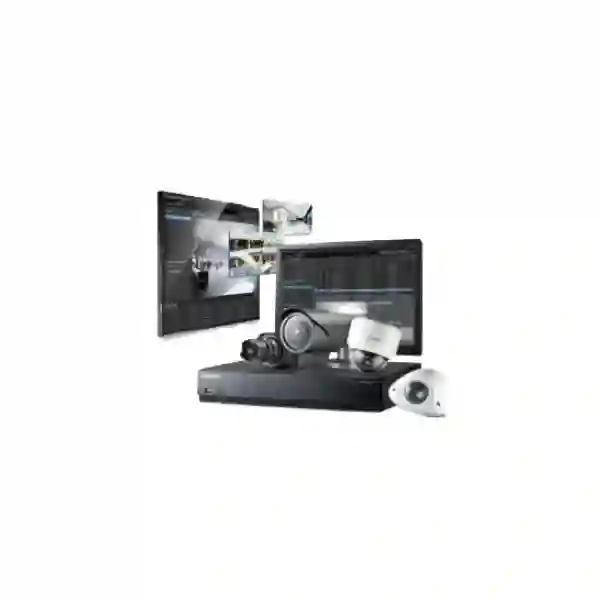
Video management software · legacy version
Hanwha SSM Professional v1.6
Assess centralized camera monitoring, event handling, recording workflows and legacy system fit with edition-specific facts. Designed for readers reviewing an existing SSM deployment or planning a carefully verified upgrade, not for assuming that an older license is still on sale.
*Historical manufacturer edition limits; hardware capability, current licensing and compatibility require confirmation.
Plan around what the system must do
If you are evaluating Hanwha SSM Professional v1.6 in Tanzania, start with the real installation: camera inventory, operator duties, existing recorders, evidence requirements and current software entitlement. The original manufacturer documentation supports the historical specifications shown below, but not promises of today’s stock, free licensing, security updates or universal camera compatibility. Request a technical suitability and licensing review before making a commercial decision.
| Product / edition | Hanwha SSM (Professional v1.6) |
|---|---|
| Software category | Legacy video management / centralized surveillance |
| Documented maximum cameras | 288 (subject to configuration and entitlement) |
| Documented client limit | 5 |
| Architecture | Multi-server |
| Core functions | Live viewing, event monitoring, search/playback, maps, user policies |
| Historical viewing specification | Up to 4 monitors; 100 live channels; 16 playback channels |
| Edition exclusions | Enterprise-only video wall, failover server, federation, Video Summary |
| Licensing status | Verify existing entitlement; legacy free-license policy changed |
| Tanzania price, local availability and SKU | Not verified |
Who this software is for
Hanwha SSM Professional v1.6 is a legacy video management software platform for organizations that need a common workspace for surveillance cameras, recording servers and compatible recorders. Instead of checking each recording device separately, a security operator can use a centralized client to view live pictures, review events, search recordings and follow an established response procedure. The Professional edition was designed for installations that need coordinated monitoring without every advanced integration found in the Enterprise edition.
For a buyer in Tanzania, the main question is not simply whether the software has an impressive feature list. It is whether an existing, properly licensed v1.6 system can support the cameras, operators, storage arrangements and maintenance expectations of the site. This page explains the historical capabilities documented by Hanwha, separates them from Enterprise-only functions, and identifies what should be verified before a quote, replacement or migration decision.
A clearer answer to the buying question
Choose to assess SSM Professional v1.6 when you are maintaining a known installation, adding supported equipment to an established deployment, documenting the requirements of an existing control room, or planning a transition away from an older platform. It can make operational sense to evaluate the existing investment before replacing every component. However, an older feature specification is not evidence that fresh licenses, installers, security updates or compatibility with newly released devices are currently available.
For a new site, begin by defining the security workflow rather than committing to an old software version. Decide how many cameras must be viewed, which events matter, how long evidence is retained, how many people use the console and what happens when a network or server fails. Compare these requirements with the capabilities and current lifecycle position of the proposed VMS. The purpose of a review is a defensible operating plan, not a promise that every legacy function will remain supported.
Professional v1.6 versus Enterprise v1.6
The edition distinction is especially important. Hanwha’s original SSM v1.6 comparison lists 288 cameras and five clients as the Professional edition limits, with a multi-server architecture. It identifies centralized management, live and playback operations, event monitoring, map monitoring and POS/ATM functions in Professional. Those numbers describe a historical software capability, not a guarantee that any chosen computer will display or record the full limit, or that licensing for a new deployment can be acquired.
The same manufacturer comparison reserves features such as Virtual Matrix video wall management, Transaction Server integration, failover server, transcoding module, site federation, Google Map monitoring, Active Directory integration, advanced dashboard capabilities and Video Summary search for Enterprise. Some high-level Hanwha marketing descriptions discuss the complete SSM family without separating editions. Buyers should use the detailed version-and-edition matrix, not an unqualified family-level promise, to avoid ordering a design that the Professional entitlement cannot deliver.
Centralized management and its operating value
A centralized management approach can reduce the number of interfaces that a monitoring team must learn. Within the documented Professional architecture, a system manager organizes the supported servers, cameras and recorders and applies user or group policies. A media gateway handles video stream delivery to clients, while a recording server can provide recording functions within the relevant installation and license configuration. These components can be combined according to the site’s technical design rather than being treated as a single fixed appliance.
This separation is useful when a building gradually expands from a few entrances to loading areas, corridors, parking spaces and shared facilities. Operators can work with a planned naming system and layouts instead of memorizing recorder addresses. It still requires disciplined configuration: clear camera names, approved operator roles, accurate clocks, documented device ownership and a process for handling faults. Software centralization improves organization only when the underlying camera and network estate has been designed consistently.
Live viewing and control-room workflows
The historical v1.6 specification lists live monitoring, sequential views, predefined and user-favorite layouts, PTZ control where supported, digital zoom, screen adjustments, alarm-output control and camera-related audio features. The operation matrix refers to a maximum of four monitors and up to 100 live channels for the software’s live monitoring function. These are specification limits and must not be confused with the camera registration cap, the number of recording channels or the performance that a particular workstation can sustain.
For everyday work, design layouts around actual decisions. An entrance layout might show visitors, delivery gates and adjacent routes; a night shift layout might emphasize perimeter views and alarm zones. Avoid placing every camera on one screen merely because the software offers a large channel count. Small images can make incidents harder to interpret. Workstation graphics performance, camera stream profiles, decoding capability, network throughput and operator training all affect whether a selected layout remains responsive under real conditions.
Event handling and a meaningful alarm process
SSM Professional v1.6 includes documented event lists, event acknowledgement, event search, rule-based event actions and event history. This enables a site to establish a repeatable process: an event arrives, an operator identifies the relevant camera, checks the surrounding activity, records an acknowledgement and escalates only when the event meets a defined criterion. The exact event types and actions available depend on the connected device, installed component, software configuration and permissions.
A good alarm design starts with the business consequence of missing an event. For example, an unsecured access point may require immediate verification, while routine motion in an active reception area may be too common to justify an alert. Priorities should be consistent across shifts, and the escalation path must name an actual responsible role. Operators should test both the normal workflow and the failure case. A rule that looks correct in a configuration screen is not necessarily effective when a camera is offline or a network path is congested.
Search, playback and incident review
Recorded video is valuable only when authorized staff can find the right segment and understand its context. The original Professional v1.6 operation matrix includes date-and-time search, event search, bookmark search, smart search, synchronized playback, multi-channel timelines and export in the listed formats. It specifies 16 playback channels. These features can help an investigator move from a report of an incident to footage from nearby cameras and preserve a relevant extract for authorized review.
Evidence handling still needs human controls. Verify the recording clock and time zone, document which camera captured the material, retain the original where required, and record who performed the export. Video clips should be tested with the intended review tool rather than assumed to work everywhere. The manufacturer lists SEC and AVI export formats historically, but file accessibility and playback software should be checked for the actual v1.6 build. Do not assume that an advanced Video Summary function mentioned in SSM family literature is available in Professional; the edition matrix assigns it to Enterprise.
Recording policies: more than a storage number
SSM’s historical recording-server functions include continuous, manual, scheduled and event-based recording modes, with pre- and post-event options in the documented configuration. A recording design should identify which cameras require continuous coverage and which can sensibly use event recording. The decision involves evidence requirements, activity patterns and the risk of missing the beginning or end of an incident. Camera-side recording capabilities, recorder configurations and storage choices can also influence the design.
Storage capacity must be calculated from expected streams and retention needs, not from the software’s headline camera limit. Resolution, frame rate, compression, average scene activity, number of cameras, recording mode and retention period all affect disk demand. Confirm whether the proposed implementation records to SSM recording servers or uses existing compatible NVRs. Also plan the recovery process after unexpected shutdowns and document what footage, if any, might be unavailable during a failure. Capacity, retention and playback load should be tested against the actual servers before a production commitment.
Map monitoring and spatial awareness
Hanwha lists map monitoring in the Professional edition. A site map helps an operator understand the physical relationship between cameras, entrances, barriers and areas where an event occurs. This is particularly useful in campuses, factories, warehouses and buildings with multiple wings. A clearly labeled map reduces the time spent translating camera names into real-world positions, especially for newly assigned staff or shared monitoring teams.
A useful map is maintained as part of the security documentation. When a camera is moved, renamed or replaced, update its position and label in the monitoring system. Make sure maps can be understood without relying on ambiguous symbols and that they reflect current access routes. The older specification documents image-map functions for Professional; it places Google Map monitoring in Enterprise. Do not promise a live geographic mapping service or an integration that requires a higher edition simply because the broader SSM platform has offered one.
POS and ATM-related monitoring considerations
The historical feature matrix includes POS/ATM monitoring for Professional, and the operation details describe POS receipt display, POS search and an instant viewer. These can be useful where transaction information needs to be considered alongside a camera recording, such as investigating a disputed retail checkout event. Nevertheless, the presence of a feature in the product matrix does not establish compatibility with every cash register, payment terminal, controller or software package.
An evaluation should start with the specific transaction system. Record its vendor, model, interface or output format, integration method and the evidence the business needs. Test how a transaction is associated with video, what happens when timestamps disagree and whether private customer data is unnecessarily exposed. Do not confuse the Professional POS workflow with the separate Enterprise Transaction Server for wider third-party access-control and intrusion integrations. Broader access-control monitoring and listed enterprise integrations should be treated as a separate requirement until confirmed for the exact edition.
User roles, permissions and accountability
Centralized access management can help define what each operator may view, search, configure or export. The historical SSM v1.6 Professional documentation includes device-level and function-level access authority settings, user and group management and controls related to failed login attempts. A shift operator may need to acknowledge events and view live feeds, while a supervisor may also require investigative playback or limited administrative access. The exact permission model must be validated in the deployed build.
A security team should apply least privilege and keep an access register. Review accounts when employees change responsibilities, disable credentials no longer needed and avoid shared administrator logins. Protect the configuration backup and record changes that affect cameras, recording or evidence access. For facilities handling personal information, the technology does not replace an organizational privacy policy. Human supervision, approved access processes and periodic review are necessary alongside any controls provided by software from this older generation.
Network bandwidth and stream planning
Surveillance traffic can overwhelm an otherwise healthy network when planning is based only on the number of cameras. Calculate expected video traffic across the sections of the network that carry it, including camera uplinks, recorder connections, monitoring-client links and any inter-building or remote connections. The same live view may use a stream profile different from the stream recorded for later investigation. The original specification describes bandwidth-adjustment behaviour in the client, but that is not a substitute for careful network design.
Separate security traffic where appropriate, reserve capacity for bursts, and test performance with realistic simultaneous operator activity. If a remote office has a modest connection, determine whether its cameras should record locally and how the central team will request footage. Network redundancy, latency, packet loss and firewall policies should be understood before rollout. Do not assume that a manufacturer’s maximum throughput figure for a single component can be multiplied into a complete system guarantee. Real results depend on the device estate, server resources and network paths.
Hardware, server and workstation sizing
The Professional edition can use multiple software components, and each role imposes its own computing and storage demands. The original v1.6 brochure lists limits for its media gateway and recording-server components, including a historical maximum of 128 cameras per recording server, distinct from the overall Professional system cap. Actual deployment capacity depends on the selected architecture, relevant licensing, software build, recording bitrate, hardware capability and any device-side restrictions.
Before buying hardware, compile a camera schedule showing each device, stream settings, recording requirement and viewing priority. Estimate CPU, memory, network interface, storage throughput and storage resilience for each intended role. Evaluate the operator PC separately from the recording servers: a workstation showing several high-resolution streams can have different demands from a computer performing administrative tasks. Maintain a record of the validated operating system and supported drivers. Avoid assuming that an installer designed years ago is compatible with the latest desktop or server operating system without current vendor confirmation.
Compatibility with cameras, recorders and controls
The original SSM v1.6 documentation discusses supported network cameras, encoders, decoders and DVR/NVR equipment, but it does not establish universal support for every Wisenet model or third-party device released later. Compatibility should be verified against the exact camera or recorder model, firmware revision, requested function and SSM version. Basic live video compatibility does not prove that every event, audio function, PTZ command or recording-search operation will behave as expected.
Build a compatibility sheet before deployment. For each device, note the available stream type, credentials and authentication method, video and audio expectations, event capabilities, clock synchronization and firmware. Include controller models if a joystick or other console input is essential. Where a camera must be replaced, test the actual replacement before ordering a large batch. If a feature works only through a recorder, distinguish that connection path from direct camera registration. This prevents a design from relying on implied capabilities that have not been demonstrated.
Operational resilience and failure response
A security platform needs a documented response to lost power, an interrupted camera connection, corrupted storage, a stopped service or an unavailable client workstation. Operators should know how to determine whether video is still being recorded and whom to contact when live viewing fails. The installation team should record the server roles, configuration-backup location, recovery steps and the expected behaviour if individual components disappear from the network.
It is important not to promise Enterprise resilience within Professional. The historical edition matrix places the dedicated Failover Server, advanced real-time system dashboard and site federation outside Professional. That does not prevent a facility from engineering reliable power, network links, storage practices or operational procedures, but the resulting design must distinguish infrastructure protections from a software feature that the selected edition does not provide. Test outages before sign-off. A properly executed failure drill reveals gaps that are unlikely to appear during normal live viewing.
Security and data-handling controls
A video management system stores or exposes information about people, places and daily activities. Establish who is allowed to watch live footage, who may retrieve recordings, when footage can be exported and how exported files are protected. Use controlled workstations, trusted administrative access, protected backup media and documented approval procedures. Avoid leaving evidence on an unprotected shared computer merely because the export operation succeeded.
Legacy software deserves additional attention. Confirm with the appropriate vendor or qualified technical team whether security maintenance, supported operating systems and relevant network protections are still available for the exact installed build. Review remote-access methods, credentials, endpoint protection and network segregation before exposing any surveillance service beyond the trusted local network. Do not treat historical references to SSL or login features as proof of contemporary cybersecurity compliance. Security requirements and applicable privacy obligations need separate assessment for the facility and its operating environment.
Licensing and current lifecycle position
A lifecycle review is essential for SSM Professional v1.6. Hanwha Vision announced the end of its online distribution channel for the free 16-channel SSM recording license, with removal scheduled for 24 November 2025. The notice stated that previously issued free licenses would remain valid until 31 March 2026 and that the change applied to SSM v1.6 and v2.0. It also stated that the v1.6 installation-file download would be removed. These dates are not a statement that every paid, contract-based or existing license follows precisely the same terms.
As of November 2026, never advertise the former free recording license as an active new offer. Confirm the entitlement of the actual installation, any permitted changes to licensed hardware, the availability of official installation media, vendor support and the feasibility of ongoing maintenance. Hanwha separately describes license-free NVR viewing from Wisenet SSM v2.19.02 onward; that is a newer-version policy and not a reason to assume v1.6 has the same entitlement. Request a licensing assessment before assuming an upgrade path or activation method.
Using existing installations responsibly
For an installed system that still meets the site’s operational needs, begin with an audit rather than a disruptive replacement. Inventory the registered devices, service versions, server hardware, client computers, evidence workflows, account permissions, storage locations and available configuration backups. Identify important cameras with unresolved faults. Confirm which functions the site actually uses; a feature that no operator has ever opened should not dominate a migration decision.
Then perform a risk review. Consider whether the current entitlement can still be validated, whether the software can be safely maintained, whether spare hardware and compatible drivers are obtainable, and how long the system must remain in service. Where replacement is justified, define a transition window and a method for retaining required historic recordings. Where continued operation is chosen, document why, assign an owner for periodic review and establish a trigger for reconsideration, such as loss of hardware support, a material security risk or a new camera requirement.
Tanzania deployment considerations
Organizations operating in Tanzania may have surveillance coverage distributed across office buildings, industrial spaces, warehouses or more than one site. Network quality, electricity continuity, building layout and available technical staff can differ substantially between facilities. A suitable VMS design begins with what is actually installed at the specific premises rather than broad assumptions about local infrastructure or nationwide service availability.
Discuss secure network architecture, power protection, practical maintenance access, time synchronization, operator responsibilities and a realistic evidence-retention policy. If recordings need to cross a wide-area connection, investigate bandwidth and recovery methods rather than assuming continuous high-resolution streaming is appropriate. The type of organization can also affect access controls and evidence handling procedures. FourTeck can review requirements through the normal enquiry process, but this page does not assert particular stock, local office locations, installation coverage, guaranteed response times, regulatory approvals or a Tanzania-specific price.
Common scenario: one commercial building
Consider an existing commercial building with cameras at public entrances, lift areas, service corridors and parking access. The building manager wants a small security team to see routine activity, find footage following a complaint and reduce the time spent using individual recorder interfaces. SSM Professional v1.6 may be worth assessing if the existing devices are compatible, the camera count fits the historical limit and the current license situation is clear.
The design work should prioritize clear camera naming, a reception layout, an after-hours layout, a standard incident-report workflow and assigned export privileges. A trial should check whether playback from the intended recorders is searchable and whether operators can reliably identify the relevant views. If the owner requires built-in enterprise failover or a sophisticated video wall, those requirements signal that Professional should not be specified solely on the basis of a general SSM brochure.
Common scenario: warehouse and loading operations
For a warehouse, cameras may cover dispatch doors, goods-receiving zones, vehicle entrances and high-value storage areas. A monitoring operator may need to move between live views and a recording from a specific loading interval. Event markers, time-aligned playback and a carefully designed camera plan can make this less cumbersome than opening separate devices one by one, provided the installed version and connected equipment support the expected functions.
Before implementation, test camera coverage during actual loading activity. Moving vehicles, shadows, changing light and frequent motion can produce unnecessary alarms if the response rules are poorly tuned. Review the evidence retention period with the responsible manager and ensure that timestamps on cameras and recorders are consistent. A paper diagram of the site and naming convention can be as useful to the security team as the monitoring application itself.
Common scenario: education or multi-building premises
A school, training facility or campus may need authorized staff to navigate entrances, internal circulation routes and separate blocks. Historical Professional features such as user policies, map monitoring and predefined live layouts can support a coherent operating process. The challenge is usually not the number of controls shown in a software brochure; it is creating simple routines that different shifts can follow without unnecessary access to sensitive recordings.
Separate the responsibilities of operators, supervisors and IT administrators. Establish procedures for complaints, visitor incidents and requests for footage, and document how evidence is released to authorized parties. If separate buildings connect through network links, test the most demanding periods of viewing and searching. Where the installation spans many sites or depends on centralized federation, evaluate a platform and edition specifically designed for that requirement instead of assuming Professional contains the Enterprise federation module.
Common scenario: retail transaction investigation
A retail business may need footage to clarify a cash-desk discrepancy or identify what happened near a customer-service point. Professional’s documented POS-related functions are relevant to investigate, but a useful outcome depends on the compatibility of the actual transaction data source and its association with recorded pictures. A proof of concept should demonstrate one real transaction type, a corresponding camera, the matching timestamp and the resulting search process.
Protect customer information throughout the workflow. Not every transaction detail belongs in a surveillance image or exported incident package. Define who can search receipt-linked events and whether access should be limited to a supervisor. If the required integration depends on a custom third-party Transaction Server, remember that the historical Enterprise edition contains that separate module while Professional does not. Verify integration in a controlled test instead of assuming all cash registers behave alike.
Common scenario: planned camera expansion
A facility may begin with an established v1.6 system and then plan to add new network cameras. The first checks are the overall Professional camera cap, the deployed recording and gateway architecture, available network bandwidth and the compatibility of each proposed model. A camera that looks equivalent to an older model may have different codecs, authentication behaviour, event outputs or firmware dependencies. An extra camera can expose limitations even when the nominal channel total is still within a published maximum.
Plan expansion in stages. Identify the required views, validate a sample camera, test its playback, confirm storage effects and update the operating instructions before adding the next group. If the intended expansion would exceed the legacy edition’s practical limits or depends on functions reserved for another edition, compare the cost and risk of a platform upgrade with attempting to prolong the old design. Document the decision so that future maintenance teams understand why equipment was selected.
Implementation roadmap for a controlled decision
Start with discovery: record the business purpose, current camera schedule, recording locations, user count and existing license evidence. Follow with an edition-and-version check against the specific manufacturer documentation. Identify features that are essential, optional or prohibited by policy. Next, verify the devices and platform dependencies through a limited test. This includes live viewing, event handling, playback, exports, time synchronization and realistic viewing loads.
Move to design only after the test results are documented. Prepare network and server sizing assumptions, storage calculations, access roles and failure procedures. Set acceptance criteria that describe observable results, such as finding and exporting a test event from a named camera. Train operators with the exact layouts they will use, not only a generic software demonstration. Finally, review the handover pack: configuration backup, licensing records, architecture diagram, maintenance contacts, risk register and a defined process for future changes.
Questions to resolve before requesting a quote
Supply the number of cameras already in service and the number planned, plus the manufacturer and model of the connected recorders. State whether this is an existing SSM v1.6 installation or a proposed fresh installation. If a system is installed, record its software build, current license details, server roles and the functions that must be preserved. Do not include license secrets or administrator passwords in an ordinary public enquiry.
Explain how operators work today: concurrent workstation needs, live layouts, PTZ control, time-based investigations, event response, evidence exports, recording periods and any special POS-related workflow. Mention critical infrastructure constraints, such as limited inter-building connectivity or whether footage must be available when a link fails. With those details, a technical review can identify missing compatibility evidence, the realistic lifecycle risks and whether Professional v1.6, a supported newer Wisenet SSM release or another solution should be considered.
What to compare with newer video management options
Do not compare video management solutions by camera capacity alone. For a modern deployment, investigate supported device generations, available security maintenance, the current licensing model, role-based access controls, evidence handling, client performance, remote access patterns, video analytics needs and incident response workflows. Consider whether the organization truly needs enterprise monitoring and integration, or a simpler NVR-focused viewing application. The right answer is the smallest maintainable system that meets actual operating requirements.
Hanwha’s current Wisenet SSM information describes features and capacities for newer releases that are not interchangeable with v1.6 Professional limits. Treat it as a separate product-generation evaluation, with its own documentation and compatibility matrix. A historical system may still be useful in a specific context, but its initial purchase price or familiarity should not obscure security and support risk. Define the required outcome first, verify the current product offering and then compare the total operational implications.
Frequently asked questions
These answers cover the edition boundaries and procurement checks most likely to affect a decision about this legacy video management system.
Is Hanwha SSM Professional v1.6 suitable for a new installation?
It is primarily a legacy version to assess in the context of existing systems. A new deployment should be compared with currently supported alternatives because historical technical capabilities do not establish current licensing, installer availability, operating-system support or security maintenance. Require confirmation of all of these items before making a purchase or installation commitment.
How many cameras can Professional v1.6 manage?
The original Hanwha edition matrix gives a historical maximum of 288 cameras for Professional v1.6. That is the overall edition figure, not a promise that a particular recorder, media gateway, storage server or viewing computer can operate at that full load. Design and license checks are still necessary, particularly when cameras and recorders are mixed.
How many monitoring clients are supported?
Hanwha’s v1.6 Professional specification lists five clients. Confirm how the entitlement applies to the actual installed version and the proposed operator workflow. Do not interpret the figure as an unlimited number of simultaneous monitoring workstations. Where a larger control room is required, include client capacity as a formal acceptance requirement.
Does Professional include a video wall?
The historical edition comparison does not include the Virtual Matrix video wall component in Professional; it belongs to Enterprise. Professional does document multi-monitor client viewing, which is different from centrally managed video wall capability. Clarify whether the requirement means additional screens on a workstation or an actual video wall system before choosing an edition.
Can this edition record and replay video?
Professional documentation includes Recording Server support, multiple recording modes, search and playback features, and video export. These capabilities depend on the actual deployment and entitlement. Confirm whether existing recordings are on SSM servers or compatible NVRs, which search paths are supported and how a test clip will be exported. No retention duration is guaranteed by the software name alone.
Is advanced failover built into Professional v1.6?
The dedicated Failover Server module and advanced dashboard functions are placed in the Enterprise column of Hanwha’s historical comparison. Network redundancy, protected power and operational recovery procedures can still be designed independently. However, they must not be marketed as the same thing as an Enterprise-only application failover module.
What happened to the historical free 16-channel license?
Hanwha announced that online distribution of the free 16-channel recording license would end, that previously issued free licenses would remain valid until 31 March 2026, and that the v1.6 installer download would be removed. These statements concern the announced free-license policy; existing paid entitlements need separate verification. Do not assume free activation remains available today.
Can existing Wisenet cameras and NVRs be connected?
The original platform supports certain network cameras and recorder categories, but compatibility is model-specific and can depend on firmware, operating mode and connection route. Obtain the exact device list and test live viewing, playback, events, PTZ and audio where required. Support for a brand or protocol family should not be presented as support for every particular device.
Does the Professional edition support transaction search?
Hanwha historically listed POS/ATM monitoring and POS-related search features for Professional. The actual operation depends on the selected transaction system and configuration. Verify data-source integration using a real sample and check that sensitive transaction details are handled appropriately. Wider third-party access-control integration through Transaction Server is a separate Enterprise function.
Can it run on a modern Windows workstation or server?
Do not assume compatibility from the age or name of the software. Identify the exact SSM build and obtain vendor-confirmed operating-system and driver requirements before specifying replacement computers. Test graphics decoding, recording services, exports and device communications. If the vendor no longer supports the necessary platform combination, that is an important reason to consider migration.
Is Wisenet SSM v2.19.02 the same as SSM v1.6?
No. Hanwha describes a license-free NVR viewer option from v2.19.02 onward, but this newer-version policy does not establish any entitlement for v1.6. Current Wisenet SSM releases also have their own specifications. Plan version changes as a managed compatibility and licensing project, not as a simple assumption that all earlier behaviours will carry forward.
What information is needed for a technical review in Tanzania?
Start with the existing SSM version and license position, device models, camera count, operator requirements, recording approach and essential features. Add details of site topology, server hardware and future expansion. The technical review should identify missing evidence and possible options. It should not promise stock, installation coverage, a specific price or guaranteed activation until these have been checked for the actual request.
Request a licensing and compatibility review
Before placing an order for Hanwha SSM Professional v1.6, share your installation requirements with FourTeck Tanzania through its established enquiry channel. Provide the installed software build, camera and recorder models, approximate camera count, monitoring-client needs and the functions you must retain. A review can clarify what needs manufacturer confirmation and whether continued use, a newer supported release or a different video management approach is appropriate.
Next step: Request a technical suitability and quotation review. No current price, stock, license entitlement or lead time is implied.




Reviews
There are no reviews yet.