
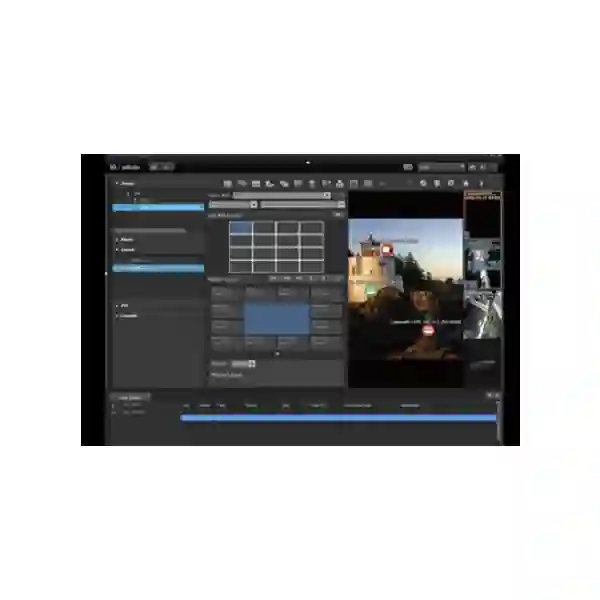
Hanwha SSM-VM20 Virtual Matrix Software
A multi-screen surveillance video-wall add-on for compatible Smart Security Manager installations, with a manufacturer-stated capacity of up to 36 monitors. The manufacturer now lists this exact model as discontinued.
Check compatibility before requesting supply
For an existing video wall, begin with the installed SSM version, Virtual Matrix software, licensing status and decoder inventory. For a new project, evaluate currently supported alternatives. The historical SSM-VM20 manual identifies SSM v1.6 interoperability and should not be interpreted as compatibility proof for newer SSM releases.
Next step: request a documented technical and lifecycle assessment. No price, stock status, local warranty or delivery commitment is represented on this page.
Quick product reference
| Manufacturer | Hanwha Vision (historically Hanwha Techwin / Samsung Techwin) |
|---|---|
| Model | SSM-VM20 |
| Product category | Smart Security Manager Virtual Matrix software module |
| Documented headline capacity | Up to 36 monitors (model-specific manufacturer description) |
| Wall management functions | Configurable layouts, video selection, event-driven view switching |
| Decoding methods historically listed | VM Decoder software; selected hardware decoding such as SPD-400 |
| Historical SSM interworking reference | SSM v1.6 in the legacy product manual; verify the installed release |
| Manufacturer lifecycle label | Discontinued |
| Tanzania availability, entitlement, price and support | Not verified; requires individual confirmation |
What the product is—and why its lifecycle matters
SSM-VM20 belongs to the Virtual Matrix family used with Hanwha’s Smart Security Manager platform. Its purpose is to bring several surveillance views together on an operator-controlled video wall. Instead of manually selecting an input on every screen, an authorized user can work with layouts and the Virtual Matrix interface to organize what appears. That is valuable in a control room where staff need a shared picture of entrances, high-priority areas, ongoing incidents, and the wider monitored environment.
This listing must be read in its historical context. Hanwha Vision’s official product listing identifies SSM-VM20 as discontinued. That designation is material to procurement, replacement licensing, security maintenance, spare equipment, technical assistance, and future upgrades. It does not establish whether a particular existing installation will continue functioning, nor does it establish the availability of a replacement in Tanzania. Each site needs its own version and entitlement review before an operational or purchasing decision.
For a buyer, the useful question is not simply whether the feature list meets a desired monitor count. It is whether the software, the installed SSM environment, the decoding devices, the display hardware, and the organization’s support requirements can work together in a maintainable configuration. Existing users may need help documenting and preserving a working setup. New projects should first compare currently supported video-wall options rather than assume that a discontinued legacy module is the safest starting point.
Core features at a glance
Manufacturer documentation describes a multi-screen management application built around standard computer and display equipment, with configuration through Virtual Matrix Manager and the SSM console. The software is associated with live monitoring, selectable views, preconfigured layouts, and event-related changes to what the wall shows. The value lies in coordinating surveillance displays as one managed operational surface, not in increasing the image quality of an underlying camera or replacing the recording infrastructure.
The stated up-to-36-monitor capability is a product-family specification for this particular model. It must not be confused with 36 camera channels, 36 simultaneous operators, or a promise that any PC can render 36 high-resolution streams. Effective performance depends on the documented software release, decoding approach, screen layout, source streams, network capacity, computer resources, and installation design. A quote should distinguish the licensed monitor or decoder scope from actual camera inventory.
Other manufacturer-listed functions include selectable screen layouts, event-driven wall spot, monitor spot and tile spot actions, live monitoring alongside maps, and multiple levels of access authority. Those functions should be demonstrated on the exact installed release when specifying an upgrade. A feature appearing in an older brochure is not automatically supported in every later SSM version, with every recorder, or through every hardware decoder. Configuration testing provides far better assurance than relying on a headline feature list.
Who should evaluate this legacy module
An established security operations room with an older SSM installation may have a specific reason to investigate this model. Examples include a display wall whose configuration needs to be recovered, a change in console operators, a failing legacy decoder PC, or a need to document the current software before planned refurbishment. In such situations, identifying the installed software and licensed configuration is more useful than starting with an unverified new product order.
Organizations planning a new video wall should approach this differently. A new deployment needs an actively supportable software stack, cybersecurity maintenance, compatible decoders, clear service arrangements, and equipment with a reasonable operating life. The discontinued status is therefore a strong reason to request a present-day alternative review. The correct replacement could involve software, hardware or both, depending on what the current manufacturer supports and what the customer already owns.
Potential environments include industrial security desks, campuses, large commercial premises, transport facilities, and other sites where a team watches multiple camera areas. These are deployment examples, not claims about installed systems or customer references in Tanzania. Site size alone does not establish fit: a two-screen incident desk can have difficult switching requirements, while a larger wall may use relatively simple fixed layouts. Start with operator tasks and incident workflows, then select the technology.
Understand the 36-monitor figure
Hanwha lists SSM-VM20 as an add-on Virtual Matrix module for up to 36 monitors. That is the important product-level headline, but it is not a complete engineering sizing rule. A physical monitor may display one image, several tiled camera views, a map, or a layout that changes according to activity. The number of camera tiles displayed and their decoding demand can be substantially greater than the number of physical panels in a wall.
For example, a proposed six-monitor control room could dedicate two screens to perimeter views, two to entry points, one to an incident layout and one to a map. Such an arrangement illustrates how a wall can serve distinct operator goals. It does not imply a particular software version, decoder count, or performance capacity. The actual design must be checked against the relevant SSM Virtual Matrix documentation, connected devices, display outputs and tested workload.
Before interpreting a monitor limit, make an inventory of panels, display inputs, wall-controller outputs, decoder PCs, hardware decoders, licensed software and camera sources. Record the maximum number of camera tiles required in ordinary viewing and during incident escalation. Clarify whether screens are independent, merged into large images, or switched as groups. These decisions affect equipment, bandwidth, power and recovery procedures even when the headline monitor number appears sufficient.
How the solution relates to Smart Security Manager
Virtual Matrix is an addition to the SSM environment rather than a standalone surveillance management system. An existing SSM deployment typically holds the device relationships, the relevant monitoring functions, and the permissions that operators rely on. The Virtual Matrix components organize selected video on the wall. A site without a suitable SSM foundation cannot simply install this module and expect cameras, recording, user accounts and displays to become fully managed.
An older manufacturer user manual identifies SSM v1.6 as the interworking software for the SSM-VM20 generation. That is a documented historical relationship, not a statement that the discontinued module supports Wisenet SSM 2.10, 2.22 or any other current release. Hanwha has separately maintained newer SSM software and Virtual Matrix guidance. Those newer capabilities should be reviewed on their own merits without transferring compatibility assumptions to this specific legacy product code.
A sensible audit records the exact SSM server and client versions, installed Virtual Matrix packages, activated entitlements, decoder models and operating systems. It should also capture any third-party integration and the existing configuration backup method. If these details are unavailable, licensing or upgrade recommendations are premature. Request a version-specific compatibility statement and a tested recovery plan before reinstalling applications, changing an SSM server, or replacing a decoder.
The Virtual Matrix architecture in practical terms
Legacy documentation describes a manager, gateway and decoder arrangement. The manager is used for configuring wall objects and viewing arrangements. A gateway coordinates control of wall-related components. A decoder displays the selected video content on a connected screen or display output. These are distinct roles even where more than one runs on the same computer. Understanding that separation helps a technician identify whether a fault comes from configuration, control communication or actual video rendering.
In operation, a viewing request can begin at an operator console or configured rule, pass through the relevant management components, and cause a particular display area to show the chosen stream or layout. The exact flow varies by installation and software release. Network addressing, access rights, service availability and registered video sources all matter. A display that is physically powered on but not receiving the intended view is not enough evidence to blame the panel itself.
When planning repairs, ask for a clear component diagram showing SSM servers, camera networks, consoles, gateways, decoder machines, hardware decoders and wall monitors. Add the logical network paths and equipment identifiers, but avoid exposing passwords in shared documentation. This map is the foundation for troubleshooting and helps estimate which equipment can be replaced independently. It also reveals dependencies that might otherwise be missed during an operating-system or network migration.
VM Manager: define the wall before using it
The Virtual Matrix Manager is the configuration-focused part of the legacy arrangement. It is where authorized staff can work with wall definitions, display assignments and the layouts the operators are expected to use. A well-designed wall is not simply a collection of camera thumbnails. It is a set of named operational views that make sense during routine patrol, alarm review, shift changes and incident escalation, with clear conventions for who may change them.
A useful configuration begins with questions: Which cameras matter most to the duty team? Which screens should remain persistent? Which views need to change when an event occurs? Are there visual or accessibility requirements for the operators? Could an operator confuse a live camera with recorded footage or a map? Document these choices before building layouts, so training and later troubleshooting follow a consistent plan.
Some legacy SSM Console interfaces can adjust wall views without permanently saving every change back to the underlying Virtual Matrix configuration. The manufacturer has noted this distinction in its video-wall guidance. Therefore, do not assume a temporary operator adjustment is a durable configuration change. Confirm where the authoritative wall layout resides, how changes are saved, who approves them, and how the known-good configuration is restored after a system or computer replacement.
VM Gateway: keep control communication dependable
The gateway function connects wall-management instructions with the appropriate decoder components. In a legacy installation, the gateway is part of the control path that needs dependable service operation and network communication. If a display continues showing a previous image but stops responding to layout commands, the investigation should include gateway status and communication as well as the decoder, console and SSM server.
Operational design should specify stable addressing, allowed traffic between application components, appropriate host permissions and consistent service startup after a restart. The original manual contains version-specific port and service information; those details need to be obtained from the installed package and confirmed against the site’s network rules. Do not open broad firewall access merely because a historical installation guide lists network ports.
Reliability planning includes a simple recovery workflow: verify the host, check the applicable services, confirm the gateway can see registered decoders, and test whether a known-good wall layout can be recalled. Record the time and outcomes of these checks during commissioning. If the system depends on unsupported operating systems, isolation and a migration plan deserve special attention. The aim is safe, repeatable recovery rather than repeated ad-hoc changes during an active incident.
Software decoding and hardware decoding
Hanwha lists software decoding through its VM Decoder application and hardware decoding with the historical SPD-400 as supported methods for the SSM-VM20 product generation. These are alternative ways to deliver video for a wall, not automatic guarantees of identical capacity or display behavior. A software decoder depends on a suitably configured host and graphics environment. Hardware decoding depends on the exact appliance, its output limits, firmware and software integration.
Hardware selection is particularly important when replacing older equipment. A more recent decoder model might support current SSM Virtual Matrix technology without necessarily supporting the discontinued SSM-VM20 release. Conversely, a legacy decoder named in an older datasheet may not be appropriate for a new installation. Confirm the exact model, release and operating mode with manufacturer documentation rather than treating all Hanwha decoders as interchangeable.
For a replacement review, list the existing decoder model numbers, video outputs, cable connections, screen resolutions, maximum intended split views and operator control methods. Separate present-day manufacturer support from historical feature statements. This protects the customer from buying a device that has suitable video outputs but cannot be registered or controlled by the installed Virtual Matrix components. Where compatibility is uncertain, request a bench test before changing the live wall.
Make layouts reflect the work of operators
Screen layout choices should reflect the order in which staff notice, evaluate and communicate events. A routine monitoring layout may prioritize entrances, gates, circulation areas and the highest-risk camera zones. An incident layout may devote a larger area to a single critical view while preserving context cameras. A supervisor layout may emphasize a map or overview. Consistent naming helps operators change views without searching through long, ambiguous camera lists.
Too many simultaneous tiles can reduce the practical value of a video wall. Although the software may allow complex arrangements, every added pane takes screen space and can make details harder to see. Plan legibility based on the viewing distance, physical monitor dimensions, source resolution and expected recognition task. A camera useful as a small overview tile may need a larger display when an operator is trying to understand a specific event.
Review layouts with the people who will actually use them. Ask them to perform representative tasks, such as following movement through adjacent areas or identifying which camera captured a triggered alert. Note where they hesitate, where maps provide useful context, and when automated switching could distract them. A configuration should make the next decision easier. It should not be a demonstration of the largest number of thumbnails the system can technically show.
Event-driven wall spot, monitor spot and tile spot
The manufacturer names three event-driven switching functions: wall spot, monitor spot and tile spot. Their shared purpose is to surface a relevant image or layout when configured conditions are met. The different modes relate to the scope of the display area being changed. They are an important differentiator for a control room because they can help operators notice events without searching manually through many camera sources.
A useful design question is what should happen after an event is acknowledged. Should the display return to an ordinary view, preserve the event view for review, or require an operator to restore it? What happens when two relevant alarms arrive close together? Which camera should have priority, and who is allowed to override the automation? The technical feature alone does not answer these operational questions. They belong in the site’s alarm handling procedure.
Test triggered switching with controlled events that are safe to generate. Verify the source camera, the destination screen, event priority, operator visibility and the expected recovery view. Also verify what happens when the camera is offline or the decoder is unavailable. A missed event or a screen that remains frozen on an irrelevant source can be operationally serious. Treat event-to-wall mapping as a maintained configuration with documented ownership and change control.
Live video and map viewing
The legacy product feature list includes live monitoring alongside map display. In suitable configurations, a map provides spatial context so an operator can understand where a selected device or alarm belongs within the monitored site. That can be helpful in buildings with many similar corridors, multiple entrances or a large outdoor perimeter. The map should support decisions, not compete with the live video for an operator’s attention.
Map usefulness depends on its accuracy and the data registered in the underlying system. A camera marker is only valuable if it points to the correct device and if the displayed names match the way teams describe locations. Building changes, moved cameras and renamed zones can quickly make a map misleading. Establish an owner for map updates and include periodic checks in the monitoring room’s operational maintenance.
For buyers comparing solutions, ask for a demonstration using a representative site diagram rather than an idealized generic screenshot. Check the readability of labels at actual wall distance and how map selection interacts with live camera changes. Confirm whether the desired behavior exists in the specific SSM and Virtual Matrix release. Documentation showing a capability in a historical edition does not prove that a different software package delivers identical interaction today.
Permissions, operators and security roles
Hanwha describes multi-level user access and authority as a feature of SSM-VM20. This matters because a wall is a shared operational resource. Not every operator should necessarily be able to change global layouts, alter event rules, replace camera assignments or modify configuration settings. A role structure can distinguish routine viewing, temporary incident control, supervisor approval and technical administration.
Begin with the least access needed for each duty. Write down who may move feeds between screens, override automatic switching, edit saved layouts, change camera registrations and restart services. The implementation must follow the permissions supported by the exact installed release. Avoid creating a shared administrative login merely to make shift handovers convenient, since that makes changes harder to attribute and can weaken accountability.
Test roles with separate operator and administrator accounts during commissioning. A person who is permitted to view a camera is not automatically someone who should have authority to display it on every shared screen. Coordinate permissions with the organization’s own monitoring, privacy and incident response practices. When upgrading software, review access rights again because roles and configuration paths can change between product generations.
A realistic control-room workflow
During normal operation, the wall should show a predictable combination of context views and high-priority cameras. Operators should know where the current layout name appears and how to restore it after a temporary change. During an event, they may need to enlarge the relevant feed, inspect adjacent cameras, preserve the event context, and communicate observations to colleagues. The selected video-wall technology should support those tasks without unnecessary complexity.
Shift handover deserves specific attention. A new operator needs to know whether any view has been overridden, which events remain active, whether any camera or monitor is offline, and whether temporary troubleshooting has changed the normal configuration. A short handover checklist may prevent important information from being lost. The checklist should also identify who to contact if a managed wall cannot be restored to its normal view.
The best operational result is an understandable wall even when conditions are imperfect. A lost source, failed decoder, stale map or incorrect event rule should be recognizable rather than silently misleading staff. Define visible fault indications and an alternative monitoring procedure in case the shared wall is unavailable. The goal of centralized display management is situational awareness, not dependence on a single screen arrangement without a backup.
Inventory first for an existing installation
For a legacy SSM-VM20 installation, gathering the right evidence is often the most valuable initial activity. Photograph product labels where appropriate, record module versions from the installed applications, identify license information through an authorized administrator, and list the devices actually connected. Preserve documentation of the current working layout, event rules and display mapping before making changes. Do not expose license keys or passwords in open emails or public support threads.
The inventory should include SSM servers, management PCs, decoder hosts, hardware decoders, installed operating systems, physical displays, display adapters, switches and relevant software versions. Record dependencies such as a dedicated graphics driver or an application configured to start automatically. Older systems sometimes rely on operational details that were never included in the original purchase paperwork. Identifying them early can prevent unnecessary downtime during a repair.
Once the inventory is complete, classify each component as working, failed, supported, unsupported or not yet verified. The categories matter: working equipment can still pose a security or maintenance concern, and a discontinued item is not automatically broken. This distinction allows a sensible plan for immediate stabilization and a separate plan for modernization. It also provides a factual basis for comparing the cost and risk of preserving the system against replacing it.
Check software versions before upgrading
Do not assume that a newer SSM installer is a drop-in update for legacy Virtual Matrix components. The published SSM-VM20-era documentation names SSM v1.6, while modern Hanwha materials describe later Wisenet SSM generations and different Virtual Matrix procedures. The presence of a similarly named component in current software is not proof that an old entitlement or decoder will remain compatible. Version alignment is a critical verification step.
Ask for the version of every server, console and Virtual Matrix element, then compare those versions with the manufacturer’s relevant compatibility matrix, release notes or support guidance. Include the operating system and database dependencies where applicable. If the current environment is isolated from normal updates, determine why and whether the operating constraints can be addressed without placing unsupported software directly on an unrestricted network.
Before any change, record a rollback plan that has been tested on representative equipment. A backup of configuration data alone may not restore an old application whose installer, license activation or operating-system dependencies are no longer available. Verify which backups are restorable, how license entitlement is documented, and which people can approve an outage. For a production security system, an untested upgrade can create more risk than a planned replacement project.
Plan displays, computers and performance
The number of monitors is one input to a video-wall design; it is not the full capacity calculation. Different combinations of resolution, frame rate, codec, scene complexity and split layout create different decoding demands. A workstation that handles a few low-resolution overview feeds may struggle with many simultaneous detailed streams. Historical recommendations for CPUs and graphics cards should not be treated as modern hardware certification.
Create a display worksheet with the physical panel count, native resolutions, viewing distances, expected tile arrangements and any merged or duplicated views. Add the intended streams for each layout and note how many can appear at once during a high-priority event. This makes it easier to discuss software decoding versus dedicated hardware decoders, and to identify where a full-resolution feed is necessary instead of a lower-resource overview feed.
Performance acceptance should be practical. Measure whether screens respond predictably when layouts change, whether time stamps and video remain intelligible, and whether operators can recover from a temporary source outage. Test after normal reboots and under the busiest planned layout, not only with a nearly empty demonstration wall. If testing is not possible on the installed legacy setup, label the sizing outcome as uncertain and make replacement decisions accordingly.
Network, bandwidth and time synchronization
A networked video wall depends on more than the links between camera and recorder. Streaming paths may pass through servers, switches, software gateways and decoders. Additional simultaneous viewing can introduce traffic and processing needs that were not present in the original small installation. Understand where video originates and how it reaches each wall endpoint before assuming the local network has adequate capacity.
During planning, distinguish camera recording traffic from traffic used by operators to watch the wall. Check whether the proposed layout adds multiple live streams, whether the site uses separate network segments, and how interruptions are reported. Use measured traffic where possible rather than applying an arbitrary bandwidth number to every installation. The correct figure depends on source settings, software architecture, codec choices and the number of active streams.
Consistent time across cameras, recorders, servers and client systems is important for understanding incidents. Video from different locations becomes harder to interpret when clocks disagree. Include time synchronization, DNS where required, address management and network change procedures in the support plan. Access between components should be specific and documented; opening unnecessary ports or weakening network controls to make an old application work can create avoidable risk.
Power, cooling and physical display design
Security room continuity depends on equipment that software cannot replace. Displays, decoding computers, switches, recording systems and any relevant control hardware all need dependable power. Consider which components must remain available during a power interruption, what the supported backup-power plan is, and how staff will know when the wall is operating in a degraded mode. The required backup duration must be selected for the site, not assumed from this product listing.
Physical design also influences monitoring quality. Screen placement should consider reflections, bright windows, operator seating, eye level, ventilation and cable access. An oversized wall with dense grids can be less useful than a smaller arrangement where key views remain legible. Plan mounting and service clearances to allow a failed panel or decoder to be replaced without disrupting unrelated components.
Where an installation uses older graphics workstations, inspect cooling, fans, storage health and available replacement parts. A software repair may fail to solve an intermittent hardware problem. Document equipment locations and cable labels so technicians can identify exactly which decoder serves each display. In a Tanzania site assessment, practical infrastructure questions may include heat, dust, network resilience and power reliability, but site conditions should be verified rather than assumed.
Cybersecurity and unsupported operating systems
Legacy surveillance software deserves a separate security review because current vulnerability fixes and operating-system updates may no longer be available for a given installation. The SSM-VM20-era manual lists operating systems from an earlier generation. It would be misleading to treat those historical requirements as endorsement of modern operating systems or of running obsolete systems directly on the public internet.
Start by identifying every computer that runs a Virtual Matrix component and every network route it can use. Confirm its update status, user privileges, remote access arrangements and exposure to other business systems. Where older software must be retained temporarily, apply risk-reduction controls selected by the customer’s security team, such as appropriately restricted network access, controlled administrative accounts and monitored maintenance procedures.
A modernization plan should address security alongside display function. The fact that a wall still shows video does not establish that its host is safe or maintainable. Evaluate how new software would be patched, how operators authenticate, how configuration is backed up and how vendors will support incidents. Neither an old brochure nor a reseller listing can answer these site-specific questions; seek release-specific documentation and an agreed ownership model.
Commissioning and acceptance checks
A reliable handover starts with a written test plan. Confirm that each registered display receives the intended content, that saved layouts can be recalled, that a map or event rule behaves as configured, and that both routine and incident workflows make sense to operators. Use a camera-to-screen schedule so the team can verify every assignment. Include a check that failure or loss of a feed is detectable instead of being mistaken for a live image.
Test the permitted operator roles rather than demonstrating everything from an administrator session. Verify what a normal operator can change and what requires elevated access. Trigger representative alarms under controlled conditions and record which wall area changes. If changes can be temporary, verify the method for saving persistent configurations and restoring the baseline after a shift or maintenance operation.
Complete the handover with configuration records, version numbers, license evidence, recovery steps, contact responsibilities and known limitations. Do not promise a warranty, a service-level response time or manufacturer support unless these are included in a verified quotation. Because this particular model is discontinued, an acceptance review should also state what can realistically be supported and what may require migration to another platform.
Common purchasing and specification mistakes
The first mistake is treating SSM-VM20 as a complete camera surveillance package. It is a Virtual Matrix add-on associated with a compatible SSM installation, so cameras, recording servers, monitors, decoding computers and integration effort may be separate requirements. The second is interpreting the 36-monitor description as a blanket guarantee for any workload. Both assumptions can create incorrect budgets and disappointing control-room results.
A third mistake is relying on a price or stock claim from an unrelated region. Discontinued products can appear in old catalogs long after normal supply has ended. A displayed online offer does not establish a genuine, usable license, a support route or regional delivery. A fourth is carrying an old model number into a new design specification without asking whether Hanwha offers a currently supported alternative better suited to the operational requirement.
Finally, avoid approving a quote that does not name versions and dependencies. A line reading only ‘virtual matrix software’ tells the buyer very little about compatibility, licenses, decoders, testing or configuration transfer. Ask for scope exclusions as well as inclusions. A good proposal makes it possible to separate the cost of software, hardware, installation work, support and any migration steps.
Tanzania project considerations
For organizations reviewing a surveillance wall in Tanzania, the relevant planning questions are the same technical questions that determine success anywhere: what the operators need to see, how reliably the system must run, whether the current environment is supportable, and which components are already owned. Local project conditions can affect electrical design, network architecture and maintenance logistics, so they should be recorded during a site assessment.
Do not infer current Tanzania stock, delivery, licensing eligibility, warranty arrangements or a manufacturer’s local support commitment from this page. Those are commercial facts that require separate confirmation for the specific order or installed estate. Equally, the fact that a technology is suitable for a factory, campus or operations centre does not prove that a particular business or agency has deployed it in any Tanzanian city.
When requesting a project review, provide the site type, planned number of displays, existing Hanwha devices, SSM version if known, and the desired response to alarms. Note any limits on planned downtime and whether monitoring must continue during changes. With this information, a specialist can decide whether a legacy system can be stabilized, whether an upgrade is viable, and which new video-wall approach should be evaluated instead.
Compare retention, repair and replacement routes
Retention may be reasonable when an existing wall is stable, isolated appropriately, legally licensed and understood by the team, provided its lifecycle risks are accepted. Even then, the support plan should explain what happens if an essential PC fails or the software needs reactivation. Repair may be practical when a single fault can be corrected using supported, obtainable parts and a known-good configuration without increasing security exposure.
Replacement becomes more compelling when the legacy system depends on unsupported computers, cannot be recovered after a failure, needs features absent from its generation, or blocks a larger VMS modernization. A replacement may preserve some displays and cameras, but that must be verified. Do not assume that a new SSM Virtual Matrix package will recognize every legacy decoder or use the previous license. Build the proposed architecture from current manufacturer compatibility guidance.
Compare options using operational criteria: wall availability, event response, user permissions, installation complexity, software maintenance, recovery confidence, training requirements and total ownership cost. Ask suppliers to state what they have actually tested. The cheapest apparent software line item can be costly when paired with unplanned hardware replacement or downtime. A structured review gives decision makers an honest picture of the tradeoffs.
What to provide when requesting a compatibility assessment
Start with the exact model name and your objective: recovering a wall, changing a decoder, expanding displays, documenting a legacy installation or building a new control room. Then provide the SSM software version and current Virtual Matrix build, if available. Describe any existing license or entitlement using a secure quotation channel. Never publish a license key, administrator password or internal network details in a public form.
List the display panels and decoder types, and explain which functions matter most. Useful examples are a named routine layout, an incident layout that enlarges a specific feed, live map viewing, camera drag-and-drop, operator permission levels and automated event switching. State the expected number of screen outputs and whether any monitors must show separate zones, duplicated views or merged content.
Finally, clarify the decision constraints: approved maintenance windows, the need to keep monitoring active, available project documentation, procurement deadlines and any security policy that restricts legacy software. A technically useful review should return a compatibility finding, the unresolved questions, a recommended route and an itemized next step. Until that review is complete, this discontinued model should not be described as immediately orderable or upgrade-ready.
Training and operating documentation
Even a well-configured wall can fail its purpose if the duty team does not understand how to use it. Training should be based on realistic incidents and the actual configured screens. Operators should practice recalling the normal wall, changing a view with their permitted controls, responding to an event-driven switch, finding a related camera on a map and confirming when a feed is unavailable.
Administrators need a different set of instructions. They should know how the installed Virtual Matrix environment is organized, how saved layouts are maintained, which components control the wall, and how to recover them. Capture these procedures in a controlled document that matches the current software build. Avoid distributing copies containing live credentials or license secrets; store sensitive recovery information in an approved restricted system.
Because staff and layouts change, schedule periodic checks after equipment moves or camera renaming. Test the handover and emergency fallback procedures at suitable intervals. For a discontinued platform, training should also set honest expectations about what cannot be altered, which tasks need specialist assistance and when the replacement project will take priority. Clear instructions reduce dependence on knowledge held by a single technician.
Decision checklist before any order or change
Confirm the precise application: legacy repair, existing license clarification, integration assessment or a new installation. Verify the manufacturer’s discontinued status for SSM-VM20 and obtain an explicit statement on whether the requested software or service can actually be supplied. Record the current SSM build, matching Virtual Matrix release, entitlement details, decoder hardware and operating systems. Separate known values from assumptions.
Check the screen count against the physical layout plan. Verify expected image quality, event behavior, map needs and user roles in a suitable test. Identify the network, power and security requirements, and document how the system will be restored after a fault. Where an upgrade is proposed, ensure that rollback and camera visibility during the maintenance period have been addressed.
Finally, require a quote or technical recommendation that clearly names the supported product generation, any replacement hardware, installation work, migration scope and exclusions. Ask for a demonstration or documented interoperability evidence where compatibility is unclear. This checklist is deliberately more rigorous than a simple purchase enquiry because an unsupported legacy add-on can create long-term operational risk if bought without checking its surrounding system.
Questions buyers and existing operators ask
Is Hanwha SSM-VM20 still a current product?
Hanwha Vision’s official product listing labels SSM-VM20 as discontinued. That does not prove a particular existing installation is nonfunctional, but it means a buyer should not assume normal new-product availability, updates or regional support. Verify the lifecycle and proposed supply route before proceeding.
Does SSM-VM20 include cameras, recorders or monitor panels?
No. It is described as a Virtual Matrix software add-on for a compatible Smart Security Manager environment. The camera and recording infrastructure, computers or decoders, physical screens and integration work may be separate. Request a scope list showing exactly what is included.
Does up to 36 monitors mean 36 cameras?
No. The manufacturer’s up-to-36-monitor statement describes the video-wall display scope associated with this model, not the number of video sources or recording channels. A single display can have several camera tiles. Camera licensing and decoding performance are separate matters.
Can this model be installed on the latest Wisenet SSM?
Do not assume so. The historical SSM-VM20 manual identifies SSM v1.6 interoperability. Hanwha also has separate documentation for later SSM Virtual Matrix releases. Confirm exact versions, entitlement and decoding equipment before attempting an upgrade or reinstall.
Can operators change the camera view without touching each monitor?
The Virtual Matrix concept supports managed wall layouts and camera assignment through the appropriate management interface or SSM console. The specific controls and what changes can be saved depend on the installed release and user permissions, so confirm the behavior in a demonstration.
What is an event-driven spot function?
It is a way to change a wall, monitor or tile view in response to a configured event. The model’s feature list names wall spot, monitor spot and tile spot. The team still needs to define which events matter, which feed should appear and how the normal layout is restored.
Does the product work with any video decoder?
No general compatibility should be assumed. Historical manufacturer information names VM software decoding and the SPD-400 hardware decoder. Newer decoder guidance applies to particular SSM releases and operating modes. Confirm the exact decoder model and software version before procurement.
Is SSM-VM20 suitable for a new Tanzania control-room project?
Because the exact product is discontinued, a new project should be evaluated against current supported video-wall solutions first. An existing installation may warrant a legacy support assessment. Regional availability, project cost and service coverage need separate verification.
Is a license key or serial number needed for an enquiry?
The appropriate entitlement details may be relevant to verification, but never place a confidential license key or administrative credential in public copy. Provide sensitive information only through a verified secure channel requested as part of an authorized support or quotation process.
How should an organization choose between repair and migration?
Compare the installed version, failure symptoms, available recovery files, security posture, existing hardware, operator requirements and support options. A repair may be reasonable for a stable, understood environment; migration becomes important when recovery or safe long-term maintenance is uncertain.
Request a legacy compatibility or replacement review
Share your existing SSM and Virtual Matrix versions, display count, decoder types, intended wall functions and whether the goal is repair or a new project. A version-specific assessment can determine the sensible next step without assuming that discontinued software can be newly supplied or activated. Send sensitive license details only through an approved secure quotation channel.
Ask FourTeck Tanzania for an assessment of the required configuration and available supported alternatives. Availability and commercial terms must be confirmed separately.




Reviews
There are no reviews yet.