
Professional IP video recording · Tanzania
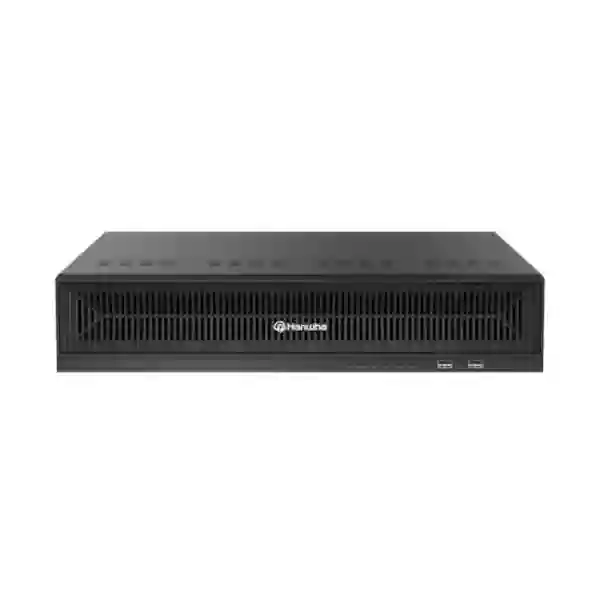
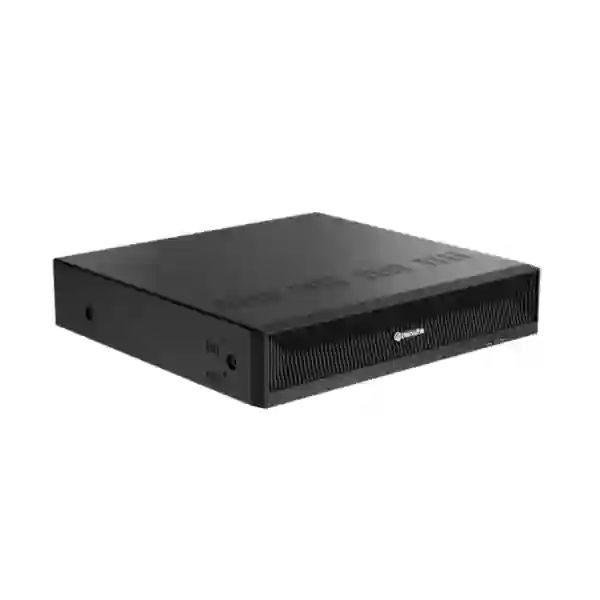
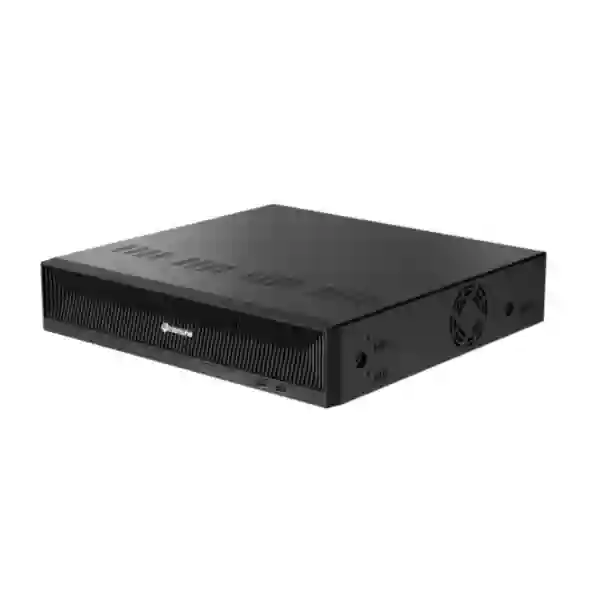
Hanwha WRN-2110B1 Edge WAVE Network Video Recorder
Plan a dependable Wisenet WAVE surveillance installation with a recorder offering up to 250 Mbps recording bandwidth and four SATA data-drive bays supporting up to 40 TB. Match the appliance to your cameras, storage retention, licenses, and network design before you buy.
A recorder quote should begin with your camera requirements
For buyers comparing Hanwha network video recorders in Tanzania, the WRN-2110B1 offers an established hardware platform for Wisenet WAVE recording. Its value depends on choosing supported hard drives, appropriate software licenses, compatible cameras, secure network connections, and a practical retention plan. Ask for the full recording-system configuration—not just a chassis—so the quoted solution reflects the work your security team needs it to do.
Verified hardware at a glance
| Recording throughput | Up to 250 Mbps |
|---|---|
| Internal data bays | 4 × SATA, up to 40 TB maximum |
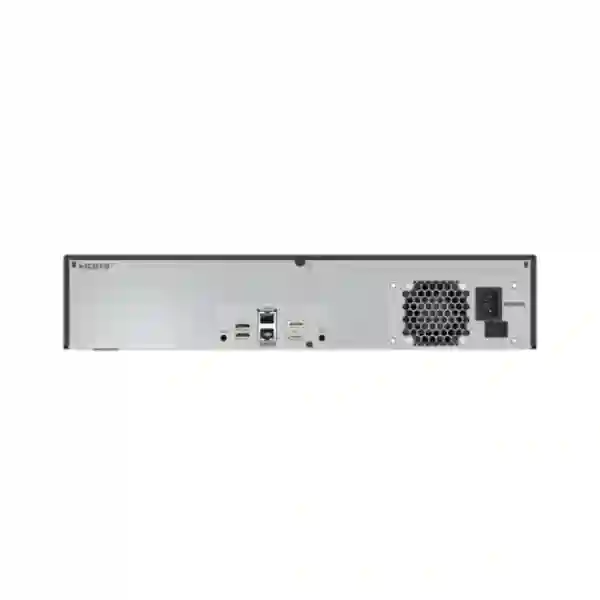
| Network | 2 × RJ45, 1 GbE |
| Processor and RAM | Quad-core; 8 GB DDR4 |
| Operating system | Ubuntu Linux 22.04 LTS; 32 GB eMMC OS storage |
| Local outputs | 1 × HDMI and 1 × DisplayPort |
| USB interfaces | 2 × front USB 2.0; 2 × rear USB 3.0 |
| Power input / consumption | 100–240 V AC / 80 W |
| Operating environment | 0–40°C; 20–85% non-condensing humidity |
| Dimensions (approximate) | 440 mm W × 89.8 mm H × 426.3 mm D |
Manufacturer-published figures; specifications may change. Hard drives, licenses, mounting accessories, and other package contents require quote-level confirmation.
Who this recorder is for
The Hanwha WRN-2110B1 is aimed at organizations that want a dedicated network video recording appliance rather than an ordinary office computer running surveillance software. Its purpose is to receive video streams from network cameras, manage recordings through the Wisenet WAVE environment, and provide a practical foundation for reviewing events when security teams need evidence. Buyers evaluating a recorder for a shop, campus, logistics operation, office complex, hospitality property, or other managed site should begin with the camera design and recording objectives instead of choosing a box only from its storage headline.
A useful initial assessment identifies where cameras are installed, which areas require continuous coverage, which events matter most, how many operators need access, and how long evidence must be kept. This matters because two sites using the same camera count can generate very different storage and network loads. Indoor cameras watching quiet corridors behave differently from cameras overlooking traffic, busy loading areas, or entrances with constant movement.
The WRN-2110B1 suits projects where a planned IP network and WAVE-based management are desirable. It should be specified as part of an end-to-end surveillance design, with compatible cameras, power, switching, hard drives, software entitlements, operator workstations, and secure network access considered together. Ask for a configuration-based quote rather than assuming that every accessory or software license is included.
What the 250 Mbps specification means
Hanwha Vision specifies recording throughput of up to 250 Mbps for this model. This is the maximum published recording-bandwidth figure for planning purposes, not a promise that every camera arrangement can be handled without additional limits. Total recording traffic depends on the number of active streams, configured video bitrate, compression, resolution, frame rate, scene complexity, and any special recording modes. The aggregate stream load should be estimated before deciding that this recorder has adequate headroom.
For example, a collection of cameras configured for modest average bitrates can use much less bandwidth than the same number configured for high-resolution, high-frame-rate recording. Motion, foliage, changing light, reflective surfaces, and busy entrances may increase the actual bitrate under variable-rate encoding. A responsible design therefore looks at typical and peak traffic rather than multiplying an optimistic minimum bitrate by the number of cameras.
Leave capacity margin for normal variation, commissioning changes, future camera additions, and the practical behavior of the selected WAVE configuration. If the calculated recording total approaches 250 Mbps, revisit stream settings and recorder sizing instead of treating the published number as an unlimited operating target. Recording bandwidth must also be separated from network-port speed and remote viewing traffic; they describe different aspects of the system.
Four SATA drive bays and storage choices
The WRN-2110B1 has four SATA data-drive bays and a published maximum internal data capacity of 40 TB. This is an upper supported capacity, not a statement that the base product automatically ships with 40 TB installed. The exact hard drives included in a sales package, if any, must appear on the quotation. Hanwha also directs buyers to its supported-hard-drive compatibility information, which should be checked against the proposed drive model and capacity before ordering.
Drive selection deserves attention because security recording is a continuous-write workload. A proposed bill of materials should identify the drive type, count, individual capacity, supported status, and any planned spare-drive arrangements. Check whether the intended installation requires a specific recording duty cycle or storage policy. Avoid assuming that a drive is appropriate simply because it physically fits into a SATA bay.
Storage expansion should follow a retention calculation rather than a guess based on the largest possible disk total. The required number of terabytes depends on aggregate recorded bitrate, the hours of recording per day, and the number of days the site needs to preserve footage. Any redundancy, reservation, filesystem overhead, or WAVE storage-management behavior must be validated in the actual configuration. A stated capacity is not itself a retention guarantee.
How to estimate footage retention
A retention estimate starts with the expected average recording traffic, not only with the camera count. Record the estimated bitrate for every planned stream, add the streams together, and convert that total into the amount of data written during a normal day. Then multiply by the requested retention period and allow room for differences between estimated and actual scene activity. This gives buyers a more useful storage requirement than selecting an arbitrary number of hard drives.
As a simple illustration, a sustained recording rate of 40 Mbps is equivalent to about 432 GB of video data per day before overhead, using decimal units. Over 30 days that represents roughly 13 TB. This is a mathematical planning example, not a claimed performance test of the WRN-2110B1. An actual camera deployment could produce a different volume because its bitrate, recording schedule, compression, and events differ.
Before approving the storage specification, ask whether cameras record continuously, on events, or through a combination of schedules. Confirm the policy for older footage, protected exports, footage needed for investigations, and the consequences of losing a drive. Recheck the estimate after commissioning with observed storage consumption. The right recorder configuration is the one that meets the site’s evidence-retention requirement under realistic operating conditions.
Camera compatibility and stream planning
This recorder belongs to the Hanwha Vision Wisenet WAVE ecosystem, but that does not mean every IP camera or advanced analytic feature should be treated as automatically compatible. Buyers should verify each proposed camera model, firmware version, supported stream formats, event behavior, and relevant integration functions against current WAVE compatibility documentation. The selected number of cameras and the required licensed recording channels should also be confirmed in the exact regional offer.
A camera matrix is helpful: record the camera name, installation position, resolution, frame rate, estimated bitrate, codec, retention target, and whether the camera produces analytics metadata. Document which stream is expected to be recorded and which stream is used for ordinary live viewing. Multiple sensors or special devices may need different licensing or integration handling, so do not assume one physical housing always represents one standard recording channel.
A compatibility review should extend beyond a video picture appearing on screen. Test camera discovery, authentication, reliable recording, timestamps, event playback, network recovery, and any analytics functions that operators expect to use. Where the project mixes existing cameras with new purchases, identify the legacy devices early. The result should be a working camera schedule that purchasing, installation, and support teams can all understand.
Understanding Wisenet WAVE software
Wisenet WAVE provides the video-management environment associated with the WRN-2110B1. Hanwha lists support for WAVE clients, mobile access, and Cloud Sync. These capabilities can be useful when security personnel need to review live or recorded video from more than one working location. However, feature availability is subject to the deployed software version, the supported device configuration, internet access where required, account setup, and the licenses or services actually purchased.
The software choice influences how teams administer users, organize camera views, review recordings, and scale their systems. For a first installation, the customer should decide which personnel need administrative control and which only need to view selected cameras. For an existing WAVE environment, discuss how the new recorder would join the current system, how permissions are inherited or assigned, and whether any software-version alignment is needed.
Cloud Sync should not be confused with an automatic, unlimited cloud archive of surveillance footage. A synchronisation or remote-connectivity function is not the same as an agreed backup and retention service. If off-site evidence preservation is essential, specify that requirement separately and obtain a documented design. Confirm the current WAVE release and supported client devices before deployment rather than relying on older screenshots or assumptions.
Licenses and the exact package being quoted
A WAVE recorder purchase should be reviewed as both a hardware order and a licensing order. Hanwha’s own WAVE guidance describes recording licenses and license selection in system design. Regional product bundles can also differ. Consequently, a quote for the bare WRN-2110B1 chassis should not be assumed to include a particular number of recording licenses, preinstalled hard drives, or every optional software capability.
Ask the supplier to state the exact manufacturer part number, the number and type of WAVE licenses, whether they are already activated, and the entitlement required for every planned recording device. If cameras will be added later, understand how that affects the license plan. This avoids situations where the recorder arrives but the intended recording configuration cannot be completed within the originally approved budget.
Keep a record of account ownership, license information, the system administrator, and the deployment documentation. Licensed channels, software subscriptions, upgrade rights, and regional packaging are distinct commercial questions and should be itemized separately whenever necessary. For a multi-site project, confirm the intended organization of servers and users with a qualified WAVE integrator. Specific license quantities are intentionally not advertised here because the exact FourTeck Tanzania package has not been established.
Network connectivity and switching
The WRN-2110B1 provides two RJ45 Gigabit Ethernet interfaces. These are network interfaces, not evidence of an integrated multiport camera PoE switch. A deployment using IP cameras commonly needs separate network switching and, for cameras that require it, appropriate Power over Ethernet hardware or other supported power supplies. Network design should therefore specify the switching infrastructure instead of expecting the recorder to provide a bank of camera-power ports.
Plan camera networks with predictable addressing, suitable switch capacity, and a clear connection path to the recorder. Document whether the two network ports will be used for the application network, segmented traffic, management, or another supported design. Do not assume that combining interfaces automatically increases application recording throughput or provides failover: those behaviors need configuration-specific validation.
Check upstream links, switch uplinks, cable distances, port power budgets, and resilience at critical locations. A camera might have power while its network path to the recorder has failed, or it might be connected but unable to transmit its configured bitrate consistently. Commissioning should include a realistic test with all planned streams operating. Where remote monitoring is required, account for the bandwidth used by remote clients separately from local camera recording traffic.
Local HDMI and DisplayPort outputs
The recorder includes one HDMI output and one DisplayPort output. Hanwha describes these connections as useful for configuration and basic monitoring. They are helpful for local commissioning and straightforward checks at the equipment location, but buyers should not interpret the presence of two outputs as a guarantee of a sophisticated control-room display arrangement or unrestricted decoding capacity.
If an organization requires several large video walls, extensive operator layouts, continuous high-resolution live viewing, or specialist incident-review stations, scope those needs explicitly. Dedicated WAVE client computers and suitable displays may be more appropriate for routine security operations. Ask the system designer to identify which functions will run directly at the recorder and which will be performed on client workstations.
The distinction matters for budgeting and usability. A reception desk may only need access to a selection of entrance cameras, while a security office may require multiple named operators and detailed playback controls. Both may use the same underlying recording system without using the physical ports on the recorder as their primary viewing method. Confirm any keyboard, mouse, monitor adapter, or other local accessory against the exact delivered package.
AI metadata: useful, but configuration dependent
Hanwha Vision lists AI metadata support as a feature of the WRN-2110B1. Metadata can help surveillance systems carry meaningful information associated with camera events. It is not a claim that the recorder independently creates all kinds of artificial-intelligence analytics from ordinary camera video. Results depend on compatible cameras, what those cameras actually detect, supported firmware, WAVE integration, and the settings enabled in the finished installation.
If a buyer wants quicker searches for particular event types, person or vehicle attributes, or other analytics-related workflows, describe the desired operator task first. The integrator can then check whether the proposed camera models emit the needed metadata and whether the chosen WAVE version exposes the relevant functions. A feature mentioned in a general brochure does not establish support for every analytics category or historical recording.
A useful acceptance test uses actual scenes at the site. Confirm that the expected event arrives with an accurate timestamp, is visible to the authorized user, can be found again when required, and does not create an unacceptable number of false triggers. Consider the policy for handling people-related information and recording access. Responsible metadata planning is about specific evidence and workflow requirements, not broad promises of autonomous intelligence.
Recording quality starts at the camera
Although this product is a recorder, the final usefulness of footage depends strongly on cameras, lenses, lighting, mounting locations, and video settings. A capable recorder cannot restore facial detail that was never captured, resolve a badly placed camera, or eliminate glare from an entrance. Buyers should identify the evidence they need from each scene before selecting recording resolution, frame rate, shutter behavior, and compression settings.
Consider the difference between general area awareness and identification. A wide overview of a warehouse can be valuable for incident context, while verifying a face or reading a vehicle plate may need a different field of view and carefully controlled scene conditions. The camera schedule should connect each purpose with measurable design requirements and then include the expected network and storage impact.
During acceptance, view sample recordings from real day and night conditions rather than relying only on a live image taken at midday. Check motion clarity, timestamp accuracy, correct camera names, and export usability. If a critical image does not meet the original requirement, adjust the camera plan before attempting to compensate by increasing the recorder’s capacity. This approach helps convert surveillance spending into evidence that teams can actually use.
Security and administrator access
A network recorder becomes part of the organization’s digital infrastructure and should be managed accordingly. Set strong unique credentials, keep administrative access limited, and document who can change camera settings, view live video, retrieve recordings, and export evidence. An installation is easier to support when responsibility for passwords, network configuration, licenses, and maintenance is agreed before handover.
Use a sensible network-access policy. Remote viewing should be enabled through a supported and securely configured method rather than by exposing broad administrative interfaces without a security review. Work with the customer’s IT team to determine appropriate segmentation, firewall rules, account procedures, and monitoring. The precise available security controls depend on the installed WAVE release and appliance configuration, so they should be tested rather than assumed.
Operational security includes a leaver process for former staff, a method for granting temporary investigative access, and a record of configuration changes. Where evidence is important, document who exported it, when it was retrieved, and how the file was transferred or preserved. The recorder is one component of this chain; disciplined administration and clear policies determine whether stored video can be used responsibly and reliably.
Power planning for a Tanzania installation
Hanwha publishes an AC input range of 100–240 V for the WRN-2110B1 and power consumption of 80 W. These figures help with equipment-room design, but the recorder is only one part of the surveillance electrical load. Separate camera power supplies, PoE switches, routers, firewalls, storage accessories, monitors, and operator equipment may all need power during a disruption.
For a project in Tanzania, define the expected operation during a power cut and size any uninterruptible power supply from the actual combined load and desired runtime. The UPS design should account for conversion losses, battery condition, start-up demand, safe shutdown, and the network equipment that keeps cameras connected to the recorder. Do not interpret the recorder’s 80 W published figure as the total consumption of a complete camera system.
Surge protection, electrical earthing, safe cabling, and equipment-room ventilation should be reviewed by qualified personnel. If the site experiences repeated power disturbances, an orderly recovery procedure can be as important as backup runtime. Confirm that cameras and the network return correctly after an interruption and that the recorder resumes the intended recording schedule. Do not promise guaranteed uptime without a site-specific resilience design.
Temperature, humidity, and physical location
The published operating range for the WRN-2110B1 is 0°C to 40°C, with 20% to 85% operating humidity under non-condensing conditions. These are environmental boundaries for planning, not a claim that any unventilated equipment cupboard will be suitable. Heat from the recorder, hard drives, switches, and nearby equipment can raise the temperature inside a cabinet above the surrounding room temperature.
Choose a location that allows airflow, safe service access, cable management, and protection from dust, moisture, and physical interference. Consider how an equipment room behaves during the hottest conditions or when air conditioning is unavailable. If the cabinet has active ventilation, include that equipment in the electrical and maintenance plan. Monitor temperature where the equipment is installed rather than relying only on the temperature reported elsewhere in the building.
A secure, maintainable installation also needs accessible drive locations and organized power and network cabling. Leave appropriate space for connections and for the approved mounting approach. The manufacturer lists a chassis around 440 mm wide, 89.8 mm high, and 426.3 mm deep; verify rack fit and any rail or bracket requirements against the current mechanical drawing and quoted accessories before approving the enclosure.
Operator workflows and incident review
The best surveillance system is one that authorized staff can use when something important happens. Before installation, define common tasks: checking an alarm, reviewing a short period around a delivery, investigating a loss, supporting a safety inquiry, or confirming that a visitor entered a particular area. Organize cameras in WAVE so those tasks are understandable to people who may not manage the system every day.
Agree on how operators will find video, which time zone and clock synchronization approach will be used, and who can export evidence. A recording labelled with the wrong time can create unnecessary confusion during an investigation. Test incident retrieval using an actual sample event after commissioning. If staff need to compare several camera angles, make sure those views are easy to locate and their timelines are consistent.
Useful training should cover more than clicking the play button. Operators need to recognize camera outages, understand their permissions, and know where exported files should be stored. Supervisors need procedures for approving access and preserving material that must not be overwritten. The WRN-2110B1 provides recording infrastructure; a documented workflow turns that infrastructure into an effective operational tool.
Remote viewing and connectivity expectations
Hanwha’s support information identifies WAVE client and mobile options alongside Cloud Sync for the appliance family. Remote access can be convenient for an authorized manager reviewing a site or a security operator responding to an event, but it requires a carefully planned connection and a supported software configuration. The availability of an internet connection is not by itself proof that remote viewing will perform well or be secure.
Determine which activities truly need remote access: a quick status check, low-bandwidth live viewing, playback of a recorded incident, or export of a large evidence file. Those tasks have different network demands. A site with constrained upstream capacity may need adjusted viewing profiles or an alternative workflow. Plan around the actual quality of available connectivity and give local recording priority.
The organization should also decide what happens when the internet link is unavailable. A correctly designed local recording arrangement can be planned independently of routine off-site viewing, but resilience must be tested in the actual installation. Confirm account ownership and user authorization for any connected service. Do not treat Cloud Sync as guaranteed backup storage, unrestricted bandwidth, or a substitute for the project’s own evidence-preservation policy.
Monitoring recorder health
A recording system is only useful when it is capturing the expected footage at the time of an incident. Maintenance planning should therefore include checking disk health, available capacity, camera connection state, system time, and whether the intended streams remain active. A green power indicator alone is not enough to establish that every scene is being recorded correctly.
Define a practical inspection schedule according to the site’s risk and staffing. A busy premises with many critical cameras may need frequent operational checks, while another site may rely on a documented periodic review and escalation process. Assign an owner for reviewing warnings and a second contact for situations where the first person is unavailable. Keep records of changes to storage, camera settings, and licenses.
The maintenance plan should include what happens when a hard drive needs replacement or an individual camera stops responding. Check the relevant product documentation before replacing components, and do not assume that disk redundancy or automatic recovery is available without confirming the configured storage scheme. Test a sample playback and evidence export occasionally. Detecting a recording fault early can be more valuable than discovering it after an important event has already been overwritten.
Planning an upgrade from an older system
Replacing an older CCTV recorder is not simply a matter of moving camera cables into a new box. Begin by identifying whether the existing cameras are IP devices or analog cameras connected through another recorder or encoder. Then list the protocols, credentials, video formats, firmware versions, and performance requirements for each device. Not every legacy configuration will integrate into a current WAVE recording environment in the same way.
Plan the transition around operational continuity. Determine whether existing footage must remain accessible after cutover, whether old equipment will be retained temporarily, and how users will locate archived evidence. Discuss whether camera addresses can be preserved and whether switch infrastructure needs replacement. A controlled migration should include a tested rollback or contingency approach suited to the site.
Some projects benefit from upgrading a recorder while retaining selected cameras; others require new cameras to meet image-quality or security requirements. Those decisions should follow a compatibility and risk assessment, not an automatic assumption that the WRN-2110B1 will solve every weakness of the previous system. Ask the integrator to separate hardware, drives, licensing, reconfiguration, commissioning, user training, and migration work in the quote.
Typical application: warehouse and logistics
A warehouse or logistics operation may require views of loading areas, receiving points, doors, circulation routes, and stock-handling zones. The recorder can form part of the network-video infrastructure for these locations, while the camera design determines whether footage shows the detail necessary for investigation. The first planning question is not how many cameras fit in a package; it is which events the operation needs to verify and how quickly staff must find them.
Loading areas can create challenging recording conditions because vehicles move through bright sunlight, shade, and artificial lighting. The integrator should test camera placement and bitrate during busy periods instead of designing storage only around quiet nighttime conditions. Decide whether footage is needed for a short operational review window or a longer formal incident process.
Consider who will use the footage: security personnel, site management, or an authorized operations investigator. Permissions and export procedures should be matched to these roles. If the business operates across multiple premises, discuss whether a WAVE-based deployment can meet its central oversight needs under the available network connections. Never assume that one recorder or one software entitlement automatically covers every location.
Typical application: education and campuses
Educational facilities often need coverage of entrances, circulation areas, perimeter points, and other agreed safety locations. A project using the WRN-2110B1 should start with a careful assessment of authorized monitoring purposes, recording policy, and the boundaries of acceptable surveillance. Children, staff, visitors, and sensitive spaces create important privacy and governance considerations that cannot be answered by hardware specifications alone.
Different campus cameras may have different retention and quality needs. A reception entrance might need clearer identification images, while a wide external area may prioritize movement and situational awareness. Document these requirements and calculate the resulting stream traffic and storage consumption. Verify the power, switching, and safe installation arrangements for buildings that are separated or difficult to cable.
Access controls should reflect who has a legitimate responsibility for each area. Staff training should explain how to request a recording, how to preserve material needed for an inquiry, and how to report a technical problem. Where the organization already has policies for handling personal information, the camera system should be configured and managed consistently with them. A structured plan is preferable to buying the maximum storage capacity without a defined purpose.
Typical application: retail and commercial premises
Retail and commercial premises often need video that helps clarify entrance activity, customer flow, stock access, deliveries, and security incidents. A properly specified WAVE recorder can provide a central recording point for network cameras serving these purposes. However, useful footage depends on careful camera placement and permissions as much as on the recorder’s throughput. Ask which questions a store manager or investigator should be able to answer with the recordings.
A shop with several entrances or a busy trading floor may generate more video data at peak times than overnight. If the deployment uses variable bitrate, take that variation into account when estimating retention. Consider lighting changes, reflections, occlusion from shelving, and the need for consistent timestamps across several views. Confirm how evidence will be exported and who is authorized to receive it.
For a chain of stores, avoid treating a single recorder specification as a complete multi-site architecture. Each location has its own camera count, bandwidth, electrical arrangements, and retention obligations. Central viewing or administration must be designed around supported WAVE features and network conditions. Request a site-by-site equipment schedule and a clear distinction between local recording and remote operational access.
Typical application: hospitality and offices
Hotels, office buildings, and mixed-use premises often need a balanced surveillance system serving entrances, public corridors, parking access, goods deliveries, and other approved areas. The WRN-2110B1 may be considered where IP recording through Wisenet WAVE is part of the intended design. It should not be specified solely on a broad statement such as ‘suitable for hotels’; the actual premises, camera plan, and operational policies determine fit.
In hospitality environments, authorized access to recordings should be carefully limited because footage may include guests and staff. In offices, several departments may request different views without needing administrative access to the whole recorder. Plan role-based use, clear camera naming, and a responsible evidence request process. Include a realistic approach to night-time monitoring and after-hours incidents.
Equipment-room planning is especially important where the recorder might otherwise be installed in a small utility cabinet. Check heat, airflow, noise, power resilience, and the physical security of network connections. Confirm whether staff expect to watch live video locally or through separate WAVE client stations. A defined operator workflow and maintenance owner make a substantial difference to the long-term value of the system.
Installation and commissioning sequence
A sound commissioning sequence begins before the recorder is powered on. Check the approved camera schedule, compatible storage drives, network addressing plan, electrical supply, cabinet location, and software entitlement list. Identify who is responsible for each task, including safe drive installation and the handling of administrator credentials. The exact setup procedure should follow the current manufacturer guidance for the installed model and software version.
After installation, confirm that the expected cameras appear in the management system and that their recording profiles match the approved design. Check time synchronization, the actual written video rate, storage use, and playback from representative cameras. Exercise remote access only through the intended secure method. Record the configuration as built, including important changes that were made during installation.
Before acceptance, demonstrate common user tasks with the customer: live viewing, finding an incident by time, reviewing video, exporting an authorized clip, and detecting a camera that has stopped recording. Test power recovery and network interruption behavior where it can be done safely. A completed equipment installation and a verified working surveillance system are not the same milestone; the latter requires evidence that the planned workflows actually function.
What a complete quotation should include
A useful quotation identifies the exact Hanwha Vision WRN-2110B1 model and makes clear whether the item is a bare appliance or a configured bundle. Request separate lines for compatible installed hard drives, WAVE licenses, any necessary client hardware, external PoE switches, UPS equipment, rack accessories, installation, configuration, training, and support. This prevents a low headline equipment price from obscuring the complete project requirement.
The supplier should state the proposed camera quantity and recording profiles on which the design is based. Ask for the target retention period and the assumptions behind the storage estimate. If the installation includes existing cameras, list which have been checked for compatibility and which still need testing. Confirm the expected number of users and how they will access the system.
Do not assume a local selling price, stock position, delivery date, warranty, import status, or installation service without written confirmation for the exact Tanzania order. Where a buyer is comparing alternatives, request equivalent configuration details from each supplier so the comparison is fair. A complete quote should describe an operational recording solution, not merely a part number and an unqualified number of terabytes.
Comparing this model with a PoE NVR
Some recorders provide several integrated camera PoE ports. The WRN-2110B1 is specified with two Gigabit Ethernet interfaces, so buyers should plan separate camera switching and power rather than interpreting it as an integrated multiport PoE recorder. This distinction can affect cabinet layout, cable design, power budgeting, and the cost of a complete installation. It is an important comparison point when evaluating similarly named appliances.
An integrated-PoE device can be convenient for certain compact installations, while separate managed switching can offer flexibility for a distributed camera network. Neither approach is automatically better in every building. A warehouse with cameras at several distances may benefit from a different network design than a small office with all devices in one nearby cabinet. The correct choice follows site topology, camera power requirements, redundancy needs, and IT policy.
Do not compare recorders solely by advertised camera count. Consider recorded bitrate, usable storage, WAVE licensing, supported cameras, client viewing needs, maintenance access, and operating environment. If an alternative includes built-in PoE, clarify whether it also includes drives or licenses; those inclusions are separate from its network-port configuration. Document every assumption before approving a substitution.
Expansion and future-proofing
The four-bay architecture and 250 Mbps recording specification provide known planning boundaries for the WRN-2110B1. They do not establish unlimited expansion. A future upgrade plan should identify which additional cameras are anticipated, how their bitrates might change, and whether new retention requirements would consume remaining storage. A device that comfortably serves the initial design may need reconsideration after major growth.
Expansion planning should also include switching ports, electrical load, available rack space, network uplinks, licenses, client viewing, and the way additional sites would be managed. If the customer expects better analytics in future cameras, note that advanced metadata behavior may depend on camera and WAVE compatibility. Do not purchase only for a vaguely promised feature that has not been verified for the intended combination.
A practical approach is to reserve a defined amount of bandwidth and storage headroom, review it during scheduled maintenance, and update the camera schedule whenever the project changes. If growth would push the recorder close to a published limit, ask whether a second recorder or a different appliance is more appropriate. Future-proofing is the discipline of documenting plausible growth, not claiming an indefinite upgrade path.
Evidence management and retention policy
Recording capacity answers how much video can be held; evidence policy answers why it is held and who may use it. The organization should decide the routine retention period, the process for preserving a selected incident, access rights, and when old material is removed. These choices affect drive requirements, training, and the way staff respond to requests. They should be made by the responsible organization rather than inferred from the appliance name.
Where an incident is likely to require extended review, the team should know how to identify and preserve footage before normal storage management overwrites older recordings. Verify that exported evidence retains useful context, timestamps, and a clear record of where the file was transferred. A single exported clip may not show events before or after the incident, so create a review procedure that checks neighboring camera views when appropriate.
Privacy and data-handling obligations can differ by organization and use case. The customer should consult its own applicable governance and legal requirements before setting access and retention rules. The WRN-2110B1 supplies recording infrastructure; it does not create a legally sufficient evidence process on its own. Put the approved rules in the final operating handbook and review them after material changes to the camera system.
What the hardware specification does not promise
The manufacturer gives useful figures such as recording throughput, drive-bay count, storage ceiling, and network interfaces. These are starting points for system design, not commitments about exact days of retention, the number of active simultaneous remote users, or the performance of every possible camera and software configuration. The published 40 TB storage ceiling should not be presented as forty terabytes included with every purchase.
Likewise, AI metadata support does not mean that every analytics feature is built into the recorder, and Cloud Sync should not be described as automatic off-site video backup. HDMI and DisplayPort do not by themselves establish a fully featured multi-monitor control room. Regional bundles can vary, so included hard drives, licenses, accessories, and service terms require confirmation on the actual order.
A customer should also distinguish manufacturer technical specifications from local commercial claims. Price, stock, delivery coverage, installation availability, warranty conditions, regulatory approvals, and after-sales response times are not verified for the Tanzania listing in the information available here. Request written confirmation. A reliable buying decision uses carefully bounded claims and a testable commissioning plan rather than an impressive collection of unsupported assurances.
Practical selection checklist
Before requesting a final quote, record the intended camera count and each camera’s operating profile. Specify the video quality needed for evidence rather than treating maximum resolution as a goal in itself. Estimate average and peak bitrate, then confirm comfortable margin below the recorder’s published 250 Mbps recording throughput. Calculate storage from that bitrate and the approved retention period, accounting for the actual usable space and applicable overhead.
Check whether the selected cameras and events are supported by the WAVE version to be deployed. Verify channel licensing, remote and local user needs, and the precise access policy. Decide where the recording appliance, network switches, UPS, and related components will be installed. Confirm the equipment-room temperature and electrical arrangements rather than assuming the chosen cabinet will be suitable.
Finally, ask for a bill of materials that identifies the exact recorder model, supported HDD models and capacities, license entitlements, switching, power equipment, professional services if offered, and tested handover tasks. Treat any unverified inclusion as an open question. With these details assembled, FourTeck Tanzania can be asked to assess the requirement and provide a quotation based on the actual project rather than a generic catalogue description.
Acceptance tests buyers should request
A final acceptance test should make the installation’s performance visible to the customer. Verify that every planned camera is present, recording at the approved settings, and showing the expected scene. Compare timestamps between cameras. Retrieve a clip from an earlier period, review it from an authorized client, and make an export if that workflow is in scope. The test should involve the staff who will actually operate the system.
Review network and recording health while cameras are producing representative traffic. Check that aggregate throughput and actual drive consumption are consistent with planning assumptions. Where practical and authorized, simulate an interruption to a camera connection and confirm that staff can identify the missing stream. Verify behavior after normal power restoration, including the network and external switching equipment.
An acceptance record should identify outstanding issues, their owners, and any configuration assumptions that must be revisited. Include training, administrator handover, and the location of documentation. If a customer needs an enhanced resilience feature or specific audit behavior, test it explicitly rather than accepting a generic marketing claim. A demonstrable baseline is the foundation for future troubleshooting and system growth.
Maintenance, updates, and support planning
Maintenance should be addressed before the security installation is handed over. Decide who will review health alerts, keep track of software versions, evaluate manufacturer updates, and coordinate supported replacements if a drive or network component fails. Updates should follow current Hanwha guidance and the organization’s change-control process. Avoid making major modifications immediately before an event where surveillance continuity is especially important.
Preserve relevant configuration records and ensure an authorized administrator knows where license information is maintained. Record the exact software and firmware versions in use; this helps support teams diagnose issues without guessing. Check whether a proposed new WAVE release affects compatibility with installed cameras, integrations, or remote clients. A controlled test may be needed before broad deployment.
For Tanzania purchasers, request the precise support and warranty terms in the quotation rather than treating a general manufacturer’s product page as proof of local service eligibility. Ask who will provide first-line assistance and what information is needed when reporting a fault. Defined ownership, maintained records, and periodic evidence tests can make a surveillance system more dependable over its working life.
Request a project-specific WRN-2110B1 quote
To obtain the right configuration, provide the intended site type, number of IP cameras, camera models if known, desired recording days, expected live-viewing arrangements, and whether existing infrastructure will be reused. Include the location and environmental constraints that may affect power, switching, cabinet choice, or installation. A simple description of the areas to be recorded and the reason for recording is often more useful than an arbitrary shopping list.
Ask FourTeck Tanzania for a quotation that clearly identifies the Hanwha WRN-2110B1 appliance, compatible drive options, Wisenet WAVE licenses, and any additional items required for the intended result. Specific pricing, inventory, shipment arrangements, installation services, and support terms should be confirmed directly before an order is placed. No assumption about stock or a local office is made here.
The purchase decision should follow a design that can be checked: recording bandwidth, storage retention, camera integration, user permissions, secure connectivity, power protection, and a handover test. With those requirements stated, the buyer can compare the recorder to alternatives on meaningful operating criteria and avoid paying for an incomplete or inappropriate package.
Frequently asked questions
Is the Hanwha WRN-2110B1 a Wisenet WAVE recorder?
Yes. Hanwha Vision identifies this model as an Edge WAVE network video recorder and lists support for WAVE clients, mobile access, and Cloud Sync. Check the installed software version, licensing, and remote access configuration for the quoted package. It should not be described as a universal recorder for every management platform without compatibility testing.
How much internal storage does the recorder support?
The manufacturer’s published maximum is 40 TB across four SATA data-drive bays. This is a supported-capacity statement, not confirmation that the purchase includes drives. The actual installed drive count, models, capacities, and usable space must be listed in the quotation and validated against Hanwha’s hard-drive compatibility information.
Does it record at 250 Mbps?
Hanwha specifies recording bandwidth of up to 250 Mbps. A proper surveillance design calculates the combined camera bitrate, including real-world variation, and leaves operating headroom. Recording throughput is not the same as network interface speed, and it does not guarantee unlimited channels or users in any software configuration.
Does the WRN-2110B1 include built-in camera PoE ports?
The published specification lists two Gigabit Ethernet interfaces, not a bank of dedicated camera PoE ports. Buyers should plan compatible external switching and camera power supplies where needed. Confirm the chosen switch’s port count, power budget, network uplink, and any resilience requirements before installation.
How many cameras can I connect?
The supported practical camera count depends on the exact software package and licenses, camera types, recording bandwidth, integration behavior, and the intended configuration. The manufacturer specification used here does not justify promising a fixed included licensed-channel count for this particular Tanzania offer. Provide a camera schedule and request a verified license and capacity plan.
Are hard drives and WAVE licenses included?
The available information does not verify the contents of the exact FourTeck Tanzania sales package. Base appliances and configured regional bundles can differ. Require written confirmation of hard-drive models and quantities, WAVE recording-license entitlements, activation status, and any accessories before approving a quotation.
Can the recorder be viewed remotely?
Hanwha lists WAVE client, mobile, and Cloud Sync support. Remote viewing still requires a compatible software configuration, appropriate user permission, secure connectivity, and enough network capacity. Cloud Sync should not be mistaken for an automatically included remote video backup or an assurance of off-site storage.
Can I connect an HDMI monitor?
Yes. The published hardware interface list includes one HDMI and one DisplayPort connection. Hanwha positions them for setup and basic monitoring. For a more complex control room, plan the required WAVE client workstations, displays, permissions, and actual decoding needs separately.
Can AI-based searches be used?
Hanwha lists AI metadata support for the model, but useful analytics-related searches depend on compatible cameras, supported metadata, software version, permissions, and properly configured integrations. Ask the installer to demonstrate the specific desired event or search function before treating it as an included capability.
How many recording days will 40 TB provide?
Retention is not determined by capacity alone. It depends on the recorded camera bitrates, schedules, compression, actual usable space, and storage policy. A calculation based on the intended cameras and retention target is needed. Check measured disk consumption during commissioning to confirm the estimate remains realistic.
Is it suitable for installation in a warm equipment room?
Hanwha specifies an operating temperature of 0°C to 40°C and 20% to 85% non-condensing humidity. The environment inside a busy cabinet can be hotter than the surrounding room. Verify airflow, equipment heat, and the power-continuity plan for the exact installation.
How can I get a price in Tanzania?
Request a project-specific quote from FourTeck Tanzania with the camera quantity, desired storage duration, required licenses, and supporting equipment identified. No verified Tanzania price, stock level, delivery commitment, or local warranty terms are available for this listing, so those details must be supplied with the actual offer.
What information should I provide for sizing?
Share the number of cameras, representative resolution and bitrate, whether recording is continuous or event-based, target retention days, user access requirements, and existing infrastructure. Include the site environment, available power protection, and any special evidence or analytics workflows. This allows the recorder and its accessories to be evaluated as a complete system.
Request your Hanwha WRN-2110B1 quotation
Tell FourTeck Tanzania your camera quantity, intended resolution and bitrate, required retention period, current network equipment, and any WAVE licensing or remote-viewing needs. Ask for explicit confirmation of the included drives, software entitlements, accessories, availability, and commercial terms. A configured quote helps you compare solutions with confidence.
Contact FourTeck Tanzania through its verified sales or quotation channel. No unverified purchase link or local stock statement is provided.




Reviews
There are no reviews yet.