
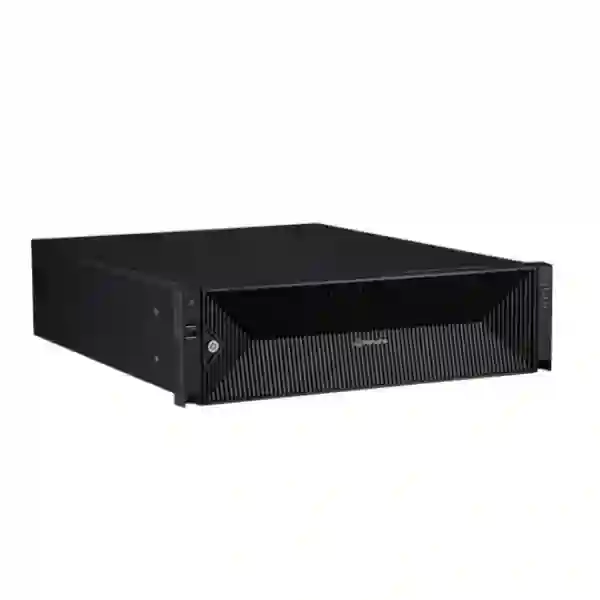
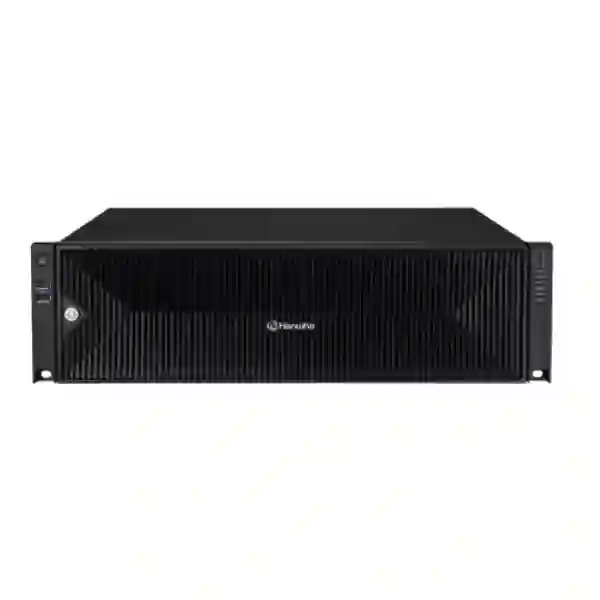
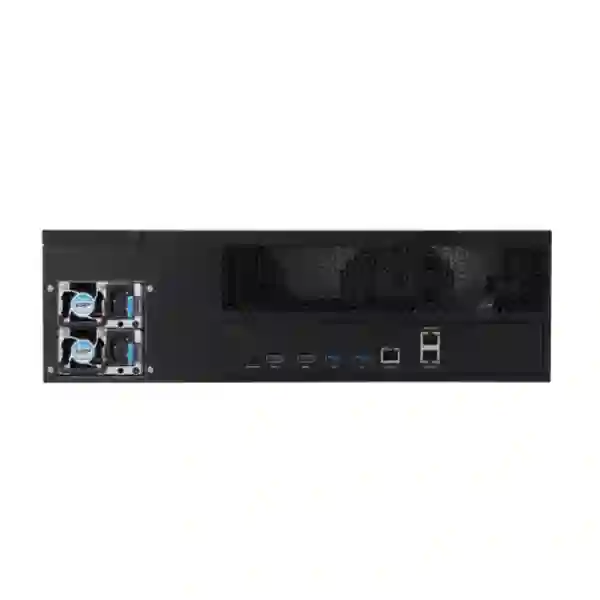
Hanwha XRP-4310DG4: 128-channel SSM server NVR
The Hanwha XRP-4310DG4 brings up to 128 IP camera channels, a 400 Mbps maximum recording stream, 16 SATA drive bays and integrated SSM management into one server-style recorder. For a Tanzania surveillance project, request a design and quotation that confirm camera compatibility, realistic footage retention, power conditions and the features this TTA-certified configuration does not include.
Check these limits before purchase
The certified configuration does not include clustering, application-level failover, configuration backup and restore, the specified third-party emergency-bell, elevator, ANPR and logistics integrations, or Virtual Matrix video-wall integration. Arbitrary SSM upgrades are restricted. The stated TTA certification is not a claim of Tanzania regulatory approval.
Choosing a 128-channel server NVR
The Hanwha XRP-4310DG4 is designed for buyers who need to bring a substantial number of IP camera feeds into a managed recording environment. It is a server-style network video recorder with capacity for up to 128 camera channels, Hanwha Vision’s SSM software preinstalled, and a published maximum recording bandwidth of 400 Mbps. That combination can suit a substantial campus, industrial premises, transport facility, or commercial property, but channel count on its own is not a complete performance guarantee. The camera schedule, frame rates, recording modes, and actual bitrates must be checked together.
Start the specification process with a camera register rather than a headline channel number. Record the proposed model and resolution of every camera, its expected codec, average and peak video bitrate, frame rate, intended days of retention, and whether continuous or event-based recording is required. Ask who will retrieve footage, how quickly it must be reviewed, and whether the system is expected to integrate with external applications. These practical questions establish whether this particular certified configuration fits the project or whether a different recorder or software architecture needs evaluation.
Understand the 400 Mbps recording limit
The published input recording ceiling is up to 400 Mbps across the recorder, not 400 Mbps for each attached camera. A design that includes 128 IP cameras therefore needs a carefully controlled aggregate stream budget. For illustration, dividing 400 Mbps evenly over 128 cameras produces an average allowance of about 3.1 Mbps per camera, before headroom and variation are considered. Real deployments are rarely balanced evenly: high-resolution entrances, busy loading bays, and analytics cameras may generate markedly different streams from low-motion corridors or perimeter views.
Estimate peak and normal traffic separately. A camera can use variable bitrate encoding, and an event-rich scene may require significantly more data than a quiet laboratory test. Build sensible headroom into the aggregated design instead of running it against the theoretical maximum all day. Confirm whether the chosen cameras offer secondary streams for live viewing, and distinguish incoming video for recording from outgoing video used by operators. The manufacturer’s separate playback throughput figure must not be mistaken for additional recording capacity.
Resolution, video detail and realistic system design
Hanwha Vision lists network camera recording resolution from CIF up to 32 megapixels, described in its key features as support for recording up to 8K class video, with local 4K playback support. These statements describe the recorder’s supported resolution range; they do not imply that 128 cameras can all operate simultaneously at their most demanding resolution, bitrate, and frame rate. More pixels generally increase storage and bandwidth requirements when comparable encoding and scene conditions are used, so useful detail must be balanced against the available recording budget.
A practical survey should divide the site into evidence priorities. Entrances might need readable faces at appropriate distances; a loading area may need useful movement and transaction evidence; distant perimeters may emphasize detection rather than close identification. Select lens, illumination, camera placement, and resolution for those jobs before deciding the streaming profile. It is much more useful to confirm that recorded footage meets its intended evidentiary purpose than to select the largest advertised megapixel count for every location.
Video compression and network efficiency
The manufacturer lists H.265, H.264, MJPEG, and WiseStream support for relevant encoding workflows. Codec choice affects how efficiently video can be stored and transmitted, yet actual savings depend on the scene, camera configuration, image quality, and compatibility of the entire recording path. WiseStream should be treated as a capability to be evaluated with supported camera models rather than an automatic storage reduction that can be promised across every third-party device. The camera’s output format and the recorder’s handling of that format must be confirmed during design.
For consistent engineering estimates, test representative cameras in bright conditions, low light, fast movement, and the busiest periods of the day. Nighttime noise, foliage, rain, headlights, or frequent movement can affect compressed video size. Ask the installer to document target image quality and the bitrate limits used, then verify recorded playback after commissioning. This evidence-based approach helps avoid a recorder that technically accepts the selected cameras but misses the customer’s required retention period because actual footage consumes much more storage than a brochure calculation assumed.
Integrated SSM video management software
This model comes with SSM, Hanwha Vision’s integrated security video management environment, preinstalled on Windows 10 IoT Enterprise LTSC according to the current manufacturer listing. SSM brings recording, camera configuration, events, and review workflows into a server-style platform. For operators, that can be preferable to navigating unrelated camera interfaces for routine surveillance. It also means the software edition and appliance-specific restrictions are material parts of the purchase, not small implementation details to be resolved later.
Document the expected number and roles of operators, their viewing workflows, and whether recording will be managed centrally at one facility. Confirm the approved SSM version, licensing or entitlement scope, and relevant compatibility against the exact supplied configuration. Any requirement to connect independent monitoring platforms, external databases, or specialized subsystems needs explicit vendor validation. A system should not be purchased on the assumption that every feature available in a different Hanwha SSM appliance or separately licensed VMS package is available here.
Important restrictions of this TTA configuration
Hanwha Vision explicitly notes that arbitrary SSM version upgrades are not permitted for this TTA-certified appliance configuration. The same official product description lists clustering, failover, configuration backup and restore, certain third-party emergency bell, elevator, ANPR and logistics integrations, and Video Wall or Virtual Matrix integration among the excluded functions. These are significant architectural constraints. A procurement specification should identify them openly rather than leaving operators to discover after installation that a proposed recovery or control-room feature cannot be delivered.
The exclusions do not mean the recorder is unusable for sophisticated monitoring. They mean the specific design must stay within what the certified model supports. There is a difference, for example, between receiving camera-generated events and integrating an external automatic number-plate recognition workflow. Likewise, RAID disk protection is a different feature from application-level failover between recording servers. If one of the excluded capabilities is mandatory, request confirmation of an alternative model, approved software architecture, and compatibility before placing an order.
AI-assisted investigations with supported cameras
The manufacturer’s product information identifies AI-based object search when the appliance is used with compatible Hanwha P-series AI cameras. That condition matters: the NVR should not be advertised as creating equivalent AI metadata for every generic network camera simply because a camera feed is connected. Analytics quality, supported attributes, search filters, and event availability depend on the camera model and software combination. Make a list of the proposed AI camera models and the specific searches that investigators expect to perform before agreeing to an overall solution.
For a warehouse investigation, an operator may want to narrow footage by a person or vehicle event rather than review an entire day of video. For a building manager, the requirement might instead be finding a particular movement or sequence at an entrance. These are useful workflow examples, not promises of precise detection under all conditions. Camera field of view, image quality, occlusion, illumination, and correctly configured analytics strongly influence outcomes. Validate expected searches on actual camera samples during acceptance testing.
Event management, alarms and bookmarks
The official feature set includes dynamic events, bookmarks, event configuration, and event responses such as a viewer action, preset movement, buzzer, popup, email, or alarm output where supported. Hanwha also lists event types received from compatible cameras, including motion, tampering and several analytic events. Events can help operators focus on changes rather than watch every live feed continuously. However, an event is only as useful as its source configuration, network delivery, alarm routing, and review procedure.
Start with a small set of operationally important alarm categories and define a response owner for each. For example, a video-loss alert may require a technical intervention, while an after-hours motion event may need review by a security supervisor. Test the difference between an event appearing in a log and an actionable alert reaching its intended recipient. Bookmarks can improve later investigation by marking relevant footage, but staff training and a documented retention process remain necessary. Avoid activating every possible event at once if it will overwhelm the control room.
Storage architecture with sixteen SATA bays
The XRP-4310DG4 offers 16 SATA HDD slots, giving storage designers considerable flexibility for a large recording system. The manufacturer lists a supported HDD capacity figure of up to 16 TB; the precise approved drive models, disk sizing, and capacity rules should be confirmed against current compatibility information for the actual build. A bay count is not a statement that drives are supplied with the unit, and an empty chassis cannot record surveillance footage until an appropriate storage configuration has been installed and initialized.
Ask for a written drive bill of materials that names the surveillance or enterprise recording drive family, supported capacity, quantity, planned RAID layout, and practical usable capacity. Distinguish raw installed capacity from the capacity available to recorded video after RAID protection, formatting, reserves, system overhead, and retention rules. Confirm drive service and replacement procedures before commissioning, including how degraded arrays are detected and rebuilt. An adequately sized, monitored storage layout is more valuable than a large raw-terabyte figure with no documented recovery process.
RAID options and the limits of disk resilience
The manufacturer’s specification lists RAID 1, 5, 6, 10, and 50 as available configurations. These choices involve different tradeoffs among capacity efficiency, performance, drive-failure tolerance, and rebuild complexity. The appropriate option depends on installed disk count, individual drive capacities, footage write patterns, and the consequences of lost evidence. It should be chosen by someone who understands both the supported appliance configuration and the site’s operational requirements, rather than selected solely to maximize advertised usable space.
RAID can provide resilience against certain disk failures, but it does not replace off-device backups, disaster recovery planning, or a secure evidence export procedure. Theft, fire, accidental deletion, malware, and severe system damage may affect the recorder or its data regardless of disk redundancy. Ask which clips must be preserved beyond normal cyclic retention and how those clips will be exported and controlled. If recovery after complete appliance loss is essential, do not assume the excluded SSM failover functionality is present; design a supported solution separately.
Calculate retention from measured video traffic
Retention is best calculated from the total daily data generated by the selected camera streams, then compared with usable storage rather than raw drive capacity. A planning worksheet should identify each camera’s average bitrate, expected time recorded per day, codec, scene activity, and whether audio is stored. Continuous recording may consume more space than a carefully configured schedule, while events can create unpredictable spikes. Add allowances for changes in operating conditions and any required evidence reserve before converting a storage estimate into a purchasing commitment.
As a simple engineering illustration, a sustained aggregate 400 Mbps stream represents roughly 4.32 decimal terabytes of incoming data in twenty-four hours before overhead. That figure is an illustration of a maximum sustained ingest rate, not a forecast for a particular site and not a promise of a fixed retention period. A smaller system can still need substantial disk capacity if it records continuously at high quality. Request a retention estimate with assumptions clearly displayed, then compare the prediction against actual footage volume during a representative trial.
Recording schedules and continuity planning
The product specifications include normal, scheduled, continuous and event-based recording approaches, together with other options identified by Hanwha such as ARB and dual-track recording. The correct mode should follow the security policy. Areas where evidence must be uninterrupted may justify continuous capture; other zones may be covered by a documented schedule or event-triggered workflow. These settings also affect retention, investigation completeness, and the ability to reconstruct a sequence when a camera’s event detection fails to trigger.
Do not rely on event recording alone for critical incidents without understanding pre-event and post-event coverage, camera detection sensitivity, and the consequences of missed triggers. Test recording after scheduled changes, maintenance, an internet interruption, a switch restart, and a controlled power event. If continuity is a requirement, specify the evidence that proves continuity rather than merely confirming that the recorder powers on. Operators should know what a recording gap looks like and who is responsible for acting on one.
Playback capacity and investigator workflow
Hanwha lists maximum playback bandwidth of 150 Mbps and simultaneous playback capability of up to 128 channels. These are distinct from the 400 Mbps recording bandwidth and must be treated as separate design inputs. A requirement to view many streams at once, play high-resolution footage quickly, and export incident video will place demands on the playback environment. The screen layout, selected stream quality, client computer, and network all contribute to the experience that an investigator actually sees.
Ask how many people may investigate footage concurrently and whether they need to examine the same incident from several angles. Test a realistic scenario with synchronized playback, timeline movement, bookmarks and evidence export rather than simply checking whether video appears. An operations team may prefer a handful of clear, responsive camera views over an enormous grid in which each pane is too small to interpret. Record expected export workflows, acceptable delays, permitted formats, and custody requirements in the handover documentation.
Local monitor outputs and control-room layout
The listed physical display arrangement uses two HDMI outputs, one identified for 4K and one for Full HD. Hanwha describes dual display when Full HD monitors are used and a single display mode with a UHD monitor. This matters when drawing a control room that expects several independent large-format screens. The existence of two HDMI sockets does not make the excluded Virtual Matrix or external video-wall integration available, and that distinction should be visible on the system design drawings.
Before installing cabling or buying displays, document how operators will divide cameras into logical groups, which monitor will show live activity, and which station will support investigation. Review the camera layouts at realistic operator distance. A busy campus may benefit from several focused monitor groups, while a small control point may use a single high-quality display. Check display resolution, output compatibility, viewing ergonomics, and permissions. A useful screen layout is an operational decision, not just a count of monitor ports.
Connectivity and compatible network cameras
The manufacturer’s specifications include Wisenet and ONVIF camera protocol support, and three Gigabit Ethernet RJ-45 interfaces. These facts indicate broad networking possibilities, but ONVIF support is not a blanket guarantee that every camera feature, event type, metadata field, or firmware revision will work identically. Confirm the exact camera model, supported protocol profile, intended recording stream, authentication method, and the functions needed by the end user. Prioritize documented combinations and a sample integration test for mixed-brand systems.
Network design should account for core switch performance, uplinks, VLAN or logical separation, addressing, time synchronization, and protection against unexpected congestion. Keep a clear distinction between the network carrying camera recordings and any network used for operators or administration. Evaluate cable routes, switch port power for cameras, and a suitable path for maintenance. The recorder’s three Ethernet ports do not automatically provide every possible redundancy or aggregation behavior, so the supported use of each interface must be verified before a topology is approved.
Cybersecurity and access administration
Hanwha lists HTTPS authentication, digest authentication, IP address filtering, device certificates, and user access logging among the available security measures. Those controls help support an accountable deployment, but the actual security posture depends on configuration, lifecycle management, camera credentials, network segmentation, and who is permitted to administer the appliance. A CCTV recorder handles potentially sensitive images and should be managed as an important networked system, not as an unattended box with shared passwords.
Define named user accounts and roles, change default credentials, restrict management access, maintain reliable time synchronization, and monitor unsuccessful access attempts where the system permits it. Decide which networks may reach the recorder and how authorised support will work without exposing administration interfaces unnecessarily. Document a maintenance and patch review policy that respects the certified appliance’s restriction on arbitrary SSM upgrades. Preserve access logs where justified by policy and applicable law. Security claims should be based on the commissioned configuration, not merely on security features listed in a datasheet.
Power resilience and electrical planning
The recorder is described as having dual power inputs, with an input specification of 100 to 240 V AC at 50 to 60 Hz and a manufacturer-listed consumption figure of 285 W. The power architecture should be reviewed as part of the whole surveillance system. The recorder still depends on cameras, network switches, displays, and often upstream connectivity. Even a well-configured recording server cannot preserve footage if cameras or their PoE switches lose power during the incident that users most need to investigate.
For a Tanzania project, specify the actual site supply arrangement, UPS design, protected circuits, earthing, and generator transition behavior using a qualified electrical assessment. Confirm how both appliance power inputs will be connected, what alarm is generated if an input fails, and whether the chosen UPS supports the required runtime for the complete recording path. Avoid describing dual inputs as a guarantee of uninterrupted operation. Commissioning should include a controlled test of recovery after power loss, so buyers know precisely what will remain operational and what will not.
Thermal conditions, rack space and maintenance access
Hanwha states an operating temperature range of 0°C to 40°C and a maximum operating humidity of 80 percent. It lists dimensions of 440 by 132 by 548.1 mm, with greater depth when the cover is included, and approximately 14.05 kg excluding HDDs. This is substantial server-style equipment rather than a compact residential recorder. A rack layout needs room for the chassis, cables, airflow, drive access, service movement, and the additional mass and heat associated with installed drives.
Before specifying installation in a room exposed to heat, dust, moisture or irregular cooling, check the actual environment under typical operating loads. Provide a secure, ventilated equipment location and ensure front and rear access is practical. Avoid assuming that outdoor or uncontrolled industrial placement is acceptable simply because the cameras themselves are weather-rated. If a project relies on air conditioning, include cooling in the resilience plan and monitoring procedures. Mechanical drawings should show appliance depth, cable clearance and service space, not just the nominal rack width.
Where this recorder can make operational sense
For an educational campus, a large network recorder may centralize surveillance from entrances, walkways, offices and shared spaces when the complete camera count and video load fit the specifications. An industrial or logistics site may instead focus on loading docks, perimeter access, equipment areas and incident reconstruction. Hospitals, commercial compounds and hospitality properties can have different privacy, access-control and evidence-retention expectations. These are illustrations of potential project types, not claims that the product has been installed or approved for any named organization.
The key is to map each use case to observable requirements. An industrial site may value durable continuous evidence and rapid location of movement; a multi-building property may value clear camera naming and easy operator training. If the use case requires control-room video walls, application-level failover, or the explicitly excluded third-party integrations, this exact model should be compared against another supported architecture. A higher channel count is not an advantage when the mandatory operational workflow cannot be fulfilled.
Comparing the XRP-4310DG4 with another recorder
A fair comparison begins with seven dimensions: total camera channels, supported sustained recording throughput, usable storage and RAID choices, playback experience, compatible analytics, required integrations, and recovery architecture. A smaller recorder could be a better fit for a modest building with fewer high-quality streams. Another server appliance may be more suitable if the priority is distributed recording or advanced centralized monitoring. The procurement schedule should list mandatory requirements, preferred features, and items that can be handled by separate systems.
Compare the exact model suffix and software configuration, not simply the brand family. Similar model names can have important differences in licensing, support, or available functions. For this TTA-certified XRP model, manufacturer-stated feature exclusions deserve special attention. Buyers should request a written compatibility and requirements matrix, a current manufacturer specification, and an installation proposal that describes responsibilities. This protects the purchaser from paying for attractive features that belong to a different regional or software variant.
Procurement checklist for a Tanzania project
A useful quotation should identify the exact Hanwha Vision model, number of recorders, expected camera count, maximum aggregate stream load, requested recording retention, disk quantity and capacity, RAID configuration, and network accessories. It should distinguish supplied hardware from installation, commissioning, maintenance, and user training. Ask the quoting party to clarify product availability, lead time, warranty coverage and support arrangements for the specific destination rather than assuming those terms from an unrelated market or a third-party listing.
For regulated or high-assurance projects, document required evidence-handling rules, procurement documentation, data access permissions, electrical conditions and any applicable national or sector-specific requirements. The TTA certification mentioned by Hanwha is a Korean certification with a defined scope; it should not be presented as proof of Tanzanian regulatory approval. Any local compliance assertion requires its own verified documentation. A clear quotation reduces surprises about missing drives, incomplete camera integration, commissioning scope, and unsupported features.
Installation and commissioning sequence
Begin with a confirmed camera inventory and design approval. Then install the equipment in a suitable secure rack, fit and validate approved storage, connect the specified networks, establish user permissions, and enroll cameras in manageable groups. Apply documented recording schedules and naming standards so that operators can locate footage by site area without memorizing device addresses. Test both ordinary recording and all operationally important alerts. Every relevant camera should be reviewed for correct time, image orientation, focus and acceptable scene coverage.
The acceptance test should also include sustained bitrate measurement, storage usage trends, sample evidence export, authorised user access, degraded storage reporting, power recovery and actual playback performance. Record the installed software version and configuration, noting any upgrade restrictions. Have the responsible personnel sign off on what was delivered, what was tested and which items remain excluded or outside scope. A structured handover gives the owner a baseline for later maintenance and a way to distinguish an original design gap from a newly developed fault.
Evidence retention, privacy and responsible use
A surveillance system should have a documented purpose and retention policy before it is filled with footage. Decide who may view live images, who may retrieve recordings, how exports are approved and how they are stored, transferred, or deleted. Different camera areas may require different retention and access rules. A recorder supporting many channels increases the need for orderly permissions and clear audit practices because a single operator could otherwise have access to far more footage than is necessary for their role.
Organizations operating in Tanzania should review their applicable data-protection, employment, sector and security obligations with their own qualified advisers. Do not assume that buying a technical product creates compliance by itself. Provide appropriate notices where required, restrict access, and define a response procedure for requests concerning stored footage. Plan the procedure for incidents that extend beyond ordinary retention so clips are preserved properly and later exports can be traced to authorised actions. Technical capacity and responsible governance should be designed together.
Maintenance and ongoing system health
After handover, an NVR needs regular attention to storage health, recording continuity, camera reachability, event delivery and access control. A weekly review can identify missing footage, abnormal drive activity or a network issue before an incident makes the weakness apparent. Operators should know the meaning of critical status indicators and when to involve a technician. Keep an accurate asset register showing cameras, stream settings, switch paths, HDD models, current permitted software and the persons responsible for each maintenance function.
Schedule a more comprehensive periodic review that repeats key acceptance scenarios: live monitoring, recorded playback, event handling, evidence export, user permissions and power recovery where safe. Track changes to cameras and network routes because even an apparently small adjustment can alter aggregate bitrate or break an analytic workflow. Do not independently upgrade restricted SSM components to solve a minor issue without checking certified support requirements. Maintain a secure and authorised support process and refresh the storage estimate if the camera estate grows.
Planning growth without overpromising
A project may begin well below 128 channels and expand gradually, but future capacity must be checked against the 400 Mbps recording ceiling, available disk bays, local playback conditions and the required retention policy. Simply counting unoccupied channels can give a misleading picture of headroom. Adding a handful of higher-resolution entrances could have more impact than adding many low-bitrate corridor streams. Keep an updated growth forecast that reflects the expected camera models and their real operating profiles.
When the site grows beyond the practical capacity or capabilities of a single appliance, plan an approved next-stage architecture rather than relying on unsupported clustering or failover assumptions. This may mean a different recording platform, a separate recorder, or a redesigned monitoring workflow, subject to vendor compatibility confirmation. The investment decision should preserve evidence quality, predictable administration and a clear ownership model. Buyers should know both the point at which the current recorder meets their needs and the conditions that would trigger a re-evaluation.
Frequently asked buyer questions
What is the Hanwha XRP-4310DG4?
It is a Hanwha Vision server-type network video recorder supplied with SSM software. The published capacity is up to 128 camera channels with maximum recording bandwidth of 400 Mbps. It is intended for a managed IP surveillance environment rather than a small plug-and-play home camera setup.
Can it record 128 cameras at 32MP simultaneously?
The manufacturer specifies up to 128 inputs and support for resolutions as high as 32MP, but those are not an assurance that every camera can run at its highest bitrate simultaneously. The entire camera system must remain within the stated aggregate recording bandwidth and other actual resource limits.
Does the NVR include hard drives?
The manufacturer identifies 16 SATA HDD slots, but the number and type of drives supplied with a particular commercial offer have not been established. Request the exact drive configuration and calculated usable storage in writing before ordering. Do not equate available bays with installed capacity.
How many days of video will it keep?
There is no universal retention period. Recording days depend on usable disk capacity, RAID, codec, actual bitrates, scene activity, camera count and schedule. A supplier should calculate the proposed system using representative settings and confirm the estimate against actual footage during commissioning.
What RAID modes does it support?
Hanwha lists RAID 1, 5, 6, 10 and 50. The best configuration depends on the number and capacity of supported disks and the required balance of protection and usable storage. RAID helps address certain drive failures; it does not replace broader backup and disaster recovery processes.
Does the XRP-4310DG4 provide AI object search?
Hanwha indicates AI-based object search when connected to compatible P-series AI cameras. Confirm the exact camera models, software support, available metadata and intended search criteria. Do not presume equivalent AI search for all third-party ONVIF cameras.
Is video-wall integration supported?
The official description excludes Video Wall or Virtual Matrix integration in this TTA-certified appliance configuration. The unit does offer local HDMI display outputs, which are different from a managed external video-wall platform. Projects needing a true video wall should evaluate another verified architecture.
Can I upgrade SSM on the appliance myself?
Hanwha warns that the TTA-certified SSM appliance is not eligible for arbitrary SSM version upgrades. Request the supported maintenance and update policy for the exact supplied model before making operating-system, application or firmware changes.
Can it integrate with third-party CCTV cameras?
The published protocol support includes Wisenet and ONVIF. Actual compatibility varies by camera model and the required recording, event and analytic functions. Perform a representative integration test and obtain written confirmation for features beyond basic video capture.
Does dual power mean there will be no recording interruption?
No. Dual AC inputs can be part of a resilient electrical design, but operation also depends on the configuration of the power feeds, UPS, PoE switches, cameras and network. The complete recording chain should be tested against the site’s power-continuity objectives.
Does the Korean TTA certification establish Tanzania approval?
No. The manufacturer’s TTA certification is documented for its stated Korean certification scope. It should not be interpreted as a separate Tanzanian regulatory authorization. Any local approval or compliance requirement must be checked independently for the intended deployment.
What should I provide when asking for a quote?
Share the proposed camera count and models, expected total bitrates, target retention days, preferred RAID protection, site power and rack conditions, operator requirements, evidence export needs and mandatory integrations. Ask for availability and support terms specific to the intended destination.
Request a configuration-specific quotation
For a Hanwha Vision XRP-4310DG4 requirement in Tanzania, share your camera schedule, required video retention, existing network design, operator workflow, and site power conditions. Request written confirmation of the supplied storage, supported camera models, SSM configuration, availability, service terms and any integration restrictions before purchasing.
Ask FourTeck Tanzania for a project-specific assessment and quotation. No unverified prices, stock claims or delivery guarantees are assumed.




Reviews
There are no reviews yet.