
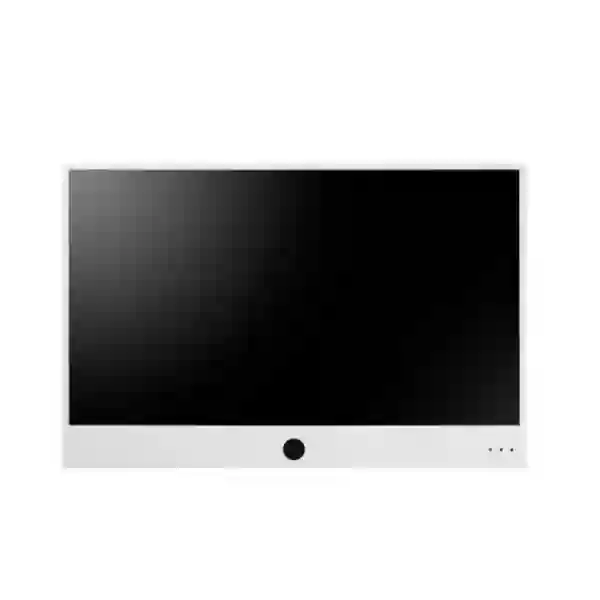
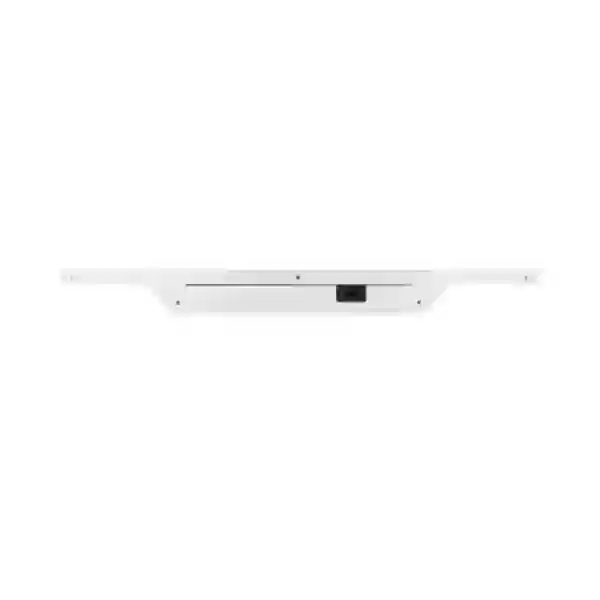
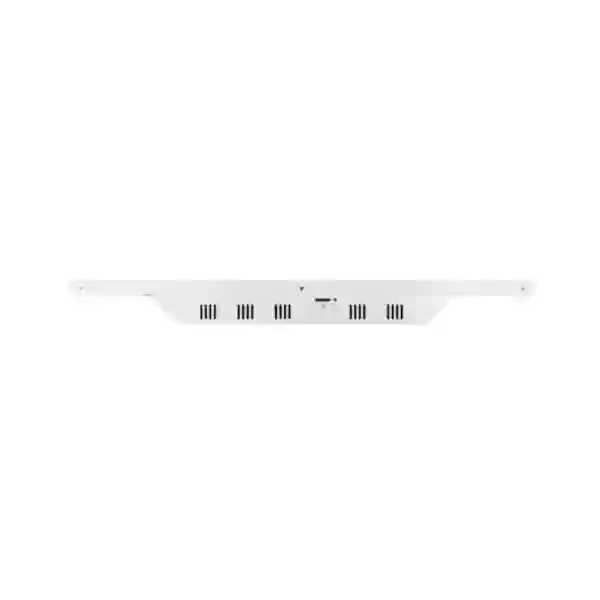
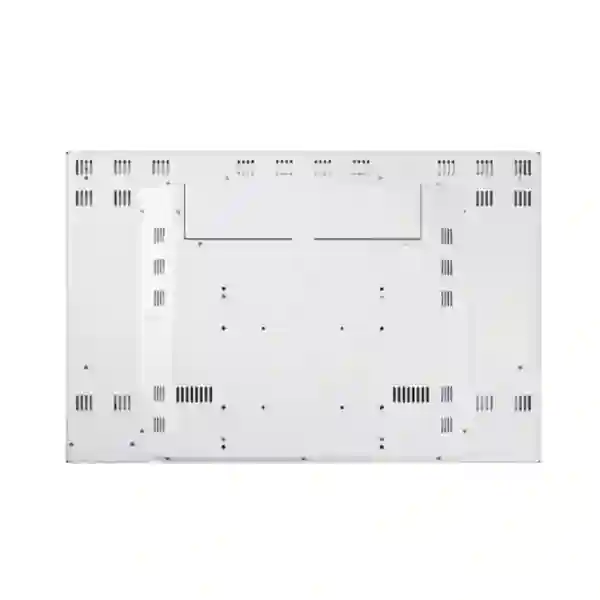
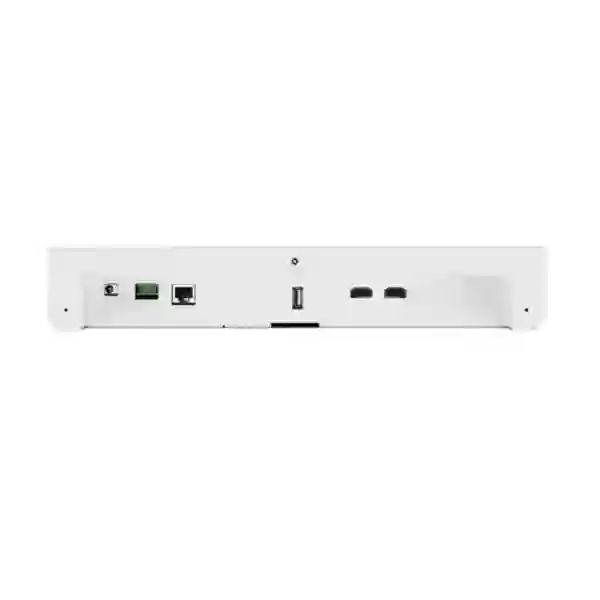
Hanwha SMT-2721PVW: 27-inch white AI public view monitor
Give visitors a clear, public-facing sign that a space is monitored. The Hanwha SMT-2721PVW brings a Full HD display, integrated 2MP network camera and supported AI analytics into one white steel-cabinet unit. It is intended for indoor commercial areas where a live view, visible monitoring notice and configurable events serve a defined security or operational purpose. A Tanzania project should start with the viewing position, power method, existing network and required recording or analytics, rather than a specification list alone.
Important: power accessories are not included according to the manufacturer. Availability, installed price and installation coverage in Tanzania require separate confirmation.
Quick suitability guide
Good candidate
An indoor shop entrance, lobby or reception area needing a visible monitoring display and a camera placed at the same viewing position. The site can provide suitable power, controlled network access and a compliant mounting arrangement.
Check alternatives first
An outdoor uncovered entrance, an isolated camera viewpoint, a requirement for high-resolution optical zoom or a complex multi-camera operator display. These use cases may call for other cameras, environmental ratings or a dedicated decoder.
Who should consider this AI public view monitor?
A public view monitor is intended to let people entering or moving through a premises see that camera monitoring is taking place. The SMT-2721PVW puts the camera and display in one conspicuous unit, avoiding the need to mount a separate conventional television alongside a visible camera simply to show visitors their image. For a retail operator, this can make the monitoring message immediately understandable at an entrance, a busy aisle or a checkout approach. For a commercial property manager, the same concept can help communicate that a reception or access point is being observed. The goal is visibility and awareness, not a promise that incidents will be prevented.
Choose this model when the white finish, 27-inch format, networked camera, on-screen information and event handling all have a practical purpose. An organization needing only an office display may not need the additional camera and analytics. A site requiring a complex multi-camera control-room screen should evaluate a dedicated monitor and video decoder instead. An installation that expects weather exposure, direct rain or uncontrolled outdoor heat must also review the stated indoor operating limits before deciding that this product is suitable.
What makes the SMT-2721PVW different from an ordinary display?
A standard display can show a video signal, but it does not normally include a built-in security camera, camera-side analytics or event outputs. The Hanwha unit integrates those functions and can present useful public-facing content while remaining a network device that an administrator can configure. Its built-in camera captures the scene from the monitor location. Operators can use the camera stream and its supported analytic events in a wider security workflow where the receiving system and configuration allow. The two HDMI inputs also make it possible to plan for external source connections rather than relying solely on the integrated camera.
This difference matters when comparing quotes. A generic 27-inch screen plus a separate camera might look less expensive as two individual items, yet it also calls for separate mounting, cabling, alignment and system configuration. Conversely, the integrated format restricts the camera’s point of view to wherever the display is placed. Before buying, decide whether the most effective public-facing screen location is also a suitable camera location. If those two positions need to be different, a separate camera and display could be the more flexible choice.
Choose the right placement for the people you want to reach
The best position is a place where the intended audience will naturally notice the screen without creating a visual obstruction or interfering with movement. At an entrance, visitors should be able to recognize the display before they move beyond its useful field of view. Near a checkout, avoid placing the monitor so high that faces are captured from an unhelpful angle or so low that fixtures and promotional stands block the camera. For a reception desk, consider whether the display faces the approaching visitor while keeping staff workstations and private documents out of unnecessary view.
Plan the installation using real dimensions and sight lines rather than the screen size alone. The camera has a 3.06mm fixed lens with a manufacturer-stated horizontal field of view of 107.7 degrees, so it captures a relatively broad scene. A wide view is useful across an entry area, but people farther away occupy fewer pixels in the image. Check what identification or analytic detail the project actually requires and avoid assuming a wide-angle embedded camera replaces every other surveillance camera. Walk through the location, note reflections and obstructions, and confirm the desired public-view message is legible from the approach.
27-inch Full HD screen: what the specification means
The screen is a 27-inch LED monitor with 1920 × 1080 maximum resolution, a 16:9 aspect ratio, 300 cd/m² specified brightness and a 1000:1 contrast ratio. These figures describe a Full HD display intended for close-to-medium viewing distances typical of indoor customer-facing areas. The manufacturer lists 178-degree horizontal and vertical viewing angles, which helps when customers approach from the side. Screen performance still depends on mounting angle, ambient illumination, content design and the position of the viewer. Bright direct sunlight, strong reflections and poorly chosen text sizes can reduce the impact of even a correctly installed screen.
Keep on-screen messages simple. A short monitoring notice or a clearly recognizable live image is often more useful than a paragraph of small print. If the installation calls for a branded banner, verify the font size and contrast in the actual lighting conditions. The panel’s stated 30,000-hour life is a technical rating, not a project-specific promise of lifetime or a warranty term. The 14ms response time and 16.7-million-color specification are helpful product data, but in this application practical readability and reliable positioning should govern the purchasing decision.
The integrated 2MP camera and its image quality
The monitor contains a 1/2.8-inch 2MP CMOS network camera. Its 3.06mm fixed lens has an F1.6 maximum aperture and a stated diagonal field of view of 126.7 degrees. The camera supports H.265 and H.264 encoding, along with MJPEG, and the listed maximum frame rate for H.265/H.264 is 30fps in a 60Hz system or 25fps in a 50Hz system. The published minimum color illumination is 0.03 lux under specified test settings. These are useful design references rather than guarantees of identical image performance at every installation.
The manufacturer’s 120dB wide dynamic range specification can help with scenes containing both bright and darker regions, such as an entryway with daylight behind visitors. Actual results depend on configuration and the scene. Because the lens is fixed, buyers should not expect optical zoom or motorized lens adjustment. Digital PTZ is available, but cropping digitally is not the same as gaining new optical detail. Before procurement, decide whether the camera’s intended job is public deterrence, general awareness, analytic event detection or evidence capture, and use that answer to judge the camera angle and system design.
Understand AI person and face detection correctly
Hanwha specifies AI-based classification for person and face and a face-detection box feature. That is not the same as promising to identify a person’s name or run a biometric watchlist. A detection event indicates that the device has identified a supported object type under its configured rules; performance can vary with lighting, distance, occlusion, position and firmware. The display can also provide event-aware visual cues, but a professional installer should test the chosen scene rather than assume every person will trigger the same outcome. If procurement documents require exact recognition accuracy, those figures must be separately substantiated.
Consider which events would actually help the site team. A store might configure line-crossing around a defined area; a building manager might use entry or exit events; a service desk might examine waiting-area patterns. The product lists virtual lines and virtual areas with events including intrusion, loitering, enter and exit, as well as tampering and defocus detection. Use those tools to answer a specific operational question. Excessively broad rules can create irrelevant events, while narrow rules may overlook activity that matters. Configuration, testing and periodic review are part of achieving a useful outcome.
People counting, queues and heatmap analysis
The official specifications include people counting, queue management and heatmap functions based on the device’s AI engine. These can be valuable for understanding how a monitored space is used, provided the camera has a suitable angle and the chosen function is supported by the installed firmware and configuration. For example, counting may help compare footfall patterns across time periods, while queue metrics may provide a starting point for staffing discussions. Heatmap information can support observations about activity distribution. Such outputs should be treated as operational indicators to validate, not as infallible attendance records.
Be specific about the decision you want the data to support before investing in integration or reporting. A shop manager wanting a broad view of entrance traffic has a different requirement from a retailer trying to measure how long people wait at a counter. Set the counting zone, direction and expected flow, then test during quiet and busy periods. Consider how staff movements and repeated crossings affect interpretation. Buyers should also ask whether their intended video management system, dashboard or export process can receive the selected data, rather than assuming all analytics automatically appear in every third-party application.
Visible warnings and event-responsive deterrence
One of the most practical reasons to choose a public view monitor is the combination of a visible camera image and a recognizable monitoring message. The SMT-2721PVW supports motion- and event-activated LED and audio alarms. When configured thoughtfully, these can provide a more noticeable response than a static monitor. The device also includes two built-in 2W speakers, an alarm input and an alarm output. These specifications enable several possible event designs, but the required wiring, alarm rules, sound level and user permissions must be checked during the installation plan.
Avoid making a store entrance unnecessarily noisy or distracting. An alarm meant for a specific high-risk zone should not be triggered every time a customer approaches normally. A sensible commissioning process involves testing in ordinary operating conditions, checking whether the display remains understandable, and setting escalation rules appropriate to the premises. The product can contribute to a deterrence strategy, but it does not replace staff procedures, physical controls, suitable camera coverage or incident response planning. The buyer should decide in advance whether a silent visual cue, an audible warning or an external alarm event is the right outcome.
Customizable messages, branding and public information
The manufacturer lists customizable text overlay, an on-screen logo image and image slideshow capability. The default monitoring wording is described as Recording in progress, but the final notice should match the site’s actual monitoring practice and communication policy. A concise message can make the purpose of the visible camera clear while a brand image helps the display fit a commercial environment. The slideshow feature is described as not requiring additional storage for that display function, although this should not be confused with memory needed for event video recordings.
Think about the hierarchy of information. The central camera view should remain understandable, and a logo or banner should not cover the people or area the viewer is expected to recognize. If the monitor is used near an entrance, the message may need to be readable at a distance and in different lighting. Multi-language communication can be planned where a site’s audience requires it, while display configuration and available interface languages should be verified separately. Ask the person responsible for customer communications to approve the visible wording, not only the technical installer.
Landscape, portrait and hallway-view options
The SMT-2721PVW supports landscape and portrait display modes, and the camera specifications list hallway view rotation at 90 or 270 degrees, along with flip and mirror options. This gives designers flexibility when the mounting surface is narrow or the intended audience approaches along a corridor. Portrait placement can suit certain reception or entrance designs, while landscape placement may be more familiar for a wide view. The correct choice depends on the shape of the scene, the text overlay and the mounting hardware.
Do not assume that rotating the screen automatically makes all external HDMI content or management interfaces rotate exactly as desired. Test source content, camera rotation, logo positioning and any banners in the actual installation mode. Verify the mount’s supported orientation and weight rating. Where the location requires detailed multi-source picture-in-picture or picture-by-picture operation, confirm that functionality against the exact model before purchase rather than assuming it is present because related Hanwha monitors offer it. The aim is a predictable visitor-facing experience, not simply the ability to rotate a panel.
Two HDMI inputs and local video-source planning
The product specification lists two HDMI inputs in addition to the internal camera. This matters for buyers who want to evaluate an external video signal or a planned source from other equipment. The supported HDMI video formats include 1920 × 1080 at 60Hz and several lower resolutions. If a source uses unusual timings, a long HDMI cable or an intermediate extender, confirm the full signal path before installation. It is also important to distinguish the two HDMI physical inputs from the separate network camera functions; a network connection alone does not turn an HDMI input into an IP decoder.
Map out which source viewers should see in each operating state. A simple live camera view may be sufficient, while another project may need a scheduled informational message or a different source at selected times. Confirm the actual display-switching, scheduling and any concurrent-view requirements with current device documentation. Never promise simultaneous picture-in-picture, multi-camera mosaics or automatic failover merely because there are two HDMI connectors. Request a demonstration for any workflow that depends on those features. This prevents expensive changes once the display has been mounted and cabling has been concealed.
Network compatibility and management responsibilities
The monitor includes a 10/100BASE-T RJ-45 Ethernet connection and lists ONVIF Profile S, G, T and M as well as Hanwha SUNAPI. Those interfaces are relevant when a camera stream or supported metadata needs to work with network video equipment. ONVIF support improves the basis for integration, but it is not a blanket guarantee that every recorder, video management system or analytic feature will work. The actual receiver version, supported profile, codec, event handling, authentication and device firmware matter. For a mixed-brand security estate, a short compatibility test is more valuable than an assumption based only on logos.
The listed web management interface supports tasks such as power control, scheduling and banner management. Decide who should administer it, which network segment the device belongs to and how configuration changes will be documented. A monitor placed in a public area should not mean its management functions are available to the public network. Plan IP addressing, DNS and time settings, account management and maintenance access before deployment. If the organization’s IT team controls firewall changes or endpoint approvals, include them early. A clean network design supports reliable operation without overstating what any protocol automatically supplies.
Recording, microSD storage and alarm outputs
The product has one microSD, microSDHC or microSDXC slot, with a listed maximum capacity of 256GB. Its camera specifications include event-triggered recording to suitable SD storage or network attached storage, along with notifications and file transfer options. A memory card is not confirmed as included. Recording hours cannot be promised from the 256GB maximum alone, because retention depends on bitrate, codec, resolution, frame rate, event frequency and recording settings. If evidence retention is an important procurement requirement, calculate storage and verify the exact recording workflow before approving a bill of materials.
The alarm interface includes one input and one output, and listed actions include event notifications or handover to another configured system. This is useful when connecting camera analytics to an established security process, but it requires careful integration. Document which trigger initiates recording, who receives the alert, whether network or power failures are reported and what the team does after receiving an event. Test the time and camera view associated with each event. Avoid promising that local edge storage provides the same resilience, central access or auditability as a properly designed network recorder.
Power selection: 24V DC or 802.3bt HPoE
Hanwha specifies two ways to power this monitor: 24V DC or 802.3bt high-power Power over Ethernet. The product lists 31W power consumption, but the upstream power equipment still has to meet the manufacturer’s specified requirements. A standard low-power PoE network port should not be treated as automatically sufficient merely because it accepts an Ethernet plug. The manufacturer indicates that power adapters are not included. The quote must therefore clarify whether a compatible DC supply, HPoE injector or suitable high-power network infrastructure is needed and whether the necessary accessories are part of the proposed supply.
Power planning is particularly important in retail and commercial installations that require the monitor to remain useful through interruptions. If the project has a UPS or generator strategy, confirm how the chosen DC or HPoE path connects to it and whether switches, injectors, recorders and networking equipment are also supported. Measure cable routes and consider the manufacturer’s installation instructions for power and Ethernet wiring. Avoid selecting an adapter only by matching a voltage label: connector, output rating, polarity and approved compatibility matter. Confirm the accessory specification with the supplier before purchasing.
Mechanical dimensions, mounting and white cabinet
The manufacturer lists dimensions without stand of 619 × 405 × 58mm and a weight of approximately 8.5kg. The steel enclosure has a white finish, which may be useful where a darker commercial screen would look intrusive. Supported VESA mount patterns are 100 × 100mm, 200 × 100mm and 200 × 200mm. These figures help a designer verify wall space, bracket choice, cable clearance and structural capacity. A drawing should leave appropriate access for installation and maintenance rather than placing the panel tightly between fixed obstacles.
Mount selection is a safety matter as well as an aesthetic one. Check the complete installation weight, the bracket’s approved capacity, wall construction, fixings and the consequences of vibration or public contact. Identify the intended viewing angle and whether staff will be able to reach any required physical controls. Plan where the camera points when the monitor is at its best viewing height; that compromise should be reviewed before drilling. The supplied product listing does not establish that a stand, wall bracket or every required accessory is included, so each should appear clearly as included or excluded in a formal quotation.
Temperature, humidity and indoor site suitability
The stated operating temperature range is 0 to 40°C, with relative humidity from 10% to 80% non-condensing. These conditions are crucial when selecting a location in a warm climate. A monitor in a conditioned reception area may face a different environment from one beside a sunlit shopfront, in a hot enclosure or near a humid entryway. Check the measured or expected temperature where the device itself will be mounted, including heat accumulation near signage and other electrical equipment. Do not assume the room’s general temperature always equals the temperature at the installation point.
The manufacturer information reviewed does not establish an outdoor weatherproof rating for this model. For uncovered entrances or sites exposed to rain, dust, condensation or extreme heat, seek a different environmental design rather than installing it as though it were a weatherproof camera enclosure. Position the device away from water sources and protect it from accidental impact. Where business continuity matters, confirm whether building cooling or ventilation changes could take the area outside specification during outages. Environmental suitability should be documented before any purchase or installation commitment.
Planning a Tanzania installation without assumptions
For a business in Tanzania, the key questions are not only the screen specification but also the realities of the installation site. Assess the quality of the electrical supply, the presence of suitable network cabling, the intended monitoring policy and any requirement to operate when normal power fails. Determine whether the device will be managed locally or integrated with a recorder or management system elsewhere in the building. Where several displays are planned, establish consistent naming, addressing, access control and content standards. These are project-design questions, not claims that a particular installer or supplier serves every region.
Ask for a quotation that separately identifies the monitor, any approved power components, mounts, cable installation, commissioning, configuration and training. Confirm local commercial terms, taxes, warranty handling, stock position and delivery arrangements directly; none is verified by the manufacturer’s global technical sheet. A procurement team should also check who owns the recorded data, who is permitted to view it and how incidents are escalated. By addressing these decisions early, a site can avoid buying capable equipment that does not fit the desired operating procedure.
Practical cybersecurity controls for a networked monitor
This is a network-connected camera as well as a display, so it should be handled as part of a security system rather than as an unconfigured accessory. Hanwha lists capabilities including secure boot, signed firmware, firmware encryption, HTTPS and 802.1X network authentication, alongside access controls, logs and secure storage functions. The presence of a feature in the specification does not guarantee that it is enabled, integrated or correctly configured at a particular site. Configuration policy, supported firmware and the receiving network determine whether the deployment benefits from these controls.
Before commissioning, assign individual administrator responsibilities, change initial credentials in accordance with current vendor guidance, restrict management access and document how firmware updates will be reviewed. Use a controlled network segment where the IT team considers it appropriate, and avoid exposing the device’s web interface directly to the public internet without a reviewed security design. Keep a record of configuration backups and service changes where supported. A business with multiple sites should decide who can change banners, analytics rules and recording settings. Security should be operational practice, not merely a feature-list claim.
Privacy, visible notices and responsible analytics
A display showing visitors their camera image is a visible reminder of monitoring, but it should not be treated as a complete privacy or legal-compliance solution. Before activating live display, recording or analytics, define the legitimate purpose for each feature and check the organization’s applicable data-protection obligations. Decide whether public viewing creates avoidable exposure of private areas, documents, payment activity or sensitive interactions. Place the monitor so that its intended audience sees the relevant area without broadcasting information that should remain restricted.
Face detection is described by the manufacturer as a supported analytic function; it should not be marketed as verified identity recognition. If customer or employee data is stored, address access privileges, retention, deletion requests, audit processes and incident response according to applicable policy and law. Agree on the monitoring message with business owners and the relevant compliance adviser. A site should also confirm whether the analytics it plans to use can be operated fairly and transparently. Responsible deployment strengthens trust and reduces the chance that an otherwise helpful public-view monitor will create unnecessary concern.
How to compare this model with other options
Begin with the job to be done. If the priority is visible customer awareness, a public view monitor with integrated camera and event response can simplify the presentation. If the requirement is discreet recording of a distant doorway, an independently positioned network camera may provide a better image. If the task is simply to show several feeds to security operators, a conventional monitoring display with an appropriate recorder or decoder is often a more relevant category. Compare the full installed solution, not only the monitor panel’s diagonal measurement.
Within public-view products, check cabinet color, physical size, screen orientation, analytic functions, lens coverage, power method and what is bundled. The white SMT-2721PVW is distinct from the black SMT-2721PV model and from alternative sizes in the manufacturer’s range. Do not assume every model has identical connections or picture-layout capabilities. Another important distinction is between live public display and evidence management: the first is immediately visible, while the second requires suitable storage and procedures. The correct model is the one whose confirmed capabilities address the project’s highest-priority requirement.
Questions to settle before requesting a quote
A useful buying brief starts with a photograph or sketch of the intended location, approximate mounting height and the direction people will approach. Add the intended operating hours, expected lighting, whether the display is in a cooled space and whether a public alarm is desirable. State if the camera must connect to an existing Hanwha recorder, a third-party video system or a standalone workflow. Specify the required retention period if recording is needed, along with network and power arrangements. These facts allow a supplier to assess suitability instead of simply quoting a catalogue model.
The brief should also say whether a wall mount is needed, whether cables are concealed and whether the project requires scheduled logos or on-screen messages. Note the number of units and any central configuration requirements. Ask the seller to identify the exact model SMT-2721PVW, the included accessories, the applicable hardware revision and documented support route. Any desired integrations, such as alarms or metadata reporting, should be stated as acceptance tests. This creates a fair basis for comparing quotations and reduces surprise costs at installation.
A sensible commissioning and acceptance process
Start with an inventory of the delivered unit and accessories, then confirm that the mount and power components match the approved design. Install the monitor with safe access for service. Configure networking, time settings and authorized accounts before enabling required video functions. Set the screen orientation, display message and camera view to match the site plan. If alerts or analytics are required, configure one function at a time and verify it against realistic movement at the actual installation location. Keep an installation record so settings can be reviewed later.
Acceptance testing should include the public view in daylight and after dark, the readability of banners, camera framing, event triggers and false alarms, supported recording behavior and restoration after a controlled power interruption. Where a recorder or video management platform is connected, verify that the specific codec, stream, events and metadata needed by the site are visible and usable. Test administrative access and document who can change settings. A signed checklist is more dependable than an assumption that successful power-up means the project is complete.
Ongoing operation and maintenance considerations
An actively used public view monitor is part of the customer environment, so ongoing checks should cover both technical reliability and presentation quality. Review screen visibility, cleanliness, physical damage, camera obstructions and whether the on-screen message remains accurate. For AI rules, compare events against ordinary traffic patterns and adjust thresholds or zones when store layouts change. A new promotional display, shelving unit or queue barrier can alter the scene enough to reduce the usefulness of an earlier analytic configuration. Do not leave a deployment unattended simply because it worked on day one.
Schedule firmware and security reviews in line with the organization’s change process and current manufacturer guidance. Check storage health and recorded event retrieval if recording is enabled. Review who has management permissions and remove access when responsibilities change. For power-backed deployments, test the whole electrical and network chain rather than the monitor alone. Keep the equipment model, configuration record and support details available to operations staff. These routine actions help the site maintain the purpose for which the product was purchased without implying a particular service interval or guaranteed uptime.
Procurement limitations and commercial transparency
The manufacturer provides global technical specifications, but regional supply and commercial terms must be confirmed for each quote. This listing does not establish a Tanzania retail price, live stock level, shipping cost, import duty, warranty duration or delivery promise. Nor should a purchaser assume that an external power accessory, wall bracket, memory card or network recorder is included unless the seller explicitly states it. Ask for an itemized quotation and current model confirmation. A complete comparison should show the necessary components and configuration work as clearly as it shows the headline hardware.
Treat manufacturer compliance markings as product-specific statements, not as automatic approval for every Tanzanian project or as proof that a local authority has certified a particular installation. If contractual requirements call for documentation, obtain the applicable certificates and current datasheet for the exact supplied unit. Where integration is critical, request a compatibility or proof-of-concept check before purchasing many devices. This approach protects procurement teams from making decisions on unsupported claims and gives technical staff a clear scope for implementation.
What to include in your project enquiry
- Number of SMT-2721PVW units and proposed installation locations
- Photos or drawings of mounting surfaces, sight lines and ambient lighting
- Available 24V DC or HPoE power strategy and any UPS requirement
- Current network, recorder or VMS details and integration expectations
- Requested public message, logo, orientation and analytics rules
- Recording, retention, alerts, security and privacy requirements
- Separate confirmation of accessories, commercial terms and deployment scope
Frequently asked questions
Is the Hanwha SMT-2721PVW a camera or a monitor?
It is both: a 27-inch Full HD public view display with a built-in 2MP IP camera. Its purpose is to show a visible monitoring view while supporting network camera features. It should not automatically be treated as a replacement for every CCTV camera or for a dedicated multi-camera control-room monitor. Placement must work for both the viewer and the lens.
What is the difference between the SMT-2721PVW and SMT-2721PV?
The SMT-2721PVW is the white-cabinet version described here; the SMT-2721PV is the black model. Buyers should compare the current documentation for each exact model and confirm any required feature, accessory or certification. Cabinet color alone should not be used as a basis for assuming all other regional or bundled details are identical.
Does the monitor have an integrated AI camera?
Yes. Hanwha specifies a built-in 2MP CMOS camera, a fixed 3.06mm F1.6 lens and AI functions including person and face classification. Face detection means detecting a face in the scene; it does not by itself establish personal identity. Real-world results depend on configuration and the installation environment.
Can it be used as an ordinary external HDMI display?
The monitor has two HDMI inputs and supports a range of video formats, including Full HD at 60Hz. The desired source-switching and any special layout should be tested before installation. Do not assume all picture-in-picture or split-screen behaviors are supported without checking the exact model documentation.
Does it support portrait mounting?
Hanwha specifies landscape and portrait modes and camera rotation options. A practical installation must still use a suitable mounting bracket, check cable clearance and confirm that banners, logos and any external source content display correctly in the selected orientation.
Is a power supply included?
The manufacturer’s specification says power adapters are not included. Power options are 24V DC or 802.3bt HPoE. Confirm a compatible approved supply or injector and the proposed cable path as separate line items. Ordinary low-power PoE must not be assumed to meet the required power level.
Can the unit connect to an existing CCTV system?
It lists ONVIF Profile S/G/T/M and SUNAPI, which can support integration with compatible equipment. Exact functions depend on recorder or video management software version, authentication, codec and event support. Test the intended stream, recording and analytics workflow rather than relying on protocol names alone.
Does it record to a memory card?
It includes a microSD family card slot with a maximum stated capacity of 256GB and supports applicable event recording functions. A card is not confirmed as supplied. Actual video retention depends on recording settings, media, bitrate and use, so storage planning should be done for the proposed deployment.
Can it count visitors or support queue analysis?
The manufacturer lists people counting, queue management and AI heatmap features. Whether a particular metric is useful depends on mounting angle, scene design, rules, reporting and system integration. A pilot test in the actual location is advisable before using the information for operational decisions.
Is it suitable for installation outdoors?
The published operating specification is 0 to 40°C and 10% to 80% relative humidity, non-condensing. An outdoor weatherproof rating was not established in the reviewed model information. Use an appropriately protected and environmentally suitable location, and choose other equipment if direct weather exposure is expected.
How large and heavy is the monitor?
The manufacturer lists dimensions without stand of 619 × 405 × 58mm, weight of approximately 8.5kg, and VESA patterns of 100 × 100mm, 200 × 100mm and 200 × 200mm. Choose brackets, fixings and mounting surfaces rated for the installed load and orientation.
How do I request a quote for use in Tanzania?
Provide the exact model, quantity, intended location, mounting approach, power preference, existing recorder or network details and required analytic or display functions. Ask the supplier to confirm commercial terms and accessory inclusions. Prices, stock, delivery and warranty for Tanzania should be confirmed directly rather than assumed from global documentation.
Request a project-specific SMT-2721PVW quotation
Tell FourTeck Tanzania where the monitor will be used, how many units are needed and whether you require mounting, power accessories, integration or commissioning. Ask for the exact-model specification and written confirmation of the proposed supply scope. This helps keep the quote aligned with the site rather than assuming features or accessories that may not be included.




Reviews
There are no reviews yet.