

Public-view monitoring • Retail security
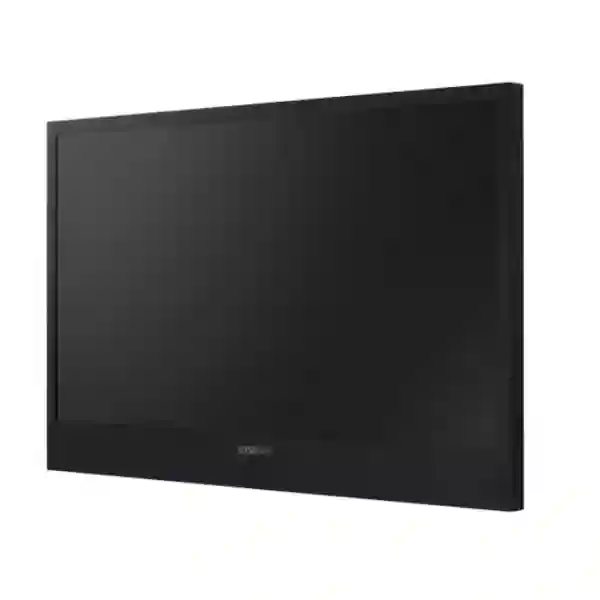
Hanwha SMT-2730PV 27-Inch Public View Monitor with 2MP Camera
For shops that want customers to see that an area is monitored, the Hanwha SMT-2730PV combines a 27-inch Full HD public-view screen and an integrated 2MP network camera in one unit. It can show live video, on-screen recording messages and slideshow content, while the camera can be integrated with a suitable recording system. It is designed for visible retail deterrence rather than being a substitute for a complete security plan. Buyers in Tanzania should verify availability, power accessories, installation and recorder compatibility for the actual quote.
Key specifications at a glance
| Product | Hanwha Vision / Wisenet SMT-2730PV |
|---|---|
| Type | Public-view monitor (PVM) with integrated network camera |
| Screen | 27-inch LED-backlit display, 16:9 |
| Resolution | 1920 × 1080 (Full HD) |
| Brightness / contrast | 300 cd/m² / 1000:1 |
| Viewing angle / response | 178° H / 178° V; 14 ms |
| Integrated camera | 2MP CMOS camera; fixed 4.6 mm lens |
| Camera WDR | 150 dB (published rating) |
| Video codecs | H.265, H.264, MJPEG |
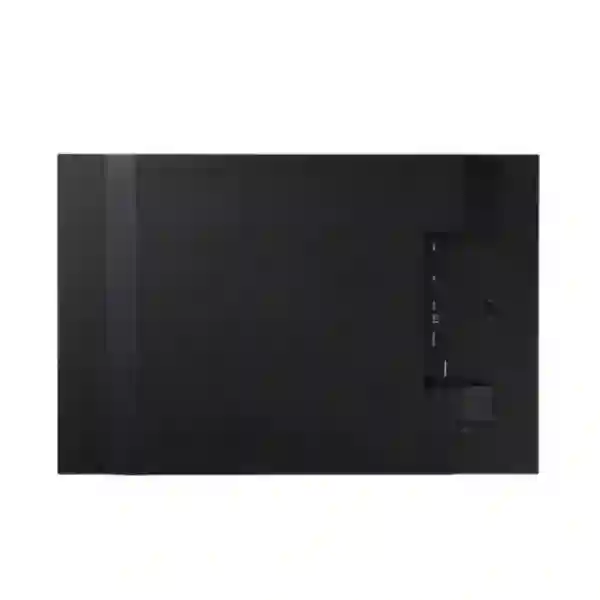
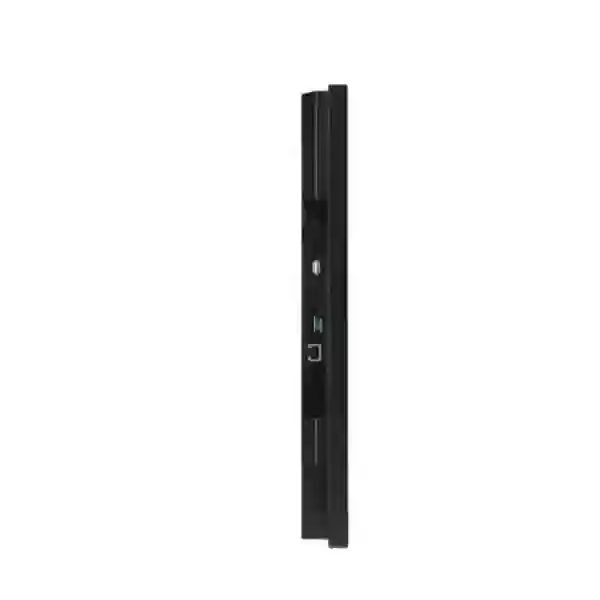
| Network and display | RJ-45 network connection; HDMI input |
| Network interfaces | ONVIF Profile S/G; SUNAPI |
| Memory | Micro SD/SDHC/SDXC, up to 256 GB |
| Alarm connections | One input / one output |
| External power | 12 V DC, rated 2.5 A |
| Body / weight | 620 × 413 × 41.1 mm; about 8.5 kg |
| Mounting | VESA 100 × 100, 200 × 100, 200 × 200 mm |
| Environmental | Published operating temperature 0–50°C |
Published technical figures describe this model; product configuration, supply contents and commercial terms must be checked for each order.
Best-fit scenarios
Shop entrances
Make monitoring visible as people enter, with a planned camera view and clear signage.
Checkout approaches
Reinforce customer awareness while avoiding unnecessary capture of sensitive details.
Merchandise areas
Place a visible deterrent near selected display zones where the screen is easily noticed.
What the SMT-2730PV does differently from a standard security monitor
A conventional CCTV screen normally sits in a control room where staff review footage. The Hanwha SMT-2730PV has a different primary job: it places a visible live view near customers, employees or visitors so that people can see monitoring is taking place. The public-facing display is paired with a discreet, built-in network camera. That combination reduces the need to position a separate camera directly beside a screen simply to show a local image. It does not eliminate the need for an overall security design, and it should be considered one visible element within a wider surveillance programme.
This product is particularly relevant when a shop has recurring loss concerns around entrances, merchandise zones or other points where people pass through. A properly positioned public-view monitor provides an immediate visual cue that the area is monitored. The on-screen message and visible image may support deterrence, but no particular reduction in theft or incidents can be guaranteed. Outcomes depend on staff procedures, layout, lighting, coverage and the other measures used at the premises.
The 27-inch format is useful where a customer needs to recognize the presence of a screen at a practical viewing distance without installing a very large display. A camera feed can be shown without relying solely on a remote recorder for the local picture. The integrated IP camera can also participate in a networked recording workflow when the destination equipment and configurations have been checked. Think of the product as both a communication surface and a camera endpoint, not merely a television with a camera attached.
Where a 27-inch public-view monitor can make sense
Retail entrances are a straightforward use case. A monitor facing people as they enter can present the live image and an appropriate monitoring message before they reach the shop floor. Place it where customers naturally glance, not so high or far away that the image becomes irrelevant. At a checkout, the purpose can be slightly different: the display may reinforce awareness around tills, transaction counters and nearby goods. Make sure the camera view does not unnecessarily capture sensitive payment information or private customer details.
Other possible settings include supermarket aisles, pharmacy retail counters, small electronics shops, convenience retail, reception areas and self-service zones. These are deployment examples rather than claims that a particular venue already uses the device. In every case, first ask what behaviour the screen is intended to influence and what the integrated camera should record. A visually prominent screen that sees only the ceiling or an irrelevant approach angle is not a good security investment.
A 27-inch monitor is not automatically the right size. In a narrow passage a smaller screen may be less intrusive, while a wide shop entrance can justify evaluating a larger format. Consider the viewing distance, doorway width, available wall space, sightlines around shelves and the effect of sunlight on the screen. The SMT-2730PV’s LED-backlit Full HD panel offers 300 cd/m² nominal brightness; that is a specification for planning, not a promise that content will remain legible under all direct-sun conditions.
For a Tanzania-based project, examine the actual premises before choosing a position. Heat, intermittent power, crowded cable routes and dust near an entrance can have more practical impact than a spec-sheet comparison. Keep the installation within the manufacturer-stated operating environment and do not assume an indoor public-view monitor is a weatherproof outdoor display.
Understanding the built-in 2MP camera
The integrated camera is a central reason to choose this model. Hanwha identifies it as a 2-megapixel IP camera with a 4.6 mm fixed lens. Rather than commissioning a separate public-view camera and a separate display as two loosely related devices, the unit brings the local visual cue and its camera into one enclosure. This can simplify the physical arrangement, although network commissioning, access control, storage selection and verification of sightlines are still necessary.
The fixed lens means an installer must plan the camera view before fixing the monitor to its bracket. The lens is not a motorized zoom lens, and the screen being large does not imply a wide or adjustable surveillance field. Use a site walk-through to check the intended zone, identify blind spots, and determine whether additional dedicated cameras are needed. A public-view image aimed at a shop entrance may be excellent for visible deterrence but unsuitable for capturing a separate stockroom or a detailed view of distant shelves.
This camera supports H.265, H.264 and MJPEG compression according to the manufacturer’s published specification. Those formats provide options when integrating with video-management or recording equipment, but support for a format alone does not establish that every NVR or software edition is compatible. Check the target system’s current device support, camera registration method, streaming profiles, licensing and chosen recording settings. Test both viewing and playback rather than assuming a camera appears correctly merely because the network cable is connected.
The camera is internally powered by the display assembly. It is still important to plan the external power feed correctly for this specific model. Do not copy the power arrangements of another Hanwha public-view monitor simply because the front appearance is similar.
Display performance and realistic image expectations
The SMT-2730PV uses a 27-inch, 1920 × 1080 display in a 16:9 format. Its published 178-degree horizontal and vertical viewing angles are helpful when people approach a public-view screen from the side, although perceived contrast and readability can still vary with mounting angle and ambient light. The published contrast ratio is 1000:1, with a 14 ms response time and a nominal 30,000-hour panel life. Treat those numbers as model specifications rather than guaranteed real-world service hours.
The camera specification includes wide dynamic range rated at 150 dB. This matters at entrances where bright daylight may be visible through a door while the interior is much darker. WDR can help the camera handle areas of strongly different brightness within one scene. It does not remove all reflections, solve poor aiming or guarantee identification in difficult lighting. Assess the camera image at the times of day when the shop experiences the strongest light changes.
A practical test is to have someone walk naturally through the capture area during opening hours and again when lighting changes. Check whether the on-screen image is easy to interpret, whether faces or clothing appear heavily backlit, and whether shelves or signage obstruct the field of view. Then assess the recorded stream independently. A pleasing customer-facing preview is not enough if the recorded images are missing critical detail.
Avoid treating the 1080p screen resolution and the 2MP camera as promises of evidential quality at every distance. Lens selection, subject speed, exposure, bitrate, scene lighting and recording configuration all affect what can be reviewed later. Use the desired identification task to decide whether an additional purpose-positioned security camera is necessary.
Live display, messages and slideshow operation
The monitor can show a live image and present customer-facing material such as a slideshow. Hanwha also documents configurable on-screen text, including a predefined ‘Recording in progress’ message. These are useful features for a retailer that wants the monitor to communicate more than a generic camera warning. For example, the screen could display approved store information when activity is quiet and switch to a live camera view when the configured motion-detection behaviour is triggered.
That transition is worth testing during commissioning. Confirm the settings for motion detection, the duration of the live view and the return to slideshow mode. Walk through at ordinary customer speeds from different directions. Ask whether the camera reliably notices the intended approach, whether the image change is visible without being disruptive, and whether staff understand how the display is supposed to behave. Do not assume event activation will work exactly the same way in every lighting condition or layout.
If a store chooses an explicit recording notice, the wording should match the actual installed recording policy. A message should not imply the presence of a functioning recorder if none is configured. Likewise, advertising slides should be up to date and consistent with the retailer’s approved promotions. The monitor’s presentation features are a secondary benefit; they should not encourage a security team to neglect camera exposure, recording retention or basic maintenance.
The manufacturer’s product materials describe continued camera streaming even when the display is showing a slideshow or the display has been switched off with its remote. That distinction is operationally useful, but it depends on the camera and network remaining powered and configured. Powering down the whole unit is not the same as blanking the panel. Verify the exact desired behaviour with the selected recorder during acceptance testing.
Preparing slideshow graphics without format surprises
The SMT-2730PV has particular requirements for slideshow images. Hanwha’s support guidance specifies BMP files at 1920 × 1080 resolution, 24-bit colour, with colour-space information removed. Preparing ordinary JPEG or PNG graphics and assuming the monitor will convert them automatically can lead to wasted setup time. Have the designer deliver the specified bitmap format, confirm the file properties, and preview a small test set before preparing a large campaign library.
Build slides for a screen that people may see while walking rather than one they sit down to read. Use short headlines, generous letter spacing and minimal fine print. Keep key text away from the edges and design sufficient contrast for a brightly lit retail environment. Where the screen will change to a live view on motion, use messages that remain understandable even if a slide disappears after a short interval. Avoid placing critical legal or transactional instructions only on a cycling screen.
The product’s Micro SD, SDHC and SDXC slot supports cards up to a published maximum of 256 GB. The presence of that slot does not by itself determine video retention capacity or ensure that any specific card will work under the chosen format and workload. Match the storage media, setup and intended use to the manufacturer’s guidance. Separate the question of displaying slide images from the question of where surveillance footage is recorded.
Before deployment, assign someone to approve the graphics, someone to update them, and someone to verify that the correct versions are still displayed. A slideshow feature becomes more useful when it has a simple operating process, not just a collection of files copied once at installation.
Network integration and recording architecture
The unit includes an RJ-45 network connection for the integrated IP camera and an HDMI display input. For networked surveillance, start with the recording architecture: decide whether the camera should send video to a compatible NVR, to a supported video-management platform or to another approved destination. Hanwha describes use with Wisenet recording and management systems, and lists ONVIF Profile S/G and SUNAPI in the camera specifications. Compatibility still requires testing with the exact product versions and configuration.
A clean design distinguishes three related functions. First, the customer-facing panel displays the configured content. Second, the embedded camera captures the scene. Third, the recording system preserves footage according to the site’s needs. The same enclosure does not mean all three functions share the same storage, user permissions or failure modes. A local display showing an image is not evidence that reliable recording is taking place elsewhere.
During commissioning, record the camera’s assigned network settings, time synchronization, approved credentials and selected stream settings. Confirm that the NVR can display live footage, record a sample, locate that sample by date and time, and replay it successfully. Check the expected behaviour after a network interruption and after power is restored. These tests are often more valuable than relying on a list of supported protocols.
Bandwidth requirements depend on codec, resolution, frame rate, scene motion and bitrate configuration. No universal bandwidth figure should be inferred from the product model alone. On a shared retail network, consult the IT team about segmentation, uplink capacity and recorder placement. If remote access is requested, use the organisation’s controlled security approach rather than exposing camera administration services directly to the public internet.
Cybersecurity and sensible access controls
A public-facing camera is still a network device and should be treated accordingly. Use unique, strong administrative credentials and limit configuration access to authorized personnel. Confirm whether firmware updates and security guidance are available for the specific unit and plan a maintenance process consistent with the manufacturer’s support information. Do not assume that a working video stream is equivalent to a fully maintained and secure configuration.
Separate everyday operational rights from administrator rights wherever the actual system allows it. A member of retail staff may need to understand the on-screen message or report a fault without having permission to change network settings or retrieve recorded images. Maintain a record of who is allowed to view footage, which software is used and how credentials are transferred when roles change. Keep camera settings, recorder settings and access logs within a controlled process.
Time settings deserve attention. An incorrect clock can make searching footage difficult and can undermine the usefulness of incident records. Verify device and recorder time after configuration changes and power events. Configure backup and recovery procedures for the recording system as appropriate to the overall installation. The monitor itself should not be treated as a complete disaster-recovery solution.
When integrating with an existing security network, ask whether the chosen NVR can register the camera through its supported interface, whether required codecs are enabled and whether any additional VMS licenses are needed. Those conditions cannot be settled from the monitor’s model name. Document the result of an actual connectivity test before making a final procurement or rollout decision.
Mounting, dimensions and power planning
The monitor’s published enclosure dimensions are approximately 620 × 413 × 41.1 mm and the unit weighs about 8.5 kg. It supports VESA mounting patterns of 100 × 100 mm, 200 × 100 mm and 200 × 200 mm. Choose the mounting arrangement by the actual wall construction, bracket specification, fastener type, intended height and maintenance access. The manufacturer’s installation manual emphasizes secure mounting, including adequate support for the monitor’s weight. Work should be carried out by appropriately qualified installers.
The published electrical requirement for the SMT-2730PV is 12 V DC with a 2.5 A rating. Do not assume a 24 V adapter or a high-power PoE injector intended for a different Hanwha model is suitable. Before ordering, confirm the exact approved power adapter, input-plug arrangement, cable route and what is included with the local supply. The published technical rating is not a promise about the contents of any specific seller’s box.
Place power and data wiring so that customers cannot casually unplug or snag it. Maintain reasonable service access without allowing exposed connectors to become a nuisance in a crowded aisle. Consider how the screen will be isolated for authorized maintenance and what happens during a planned building power outage. If continuity is important, evaluate the upstream backup-power arrangement with the electrical and IT teams rather than claiming the monitor includes a battery.
Thermal planning also matters. The published operating range is 0 to 50°C, with humidity limits stated in the manufacturer’s environmental data. A screen installed near a sun-heated window, roof void or enclosed cabinet can experience conditions different from the room’s general temperature. Provide appropriate ventilation, keep the product within its specified environment and avoid direct water exposure unless a separately verified protective installation makes that use appropriate.
A Tanzania-focused site survey before purchase
For a business evaluating the Hanwha SMT-2730PV in Tanzania, begin with the site rather than a generic shopping checklist. Note the intended use, business hours, entry routes, available mounting surface, the distance from the screen to the likely viewing area and the location of the existing security equipment. A simple sketch showing sightlines and cable paths helps identify whether the public-view monitor can do the intended job at the proposed position.
Check the electrical arrangement and how the premises handles power interruptions. Reliable power is essential for any useful camera and recording workflow. If the organisation already operates CCTV, identify the recorder manufacturer and model, installed firmware or software version, available camera channels, free storage capacity and network topology. Determine whether the SMT-2730PV can be commissioned alongside those components before considering it a drop-in replacement.
Look at lighting in both directions. A doorway can be bright outside and shaded inside; shelves, advertising signs and people moving close to the screen can change the camera view. Verify that the chosen angle does not needlessly include areas outside the business’s intended monitoring scope. The installer should also review safe cable routing and public access to the equipment.
Do not treat this page as confirmation of local inventory, delivery coverage, installation availability, pricing, taxes or warranty terms. Those details must be established for the actual Tanzania quote. A good procurement conversation ends with a clear bill of materials, including the chosen mount, power provisions, network requirements, recording dependencies and any training needed for staff.
What a practical installation and acceptance test should cover
A useful deployment has a defined sequence. First, confirm the desired area of coverage and identify whether the public-view display is intended primarily for deterrence, visitor awareness or another approved communication purpose. Next, inspect the mounting surface, the power source and the network path. Prepare the recorder or management platform ahead of the final install so that the camera can be tested in the intended environment rather than only on an installer’s bench.
After mounting, check the live image in the actual customer-facing position. Look for glare, incorrect exposure, reflection and unwanted visual obstructions. Then test the default text overlay, any customized message, the slideshow files and the configured switch to live video when motion is detected. A successful test means the behaviour is useful for that location, not merely that a menu option can be enabled.
Next, validate the recording chain. Check the chosen codec, stream, clock settings, user permissions and recorded-video playback. Test what happens when the display panel is switched off with the remote and separately when power to the entire unit is removed. Confirm that each failure mode is understood. If an alarm input or output is involved, test it only with properly specified connections and an agreed event response.
Finally, provide a concise handover record: network identity, responsible administrator, equipment model, mounting arrangement, power details, default operating mode, slideshow asset requirements, fault contacts and agreed review intervals. An installation is easier to support when ordinary retail staff know what the display should look like and what constitutes an abnormal condition.
Alarm connections and event-based workflows
The SMT-2730PV specification includes one alarm input and one alarm output. These interfaces can be relevant where a store wishes to connect a suitable external event device or coordinate a defined response within its overall surveillance arrangement. They should not be interpreted as proof that a specific electronic article surveillance gate, siren, lighting accessory or control panel will connect directly without additional design work.
Before planning an integration, check the electrical characteristics and permitted wiring methods in the relevant installation manual. The external device and monitor must be configured within their supported input and output limits. Where a connected accessory draws more current or uses different electrical signalling, a suitable interface and professional design may be required. The existence of a terminal does not by itself establish plug-and-play interoperability.
Start with the operational question: what should happen when an event occurs? Options might include a display change, a staff notification or a recording bookmark, but each desired behaviour must be supported by the actual installed products. Define which events matter, who should respond and how false triggers will be handled. The best solution is the one that gives staff a dependable, understandable signal without overwhelming them.
Keep the monitor’s role proportionate. It is a public-view surveillance device, not a complete alarm system or a substitute for established emergency and incident-response procedures. Procurement teams should ask the integrator to state precisely which event features are being provided, tested and included in the quotation.
Privacy, signage and responsible use
A camera that deliberately shows people their own image can make monitoring visible, but visibility alone does not complete an organisation’s privacy responsibilities. Before activating recording, establish a documented purpose for the camera, confirm who needs access, determine an appropriate retention policy and select suitable customer-facing notices. Staff should know how to respond to questions about surveillance without sharing confidential system details.
Use the camera to observe the intended security area and avoid capturing unrelated private spaces. At a checkout, position it with awareness of keyboards, payment terminals, customer documents and other potentially sensitive material. If the display uses a ‘Recording in progress’ overlay, ensure it describes what is genuinely happening. Do not use a monitor message as a substitute for a proper policy, required legal information or staff training.
The model’s face-detection display is described as drawing a visible box around detected faces for deterrence. That does not mean the product can identify a named person or authenticate identity. Do not make facial-recognition claims based on the presence of a face-detection box. A business considering any additional analytics should verify the separate software, permissions and legal obligations before introducing them.
Tanzania-based operators should review applicable privacy and surveillance obligations with their own responsible advisers or compliance staff, particularly if recordings include employees, customers or visitors. This product information does not establish regulatory approval, permission for a specific monitoring practice or a particular retention period. Keep the installation proportionate to its intended purpose and control access to the resulting footage.
How to compare this model with other monitor choices
The main buying decision is not simply whether a 27-inch Full HD screen is available. Ask whether you need a public-facing display with its own integrated network camera, a standalone camera with a separate monitor, or a conventional security review screen. These solve related but different problems. An ordinary monitor can show CCTV footage but does not automatically provide the integrated capture and customer-facing features of a purpose-designed PVM.
Compared with a display-only monitor, the SMT-2730PV brings a built-in 2MP camera, on-screen deterrence messaging, motion-driven display behaviour and options for IP integration. The tradeoffs are that the camera’s position is tied to the monitor’s location, its lens is fixed, and the product still requires recording-system integration and secure configuration. If the best camera angle and the best customer-facing screen position are far apart, a separate camera and display may be a better design.
The newer Hanwha SMT-2731PV is a distinct model with its own published specification and features. Do not borrow its AI classification, dual-HDMI, PIP/PBP or alternate power details and present them as features of the SMT-2730PV. If a project requires those capabilities, evaluate the current model separately and check the exact commercial offering. A reseller has identified the SMT-2731PV as a replacement for the older unit, but that does not establish current Tanzania availability or official local product lifecycle status.
A useful comparison also covers installation labor, mounting flexibility, recorders and software licenses, graphics preparation, equipment support, security updates and long-term replacement planning. Evaluate total fit for the premises, not a single advertised monitor feature or an unverified third-party price.
Buying and quotation checklist
Before requesting a quotation, prepare a concise requirement that names the exact model: Hanwha Vision SMT-2730PV 27-inch public-view monitor with integrated 2MP camera. Include the quantity required, intended premises, expected viewing distance and whether the deployment will connect to an existing recorder. State any need for slideshow materials, visible recording notices, alarm integration or staff training. This helps a supplier distinguish the older model from similarly named products.
Ask the supplier to confirm the specific item being offered, current supply status for Tanzania, included components, compatible power adapter, mounting hardware, applicable warranty terms and any installation services that are part of the quotation. Request an itemized breakdown for network cabling, power, brackets, recording capacity and licensing where these are relevant. None of those commercial conditions should be inferred solely from a technical datasheet.
For an existing security installation, provide the NVR or VMS product and version and ask for a compatibility check. A technically valid HDMI connection alone does not validate remote video management, alarm events or reliable recording. If the project requires particular image retention or remote access, include that requirement explicitly instead of assuming the monitor covers it out of the box.
If the older model cannot be sourced for the project, request a documented alternative comparison rather than silently accepting a different unit. Compare screen size, camera capability, lens view, power, network protocols, mounting, supported event features and actual compatibility with the rest of the system. A clear specification protects the buyer from paying for a feature that is unnecessary or receiving one that cannot perform the required function.
Operation, upkeep and troubleshooting over time
Once installed, the monitor should be part of an ordinary maintenance routine. Staff can verify that the display shows the expected screen, the camera view is not obstructed, the chosen message appears correctly and the equipment has not been physically disturbed. The security administrator should separately confirm that the recorder receives the stream and that recent footage can actually be replayed. These are different checks and should not be conflated.
If the display is blank, investigate the selected display input and the approved power connection before making deeper assumptions. A screen with an incorrect source selection may appear to be faulty even when the camera network is functioning. If the slideshow does not appear, review the specified BMP image format and settings. If recordings are missing, inspect the network path, recorder state, camera settings and storage conditions. Avoid resetting devices without documenting settings that would be lost.
Physical care should follow the manufacturer’s guidance. Keep vents unobstructed, avoid liquid exposure and use appropriate cleaning procedures for the display. Inspect visible cabling and mounting hardware at intervals suitable for the premises. Do not permit untrained staff to open the enclosure or change live electrical wiring.
Maintain an accurate record of installed equipment and changes. If firmware is updated, if the NVR is replaced or if the shop layout changes, revisit the camera view and end-to-end recording checks. Store relocations and shelf changes can create blind spots even when the monitor itself works perfectly. The useful life of the solution depends on operational discipline as well as hardware specifications.
Questions that help decide whether this product is a good fit
A suitable project has an identifiable area where a public-view image can make monitoring more visible, a safe indoor mounting position, a practical 12 V DC power arrangement and a recording plan that can be verified. It also has someone responsible for managing privacy notices, access permissions and any slideshow content. If these conditions are not clear, perform a site assessment before choosing an exact monitor model.
The SMT-2730PV is not automatically the correct choice for outdoor signage, general-purpose advertising alone, long-distance vehicle identification or a requirement for advanced analytics associated with later products. A specialized display, dedicated surveillance camera or another public-view monitor may serve those requirements better. The right answer follows the viewing task, environment and compatibility tests.
For retail operators in Tanzania, the most useful next step is to request a model-specific quotation and installation review. Share the planned location, existing recorder details and intended functionality. Ask for confirmation of available supply, included accessories and support arrangements before placing an order. This avoids confusing the published capabilities of the SMT-2730PV with the commercial terms of a particular offer.
Frequently asked questions
What is the Hanwha SMT-2730PV?
It is a 27-inch Full HD public-view monitor with an integrated 2MP IP camera. It is designed to make monitoring visible to people in places such as retail entrances while allowing the camera stream to participate in a compatible surveillance system. It is not merely a conventional television or a screen intended only for a security control room.
Does it have a built-in camera?
Yes. The model includes an integrated 2MP network camera with a published 4.6 mm fixed lens. That simplifies the arrangement of a public-view screen and the camera that supplies its image. It does not remove the need to check the desired field of view or establish a reliable recording destination.
Is the screen Full HD?
Yes. The published display resolution is 1920 × 1080 pixels with a 16:9 aspect ratio. Screen resolution describes the panel; the detail present in saved footage also depends on the camera stream, exposure, compression settings, recording system and subject distance. Evaluate the complete system rather than relying on display resolution alone.
Can it show promotions when nobody is near the screen?
The monitor supports slideshow operation and can change to a live image based on configured motion behaviour. Prepare graphics in the manufacturer’s specified BMP format and verify the event settings in the installed environment. Marketing slides should not displace essential security settings or display misleading recording messages.
What image format should be used for slideshow graphics?
Hanwha’s support guidance specifies 1920 × 1080 BMP images, 24-bit colour, without embedded colour-space information. Confirm these properties in the design export workflow. Test a small set of files on the actual device before spending time preparing a full collection of campaign or information slides.
Does the camera work with an NVR?
Hanwha describes integration with Wisenet recording systems and publishes IP interfaces including ONVIF Profile S/G and SUNAPI. A particular third-party NVR may or may not support the required profile, codec, events or firmware combination. Confirm the exact recorder and software versions and test actual playback before signing off.
Does the camera keep streaming while the screen shows a slideshow?
Manufacturer material describes continued camera streaming during slideshow display and when the panel is turned off through its remote control. This is different from removing electrical power from the unit. Test the expected operation with the chosen network connection and recorder during commissioning.
Can the camera recognize or identify people by name?
The model lists a face-detection display used as a visual deterrent. A box drawn around a detected face is not evidence of named-person identification or biometric matching. Do not promise identity recognition without independently verified software and a suitable legal and technical assessment.
What power supply does this model require?
The published SMT-2730PV electrical rating is 12 V DC, 2.5 A. Check the exact approved adapter and the contents of the proposed Tanzania order with the supplier. Do not transfer power specifications from the newer SMT-2731PV or from smaller PVM models.
Can the SMT-2730PV be powered by PoE?
Do not design this installation on the assumption that PoE powers the SMT-2730PV. Manufacturer materials specify 12 V DC for the 27-inch model and describe PoE+ as an option on the smaller SMT-1030PV. Verify the approved power arrangement and use suitable electrical design.
Can it be mounted on a wall?
It has published VESA patterns of 100 × 100, 200 × 100 and 200 × 200 mm. The installer must confirm bracket compatibility, the wall’s load capacity and secure routing for power and network cables. Mounting suitability cannot be established by the VESA pattern alone.
Is it intended for outdoor installation?
Do not assume outdoor weather resistance from the product name. The documented operating limits must be respected, and there is no verified weatherproof rating in the specifications used for this page. An exposed outdoor location needs a separate environmental and mounting assessment.
Can I use it as an ordinary HDMI monitor?
An HDMI display input is specified for the unit. However, the reason to choose this product is usually its combined public-facing display and IP camera operation. Verify how the selected source, overlay settings, live-view mode and integrated camera interact before using it for a specialized display application.
How much video can the Micro SD slot store?
The published card capacity limit is up to 256 GB. Actual retention time depends on whether and how local recording is configured, codec, bitrate, frame rate and other system settings. The card slot is not a guarantee of a particular recording duration; determine storage needs through a proper surveillance design.
Is the SMT-2730PV the same as the SMT-2731PV?
No. They are different model numbers with different published feature sets. Do not attribute newer-model AI analytics, picture-in-picture modes, connector counts or power specifications to the older SMT-2730PV. If an alternative is offered, request a side-by-side technical and compatibility comparison.
Does this device guarantee less retail theft?
No manufacturer feature can guarantee a particular security outcome. A visible public-view screen may support a broader prevention approach, but results depend on placement, lighting, staffing, controls, incident handling and complementary surveillance measures. Set practical objectives and review the site’s results without inventing performance percentages.
What should I check before buying in Tanzania?
Confirm the exact model offered, supply status, local quote, compatible power equipment, wall mount, installation plan, recorder support and commercial warranty. Share the intended shop layout and ask for an itemized quotation. No Tanzania-specific availability, price or service coverage is claimed on this page.
How do I request a quotation?
Provide the product model, quantity, intended use, installation environment and existing NVR or VMS details. Request verification of hardware availability and all necessary power, mounting and recording components. A model-specific enquiry makes it easier to compare alternatives without accidentally ordering a different public-view monitor.
Which staff need training?
Retail staff should understand the normal display behaviour and how to report issues; security or IT administrators should know how to check recording, control access, review firmware status and troubleshoot network issues. Training should also cover accurate surveillance notices and the organization’s handling of recorded footage.
Should the display replace dedicated security cameras?
Not necessarily. The integrated camera sees the area in front of the monitor, so the viewing position is constrained by the public display location. A larger premises may still need dedicated cameras for aisles, storerooms, entrances or tills. Perform a coverage assessment rather than assuming one visible monitor provides complete surveillance.
Request a model-specific Tanzania quotation
Ask FourTeck for a quotation for the Hanwha SMT-2730PV, including confirmation of current supply, compatible power components, required mounting hardware, integration needs and applicable support terms. Share your existing NVR or VMS model, intended installation area and quantity so the proposed configuration can be reviewed accurately.
Contact FourTeck with your project requirements to discuss the appropriate public-view monitoring solution.




Reviews
There are no reviews yet.