
Managed Gigabit Switching · Tanzania
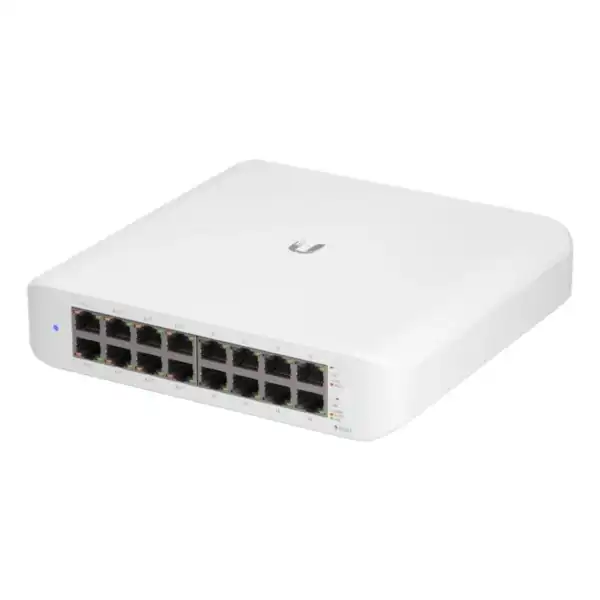
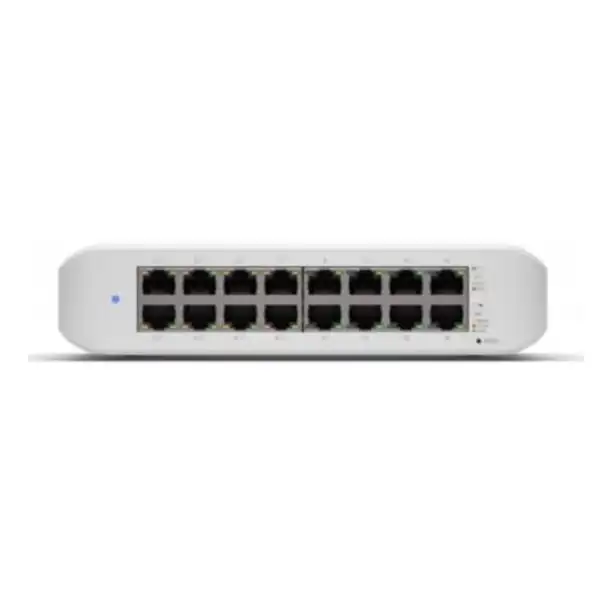
Ubiquiti Lite 16 PoE (USW-Lite-16-PoE)
Need sixteen wired Gigabit connections without a bulky switch? This compact managed UniFi model combines eight PoE+ capable ports with eight further data-only ports. Its most important limit is a shared 45-watt PoE budget, so choosing it starts with checking your real powered-device load.
Technical specification summary
| Product family | Ubiquiti UniFi Lite 16 PoE |
|---|---|
| Model | USW-Lite-16-PoE |
| Port count | 16 × 10/100/1000 Mbps RJ45 |
| PoE-enabled connections | 8 × PoE+ capable RJ45 ports |
| Shared PoE budget | 45 W total |
| Switching capacity | 32 Gbps |
| Non-blocking throughput | 16 Gbps |
| Forwarding rate | 24 Mpps |
| Dimensions | 192 × 185 × 44 mm |
| Weight | Approximately 1.2 kg |
| Installation | Desktop or wall |
| Management application | UniFi Network |
| Power input | 100–240 V AC, 50/60 Hz |
| Operating temperature | -15 to 40 °C |
| Interfaces not included | No SFP or multi-gigabit ports |
These hardware figures come from Ubiquiti’s current published model specifications. Check the current technical sheet before final procurement if project acceptance depends on a particular firmware feature or revision.
What this switch solves for a small network
A growing office often runs out of Ethernet connections before it needs another complicated server or network cabinet. Computers, a printer, a network video recorder, a wireless access point and a receptionist’s phone may all need dependable physical connections. The Ubiquiti Lite 16 PoE provides a practical middle ground: sixteen Gigabit Ethernet sockets in a compact managed switch, with Power over Ethernet available on eight of them. It is intended for local network distribution rather than replacing the router or internet connection.
For a buyer, the useful distinction is between data ports and powered ports. Every RJ45 interface can carry normal Ethernet traffic at supported link speeds, while eight interfaces can additionally supply compatible PoE or PoE+ equipment. This arrangement is often sensible when a site has many computers but only a few devices that need electrical power delivered through the network cable. It avoids paying for a large number of powered connections that may never be used.
The product is particularly relevant where an administrator wants to oversee several UniFi networking devices in one management environment. It can also carry Ethernet traffic for compatible third-party equipment, subject to ordinary networking and PoE requirements. The purchase decision should begin with a port count, a power budget and a simple drawing of the intended network.
Verified hardware at a glance
The manufacturer’s published specifications identify sixteen 10/100/1000 Mbps RJ45 interfaces, eight PoE+ ports, and 45 watts of total PoE availability. The enclosure measures approximately 192 by 185 by 44 millimetres and weighs about 1.2 kilograms. It is designed for compact desktop or wall installation. A fanless cooling arrangement avoids mechanical fan noise, which is helpful in a quiet office, but it does not eliminate the need for suitable airflow.
Ubiquiti specifies a 32 Gbps switching capacity, 16 Gbps total non-blocking throughput and a 24 million packets-per-second forwarding rate. These are hardware figures, not promises about internet speed. Real end-to-end results also depend on the connected device, cable quality, uplink bandwidth, traffic pattern and network configuration. A one-Gigabit interface does not become a multi-gigabit interface merely because the aggregate switching figure is larger.
Management is through UniFi Network. The current manufacturer specification lists UniFi Network version 7.2.94 or later as the application requirement. An installer should still check the currently recommended application and firmware before deployment. These verified numbers make the product easier to compare with alternatives without relying on vague descriptions such as high performance or enterprise grade.
Understand the sixteen-port layout
The phrase sixteen-port switch describes the number of physical Gigabit Ethernet RJ45 connections, not the number of devices that can be powered. Eight ports support PoE+ output and the remaining eight are data-only interfaces. A non-PoE desktop computer can use a powered-capable port for data, but allocating that port to a device that never needs power may reduce flexibility later. Mapping powered equipment first leaves the remaining connections easy to assign.
An illustrative office might connect one upstream router, two wireless access points, two IP cameras, five workstations, a network printer, a VoIP telephone and a local storage device. This is a planning example, not a prescribed design. The exact count should include the upstream connection, any downstream switch and an allowance for service or replacement equipment. When all sixteen physical ports are occupied, an extra switch or an upgrade will be needed to add wired endpoints.
All network connections use copper Ethernet in this model. There are no dedicated SFP fibre uplink slots and no native 2.5 GbE ports. That matters if your building already has fibre between floors or if you are purchasing wireless access points that require more than one Gigabit of wired uplink capacity. In those cases compare the entire network design rather than choosing only by the advertised number of switch ports.
The 45-watt PoE budget is the key limit
PoE+ on eight ports does not mean eight devices can each consume the maximum PoE+ wattage simultaneously. The switch has a shared 45-watt budget for all connected powered devices. Before ordering, list each device’s specified maximum power draw and add the figures. If the total exceeds 45 watts, the proposed installation needs a different power strategy, fewer powered endpoints or a switch with a larger budget.
As a simple arithmetic example, four devices specified at 8 watts each represent 32 watts before allowance for additional equipment. Four devices specified at 15 watts each represent 60 watts and therefore exceed the switch’s total PoE allocation, even though only four of eight powered ports are occupied. Actual consumption can change with radio activity, camera illumination, accessories or startup behavior, so design around the equipment documentation rather than a momentary idle measurement.
The manufacturer describes the outputs as PoE+ and publishes the shared availability separately from per-port capability. Both limits must be respected. A powered device can be compatible with the IEEE power standard yet still be an unsuitable match if the complete installation exceeds the budget. Ask the installer to document the load calculation and leave practical headroom for changes instead of designing a system that depends on every device staying below its normal peak.
Check PoE compatibility before connecting equipment
Power over Ethernet is not a single interchangeable wiring method. This switch supports standards-based PoE+ output for suitable IEEE 802.3af and 802.3at equipment. Many modern access points, cameras and desk phones use these standards, but the label on each device must be checked. Some older or specialized products require passive PoE, nonstandard voltages, a separate adapter or a higher power class. Do not assume a connector shape proves electrical compatibility.
Start with the exact part number and power specification of the endpoint. Check whether the device needs standard PoE, PoE+, PoE++, or a proprietary injector. Where a camera has an infrared illuminator, heater or motor, use the documented maximum with the accessories fitted. Where a wireless access point offers advanced radios or additional interfaces, make sure the proposed supply meets its full operational requirement. A mismatch can lead to failed startup, reduced features or repeated power cycling.
For equipment that is not compatible with the switch’s PoE output, consider a proper external power supply or an appropriate manufacturer-approved injector if the network design permits it. Do not improvise passive-power wiring. The correct answer is based on the endpoint’s own electrical documentation, the site’s cable installation and the total available switch power.
Wireless access points and coverage plans
A common deployment uses the switch to carry network traffic to ceiling-mounted or wall-mounted Wi-Fi access points while supplying them with PoE power. Centralized Ethernet connections make it easier to position access points where wireless coverage is useful rather than near electrical wall sockets. They do not, by themselves, increase Wi-Fi signal strength or remove the need to plan radio placement and interference.
Confirm the exact access point model before selecting this switch. Newer high-capacity Wi-Fi equipment may ask for greater PoE power or more than a one-Gigabit wired uplink. A suitable access point can operate at Gigabit link speed here, but a model designed around a faster wired interface may be constrained by that connection. Check the access point’s minimum and recommended power requirements rather than treating all UniFi access points as identical.
In a small office, two or three appropriately placed access points may share the switch with laptops, printers and other devices. For a larger floor, use a site survey and calculate both wired ports and power in advance. If Wi-Fi service is business-critical, consider how the switch, upstream router, network application and internet connection will remain powered during an interruption. PoE makes cabling cleaner; resilient connectivity still needs careful system planning.
IP cameras and surveillance networks
The eight powered ports can be useful for compatible IP cameras in a modest surveillance installation. A camera’s network cable can carry both data and its electrical supply, simplifying placement when compared with separate adapters. Yet camera planning is especially sensitive to peak power demand. Nighttime infrared operation, cold-start behavior or attached accessories may draw more than an idle camera uses during a daytime test.
Create a camera schedule with position, exact model, power standard, specified maximum wattage, expected data rate and intended recording destination. Add all planned power loads, including any access points or telephones that share the switch. The 45-watt total applies across these uses together. An eight-camera plan cannot be approved on port count alone; the switch may run out of power capacity long before the last PoE socket is occupied.
A security system also needs appropriate recording storage, network segmentation, access control and operational monitoring. This switch is a network component, not a network video recorder or a camera itself. For deployments with many high-draw cameras, an appropriately sized PoE switch or separate power architecture will usually be more sensible than forcing the equipment onto a small shared budget.
Desk phones and voice-network use
A small workplace can connect compatible VoIP desk phones through this switch, sometimes supplying both their network connection and power over a single cable. This helps desks remain tidy and can reduce dependence on individual phone adapters. The number of phones that can be powered is not automatically eight, because every phone has its own PoE class and power profile, and some models draw additional current when accessories are attached.
The manufacturer’s current feature list includes voice VLAN and LLDP-MED functionality. In an appropriately planned environment, these can assist with separate voice-network policies and device information exchange. A voice VLAN does not create a telephony service or fix internet latency. Call quality still depends on the phone platform, addressing, routing, link stability, quality-of-service policies and the wider network.
Before deployment, identify the communications platform and verify the chosen desk-phone power method. Include a router, any SIP or voice infrastructure and the switch in the electrical continuity plan if calls must continue through a local power outage. For users expecting numerous phones alongside access points and cameras, confirm that the combined power budget and number of physical interfaces remain comfortable.
Workstations, printers and ordinary Ethernet devices
Not every network device benefits from PoE. Desktop workstations, many printers, network storage appliances and ordinary routers usually have their own electrical power supplies. The switch’s eight data-only ports make it straightforward to connect these devices while preserving PoE-enabled interfaces for endpoints that genuinely require them. A data-only port is not a slower class of port here: the sixteen physical Ethernet interfaces are all specified for Gigabit operation.
A buyer upgrading from an unmanaged eight-port switch should inventory the actual equipment, not only the number of desks. Printers shared by several staff members, network-attached storage, a backup appliance and the gateway connection all use sockets. Service laptops and future additions also need consideration. If the inventory already approaches sixteen connections, compare a larger switch instead of relying on immediate expansion later.
The switch can be used for standard LAN connectivity without every device belonging to the UniFi ecosystem. However, management and configuration are organized through UniFi Network, so administrators should be willing to maintain that environment. The device does not replace end-user security, a firewall, the internet service or the local network’s addressing design.
Why managed Layer 2 switching matters
A simple unmanaged switch forwards Ethernet frames with very little administrator interaction. A managed Layer 2 switch adds control over how connected devices share the local network. On the Lite 16 PoE, UniFi Network provides configuration and visibility into the switching environment. The value is not merely a dashboard; it is the ability to apply deliberate port and network policies instead of treating every connection in a growing business as identical.
Supported features listed by Ubiquiti include VLAN capability, spanning-tree protocols, link aggregation, port mirroring, isolation functions and several traffic or security controls. These tools are useful when they support a specific design. A business may want guest Wi-Fi equipment separated from office computers or a camera network limited to intended management systems. The policy must also be implemented correctly on the gateway and relevant upstream links.
Management adds responsibility. Someone should own access to the UniFi Network application, account credentials, configuration backups, firmware planning and incident response. If a workplace does not need any segmentation or monitoring, the extra administration may be less important than cost and simplicity. Evaluate the switch against the level of network control the organization actually intends to maintain.
VLAN planning and network separation
Virtual LANs can place logically different groups of devices on distinct Layer 2 networks even where they share a physical switch. A practical design might separate staff devices, guest wireless clients, building services and IP cameras. Ubiquiti specifies support for VLAN configuration on this model, but the operational benefit depends on how the complete network is configured and whether the router or gateway enforces the intended boundaries.
Plan each segment with a name, address range, permitted destinations, relevant ports and the device responsible for inter-VLAN routing. A VLAN assignment does not automatically create a secure firewall rule. Where guest devices must not reach internal file shares, suitable gateway controls are required. Likewise, where cameras must communicate with a recorder, the necessary traffic must remain permitted without exposing them unnecessarily to unrelated networks.
Keep documentation clear enough that a replacement technician can understand it. Record the switch port, endpoint, assigned VLAN and expected uplink behavior. Test a representative device in each group after configuration changes. For a very small network, a simple, well-managed arrangement is usually preferable to creating many segments without a maintenance plan.
Layer 2 features and their practical limits
The manufacturer lists spanning tree and rapid spanning tree, link aggregation using LACP, IGMP snooping, flow control and various device or traffic controls among the switching capabilities. These features can solve real problems, but they are not substitutes for a clear design. Spanning-tree protocols help manage unintended Layer 2 loops. LACP can combine eligible physical links with a compatible peer, while multicast handling can help relevant local traffic patterns.
None of these features changes the individual Ethernet ports into multi-gigabit interfaces. Combining compatible links can increase aggregate capacity between systems, but a single ordinary flow may still be limited by the speed of one member link and the distribution method. Likewise, enabled controls must be tested for their effect on the applications using the network.
The switch is not presented as a Layer 3 routing appliance. Where devices in different IP subnets must communicate, include a suitable gateway or router in the design. When selecting between this model and an advanced switch, ask which specific capabilities are essential, how much traffic is expected and what operational expertise is available to configure them safely.
Network performance without misleading speed claims
The 32 Gbps switching-capacity specification describes the switch fabric, while the published 16 Gbps non-blocking throughput and 24 Mpps forwarding figures are distinct performance indicators. They should not be interpreted as a sixteen-gigabit internet subscription or a promise that a single computer can transfer files at that speed. Each RJ45 port supports up to one Gigabit Ethernet under the relevant link conditions.
Throughput at a desk depends on the source and destination devices, the health of their cables, negotiated link speed, storage performance and any upstream congestion. A large file copied from a slow storage device may remain slow even with a new switch. Conversely, many independent local connections can benefit from a properly sized switching fabric when the rest of the network can supply and receive the traffic.
Identify the real bottleneck before buying. If the limitation is a shared wireless channel, an internet provider, a computer’s disk or a firewall, replacing the switch alone may not help. If the issue is insufficient ports, limited PoE availability or lack of useful management, this model has a clearer role. A sensible specification sheet explains both the product’s capabilities and the boundaries of what it can solve.
Physical installation and ventilation
The Lite 16 PoE uses a compact enclosure designed for desktop or wall placement. Its approximate dimensions of 192 by 185 by 44 millimetres are helpful where a full rackmount switch would be excessive. The fanless design is suitable for environments where additional fan noise would be unwelcome. Nevertheless, electronics produce heat and should not be sealed into an unventilated cabinet or buried under files and other equipment.
Choose an indoor position that is dry, accessible for service and protected from accidental damage. Provide sufficient airflow around the unit, secure cables so they do not pull on the RJ45 connectors, and follow the manufacturer’s mounting guidance. Consider where the AC power connection will sit and how cabling reaches an upstream router, access points and the remaining devices. Labelling ports from the outset reduces errors during maintenance.
For installations in hot rooms, check the published operating-temperature range and the actual ambient conditions rather than assuming that fanless means heatproof. If the network is located in a busy workspace or a challenging electrical environment, select a mounting position and power arrangement that reduce the chance of accidental disconnection or unnecessary downtime.
Power input, backup planning and resilience
Ubiquiti lists a universal 100–240 V AC, 50/60 Hz input, an internal 60-watt power supply, and maximum device consumption of 15 watts excluding PoE output or 60 watts including PoE output. These figures distinguish the switch’s own operation from the power delivered to endpoints. The 45-watt PoE allocation is not an extra allowance beyond the documented maximum including powered equipment.
In Tanzania, power continuity should be evaluated for the actual premises and business requirement instead of making assumptions about local electrical service. If telephones, cameras or wireless connectivity must continue during a power interruption, identify every component that needs backup: switch, router, access point, recorder, modem and any dependent service equipment. A battery-backed switch does little for connectivity if the upstream router turns off.
When choosing a UPS, consider expected operating consumption, backup duration, startup loads, battery maintenance and installation safety. A qualified installer should size and connect the system according to its specifications. Avoid assuming that powering the switch guarantees internet service when external infrastructure may also be affected. The purpose of resilience planning is to protect the complete service chain, not merely one box.
Practical office and retail scenarios
For a compact office, the switch might provide wired connections for administrative computers, a network printer, a gateway, two access points and a small number of phones. The key advantage is the combination of sixteen data interfaces with a smaller group of powered interfaces. The site administrator can document which connections belong to staff, guests or specialist services and maintain that arrangement through UniFi Network.
A retail counter, reception desk or clinic front office may have a different mix: payment terminals, point-of-sale computers, an office printer, access points and compatible cameras. Those environments benefit from a tidy wiring plan and reliable connectivity, but the switch does not make payment equipment compliant, secure or operational by itself. Appropriate network policies and vendor-specific requirements still apply. Equipment with unusual electrical needs must be checked before connection.
For a training room or small shared workspace, the question may be mostly about capacity for wired laptops or computers, with only one or two wireless access points needing power. In that situation a compact sixteen-port switch can be a natural fit. Where the room is likely to grow, leave enough unused connections and review whether the uplink or PoE budget will become the next limitation.
A sensible small-site network topology
Most buyers should begin with a basic topology: the internet handoff and router or firewall connect to the managed switch, and the switch connects onward to local endpoints. If the site already uses a UniFi gateway, the switch can form part of a broader UniFi-managed installation. If the gateway is from another vendor, normal Ethernet communication can still be possible, but the VLAN and policy configuration must be coordinated carefully.
Draw the topology before installing. Mark the upstream port, connected devices, powered loads, cable identifiers and intended network segments. If a second switch is needed, show how it connects and whether that connection may become congested. If a device requires fibre or multi-gigabit Ethernet, do not assume the Lite 16 PoE supplies those physical interfaces. Select additional equipment around the actual requirements.
Avoid accidental loops caused by plugging two unmanaged paths between devices without a deliberate redundancy strategy. Even where spanning-tree features are available, a documented cable layout is easier to understand and support. The best network topology is one that serves the required workloads and can be maintained by the team responsible for it.
Prepare a reliable installation checklist
Before energizing the switch, confirm the manufacturer’s model label and inspect the unit and its accessories. Verify that the power source is appropriate, the mounting position is stable and the ventilation area is clear. Make a port schedule that identifies each endpoint, whether PoE is needed, the intended VLAN and the corresponding cable label. Verify cable runs and connector terminations with suitable testing equipment where appropriate.
Connect the upstream network first, then add data-only devices and powered endpoints in a planned sequence. Monitor PoE consumption while adding devices, because the final budget must accommodate the whole operating configuration rather than the first device alone. Confirm the network application can discover or manage the switch as intended and that any required adoption steps can be performed by the authorized administrator.
After applying the configuration, test actual business workflows: a workstation obtaining network connectivity, a wireless access point remaining powered, a phone registering with its service and an approved camera reaching its recorder. Record the configured firmware version, administrative ownership and recovery procedures. An installation is complete only when the expected services work, not merely when the front LEDs illuminate.
Security, access control and maintenance
Physical Ethernet access can be sensitive in offices where visitors, contractors or transient users share space. Switch capabilities such as VLAN policies, port isolation, access lists and 802.1X-related controls may support a deliberate access strategy, subject to the wider infrastructure and software configuration. The manufacturer’s feature list is a capability reference; it does not make the network secure without an administrator applying and testing appropriate rules.
Use strong administrative credentials and give management access only to people who need it. Keep track of the UniFi Network application and installed switch firmware, monitor vendor advisories and plan updates at an appropriate maintenance time. Save network documentation and configuration information in a controlled location. Test changes on a small number of endpoints before applying broad policy modifications to business-critical services.
Security should include the connected endpoints, gateway, wireless network and any recorder or server. For example, a separate camera VLAN is helpful only when routing rules also restrict inappropriate access. A well-maintained small network often performs better operationally than a complex configuration that nobody understands. Choose settings based on a clear need and assign responsibility for reviewing them.
Troubleshooting: link, power and configuration
When a connected device is offline, begin with basic physical checks. Confirm that the cable is in the expected port, inspect connector condition and verify that the endpoint is powered. If a non-PoE device fails, test the cable and link negotiation with a known working connection. If a PoE device fails, examine both its power standard and the remaining budget. A device that repeatedly starts and stops may be exceeding available power or experiencing a cabling problem.
Where an endpoint has an active Ethernet link but cannot reach the intended service, check the port’s VLAN assignment, addressing, gateway, DNS and relevant firewall rules. If several devices fail simultaneously, look at the shared uplink, upstream router, UniFi management status and electrical supply rather than replacing every cable. Use the available management tools to identify patterns without treating dashboards as a substitute for measured testing.
Document changes as they are made. Avoid rebooting the entire site repeatedly when a targeted diagnostic can isolate the affected segment. For a critical office, create an escalation procedure that tells staff who owns the equipment and what information to capture before equipment is reset. These habits reduce downtime regardless of the switch brand.
How to decide whether this model is large enough
Start with three totals: all wired Ethernet connections, all powered Ethernet connections and the maximum wattage of the powered equipment. Sixteen total ports and eight PoE+ ports establish two separate ceilings. The 45-watt shared PoE budget is a third ceiling that can be reached earlier. A design should satisfy all three before the switch is selected.
Consider growth over the equipment’s intended service life. Will another wireless access point be added? Are more security cameras planned? Could an office move from mostly Wi-Fi workstations to wired desks? Will a new device require a 2.5 GbE connection, PoE++ or a fibre uplink? If those requirements are likely, a different model may avoid a premature second purchase. An upgrade should be guided by expected topology and power needs rather than a larger number on the packaging.
On the other hand, buying a much larger or louder switching platform can waste space and budget for a genuinely compact installation. This model is strongest when the user wants sixteen Gigabit data connections, a small number of standards-based powered devices, manageable Layer 2 configuration and an unobtrusive physical form factor.
Compare alternatives by requirements, not names
An unmanaged Gigabit switch may suit an installation that needs only basic data connections and has no interest in VLAN management or PoE power. A smaller UniFi switch may be sufficient where the total number of devices is modest. A larger PoE platform is worth comparing if many access points, cameras or phones must operate simultaneously and their combined load exceeds 45 watts.
A multi-gigabit switch is a different purchase decision. Some newer access points, workstations or storage systems benefit from 2.5 GbE or faster connectivity, which this model does not provide natively. A fibre-capable switch may be more appropriate between buildings or equipment rooms where the designed backbone requires optical interfaces. A rackmount platform may also make more sense in a structured communications cabinet.
Do not assume that all switches from the same vendor share identical PoE budgets, uplink interfaces or management capabilities. Compare current exact-model technical sheets, availability and total installation cost. If the proposed network has unusual endpoint requirements, ask for a design review before committing. The objective is to select sufficient capacity, not simply the highest specification that appears in a search result.
Buying and quotation checklist for Tanzania
Before asking for a quotation, provide the exact model identifier USW-Lite-16-PoE and describe the proposed installation. Include the number of ordinary Ethernet devices, number of powered devices, exact endpoint models and expected maximum PoE draw. Note whether the network currently uses UniFi management, whether VLAN configuration is required and whether there is a plan to expand the site.
A complete commercial comparison also considers the product condition, included accessories, applicable warranty terms, invoicing, support scope and any installation or configuration services required. These commercial details must be confirmed for the actual offer; they cannot be inferred from a manufacturer’s hardware specification. Likewise, stock, delivery reach, timeframes and prices should be obtained through an up-to-date quotation rather than presumed from a product description.
For buyers procuring several units, it is useful to request a consistent bill of materials and a named list of endpoints for each location. Differences in camera or access point models can change the power calculation even when the switch count stays the same. Clear requirements make quotations easier to compare and reduce the chance of buying a switch that fits the port count but fails the PoE requirement.
Plan the installation cost beyond the switch
The cost of a local network includes much more than a switch chassis. Depending on the premises, a complete project may require correctly specified Ethernet cabling, connectors, patch leads, wall fixings, a suitable cabinet, a backup power solution, configuration time and testing. The practical benefit of PoE can be fewer separate power adapters for compliant devices, but only if the chosen switch has enough available budget and the cable installation is sound.
If the network is replacing an older unmanaged switch, allow time to document existing endpoints and any special addressing or security settings. If it is a new build, good cable labels and test records can prevent substantial troubleshooting later. Consider whether a trained administrator will maintain the UniFi Network application and whether the organization needs commissioning records or operational handover documentation.
A low purchase price can become a poor outcome if the unit lacks the interfaces, power capacity or environmental suitability needed for the installation. Conversely, a compact switch can be cost-effective when its capabilities align closely with the actual network. Evaluate the complete design and lifecycle of support rather than only the first hardware quotation.
Environmental and deployment boundaries
The manufacturer’s published ambient operating range is minus 15 to 40 degrees Celsius, with 10 to 90 percent non-condensing humidity. These are equipment limits, not instructions to expose the unit to weather or install it in an unsuitable environment. The Lite 16 PoE is a compact desktop or wall-mounted switch; it should not be treated as a weatherproof outdoor appliance without an appropriately engineered enclosure and environmental design.
When selecting a position, check heat buildup, dust, moisture, airflow and the accessibility of the electrical feed. Small enclosed network spaces can become warm when several devices and power supplies operate together. Temperature concerns should be investigated using actual site conditions rather than assumed from city or regional climate. An installer can advise where suitable environmental protection or a different class of equipment is required.
Electrical installation, cable routing and surge-risk considerations belong in the wider site design. Avoid unsupported claims about national type approval or local compliance based solely on a manufacturer listing international certifications. For any procurement with formal regulatory or project standards requirements, confirm the applicable documentation through the relevant authorities and the specific vendor offer.
Ownership, changes and future expansion
A switch may be installed in one afternoon but remain part of business operations for years. Assign an owner for the network inventory, administrator access, backups and planned changes. Record the connected endpoints and keep a current power budget. When a new camera or access point is added, repeat the calculation rather than relying on the fact that a PoE socket is visibly unused.
Document how the upstream connection is configured, what happens if it fails, and which services depend on the switch. Maintain a simple change log for VLAN assignments, firmware updates and physical cable moves. Staff can then distinguish a deliberate configuration change from an unexpected fault. If an organization relies on external IT support, agreed handover information is often as valuable as advanced features.
As the network grows, review three things periodically: the number of occupied Ethernet interfaces, total PoE consumption, and whether one-Gigabit links still meet the workload. Expansion decisions are easier when measured against documented requirements. The Lite 16 PoE serves best as a clearly scoped part of a network rather than a promise that every future device will fit.
Frequently asked buyer questions
Does the USW-Lite-16-PoE have sixteen PoE ports?
No. It has sixteen Gigabit Ethernet RJ45 ports in total, of which eight support PoE+. The other eight carry normal Ethernet data without PoE output. Count the powered endpoints separately when planning an installation.
Can I connect eight cameras to its PoE ports?
Only if the cameras are electrically compatible and their combined maximum power needs, together with any other powered devices, fit within the shared 45-watt budget. Eight PoE sockets do not guarantee enough power for eight cameras. Verify the exact camera specifications.
Can it power wireless access points?
Yes, it can power compatible standards-based PoE or PoE+ access points, subject to the per-device requirements and total available budget. Some access points need greater power or higher-speed Ethernet than this switch supplies, so the model matters.
Is the switch managed or unmanaged?
It is a managed Layer 2 switch operated through UniFi Network. Administrators can use supported switching capabilities such as VLANs and management visibility. It is not merely a passive network splitter.
Does it have fibre SFP ports or 2.5 GbE?
No. The specified physical interfaces are sixteen RJ45 Gigabit Ethernet ports. Projects requiring optical uplinks, 2.5 GbE or faster physical connections should compare other switch models.
Can I use it with equipment from other brands?
Ordinary standards-compatible Ethernet devices can connect, and compatible IEEE PoE endpoints can receive power. Each endpoint still requires verification for power, link speed, addressing and any vendor-specific functions. UniFi Network is used for management of the switch itself.
Will this switch improve my internet speed?
Not necessarily. It distributes local Ethernet traffic but does not upgrade your internet subscription, router, computer or upstream link. It may resolve a shortage of ports or improve manageability while other system components determine internet performance.
Is the switch silent?
Ubiquiti describes the model as fanless, so it does not have a mechanical cooling fan creating ordinary fan noise. It still produces heat and needs suitable mounting and ventilation.
Can this switch route traffic between VLANs?
It is classified as a managed Layer 2 switch. Plan for an appropriate router or gateway to handle communication between IP subnets and enforce the required access policies.
What application is required to configure it?
The manufacturer lists UniFi Network as the management application and publishes version 7.2.94 and later as the application requirement. Verify the current supported software and firmware combination during installation.
Can all eight PoE+ ports draw 30 watts at once?
No. The 45-watt shared budget does not support eight simultaneous 30-watt loads. Check both the allowable per-port output and the combined draw of every connected powered device.
Is it suitable for a wall installation?
Yes. Ubiquiti identifies desktop and wall placement for this compact enclosure. Follow the installation instructions, use suitable mounting materials and leave space for ventilation and secure cable routing.
What should I provide when asking for a quotation in Tanzania?
Supply the exact product model, number of required ports, a list of PoE endpoint models and their wattage, whether management and VLANs are required, and the planned installation context. Confirm price, availability, warranty and any services in the actual quotation.
What is the product SKU?
The model identifier is USW-Lite-16-PoE, but a seller’s listing SKU is a separate identifier. The target FourTeck Tanzania listing SKU has not been provided or verified and should not be guessed from the model number.
Request a model-specific Tanzania quotation
Ask FourTeck Tanzania about the Ubiquiti UniFi Lite 16 PoE USW-Lite-16-PoE and include the number of devices, their PoE power requirements, and your intended network configuration. Confirm the current listing’s availability, price, warranty conditions, and any installation or support services before ordering. No stock, pricing, delivery or service commitment is implied by this product guide.
Request a quotation with your device and power list.




Reviews
There are no reviews yet.