
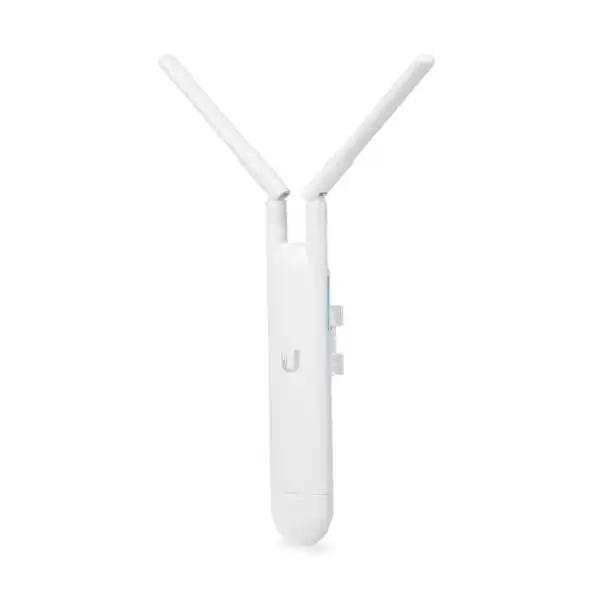
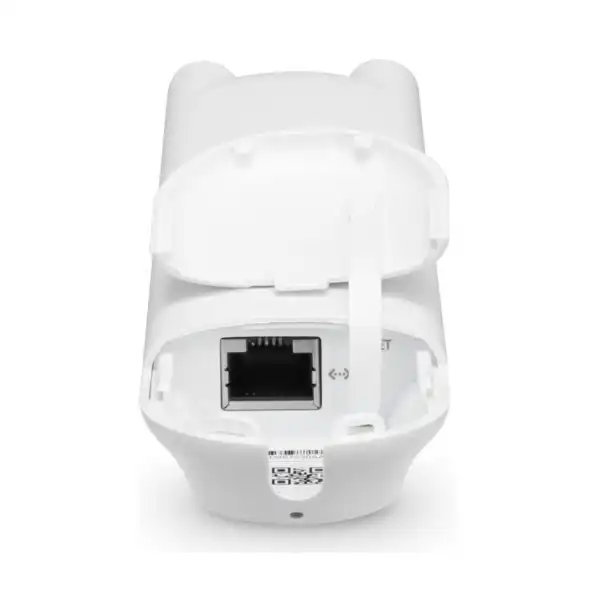
Ubiquiti UniFi AC Mesh UAP-AC-M Access Point
Extend managed Wi-Fi to courtyards, outdoor seating, walkways and harder-to-reach work areas with a compact Ubiquiti access point. The Ubiquiti UniFi AC Mesh UAP-AC-M combines 2.4 GHz and 5 GHz Wi-Fi 5 radios, wall or pole mounting, PoE power and optional UniFi wireless meshing. Confirm the right quantity and network design before purchase.
At a glance
Radio speeds and coverage are manufacturer reference values, not guaranteed user throughput or a fixed on-site range. Check PoE compatibility and exact offer contents.
A practical answer for hard-to-reach Wi-Fi areas
The Ubiquiti UniFi AC Mesh UAP-AC-M is a compact access point for extending managed Wi-Fi into courtyards, covered walkways, outdoor seating, entrance areas and other places where a typical indoor access point is difficult to position. It is designed for indoor and outdoor applications, offers simultaneous 2.4 GHz and 5 GHz radios, and can operate as a wired access point or as part of a carefully planned wireless mesh. That combination is especially useful when the target area has power available but a network cable is difficult to run.
The key buying decision is not whether the label says mesh. It is whether this particular access point matches the number of people, the expected applications and the physical installation. A small hospitality courtyard with occasional browsing needs something different from a crowded public event with many active video users. Before selecting equipment, identify the coverage boundary, peak demand, where the wired network ends, and whether the AP can be mounted securely with a clean path toward the intended users.
For a Tanzania-based project, start with a simple site description rather than an assumed coverage radius. Explain the outdoor space, surrounding walls or trees, number of simultaneous users and available Ethernet or power. Those details allow a realistic assessment of whether one UAP-AC-M is enough, whether multiple access points are needed or whether another device category would be a better fit.
Product identity and what is actually included
The exact model described here is UAP-AC-M, also known as the UniFi AC Mesh. It is a dual-band Wi-Fi 5 access point, not a mobile-network modem, a standalone internet subscription, a home gateway, or the larger UAP-AC-M-PRO. Its job is to provide wireless LAN access to a network that already has appropriate routing and internet connectivity. It belongs to the UniFi management ecosystem, which allows administrators to configure compatible devices together rather than managing each one as an unrelated router.
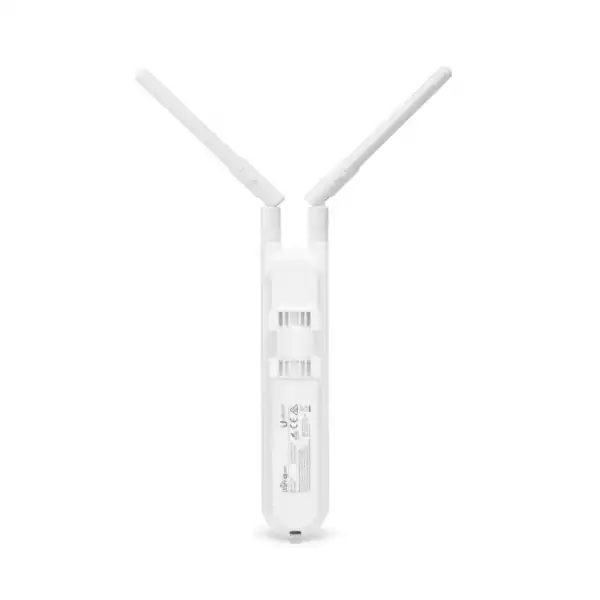
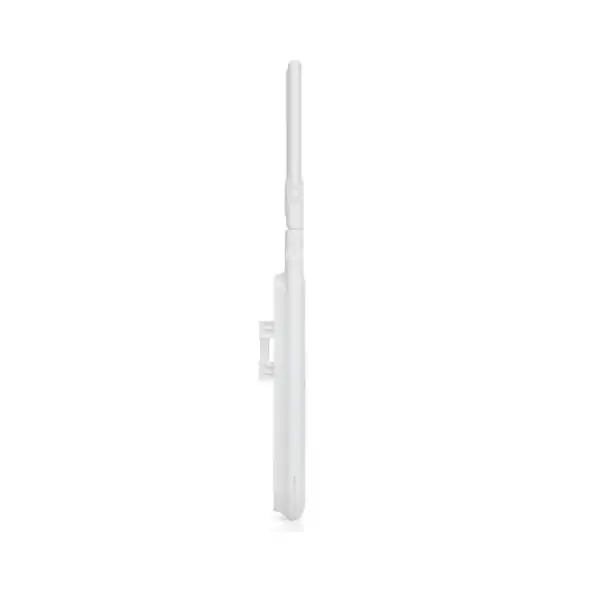
Ubiquiti specifies a compact body with two external dual-band omnidirectional antennas, wall and pole mounting support, one Gigabit Ethernet connection, and a maximum power consumption of 8.5 watts. The manufacturer’s published dimensions are 353 × 46 × 34.4 millimetres, including the upright antenna assembly. Those dimensions matter when measuring a narrow mounting position or deciding whether an AP can sit discreetly near a path, entry point or service yard.
Package contents can vary with configuration and pack size. Ubiquiti states that a single-unit package includes a PoE adapter, while older manufacturer documentation says five-packs may not include individual adapters. Buyers should confirm the exact carton, mounting hardware and power accessories included in the quoted Tanzania listing before ordering; descriptions of manufacturer packaging are not a guarantee of what a particular local offer contains.
Why dual-band Wi-Fi matters
The UAP-AC-M works on both 2.4 GHz and 5 GHz. The 2.4 GHz band is commonly useful for devices farther away or located behind moderate obstructions, although it is often more crowded and offers less usable bandwidth. The 5 GHz band generally provides more capacity for nearby compatible devices, but signal strength can drop more quickly through walls, foliage and other obstacles. Operating both bands lets an administrator plan a more flexible client experience instead of forcing every device onto one radio.
Each band uses a 2 × 2 radio design. Ubiquiti publishes maximum radio link rates of 300 Mbps at 2.4 GHz with 40 MHz bandwidth and 867 Mbps at 5 GHz with 80 MHz bandwidth. These are theoretical physical-layer rates under specified conditions, not promises about internet download speeds or a sum that every user can achieve. Real performance depends on client capabilities, radio interference, encryption overhead, signal quality and how many devices are sharing the airtime.
For planning, separate the questions of whether a phone can see the SSID and whether the phone can complete its required task smoothly. A guest may connect to a weak edge signal yet experience poor video calling. A site survey should measure actual client throughput, stability and latency at the edges of the working area, not merely confirm that the wireless network name appears on a screen.
Coverage expectations instead of distance promises
Ubiquiti’s current specifications list a nominal coverage area of 140 square metres for the UniFi AC Mesh. This is a planning reference, not an independently guaranteed footprint for every property. Outdoor geometry, mounting height, vegetation, neighbouring radio systems, building materials and the type of client device can all move the practical boundary substantially. Broad reseller claims about hundreds of metres should never replace measurements at the real site.
Coverage can be uneven even when an access point is mounted centrally. An antenna may radiate around a courtyard, but large metal doors, walls, vehicles and wet foliage can produce sheltered pockets. Coverage at 2.4 GHz may appear acceptable where 5 GHz has become weak. A user standing still during a survey may also obtain a different result from someone moving through the area while on a call. Treat every proposed coverage number as an assumption to test.
Begin with the target application. For basic browsing, establish a minimum practical signal and throughput requirement. For voice, video, payment terminals or business-critical apps, allow more margin and test during likely busy periods. If the edge of the site is unreliable, reposition or add an access point instead of expecting a single long-range headline to solve a complex coverage problem.
Antenna arrangement and orientation
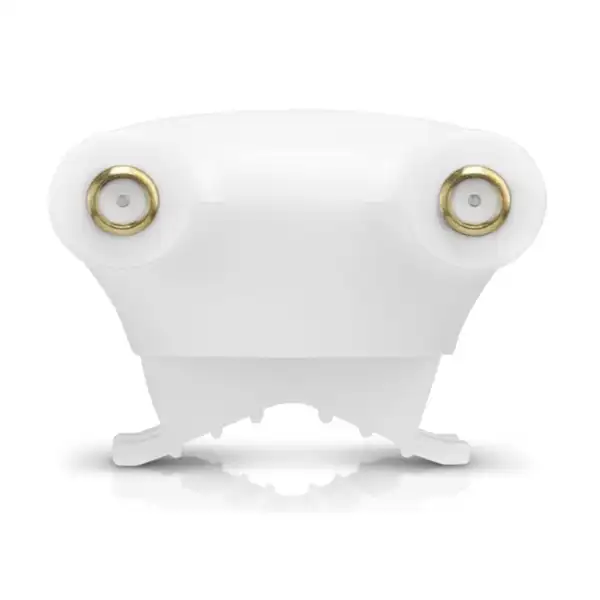
The UAP-AC-M uses two external dual-band omnidirectional antennas. Ubiquiti lists 3 dBi antenna gain for 2.4 GHz and 4 dBi for 5 GHz. Omnidirectional does not mean equal performance in every direction, nor does it mean the signal travels through every obstacle. It means the factory antenna design is intended to distribute energy broadly around the device rather than form a narrow point-to-point beam. Position and orientation still matter.
A practical installation should keep the antennas secured, clear of large nearby metal surfaces, and oriented according to the manufacturer guidance. Avoid hiding the access point in a cabinet or pushing the antenna tips against thick walls just to conceal the hardware. The best location is often slightly elevated and unobstructed, with a clear relationship to the areas people actually use. Mounting on a tall pole is not automatically better if client devices are far below it.
Manufacturer materials describe optional antenna arrangements for specialized coverage patterns. Any replacement or high-gain antenna should be checked for mechanical fit, supported configuration and local radio restrictions before use. Do not assume that swapping to a stronger antenna is a universal improvement: a narrower pattern can help one area while creating gaps elsewhere, and transmit limits may apply.
Outdoor suitability and weather limitations
Ubiquiti describes the UAP-AC-M as suitable for indoor and outdoor deployment and currently lists IPX4 weatherproofing. IPX4 concerns resistance to splashing water; it is not a claim that the device can be immersed, pressure-washed or sealed against every form of dust. It also should not be silently upgraded to the IP65 rating found on some reseller pages. Use the manufacturer’s current exact-model rating as the reference and follow the prescribed mounting orientation.
Outdoor-ready equipment still requires outdoor-ready installation practice. The Ethernet run, connections, mounting point and nearby power supply must be protected against rain, direct exposure, cable strain and corrosion. Arrange a drip loop where appropriate and avoid locations where standing water collects or where runoff is directed into the cable entry. Ubiquiti guidance also warns against installing outdoor APs such as the AC Mesh upside down.
Plan for the site’s exposure rather than relying only on a label. A shaded wall beneath an overhang, an open roof edge and a pole in a high-wind field have different risk profiles. Installation teams should assess wind load on the bracket, UV exposure of cable jackets, lightning and surge risks, safe access for maintenance and appropriate separation from overhead electrical infrastructure.
Power over Ethernet: confirm the exact mode
The UAP-AC-M takes power through Ethernet, which simplifies positioning because a separate power socket does not have to sit beside the access point. Ubiquiti’s model-specific datasheet supports 24 V passive PoE as well as 802.3af PoE Alternative A. The maximum device power consumption is specified as 8.5 W. That distinction matters: simply seeing the word PoE on a switch or injector does not establish that its output wiring and operating mode are suitable.
Before connection, check the actual power source, switch standard, injector specifications and cable path. Passive PoE is not interchangeable with every negotiated IEEE PoE implementation. A mismatch can stop the AP from powering correctly and may damage equipment in some scenarios. Where an existing network has mixed-age switches, document which ports provide compatible power and whether any approved adapter is needed.
If quoting a complete installation, include the power components in the bill of materials rather than assuming they are already present. Ask whether the customer is buying a single-unit or multi-unit package, whether the supplied adapter is part of that exact package, whether an appropriate socket is available for an injector and how the installation will remain protected during power disturbances.
Wired Ethernet uplink: the preferred foundation
The device offers one Gigabit Ethernet RJ45 port for connectivity and power. With a wired uplink, traffic travels between the AP and the core LAN over cable, leaving the wireless radios primarily available for clients. For office extensions, busy hotel areas and other sites where consistent throughput matters, this is usually the preferred architecture. It also simplifies fault diagnosis because the backhaul is not competing for the same radio airtime as nearby users.
A wired design still requires sensible installation. Outdoor-rated cable, protected routing, correct termination, compatible PoE equipment and a dependable switch are part of the project, not afterthoughts. A poorly terminated run can negotiate a lower port speed or become intermittent in damp weather. Long cable paths should be reviewed against Ethernet distance limits, electrical hazards and the intended surge protection approach.
Choose cabling when possible, particularly if the AP will carry frequent video calls, business transactions or dozens of active devices. If the site cannot accommodate a cable route, wireless meshing becomes an option, but it introduces extra requirements for radio signal, placement and capacity. The strongest product decision is the one that respects the site constraints rather than prioritizing convenience at any cost.
Wireless meshing: what it does and does not do
Wireless meshing lets a compatible UniFi access point use a wireless link to another UniFi access point as its network uplink. The feature can extend coverage across an area where running a data cable is difficult. It is not the same as generating internet access on its own, and it does not remove the need to power the remote device. At least one suitable part of the network must still have a working connection to the router and LAN.
A meshed AP should be positioned where it receives a strong, reliable connection from its parent AP while also serving the intended client area. Placing it at the farthest possible edge of an already weak signal rarely produces a good extension. Ubiquiti advises a strong link, preferably around -60 dBm or better between a child and parent, and recommends limiting unnecessary wireless hops because each additional hop reduces available throughput.
Meshing also does not automatically make every client roam without interruption, guarantee a fixed speed or replace a purpose-built long-distance point-to-point bridge. If two buildings are separated by a considerable distance, or if many wired devices need a remote connection, a dedicated bridge or fibre may be the better engineering answer. Match the equipment to the topology, not only to the word mesh.
Designing a dependable mesh topology
Begin by drawing a simple network map: gateway, wired switches, wired parent access points, wireless child access points and all client areas. Mark the available power sources and likely obstructions. Keep the number of wireless hops low, and avoid hanging too many remote APs from one parent. A mesh that looks tidy on a drawing may perform badly if every child shares one congested backhaul radio and users arrive at the same time.
Ubiquiti’s mesh guidance recommends enabling wireless meshing in UniFi Network, using Mesh Parent on devices that provide the uplink and Mesh Connect on devices that need a wireless connection. Do not indiscriminately enable the wireless-child function on an AP that already has a wired uplink, because the manufacturer warns about unnecessary routing complexity or loops. Exact interface labels may vary by application version, so administrators should follow the active UniFi documentation.
After configuration, test the actual AP-to-AP signal and observed traffic when the intended client population is active. Where possible, establish a wired uplink at the most heavily used location and reserve wireless backhaul for the final difficult segment. If the topology changes later, reassess the mesh role settings rather than assuming the controller will compensate for every physical or cabling change.
UniFi Network management and adoption
The UAP-AC-M is managed with UniFi Network. Central management is a practical advantage when a site grows beyond one AP because settings, wireless names and device status can be reviewed in one management environment. Ubiquiti’s current technical listing specifies UniFi Network version 6.0.45 and later for this model. Administrators should still confirm that their chosen controller version and device firmware are mutually supported before procurement or rollout.
For an initial wired installation, connect the AP to the suitable PoE source and LAN, then use the UniFi interface to discover and adopt it. Confirm the intended network, update firmware according to the organization’s change policy and assign meaningful device names based on physical location. A good name such as East Courtyard or Guest Entrance is more useful to a maintainer than a serial-number-based label when several outdoor devices are installed.
Deployment planning should also address who owns the UniFi site, who has administrator access, how credentials are retained and how backup settings are recovered. A building may outlive the contractor who first installed its wireless network. Clear ownership and written configuration records make later troubleshooting, expansion and secure handover easier.
Guest Wi-Fi, access policies and traffic separation
Ubiquiti lists guest network isolation, captive portal features, per-user controls and virtual LAN-related capabilities in the UniFi ecosystem for this model. These can help a venue separate visitor connectivity from staff operations and other business resources. The feature list is not a substitute for a correct network design: the gateway, switch configuration and management policies must support the intended separation.
For a hotel or restaurant, a sensible starting point is separate wireless networks for business administration and guests. Staff devices may need access to internal services while visitors usually need only internet access. Consider bandwidth controls so a small number of active users cannot consume the entire connection. Any sign-in portal, voucher system or user-data collection process should be selected with appropriate privacy and operational requirements in mind.
A captive portal can provide a recognizable guest experience, but it is not inherently a security policy. Confirm that VLAN tagging, firewall rules, DHCP services and DNS resolution work from the outdoor AP location. Test with an ordinary guest handset, not only with an administrator laptop. If an organization does not need a portal, a clear wireless name and secure authentication may be the simpler operational choice.
Security and firmware maintenance
Any outdoor access point is part of the production network and deserves the same administrative attention as an indoor one. Keep the UniFi management account restricted to authorized personnel, use strong authentication, monitor device status and maintain a documented upgrade process. Public-facing Wi-Fi should not expose management interfaces or sensitive internal services just because the AP is located outside the building.
Security capabilities depend on the model, firmware, controller version and chosen wireless configuration. Do not assume that the UAP-AC-M offers every security option associated with a newer Wi-Fi 6 or Wi-Fi 7 device. Verify the exact supported encryption modes and organizational requirements before promising compatibility with a mandatory security standard. When connecting older client equipment, balance necessary compatibility against the risk of enabling outdated protocols.
Schedule firmware updates during a period when temporary disconnection is acceptable and confirm that a rollback or recovery procedure is available. Record the installed version, controller host, assigned management network and change history. If the site includes cameras, payment systems or other critical devices, segment traffic appropriately and check that access-point maintenance does not accidentally take unrelated services offline.
Client count is not the same as usable capacity
Ubiquiti’s current technical listing describes support for more than 200 clients, while some historical datasheet and reseller figures differ. These are product capability indicators rather than guarantees that more than 200 people can all stream, call or upload at the same quality simultaneously. Actual useful capacity depends on how much airtime each client consumes, the number of active rather than merely associated devices, the radio environment and the available uplink.
For planning, ask how many people will be present during the busiest hour, what proportion will connect, and which applications they will use. A group checking messages intermittently has very different needs from an equal-sized group attending interactive video sessions. Multiple small access points with sensible channel planning can outperform one AP carrying a high aggregate number of devices, even if the latter technically accepts those associations.
Capacity tests should assess real workloads, including authentication, DNS, web browsing and any site-specific systems. Watch latency and packet loss while users move between areas. For higher-density events or venues, specify a design target and test criteria before buying equipment. Avoid choosing the total AP count solely from an advertised maximum client number.
Channel selection and interference management
The 2.4 GHz band has limited non-overlapping channel space and is particularly vulnerable to congestion from neighbouring Wi-Fi networks and other equipment. On 5 GHz, more channel options may be available, but a design must still respect the regulatory domain and local operating conditions. The theoretical highest channel width is not always the most productive setting: wider channels increase potential peak radio rates but can also increase contention when nearby networks are busy.
Assess the physical site before committing to a channel plan. An access point beside a road, another venue or a cluster of apartments may see considerable interference. Channel choices suitable at one time may be less effective when neighbouring systems change. Measure the environment, use a practical channel width and spread adjacent APs across appropriate channels to reduce self-interference.
Ubiquiti provides radio management options, but automatic controls should still be reviewed against actual user experience. Document channels, power settings and SSID configuration so subsequent changes can be evaluated. For an outdoor Tanzania deployment, select the proper country regulatory setting and confirm permitted frequencies and installation requirements through the appropriate local authorities or qualified network professional.
Roaming between indoor and outdoor areas
A visitor who walks from a reception desk to a terrace may expect the same Wi-Fi network to remain usable. Where compatible UniFi access points share the appropriate network configuration, this model can participate in a managed multi-AP environment. The manufacturer lists roaming-related 802.11k, 802.11v and 802.11r features, but roaming decisions remain dependent on client behaviour and correct network design.
More transmit power is not necessarily better for roaming. If an indoor AP remains visible at a very weak signal across a large garden, a handset may cling to that connection longer than desired. Appropriate AP spacing, power control and overlapping usable coverage can encourage a cleaner handover. Overlapping does not mean placing multiple APs so close together that they create severe channel interference.
Test roaming with the actual client device types used at the site, especially if staff use Wi-Fi calling, handheld terminals or applications sensitive to interruptions. Verify that security modes and VLAN assignment remain consistent across the intended roaming area. Do not promise a perfectly seamless call handoff without site testing because different clients implement roaming behaviour differently.
Power continuity and operational resilience
An outdoor access point can be perfectly functional while the user experience fails because the internet router, core switch or upstream link has lost power. Design continuity from the network core outward. Where the service matters to business operations, consider the router, firewall, controller host where required, relevant switches and PoE injectors as one dependency chain rather than treating the AP as an isolated box.
A suitable uninterruptible power supply may help with brief local electricity interruptions, but its capacity, placement and maintenance need individual assessment. A device drawing at most 8.5 W does not mean that the entire network needs only that power; switches, gateways and upstream equipment add their own loads. For an injector located in an exposed area, protect the power connection and follow electrical safety requirements.
Prepare a simple recovery plan covering who can restart or replace the AP, how to identify a failed PoE component and how to contact the responsible network administrator. If a site relies on the wireless connection for guest service or operations, mark critical access points on a plan and keep configuration records. Reliability often depends as much on predictable maintenance as on the equipment specification.
Structured troubleshooting before replacing hardware
When a site reports weak outdoor Wi-Fi, start by describing the symptom. Is the network not visible, does a device connect but fail to reach the internet, or is speed poor only at a particular location? Different symptoms point to different tests. Check power, cable link status, controller adoption and the connection to the gateway before assuming that antenna gain or router speed is the root cause.
For weak coverage, inspect AP placement, antenna orientation, building obstructions and the target client’s signal quality. For unstable wireless mesh, evaluate the parent link, channel interference and whether the path changes when people or vehicles enter the area. For slow connections, test a wired device at the same upstream network point to separate radio problems from internet bandwidth limitations.
Also inspect switch port negotiation, PoE delivery, client count, AP channel utilisation and the effect of recently installed electrical or wireless equipment. Record the time and location of failures. A brief series of disciplined measurements usually produces more useful results than changing several wireless settings simultaneously, since uncontrolled changes make it difficult to identify what actually improved the service.
Safe pole and wall mounting
The AC Mesh supports wall and pole mounting, with mounting accessories described by Ubiquiti for the standard unit. Choose a sturdy substrate that can support the access point and resist expected wind and vibration. Before drilling, confirm the presence of hidden electrical services and use hardware appropriate to the wall or pole material. Mounting work at height should be performed safely by people equipped for that environment.
Route cables away from sharp edges and places where a door, gate or moving machinery could damage them. Maintain sensible separation from power wiring and follow local electrical codes. Avoid placing the AP where cleaning equipment, public traffic or accidental impacts will strike it. A position that is easy to inspect from a safe location can lower maintenance cost over the life of the installation.
For exterior installations, plan appropriate grounding and surge protection with reference to the cable route and site electrical design. The manufacturer recommends suitable outdoor Ethernet cabling and Ethernet surge protection for exposed installations. Mount the AP in its specified orientation and keep its cables protected from water ingress. An access point’s splash resistance does not protect a poorly placed injector or open connector.
Hospitality courtyards, restaurants and guest areas
A small hospitality property may have acceptable wireless coverage inside but lose usable signal in a courtyard, terrace, poolside-adjacent waiting area or garden. The UAP-AC-M can be evaluated as an outdoor extension of the existing network, particularly when wall or pole mounting offers a good view of the intended seating area. The key test is whether guests can browse and use their usual applications while staff services remain protected.
Before buying, identify how many people use the area at peak occupancy and whether the same access point will also support staff devices such as order terminals. Place critical operational traffic on an appropriately protected network and verify that the upstream internet connection has enough capacity. A guest SSID extending outdoors should not accidentally provide access to internal business systems.
If a venue has multiple distinct zones or dense event traffic, a single AP may not be sufficient even when the entire area appears inside a theoretical coverage figure. Survey during representative occupancy, choose wired backhaul wherever practical and confirm that weather, wall materials and seasonal outdoor layouts do not undermine the chosen location.
Schools, offices and multi-building compounds
Education and office compounds often need connectivity across transitions: between a classroom and an outside study area, between a main office and a covered walkway, or near an entry point used by staff. The UAP-AC-M can complement an existing UniFi deployment where a modest outdoor zone needs Wi-Fi 5 service. It may be useful for mixed-use spaces when centralized network management is already familiar to the IT team.
These deployments should distinguish routine connectivity from demanding applications. Students using cloud learning resources, staff on real-time collaboration calls and operational devices may create simultaneous loads. Segment user groups where necessary, apply relevant access policies and check that the LAN, not only the AP, can support the traffic. A wireless mesh uplink may be acceptable for light extensions but can become a bottleneck when large groups are active.
Where the buildings are far apart or a remote network cabinet needs a permanent feed, evaluate structured cabling, fibre or a dedicated wireless bridge instead of asking one access point to act as a long-distance backbone. Document building-to-building paths, physical security of mount locations and maintenance access before selecting the final device count.
Small business yards and service spaces
Outdoor storage spaces, service courtyards and loading areas create unusual radio conditions because vehicles, shutters, racks and moving inventory can alter the path between an access point and a handset. The compact AC Mesh can be considered for general wireless coverage in such locations, but its suitability depends on site measurements and the intended use. Occasional staff browsing is not the same requirement as uninterrupted connectivity for transaction processing or industrial control.
For a small yard, place the access point where the target working zone is visible and where the mounting surface is protected against accidental impact. Consider whether staff use modern phones, handheld scanners or other specialist equipment. Different client devices have different radio sensitivity and roaming behaviour, so a successful phone test may not represent the entire fleet.
Keep operational networks separate from casual guest use and account for power interruptions or cabling damage that can occur in service areas. If the site contains hazardous conditions, heavy machinery or specialized industrial requirements, choose equipment certified and engineered for that environment rather than assuming a general outdoor access point is sufficient.
Temporary events and short-duration deployments
A market demonstration, outdoor meeting or temporary gathering may need a short-term Wi-Fi extension. The wall and pole mounting versatility of the UAP-AC-M can make it a candidate when compatible UniFi equipment is already available. Nevertheless, temporary does not mean the installation can ignore safe cabling, secure mounting or the practical capacity of the radio network.
Estimate expected attendance, active clients and the traffic mix. A temporary registration desk with a handful of devices may be easy to serve; a crowd uploading photos and streaming video places far greater demands on airtime and internet capacity. Wireless meshing may simplify the physical layout when a cable is difficult to route, but it should be tested under load before the event rather than first activated as guests arrive.
Arrange for a responsible administrator to monitor the connection, supply protected power, and maintain an appropriate backup plan if the internet connection is essential. Remove and inspect the equipment safely after use. For high-density public events, ask for a purpose-built wireless design rather than treating one compact access point as a guarantee of service for a large crowd.
Comparison: AC Mesh versus newer Wi-Fi choices
The UAP-AC-M is a Wi-Fi 5 device. That may be suitable when the requirement is straightforward dual-band coverage, the existing network is already based on UniFi, and the expected client workload is modest. It does not offer the full radio feature set of newer Wi-Fi 6 or Wi-Fi 7 models. Choosing it simply because it is called Mesh can obscure differences in capacity, radio efficiency, uplink speed and long-term network plans.
Buyers considering an upgrade should compare the intended area, active user count, client types, deployment budget, PoE requirements, enclosure rating and available mounting positions. A newer access point can be worth evaluating for high-density environments or planned growth, but a faster specification alone cannot overcome poor placement, weak upstream connectivity or an overloaded internet service.
Comparison should also consider alternatives within the same project rather than only access points: a wired backbone plus several suitably placed APs may outperform a chain of wireless mesh devices. If two fixed points require long-distance connectivity, a dedicated bridge may be more appropriate. Ask for an architecture that meets measurable requirements instead of assuming the newest radio standard is always the only correct answer.
What the UAP-AC-M does not replace
This is an access point, not a cellular router or internet service. It does not create bandwidth where none exists, and it does not replace a firewall, DHCP service or secure gateway. Its Gigabit Ethernet interface is an uplink rather than a bank of LAN ports for connecting several local wired devices. It should also not be described as a guaranteed outdoor long-range bridge without considering the intended link topology and signal conditions.
The word outdoor does not mean that every exposed mounting location is automatically safe. IPX4 does not provide a universal dust rating, and it does not cover immersion. The 200-plus client figure is not a quality-of-service promise. The 867 Mbps 5 GHz figure describes a maximum radio rate, not the sustained internet speed each user will receive. The product name alone does not confirm that a Tanzania seller has stock or that a quoted kit contains every accessory.
These distinctions are useful at the buying stage because they prevent avoidable returns and disappointed performance expectations. Choose the device for specific coverage and manageability requirements, then budget for the network and installation components that let it function properly.
Specifications that influence a real project
Ubiquiti lists a single Gigabit Ethernet uplink, two external dual-band omnidirectional antennas, Wi-Fi 5 support and 2 × 2 operation on both 2.4 and 5 GHz. The listed maximum radio link rates are 300 Mbps at 2.4 GHz and 867 Mbps at 5 GHz, with antenna gains of 3 dBi and 4 dBi respectively. These are useful comparison values, especially when evaluating an existing Wi-Fi 5 deployment, but they do not replace live radio measurements.
The current manufacturer page lists a nominal 140 m² coverage area, a manufacturer client-count indication of 200-plus, IPX4 splash protection and a maximum draw of 8.5 W. The unit weighs about 152 grams, and wall and pole mounting are supported. The older official datasheet identifies 24 V passive PoE and 802.3af Alternative A as supported powering modes; verify the exact injector or switch compatibility before energizing a unit.
Treat specifications as design inputs. A contractor still needs to consider orientation, the intended antenna arrangement, installation height, environmental exposure, supported controller software, the expected radio noise level and appropriate regulatory settings. For procurement, distinguish verified manufacturer specifications from any listing-specific commercial claims.
A useful pre-purchase checklist
Before requesting a quote, describe the site in a few clear lines. Include whether the area is indoor, covered outdoor or fully exposed; roughly how large it is; what walls or obstacles surround it; and where existing network equipment is located. If the site already uses UniFi, note the controller version and nearby access point models. If it uses another network ecosystem, describe how authentication, routing and management will work together.
Then specify peak expected active users, not only the total number of people who might visit. Say whether they primarily browse, use messaging, make voice calls, watch video or depend on business-critical applications. Identify whether Ethernet can reach the chosen mount location, whether compatible PoE is available, and whether the power system needs additional protection. This information often determines the architecture more strongly than a nominal range figure.
Finally, list the scope you want quoted: device only, device with appropriate power accessories, or a planned installation with testing. Ask for exact model confirmation, pack contents, availability, price and applicable commercial terms. Those terms should be supplied by the seller for the actual offer rather than inferred from another retailer or market.
An installation and commissioning workflow
A well-managed rollout begins with a walk-through or remote site survey. Define success criteria, locate the expected client areas, photograph suitable mounting positions and identify cable routes. Decide whether the backhaul will be wired or wireless, and document the reasoning. A quick design review can reveal that a proposed mount is too far from the parent AP or too close to an obstruction before equipment is installed.
Next, confirm the correct PoE method, suitable cable and protected mounting hardware. Install and adopt the UAP-AC-M into the intended UniFi Network environment. Apply secure SSIDs, access policies and appropriate regulatory settings. Avoid changing many channel or transmit-power settings without measurement; use the initial configuration as a baseline and record any adjustments.
Commission the network with real user devices in representative conditions. Verify coverage at the intended edges, internet access, roaming where needed, guest isolation, throughput, latency and recovery from a normal network restart. Check the AP-to-AP link separately if a mesh connection is used. Record configuration, physical location, power source and test results for future support. This produces a more dependable outcome than judging installation success by a single green status light.
How to test finished coverage
Testing should be tied to the user’s task. At each important location, confirm association to the expected access point and wireless band, obtain an IP address, reach the permitted network resources and complete a representative application action. A successful ping alone may not reflect call quality or web usability. Record at least one test during realistic network activity rather than only when the building is empty.
Take note of weak-signal pockets, excessive retries, changes in connection speed and unexpected roaming back to an indoor AP. In a meshed design, also measure the child-to-parent signal and whether backhaul traffic becomes a limiting factor during load. If the result is unsatisfactory, move the AP or adjust the design before increasing the user population.
Document both the passing areas and any boundaries outside the intended coverage commitment. A clear acceptance record helps maintain the installation after landscaping changes, new construction, additional neighbouring networks or seasonal event layouts alter the radio environment.
How to request the right product quotation
An effective purchase request should state the exact model: Ubiquiti UniFi AC Mesh UAP-AC-M. It should also say how many units are required, whether the request is for a single device or a complete deployment, and whether existing switching supports the documented PoE mode. Ask for the actual packaging configuration rather than assuming an adapter is bundled with every form of the product.
Where a project needs more than one access point, include the intended controller, backhaul plan and related cabling. This helps separate the hardware cost from required installation materials and technical work. If the site is exposed, account for suitable outdoor cable routing, mounting and surge protection. If the area is heavily used, allow time for a survey and commissioning test.
Contact FourTeck Tanzania with your site layout, approximate area, active client count and network details to request a model-specific quotation and suitability review. Pricing, stock status, delivery arrangements, warranty and any installation services should be confirmed directly for the actual proposed transaction. No unverified local offer or service promise is implied by this product description.
Choosing the right number of access points
Start with the shape of the area rather than dividing its square metres by a published coverage figure. A long narrow walkway, an L-shaped courtyard and an open rectangular field can each require a different number and placement of APs. Signal does not spread uniformly through masonry, glass, containers or foliage. If the intended clients are clustered in a few zones, placement should follow those clusters.
Next consider client density and airtime use. A single AP may serve a modest number of lightly active devices over an area that appears adequately covered, while the same footprint with concentrated calls or uploads may need additional radios. Multiple APs create more capacity only when their channels, power and backhaul are designed appropriately; adding devices indiscriminately can increase interference.
Use a short site-survey process to establish the starting count, then validate it with measurements and realistic traffic. Where a wireless mesh is used, the backhaul must be part of that capacity calculation. Ask for a design recommendation backed by the conditions of the property, not a sales claim that every outdoor location can be served by one unit.
Total cost of ownership and maintenance
The purchase price is only one part of an outdoor Wi-Fi project. Depending on the property, the total cost can also include compatible PoE equipment, networking cable, protective components, mounting materials, configuration, site testing and future maintenance. Separating those elements in a quote makes it easier to compare a device-only offer with a delivered, working network.
Consider the cost of access for later service. A unit placed high above a roof edge may be harder to inspect or replace than one on a safely accessible exterior wall. A cleanly labelled cable and switch port can save troubleshooting time. Standardizing configuration and retaining a backup can reduce disruption when a unit needs replacement.
Future plans matter too. A site expecting substantial client growth may be better served by a newer radio generation or a stronger wired backbone now, even if the current Wi-Fi 5 device fits today’s light load. The best value comes from matching the equipment to an appropriate maintenance strategy, known coverage goals and the actual service life expected by the buyer.
Tanzania deployment considerations
For use in Tanzania, the site itself should drive planning. A dense commercial property, a coastal outdoor terrace and an inland campus courtyard can expose wireless equipment to different combinations of radio noise, rain, heat, dust and mounting constraints. The AP’s published operating environment and splash resistance are useful starting points, but they do not eliminate the need for sensible protective installation and verification in the actual setting.
Make sure the selected device variant, wireless country settings, allowed channels and any applicable communications requirements are reviewed with the appropriate authorities or a qualified installer. Manufacturer certifications from another region do not automatically establish Tanzania-specific approval. Do not assume that every channel or transmit-power option shown in software is permitted at the intended site.
Commercial arrangements are also site-specific. A correct installation brief should confirm local internet service capability, the customer’s router and network topology, power availability, and who will administer the UniFi system. FourTeck Tanzania can be asked for a product quotation or compatibility guidance, but stock, warranty, delivery and installation coverage should not be presented as verified without a specific offer.
Verified technical specification summary
| Attribute | UAP-AC-M |
|---|---|
| Manufacturer / family | Ubiquiti / UniFi AC Mesh |
| Model | UAP-AC-M |
| Wi-Fi | Wi-Fi 5 (802.11ac), dual-band |
| 2.4 GHz / 5 GHz PHY rate | Up to 300 Mbps / up to 867 Mbps |
| Radio configuration | 2 × 2 MIMO per band |
| Antennas | 2 external dual-band omnidirectional antennas |
| Nominal antenna gain | 3 dBi (2.4 GHz); 4 dBi (5 GHz) |
| Network uplink | 1 × Gigabit Ethernet RJ45 |
| Powering options | 24 V passive PoE; 802.3af Alternative A |
| Maximum power draw | 8.5 W |
| Weather protection | IPX4 (manufacturer current listing) |
| Reference coverage | 140 m² (manufacturer guidance, not guaranteed) |
| Reference client count | 200+ (manufacturer indicator; actual capacity varies) |
| Mounting | Wall or pole |
| Dimensions | 353 × 46 × 34.4 mm |
| Management | UniFi Network |
| Required controller software | UniFi Network 6.0.45 or later (manufacturer listing) |
| Operating temperature | −30 °C to 70 °C |
Specifications are drawn from Ubiquiti technical material for this model. Physical radio rates, estimated capacity and nominal coverage are not guaranteed achieved results. The power supply, environmental protection, software requirements and accessory package should be checked against the exact unit and intended installation.
Frequently asked questions
Is the UAP-AC-M suitable for outdoor use?
Yes. Ubiquiti identifies the device as an indoor/outdoor access point and currently specifies IPX4 splash protection. It still needs correct orientation, careful cable protection and a suitable mounting location. Do not interpret IPX4 as permission to immerse, pressure-wash or install the unit anywhere without considering weather and electrical exposure.
Does AC Mesh mean it works without any Ethernet connection?
It can obtain a wireless uplink from an appropriately configured compatible UniFi parent access point, but a working network still needs a wired upstream connection somewhere, and the remote unit still needs compatible PoE power. For best stability and throughput, wired Ethernet remains the preferred option when a cable run is possible.
Can this access point supply internet by itself?
No. It supplies Wi-Fi access to an existing network. A suitable router or gateway, upstream connectivity and any required DHCP, DNS or security services must be provided elsewhere. The UAP-AC-M is not a 4G or 5G cellular modem and does not include an internet subscription.
What are its maximum wireless speeds?
The published maximum physical-layer radio rates are 300 Mbps on 2.4 GHz and 867 Mbps on 5 GHz under the relevant channel-width and client conditions. These are not guaranteed application or internet speeds. Real user results will usually be lower and depend on signal, shared airtime, backhaul and upstream service.
How many users can it support?
Ubiquiti’s current listing indicates 200-plus associated clients, but that is not a guarantee of a satisfactory experience for 200 people performing demanding tasks at once. Size a network using expected active users, traffic mix, radio conditions and acceptance tests. High-density venues may need several access points.
Can I use it in a hotel or restaurant?
It can be considered for guest spaces such as terraces, courtyards and entry areas when the coverage and user load are appropriate. Plan guest isolation, network policies and robust upstream connectivity. If the outdoor space is crowded or has many obstructions, survey it before deciding that one unit will be enough.
Does it support 802.3af PoE?
The manufacturer’s model-specific datasheet lists 802.3af Alternative A and 24 V passive PoE support. Verify the exact power source, wiring mode and accessory compatibility before connection. Do not treat all PoE injectors and switches as interchangeable, especially when combining older passive supplies with newer networking equipment.
Is the UAP-AC-M a Wi-Fi 6 or Wi-Fi 7 device?
No. This is a dual-band Wi-Fi 5 access point based on 802.11ac. It may be appropriate for a straightforward managed coverage extension, but buyers designing high-density or growth-focused networks should compare current UniFi models and consider whether newer radio capabilities are needed.
How far does the UAP-AC-M reach?
There is no single reliable distance for every installation. Ubiquiti publishes a nominal coverage-area reference of 140 square metres, while the actual usable boundary depends on the site, client devices, antenna position and traffic requirements. Test the real working zone rather than relying on a reseller’s maximum-distance claim.
Will users roam between indoor and outdoor access points?
The UAP-AC-M participates in UniFi’s multi-access-point management environment and supports roaming-related capabilities. Good roaming still depends on client behaviour, suitable overlap, correct SSID and security settings, and practical radio design. Test any applications that cannot tolerate brief interruptions.
Can I install it on a pole?
Yes. Ubiquiti specifies wall and pole mounting for this model. The mounting location must still be secure, safely accessible and appropriate for the environmental exposure. Follow the installation orientation, cable-protection and electrical-safety guidance rather than improvising a bracket or leaving connections exposed.
What should I send when asking for a quote in Tanzania?
Provide the exact model UAP-AC-M, required quantity, expected user count, whether the installation is outdoors, the approximate site layout and whether Ethernet and suitable PoE are already available. Ask for confirmation of the offered packaging, price, stock, applicable warranty terms and any optional project services.
Can the device connect two distant buildings?
Do not assume it is the best solution for a permanent long-distance building-to-building link. Its main role is serving Wi-Fi clients and supporting compatible UniFi meshing. For substantial separation or high-capacity backbone traffic, compare dedicated point-to-point equipment or fibre with a professional network design.
Why does a mesh link sometimes feel slower than a wired AP?
A wireless mesh uplink consumes radio airtime and depends on the strength of its connection to the parent access point. Additional hops, interference and shared client traffic can reduce usable throughput. Ubiquiti recommends minimizing hops and maintaining a strong parent-child signal. Cabling the AP is often the most effective improvement.
Is a price or warranty included in this information?
No. The product description focuses on verified technical characteristics and deployment considerations. Any Tanzania selling price, inventory status, delivery terms or warranty must be confirmed against an actual FourTeck Tanzania quotation; unrelated retailer listings do not establish the terms of this offer.
Request a UAP-AC-M quotation for your site
Tell FourTeck Tanzania how large the area is, how many users will connect, and whether an Ethernet connection and compatible PoE are available. Ask for confirmation of the exact product configuration, availability, quotation and applicable commercial terms. A suitable Wi-Fi design starts with the intended use, not an unverified range or speed promise.




Reviews
There are no reviews yet.