
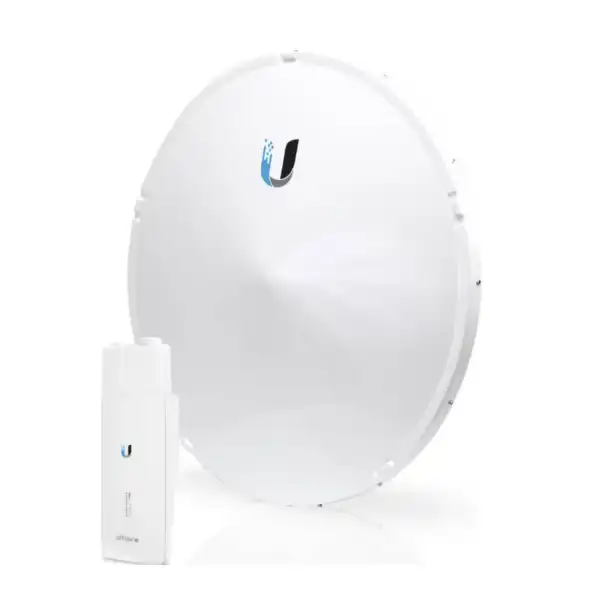
Ubiquiti airFiber AF-11 — 11 GHz Point-to-Point Backhaul Radio
Need a dedicated wireless connection between fixed network sites in Tanzania? The Ubiquiti airFiber AF-11 is a radio platform for engineered 11 GHz links, with manufacturer-listed throughput up to 1.2+ Gbps. Before ordering, verify the exact frequency assignment, compatible antennas, separately purchased duplexers and complete two-end equipment requirement. Request a project-specific equipment discussion based on your sites and capacity target.
Important: radio only is not a complete link
The AF-11 radio-only guide specifies that duplexers must be purchased separately, and the compatible AF-11G35 antenna is a separate item. A two-end network needs the complete matched set. Do not assume a quoted AF-11 includes a dish, duplexers, both endpoints or a professional installation. Ask for the exact bundle contents and the licensed high-band or low-band frequency arrangement before making a buying decision.
AF-11 verified specifications at a glance
| Frequency range | 10.7–11.7 GHz; permitted channels depend on regulatory assignment |
|---|---|
| Maximum throughput | 1.2+ Gbps, manufacturer-listed maximum |
| Radio modes | SISO / MIMO |
| Network interfaces | 1 × 10/100/1000 Ethernet data; 1 × 10/100 Ethernet management |
| Power | 50 V 1.2 A supplied passive-PoE adapter; 38–56 V DC supported |
| Maximum power draw | 36 W |
| Outdoor temperature | −40 to +55 °C |
| Dimensions | 327 × 112 × 86 mm |
| Radio weight | Approximately 2.3 kg |
| Compatible antenna family | AF-11G35; purchased separately for radio-only AF-11 |
| Duplexers | AF-11-DUP-L or AF-11-DUP-H; purchase separately, match assignment |
Manufacturer specifications describe the AF-11 radio; they do not independently verify local authorization, actual site capacity, stock, price or a supplied bundle.
Where the AF-11 may fit
What the AF-11 is designed to do
The Ubiquiti airFiber 11 AF-11 is a compact licensed-band radio for a dedicated point-to-point connection between two fixed locations. It is intended for engineers and network owners who need to carry traffic between a main network, a secondary site, a tower or another infrastructure endpoint without necessarily laying a new fibre route. Each site needs a correctly configured radio endpoint and suitable antenna arrangement. The resulting connection can carry Ethernet traffic over a precisely aligned outdoor radio path. It is not a Wi-Fi access point intended to serve phones or laptops directly, and it should not be evaluated as though it were ordinary indoor wireless equipment.
For an internet service provider, the main question may be whether an 11 GHz link can connect a distribution tower to aggregation infrastructure. For an enterprise, it may be how to join two buildings while maintaining control over its own local network. In either situation, the answer depends on an engineered path, compatible radio components and the right frequency authorization. The AF-11 offers a useful technical platform, but the hardware specification by itself cannot determine whether a particular route will meet a contractual availability target. Start with the end sites, traffic requirement, regulatory position and total equipment list before requesting a final quotation.
Quick buyer answer: what is included and what is not
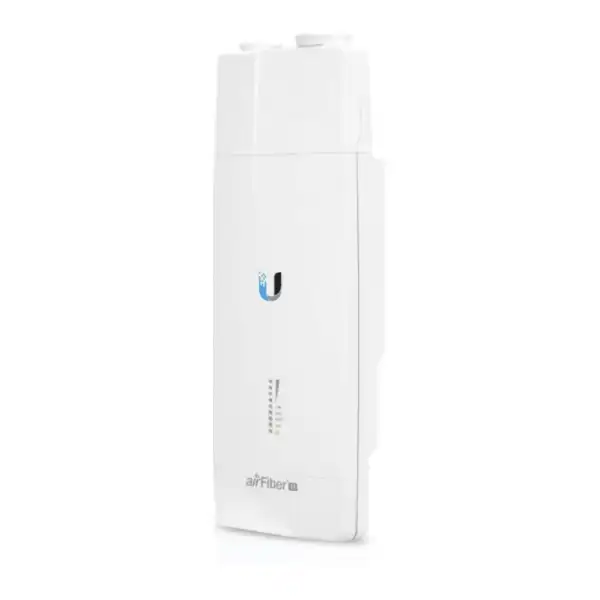
The standalone AF-11 is a radio product rather than a prebuilt, complete two-site wireless link. The official AF-11 quick-start material lists the radio, zip ties, a 50 V 1.2 A Gigabit PoE adapter and power cord in the radio package. It also states that duplexers must be purchased separately. The compatible AF-11G35 antenna is a separate antenna product, so an order for the radio alone should not be assumed to contain a dish, mounting hardware for the complete path, duplexers or a second radio at the far site. Confirm the actual commercial bundle before purchasing because a separately described complete kit has different contents.
Think of an AF-11 project as a system made of matched components. At a minimum, review the radio at each end, an antenna at each end, appropriate high-band or low-band duplexer arrangements, suitable shielded outdoor Ethernet cabling, power arrangements and protection against electrical surges. Mounting and civil work are additional site concerns. Ubiquiti also describes SISO and MIMO operation, which changes the duplexer count. A technically correct quote should therefore name the desired mode and the relevant frequency pair, rather than simply stating that two radios are required. This prevents an apparent low equipment price from hiding essential missing parts.
Technical specifications and what they mean
Ubiquiti specifies operation from 10.7 to 11.7 GHz subject to regional rules, maximum stated throughput of 1.2+ Gbps, and selectable channel bandwidths of 3.5, 5, 7, 10, 14, 20, 28, 30, 40, 50 and 56 MHz, with regional restrictions potentially reducing the choices. The manufacturer lists SISO and MIMO modes, 128-bit AES encryption, frequency accuracy of plus or minus one part per million, and maximum conducted transmit power of 30 dBm subject to regulations. These numbers describe a radio’s capabilities, not permission to use every possible frequency or power level in Tanzania. Select operating parameters only after verifying the specific authorization.
The AF-11 has one Gigabit Ethernet data port and one 10/100 Ethernet management port. Its stated power supply is a 50 V 1.2 A Gigabit PoE adapter, with a supported DC voltage range of 38 to 56 V and maximum consumption of 36 W. Dimensions are 327 by 112 by 86 millimetres and approximate radio weight is 2.3 kilograms. The specified ambient operating temperature is minus 40 to plus 55 degrees Celsius. These hardware facts help with rack-side power plans, tower attachment assessments and equipment handling, but an outdoor installation still needs suitable structure, grounding, weather protection and specialist alignment.
Why use a licensed 11 GHz backhaul band?
An engineered 11 GHz point-to-point route can be attractive where the goal is a dedicated fixed wireless link rather than general-purpose unlicensed Wi-Fi coverage. Frequency planning and coordination can make the deployment more predictable than trying to operate an important backbone hop in a heavily used unlicensed band. However, licensing does not remove atmospheric attenuation, antenna misalignment, equipment failures or other design hazards. The practical value comes from treating the path as managed infrastructure: obtain the correct frequency assignment, select a feasible channel arrangement and design for the required service availability.
The 11 GHz band is not automatically the right answer for every span. Its suitability depends on line of sight, path length, rain environment, antenna gain, tower stability, assigned channel width and the data capacity actually required. A shorter route may be simpler with another technology, while a longer high-availability route may need a stronger fade margin, different antenna size, space diversity or a separate backup path. Avoid treating the manufacturer’s maximum range figure as an achievable project promise. The useful comparison is predicted performance at the specific sites, including conditions that reduce signal quality, not an isolated headline range.
Tanzania spectrum authorization comes before radio configuration
The Tanzania Communications Regulatory Authority manages the country’s radio-frequency spectrum. Its July 2025 Radio Frequency Band Plan for Fixed Wireless Services includes an explicit 10.7–11.7 GHz section. That section identifies 40 MHz channel arrangements and paired transmit/receive separations including 530 MHz and 490 MHz. This is valuable planning context: Tanzania has documented fixed-link channel arrangements in the nominal operating band. It does not demonstrate that any individual AF-11 model, duplexer selection or proposed channel is approved, assignable or permitted for a particular operator or location. An allocation plan is not the same thing as a licence for a specific installation.
Before a quote is finalized, the responsible operator or qualified spectrum specialist should confirm whether the intended service requires a relevant TCRA licence or assignment, which frequencies and channel widths are authorized, and what conditions apply to power, antennas and operating locations. The exact receive/transmit pair should then be checked against Ubiquiti radio capabilities and the chosen duplexers. A 40 MHz entry in a band plan does not mean every selectable radio channel is automatically approved, nor does equipment certification in another country prove Tanzanian type approval. Keep regulatory approval, import requirements and site-specific spectrum permissions as distinct checks, supported by current regulator guidance.
Selecting low-band and high-band duplexers
A duplexer allows the transmit and receive signal paths to operate in their intended frequency arrangement. The official AF-11 installation guide identifies the separately purchased low-band duplexer AF-11-DUP-L and high-band duplexer AF-11-DUP-H. It states that one duplexer is needed for SISO mode and two duplexers of the same band type are required for MIMO mode. It also warns that the duplexer selection must match the allowed frequencies and polarities under the licence. Therefore, the band name on a spare part should not be chosen based on convenience or assumed from the radio’s overall frequency range.
For a real link, record the assigned transmit and receive centre frequencies at both ends, the intended bandwidth and the approved polarization plan. The two endpoints must be engineered as a corresponding pair. Check that the duplexer configuration, connector paths and radio settings can implement the assignment at both sites. If an existing AF-11 link is being expanded, capture its present configuration before ordering replacements. A low-band part purchased for a high-band requirement may leave the installation incomplete even though the radio, antenna and power supply are otherwise correct. Ask for the full bill of materials to be reviewed against the actual frequency assignment.
SISO versus MIMO: choose the mode deliberately
SISO means using a single spatial or polarization signal chain in the radio configuration, whereas MIMO uses additional radio paths to increase potential link capacity when the supported configuration and conditions permit. On the AF-11, these modes have a hardware implication: the radio-only package requires a duplexer per active chain, and a MIMO configuration calls for two matching duplexers at an endpoint. That change affects equipment cost, antenna connections, installation work and potentially spectrum authorization. It should be assessed before making throughput promises, since the highest listed product figure is not necessarily what a particular licensed SISO configuration will deliver.
Use the target service requirement to make this choice. A link carrying modest traffic with substantial spare capacity may not justify the same component plan as a high-utilization aggregation hop. For both modes, include realistic Ethernet overhead, application bursts, future growth and periods of reduced modulation in the design. Determine whether the network needs a sustained committed capacity or only occasional peak throughput. Where MIMO is proposed, confirm the legal polarization arrangement and required licences rather than assuming the radio’s menu setting alone makes the second chain available. Procurement, link budget and spectrum planning should all describe the same chosen mode.
Understand the 1.2+ Gbps throughput claim
Ubiquiti states a maximum throughput of 1.2+ Gbps for the AF-11. That is a manufacturer maximum specification, not a guaranteed service-level data rate for a particular installation. Observed traffic capacity depends on available channel width, modulation, RF signal quality, duplexer and antenna configuration, interference environment, software settings, weather-related fading and protocol overhead. The Gigabit data-port interface also matters when translating radio capacity into traffic seen on connected equipment. A project specification should distinguish radio headline capability from end-to-end usable throughput under the permitted operating configuration.
For buyers, a better question than ‘Does it reach 1.2 Gbps?’ is ‘What traffic rate can the designed hop reliably sustain when the weather or modulation changes?’ Gather current traffic measurements and forecast growth. Separate peak usage, average usage, bursts and the amount of capacity needed for recovery or maintenance events. If carrying voice, video surveillance, business applications and customer traffic together, account for performance sensitivity, not only aggregate megabits. A sound acceptance plan tests representative traffic after alignment and records the permitted configuration. This keeps expectations aligned with measurable site performance instead of a marketing number.
Site survey and unobstructed line of sight
The AF-11 is built for a fixed, accurately aimed point-to-point path. Ubiquiti’s installation guide calls for clear line of sight between the two radios. A desk study should therefore collect exact proposed site coordinates, antenna heights, terrain information and obvious obstacles before physical installation is arranged. Inspect buildings, trees, cranes, new construction and any future obstruction risks. A visible view between sites is an encouraging first check, but a professional link assessment also considers radio-path clearance, particularly the Fresnel zone. At microwave frequencies, seemingly minor obstructions can materially affect margin and stability.
After the desk survey, confirm that the proposed towers and roofs can accept the antenna mounting arrangement and preserve aiming under expected wind conditions. Check safe access, cable routing, permissions to work at height and an appropriate grounded structure. Record whether anything near the proposed path may grow or change, including seasonal foliage and nearby developments. In situations with marginal clearance, increasing power is not a substitute for correcting the physical path or complying with permitted transmit limits. A well-documented survey helps distinguish a radio choice problem from a geometry problem long before money is committed to equipment.
Antennas and precise mechanical alignment
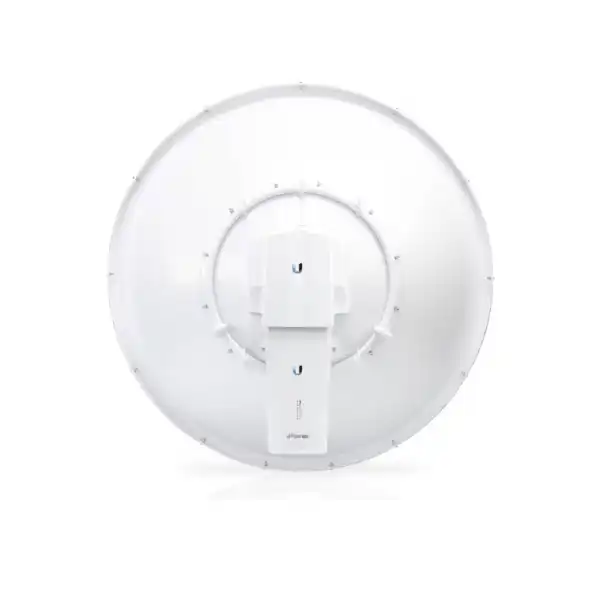
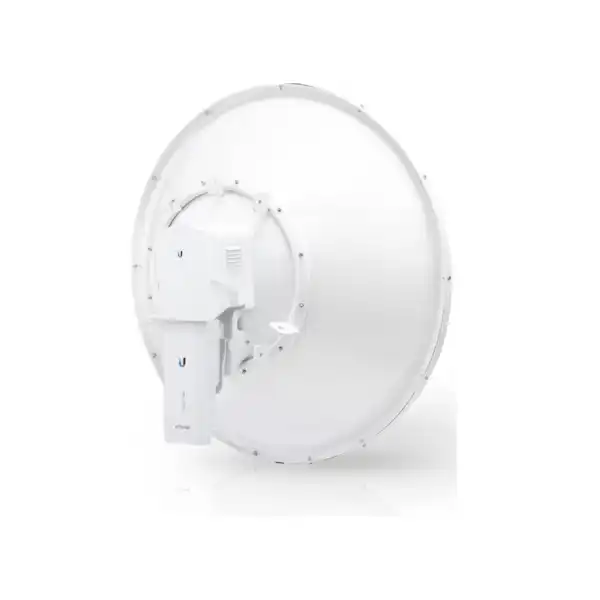
The AF-11 radio is designed for the Ubiquiti AF-11G35 antenna family, subject to local rules on allowable antenna gain. The antenna is essential because high-capacity point-to-point links use directional energy rather than broad indoor coverage. Small angular errors can noticeably affect received signal when antennas have narrow beams. Plan the pole mounting, azimuth and elevation adjustment so technicians can aim the two dishes without unsafe improvisation. Inspect mounting dimensions and wind loading using the antenna’s own published instructions rather than using only the lighter radio weight to judge the mast.
Ubiquiti’s AF-11 guide recommends aiming the master and slave ends methodically and not adjusting both simultaneously. The installation sequence should allow one endpoint to be optimized while the other remains stable, with signal indicators and management diagnostics used to confirm results. Once aligned, secure the fasteners correctly and record achieved receive levels for a later baseline. If a link degrades after a storm, comparing new readings with this baseline can help identify antenna movement. For a site where access is difficult or expensive, quality alignment and proper mounting at commissioning often matter as much as choosing an attractive radio specification.
Rain fade, link margin and reliable operation
Outdoor microwave paths experience loss from rain and other environmental conditions. At 11 GHz, rainfall can affect a link’s received power and its ability to maintain a high modulation level. This is particularly important where uninterrupted operation is commercially significant. The correct engineering response is to predict the fade conditions for the specific geographic path and service objective, then allow sufficient margin in the link budget. A nominally strong connection on a clear day is not enough evidence for a demanding availability commitment. Consider the path length, rainfall statistics, antenna choice and permitted EIRP together.
Ask designers to show the assumptions behind their predicted availability. These should include the intended channel and modulation behaviour, antenna gains, cable and duplexer losses, radio sensitivity and a sensible allowance for changes after installation. If a business cannot tolerate a long outage, examine route or technology diversity instead of assuming that one microwave hop can never fail. A backup path may use a different medium or geographic route, depending on the surrounding network. Make the level of resilience a commercial decision based on outage consequences. Treat optimistic range claims cautiously when the project must work through severe weather.
Ethernet ports, management traffic and integration
The AF-11 provides a Gigabit Ethernet data connection and a separate 10/100 Ethernet management interface. This separation can help administrators distinguish service traffic from device administration, but it does not design the management network for them. Decide how management addresses will be assigned, who can reach the devices, how access credentials will be handled and which remote-support methods are acceptable. Document the connected switch ports, network boundaries and expected data path. If the installation is part of a larger provider or enterprise network, test the actual required VLAN, traffic and routing arrangements rather than assuming that basic Ethernet link status proves service readiness.
A network diagram should show both sites, endpoint roles, attached switches or routers, power points and any backup route. Include a plan to monitor both ends even if the primary data link becomes unavailable. Apply least-privilege access and appropriate credential management, and keep a record of the operational configuration stored securely. Coordinate maintenance windows where configuration changes can interrupt a production backbone. Because the radio is part of an end-to-end service, buyers should establish responsibility for its upstream internet circuit, customer-premises network and monitoring. These boundaries prevent a simple hardware sale from being mistaken for an all-inclusive managed network.
Power supply requirements and PoE precautions
The manufacturer lists a 50 V, 1.2 A Gigabit PoE adapter supplied with the AF-11, a 38 to 56 V supported DC range and maximum power consumption of 36 W. Ubiquiti warns in its guide to use the supplied PoE adapter type and identifies the POE-50-60W adapter. This is passive PoE equipment; do not treat it as interchangeable with every generic PoE switch or injector. Incorrect voltage or polarity can damage hardware. If the deployment uses an independent DC source instead of the supplied injector, a qualified installer should follow the official terminal-block instructions and required polarity.
Plan for more than nominal wattage. Outdoor links may feed critical branches of a network, so the local power design should account for mains reliability, appropriate uninterruptible power arrangements and safe isolation. Confirm that the equipment room and tower-side cabling meet installation requirements and that power equipment is protected from surges. The existence of a PoE adapter in the product box does not mean a complete power-resilience solution is included. Ask site owners how long the link must continue during an interruption and coordinate that target with routers, switches and other dependent hardware. There is little value in backing up only the radio if the attached equipment immediately loses power.
Shielded cabling, earthing and lightning protection
Ubiquiti specifies outdoor shielded Category 6 or higher Ethernet cabling with shielded RJ-45 connectors for AF-11 wired connections. Its quick-start instructions also emphasize grounding the radio to an appropriate grounded structure using a short ground conductor and following local electrical standards. The manual recommends two outdoor Gigabit PoE surge protectors for each link end arrangement. These details should be included in the materials schedule and installation scope rather than treated as optional finishing work. Outdoor cabling can introduce both reliability issues and electrical hazards if unsuitable materials, routes or terminations are used.
A proper installation plan identifies grounding points, weather-sealed entry paths, surge-protector positions and the division of work between tower and building electrical systems. The precise arrangement must be selected by qualified personnel according to the relevant safety codes and site design. Inspect cable support to prevent strain near the radio and antenna, especially on tall structures exposed to wind. Where water can travel along a cable, use suitable drip loops and protected entries. After commissioning, keep photographs and cable labels so future technicians can trace the system safely. A well-grounded, tidy installation improves serviceability and reduces avoidable failures.
Mounting environment, access and site safety
Outdoor microwave equipment is often installed on rooftops or telecom structures where access restrictions, working-at-height procedures and tower loading matter. The AF-11 radio’s compact dimensions should not distract from the overall assembly: the dish, pole hardware, associated cables and wind exposure determine much of the mounting challenge. Ubiquiti’s instructions include specific mounting-orientation and spacing requirements on structures. Confirm that the chosen mast is suitable for the antenna, not merely that a technician can attach the radio bracket. Use the antenna manufacturer’s structural and installation instructions to evaluate installation conditions.
Before mobilization, determine how the equipment and tools will reach the mounting position safely. Verify who authorizes access and who is responsible for any structural assessment. Identify nearby power cables and other antennas, and arrange work to minimize risk to people and existing services. Commissioning may require repeated adjustment, so the location should permit accurate alignment without unsafe reaching or improvised hardware. If a site has limited access hours, schedule tests and inspections before the installation team leaves. Professional installation is part of a reliable end result; hardware performance specifications cannot compensate for an unsuitable structure or unsafe maintenance arrangement.
Recommended network-design questions
A point-to-point radio should be sized against the entire service it supports. Begin with the number of sites and the topology: a single two-point hop, one part of a ring or an aggregation connection feeding multiple downstream locations. List critical applications, expected data rates and whether a service outage affects operations, customer access or security systems. Then ask if the proposed AF-11 connection is the only transport path or one of several. That determines the importance of routing, redundancy and failover testing. Avoid designing the radio link in isolation from the switches, routers and business processes attached to it.
Discuss service quality before choosing a channel width. Some applications tolerate slower throughput but not repeated interruptions; others transfer large amounts of data in bursts. If multiple services share the link, decide how congestion is managed at the network level and verify the relevant equipment configuration. Evaluate whether backup capacity can handle essential traffic if the main link degrades. Also consider management reachability, configuration backups, firmware maintenance and documented support ownership. A small investment in planning these dependencies can make a difference when diagnosing a live problem. The objective is a workable end-to-end service rather than the highest number on a radio datasheet.
Business and infrastructure use cases
For a provider backbone, an AF-11 hop may join two fixed network points where a dedicated microwave path is feasible and the intended frequency authorization can be obtained. The main buying criteria are permitted channel capacity, link margin, spectrum coordination and long-term operational cost. For a business-campus connection, the same technology can carry Ethernet between buildings where fibre construction would be difficult or disruptive. In that scenario, the project should include security segmentation, roof access, resilience and an assessment of the business applications that rely on the path.
Other practical scenarios include connecting a remote operations site to an existing network hub or adding a planned transport path between technical facilities. However, these examples describe potential applications, not guaranteed suitability for any location. A healthcare site, factory, educational campus or communications operator can have very different requirements for uptime, physical access and regulatory accountability. Each should use a defined service requirement and documented design. Buyers should avoid selecting this radio merely because it sounds more advanced than ordinary Wi-Fi. The technology only creates value when its licensing, path design, capacity and operating model match the real project.
Compare 11 GHz radio with fibre and other wireless bands
Fibre can offer high capacity with different weather characteristics, but civil construction, route rights and repair logistics can be major considerations. A licensed 11 GHz radio can avoid trenching across the full path where two suitable sites have line of sight, though it introduces antenna engineering, radio spectrum permissions and weather-related fade. The comparison should use full installed costs and acceptable failure modes. It is misleading to claim wireless always costs less or fibre is always better. Geography, ownership of structures, service-level needs and existing infrastructure often determine the stronger option.
Unlicensed 5 GHz equipment may be simpler for some applications but brings a different interference and regulatory environment. Higher-frequency short-range systems, including some 60 GHz products, may be convenient in specific line-of-sight settings yet have different distance and atmospheric behaviour. The AF-11 is not a universal upgrade for these technologies: it belongs in a distinct licensed fixed-link design conversation. Compare the technically feasible route, realistic installed capacity, usable availability and authorization requirements. A sound alternative analysis should make explicit why a particular technology fits this pair of sites and what compromise the buyer accepts.
A step-by-step project workflow
First define the two endpoint locations, required service, traffic volume and availability expectations. Second conduct a path feasibility review, including clearance and practical antenna positions. Third clarify the TCRA spectrum and channel-arrangement path, including the legal entity responsible for any authorization. Fourth select the antenna, duplexer, desired radio mode and complete two-end bill of materials. Fifth check power, cabling, grounding, surge protection and mounting requirements. Only after these steps can the project team compare equipment pricing with a reasonable understanding of what is being purchased.
Next stage and configure the radio pair on a bench where practical, documenting the assigned parameters and network management settings. Install each endpoint safely, complete cabling and protection, and align the antenna pair according to the manufacturer’s procedure. Commission with recorded receive signal, modulation behaviour, traffic results and management access tests. Finally, hand over the configuration record, service diagram, equipment inventory and maintenance responsibilities. The acceptance criteria should be agreed before the tower work begins. This sequence reduces expensive return visits caused by missing duplexers, unsuitable mounting positions or a mismatch between the assigned channels and configured equipment.
Commissioning and measurable acceptance criteria
A useful acceptance report goes beyond a green link-status indicator. Confirm the physical installation, correct radio identity at both ends, regulatory settings, antenna alignment, grounding and powered operation. Record signal levels, negotiated radio parameters and connection stability, then test traffic at the intended network interfaces. Test under conditions representative of the required service and document the test duration and method. If the agreed performance level is defined in a contract, compare against that target rather than assuming the vendor’s maximum speed must appear in every test result. Environmental performance over time needs ongoing monitoring.
Commissioning should also test management reachability, authorized access and the handling of configuration backups. Where there is a redundant path, perform a controlled failover test and record any service interruption. Review how operators will recognize a developing alignment, power or weather issue. Set realistic alert thresholds based on the measured healthy-link baseline and appropriate engineering margins. Confirm that the network owner receives necessary details for future maintenance without exposing private credentials publicly. An AF-11 link is most useful when it can be operated and diagnosed confidently after the original installers leave the site.
Operations, monitoring and preventive maintenance
After deployment, treat the link as part of the production network inventory. Keep the approved frequency assignment and hardware configuration together with antenna details, installation photographs, site contacts and scheduled maintenance records. Track received levels and throughput trends where the platform and monitoring system allow it. Sudden signal changes may point to antenna movement, new obstructions or a cabling problem, while gradual degradation can be harder to notice without historical baselines. Review alerts alongside weather events and site maintenance. Avoid responding to every change by increasing transmit power; regulatory limits still apply.
Plan sensible software maintenance and backup procedures with the actual platform and authorized operational team. Before changing configuration, record how to restore the working state and confirm whether a maintenance window is needed. Review protective cable seals, visible corrosion, loose mechanical hardware and surge-protection condition through appropriately qualified inspections. If lightning or severe weather affects a site, have the physical installation checked before assuming only a software fault is responsible. Determine who owns spare parts and how replacements will be configured. An effective operations plan extends the value of the original installation without promising that the product is maintenance-free.
How to troubleshoot a weak or unstable link
Start by distinguishing the symptom. A powered radio with no Ethernet connection suggests a different fault path from an established Ethernet connection with poor RF signal. Check available status indicators and management readings without making uncontrolled changes. If an RF link never establishes, verify the selected transmit/receive channels, paired endpoint roles, mode and the specified duplexer arrangement. Revisit the line-of-sight survey and antenna aiming records. When a previously healthy link becomes weak, compare current signal and radio settings with the commissioning baseline, and consider changes to site structure or weather.
If the RF layer looks healthy but users report low speeds, check actual traffic demand, connected port rates, switching or routing configuration and congestion elsewhere in the network. Use controlled tests to separate the air link from upstream and downstream limitations. Confirm power stability and physical cabling before replacing a radio. Where a configuration change is needed, preserve a rollback copy and make the adjustment under an approved maintenance process. Record findings so repeat faults are easier to diagnose. Troubleshooting should be systematic because an outdoor backhaul service combines radio, Ethernet, power, civil installation and licensing factors.
Buying checklist for the complete two-end link
Before ordering, request a written component breakdown identifying exactly what is radio-only and what is supplied as a kit. It should specify the quantity of AF-11 radios, the compatible antenna type at each end, the required low-band or high-band duplexers and whether the configuration will be SISO or MIMO. Confirm power adapters, shielded outdoor Ethernet cabling, weather-rated connectors, grounding components and appropriate surge protection. Include mounting hardware and any separate site works. Compare like-for-like quotations so that a price with missing antennas or duplexers is not mistaken for a complete installed link.
Ask the seller or project engineer to record the intended frequency assignment and check it against the model and accessories. Clarify whether the offer includes only hardware or also survey, installation, alignment, configuration, regulatory work and acceptance testing. Do not assume installation services, stock, delivery dates, warranty terms or import charges from a general product description. Verify each applicable commercial term in the actual quotation. For an existing network, identify whether the purchase is for a new link, a single replacement endpoint or a spare. That information may change the correct duplexer plan and avoids accidental incompatibility with hardware already deployed.
What to send with a quotation request
A concise but complete enquiry saves repeated technical questions. Provide both site locations, ideally coordinates or sufficiently precise engineering references, along with proposed antenna heights and whether a path survey has already been completed. Include current and future traffic requirements, a preferred service-availability target and the network equipment at both ends. State whether you have a confirmed 11 GHz assignment or still need to determine the regulatory process. If the link is intended to replace existing hardware, supply the model, present duplexer configuration and relevant non-sensitive settings rather than assuming every airFiber variant is directly interchangeable.
Ask the supplier to make hardware scope and implementation scope clearly separate. A useful response identifies the proposed mode, antenna configuration, radio and accessory quantities, any assumptions awaiting site verification and the exclusions that could change cost. Where a frequency assignment has not been made, label the quotation conditional on legal and technical feasibility. In a regulated microwave project, clarity about the prerequisites is more valuable than an unsupported installation guarantee. The next sensible step is a project-specific equipment and feasibility discussion, not automatic ordering based solely on the headline throughput figure.
Budgeting beyond the radio unit price
The visible price of a single radio cannot represent the full ownership cost of a functioning backhaul hop. The two-end build may require antennas, the correct duplexers, mounting equipment, shielded cable, surge protection, power continuity, site access and professional installation. A licensed installation may also involve application or assignment work, according to the relevant regulatory process. Civil and access costs depend heavily on the exact two sites. None of these should be assigned a generic Tanzania price without a verified offer. A proper budget separates hardware, installation, regulatory considerations and recurring operational responsibilities.
Consider the ongoing cost of keeping the service usable as well. Examples include site rental or access, power backup upkeep, remote monitoring, repairs and periodic inspections. The relative cost of alternatives such as leasing transport from another provider or building fibre can vary considerably. When comparing solutions, put capital cost and operating expense beside the business impact of outages. An inexpensive link that cannot satisfy a required service target may be more costly than a better-engineered design. Equally, a technically elaborate design may be excessive for a low-risk data connection. Match the investment to the outcome the network must deliver.
Practical limitations buyers should not overlook
An AF-11 link is not deployable just because two points appear on a map. The sites need an unobstructed and adequately engineered path, stable mounting positions, suitable antenna gain and a frequency arrangement compatible with the hardware and legal authorization. Rain fade and physical alignment remain relevant at 11 GHz. The product does not create its own redundant route and the radio-only package is not a full wireless-link kit. Real data rates can fall below the manufacturer’s maximum figure when available channel width or radio conditions are constrained. These factors are normal engineering considerations, not defects that a salesperson can remove.
Also avoid confusing regional certifications with specific local approval. Ubiquiti’s published certifications and globally listed specifications are useful product information, but Tanzania-specific type approval, spectrum assignment and any required operator authorization must be checked independently. Do not assume a named city has stock, a particular service area is covered, or a procurement deadline can be met without an actual commercial confirmation. Keep the quote and acceptance process factual. This gives network buyers better decisions and gives the deployment team fewer surprises when it moves from an attractive product page to a regulated, working outdoor system.
Planning for expansion and future capacity
A project that only addresses today’s average traffic may need a costly redesign when the network grows. Gather traffic history where available and estimate expected new services, additional downstream subscribers or building expansions. Use that forecast to decide whether the proposed channel, licensed spectrum and SISO or MIMO configuration provide enough useful headroom. Do not assume that an upgrade consists only of selecting a wider channel in software; the authorization, radio mode and RF environment can limit options. The AF-11’s selectable channel widths are capabilities that must be applied within the actual licensed arrangement.
Future-proofing also includes access to spare parts, documentation, physical mounting reserve and alternative transport routes. If the path is a critical aggregation hop, discuss how traffic will be rerouted during maintenance or unexpected failure. A practical plan can establish an upgrade trigger, such as a sustained utilization level or reduced operational margin, without pretending that all future needs are predictable. Review whether another technology would be better for substantial growth. The strongest decision is one that records the assumptions and explains how they will be revisited, rather than promising that a particular model will satisfy every future bandwidth demand.
Information security and operational ownership
Ubiquiti lists 128-bit AES encryption for the AF-11 platform, which is a relevant radio capability, but it is not a substitute for a complete security architecture. Plan who administers the endpoints, how credentials are issued and rotated, how management access is protected and whether business applications require additional end-to-end encryption. Keep configuration files and approved network diagrams under appropriate access control. Security requirements may differ for a private enterprise hop, a service-provider backbone or a connection transporting especially sensitive business traffic. The hardware feature list should be one input into the wider risk assessment.
Agree operational ownership before deployment. The spectrum authorization holder, tower owner, network administrator and equipment supplier may each have different responsibilities. Clarify who responds to a reported failure, who may alter RF settings, who maintains power and who schedules work at height. Record escalation contacts in private project documents rather than public page copy. When responsibilities are explicit, maintenance can proceed faster and with fewer unintended changes. A well-managed link combines suitable equipment, lawful configuration, protected management, safe site procedures and usable documentation throughout its service life.
Frequently asked questions
Is the Ubiquiti airFiber AF-11 a complete two-radio link?
No. AF-11 identifies a radio product. Building a functioning two-end link normally requires a radio at each endpoint, suitable compatible antennas, matching duplexers, power and installation accessories. Ubiquiti distinguishes the radio-only AF-11 package from separately described complete configurations. Confirm an actual seller’s bundle list before ordering, especially when a quote says radio only.
Does an AF-11 radio include a duplexer?
The official AF-11 radio-only quick-start guide says duplexers are purchased separately. For a SISO configuration, a suitable duplexer is required; MIMO calls for two of the same band type per endpoint. The correct low-band or high-band selection depends on the licensed frequency pair. Do not use a duplexer part number merely because its connector seems compatible.
Can the AF-11 be used legally in Tanzania?
Potential use must be assessed against the Tanzania Communications Regulatory Authority’s current rules, applicable type-approval requirements and an appropriate spectrum authorization. The regulator publishes an 11 GHz fixed-wireless band plan, but that publication alone does not grant an operator permission to transmit or prove this exact device is approved. Confirm the precise deployment requirements with an appropriately qualified party.
Does 1.2+ Gbps mean guaranteed customer throughput?
No. The figure is Ubiquiti’s listed maximum radio throughput, not a guaranteed end-to-end service speed at every site. Actual usable capacity depends on licensed bandwidth, RF conditions, SISO or MIMO configuration, modulation and network overhead. Specify measurable capacity under the intended conditions and verify it in a documented commissioning test rather than promising the headline figure.
What antenna is suitable for this radio?
Ubiquiti identifies the AF-11G35 antenna as designed for the AF-11. The antenna’s mounting requirements, gain and physical installation must still fit the site and local licensing conditions. A professional designer should check the path and permitted antenna parameters before treating a particular dish as the final choice.
Can the AF-11 replace a wired fibre connection?
It can provide a wireless Ethernet transport path where the two fixed sites, licensed spectrum, antennas and line-of-sight conditions make that possible. It is not equivalent to fibre in every respect: weather, alignment, licensing and available radio capacity matter. Compare the actual required availability, construction costs, maintenance and backup strategy before selecting either approach.
Why might the link work well in dry weather but slow during heavy rain?
Microwave signals can lose strength during rainfall. If the path has insufficient fade margin, the radio may shift to a less efficient operating state or experience interruptions. A proper link budget, suitable antennas, carefully aligned hardware and realistic service objectives reduce this risk. The manufacturer’s range specification by itself does not establish weather resilience.
What is the difference between SISO and MIMO on the AF-11?
They are alternative radio operating configurations. MIMO uses two signal chains and requires the appropriate additional duplexer hardware and a permitted polarization arrangement. It may be relevant to higher capacity designs, but the advantage for a particular deployment needs to be confirmed through the technical plan and authorized spectrum parameters.
Can I power the AF-11 from any PoE switch?
Do not assume that. Ubiquiti supplies a specific 50 V passive PoE adapter with the radio and warns against using an incorrect adapter. The product also supports a specified DC input method. Follow the exact manufacturer wiring and power instructions and have electrical integration checked before applying power.
What details should be ready before requesting an AF-11 quote?
Provide the two intended endpoint locations, approximate antenna heights, service capacity and uptime requirements, existing link details if relevant, and any assigned frequency pair. State whether you need a radio only or a complete two-site materials proposal. Ask for antenna, duplexer, power, surge protection and implementation scope to be listed explicitly.
Is AF-11 the same product as AF-11FX or AF11-Complete?
No. Those are distinct model or commercial configuration identifiers within the airFiber family. Their supplied accessories and installation requirements can differ. Match every quotation and replacement order to the exact model and package designation. Product-family similarity alone is not proof that a specific part or complete bundle is interchangeable.
What should an installer record at handover?
A useful handover includes endpoint identities, approved operating parameters, antenna and duplexer configuration, actual signal measurements, traffic test results, site photographs, power and grounding details, management arrangements and a current network diagram. Keep sensitive credentials and licensing documents in controlled project records. This information supports maintenance and faster fault diagnosis later.
Request an AF-11 equipment quote for Tanzania
Share your two intended site locations, bandwidth requirement, preferred service availability and any confirmed TCRA frequency assignment. Ask for a clearly scoped proposal identifying each AF-11 radio, compatible antenna, required duplexers, power items and installation materials. If you are replacing a failed endpoint, include the existing model and duplexer configuration so that compatibility can be checked before ordering.
Contact FourTeck Tanzania to discuss project-specific equipment requirements and quotation terms.




Reviews
There are no reviews yet.