
BUSINESS AUDIO · UNIFIED COMMUNICATIONS · TANZANIA
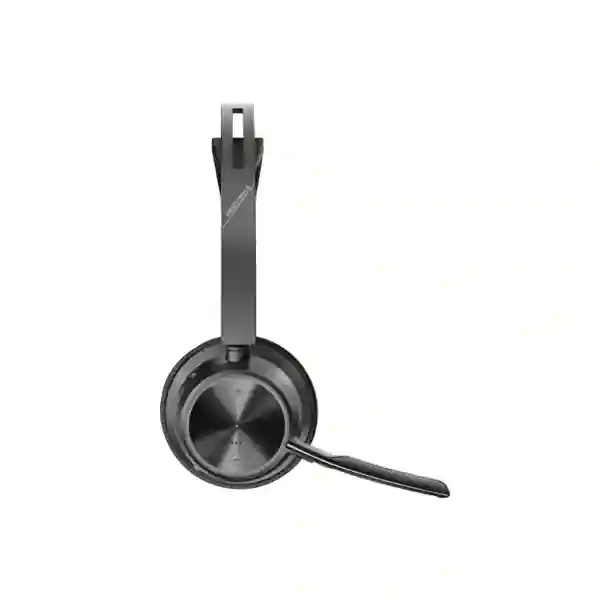
HP Poly Voyager Focus 2 UC USB-C Bluetooth Headset
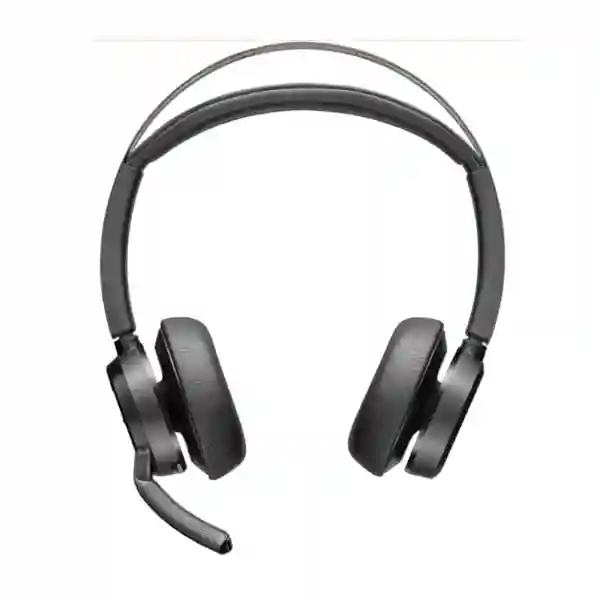
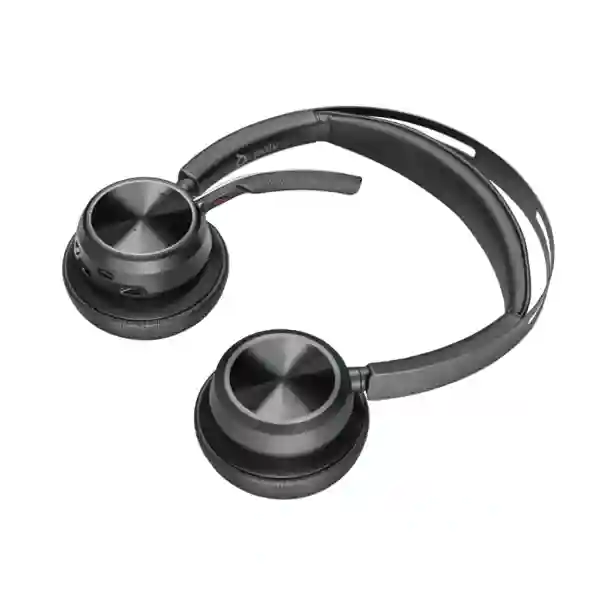
The HP Poly Voyager Focus 2 UC USB-C Bluetooth Headset is a wireless stereo business headset for professionals who move between meetings, voice calls and focused work. Hybrid active noise cancellation helps the wearer manage distracting sounds, while Poly Acoustic Fence microphone technology helps reduce the noise heard by call participants. This UC family supports compatible computers and smartphones, with USB-C adapter configurations available. Buyers in Tanzania should confirm the precise manufacturer’s part number, USB adapter and charging accessories before ordering, because Voyager Focus 2 packages and platform-specific editions differ.
Ask FourTeck Tanzania for an exact-configuration quote.
At a glance
Listening focus
Hybrid ANC settings for different noise environments.
Clear calls
Acoustic Fence microphone noise reduction.
Flexible setup
Bluetooth plus compatible BT700 USB-C adapter options.
Workday controls
Boom mute, smart sensors and mute reminders.
Verified specification highlights
These manufacturer figures relate to HP’s publicly documented USB-C configuration and the Voyager Focus 2 product family. The supplied listing name does not establish that every bundle, accessory or certificate is included. Verify all configuration-specific details before ordering.
| Wearing style | Stereo over-the-head, boom microphone |
|---|---|
| Listening noise control | Hybrid ANC: high, low, off |
| Microphone | Poly Acoustic Fence noise cancellation |
| Connectivity | Bluetooth 5.1; BT700 USB-C option |
| Talk time | Up to 25 hours with ANC and indicator off; up to 16 hours with both on |
| Music time | Up to 40 hours ANC off; up to 24 hours ANC on |
| Range | Up to 50 m under suitable conditions |
| Charging | Less than two hours in HP’s referenced USB-C specification |
| Approximate weight | 175 g in HP’s referenced USB-C specification |
| Box contents | Variant-specific: verify exact manufacturer part number |
Published battery and range values are conditional maxima; accessories vary by exact variant.
Understand the two kinds of noise control
A busy workplace creates two audio problems. Background sound can distract the employee listening through the headset, and the same environment can make that employee harder to understand for callers. The Voyager Focus 2 addresses these different problems using separate systems. Knowing which feature does what is more useful than judging the headset by a general noise-cancelling label.
Hybrid active noise cancellation, or ANC, changes what the wearer hears through the earcups. HP describes high, low and off settings, so the user can balance concentration with awareness of nearby activity. ANC is not a soundproof barrier. Sudden sounds, nearby voices and important announcements may still be heard, particularly when no audio is playing.
Acoustic Fence technology addresses the outgoing microphone signal. It is designed to reduce unwanted sound sent to the other party while retaining intelligible speech. Its effectiveness still depends on correct microphone positioning, the environment and the conferencing application. Neither feature guarantees perfect silence, and neither replaces an appropriately quiet meeting room.
Who should consider this business headset
The Voyager Focus 2 suits people whose working day includes recurring calls, remote meetings and focused computer tasks. Managers, advisers, consultants, technical support staff and hybrid workers can benefit from the combination of stereo listening and a boom microphone. Its professional design is intended for communication and media playback rather than rugged outdoor activity.
A laptop user may need to answer a call, listen to a training video and return to a virtual meeting without changing headphones. A mobile worker may also take smartphone calls. A staff member in a shared office may value adjustable listening isolation and clearer outbound speech. These are practical scenarios, although each user should test the actual applications involved.
It is not automatically the right choice for a reception role requiring constant awareness of visitors, a factory environment requiring certified hearing protection, or a desk-phone deployment without an appropriate interface. Buyers should compare the work pattern with the wearing style and connection requirements rather than assume a premium headset is suitable for every job.
What UC means in the product title
UC means unified communications. The standard UC-oriented headset is designed for business communication across compatible software platforms rather than for one application alone. This is attractive where employees use a mixture of meeting tools. However, not every platform exposes the same answer, mute and end-call controls, and application compatibility needs to be checked in practice.
HP also offers dedicated Microsoft Teams variants of the Voyager Focus 2 family. A regular UC version may handle audio in Teams without being the exact Teams-certified edition advertised elsewhere. Certification, specialised buttons and accessory combinations should be verified against the manufacturer’s precise part number when the buying requirement depends on them.
Before requesting a quote, identify whether the users work mainly in one meeting service or several. Ask the IT team whether a certified variant is mandatory. A concise list of required call-control behaviours is often more useful than simply stating that the organisation needs a headset for online meetings.
What USB-C means for connection
USB-C refers to the connector in the relevant adapter and charging arrangements. The Poly BT700 USB-C Bluetooth adapter provides a connection path between the headset and compatible computers. It should not be confused with an ordinary charging cable, and a USB-C connector does not make the product a permanently wired-only headset.
Some HP USB-C commercial packages also include a USB-C-to-USB-A adapter. Other variants can differ, so buyers should not assume that an adapter shown in a photograph is inside every box. A computer with only USB-A ports should be checked against the precise quoted bundle before purchase.
Managed computers can restrict USB devices, and docking stations introduce additional variables. Confirm that the computer recognises the adapter and that the conferencing software selects the headset for both output and input. If the workplace relies on USB audio as a fallback, validate the cable-based behaviour on the intended machine.
Bluetooth for flexible daily work
HP’s current USB-C configuration lists Bluetooth Core 5.1. This supports compatible mobile devices and wireless headset use, but performance depends on surrounding conditions. Crowded wireless spaces, barriers, computer placement and competing devices may cause problems. The published maximum wireless range is a test-condition figure, not a promise of coverage throughout a building.
A practical setup keeps the USB adapter reasonably unobstructed. If it is hidden behind a metal desktop case, a dense docking station or other equipment, try an approved position with a clearer radio path. A computer close to the user generally provides a more predictable connection than one several rooms away.
HP documents pairing memory for multiple devices, but paired-device capacity is different from the number of simultaneous active calls. Users who switch between a laptop and smartphone should test incoming-call behaviour. A reliable demonstration of this workflow matters more than a headline pairing specification.
Acoustic Fence and microphone intelligibility
Professional calls depend on listeners understanding names, instructions and decisions. A boom microphone positions speech capture closer to the user than most built-in laptop microphones. Poly Acoustic Fence uses microphone noise-reduction processing intended to help voices remain intelligible when an office or home workspace is active.
Microphone technology cannot remove every distraction. Another person speaking immediately beside the user, heavy mechanical noise or a badly positioned microphone can still affect the outgoing signal. Encourage employees to place the boom correctly, speak at a natural level and make a brief test recording in the setting where they normally work.
If callers complain about unclear speech, first check whether the conferencing application is really using the Poly microphone. Laptops, webcams and docks can expose several audio devices at once. Selecting the wrong input may bypass the headset microphone entirely, even though the person wearing it hears audio through the headset.
How to choose the ANC setting
HP describes three hybrid ANC settings: high, low and off. High can be useful when background sound is distracting. Low may preserve more awareness while still reducing some ambient noise. Off can make sense in a quiet room, when greater environmental awareness is important, or when the wearer is considering battery consumption.
ANC mainly affects the sound reaching the wearer’s ears. It is not the same as muting the microphone and does not make a conversation private from colleagues sitting nearby. The outbound microphone processing continues to serve a different purpose. Users benefit from understanding these controls instead of treating all noise reduction as one feature.
In places where people must hear safety signals or visitors, use the level of environmental awareness required by the job. A communications headset is not an approved substitute for task-specific protective hearing equipment. Employers should choose appropriate workplace practices rather than prioritise maximum listening isolation indiscriminately.
Stereo listening and long-call comfort
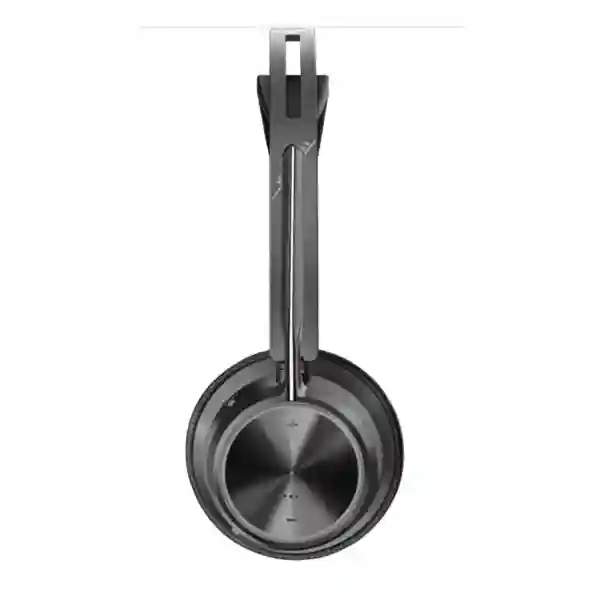
The Voyager Focus 2 uses an over-the-head stereo design with cushioned earcups and a supportive headband. HP describes a headband sling and plush cushions intended for extended use. The referenced USB-C technical specification gives a weight of about 175 grams, a useful comparison point but not a guarantee that everyone will find it equally comfortable.
Head size, glasses, hairstyle and temperature influence how a headset feels after several hours. Adjust the band and microphone position before testing. Take sensible breaks and use a conservative listening level. A short wear trial can reveal pressure points that cannot be judged from pictures or dimensions alone.
Two-ear listening can help concentration during meetings and training. Some roles, however, need one ear available for face-to-face conversations. Reception employees or staff watching a busy room may prefer a mono model. Match the wearing style to the duties rather than assuming stereo is always the best choice.
Smart sensors and practical call controls
HP describes intelligent features that can respond to how the headset is worn, including supported wearing-related actions for calls and media. The rotating microphone boom provides a convenient physical way to manage mute state. These controls can reduce the number of times a user needs to find an on-screen button during a busy call.
A dynamic mute alert can remind a user who starts speaking while muted. The reminder is helpful but does not replace checking the application’s own microphone indicator. Device and software mute states may behave differently depending on the connection method, conferencing platform and software integration.
Before an important meeting, test the speaker, microphone, call-answer and mute controls. Users who dislike automatic behaviour should review supported configuration settings. Where Poly device management tools are deployed, administrators can consider consistent configuration and training for their teams instead of leaving every employee to discover different settings.
Battery life with realistic settings
HP publishes up to 25 hours of talk time for the referenced USB-C configuration when ANC and the online indicator are switched off. The manufacturer also lists up to 16 hours when ANC and the online indicator are on in the default setting. These numbers are not contradictory; they describe different power conditions.
For music listening, HP lists up to 40 hours with ANC off and up to 24 hours with ANC on. Music figures are not directly interchangeable with microphone-based call time. Charging is specified as less than two hours under the published conditions. Actual battery life varies with usage, configuration and battery age.
For procurement planning, start from the settings that employees will actually use. A team that keeps ANC enabled and spends much of the day on calls should not base its charging arrangements solely on the maximum 25-hour figure. Consider when people can charge, whether they travel and if cable-based USB audio is an important fallback.
Charging cables and stand options
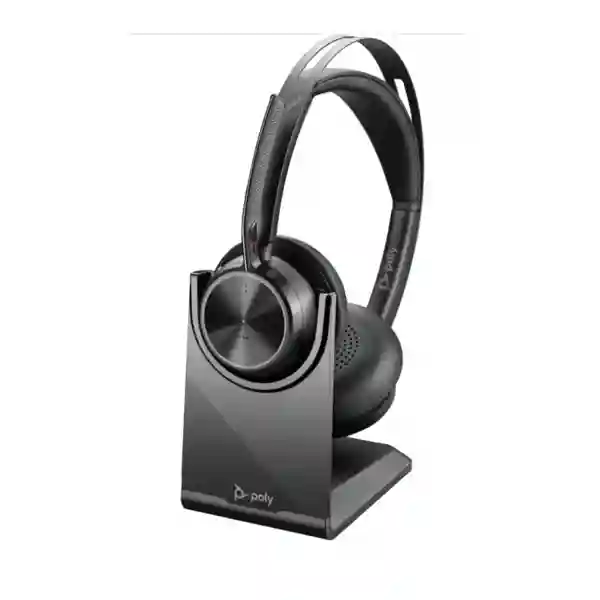
Voyager Focus 2 packages differ. Some include a desktop charging stand, while others are sold without one. A marketing image may show an optional accessory, so it is essential to confirm the box contents of the actual manufacturer part number. The presence of USB-C in the name does not establish whether a stand is supplied.
A stand may be useful for people who work from the same desk because it creates a consistent place to store and charge the headset. A cable-only package may be more convenient for frequent travellers. Neither choice is inherently better; the decision depends on the user’s working pattern and the accessories already available.
Use manufacturer-recommended charging arrangements and keep ports and contacts clean. When charging fails, check the cable, computer port or stand connection before assuming the battery has failed. If the organisation uses shared desks, decide whether stands belong to workstations or are issued to individual employees.
Working with conferencing platforms
The Voyager Focus 2 family is designed around professional communications. UC versions can support compatible calls through applications such as Microsoft Teams and Zoom, but users should not assume every program handles call-control commands identically. Operating systems, application updates and approved device configurations influence the experience.
An organisation that requires certified Teams hardware should distinguish a standard UC configuration from HP’s dedicated Microsoft Teams editions. The ability to hear and speak in Teams is not, by itself, proof that a particular sales variant has the required certification or dedicated button.
For a mixed-platform company, test mute synchronisation, answer and end-call buttons, device switching and reconnection after sleep. Ask a sample employee to move through a normal day of applications. These tests uncover practical integration issues more reliably than a generic list of compatible platform names.
Initial laptop and adapter setup
On a compatible laptop, connect the supported BT700 USB-C adapter, turn on the headset and follow the manufacturer’s pairing instructions for the actual package. Some products may arrive with components already associated, while others require a setup step. Avoid assuming that a random Bluetooth pairing sequence is equivalent to the manufacturer’s recommended procedure.
Open the operating system’s sound settings and choose the headset for speaker and microphone use. Then open the meeting application’s audio preferences and select the same devices. Play test audio and record a short spoken message to verify both directions. The operating system and application may have separate audio defaults.
If a company computer blocks the adapter, check endpoint security policy before attempting workarounds. Some docks and USB hubs can also affect device recognition. IT staff should document a supported port and connection method so employees can repeat setup after laptop replacements or software updates.
Smartphone connections and switching
The referenced HP specification includes compatibility with supported Android and iOS devices. For mobile use, the headset can use Bluetooth without requiring the computer’s USB adapter. Exact voice-assistant and call-control behaviour varies by phone model, firmware, operating system and installed application.
Using one headset across a smartphone and laptop is convenient for employees who alternate between meetings and ordinary calls. However, an incoming call on one device can interact with the active session on another. Employees who need dependable switching should test their specific two-device workflow before relying on it for critical conversations.
If phone audio fails, inspect the Bluetooth menu and confirm which device is selected for call audio. Remove obsolete pairings if supported troubleshooting recommends it. Compare an ordinary phone call with the affected application to determine whether the problem lies with the headset, mobile operating system or software service.
A small-team evaluation approach
A short pilot can be more informative than several pages of specifications. Choose employees whose roles resemble the intended deployment: someone with long meetings, a colleague in a shared workspace, a smartphone user and an employee on a managed laptop. Ask each participant the same questions so the responses can be compared.
Assess call clarity, comfort after a realistic session, headset controls, battery needs and stable reconnection. Include the actual conferencing software and ordinary workplace noise. Where available, compare a recording using the laptop microphone with one using the headset so the team understands the difference in outbound audio.
Use the pilot to document the right variant and accessory package. Record whether the stand is useful, whether USB-A conversion is required and which settings employees understand. This helps procurement standardise on a repeatable specification and makes later training and support considerably more predictable.
IT management for a larger rollout
Organisations deploying many headsets should treat them as supported devices with consistent configurations. Define an approved manufacturer part number, adapter type, conferencing applications and update process. This reduces uncertainty when a replacement unit arrives or an employee changes computers.
HP makes Poly software and support resources available for relevant devices, including Poly Lens. IT teams should verify which management and update functions apply to the precise headset and company environment. Firmware should be tested with supported meeting software and deployed through approved processes rather than changed casually during essential work.
Maintain a concise support path: verify device selection and mute, inspect pairing and adapter recognition, check software permissions, then review approved firmware and application versions. Documenting these steps prevents avoidable returns and separates a defective headset from a network problem or a misconfigured application.
Check the exact contents of the package
HP’s current USB-C/A headset configuration describes a wireless headset, a BT700 USB-C adapter, a USB-C-to-USB-A adapter, a USB-C charging cable, a carrying pouch and a quick-start guide. This is a published configuration-specific list, not a guarantee about every Voyager Focus 2 UC box sold in every market.
Other packages may include a charging stand or use different connection accessories. There are also Teams-oriented variants. The broad family name alone does not identify all of these details. Ask the supplier to put the manufacturer part number and included accessories in the written quotation.
An effective purchase request notes the type of computer port, preferred charging arrangement, quantity and conferencing requirements. Verify the specific items that arrive before deployment. This simple check helps avoid a mismatch between an attractive product picture and the equipment the organisation actually needs.
How to read the published technical data
HP’s referenced USB-C specification lists Bluetooth 5.1, 32 mm speaker drivers, a speaker bandwidth of 20 Hz to 20 kHz and a microphone bandwidth of 100 Hz to 6.8 kHz. These describe the product technically, but they do not determine comfort or communication quality on their own.
The same product-specific HP listing reports six microphones and SoundGuard Digital acoustic protection. Other family marketing materials sometimes describe microphone arrangements differently, so exact quantitative requirements should be checked against the part-number-specific datasheet rather than mixed across older and newer versions.
Technical specifications should support, not replace, practical comparison. Microphone intelligibility, correct device routing, comfort and software behaviour often determine whether a headset succeeds in day-to-day work. Acoustic protection features also do not replace a formal workplace hearing-safety assessment where one is needed.
Understanding wireless range
HP lists up to 50 metres for the standard wireless connection under suitable conditions. A separate longer figure is associated with a compatible Voyager Office base. That optional base arrangement should not be confused with the ordinary BT700 USB-C connection or treated as part of the default package.
Usable distance can decrease around concrete, metal partitions, electronic equipment, people and other radio traffic. The ability to walk a few steps away from a laptop is helpful, but maximum range is not a guarantee that an employee can cross floors while maintaining an uninterrupted meeting.
Test the actual movement route that matters, such as from desk to nearby printer or meeting area. If distant roaming is an essential requirement, assess the wider communication architecture instead of relying on a best-case Bluetooth figure. Real building conditions provide the most meaningful evidence.
Headset audio versus meeting network quality
A good microphone cannot correct packet loss, unreliable Wi-Fi or an overloaded conferencing service. A user can have a perfectly functioning Voyager Focus 2 and still hear choppy speech because the internet connection is unstable. The wireless link between headset and computer is only one part of the complete call.
In a Tanzania workplace or remote-office setting, evaluate the connection at the actual desk and with the actual application. If a call breaks up, compare local playback and recording against a live meeting. Consistent local audio points toward a possible network or application issue rather than necessarily toward defective headset hardware.
Before important conversations, check battery condition, selected audio devices and connectivity separately. Keep an approved backup communication option for critical meetings. Clear troubleshooting boundaries save time because they prevent users from repeatedly changing ANC settings to solve a problem that has nothing to do with listening noise cancellation.
UC edition versus dedicated Teams edition
A standard UC variant can be a good choice for staff who use different meeting services and do not need a specialised Teams control. A dedicated Teams edition may be more appropriate where an organisation’s equipment specification explicitly requires that certification and the associated user experience.
HP describes the two categories separately. Buyers should not infer formal certification from the fact that audio works in Teams, and should not infer a dedicated Teams button from a UC title. Ask for the exact part number if this distinction affects acceptance testing or a purchasing tender.
Evaluate the employees’ actual workflow. A mixed-platform team may value consistency across programs, while a Teams-centred department may place greater importance on certified call-control features. Either way, verify mute, answer and end behaviour in the deployed software before ordering a large quantity.
Wireless convenience versus a wired headset
Wireless headsets reduce tethering and allow employees to stand, retrieve notes or change position during a call. The Voyager Focus 2 also supports compatible smartphone use, which can be useful when the same employee handles desktop meetings and mobile conversations throughout the day.
A wired headset can still be a better choice in restricted computing environments, fixed reception desks or workplaces where charging is inconvenient. Wired equipment avoids Bluetooth pairing and may simplify fleet management. That advantage should be considered alongside mobility rather than dismissed merely because wireless equipment offers more features.
HP describes supported USB audio operation by cable for the Voyager Focus 2 family. If a customer intends to rely on that feature, confirm it using the exact cable, computer and software. Test it as an operational backup, not as a substitute for validating the primary wireless setup.
Stereo versus a single-ear format
Stereo sound can help a user follow training, spoken presentations and meetings while remaining focused on the computer. The Voyager Focus 2 uses both earcups and offers adjustable ANC, so it is oriented toward concentrated listening and professional communication.
Single-ear headsets serve a different need. A receptionist, service counter employee or floor coordinator may have to hear colleagues, visitors or announcements while talking to a caller. In such roles, a mono format can be more practical even when it has fewer listening-isolation features.
Ask employees how they divide attention during work. If interruptions and local conversations are frequent, preserving awareness may matter more than stereo immersion. If long remote meetings dominate the day, stereo comfort may carry more weight. Fit, work safety and personal preference should guide the choice.
Confidentiality and the limits of noise reduction
Acoustic Fence reduces the surrounding sound transmitted through the microphone; it does not stop people physically near the speaker from hearing the speaker’s own voice. ANC reduces some noise heard through the earcups; it does not create a soundproof meeting space. These are important boundaries for professional confidentiality.
Discuss private customer information, human-resources matters and sensitive contracts in suitable rooms and through approved services. Keep meeting applications secure and follow organisational information-handling policies. The headset’s microphone technology should not be mistaken for encryption or another information-security control.
Online indicator lights can help colleagues recognise when a user is busy, but they are courtesy signals rather than privacy safeguards. Set expectations for interrupting people on calls. The best communication environment combines appropriate equipment, suitable meeting spaces and sensible procedures.
Care and daily maintenance
Everyday care helps keep an office headset comfortable. Follow the manufacturer’s cleaning guidance, avoid saturating the cushions or microphone openings and store the device somewhere clean and dry. It should not be used as rugged weather equipment unless the exact documentation explicitly supports that use.
Protect the microphone boom and headband from crushing or bending in a travel bag. Use a supplied carrying pouch when available and keep charging contacts clear. For shared equipment, decide how cushions and contact surfaces will be cleaned according to workplace hygiene guidance.
Charge with compatible accessories and avoid prolonged exposure to extreme temperatures. If charging behaviour or call controls change, consult the relevant support guidance for the actual part number. Avoid unsupported repairs. A simple maintenance checklist can extend useful service and reduce preventable problems.
If people cannot hear the microphone
Begin with the most basic checks. Verify the position of the microphone boom and the mute indicator in the meeting application. A headset mute reminder can be useful, but software mute can still affect the call. Ask another participant to confirm what they hear during a controlled test.
Next, check the microphone choice in both the operating system and conferencing software. If the app is using a webcam or laptop microphone, the Poly headset’s noise-processing advantage will not be heard. Review microphone permissions where the application is prevented from accessing an input device.
If speech still fails, inspect the BT700 connection, supported pairing state, selected firmware and application settings. Test a second approved application to isolate the cause. Record the exact symptoms and product configuration before seeking technical support or a replacement.
If audio drops or sounds unstable
Intermittent audio can come from radio interference, an obstructed USB adapter, low battery, a busy computer or a weak online meeting connection. Start by moving near the computer and checking whether the adapter has a reasonably clear path to the headset. Look for practical obstructions before altering advanced settings.
Compare a local recording or audio file with a live online meeting. If local playback is stable but the live meeting breaks up, investigate the network and application. If both fail, focus more closely on the headset connection, nearby wireless activity and approved device updates.
Change only one variable at a time and repeat the same test. This makes troubleshooting results easier to interpret and share with IT colleagues. Where supported steps do not resolve the issue, provide the supplier with the manufacturer part number, software version and observations rather than an unqualified claim of hardware failure.
If call-control buttons behave differently
A headset may play audio perfectly while a physical answer or mute button works differently in one application. This is an integration question. It may depend on whether the computer uses the intended USB adapter, the application’s supported controls and the particular UC or Teams edition.
Check the meeting application’s device settings and whether the recognised headset supports call integration in that environment. Confirm software and firmware versions through approved channels. Do not assume a general Bluetooth connection exposes every control that a supported USB adapter workflow can provide.
For team deployments, document the tested call-control behaviour and teach employees how to use the application’s on-screen buttons as a fallback. A clear, consistent operating guide prevents confusion when users switch between collaboration platforms with different device integrations.
Training, education and online learning
Stereo audio can help learners follow spoken instruction and recorded presentations, while the boom microphone supports questions and discussions. Adjustable ANC may make it easier to concentrate in a shared or home working environment. These benefits apply to training as well as ordinary business calls.
Trainers should still ask participants to verify microphones and speakers before sessions. Keep a suitable internet connection available and ensure that recording or transcription follows the organisation’s privacy practices. The headset itself does not determine whether a learning platform will work reliably.
A person who regularly switches from training to customer calls may benefit from using one familiar device. Consider comfort across long lessons and whether the battery will last through the schedule. A predictable charging routine often matters more than the most optimistic maximum listening-time figure.
Customer support and service roles
Support employees need to hear questions clearly while looking up information, taking notes and explaining steps. Acoustic Fence processing can help their speech remain more understandable against background activity, while ANC can help them concentrate on the caller. On-headset mute controls reduce the need for constant mouse interaction.
Different support settings have different needs. A computer-based help desk may operate entirely through a softphone, but a conventional telephony environment may require a desk-phone interface or specialised call-control support. The standalone UC USB-C package should not be assumed to include an office base or integrate with every telephone system.
Before equipping a whole team, validate the intended softphone, audio permissions, shift duration, wearing style and charging logistics. If call recording, agent workflows or platform certification are required, assess them against the exact headset configuration. A pilot can reveal integration and comfort needs that brochure language cannot settle.
Why the exact part number matters
Voyager Focus 2 is a product family covering UC and Microsoft Teams variants, different USB adapter arrangements and optional charging stands. A shortened product title does not prove which bundle has been selected. These differences matter for device ports, purchasing requirements and the accessories employees expect.
The provided title establishes the headset family but does not verify the SKU for FourTeck Tanzania’s intended listing. A manufacturer’s model number, a barcode and another retailer’s SKU are not interchangeable with that site’s inventory identifier. The SKU should remain unspecified until the exact target listing supplies it.
Ask for a quotation showing the manufacturer part number, platform variant, connector, included adapter, charging accessories and quantity. This is especially valuable when several departments order the same family of device. Precise documentation makes future replacements and support much easier.
Buyer checklist for Tanzania
Start with the user’s requirements: typical call duration, computer ports, smartphone use, collaboration platforms and background noise. Identify how many employees need a headset and whether they share workstations. These facts establish whether the Voyager Focus 2 UC is a sensible fit.
Next confirm technical and physical details. Request the exact configuration, BT700 adapter, any required USB-A conversion accessory, charging stand inclusion and intended software behaviour. Check whether formal Teams certification is required. Where possible, test a representative unit before purchasing for a department.
Finally confirm current commercial terms directly with FourTeck Tanzania. Request a written quote that specifies price, availability, delivery arrangements, applicable warranty handling and return conditions for the actual item. No local stock, service coverage or delivery time is asserted on this page without listing-specific verification.
Comparing headset value fairly
Compare business headsets against the same task, not merely a list of features. Consider wearing style, microphone performance, ANC control, included adapters, battery conditions, supported software and charging accessories. Different manufacturers may use different test settings for maximum battery life and range.
Comfort and call clarity are partly experiential. A small pilot can reveal whether the earcups suit long sessions and whether listeners can understand speech in the actual office. Good technical figures do not guarantee that another headset will perform worse for a particular employee.
Include the practical cost of ownership. Ask how easily staff can pair, manage and update the headset, replace accessories and obtain support. The purchase price is only one part of the decision, although no comparative savings should be claimed without evidence from the organisation’s own deployment.
Set realistic performance expectations
The Voyager Focus 2 brings useful listening and microphone tools to professional calling, but it cannot remove every workplace sound or solve a weak internet connection. ANC and Acoustic Fence address different paths through the audio experience. Their benefits are strongest when the headset is correctly fitted, configured and used.
Published battery and wireless figures are maximums under defined conditions. A person with ANC enabled will not necessarily achieve the same talk time as someone using power-saving settings. A crowded building may also reduce the practical Bluetooth distance well below the manufacturer’s best-case figure.
A successful purchase is one that feels comfortable, provides intelligible speech and works consistently with approved applications in the intended setting. Use the exact datasheet, an explicit quotation and a practical test to reach that decision rather than relying on a headline feature alone.
Requesting a precise quotation
To request an exact-configuration quote, provide the title HP Poly Voyager Focus 2 UC USB-C Bluetooth Headset, the number of units and the type of computer ports in use. Include whether employees need mobile Bluetooth, a charging stand and any particular meeting-platform certification.
For a single user, a short compatibility check may be enough. For several employees, consider a pilot and a written acceptance checklist. Specify who will configure the devices and how employees can receive help with pairing, audio routing, mute controls and updates.
Ask FourTeck Tanzania to confirm the actual manufacturer part number, box contents, current price, availability, delivery arrangements and warranty or return terms before ordering. This page does not imply any unverified commercial commitment. A detailed written quotation is the most reliable basis for procurement.
Frequently asked questions
Answers below address common questions about configuration, practical performance and buying requirements.
Does the headset remove all outside noise?
No. ANC reduces some sounds heard by the wearer, and Acoustic Fence helps limit unwanted noise sent through the microphone. Neither removes every voice or sudden sound. A quieter environment is still useful for sensitive conversations.
Is a standard UC version Microsoft Teams certified?
Not automatically. UC compatibility with Teams calling is different from identifying the dedicated Teams-certified variant. Confirm the exact manufacturer part number if certification or a Teams-specific control is required.
Can I use a laptop with USB-A ports?
Some USB-C bundles include a compatible USB-C-to-USB-A adapter. Package contents are variant-specific, so confirm the supplied accessory and your laptop’s USB policy before ordering.
What is the expected talk time?
HP lists up to 25 hours with ANC and online indicator off and up to 16 hours with them on for the referenced USB-C configuration. Actual results depend on settings and use.
Can it play music as well as calls?
Yes. It supports stereo audio for compatible media playback. HP’s quoted music battery figures are different from talk-time figures, so use the appropriate figure for your work pattern.
Is a charging stand included?
Not necessarily. Some configurations contain a stand and others do not. Verify the exact package contents and manufacturer part number instead of judging from an image.
How far can I move away from the laptop?
HP quotes up to 50 metres under suitable conditions for the relevant Bluetooth arrangement. Walls and interference can shorten practical range. A separate Office base has different specifications.
Can it connect to a phone?
Compatible smartphones can connect using Bluetooth. If switching between laptop and phone calls is essential, test the exact connection arrangement and application behaviour.
Why is my voice not heard on calls?
Check headset and app mute, the position of the microphone boom, input-device selection and software permissions. Confirm the app uses the Poly microphone instead of a laptop or webcam microphone.
Does the BT700 adapter charge the headset?
No. BT700 is a Bluetooth connection adapter. The USB-C charging cable serves a different purpose and may also support documented USB audio operation in suitable conditions.
Is this suitable for contact-centre teams?
Potentially, for appropriate computer-based calling. Test the softphone, required control integration, wearing style and charging workflow. Do not assume a separate desk-phone base is part of the standard package.
What should a Tanzania purchaser request?
Ask for the exact variant, included adapters, charging stand information, compatibility and a written quote with current price, stock, delivery and applicable warranty terms. These details should be verified for the exact listing.
Request a FourTeck Tanzania quote
Share your intended application, computer port type, required quantity and charging preference. Ask for written confirmation of the exact UC manufacturer part number, included accessories, current local commercial terms and supported configuration. A precise quote helps ensure that the delivered package meets your requirements.
Next step: contact FourTeck Tanzania through its normal enquiry process.




Reviews
There are no reviews yet.