
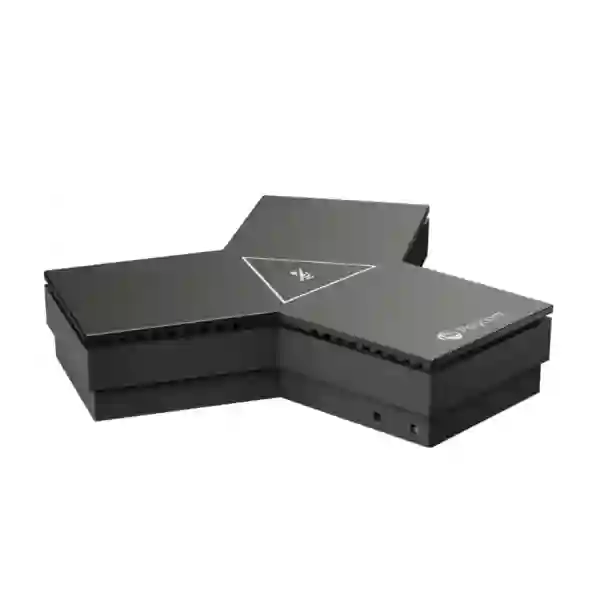
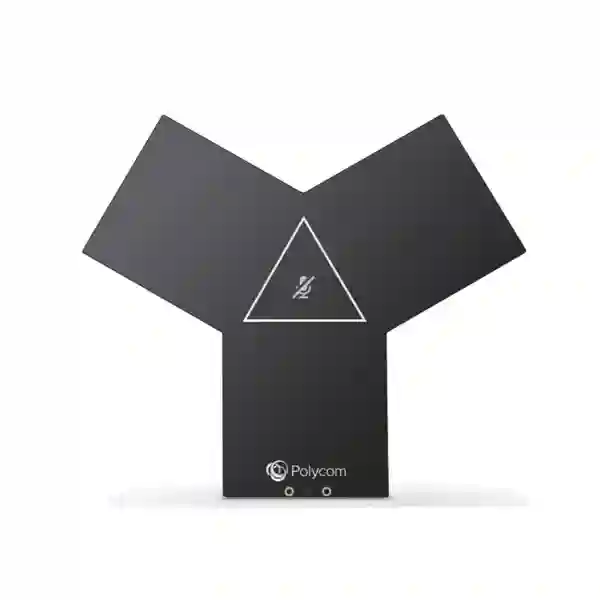
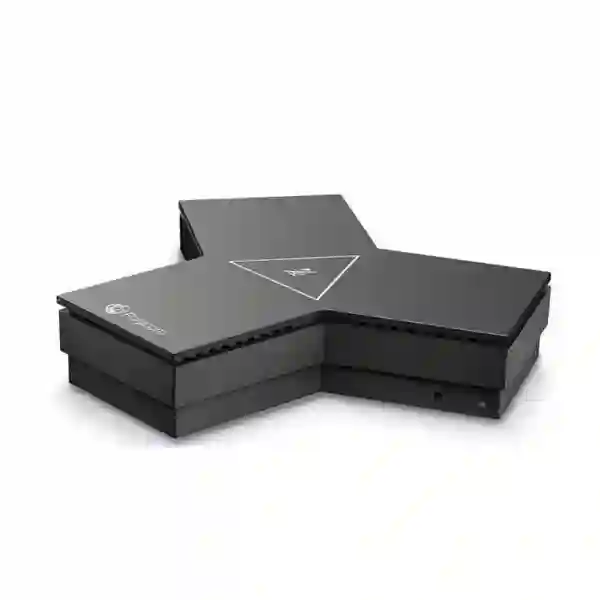
Poly room audio · Tabletop expansion microphone
HP Poly IP Table Microphone
Help seated participants be heard across a compatible Poly modular conferencing room. This wired IP table microphone is intended for supported systems such as Poly G7500 and Poly Studio G62. Before requesting a quote, confirm the host model, software, room layout, peripheral power and desired microphone count.
Key facts at a glance
Compatibility and installation details should always be checked for the exact system and software release. No Tanzania stock, price, warranty or delivery claim is implied.
A practical way to extend room audio
In a meeting room, a good camera does not solve the problem of people sounding distant. Participants seated away from the display or main conferencing unit may speak naturally while remote colleagues strain to hear them. The HP Poly IP Table Microphone is intended for supported Poly modular room systems where pickup needs to be closer to the people around the table. It is a wired room-system accessory, not a stand-alone USB microphone or a device that can place calls on its own.
For Tanzanian organisations planning a boardroom upgrade, the first decision is therefore not how many microphones look suitable in a product photograph. It is which Poly room system is installed, where people actually sit, how cabling and power reach the table, and whether the intended software release supports the accessory. A short compatibility and room-layout review before ordering can prevent a mismatched purchase and unnecessary installation work.
Who should consider this microphone
This product is worth considering when an organisation already uses a compatible Poly G7500 or Poly Studio G62 room system, or is designing a new room around such a platform. Typical environments include boardrooms with long tables, training rooms with several active discussion positions, formal meeting spaces with a central speaking area, and multipurpose rooms where participants need to be heard without gathering beside the codec.
The reason for choosing a tabletop accessory is proximity. Keeping pickup near the usual speaking positions can be more useful than turning up the sensitivity of a microphone placed far away. That does not make the microphone an automatic cure for a noisy room. Hard surfaces, mechanical ventilation, seating changes and placement still matter. Buyers should treat this as part of an audio design, not an isolated gadget. Its value depends on the wider conferencing system and room conditions.
What the product does and does not do
The device adds a supported IP microphone pickup point to a Poly conferencing installation. The host room system remains responsible for the call, audio processing, platform connection and related settings. The tabletop unit is placed near participants, connects through the system’s supported link-local network arrangement and is managed as a room peripheral. This makes it a specialist option for integrated conferencing rooms rather than a general-purpose microphone for laptops.
It does not replace loudspeakers, a conferencing codec, a camera, a room controller or a network plan. Nor should an RJ-45-shaped connection be read as permission to plug it into any corporate data outlet and expect ordinary network audio operation. Its IP connectivity is designed around supported Poly system configurations. Buyers comparing devices should therefore distinguish an expansion microphone from a complete speakerphone, USB audio interface or independent audio-over-IP microphone intended for a different ecosystem.
Verified product identity
The manufacturer lists the accessory as the Poly G7500 IP Table Microphone under HP part number 874R3AA. The phrase HP Poly IP Table Microphone is also commonly used to describe it. A buyer may encounter an older Poly part reference in quotations or third-party catalogues; a reference found in another seller’s system should not automatically be treated as FourTeck’s stock-keeping unit. When requesting a quote, use the manufacturer name, exact accessory description and HP part number to identify the intended product clearly.
Specifications and commercial details should be kept separate. The manufacturer part number identifies the accessory family, but it does not establish what is bundled in a particular Tanzania offer, whether the item is currently available, or what warranty and delivery arrangements apply to that transaction. Confirm these matters in the written quotation. This distinction is especially important when a procurement team is matching a replacement item to an existing room installation.
Compatibility comes before price
Compatibility is the most important purchasing checkpoint. HP guidance confirms IP table microphones for Poly G7500 and Poly Studio G62 configurations. Other Poly systems, including certain newer modular or video-bar arrangements, have release-specific peripheral guidance. Do not assume that a microphone working with one Poly-branded system can be connected to another simply because both devices use Ethernet connectors or the same conferencing application.
For each planned room, record the exact host model, its installed Poly VideoOS or applicable software release, operating mode and existing peripheral inventory. Ask for the relevant manufacturer compatibility matrix to be checked against that real configuration. If a room uses a Poly Studio X-series video bar, its expansion-microphone options may be different. A generic claim of compatibility with all Poly Studio bars is not appropriate. This compatibility step should be completed before selecting quantities or designing the table cable route.
Using the microphone with Poly G7500
The Poly G7500 is a modular room conferencing system, and HP documents the IP table microphone as an option for its dedicated link-local peripheral connections. A G7500 room can be a suitable home for this accessory when the table layout requires distributed audio pickup. The final design must also consider any existing IP microphones, connected cameras and the available peripheral connections in that particular installation.
When upgrading an established G7500 room, ask the room administrator which microphones are already connected, whether any ceiling units share the installation, and how microphone mute is controlled. A second tabletop microphone should address a defined seating gap, not simply be added because there is space on the table. During handover, test speaking positions at the near, middle and far ends, and listen from the remote side of a real call. The relevant success measure is intelligibility for participants, not merely a connected-device icon.
Using the microphone with Poly Studio G62
HP also documents the Poly IP Table Microphone for the Poly Studio G62 modular conferencing platform. One vital installation detail differs from the G7500: the Studio G62 link-local network port does not itself supply power to attached IP devices. The approved design therefore needs a suitable PoE injector for an eligible single peripheral, or an appropriately configured PoE switch for a supported multiple-peripheral arrangement.
That power requirement affects both the itemised quote and the physical installation. An otherwise correct microphone can fail to start if the team has provided a data path but no compatible power source. The installer should confirm the power budget, the manufacturer-recommended connection method and the relationship of other devices on the same supported peripheral network. Do not promise plug-and-play operation until these dependencies have been checked. For refurbishment work, also confirm where the injector or switch will sit and how it will remain accessible for maintenance.
Other Poly models need an exact check
It is tempting to choose accessories based only on the Poly brand or a product generation. That approach creates avoidable mistakes. HP’s peripheral documentation distinguishes the modular G7500 and G62 systems from various Studio X-family video bars, and guidance for models such as Studio X72 can depend on release and connection configuration. The correct answer comes from the current compatibility reference for the exact host and software, not from a generalised family label.
If the proposed host is an X-series product, request its full model and software details before making a purchase decision. Some bar-based systems are designed around different USB table microphones or other audio extensions. An IP table microphone should not be recommended as a direct substitute without explicit support. If the installed platform is uncertain, obtain its model information from the administration interface or original equipment schedule. This is often quicker and safer than trying accessories by trial and error.
Understanding the link-local connection
The term link-local network, often abbreviated LLN in Poly documentation, describes the supported path between the host room system and particular IP peripherals. It is not a promise that the microphone can act as a generic microphone anywhere on the company LAN. A room designer should follow the host’s LLN topology, permitted peripheral count and supported switching arrangements.
For facilities teams, the practical task is to trace a clean route from the table to the codec or the manufacturer-supported peripheral switch. Label this cable separately from ordinary meeting-table data outlets so future installers know what it serves. For IT teams, document which equipment is on the private peripheral side and which equipment uses the enterprise network. Avoid casually moving microphone connections into an unrelated patch panel or office switch during maintenance. A cable can fit physically while the intended discovery, power or pairing behaviour is no longer available.
Plan power before installation
Power over Ethernet is part of the installation discussion for the Poly IP Table Microphone, but the source and topology matter. A G7500 installation and a Studio G62 installation should not be given an identical power diagram by default. HP specifically notes that the G62 LLN port does not power connected IP devices, making appropriate external PoE equipment necessary. An installer must also consider other IP peripherals sharing a supported arrangement.
Before a purchase order is approved, the bill of materials should distinguish the microphone unit, the required connection cabling and any separately needed power hardware. Confirm which components are included in the actual offer rather than relying on a catalogue photograph. During commissioning, verify that the microphone powers up reliably after a normal system restart and that the wiring complies with the host manufacturer’s connection instructions. These checks are especially important in rooms where equipment is hidden behind displays, inside credenzas or in a secure AV cabinet.
How many microphones does a room need?
HP documentation describes supported combinations of up to three IP table or ceiling microphones on relevant G7500 and G62 systems, subject to model and release guidance. This is a system limit, not a recommendation to buy three for every room. The number required should follow the table length, seating arrangement, active speaking locations, room acoustics and any existing microphones. A small meeting table might need fewer units than an unusually long boardroom.
Map the real seats before deciding. Identify where the chairperson speaks, where presentations occur and whether people frequently join from the sides of the room. A microphone hidden under paper stacks or placed at the wrong end of the table may serve less well than a carefully positioned smaller installation. Ask the designer to document a proposed position for each unit and to test the result with participants speaking at normal conversational volume. Do not infer guaranteed coverage from a seat count alone.
Mixing table and ceiling pickup
A room might have reasons to use both table and ceiling microphone positions. Table units place pickup close to regular seating, while ceiling units can help keep the working surface clear or serve a different room layout. HP describes combinations of supported IP microphone types for relevant modular systems, with an overall limit to verify for the exact host and release. The two types should be treated as elements of one audio plan, not independently purchased accessories.
The choice depends on the building. A formal boardroom may favour discreet tabletop pickup where participants remain seated. A flexible training room with tables that move could favour a different approach, provided the host supports it and the design is validated. Combining microphone types requires attention to intended pickup areas and any acoustic processing settings. Before approving a mixed configuration, check the host system documentation, confirm the permitted total number and test for consistent sound when people move between discussion positions.
Table layout and microphone placement
A long polished table can be visually impressive but acoustically difficult when participants sit far from a single microphone. Begin with a scaled plan showing seats, table joints, presentation positions, cable openings and microphones already present. Place microphones where people actually speak, with enough clear surface around them to avoid documents, laptops, water jugs or decorative objects obstructing intended pickup.
Consider how the room is used during everyday meetings, not only formal board meetings. If people frequently stand beside a screen or turn towards a whiteboard, tabletop placement alone may not cover those situations equally well. Test several speaking positions during commissioning and listen for distant, hollow or uneven speech. The installer may need to adjust placement rather than changing software settings. A thoughtful layout can also protect the table’s appearance by routing cables through existing furniture openings and avoiding loose leads across walking paths.
Room acoustics still influence results
An IP microphone cannot eliminate every problem caused by the room itself. Large glass surfaces, hard floors, reflective walls, loud air-conditioning and people speaking over one another may all reduce intelligibility. A buyer should therefore assess the acoustic environment before attributing every complaint to the existing conferencing microphone. Simple changes to seating, surface treatment or equipment placement may be relevant alongside any new accessory.
For procurement teams, an acoustic check does not have to become an elaborate engineering report for every meeting room. A practical starting point is to identify the noise sources, compare speech clarity across seats, note whether microphones are regularly blocked and record what remote listeners say they cannot hear. Share those observations with the system designer. The intended outcome is a balanced experience for all participants rather than the loudest possible input signal. Unnecessary gain can make background noise more noticeable without helping remote participants understand speech.
Cabling and furniture coordination
A wired table microphone requires a real cable path. That path should be planned with the furniture supplier or facilities team before a new table is installed, particularly where floor boxes or recessed connection modules are involved. Ask where the microphone cable will emerge, how it travels beneath the table and whether it is protected from chair movement, cleaning and everyday handling.
The connection plan should allow an installer to identify and service the cable without dismantling a large portion of the room. Confirm connector type, appropriate cable specification and manufacturer-recommended length limits for the chosen topology. Avoid assuming any arbitrary Ethernet extension, coupler or office wall socket will work. Where room furniture moves, provide a sensible method for maintaining strain relief and safe routing. The exact cable bundle supplied with the accessory should be confirmed in the quotation, rather than treating a third-party seller’s packaging description as universal. The result should be functional, neat and maintainable.
A straightforward user experience
Participants should not need to know how the microphone is networked before joining a call. In a correctly configured room, the microphone works as part of the supported Poly audio system while users interact with the room’s ordinary call controls. The table accessory is therefore best presented to staff as part of the conferencing room, not as another gadget requiring separate sign-in or individual pairing for each participant.
This does not remove the need for training. Users should know where normal mute controls are located, how to check whether the room is muted and whom to contact when remote attendees cannot hear them. HP documentation describes status indicators on the IP table microphone, including red for muted and green for an active unmuted call in documented configurations. Indicator behaviour should be checked against the installed software and room mode. A short handover note with photographs of the actual room controls is often more effective than a generic product leaflet.
Microphone status and troubleshooting clues
Status indicators can help staff and technicians understand whether a device is starting, muted, connected or updating. HP’s administrator guidance documents several LED states for IP table microphones, including white during startup, red for mute, green during an active unmuted call, amber for some maintenance states and blue for pairing-related states. These are useful diagnostic clues, but an indicator is not a substitute for confirming that distant participants can hear intelligible speech.
When a microphone appears inactive, first establish whether the room is actually in a call and whether the entire system is muted. Next confirm the device’s power source, cable seating and presence in the host’s peripheral management view. Avoid factory restoration as the first response to every fault, because it may create new pairing work. Record the indicator state and the host software version before escalating. A structured support report helps a technician identify whether the problem is power, peripheral discovery, configuration or audio quality.
Acoustic Fence and processing considerations
HP’s Poly administrator guidance identifies Polycom Acoustic Fence support in relevant G7500 and Studio G62 IP microphone configurations. This type of processing can be useful in specific room designs, but it is not a universal noise-removal switch that guarantees perfect audio. Acoustic Fence configuration depends on the intended microphone arrangement and how the primary speaking area and boundary are established.
A project team should ask whether this capability is actually needed, whether the proposed microphone layout supports it and who will configure and test it. Do not assume that simply placing one tabletop microphone in the room enables every processing feature. For routine rooms, correct placement and sensible acoustic conditions may be the first priorities. Where an advanced configuration is planned, include the setup method in the commissioning schedule and test it with real background activity. The aim is to preserve natural participant speech while reducing unwanted pickup where the system’s documented features permit.
Software release and operating mode
A microphone accessory may remain physically unchanged while the compatible host firmware and platform modes evolve. That is why a quote should identify both the room hardware and the software release. An administrator should review the appropriate HP compatibility guide and current release notes before ordering, upgrading or modifying a shared room peripheral network.
This check matters particularly when the same business runs different rooms in different modes or has older G7500 equipment alongside newer Poly devices. An accessory that appears in a general product catalogue may have a specific compatibility condition in the installed release. Before a room-wide software update, capture the existing peripheral inventory and confirm expected support afterwards. Following the update, perform a short test call, verify microphone discovery and check mute behaviour. Maintaining this record makes future troubleshooting more efficient and reduces the risk that a routine update produces an unexpected audio problem during a critical meeting.
IT and AV responsibilities
The microphone sits at the meeting point of audiovisual installation and IT administration. The AV team normally knows where audio pickup is required and how the cables are routed. IT understands the host’s approved network configuration, power provision, access controls and maintenance processes. A reliable result needs these roles to work from the same equipment plan.
Before installation, identify who can access the Poly host administration interface, who is permitted to change settings and who will manage the system’s software updates. Keep the link-local peripheral layout clearly documented. Do not assume the microphone must join a normal corporate IP subnet, and do not change network architecture solely because the accessory uses an Ethernet-style interface. For organisations with controlled meeting rooms, also document which hardware is physically accessible to visitors. A good design makes normal user operation simple while keeping administration deliberate and traceable.
Retrofitting an existing meeting room
An existing boardroom often creates constraints that a new-build installation does not. The codec may be in a cabinet, the table may have limited cable openings and the floor box may already be full. Begin a retrofit by documenting the current Poly host, audio devices, screen layout, cable paths and power sources. Also record the complaint being solved, such as poor pickup from the far side of the table.
With that baseline, the team can decide whether one or more IP table microphones address the specific issue or whether another acoustic or configuration change would be more suitable. The retrofit quote should separate hardware from any necessary cabling, furniture modifications, power accessories and commissioning. After installation, retest the same speaking positions recorded before the change. This before-and-after method gives procurement and facilities teams a practical measure of improvement, without claiming that all meeting-room noise problems can be solved by adding microphone hardware.
Designing a new boardroom
For a new conferencing room, microphone planning should happen early enough to influence furniture and cable routing. The room’s seating layout, host system, displays, speakers, cameras, power distribution and control interface should be considered together. The HP Poly IP Table Microphone can be part of that plan where a supported G7500 or G62 configuration is selected and table pickup serves the expected use of the space.
Ask the design team to provide a simple drawing that shows planned microphone positions and supported connection topology. Confirm what happens when additional participants join, when someone presents from the screen side and when the room operates at its usual background noise level. A neat-looking render does not demonstrate usable audio; the commissioning plan should include live or simulated remote listening. Design choices also need to allow cleaning staff and facilities teams to reach table surfaces safely without stressing installed cables. These details make the room easier to operate over time.
Meeting applications and call platforms
The microphone itself is not a Teams, Zoom or other meeting account. It serves as a room-system audio peripheral; the host and its supported operating mode determine how the complete room connects to a meeting platform. This distinction is important when a buyer asks whether the product can join a particular kind of call. The right question is whether the installed Poly room system, software and peripheral combination is supported for the intended workflow.
If the room is used across several meeting services, document how those calls are joined and which host settings are involved. Test the microphone from the far end of each important workflow rather than relying solely on a local audio level meter. Avoid promising application compatibility based only on a retailer’s generic listing. A quote can identify the hardware accessory confidently while noting that final application and room-mode compatibility requires confirmation against the buyer’s system.
Business uses in Tanzania
Organisations in Tanzania may need dependable room audio for management meetings, project reviews, supplier discussions and hybrid collaboration with colleagues in other offices. These are use cases rather than claims about a particular company’s installed system or local product availability. A tabletop microphone can be relevant when a compatible modular Poly room is already in place and normal speech from all the seats is important to remote participants.
Requirements vary. A small management room may prioritise a tidy table and simple mute control, while a larger boardroom may require pickup across several seating positions. A training space may have more movement and background activity. A public-sector or regulated office may require a formal equipment schedule and defined administration responsibilities. In each case, the same procurement principle applies: validate the installed host, plan the microphone positions and request the exact bill of materials before committing to a purchase.
Education and training scenarios
An education or training room may have a presenter at the front, participants seated at tables and discussion that moves between locations. An IP table microphone could serve discussion positions within a supported Poly room configuration, but it should not be assumed to capture a lecturer walking across a large room or a distant audience with equal clarity. The speaking pattern determines whether a tabletop option is sufficient.
For an institutional buyer, it helps to identify the number of simultaneous speakers, any recording requirements, how desks are rearranged and which staff will operate the room. A fixed tabletop design may work well for committee meetings or seminar discussions yet be less suitable for a flexible classroom where furniture moves frequently. Compare table pickup with other supported microphone approaches before finalising the system. During commissioning, include both normal classroom discussion and the intended remote-teaching scenario. The right solution should support the teaching pattern rather than force users to adapt awkwardly to equipment.
Professional, healthcare and confidential meetings
Professional service teams and healthcare organisations may hold conversations where clarity and privacy both matter. In those settings, remote participants must be able to understand speech, but the audio equipment should also be operated according to the organisation’s confidentiality procedures. A tabletop microphone is not a confidentiality certification or an encryption product; those considerations depend on the overall meeting platform, room controls, administrative settings and organisational policies.
The relevant practical choices include where the pickup area sits, whether doors and nearby workstations create unwanted sound, and how staff verify mute before discussing sensitive matters. Check that the room’s normal operation is simple enough for occasional users and that administrative access is controlled appropriately. Procurement teams should avoid assuming that adding more microphones automatically increases privacy or voice clarity. A supported microphone layout, sensible room acoustics and well-defined usage procedures are more useful than unsupported assurances about sensitive communications.
Care, cleaning and ongoing support
Meeting tables are used daily, and the microphone will share space with drinks, documents, laptops and cleaning materials. Place the accessory where it can be used consistently without becoming an obstruction or having its cable pulled whenever furniture is moved. Staff should follow the manufacturer’s handling and cleaning instructions for the actual unit rather than applying an arbitrary liquid or disinfectant directly to electronic openings.
For ongoing support, keep a record of the microphone model, manufacturer part number, host system, software version, cable route and any intermediate power equipment. This information helps support personnel troubleshoot without guessing. Where several rooms are equipped, give each installation a distinct room identifier and maintain the equipment schedule as changes occur. Periodically make a test call from seats that are normally farthest from the display. A simple operational check can reveal an accidentally disconnected cable or mute issue before an important meeting begins.
What to include in a quotation request
A useful quotation request identifies the room before it asks for a unit price. Supply the Poly host model and software version, existing microphone inventory, desired number of new pickup positions, room dimensions or table plan, and whether the installation uses a G7500 or Studio G62. If the host is another Poly model, ask for written compatibility confirmation before selecting this product.
Request an itemised proposal that distinguishes the microphone from any cabling, PoE equipment, commissioning or other services. Ask which accessories are included in the specific offer, and request confirmation of delivery arrangements, applicable warranty terms and commercial validity. Where the organisation has several rooms, describe each room separately because one configuration may not fit every space. This process avoids inaccurate assumptions and lets buyers compare complete, workable solutions rather than isolated microphone prices. FourTeck Tanzania can be asked to review the stated requirement and prepare a suitable quotation, subject to confirmation of the actual product and service scope.
How to compare alternative microphone options
The most useful comparison is between solutions that actually work with the existing room system. A tabletop IP microphone, a supported ceiling array and a compatible USB table microphone may each be appropriate in different circumstances, but they are not necessarily interchangeable. Start by confirming compatibility; then compare intended pickup positions, table visibility, installation work, power requirements and maintenance access.
Tabletop pickup may suit a fixed boardroom table where speakers remain close to their seats. Ceiling pickup may reduce clutter on the furniture, although it creates different installation needs. A separate USB expansion microphone may be the correct accessory for a different Poly video-bar family. Avoid a comparison that considers only unit cost while ignoring required power, cabling or host support. For mixed room estates, maintain a model-by-model equipment schedule. That makes replacement decisions clearer and helps prevent one department from ordering an accessory intended for another room system.
Commissioning and acceptance testing
Successful installation is more than an LED turning on. A practical acceptance test should begin by confirming that the host recognises the microphone and that the approved topology is in use. Next, test mute and unmute behaviour, the ordinary call controls and recovery after a normal restart. Then conduct an actual remote meeting or test call and ask the far-end listener to assess several seats.
Use natural speaking volume, not exaggerated test shouting. Include quiet speakers, the far end of the table and any locations where participants typically turn away from the display. Note any echo, inconsistent levels or background noise that makes speech hard to understand. If advanced processing is configured, verify that it helps the intended conversation rather than suppressing normal voices. Capture the results in a short handover record with the room identifier, peripheral configuration and software release. This makes later support work more objective and provides a basis for accepting the completed room.
Common causes of disappointing audio
A microphone can be compatible and powered yet still deliver an unsatisfactory meeting experience if the room layout is wrong. Typical diagnostic questions include whether a laptop covers the unit, whether speakers sit outside the intended pickup area, whether a noisy ventilation outlet is nearby and whether the conferencing system’s mute state is understood. Also check if the accessory is recognised by the host after a recent update.
Troubleshooting should proceed from basic observations to changes in configuration. First reproduce the problem with a known remote participant. Then confirm the speaking position, power, cabling and host peripheral status. Review settings only when these fundamentals have been checked, and document any changes made. If the issue affects only a certain application or room mode, compare the host’s supported software behaviour. This method is safer than changing several audio settings at once and then being unable to determine which change helped or harmed the result.
Tanzania procurement considerations
For a Tanzania-based buyer, local purchasing decisions often include more than the hardware description. It may be necessary to confirm whether the exact accessory is available for quotation, which items need to be ordered together, what delivery terms apply and who will handle installation or support. None of these commercial terms should be assumed from an international catalogue, a third-party price or another regional listing.
When requesting pricing, provide the manufacturer part number 874R3AA and the relevant room-system details. Ask for the price in the currency and commercial format actually offered, with any taxes or charges stated in the formal quotation. If implementation support is required, describe the room, existing equipment and preferred scope of work. Do not purchase PoE hardware or cables based on assumptions about a bundled kit. The goal is an accurately scoped Tanzania proposal that can be evaluated by procurement, IT and facilities before a final decision.
Making the final buying decision
The HP Poly IP Table Microphone is a focused accessory for organisations that need tabletop pickup within a supported Poly room solution. Its strengths are most relevant when the host system is compatible, the speaking positions benefit from distributed pickup and the room can accommodate a proper wired peripheral connection. Its limitations matter equally: the product is not a universal microphone, it requires a working room system, and its installation may require additional infrastructure.
Before approving the order, confirm five practical items: the exact host, current software compatibility, number and placement of microphones, power and cable topology, and the full quoted scope. If any of these is unknown, resolve it before treating the microphone as a ready-to-install replacement. This approach supports more predictable commissioning and reduces unnecessary purchasing risk. A well-matched accessory can improve how a room functions, but the complete audio experience will still depend on the system configuration, physical space and use of the room.
Buyer questions answered
Is this a complete conference speakerphone?
No. This is a microphone accessory intended for supported Poly room systems. It does not provide a complete stand-alone conferencing endpoint, independent speaker output, camera or meeting application. Your host room system supplies the wider calling and audio functions. Before purchasing, confirm the exact host model and whether that system supports the accessory in its current software release.
Which Poly systems can use it?
HP documentation explicitly describes IP table microphone configurations for Poly G7500 and Poly Studio G62. Other Poly products have model- and software-specific peripheral rules; do not assume universal compatibility. If your site uses a Studio X-series model or another host, obtain its full model and release information and verify the applicable HP compatibility reference before ordering.
Does the microphone work directly with a laptop?
It is not marketed as a general USB laptop microphone. Its supported connection is to a compatible Poly room-system peripheral arrangement. An Ethernet-style socket does not turn it into a universal audio interface. For a laptop-focused meeting setup, evaluate an appropriate USB microphone or speakerphone rather than expecting this IP table accessory to operate independently.
Does it need a PoE injector?
Power requirements depend on the host topology. HP states that the Poly Studio G62 link-local port does not supply power to connected IP devices, so an approved PoE solution is needed. G7500 configurations differ. A quotation and installation drawing should identify the correct connection method and whether any injector, powered switch or other equipment is included.
Can I connect three microphones?
HP describes supported combinations of up to three IP table or ceiling microphones for relevant G7500 and Studio G62 configurations. That is a maximum documented arrangement, not a recommendation for every room. The practical number depends on the room plan, existing peripherals and applicable release guidance. Confirm the permitted total for your host before purchasing several units.
Can table and ceiling microphones be mixed?
HP documents combinations of supported IP table and ceiling microphones on relevant modular systems. A mixed configuration must respect the host’s supported quantity, topology and audio settings. The decision should follow room usage: a fixed boardroom and a flexible training space may benefit from different pickup arrangements. Ask an AV designer to check the intended placement before ordering.
Will it eliminate background noise?
No microphone can promise complete removal of ventilation sound, reflections or overlapping conversation. HP documents Acoustic Fence support in certain relevant configurations, but its value depends on correct setup and room design. Better placement, sensible acoustic conditions and supported processing may help. Test the room with ordinary voices and the actual background activity encountered in meetings.
How will users know whether the microphone is muted?
HP administrator guidance describes LED states for the IP table microphone, including red for mute and green for an active unmuted call in documented configurations. The installed host mode and software should be checked during handover. Staff should also understand the main room mute control and should not rely exclusively on a light when discussing sensitive information.
What if the device is not recognised?
Start by verifying the supported host, approved peripheral connection, power source and physical cable. Check the host’s device-management view and record the software release and any microphone status indicators. If the room was recently updated or modified, review the relevant compatibility notes. Avoid factory resetting the accessory before basic power and pairing diagnostics have been completed.
Is the accessory suitable for a large boardroom?
It can be part of a large-room audio design when used with a compatible modular Poly host, but the number and position of microphones must be established from the seating plan and acoustic conditions. A large room is not automatically solved by adding the maximum number of units. Include far-end listening tests in the commissioning process to validate the actual result.
What is the manufacturer part number?
HP identifies the Poly G7500 IP Table Microphone using manufacturer part number 874R3AA. This is useful for comparing quotations and distinguishing the intended accessory. It is not evidence of FourTeck Tanzania’s internal stock-keeping unit, which has not been supplied. Check any additional identifiers in the actual commercial offer before placing an order.
Is a fixed Tanzania price available here?
No verified Tanzania selling price, stock position or delivery commitment is stated on this page. Prices and commercial terms must come from the actual quotation for the intended order. When you request pricing, identify the microphone by manufacturer part number and provide host details, quantities and any required installation services so the offer can cover the complete solution.
What should be checked before installation?
Confirm the Poly system model, supported software release, planned microphone quantity, table placement, cable route, LLN topology and power arrangement. Record any existing IP peripherals and ensure the proposed configuration respects manufacturer guidance. For Studio G62 rooms, pay particular attention to externally supplied PoE. Plan an acceptance call from multiple seats after the hardware is connected.
What information helps with a quotation?
Supply the product name, HP part number 874R3AA, host system model and version, room plan, existing microphones, desired quantity and the location of power and cable access. Mention whether you require equipment only or a scoped installation and testing service. Ask for any included accessories, warranty, delivery and commercial terms to be listed clearly in the formal offer.
Request a Poly room microphone quotation
Ask FourTeck Tanzania about the HP Poly IP Table Microphone using HP part number 874R3AA. Include your Poly G7500 or Studio G62 model, software release, room layout, intended quantity and whether power, cabling or commissioning assistance must be included. If your host is another Poly model, request compatibility confirmation first.
A written, itemised proposal should confirm the exact product, included components and any local commercial terms before purchase. The right next step is to verify the room configuration and request a quote, not to assume a universal plug-in fit.




Reviews
There are no reviews yet.