
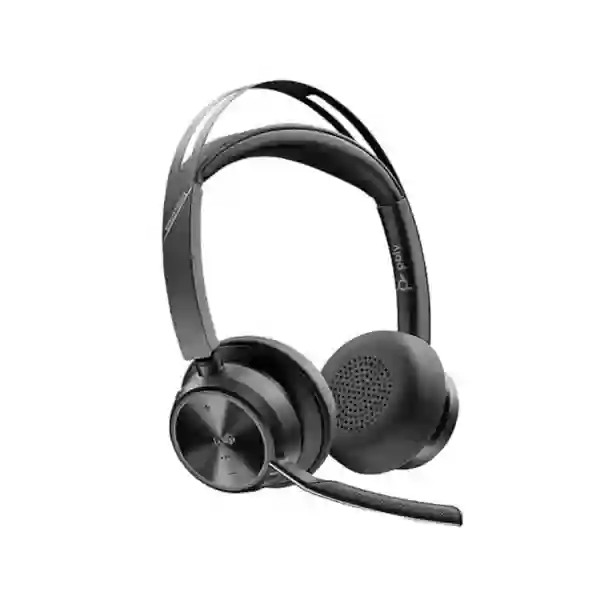
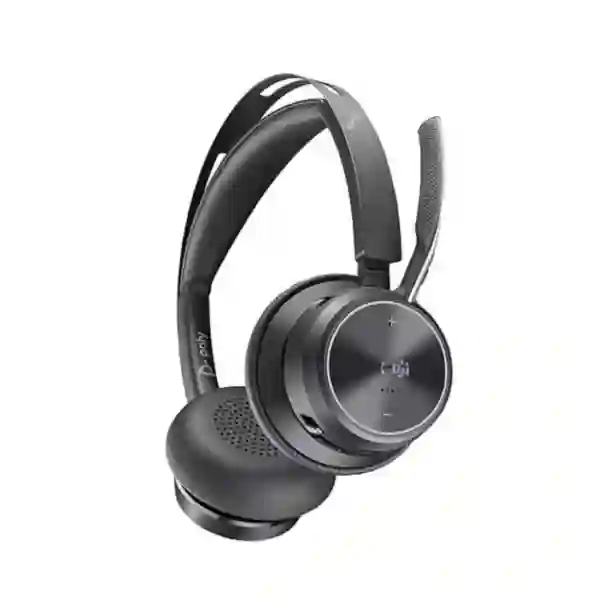
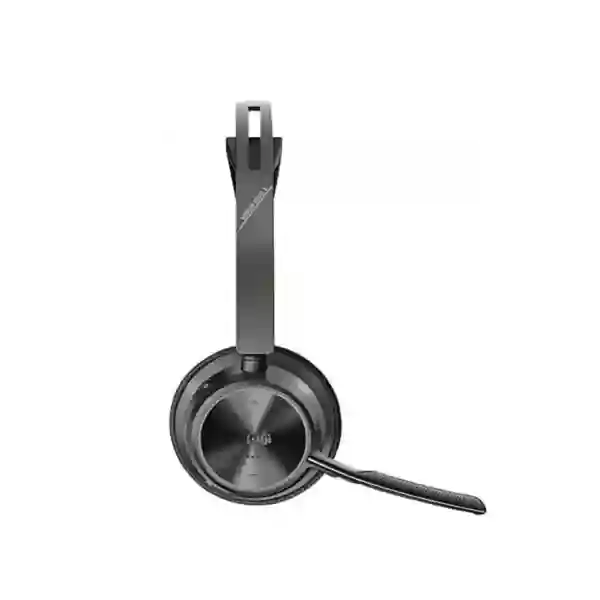
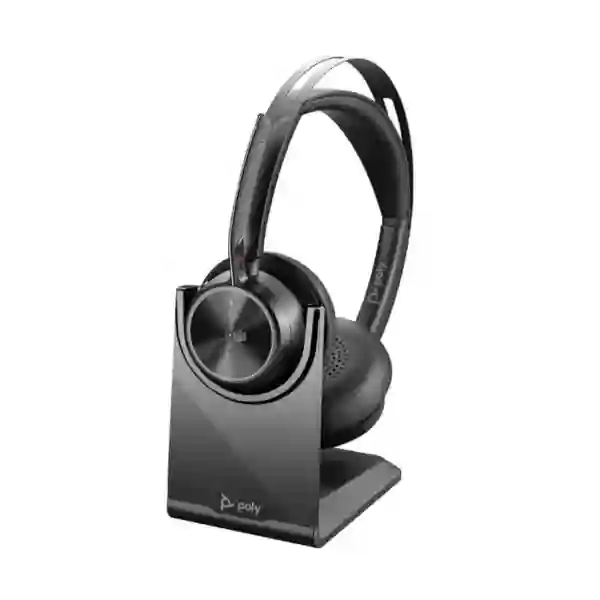
HP Poly Voyager Focus 2 UC Microsoft Teams USB-A Headset
Clearer work conversations begin with the right headset. Choose stereo listening, adjustable hybrid noise cancellation and Poly Acoustic Fence microphone technology in a Microsoft Teams-certified package using the BT700 USB-A adapter.
Best suited to individuals using computer-based meetings and calls. Ask for a current quote with manufacturer part number 77Y85AA; confirm ports, included accessories and local terms before ordering.
At a glance
Dedicated Teams-edition controls for the supported desktop workflow.
Wireless computer connection through the included adapter.
Select off, low or high for the listening environment.
Microphone noise reduction designed for clearer outgoing speech.
Cushioned ear pads and adjustable headband for personal calls.
Up to 25 hours talk time only under the documented settings.
A purpose-built headset for work conversations
A headset can look like a minor computer accessory until several meetings overlap, a colleague begins a nearby conversation, or a remote participant cannot understand what is being said. The HP Poly Voyager Focus 2 UC Microsoft Teams USB-A Headset is designed for professionals who work with voice calls, video meetings, and computer-based collaboration throughout the day. Its stereo on-ear design, adjustable noise cancellation, and boom microphone address two distinct problems: helping the wearer concentrate and helping the person at the other end hear speech more clearly.
This particular configuration is the Microsoft Teams-certified USB-A edition, identified in HP documentation by manufacturer product number 77Y85AA. It uses a BT700 USB-A Bluetooth adapter for computer connectivity and Bluetooth 5.1 for compatible mobile devices. It is not an ordinary wired USB-A headset, even though its computer adapter plugs into USB-A. Before requesting a quote, confirm that the computer has the right port, that Teams certification is required, and whether a charging stand or separate desk-phone base is part of the intended purchase.
What the user experiences during a normal workday
The practical benefit of this headset is the ability to move between focused listening and interactive conversation without completely changing devices. Stereo audio gives the wearer two-ear listening for a call, training session, or recorded presentation. The headband is adjustable, while cushioned ear pads and a suspended headband sling are intended to distribute pressure. Because the headset is on-ear rather than an ear-enclosing over-ear model, personal comfort remains important and should be assessed against the duration of a typical working day.
During calls, the user can reach call, volume, mute, and ANC controls from the headset. Smart sensors and voice prompts reduce dependence on the computer screen for routine actions. However, those controls are aids rather than replacements for checking the meeting application. Before an important conversation, verify the correct microphone and speaker in the application and watch the software’s mute indication. The best experience comes from combining the hardware features with a simple, consistent meeting routine.
Three levels of hybrid active noise cancellation
Hybrid active noise cancellation, commonly shortened to ANC, works on the sound the wearer hears. On Voyager Focus 2, the available ANC choices are off, low, and high. Low can be useful in a typical office where some awareness of nearby activity is helpful. High can suit a louder work area where concentrating on an online meeting is difficult. The off position lets the wearer decide when electronic noise reduction is unnecessary. These are listening-side choices; they should not be confused with the microphone’s separate noise-reduction technology.
ANC does not mean that all background sounds disappear. Voices, sudden sounds, changing noises, and the fit of the ear cushions can affect perceived performance. An employee who needs to hear visitors, alarms, or direct instructions may prefer a lower setting or remove the headset as appropriate. A sensible buying evaluation includes trying the headset in the intended setting rather than relying on a single advertised feature. Users should also consider safe listening levels; noise cancellation is not a reason to increase audio volume beyond what is comfortable.
Poly Acoustic Fence and the microphone path
One important distinction is that headphones reducing outside noise for the wearer is not the same as a microphone reducing noise for listeners. Poly Acoustic Fence technology addresses the outbound voice path. HP specifies a boom microphone system using two analogue electret condenser microphones and two digital MEMS microphones. The processing is intended to emphasize the speaker’s voice while limiting distracting sound reaching the other side of the conversation. This is particularly relevant when a team member is speaking from a shared room or a home workspace.
The microphone boom should be positioned near the mouth as the user guide indicates, without placing it directly in the path of breath. A clear voice is still dependent on local acoustics, connection quality, call application settings, and the nature of nearby noise. No headset can guarantee that a busy room becomes acoustically silent to every remote participant. For shared offices, conduct a short test call with a colleague listening remotely, using the actual devices and calling platform planned for everyday work.
Why Microsoft Teams certification matters
This configuration is a Teams edition rather than a standard UC variant that happens to work with Teams. Microsoft lists the Voyager Focus 2 headset among Teams-certified devices, and HP identifies a dedicated Teams control for the certified model. For an organization whose primary calling platform is the Microsoft Teams desktop application, that distinction can help standardize the user experience. Certification describes a tested device-and-platform relationship; it does not supply a Microsoft 365 license, a meeting subscription, or a guarantee that every software feature works in every environment.
According to HP’s user guide, the Teams button can bring the Teams desktop application into view and can be used when the connected USB adapter indicates a Teams notification. The documented Teams-button integration requires the Teams model and desktop application; it should not be presented as a Teams mobile-app shortcut. Organizations also need to consider software permissions, current application behavior, and headset firmware. A buyer using Teams mainly in a browser or through a mobile phone should confirm the exact controls expected before treating certification as the deciding factor.
Understanding the USB-A connection
USB-A in this product name describes the included computer adapter interface. The headset itself communicates wirelessly with the computer through the BT700 Bluetooth USB-A adapter. This helps users who have standard rectangular USB-A ports and want to avoid relying solely on a computer’s built-in Bluetooth implementation. The adapter also keeps the intended computer connection distinct from an unrelated phone Bluetooth connection. It is a practical fit for many existing office laptops and desktops that still provide accessible USB-A sockets.
Not every modern laptop has a full-size USB-A port. Some devices provide only USB-C, and shared-desk docks may restrict available ports. Check the physical connection before ordering a batch. Do not assume a USB-C adapter, converter, or dock is included in this specific package. HP offers other Voyager Focus 2 configurations with different adapters; those configurations must be quoted and checked separately. In a standardized fleet, confirm the adapter type against the actual laptop, docking station, operating system, and workplace port policy.
Connecting a compatible mobile device
The headset also supports Bluetooth 5.1 connectivity for a compatible mobile phone. This can be useful for an employee who joins a computer meeting and later handles a mobile voice call without carrying two separate headsets. Device pairing is separate from connecting the included BT700 adapter to the computer. Follow the official pairing procedure, permit the required Bluetooth access on the phone, and choose the headset in the phone’s audio settings before making the first important call.
Mixed-device work brings a few practical considerations. A call arriving on one device can affect how audio on the other device behaves; the exact result depends on the connected devices, application, and current call state. Ask users to test their preferred priority between computer meetings and mobile calls. For sensitive customer conversations, they should confirm which device is active before speaking. A Bluetooth connection also does not turn a mobile application into a certified Teams desktop workflow simply because the headset is a Teams edition.
Wireless freedom without unrealistic coverage promises
HP specifies a wireless range of up to 50 metres for the headset in the relevant product documentation, under suitable conditions. That figure is useful for understanding the design intention, but it is not a promise of uninterrupted audio over 50 metres inside a particular building. Walls, floor plans, crowded wireless environments, neighbouring radios, and where the USB adapter is located can affect real-world reach. Walking from a desk to a printer is different from crossing several concrete-walled rooms.
The datasheet also mentions a longer range with a compatible Voyager Office base, which is a separate accessory and not part of the listed USB-A headset package. Do not confuse the base-related claim with the included BT700 adapter. If staff routinely walk around while talking, test the complete path in the actual office. Keep the adapter in a suitable connection rather than hiding it behind dense metal equipment when other port options are available. Treat wireless flexibility as a convenience, not a substitute for reliable application and network connectivity.
Talk time: understand the conditions behind the headline
Battery figures require careful reading because users can enable ANC and change the online call indicator. HP lists up to 25 hours of talk time when ANC and the online indicator are switched off. With ANC and the online indicator both enabled under the specified default conditions, the datasheet gives up to 16 hours. Other published combinations fall between these figures. A buyer should not take the highest number as the expected result for every day of meetings. Call duration, volume, battery age, accessory condition, and settings can all influence time between charges.
HP also specifies up to 40 hours of music playback with ANC off, or up to 24 hours with ANC on, and a charge time of less than two hours under the stated conditions. These are manufacturer specifications rather than independently guaranteed results for each workplace. A sensible rollout plan includes regular charging at the end of a shift, monitoring battery alerts, and avoiding assumptions about continuous operation after several days without charging. The headset’s wired USB audio mode can be useful when battery planning becomes difficult.
Using USB audio when wireless is inconvenient
Although the primary computer experience uses the BT700 Bluetooth adapter, HP’s documentation also describes audio-over-USB corded operation. The product’s supplied Micro USB charging cable is relevant to that capability. This gives a practical fallback when an employee needs to continue a long work session or when wireless operation is unsuitable. It does not mean the headset is a permanently wired USB-A model, and it does not alter the need to check whether the computer offers a suitable port.
The supported workflow is not necessarily identical to a permanently cabled headset. Before adopting corded operation as a standard office practice, test how the computer recognizes the headset and whether the calling application changes its audio device automatically. The included cable is listed as 1.5 metres in the manufacturer’s technical data, so desk layout matters. Avoid strained cables, obstructed ports, or accidental pulling during calls. Users should follow HP’s instructions for switching modes rather than assuming that every computer and docking arrangement behaves the same way.
Comfort, fit, and wearing orientation
Voyager Focus 2 uses a stereo on-ear shape rather than a single-ear boom headset. HP describes cushioned ear pads, an adjustable headband, and a cushioned headband sling. The specified headset weight is approximately 176 grams for the relevant USB-A edition. These features can make the model suitable for long work sessions, but comfort is personal. Head size, spectacles, sensitivity to pressure, temperature, and the way a person moves during calls can affect the result. A headset that feels light after five minutes may feel different after several consecutive meetings.
Employees should adjust the headband so the cushions rest securely without excessive pressure. The headset’s boom can support left- or right-side wearing, and HP describes intelligent orientation of left and right audio. In a shared-device environment, users should also think about hygiene and individual fit rather than assuming that one communal headset is appropriate for everyone. For a substantial procurement, a short pilot involving several different users is more informative than relying entirely on a specification sheet or a product image.
Smart sensors and everyday call controls
The headset includes smart sensors that respond to wearing and removal events. HP documents functions such as answering a call when the headset is put on and handling music playback according to sensor activity, with settings that can be customized in Poly Lens. These are useful conveniences for staff who frequently move between their desk and nearby tasks. However, sensor behavior can be changed by configuration and may not match every organization’s preferred workflow. Users should learn what their specific setup does before relying on automatic call handling.
Physical controls cover common actions including power, pairing, call answer or end, mute, volume, and ANC. Voice prompts can announce conditions such as connection status, mute state, and low battery. For organizations, training should concentrate on two or three actions that employees need most: joining or answering, checking mute, and ending a call. Keep the application window available during high-stakes meetings and do not assume the headset has changed software state until the meeting interface confirms it.
Mute confidence and avoiding accidental transmission
The microphone boom can be rotated to support muting, and the headset provides a dedicated mute control. HP’s Dynamic Mute Alert is designed to notify the user if speech is detected while the microphone is muted. That can reduce the familiar problem of delivering several sentences during a meeting before discovering that nobody heard them. Online indicator lights can also communicate to nearby colleagues that a conversation is underway. These features support awareness, but they should be checked rather than treated as infallible privacy mechanisms.
A simple routine is effective: verify mute in the calling application before discussing private information, pay attention to prompts, and confirm that the headset and the software remain synchronized after device changes. During a confidential meeting, physical surroundings and other devices matter as much as the headset. An online light indicates call status rather than soundproofing a room. If multiple microphones are available on a laptop or dock, make sure the intended Poly microphone is actually selected before believing that moving the boom will control every possible recording source.
A practical fit for hybrid and remote teams
A professional may spend one day in a shared office, the next at home, and another at a temporary workstation. Voyager Focus 2 is relevant where the same person needs consistent call controls and a recognizable audio setup across those locations. The BT700 USB-A connection may simplify switching to a compatible work computer, while Bluetooth phone connectivity covers a different calling context. The travel pouch in HP’s listed contents makes it easier to carry the headset with its other accessories between workspaces.
For a hybrid team, the strongest benefit is not merely mobility. It is reducing small interruptions that accumulate over a day: repeatedly selecting the wrong microphone, straining to hear a remote colleague, or being asked to repeat sentences because of nearby conversation. A workable headset policy should address transport, charging, approved software, microphone selection, and replacement of lost adapters. Employees moving between offices should also know whether corporate device-management rules allow accessories and Bluetooth connections on each computer they intend to use.
Meeting rooms and shared work areas
This headset is a personal audio device, not a replacement for the microphone and loudspeaker system of a full meeting room. It is appropriate when one attendee needs to join a call from a workstation or an individual desk within a larger space. It may also be useful when several colleagues occupy the same office and need to reduce the amount of nearby speech they hear. Each person using a headset can limit the noise produced by computer speakers, although the room’s overall acoustics still matter.
A large group meeting needs a different equipment assessment. If five people around one table are all supposed to participate, a dedicated conferencing solution may better capture the room than a personal boom microphone. Similarly, a call centre with a strict common telephone platform or specialized workplace noise rules should assess the headset against that environment’s actual requirements. Buyers should describe whether the user attends personal Teams meetings, talks with customers throughout the shift, or needs to cover an entire meeting space, since those tasks are not interchangeable.
Use cases for organizations operating in Tanzania
For an organization buying collaboration accessories for staff in Tanzania, the decision should start with the devices and calling workflow already in use. An administrative office with USB-A-equipped desktops may have different needs from a mobile-first team using USB-C laptops. A training team might value stereo listening, while a service desk may prioritize speech clarity and easy muting. The Microsoft Teams edition is especially worth considering when the organization uses the desktop Teams client as a primary meeting environment.
A careful local procurement process also recognizes factors outside the headset. Internet stability affects Teams calls; noise cancellation cannot correct network delay or packet loss. Power interruptions can affect the laptop, router, and charging schedule even when the headset has its own battery. Before finalizing quantities, verify the exact product number, ports, expected accessories, pricing, lead times, applicable warranty arrangements, and available after-sales support through the quote process. This page does not imply current Tanzania inventory, delivery coverage, or a particular office location.
How the headset fits with other calling platforms
UC stands for unified communications and refers to the broad use of computer and phone-based calling tools. Although this is the Microsoft Teams edition, its standard audio functions can be relevant to other supported computer calling applications. The important difference is between basic microphone-and-speaker audio and platform-specific control integration. A device may carry voice successfully in a meeting yet have some buttons or presence features that behave differently from those in Teams.
Organizations using multiple meeting services should verify each application with their intended computer, software version, and connection method. Test joining, leaving, muting, answering, and reconnecting after a sleep or docking event. Avoid assuming that a certification for one application extends identically to all other platforms. This distinction matters when staff move between customer-hosted conferences, browser calls, mobile phone conversations, and internal Teams meetings. Clear expectations can prevent support tickets that are actually differences in application integration rather than faults in the headset hardware.
Comparing Teams USB-A with other Voyager Focus 2 choices
The Voyager Focus 2 family includes configurations with different computer adapter formats, Teams or non-Teams designations, and packages with or without charging accessories. The model addressed here is specifically the USB-A Teams edition. HP’s part-number information distinguishes this configuration from the USB-A standard UC variant and the USB-C Teams variant. A similar product image is not enough to establish which version a seller is offering, because the headline features can look nearly identical across editions.
Start with three questions: does the laptop provide USB-A, does the user need certified desktop Teams controls, and is a charging stand required? If the first answer is no, a USB-C variant may be more practical. If Teams is not the primary platform, the standard UC version may deserve comparison. If a desk-based charging arrangement is essential, request a quote for the appropriate bundle or compatible accessory. Do not substitute part numbers silently, and do not treat a USB-C/A-adapter bundle as identical to the specific BT700 USB-A package described on this page.
What is supplied with the identified package
For manufacturer product number 77Y85AA, HP lists the wireless headset, the BT700 Bluetooth USB adapter, a Micro USB charging cable, a quick-start guide, and a travel pouch. These are the safest items to use as the initial package checklist. The listing does not describe a charging stand as an included standard accessory, and a Voyager Office desk-phone base is not included. If a reseller proposes an additional accessory, the quote should identify it separately or specify the actual bundle that contains it.
When receiving a delivery, check the product label and supplied components against the purchase order rather than relying only on the carton photograph. Confirm that the adapter has not been mixed up with a different headset, especially when several units are being unpacked together. Keep the quick-start material available for initial setup and store the travel pouch and cable where the user can find them. Claims about local bundle packaging should always be checked on the actual order confirmation, because an organization may be quoted a package assembled differently from the manufacturer’s standard box.
A sensible first-day installation procedure
Begin with the computer: identify a working USB-A port and confirm that the operating system and collaboration application are updated within company policy. Place the BT700 USB-A adapter in the port, power on the headset, and follow the supplied guide to confirm the connection. In the operating system’s sound settings, check that the Poly output and microphone are selected. Then check the same settings within Microsoft Teams. If a mobile phone is also required, pair it through the headset’s documented Bluetooth procedure after the primary computer connection is understood.
Make a short real-world test call before a user joins an important customer meeting. Check speech clarity, left and right speaker output, call volume, boom position, and microphone mute state. Try low and high ANC in the actual workspace so the user understands the difference. Verify battery status and demonstrate the charging method. Where company policy allows, use Poly Lens for supported configuration and firmware management. Keep setup notes short enough for employees to repeat after changing desks or receiving a replacement computer.
Poly Lens configuration and enterprise management
HP identifies Poly Lens as management software for the Voyager Focus 2. For individual users, the available application can support device settings and updates. For organizations managing many devices, appropriate Poly management capabilities may help establish configuration consistency and visibility, subject to product, software, and administrative requirements. A managed rollout can reduce uncertainty about why two apparently identical headsets behave differently when one user has customized sensors, prompts, or online indicator settings.
Software support and management permissions must be evaluated by the customer’s IT team. Installing an application might require administrator approval, and a managed laptop may prohibit self-service changes. Do not promise a particular cloud dashboard, analytics feature, license entitlement, or remote-control capability without checking the current service arrangements for that customer. A practical IT checklist includes identifying the supported management application, deciding who owns updates, documenting default settings, and testing the end-user experience following firmware changes. This keeps the headset useful without making everyday calls dependent on complex administration.
Security, privacy, and responsible use
A headset improves the personal listening experience but does not make a conversation private by itself. Colleagues can still hear the wearer speaking, screen content may be visible, and the calling software determines much of the meeting’s confidentiality. Businesses handling customer information should use the headset alongside their existing access controls, meeting policies, secure networks, and data-handling practices. The physical mute control is helpful, but sensitive discussions should be checked against the mute state shown in the application.
Wireless peripherals also deserve ordinary device-management attention. Keep accessory firmware current through authorized procedures, avoid pairing with unknown equipment, and ensure that the headset and USB adapter are assigned to the right employee. When equipment is shared, remove unnecessary pairings and follow workplace cleaning guidance. Bluetooth audio security depends on the devices and their configuration, so this page does not claim independent encryption certifications or regulatory approvals. The right purchasing decision considers the communication system, endpoint configuration, staff training, and headset together rather than treating one accessory as a security solution.
Battery care and keeping equipment ready
A rechargeable headset is convenient only when a team has a predictable charging routine. Encourage users to check battery prompts before long calls and to charge the unit using the appropriate included cable and approved power source. Avoid pulling on the charging lead or leaving it where moving chairs can catch it. The battery is a consumable component: runtime may change as it ages. For staff with long uninterrupted sessions, explain the supported USB audio mode ahead of time so the fallback is familiar before it is urgently needed.
An office should decide where accessories are stored and how replacement requests are recorded. The small USB adapter can easily be misplaced during laptop changes, and a missing adapter can prevent the intended PC connection even when the headset still works with a paired phone. Labeling equipment appropriately and checking the headset together with the adapter at staff handover can reduce disruption. Do not assume that a charging stand or spare battery is included. If a particular desk arrangement requires another accessory, include it explicitly in the quotation.
Troubleshooting common connection and audio problems
If a user hears no sound, first check the simple causes: headset power, battery, the chosen audio output in the computer, and the selected speaker inside Teams. If the microphone appears silent, verify both the headset’s mute state and the application’s microphone selection. When the USB adapter is not recognized, test a known-working port according to the organization’s IT policy and follow HP’s documented re-pairing steps rather than trying random button combinations. Disconnecting and reconnecting equipment should be done thoughtfully during live meetings.
If a Teams button does not behave as expected, confirm that the device is the Teams model, that the supported desktop application is running, and that the USB adapter is connected correctly. If ANC seems ineffective, compare the off, low, and high positions while remembering that performance depends on fit and the sound environment. For intermittent wireless audio, consider distance, obstructions, and competing equipment before concluding that the microphone is defective. Record the computer model, application version, adapter use, firmware, and a reproducible symptom before asking IT or the supplier for help.
Maintenance, cleaning, and shared-user practice
A professional headset needs regular care even when the electronics function perfectly. Keep ear cushions and the headband clean in accordance with the manufacturer’s current care guidance; do not soak the headset or apply strong chemicals without checking approved methods. Inspect the boom, charging cable, and USB adapter for visible wear. Store the headset in its travel pouch when moving between desks to reduce accidental damage. If an ear cushion becomes worn, ask for the correct replacement part instead of assuming that cushions from another model will fit.
For organizations with hot desks or shift work, determine whether each staff member will have an assigned headset. Personal assignment can simplify pairing, comfort adjustment, and cleaning responsibility. If sharing is unavoidable, document a suitable cleaning and pairing procedure and account for time between users. Staff should avoid bringing wet or dirty headsets into electrical charging areas. These practices are general operational considerations, not promises of an industrial protection rating. The Voyager Focus 2 is positioned as a professional communications headset rather than specialist protective equipment.
Technical specifications and what they actually mean
The identified USB-A Teams model uses Bluetooth 5.1 and a stereo on-ear form factor. HP specifies 32 mm speaker drivers, a speaker bandwidth of 20 Hz to 20 kHz, and a microphone bandwidth of 100 Hz to 6.8 kHz. The wireless range is quoted as up to 50 metres, with actual performance affected by the environment. The headset weighs approximately 176 grams, and the manufacturer gives dimensions around 15.5 × 6.7 × 18.2 centimetres. These numbers help with comparison and equipment planning but do not by themselves predict voice quality in every meeting.
HP identifies SoundGuard Digital acoustic protection technology for the family, with functionality that can depend on the Poly Lens desktop application and device settings. This should not be interpreted as a guarantee that every acoustic exposure condition is safe or that the headset replaces workplace hearing protection. The datasheet identifies a rechargeable lithium-ion battery and manufacturer-specified charging and runtime conditions. As with all technical products, check the precise part number at purchase because similar names can refer to revised bundles or accessories with different interfaces.
A procurement checklist for IT and purchasing teams
Begin with the exact model description and manufacturer product number rather than a generic request for a Poly Bluetooth headset. Check that 77Y85AA is the intended item, that the user needs the Microsoft Teams variant, and that USB-A is available on the deployed computers. Confirm whether the included BT700 adapter and Micro USB cable meet the desk setup. Clarify whether a separate charging stand, spare accessories, or a compatible office base is needed. Compare the actual device configuration and intended call software before evaluating prices from different quotes.
For Tanzania procurement, ask the seller to verify current quotation terms, local delivery arrangements, applicable taxes, support process, and warranty handling in writing. These conditions cannot safely be inferred from an international datasheet. A rollout involving many employees should reserve a small pilot for comfort, microphone performance, docking arrangements, and IT policy. Identify the person responsible for software updates and replacement equipment. The objective is a headset that works reliably inside an existing communications environment, not simply a purchase that matches a long list of advertised features.
Questions to resolve before requesting a quote
It helps to describe the actual business workflow rather than only the product name. Specify how many people need headsets, whether their computers have USB-A or USB-C ports, and whether they use the desktop Teams application. Explain if each headset will be assigned to one employee or shared between shifts. Identify any mobile-phone pairing requirement and whether a charging accessory is necessary. These details can prevent the wrong version arriving, even when the product description appears nearly identical at first glance.
For buyers comparing options, the critical decision is whether this specific mix of stereo listening, microphone noise reduction, certified Teams controls, and wireless PC connection suits the job. A customer-facing team may have different priorities from occasional meeting participants. Ask for the exact proposed manufacturer part number on every quote. This page intentionally avoids publishing unverified stock, seller SKU, local price, and delivery promises. A documented quote is the appropriate place to confirm commercial specifics and the precise contents that will be supplied.
Verified configuration summary
| Manufacturer product number | 77Y85AA |
|---|---|
| Headset type | Stereo, on-ear |
| Computer adapter | BT700 USB-A Bluetooth adapter |
| Bluetooth version | 5.1 |
| Noise management | Hybrid ANC (off, low, high); Acoustic Fence microphone |
| Battery | Rechargeable lithium-ion; variable runtime by settings |
| Charge time | Less than two hours, per HP datasheet |
| Operating systems listed by HP | Windows 10, Windows 11 and macOS |
| Software identified by HP | Poly Lens |
| Standard box contents | Headset, BT700 USB adapter, Micro USB charging cable, quick-start guide, travel pouch |
Figures and specifications reflect HP’s documentation for the identified edition. Connection results and battery runtime depend on conditions. The table is not a statement of local availability, seller warranty, or price.
Frequently asked buyer questions
Is this a wireless headset or a USB headset?
It is primarily a wireless Bluetooth headset. The USB-A description refers to the included BT700 adapter used to connect it to a compatible computer. HP also documents corded USB audio operation, but it should not be confused with a conventional permanently wired USB-A headset.
Does it work with Microsoft Teams?
Yes. The model is identified by HP as Microsoft Teams certified, and Microsoft lists Voyager Focus 2 in its certified headset devices. The dedicated Teams integration is associated with the Teams desktop application, not an assurance of identical behavior in Teams mobile.
Can the headset connect to a smartphone?
Yes. HP identifies Bluetooth 5.1 mobile-phone connectivity for the headset. The phone pairing workflow is separate from plugging the BT700 adapter into a computer, and users should test call switching in their intended environment.
What is the difference between ANC and Acoustic Fence?
ANC changes the background noise the wearer hears. Acoustic Fence relates to the microphone and is designed to reduce distracting background sound received by the remote listener. Both can improve a conversation, but they address different audio paths.
Is the headset appropriate for a noisy open-plan office?
It is designed with adjustable hybrid ANC and microphone noise reduction, which are relevant to shared offices. Actual results depend on room conditions, microphone placement, headset fit, and the caller’s surroundings. Test with real calls before large-scale deployment.
How much talk time should I expect?
HP specifies up to 25 hours with ANC and the online indicator off, and up to 16 hours when both are on under the stated default conditions. Actual runtime depends on settings, usage, and battery condition, so planning should not rely exclusively on the maximum figure.
Is a charging stand included?
The documented standard contents of manufacturer product number 77Y85AA do not include a charging stand. HP lists the headset, BT700 adapter, charging cable, quick-start guide, and travel pouch. If a stand is required, request it separately or verify a different bundle.
Is the adapter USB-A or USB-C?
This specific edition includes a BT700 USB-A adapter. A visually similar USB-C model may have different packaging and identifiers. Check the computer port and the quote before ordering rather than assuming an adapter is included.
Can it replace a conference-room speakerphone?
It is intended for an individual wearer, not for picking up every person around a table. A shared-room meeting should be assessed for dedicated conferencing microphones and speakers if multiple participants need to speak from the same location.
Can the microphone be muted from the headset?
Yes. HP documents physical muting controls and the ability to mute with microphone-boom movement. Always verify the mute state in the active calling application, especially where a computer has multiple possible microphones or input devices.
Which systems can I use?
HP lists Windows 10, Windows 11, and macOS compatibility for this manufacturer edition. Check the current operating-system support policy, application requirements, software permissions, and available USB-A connection before deployment.
Can I buy it in Tanzania and what does it cost?
The product can be requested by its full name and manufacturer product number, but this page does not verify FourTeck Tanzania inventory, selling price, or a delivery promise. Request a current quotation with the exact bundle, commercial terms, and warranty arrangements confirmed.
Request a product quotation for Tanzania
Ask FourTeck Tanzania about the HP Poly Voyager Focus 2 UC Microsoft Teams USB-A Headset, manufacturer product number 77Y85AA. Include your device ports, required quantity, calling platform, and whether a charging accessory is needed so the proposed configuration can be verified before purchase.
Request confirmation of price, availability, delivery terms, and applicable support arrangements in the quotation. No unverified local stock, warranty or delivery commitment is stated here.




Reviews
There are no reviews yet.