
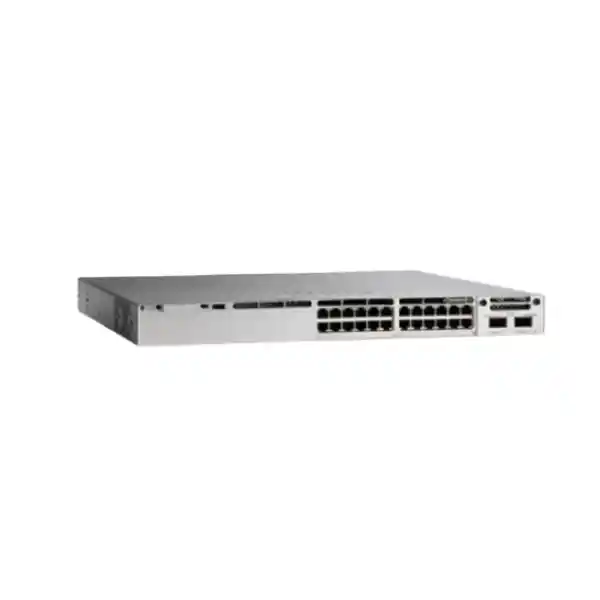
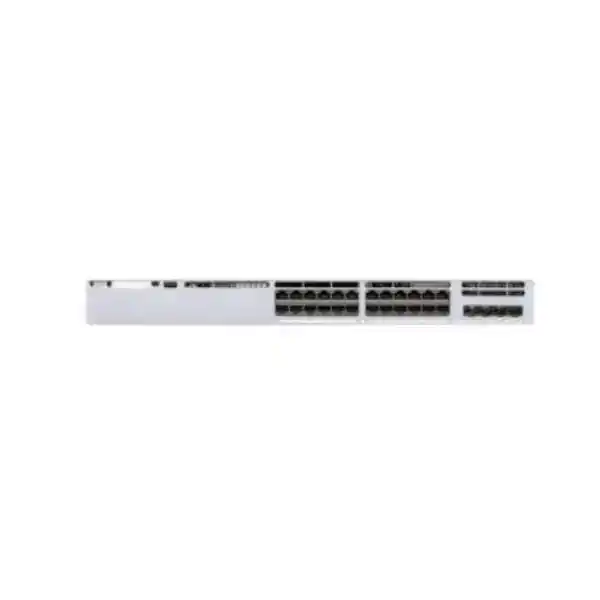
Cisco Catalyst 9300L • Enterprise access switching
Cisco Catalyst C9300L-24UXG-4X Network Switch
The Cisco Catalyst C9300L-24UXG-4X is designed for access-layer networks that have outgrown an all-1-Gigabit edge. It combines 16 standard 10/100/1000 copper ports with 8 multigigabit ports that can operate at 100 Mbps, 1 Gbps, 2.5 Gbps, 5 Gbps, or 10 Gbps, while providing Cisco UPOE on the access ports. Four fixed 10G/1G SFP+ uplinks give network teams a straightforward path to high-speed fiber aggregation without using a separate uplink module.
For organizations in Tanzania planning a campus, headquarters, branch, education, hospitality, healthcare, retail, or multi-floor office network, the main value is practical consolidation: one switch can serve ordinary 1G users and devices while reserving faster copper ports for bandwidth-intensive endpoints such as modern wireless access points, workstations, edge appliances, or other multigigabit-capable equipment. Before ordering, confirm the exact software suffix, PoE load, optics, stacking accessories, rack space, and power design because those choices determine the final deployment.
8 × multigigabit up to 10G
4 × 10G/1G SFP+ uplinks
StackWise-320 capable
At a glance: what this switch gives you
| Access ports | 24 copper Cisco UPOE ports: 16 × 10/100/1000 and 8 × multigigabit 100M/1G/2.5G/5G/10G |
|---|---|
| Fixed uplinks | 4 × 10G/1G SFP+ fiber uplink ports |
| Default power supply | 1100W AC |
| Available PoE budget with default PSU | 880W |
| Switching capacity | 272 Gbps standalone; 592 Gbps figure listed by Cisco with stacking |
| Forwarding rate | 202.38 Mpps standalone; 440.47 Mpps figure listed by Cisco with stacking |
| Stacking | Cisco StackWise-320, with an optional compatible stack kit |
| Physical size | 1.73 × 17.5 × 19.2 in. maximum (4.4 × 44.5 × 48.8 cm); approximately 7.1 kg with the default power supply |
These figures describe the C9300L-24UXG-4X hardware family. The software package is chosen separately through the orderable suffix. That distinction matters because features available with Network Essentials, Network Advantage, or Meraki management are not identical.
Who should consider the C9300L-24UXG-4X?
This model is a strong fit when a network has a meaningful mix of ordinary 1G endpoints and a smaller group of devices that need more than 1 Gbps over copper. Instead of purchasing an all-multigigabit switch for every user connection, the C9300L-24UXG-4X provides eight faster copper interfaces alongside sixteen standard Gigabit ports. That port mix can be efficient in access closets where only selected devices require 2.5G, 5G, or 10G connectivity.
Typical candidates include offices with high-throughput wireless access points, creative or engineering workstations, local servers or appliances placed at the edge, video systems, and other endpoints that can benefit from more bandwidth than a single Gigabit Ethernet link. The UPOE capability also makes the platform useful when powered endpoints have requirements above traditional PoE+ limits, provided the total PoE budget is engineered correctly.
It is less compelling when every endpoint is 1G and requires only modest PoE, or when the uplink architecture specifically calls for 40G fixed uplinks rather than four 10G links. In those cases, a simpler C9300L PoE+ model or the related C9300L-24UXG-2Q may align better with the design. The goal is not to buy the largest specification available; it is to match port speed, PoE, uplink bandwidth, licensing, and resilience to the actual network plan.
A practical port mix for mixed-speed access networks
The front-panel access design is the key reason to choose this model. Sixteen ports support 10/100/1000 Mbps Ethernet for conventional endpoints, while eight multigigabit ports negotiate at 100 Mbps, 1 Gbps, 2.5 Gbps, 5 Gbps, or 10 Gbps. This lets the switch support legacy or low-bandwidth devices and newer high-bandwidth devices in the same rack without forcing every connection to run at the same top speed.
Multigigabit Ethernet is especially useful where replacing the installed copper cabling would be disruptive or expensive. Whether a particular cable run can reliably operate at a chosen speed depends on cable category, length, installation quality, patching, interference, and the connected endpoint. A switch that supports 10G on the port does not guarantee that every existing cable run will support 10G. During an upgrade, test representative links and confirm the endpoint’s supported Ethernet rates before deciding how many ports can be assigned to 2.5G, 5G, or 10G service.
For example, a floor might use the sixteen 1G ports for phones, printers, cameras, desktops, or building devices and reserve the eight multigigabit ports for high-performance access points and selected workstations. Another site might use the multigigabit ports for local high-throughput appliances while keeping ordinary users on 1G. The advantage is flexibility at the access layer without moving immediately to a much larger port count.
Treat the eight multigigabit ports as a planned resource. Map them to devices that can actually use the additional bandwidth, then verify that upstream links, routing, firewalls, servers, internet capacity, and application paths will not become the next bottleneck.
Four 10G SFP+ uplinks: simple aggregation without an uplink module
The “4X” portion of the model identifies four fixed 10G/1G SFP+ uplink ports. In many access designs, these can be used for redundant links toward distribution or core switching, link aggregation, or separate upstream paths, depending on the network architecture and software configuration. Because the uplinks are fixed, there is no modular network uplink slot to change later; buyers should decide before purchase whether four 10G/1G SFP+ interfaces are the right long-term format.
Optics and cabling are a separate design choice. Select Cisco-supported transceivers or supported direct-attach options that match the distance, fiber type, connector, and remote equipment. Do not assume that an SFP+ port automatically includes an optic. A complete bill of materials should identify the required transceiver for each active uplink, any spare optics policy, fiber patch leads, and the interface type at the device on the far end.
If the design requires fewer but faster 40G fixed uplinks, the related C9300L-24UXG-2Q uses two 40G QSFP+ uplinks instead. If the network prefers four independent 10G paths, easier compatibility with existing 10G aggregation, or a familiar SFP+ optical ecosystem, the C9300L-24UXG-4X is the more direct fit.
UPOE power: plan the device load, not just the port count
All twenty-four access ports are Cisco UPOE-capable. Cisco describes the C9300L UPOE family as supporting UPOE, PoE+, and PoE, giving the switch flexibility across powered devices with different requirements. The C9300L-24UXG-4X ships with a 1100W AC primary power supply, and Cisco specifies 880W of available PoE power with that default supply.
The important number for deployment is the aggregate budget. UPOE can support higher per-port power than classic PoE+ for compatible devices, but an 880W shared budget cannot provide the maximum possible power to every port simultaneously. Create a port-by-port power worksheet using each powered device’s expected and maximum draw, then keep operational headroom for device changes, startup behavior, replacements, and growth. High-power access points, cameras with heaters or motors, displays, collaboration endpoints, and other edge devices can change the arithmetic quickly.
Cisco’s current data sheet also lists higher available PoE budgets when supported secondary power supplies are added. For this model, the published table shows 1230W with a 350W secondary supply and up to 1440W with a 715W or 1100W secondary supply, subject to the platform and port limits documented by Cisco. Treat secondary power as both a capacity and resilience decision: the correct supply combination should be selected from the current Cisco ordering and installation guidance for the final configuration.
For a Tanzania site, include the network switch in the facility power plan rather than considering only the rack’s IT load. Check available circuits, plug and power-cord requirements for the ordered supply, UPS capacity, runtime targets, earthing, surge protection, cooling, and generator transfer behavior where relevant. The switch can power many downstream devices, so a loss of switch power can also remove connectivity and power from those endpoints at once.
StackWise-320 for a larger logical access system
The C9300L-24UXG-4X supports Cisco StackWise-320. Cisco documents StackWise architecture as allowing up to eight compatible switches in a ring topology, creating one logical system with a common control and management plane. For a growing access layer, stacking can increase port density and simplify administration compared with managing each switch as an entirely independent island.
Stacking should be designed deliberately. Catalyst 9300L models use a stack kit that includes the required adapter and cable components rather than assuming that the stack connection is present by default. Confirm the correct stack kit, cable lengths, physical rack layout, compatibility among members, software release plan, and desired ring topology before deployment. The stack should be cabled as recommended so that the design has the intended resiliency.
A stack can be attractive where multiple access switches serve the same closet or floor and the operations team wants a single logical point of administration. It also affects maintenance planning: software upgrades, member replacement, uplink distribution, and power redundancy should be considered at the stack level. A larger stack is not automatically better; some organizations prefer smaller failure domains or separate switches for operational reasons.
For buyers comparing standalone and stacked performance, Cisco publishes 272 Gbps switching capacity and 202.38 Mpps forwarding for this model, with 592 Gbps switching capacity and 440.47 Mpps forwarding figures listed with stacking. Those platform figures are useful for sizing, but real application performance still depends on traffic patterns, configuration, uplinks, endpoint speeds, oversubscription, and the rest of the network path.
Enterprise scale beyond the headline port speeds
The Catalyst 9300L family is built as an enterprise access platform rather than a basic unmanaged edge switch. Cisco lists fixed-uplink C9300L/LM platform scale figures including up to 32,000 MAC addresses, 32,000 IPv4 route entries in the documented profile, 16,000 IPv6 routing entries, 8,000 multicast routing entries, 5,120 QoS scale entries, 5,120 ACL scale entries, 8 GB of DRAM, 16 GB of flash, 4094 VLAN IDs, up to 1000 switched virtual interfaces, and support for jumbo frames up to 9198 bytes.
Those values should be interpreted as platform scale information, not as a promise that every combination can be maximized simultaneously in every software profile. Network features consume hardware resources in different ways, and feature availability also depends on the selected license. For a complex deployment with large route tables, extensive access-control policy, segmentation, multicast, or heavy telemetry requirements, validate the intended feature mix against the current Cisco configuration and scale documentation.
For ordinary enterprise access deployments, the practical takeaway is that the switch provides significantly more operational capability than a simple Layer 2 fan-out device. It can participate in routed access designs, enforce policy, provide visibility, support quality-of-service controls, and integrate into broader Cisco management architectures, subject to the exact license and software configuration selected.
Confirm the software suffix before you buy
The hardware shorthand “C9300L-24UXG-4X” does not, by itself, identify the complete software offer. Cisco currently lists orderable variants with different suffixes. The -E variant uses the Network Essentials network stack, the -A variant uses Network Advantage, and the -M variant is offered with Meraki Advanced or Enterprise software options. A quotation should therefore show the complete part number rather than only the base hardware family.
Network Essentials covers core switching fundamentals and a broad set of standard enterprise access functions. Network Advantage adds advanced capabilities and scale in areas such as routing, segmentation, automation, high availability, and stronger MACsec options according to Cisco’s current feature matrix. The exact set of features can change across software releases, so buyers should match the license to a written list of required functions rather than choosing a package based only on the name.
If the organization already operates a Cisco Catalyst Center environment or intends to standardize on a particular Cisco management model, confirm the applicable software subscriptions and license terms at the time of purchase. If the organization wants the Meraki cloud-management experience, confirm that the full -M ordering path and subscription meet the intended operational model. Do not assume that a switch ordered with one suffix can be managed in exactly the same way as a switch ordered with another.
Procurement rule: request the complete Cisco part number, selected license level, subscription term where applicable, power-supply configuration, stacking kit, optics, support coverage, and accessories on the same quote. This removes ambiguity between the physical switch and the software entitlement that makes the design usable.
Security, segmentation, automation, and visibility
A modern access switch often sits at a critical policy boundary: users, wireless devices, cameras, phones, building systems, and specialist equipment all enter the network there. The Catalyst 9300L family provides a range of access control, quality of service, security, telemetry, and management capabilities. Cisco’s feature matrix includes functions such as 802.1X, first-hop security, control-plane policing, policy features, telemetry, SPAN/RSPAN, and MACsec capabilities, with additional functions unlocked by higher license levels.
For networks that require advanced segmentation or routing, Network Advantage introduces additional options in Cisco’s current matrix, including technologies such as VRF, VXLAN, LISP, Cisco TrustSec/SGT, MPLS-related functions, advanced routing protocols, automation interfaces, and expanded high-availability features. Not every deployment needs these capabilities, but knowing they are license-dependent prevents under-specification during procurement.
Automation can also be a differentiator when many access switches are managed consistently. Cisco lists NETCONF, RESTCONF, gRPC, YANG, Plug and Play or zero-touch-related functions, and on-box scripting capabilities in the Network Advantage feature set. For smaller networks, CLI or WebUI management may be sufficient. For larger environments, standardized templates, telemetry, identity policy, and central management can reduce configuration drift and improve troubleshooting.
Security design should still be end-to-end. The switch is one enforcement point, not a replacement for firewalling, endpoint security, identity systems, secure wireless, logging, backup configuration, software maintenance, or physical security. Define which controls belong at the access layer and verify that the selected license supports them before the equipment is ordered.
Common deployment scenarios
Wireless-heavy office
Reserve multigigabit UPOE ports for high-throughput access points while connecting phones, printers, desks, and other ordinary endpoints to the 1G ports. Use redundant 10G uplinks toward the distribution layer and size PoE for the access-point power profile.
Mixed office and specialist users
Provide 10G or 5G copper selectively to creators, engineers, local data users, or edge appliances while retaining sixteen cost-effective 1G ports for the rest of the floor. This avoids treating every desk as a multigigabit requirement.
Powered edge devices
Use UPOE where compatible devices need more power than standard PoE+ can supply, but model the total 880W default PoE budget. Add supported secondary power only when the load plan or resilience requirement justifies it.
Stacked access closet
Combine compatible C9300L switches with StackWise-320 to increase port density while presenting a logical stack for operations. Plan adapters, stack cables, topology, member roles, uplinks, software versions, and maintenance procedures together.
Campus or multi-floor access
Deploy the switch at the access layer and use the four SFP+ uplinks for 10G connections toward distribution. Validate optical distance, redundancy, oversubscription, and routing or Layer 2 boundaries as part of the overall campus design.
Phased network modernization
Keep existing 1G endpoints in service while adding faster devices to the eight multigigabit ports. This can provide a gradual migration path without requiring a full endpoint or cabling replacement on day one.
Cabling and transceiver planning
A multigigabit switch does not remove the need for cable qualification. Before deployment, document cable category, permanent-link length, patch-panel condition, patch leads, and any known sources of electromagnetic interference. If a high-speed endpoint negotiates below the intended rate or experiences errors, the copper channel should be tested before the switch or endpoint is assumed to be faulty.
The 10G SFP+ uplinks require their own media plan. Determine whether each path uses multimode fiber, single-mode fiber, or an appropriate direct-attach connection. Match the transceiver on both ends, confirm connector type and optical budget, and check that the remote switch supports the chosen optic and speed. Keep critical spares if operational policy requires them, especially where replacement lead time would create unacceptable downtime.
If link aggregation is part of the design, confirm that both devices support the required bundle configuration and that traffic distribution matches application needs. Multiple 10G links can increase aggregate uplink capacity and resilience, but a single flow is still subject to the behavior of the configured hashing and the capacity of the individual member path. Application architecture matters as much as raw port count.
For PoE endpoints, remember that copper carries both data and power. Poor terminations, underspecified patch leads, excessive bundling, or unsuitable cable can affect reliability and thermal behavior. Follow structured-cabling and device-vendor guidance for the actual power level and environment.
Rack, cooling, and environmental checks
Cisco specifies a maximum chassis dimension of approximately 4.4 cm high, 44.5 cm wide, and 48.8 cm deep for the C9300L-24UXG-4X with the relevant field-replaceable components and power configuration. The height corresponds to a 1RU switch. The published weight is about 7.1 kg with the default power supply. Allow extra rear space for power cords, stack connections, fiber bend radius, copper dressing, and airflow rather than selecting a cabinet based only on chassis depth.
Cisco’s current hardware guide lists an operating temperature range of -5°C to 45°C for the switch, with a minimum ambient temperature of 0°C for cold start, and relative humidity of 5% to 90% non-condensing. Operating altitude is documented up to 3000 m. These are equipment limits, not preferred room targets. A network room should be designed to keep the hardware comfortably within specification under normal load, during utility outages, and when other rack equipment is producing heat.
Catalyst 9300 Series switches use field-replaceable fans, and Cisco documents three fans with N+1 fan redundancy for the family. Keep airflow paths clear and avoid placing the switch where hot exhaust from another device is pulled directly into its intake. Dust control, routine inspection, secure rack mounting, and cable management are basic but important parts of long-term reliability.
For sites where mains power is unstable or outages are operationally significant, calculate UPS runtime using the expected switch load plus the PoE devices it powers. A PoE switch can draw substantially more under endpoint load than when it is carrying data with little or no PoE. Size protection from a realistic loaded condition rather than using only the chassis idle consumption.
How the C9300L-24UXG-4X compares with nearby choices
| Model | Access-port profile | Fixed uplinks | Default PoE budget | Best fit |
|---|---|---|---|---|
| C9300L-24UXG-4X | 16 × 1G + 8 × multigigabit, UPOE | 4 × 10G/1G SFP+ | 880W | Mixed 1G/multigigabit access with flexible 10G uplinks |
| C9300L-24UXG-2Q | 16 × 1G + 8 × multigigabit, UPOE | 2 × 40G QSFP+ | 722W | Same access mix with a design centered on 40G uplinks |
| C9300L-48UXG-4X | 36 × 1G + 12 × multigigabit, UPOE | 4 × 10G/1G SFP+ | 675W | Higher port density with twelve multigigabit ports |
| C9300L-24P-4X | 24 × 1G PoE+ | 4 × 10G/1G SFP+ | 505W | All-1G access when multigigabit and UPOE are unnecessary |
This comparison is about hardware fit, not a substitute for a full bill of materials. The final selection still needs the correct license suffix, subscriptions where required, power supplies, stack hardware, optics, rack accessories, and support choices.
Tanzania deployment and procurement checklist
A successful switch purchase is more than selecting a chassis. Use the following checklist to convert the C9300L-24UXG-4X into a deployable solution. It is especially useful when the equipment is being quoted for a new office, network refresh, campus expansion, or wireless modernization project in Tanzania.
- Confirm the complete Cisco part number. Decide whether Network Essentials, Network Advantage, or a Meraki-managed variant matches the required features and operations model.
- Count endpoint speeds. Identify how many devices are 1G, 2.5G, 5G, or 10G so that the eight multigigabit ports are sufficient for the intended lifetime of the switch.
- Build a PoE worksheet. Record the expected and maximum draw for each powered device. Compare the total with the default 880W budget and include growth and startup headroom.
- Choose the uplink design. Decide how many 10G uplinks will be active, whether they are redundant, and whether link aggregation or separate paths are required.
- Specify optics and fiber. Select transceivers based on distance, fiber type, connector, and the remote interface. Include patch leads and any required spares.
- Validate copper cabling. Test routes intended for multigigabit service and verify that the cabling channel can support the planned Ethernet rate and PoE level.
- Decide whether to stack. If using StackWise-320, include the correct stack kit, adapter, cable lengths, topology, and compatible member plan.
- Plan power resilience. Check input circuits, power cords, UPS size, surge protection, generator operation where applicable, and whether a secondary PSU is needed for PoE capacity or redundancy.
- Check rack depth and cooling. Allow for the 48.8 cm maximum chassis depth plus rear cables and airflow. Confirm the rack can handle the switch, patching, power, and stack connections without obstructing ventilation.
- Define required software features. List routing, segmentation, authentication, automation, telemetry, encryption, and management requirements, then map them to the chosen license.
- Plan software lifecycle operations. Decide how configuration backups, approved IOS XE releases, maintenance windows, security updates, and rollback procedures will be managed.
- Review the complete quote. Ensure the chassis, full suffix, subscriptions, power supplies, stack hardware, optics, accessories, and support items all match the design before approving procurement.
When this model may be more switch than you need
Not every network benefits from multigigabit Ethernet or UPOE. If all connected devices are 1G, use 30W PoE+ or less, and the network has no realistic multigigabit growth plan, a 24-port 1G PoE+ C9300L can meet the access requirement with a simpler power profile. Spending on higher port capability that remains unused does not improve the user experience.
Similarly, if the access closet needs more than twenty-four connections, compare the 48-port options rather than planning to add a second switch immediately. Conversely, a very high concentration of multigigabit endpoints may call for a platform with more high-speed access ports. The C9300L-24UXG-4X is strongest when the ratio of sixteen standard 1G ports to eight multigigabit ports resembles the real endpoint mix.
The fixed 4 × 10G/1G SFP+ uplinks are another selection boundary. They are convenient when 10G is the intended aggregation speed, but they are not modular. If future architecture is likely to require a different uplink format, compare alternative Catalyst 9300 models before purchase. Good switch selection is as much about what cannot be changed later as it is about the features available on day one.
Operational planning after installation
After the physical installation, build the switch into normal network operations. Record the serial and asset information, rack position, uplink destinations, optic types, stack member number if applicable, power-supply configuration, software release, license entitlement, management address, configuration backup location, and support details. Clear records shorten troubleshooting and make future replacement less disruptive.
Baseline the environment while it is healthy. Capture interface error counters, negotiated speeds, PoE consumption, temperature, CPU and memory behavior, uplink utilization, stack status, and key routing or spanning-tree state. When users later report intermittent performance, comparing against a known-good baseline is more useful than looking only at a current snapshot.
Monitor PoE headroom as new devices are added. An access closet that begins with comfortable capacity can move close to its limit after additional cameras, access points, collaboration endpoints, or other powered devices are introduced. The switch may also have enough physical ports before it has enough remaining power budget for a new high-draw endpoint. Capacity management should track both data ports and watts.
Treat software maintenance as part of the network lifecycle. Use Cisco’s current release guidance and advisories to choose supported software, test changes where appropriate, maintain configuration backups, and schedule upgrades under change control. Feature support and behavior can differ between releases, so operational documentation should reference the software actually deployed rather than relying on generic product-family assumptions.
Frequently asked questions
How many multigigabit ports does the C9300L-24UXG-4X have?
It has eight multigigabit copper ports supporting 100 Mbps, 1 Gbps, 2.5 Gbps, 5 Gbps, and 10 Gbps. The other sixteen access ports support 10/100/1000 Mbps Ethernet. Together they provide twenty-four access ports.
Does it support PoE on all 24 access ports?
Cisco identifies the model as a 24-port UPOE switch. The default 1100W power supply provides an 880W aggregate PoE budget, so the total connected-device load must be planned even though the access ports support powered devices. Higher aggregate PoE configurations require supported secondary power-supply choices.
What uplinks are built in?
The switch has four fixed 10G/1G SFP+ uplink ports. Optics or compatible direct-attach media are selected separately according to distance, fiber type, connector, remote equipment, and the intended topology.
Can the C9300L-24UXG-4X be stacked?
Yes. Cisco lists StackWise-320 support for this model. Catalyst 9300L stacking uses compatible stack hardware, including the required adapter and cables, so include those items in the design rather than assuming they are part of the base chassis.
How many switches can be in a StackWise stack?
Cisco documents StackWise architecture for compatible Catalyst 9300 family members as supporting up to eight switches in a ring topology. Compatibility, cabling, software, and stack design still need to be checked for the specific member mix.
Is Network Advantage included?
Not from the base hardware name alone. Cisco offers C9300L-24UXG-4X variants with Network Essentials (-E), Network Advantage (-A), and Meraki-managed (-M) software options. The complete quoted part number must be checked before purchase.
What is the difference between this model and C9300L-24UXG-2Q?
Both provide sixteen 1G plus eight multigigabit UPOE access ports. The main hardware difference is the uplink format: C9300L-24UXG-4X uses four 10G/1G SFP+ uplinks, while C9300L-24UXG-2Q uses two 40G QSFP+ uplinks. Cisco also lists different default PoE budgets and performance figures for the two models.
Is this a good switch for high-speed wireless access points?
It can be a strong access-layer option when the access points use multigigabit Ethernet and compatible PoE. The eight mGig ports can provide more than 1 Gbps of copper bandwidth, while UPOE supports higher-power endpoints. Confirm the exact access-point Ethernet rate, power requirement, cabling, and total PoE budget before finalizing the design.
Does the switch include SFP+ transceivers?
The model specification identifies SFP+ uplink ports but does not mean that the required optics for a particular installation are automatically included. Build the quote around the required fiber or direct-attach media and verify compatibility with both ends of every uplink.
What rack space is required?
The chassis is 1.73 inches high, which is a 1RU form factor, and Cisco lists a maximum depth of 19.2 inches or 48.8 cm for this model. Allow additional room behind the chassis for power leads, stack hardware, fiber bends, copper cables, and airflow.
What should be confirmed on a Tanzania quotation?
Ask for the complete Cisco suffix, selected software and subscription terms, power-supply configuration, stacking kit if required, every uplink optic or cable, rack and power accessories, and the applicable support terms. Also validate the planned PoE load and cabling before treating the hardware quote as deployment-ready.
Request a configuration review for the C9300L-24UXG-4X
Before requesting a final quote, prepare your port count, multigigabit endpoint list, PoE device load, uplink topology, optic distances, stacking plan, rack constraints, and required software features. That information makes it possible to identify whether the C9300L-24UXG-4X is the right hardware choice and which license, power, stacking, and optical components belong in the bill of materials.
Next step: request a Cisco Catalyst configuration and quotation for your Tanzania deployment, with the complete part number and accessories clearly itemized for review.




Reviews
There are no reviews yet.