
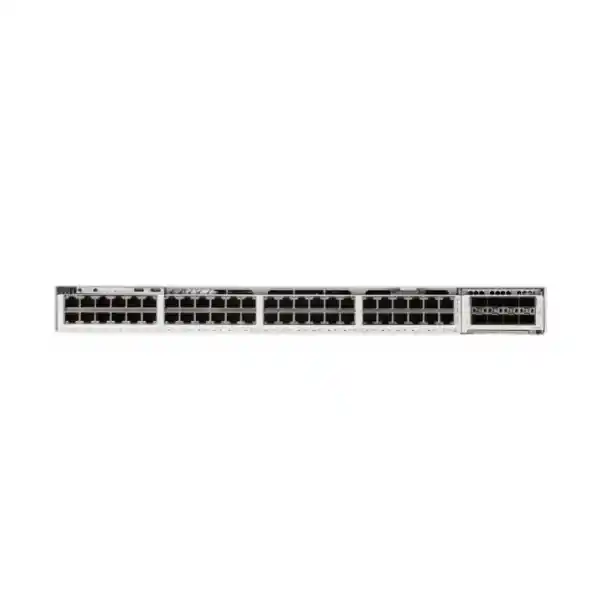
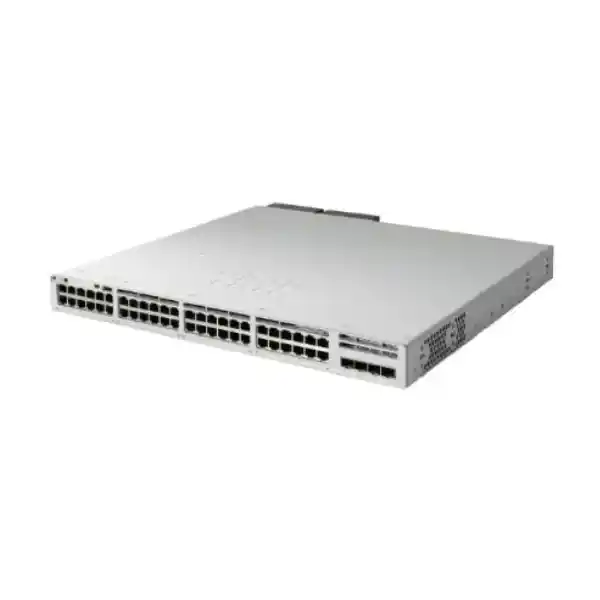
Cisco C9350-48P Smart Switch
The Cisco C9350-48P is designed for organizations that need a high-density, resilient access switch for users, phones, cameras, wireless access points, building systems and other Ethernet devices. It combines 48 copper Gigabit Ethernet downlink ports with PoE+ delivery of up to 30W per port, Cisco Silicon One switching, modular high-speed uplinks and StackWise-1.6T. For Tanzanian businesses planning a campus, office, hotel, education, healthcare, retail, warehouse or multi-floor network, the practical value is straightforward: one access-layer platform can connect and power a large number of edge devices while providing the performance and operational controls expected from a current Cisco enterprise switching platform.
Up to 30W PoE+ per port
StackWise-1.6T
Modular high-speed uplinks
Why choose the C9350-48P?
The C9350-48P fits the common enterprise access requirement where most endpoints still need reliable 1 Gigabit Ethernet, but the network also needs modern stacking, uplink flexibility, security, telemetry and automation. It is particularly useful when a wiring closet must support many PoE devices without moving to a higher-power UPOE model for every port. The model is therefore best evaluated as a complete access-layer building block rather than simply as a 48-port switch.
Dense powered access
Forty-eight 1G copper ports can connect a full access closet of wired endpoints. PoE+ support of up to 30W per port is appropriate for many IP phones, surveillance cameras, sensors, access-control devices and compatible wireless access points.
Scalable switching
Cisco specifies 496 Gbps bandwidth and 369.024 Mpps forwarding for this model. StackWise-1.6T allows multiple switches to operate as a coordinated stack, which can simplify management and increase access-layer scale.
Flexible uplink design
The modular uplink slot lets the design team select uplink interfaces that match the aggregation layer instead of being locked into one fixed uplink format. Supported module choices for this model include C9350-NM-2C and C9350-NM-8Y.
Operational resilience
The chassis supports multiple field-replaceable power supplies and three field-replaceable fan modules. A correctly designed power and cooling configuration can add redundancy while supporting the required PoE load.
Fast specification summary
PoE planning: the most important sizing decision
PoE sizing should be calculated from the real endpoint mix, not from the number of switch ports alone. The C9350-48P can deliver up to 30W on each of its 48 access ports. Multiplying 48 by 30W gives a maximum port-level requirement of 1,440W, but that figure is not the PoE power available from the default switch configuration. Cisco’s current datasheet specifies the PWR-C2-850WAC as the default power supply and lists 625W of available PoE with that single default supply. Additional or upgraded power supplies can increase the available budget, with supported configurations reaching the 1,440W ceiling for this model.
This distinction matters in real deployments. A floor with 30 IP phones, ten cameras and several access points may fit comfortably inside the default power budget if actual negotiated power consumption is moderate. A security-heavy site with many high-power cameras or a wireless design with power-hungry access points may require a larger budget. The correct approach is to list each powered device, its maximum expected draw, planned growth and the redundancy policy, then select the PSU configuration accordingly.
Do not specify “48 ports × 30W available simultaneously” unless the selected power-supply configuration is designed for that load. Ask for a PoE power calculation as part of the bill of materials, especially when cameras, access points and building systems are mixed on the same switch.
Power planning should also consider resilience. The chassis supports up to three hot-swappable, field-replaceable power supplies. Depending on the combination chosen, extra supplies can be used to raise PoE capacity, improve redundancy, or balance both objectives. A design that consumes nearly all available PoE under normal conditions may lose powered endpoints if a supply fails; therefore reserve margin should be part of the design. UPS capacity, rack power distribution, generator strategy where relevant, and the thermal load of the communications room should be sized together with the switch configuration.
Access-layer performance for high-density 1G networks
The C9350-48P is a 1G access model, so it is a strong fit where client and powered endpoint links are primarily Gigabit Ethernet rather than multigigabit. Cisco specifies 496 Gbps of bandwidth and a 369.024 Mpps forwarding rate for the standalone C9350-48P. When stacking is included, the published figures rise to 2,096 Gbps switching capacity and 1,559.424 Mpps forwarding. These figures help position the model for dense enterprise access while leaving higher-speed C9350 variants for edge ports that specifically need 2.5G, 5G or 10G copper.
The platform is based on Cisco Silicon One A100/L. Cisco’s current C9350 documentation describes a programmable architecture built to handle switching, routing, policy, telemetry and other access functions in hardware. Platform-scale values include up to 64,000 MAC addresses and large Layer 3 and policy tables, although practical limits and usable scale depend on software, configuration, selected SDM template and enabled features. For most buyers, the important point is that this is an enterprise campus access platform intended to do more than simple Layer 2 forwarding.
If your edge devices already require multigigabit bandwidth, the C9350-48P should not be chosen merely because it belongs to the latest C9350 family. Its downlinks are 10/100/1000 Mbps. A deployment using modern high-throughput wireless access points, workstations or devices that genuinely need more than 1G over copper should be evaluated against the C9350 multigigabit models. Conversely, if endpoints are 1G and the priority is PoE+, manageability, stacking and uplink capacity, the 48P can avoid paying for multigigabit capability that will not be used.
Modular uplinks for aggregation and core connectivity
The C9350-48P includes a modular uplink network-module slot rather than forcing a fixed uplink arrangement. This is valuable when the access layer is being connected to an existing distribution or core design, because the uplink module can be selected around available optics, fiber infrastructure, port count and target bandwidth. Cisco lists the C9350-NM-2C and C9350-NM-8Y as supported network modules for the C9350-48P.
The C9350-NM-2C provides two 40/100 Gigabit Ethernet QSFP28 uplink slots and is suitable when the design calls for a small number of very high-capacity links. The C9350-NM-8Y provides flexible high-speed SFP56-based uplinks, supporting eight 1/10/25 Gigabit Ethernet interfaces or a four-port 50 Gigabit mode. Cisco describes up to 200 Gbps of total uplink bandwidth for C9350-48P with supported modular uplink options. Exact optics, cables, breakout behavior and peer compatibility must still be validated for the chosen module and software release.
When designing uplinks, avoid choosing speed only from the access-port count. Consider oversubscription, east-west traffic between VLANs, wireless density, camera video flows, server or storage access, internet bandwidth, redundancy topology and expected growth. Two access switches with similar endpoint counts can need very different uplink designs. A branch with mostly phones and office desktops may need far less uplink capacity than a floor with many cameras, content creators or high-throughput wireless users.
StackWise-1.6T for scale and simpler operations
Cisco documents StackWise-1.6T support on the C9350-48P and describes stacks of up to eight switches. A stack can provide a single operational system for multiple physical access switches, helping reduce the number of individually managed devices and enabling resilient designs across several access-layer members. In an eight-member stack of 48-port 1G models, the physical access density can become substantial, so planning should address not only stacking bandwidth but also uplink distribution, failure domains, power, rack space and cabling.
Stacking is most useful when it simplifies a real operational requirement. For example, adjacent access switches in one communications room can be grouped to create a consistent configuration and to distribute uplinks. However, stacking does not eliminate the need for redundancy design. A complete design should consider which stack members carry uplinks, how powered endpoints are distributed, what happens during maintenance, and how many services depend on the same physical rack or power source.
Stack cables are separate ordering items and are available in different lengths. StackPower cables are also selected separately when a design uses the relevant power-sharing capabilities. The switch itself should therefore be treated as one line item in a larger solution rather than as a complete installation kit. Before ordering, confirm the stack topology, cable lengths, uplink modules, optics, power supplies, power cords, licensing and any required mounting accessories.
Security, segmentation and visibility
Modern access switching is also a security control point. The C9350 platform supports enterprise capabilities for policy enforcement, segmentation, encrypted links, endpoint visibility, flow telemetry and secure platform operation. Cisco highlights hardware access control lists, Cisco TrustSec, VXLAN, MACsec, Flexible NetFlow, SPAN/ERSPAN, IP Device Tracking and secure-boot technologies across the C9350 family. Feature availability can depend on the IOS XE release, license tier, design and adjacent Cisco systems, so a bill of materials should match the required security use cases rather than assume every capability is enabled by default.
For a typical business, segmentation starts with practical separation of users, voice, cameras, guest access, building systems, servers and management traffic. The switch can participate in that architecture through VLANs, Layer 3 interfaces, policy and access control. In larger campus environments, identity-based segmentation and centralized automation may become more important. The C9350 platform provides the hardware scale and software foundation for those designs, but the network architecture and licensing must be planned explicitly.
Visibility is equally important for troubleshooting. Cisco IOS XE supports model-driven telemetry and open interfaces such as NETCONF, RESTCONF and YANG. Flexible NetFlow and monitoring features can help operations teams understand traffic patterns and diagnose problems. These capabilities are valuable when the switch is part of a managed enterprise network with monitoring, configuration management or automation tools. Smaller deployments can still use familiar CLI and conventional network-management methods while retaining a path to more automated operations later.
Cisco IOS XE and management choices
The C9350 Series runs Cisco IOS XE. For the C9350-48P, Cisco lists IOS XE 17.18.1 as the minimum software release. Cisco also publishes recommended software guidance separately, and organizations should validate the currently recommended maintenance release when deploying or upgrading. The software decision should consider support policy, required features, compatibility with management platforms, security advisories and the organization’s change-control process.
The platform is designed for cloud, on-premises and hybrid management approaches. Cisco describes a unified operating experience across these modes, but the exact management architecture selected for a customer depends on licensing and the broader network environment. A site already standardized on Cisco enterprise management can incorporate the C9350 into centralized workflows; another site may initially deploy it using local configuration and monitoring while planning a broader automation roadmap.
Operational teams should decide in advance how configuration backups, authentication, logging, time synchronization, software images, certificate management, telemetry and device inventory will be handled. The switch includes dedicated management connectivity and console access, including RJ-45 management and console interfaces plus USB Type-C front-panel connectivity. These details matter during staging and recovery because a well-designed management path reduces dependence on production data interfaces when troubleshooting.
Licensing: select the feature level with the hardware
Cisco’s ordering workflow for C9350 requires a licensing choice, including Essentials and Advantage feature levels. The license is not an afterthought: it determines which software capabilities are available and is part of the commercial configuration of the switch. Buyers should identify the required routing, segmentation, automation, assurance, security and management functions before the order is finalized.
If the requirement is primarily standard access switching with common enterprise features, an Essentials-level option may be sufficient depending on the exact feature list. More advanced network functions may require Advantage. Because Cisco can change feature packaging and subscriptions over time, the correct method is to map required features to the current Cisco Switching Licensing matrix and quote the hardware and license together. Do not assume that a familiar feature from an older Catalyst purchase has the same entitlement structure on the C9350.
Support selection should be addressed at the same stage. The switch is a critical infrastructure component, and support requirements differ between a small branch and a large campus. The procurement discussion should therefore cover the hardware, license term, support level, software strategy and expected lifecycle as a single solution. This makes costs clearer and reduces the risk of discovering after delivery that a required capability was not included in the selected entitlement.
Where the C9350-48P fits in a Tanzania network
The C9350-48P can serve as a building or floor access switch wherever the endpoint profile is predominantly 1G and a significant share of devices benefit from PoE+. In an office, it can connect desktops, IP phones, printers and access points. In a school or university environment, it can support classrooms, staff areas, cameras and wireless infrastructure. In a hotel or hospitality environment, it can serve phones, cameras, access points and selected building systems. In a warehouse or retail site, it can aggregate cameras, terminals, wireless coverage and operational devices.
These are deployment examples, not statements about stock, installation coverage or suitability for every environment. Each site still needs a survey of endpoint counts, cable distances, fiber uplinks, power availability, rack conditions and growth. Tanzania deployments may also face different power-quality and backup-power requirements from one building to another, so UPS and generator integration should be evaluated from actual site conditions rather than assumed.
For multi-floor buildings, a common design is to place access switches near horizontal copper cabling and use fiber uplinks toward a distribution or core layer. The C9350-48P’s modular uplink architecture can support that approach, while StackWise can simplify groups of switches in the same room. Where a site has many wireless access points that require multigigabit Ethernet, or devices requiring more than 30W, another C9350 model may be a better technical fit even if the 48P appears adequate by port count alone.
Choosing between C9350-48P, C9350-48T and higher-power models
| Model type | Best fit | Key buying question |
|---|---|---|
| C9350-48P | 48 × 1G access ports with up to 30W PoE+ per port | Do most powered endpoints stay within standard PoE+ power and 1G data rates? |
| C9350-48T | 48 × 1G data-only access ports | Is PoE unnecessary because endpoints have separate power? |
| C9350-48U | 48 × 1G ports with higher-power UPOE capability | Do endpoints need more than 30W while still using 1G copper? |
| C9350 multigigabit models | Endpoints requiring 2.5G, 5G or 10G copper, depending on model | Will access points or other clients be bottlenecked by a 1G downlink? |
This comparison prevents two common mistakes: overbuying power and bandwidth that will never be used, or underbuying a 1G/30W access switch for devices that need multigigabit Ethernet or higher PoE. The right model is determined by the endpoint matrix, not by the number of ports alone.
Physical design, power and cooling
The C9350-48P is a one-rack-unit class access switch with a chassis size of approximately 1.73 × 17.5 × 15.1 inches, or 4.4 × 44.5 × 38.3 cm, before the added depth of the power supply. Cisco lists 1.73 × 17.5 × 16.5 inches with a 500W or 850W power supply installed. The published weight with the default power supply is 13.54 lb, or 6.14 kg. Rack planning should allow extra depth for power connectors, uplink optics, copper bend radius and airflow.
Cisco uses front-to-back airflow on the platform and provides three field-replaceable fan modules with N+1 fan redundancy. The rack should not obstruct air intake or exhaust. Communications rooms should be kept within the environmental range for the deployed altitude and should be designed for the combined heat load of switches, UPS systems and other network equipment. Cisco’s current datasheet lists operation from -5°C to 50°C at sea level, with lower maximum temperature at higher altitude, and a minimum ambient temperature of 0°C for cold start.
Input power and cabling must be matched to the selected PSU. The 850W supply accepts a broad AC input range according to Cisco’s published power-supply specifications. When higher-output 1600W supplies are considered, input-voltage conditions affect the maximum available PSU output. This is another reason to plan the electrical side from the final bill of materials rather than assuming that every PSU delivers its headline wattage in every installation.
Deployment checklist before ordering
List wired users, IP phones, cameras, access points, printers, controllers, sensors and other devices. Reserve ports for growth and maintenance.
Confirm that 1G downlinks meet the next several years of requirements. If key devices need 2.5G, 5G or 10G, evaluate a multigigabit C9350 model.
Add the maximum expected power of powered devices, then include sensible growth and failure margin. Select PSU capacity from that number.
Match the uplink module to the distribution switch, required link speed, fiber type, optics and redundancy design.
Decide the number of stack members, cable lengths, uplink placement, maintenance strategy and stack-power requirements before ordering accessories.
Map the required switching, routing, security, automation and management features to the current Essentials or Advantage licensing level.
Check rack depth, ventilation, ambient temperature, cable management, UPS capacity, PDU outlets and grounding practices for the site.
Validate transceivers, fiber connectors, reach, peer-switch compatibility and stack cables. These are part of the system design, not assumptions.
Common deployment scenarios
Office access layer
Connect employee workstations, phones, printers and access points on one managed access platform. VLAN and policy design can separate user, voice, guest and management traffic.
Video surveillance edge
Power and connect many standard PoE+ cameras while using high-speed fiber uplinks toward recording or data-centre resources. Camera wattage and aggregate video traffic should be calculated before sizing.
Education campus
Serve classrooms, staff networks, voice, surveillance and wireless infrastructure with a stackable access design. Growth planning is important where additional classrooms or access points are expected.
Hospitality and retail
Support phones, point-of-service networks, cameras, access points and operational devices while keeping business, guest and management traffic logically separated.
Branch consolidation
Use a high-density switch to consolidate several smaller access switches when the rack, power and failure-domain design supports it. Modular uplinks provide flexibility toward WAN-edge or core equipment.
Smart-building connectivity
Connect compatible sensors, access-control endpoints, cameras and other Ethernet building systems. Confirm device power class and network segmentation requirements before deployment.
Migration from older access switches
Organizations replacing older Catalyst access switches should treat migration as an architecture review rather than a like-for-like hardware swap. Port count is only one input. Existing uplinks may be 1G or 10G while the C9350 can support much faster modular uplinks. Older PoE budgets may be lower or may have been accumulated across several chassis. Existing stacks may use a different stacking technology or cable type. Licensing and software operations can also differ from previous generations.
Start by exporting the current inventory and configuration, then classify the configuration into services: VLANs, trunks, routing, first-hop redundancy, QoS, voice settings, security controls, authentication, multicast, monitoring and management. Identify commands or features that need redesign rather than direct conversion. A staging plan should include a lab or pre-deployment validation where possible, especially for authentication, voice, wireless, cameras and any applications sensitive to network changes.
Cable and optics validation should happen early. Copper access runs should meet the required Ethernet standard and distance. Fiber uplinks should be checked for connector type, fiber type, link distance and transceiver compatibility on both ends. If the new design increases uplink speed substantially, verify that the distribution or core switch can support the intended interface type and that the fiber plant is appropriate for that speed.
Operational considerations after installation
After installation, monitor more than interface up/down status. Track PoE consumption and remaining budget, power-supply state, fan state, temperature, stack health, uplink utilization, errors, CPU and memory trends. Baseline the switch when the site is operating normally so deviations are easier to identify later. For PoE environments, record which critical devices are attached to which ports and which switch members, because this makes failure planning and maintenance more predictable.
Configuration management should include regular backups and a documented recovery process. Access credentials, AAA integration, logging destinations, NTP, SNMP or telemetry, management ACLs and software-image management should follow the organization’s security policy. Where centralized automation is used, device onboarding and template controls should be tested before broad rollout. Where local CLI management is used, change documentation becomes especially important.
Software maintenance should be planned, not postponed indefinitely. Cisco publishes software release notes and recommended release guidance for the C9350 family. Before an upgrade, review feature requirements, resolved defects, known caveats, compatibility with management systems and the maintenance method used in the environment. A current software strategy is part of operating a security-sensitive enterprise access switch, not an optional administrative task.
What to include in a complete C9350-48P bill of materials
A complete purchase usually involves more than the C9350-48P chassis. The exact list depends on the design, but buyers should verify the uplink network module, transceivers or direct-attach cabling, stack cables, any StackPower cabling, additional power supplies, power cords, required mounting accessories, software licensing, support and any SSD option used for application hosting. The switch should also be checked against the rack and electrical plan.
For a single standalone switch, the list may be relatively simple. For a multi-switch stack, every accessory should be counted per topology rather than per chassis. Stack-cable length depends on physical placement. Uplink optics depend on the distribution connection. Secondary or tertiary PSUs depend on PoE requirements and redundancy policy. Licensing depends on the feature plan and term. A structured bill of materials avoids partial deliveries that leave the hardware unable to be commissioned as designed.
The exact Tanzania listing SKU could not be independently verified from a public FourTeck Tanzania product page during preparation of this content, so no retailer-specific SKU, local price, stock status, warranty period or delivery promise is stated here. Those commercial details should be confirmed from the actual quotation or approved product record for the customer.
Frequently asked questions
Does the Cisco C9350-48P have 48 PoE ports?
Yes. Cisco specifies 48 copper downlink ports supporting 10/100/1000 Mbps and PoE+ up to 30W per port. However, the amount of PoE power available to all ports at the same time depends on the installed power-supply configuration.
Can it provide 30W to all 48 ports at once?
The port-level maximum adds up to 1,440W, but the default single 850W PSU does not provide that full PoE budget. Cisco’s current datasheet lists 625W available PoE with the default PSU. Additional or upgraded PSU configurations are required to reach higher PoE budgets, including the 1,440W maximum.
Is the C9350-48P a multigigabit switch?
No. Its 48 access ports support 10/100/1000 Mbps. If endpoints need 2.5G, 5G or 10G copper, choose a suitable multigigabit model from the C9350 family instead.
What uplinks can be used?
Cisco lists the C9350-NM-2C and C9350-NM-8Y as supported network modules for the C9350-48P. These provide flexible high-speed uplink options, including 40/100G on the 2C module and 1/10/25G or selected 50G operation on the 8Y module. Exact optics and configuration should be validated for the intended design.
How many switches can be stacked?
Cisco documents StackWise-1.6T support and up to eight C9350 switches in a stack. Stack design should include the correct stack cables, physical arrangement, uplink placement and power strategy.
What is the switching capacity of the C9350-48P?
Cisco specifies 496 Gbps bandwidth and 369.024 Mpps forwarding for the C9350-48P. With stacking included, Cisco lists 2,096 Gbps switching capacity and 1,559.424 Mpps forwarding.
Which Cisco IOS XE version does it require?
Cisco lists IOS XE 17.18.1 as the minimum software requirement for C9350-48P. For production deployment, use Cisco’s current release guidance and confirm feature compatibility before selecting an image.
Does the switch include redundant power supplies?
One power supply is included by default according to Cisco’s platform documentation. The chassis supports up to three field-replaceable PSUs. Additional supplies may be selected for more PoE capacity and/or redundancy, depending on the design.
Is C9350-48P suitable for Wi-Fi access points?
It can power and connect compatible access points that operate within a 1G Ethernet downlink and a 30W PoE+ envelope. If an access point needs multigigabit Ethernet or more than 30W, select a model that meets those requirements.
What should be confirmed before requesting a quote?
Provide the required number of switches, endpoint count, PoE device list, uplink speed and media, stack size, license requirements, preferred redundancy level and any known rack or electrical constraints. This allows the hardware, modules, PSUs, optics, cables and licensing to be sized together.
Request a correctly sized Cisco C9350-48P solution
Choose the C9350-48P when your requirement is centered on high-density 1G access, up to 30W PoE+ per port, scalable stacking and flexible uplinks. Before purchase, confirm the PoE load, power-supply configuration, uplink module, optics, stack accessories, licensing and support so the delivered system matches the actual network design.
For a quotation, provide your port count, powered-device requirements, uplink design and expected stack size. This makes it possible to build a complete bill of materials without assuming price, stock, warranty, delivery time or accessory compatibility.




Reviews
There are no reviews yet.