
FourTeck Tanzania • Business access switching
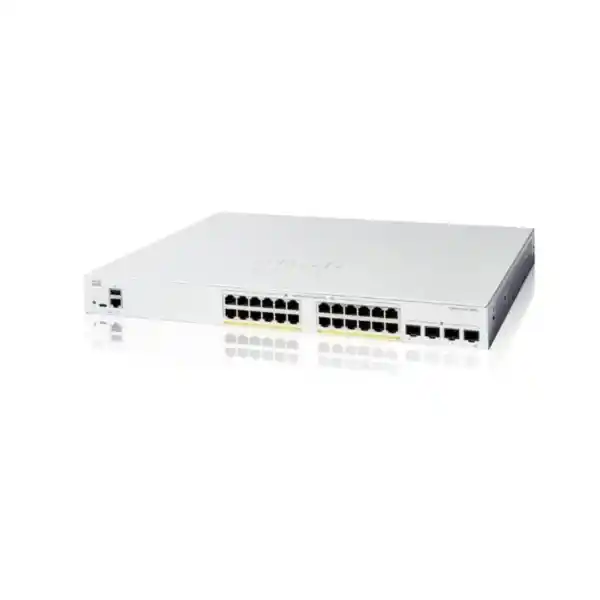
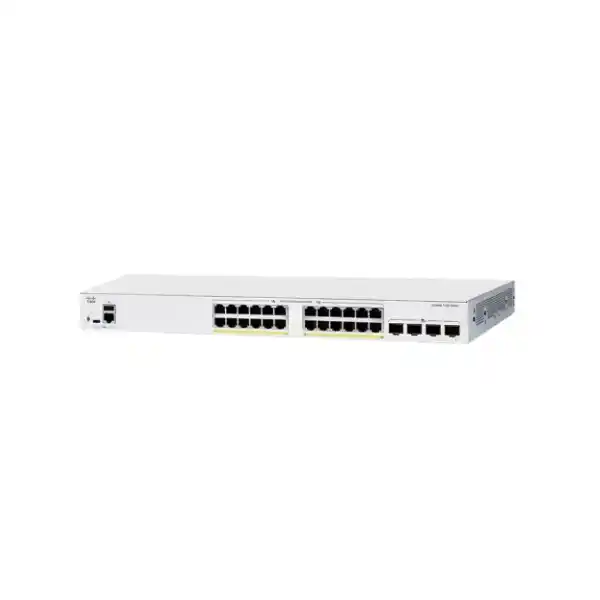
Cisco Catalyst C1200-24P-4X Network Switch
Build a business access network around the devices you actually need to connect and power. This Cisco smart switch brings Gigabit access, PoE+ and faster uplinks together for offices and branches where endpoint power requirements fit a measured shared budget. Request a model-specific quotation from FourTeck Tanzania with your phone, wireless and camera inventory so the switch, uplink accessories and deployment scope can be reviewed together.
Is this the right switch for your network?
Choose this model when the access layer needs to serve a mix of ordinary wired devices and compatible powered endpoints, with an upstream connection that can accommodate combined traffic. Start with two inventories: physical connections and power demand. A port count tells you whether devices can be plugged in; a power worksheet tells you whether the intended powered devices can operate together. Both must work before the model belongs on your purchase order.
A suitable project might combine staff computers, desk phones, printers and a modest wireless or camera deployment. Another might use the switch in one wiring cabinet feeding an existing distribution network. These are planning examples, not promises that every device in those categories is compatible. The exact phone, access point or camera can change the answer substantially, particularly when it requires more power, a higher wired link speed or vendor-specific integration.
Reconsider the selection if your design requires multigigabit copper access, higher-power Ethernet standards, extensive routing functions or an established enterprise stacking architecture. Describe those requirements before selecting equipment. Buying a familiar brand or matching the number of ports on an old switch does not establish that the new device can take over every function.
Verified hardware at a glance
Use the following figures to identify the requested model and frame a technical discussion. Treat them as hardware specifications rather than guarantees of application speed. The usable performance of a business service also depends on endpoint capability, cabling, the selected uplink and the systems beyond the switch.
| Item | Cisco specification |
|---|---|
| Copper access | 24 × 10/100/1000 Mbps RJ-45 ports |
| Uplinks | 4 × 10 Gigabit SFP+ ports |
| Ethernet power | IEEE 802.3af PoE and 802.3at PoE+; up to 30W per port within the shared budget |
| Total PoE allocation | 195W |
| Switching / forwarding | 128 Gbps switching capacity; 95.23 Mpps forwarding at 64-byte packets |
| Chassis | Rack-mountable; fanless |
| Dimensions / weight | 445 × 299 × 44 mm; 3.68 kg |
| AC supply | Internal; 100–240V AC, 50–60 Hz |
Separate port capacity from power capacity
A useful power plan begins with the maximum requirement of each powered endpoint in its intended operating mode. Collect the manufacturer specifications rather than relying only on a reading taken while equipment is idle. A camera can behave differently after dark; an access point may need extra power to enable its full intended radio configuration. Accessories can also change the requirement. Record the exact model and operating mode alongside the wattage.
For an illustrative worksheet, suppose eight phones are allocated 7W each, four access points 20W each and four cameras 10W each at the switch. The arithmetic is 56W plus 80W plus 40W, giving 176W. These are hypothetical allocations, not measurements or compatibility claims. The remaining margin is limited, and a designer should decide whether it is sufficient for start-up behaviour, power allocation and future changes. Use the switch-side allocation basis consistently rather than mixing endpoint consumption with power-source figures.
A second hypothetical plan with eight 25W allocations already requires 200W before any other devices are considered. That example shows why unused sockets do not necessarily represent usable powered-device capacity. If your calculation is too close to the available total, compare a higher-budget switch or distribute endpoints across a revised design. Do this before procurement, while changing the equipment list is still straightforward.
Specify uplinks as a complete connection
An uplink purchase should describe both ends of the link. Record the upstream switch model, the intended speed, connector type, existing fiber category and measured route length. Include patch panels and intermediate connections in the survey. A quotation that names only an SFP+ port can leave the actual transmission media unresolved, creating a delay when the hardware arrives.
For equipment in the same rack, ask whether a compatible direct-attach cable is appropriate. For links leaving the rack, evaluate the optical solution against the installed fiber and intended reach. The selection needs to account for the receiving equipment as well as this switch. Do not assume an existing transceiver is suitable because it physically fits, or that accessories described for another Cisco platform have identical support here.
Keep the uplink bill of materials explicit: device at each end, transceiver at each end where required, cable or fiber patch leads, connector details and quantity. Confirm whether each item is included or separately priced. Label the agreed speed on the network drawing and test the completed path. This makes the order reviewable and gives the installation team a concrete link specification rather than an incomplete list of sockets.
Understand what faster upstream connectivity changes
A higher-capacity upstream path is useful when several users or services share it. Consider the direction of traffic before deciding what capacity matters most. File transfers toward a central server, multiple camera streams headed to a recorder and busy wireless clients reaching shared applications can all combine at the same upstream connection. A faster link can remove a shared constraint when that constraint exists.
It does not make every attached device run at the uplink speed. The copper access interfaces remain Gigabit connections. A laptop, access point or server connected through one of those interfaces is still governed by its own link and the rest of the application path. Equally, changing a local uplink cannot increase an internet service rate or remove a storage bottleneck elsewhere in the network.
During planning, distinguish aggregate traffic from a single large transfer. Also identify whether the traffic remains within the switch or crosses the uplink. If several uplinks are proposed, document the supported aggregation or redundancy design at both ends. Avoid treating parallel cables as automatically additive capacity for every application. The correct topology and traffic distribution matter as much as the number of connected cables.
Plan separate networks for separate roles
VLAN support allows the access network to be organised around operational roles. A practical design may distinguish staff devices, voice, surveillance, guest access and management. Keep the structure understandable: every network should have a stated purpose, an address plan and an owner. Adding many segments without an access policy can make a small business network harder to operate without improving its protection.
Write down which connections carry one untagged network and which carry tagged traffic for several networks. An access point serving multiple wireless networks may need a different port configuration from a desk computer or a printer. Confirm the expected treatment at the endpoint and upstream device so the same traffic is interpreted consistently across the path. Label port roles in the configuration record.
Segmentation also requires a decision about communication between networks. Define who can reach the recorder, printers, application servers and management interfaces, and identify where those decisions are enforced. A VLAN assignment alone is not a complete access policy. Test both permitted and prohibited paths during acceptance, including guest access to internal resources and ordinary user access to administration interfaces.
Keep routing and security responsibilities clear
This platform supports static routing for relatively straightforward network designs. Before enabling routing on the access switch, decide whether the business instead needs traffic to pass through a firewall for inspection and policy enforcement. Moving a gateway can change that traffic path. The intended security outcome should determine where routing happens rather than convenience during initial configuration.
Prepare a small traffic matrix showing source network, destination service, required protocol and enforcement point. For example, a surveillance device may need to send video to a recorder while management access should remain restricted to administrators. The matrix helps a technician translate business requirements into switch and firewall settings without granting broad connectivity simply to make initial testing pass.
The switch also provides MAC, IPv4 and IPv6 access control lists. Use rules deliberately and validate their direction and scope against the firmware being deployed. Begin with a documented requirement, check essential supporting services and maintain an administrative recovery path. An access switch should be evaluated within the wider design; its filtering capabilities do not establish that it replaces every security function required by the organisation.
Review identity controls before enforcing them
For environments using port-based authentication, the 802.1X and RADIUS workflow needs more than a switch setting. Identify the authentication service, client configuration, certificate approach where applicable and operational owner. Confirm that the team can support both the expected successful login and the cases where a device cannot authenticate. Test a small pilot before changing every access port.
Phones, printers, cameras and building devices may have different authentication capabilities from managed computers. Document their treatment individually. Avoid a broad exception that silently admits everything, but also avoid enforcing a desktop authentication profile on devices that cannot use it. The objective is a repeatable access process that fits the real endpoint estate.
Do not assume port security, authentication and uplink functions can be combined in every possible way. Cisco’s administration guide documents configuration dependencies and restrictions, so check the exact intended combination on the selected release. Retain an authorised recovery method during testing. A controlled pilot should demonstrate normal operation, an authentication failure, recovery after a service interruption and the expected handling of a replacement endpoint.
Make voice quality a network-wide requirement
IP telephony benefits from predictable connectivity and an agreed traffic treatment. The switch offers voice VLAN and Quality of Service functions, but a complete call path includes more than the local access port. Identify the phone models, call-control platform, addressing services and routes to other sites or providers. Test the path used by real calls rather than relying only on successful phone registration.
Agree where voice markings are trusted and where traffic is classified or remarked. Applying high priority indiscriminately can undermine the purpose of prioritisation. Consider what happens when a user transfers a large file or several cameras send traffic while a call is active. The acceptance test should include a realistic busy period so that shared-link behaviour is visible.
Where a phone and computer share a desk connection, verify the endpoint arrangement and required data and voice configuration. Keep phone power allocation in the same worksheet as access points and cameras. A deployment can have spare data capacity yet still encounter a power limitation. Confirm any required telephone-system licensing or services separately; purchasing this switch alone does not establish a complete working telephone solution.
Check wireless access points individually
A wireless design should specify each access point’s Ethernet speed, required PoE standard and operating power mode. Some access points can operate with reduced features when the supplied power is insufficient, so merely seeing the device start is an incomplete acceptance test. Confirm the radio and feature configuration you expect to use, then check that the wired connection supports it.
Place access points according to coverage and capacity planning rather than the easiest available cable route. The switch sits at the wired edge of that design; it cannot correct poor radio placement, interference or insufficient wireless capacity. An office with a few meeting rooms and a hospitality site with many guest devices may need very different wireless plans even if their switch port counts look similar.
Use the Cisco wireless access point selection guidance for Tanzania when preparing a combined wireless and switching request. Provide the exact access point models and intended operating modes. Confirm controller or management requirements independently, since a wired connection and sufficient Ethernet power do not by themselves establish wireless platform compatibility.
Design camera connections around recording needs
For surveillance projects, collect more than the number of cameras. Record expected stream rates, recording destination, viewing patterns and whether traffic crosses an uplink. A recorder attached locally and a recorder reached through another cabinet create different traffic patterns. Remote viewing can introduce additional paths that need review with the security and network teams.
Power should be assessed using the camera’s required mode and accessories. Infrared illumination, heaters or moving mechanisms can affect requirements on applicable devices. The fact that a product is called an IP camera says little about its maximum Ethernet power needs. Use its exact technical documentation and avoid assuming this switch can power every surveillance device.
Keep recording access and administrative access separate in the policy. Test that video reaches the authorised destination while ordinary users cannot freely administer cameras. Include a restart test so that the team can observe simultaneous device recovery and verify the power plan. Document the expected image availability and recovery process as part of the surveillance project rather than treating a lit link indicator as proof that the recording system is ready.
Choose a management process the team can maintain
Day-to-day administration can use the on-box web interface or CLI, with Cisco Business Dashboard support providing another management option. Select an approach based on who will operate the network after handover. A small team may prioritise clear visibility and simple changes; a larger organisation may need consistent monitoring, configuration records and controlled access across several sites.
Assign a named owner for administrator access, configuration backups and maintenance decisions. Store credentials in the organisation’s approved system and avoid making continued operation depend on one person’s laptop. Record the management address, permitted administration path and recovery method. These practical details often determine how quickly an issue can be resolved.
Review firmware and management dependencies before rollout. A feature described in current documentation may require a suitable software release or a supporting service. Confirm the intended combination rather than assuming every installed version behaves identically. Agree what the team will monitor and who receives actionable alerts. A dashboard is most useful when someone owns the response to a problem.
Install for ventilation, access and maintainability
A fanless chassis still needs an appropriate environment and clear ventilation. Locate the switch where cables can be dressed without covering openings, and keep access available for maintenance. Consider heat from adjacent equipment and the conditions inside a closed cabinet, rather than only the temperature in the room. Follow the current installation instructions for the supplied unit.
Measure the rack space and usable depth before ordering. Include room for the power lead, patch cables and fiber bend requirements. Check how a technician will reach the rear and identify cables during a service visit. A crowded cabinet can turn a simple device replacement into a longer outage if connections are difficult to trace or safely remove.
Plan grounding, electrical protection and any backup power with the site’s qualified personnel. This is indoor business networking equipment; do not infer suitability for exposed, dusty or harsh locations without a separate environmental assessment. If a remote cabinet serves external devices, review the whole cabling route and protection design. The equipment location and cable infrastructure deserve the same care as the switch selection.
Size backup power around the working installation
The Ethernet power budget represents power available for endpoints, not the full electrical load to use when selecting a UPS. Include the switch’s own demand, the attached powered devices and other equipment that must remain available. The upstream router, firewall, optical equipment or recorder can be just as important to continued service as the access switch.
Define the required runtime and the business activity it supports. Keeping phones and the internet path available may call for a different backup arrangement from keeping an entire surveillance installation recording. Ask for UPS sizing against the expected complete load, appropriate margin and the battery condition assumptions. A wattage rating alone does not tell you how long the installation will operate.
Document a recovery sequence after a prolonged outage. Check that necessary upstream services return, powered devices reconnect and critical applications resume. Include the effect of simultaneous endpoint start-up in the assessment. These are project planning checks for any site with continuity requirements; they should be based on the installation rather than an assumed pattern of local electricity supply.
Compare nearby Catalyst 1200 variants carefully
Small differences in the model suffix can change the equipment you receive. Keep the complete part number on the quotation, purchase order and receiving checklist. Where an alternative is proposed, ask for a written explanation of the changes to power budget, uplink interfaces and other requirements before accepting the substitution.
| Model | Key distinction | Selection question |
|---|---|---|
| C1200-24P-4X | 24 PoE+ access ports; 195W; four 10G SFP+ uplinks | Does the calculated powered-device load leave suitable headroom? |
| C1200-24FP-4X | 24 PoE+ access ports; 375W; four 10G SFP+ uplinks | Is a larger shared power allocation required? |
| C1200-24P-4G | 24 PoE+ access ports; 195W; four Gigabit SFP uplinks | Is Gigabit upstream connectivity sufficient? |
| C1200-24T-4X | 24 data access ports; four 10G SFP+ uplinks; no PoE | Will endpoints use a separate suitable power source? |
A higher total power allocation does not automatically change the supported per-port power standard. Likewise, a model with faster uplinks does not automatically provide faster copper access. Compare the exact requirement that prompted the alternative so the purchasing decision stays tied to the deployment.
Approach an existing-switch replacement as a migration
Before removing an old switch, document what it actually does. Capture port assignments, VLANs, uplinks, management access, routing responsibilities and any dependencies on neighbouring equipment. Include less visible connections such as a printer in a back office or a link feeding another cabinet. A replacement plan based only on the ports that appear busy during one visit can miss important services.
Review configurations against the target platform instead of pasting commands without checking them. Familiar terminology does not establish identical syntax, software behaviour or feature scope. If the old installation depends on stacking, enterprise routing or a particular management system, verify those requirements independently before considering this model a replacement.
For a project specifically retiring that older family, review Catalyst 2960-X replacement planning alongside the existing inventory. A model-specific product page cannot establish equivalence to every older switch. Plan a change window, preserve a rollback option and define which applications must be tested before the migration is accepted.
Turn the purchase into a complete bill of materials
Ask for each necessary component to appear clearly in the offer. The switch is one line item; uplink media, compatible transceivers or direct-attach cables, fiber leads, patching and power arrangements may require others. Confirm package contents against the actual supplied item, including any mounting hardware and country-appropriate power connection. Do not assume a photograph or a general family description defines what will be delivered.
Separate equipment from optional assistance. If installation, configuration, migration or ongoing support is required, describe the requested scope and obtain written confirmation that it is offered for your project. State who provides addressing details, existing backups and access to neighbouring systems. A defined scope helps both procurement and technical teams evaluate the same proposal.
For Tanzania orders, request a written commercial offer with currency, applicable charges, delivery arrangements and current lead time. Confirm availability for the requested quantity and exact variant. Obtain the applicable warranty and support terms, including the handling process, without assuming a particular service level from the brand name. Keep unconfirmed commercial details out of internal budget commitments until they are documented.
Use a staged commissioning checklist
Start with a controlled setup before attaching every production device. Confirm the received model, physical condition and agreed accessories. Establish authorised management access, apply the approved baseline and record the software release. Save a configuration backup at a meaningful point so that the installed state can be recovered and compared with later changes.
Connect a representative device from each intended role: user data, phone, wireless and surveillance where applicable. Check addressing, required destinations and expected restrictions. Then validate the uplink path and the power allocation with the complete planned endpoint set. A staged approach makes faults easier to locate because fewer assumptions change at once.
Record results against business services rather than only interface status. Examples include an internal application opening, a completed voice call, a guest session remaining isolated and recorded video being available to an authorised viewer. Test recovery within an agreed maintenance window. Finish by handing over the port schedule, topology, access records and outstanding issues so the operational team knows what was actually accepted.
Keep room for measured growth
Growth planning should track three separate resources: physical ports, endpoint power and shared traffic capacity. Adding a few access points can affect all three, while adding ordinary wired computers may mainly affect ports and traffic. Update the relevant worksheet when a change is proposed instead of assuming that a lightly occupied panel guarantees room for expansion.
Decide how much unused capacity is appropriate for your business and budget. There is no universal percentage that suits every installation. A stable small office and a site expecting a near-term wireless refresh have different needs. Use known projects, likely desk moves and equipment replacement plans to justify the margin.
Maintain a simple change record showing what was added, where it connects and how its requirements were checked. When the design approaches a limit, compare a planned expansion with replacing the whole access layer. The aim is to make the next purchasing decision predictable, supported by current inventory and usage rather than an emergency triggered by the first device that cannot be accommodated.
Buyer questions
Can every access port supply its maximum rated power at once?
No. Per-port capability and the shared power allocation are separate limits. Prepare a total allocation using the exact endpoints and their required operating modes. If the combined requirement is too high, revise the endpoint arrangement or compare a model with an appropriate power budget before ordering.
Will this switch give my access points multigigabit copper connections?
Its RJ-45 access interfaces are Gigabit. A wireless project that requires faster copper links needs a different access-switch specification. Match the Ethernet requirement of each access point to the switch rather than selecting only by wireless generation or the speed of the upstream ports.
Are optical modules and cables included?
Confirm this in the exact written offer. Describe the connection at both ends and ask for compatible optics, direct-attach cables or fiber leads as applicable. Do not treat an empty uplink port, a product illustration or a generic package description as confirmation that the required accessories are included.
Can it replace my existing Cisco switch directly?
That depends on the existing switch’s duties. Review configuration, uplinks, power, routing, management and resilience requirements first. An apparently similar port layout does not prove operational equivalence. Keep a tested migration and rollback plan for any change affecting production services.
How should I request the Tanzania price?
Send the exact model, quantity, endpoint inventory and uplink details to FourTeck Tanzania with your quotation request. Ask for current pricing, charges, lead time, delivery arrangements and applicable terms. These commercial details must be confirmed for the order rather than inferred from the product’s technical specification.
What should be checked if an endpoint powers up but does not work fully?
Check the required power mode, allocated power, Ethernet negotiation, network assignment and supporting services. Starting successfully is only one part of operation. Compare the endpoint’s intended feature configuration with its own documentation, then test the actual business function through the complete network path.
Prepare useful fault information
If a connection fails after deployment, record the affected device, switch port, time and visible symptoms before changing several settings. Compare a working connection with the affected one and identify what changed most recently. A cable move, endpoint replacement or upstream configuration change can be more informative than a general report that the network is slow.
Separate power, physical link and application checks. A powered endpoint can still lack the correct network assignment, and a healthy link can still lead to an unavailable service. Use an approved diagnostic process to narrow the fault and preserve relevant logs. Avoid resetting production equipment as the first step, since that can remove evidence and interrupt unaffected users.
Keep the installation records available to the support team. An accurate port map and a recent configuration backup make it easier to distinguish an endpoint problem from a cabinet-wide issue. Include these records in the operational handover rather than waiting for the first incident to create them.
Request a model-specific quotation
Ask FourTeck Tanzania for the Cisco Catalyst C1200-24P-4X with a complete accessory and deployment review. Provide the number of switches, endpoint models and quantities, their power requirements, the upstream equipment, link distance and media, and any existing configuration that must be preserved. State your required delivery location and preferred project timing so the commercial response can address the actual order.
- Confirm exact hardware and quantities.
- Review the power worksheet and intended growth.
- Identify compatible uplink components.
- Agree any requested implementation scope separately.
- Obtain written price, availability, lead time and applicable terms.
Use the resulting quotation to approve the complete installation, with equipment and responsibilities clearly identified before ordering.




Reviews
There are no reviews yet.