
24 wired connections with room for a faster backbone
CISCO CATALYST 1200 • TANZANIA PRODUCT ENQUIRY
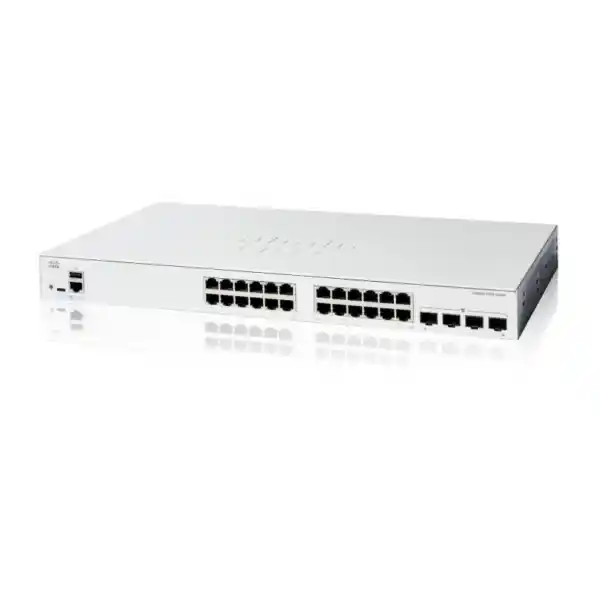
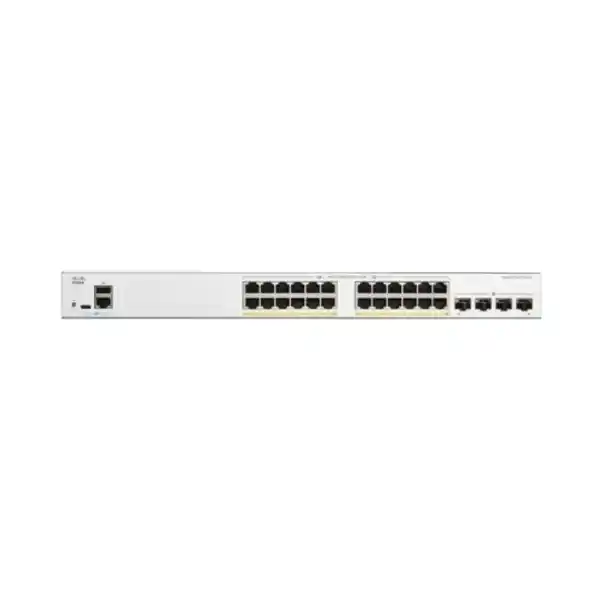
The Cisco Catalyst C1200-24T-4X Network Switch suits Tanzania businesses that need a managed access switch for ordinary wired devices while keeping higher-capacity links available upstream. Its core configuration combines 24 Gigabit Ethernet RJ-45 ports with four 10 Gigabit Ethernet SFP+ interfaces. It is a data-only model: phones, wireless access points and cameras that require Power over Ethernet need a separate, suitable power arrangement. Request a quotation from FourTeck Tanzania with your endpoint count, uplink requirements and intended deployment so the proposed equipment matches the actual network.
The purchasing decision starts with two separate questions: how many devices need a connection, and where their combined traffic must travel. A desktop may need only a standard access connection, while many desktops transferring files at once can place a larger demand on the connection to shared infrastructure. Treat those requirements separately when sizing the network. The switch is a candidate for a small office, a department, or a branch where the network team wants more control over connections than an unmanaged device provides.
Verified specifications at a glance
| Specification | Verified configuration |
|---|---|
| Manufacturer and model | Cisco Catalyst C1200-24T-4X |
| Access interfaces | 24 Gigabit Ethernet RJ-45 |
| Additional interfaces | 4 × 10 Gigabit Ethernet SFP+ |
| PoE output | None; data-only access ports |
| Switching capacity | 128 Gbps |
| Forwarding rate | 95.23 million packets per second, 64-byte packets |
| Management | On-box web interface and command-line interface |
| Network functions | VLANs, QoS, ACLs, spanning tree, LACP and static routing |
| Chassis dimensions | 445 × 240 × 44 mm, width × depth × height |
| Unit weight | 2.78 kg |
| AC input | Internal supply, 100–240 V, 50–60 Hz |
Capacity and packet-forwarding figures describe the switching hardware under the manufacturer’s stated conditions. They are not a promise that a file transfer, internet service, or application will run at those rates. Application results depend on the complete path, including the endpoint, selected link, storage system, protocol overhead and any shared connection. Use the table to compare hardware, then size the design around the traffic that matters to your business.
Decide whether this model fits your network
A good fit is an office with mainly independently powered computers, printers and other wired equipment, where the access network needs a faster path to an upstream switch or shared resource. Start with a count of active sockets rather than a count of staff. A workstation area may include a computer, printer, meeting-room endpoint and spare socket, so employee numbers alone can understate the number of connections required. Record each device type and its expected location before choosing quantities.
Consider a different specification if the project depends on switch-delivered power, faster-than-Gigabit desktop connections, or a particular enterprise platform feature. Write those needs into the enquiry instead of assuming that all Catalyst switches offer identical capabilities. Also identify any requirement for a shared management or hardware redundancy architecture across several switches; the proposed design should explicitly demonstrate that requirement. A model name and port total are useful starting points, but the operational requirements decide whether the purchase is appropriate.
- Suitable starting point: a wired office or department with separately powered endpoints.
- Check carefully: mixed phone, wireless and surveillance projects that require PoE.
- Specify separately: uplink media, accessories, security policy and the network’s growth plan.
Plan access ports around real device use
Build a port schedule that shows the room, wall outlet, patch-panel position and device connected to each proposed switch interface. Keep a separate count of installed outlets and simultaneously active outlets. An office may have many spare wall sockets but fewer live connections; another may need every socket active during busy periods. That difference influences both the number of switches and the patching arrangement, and it is easier to resolve before equipment arrives.
Include near-term changes in the schedule. New workstations, an extra printer, temporary project seating and meeting-room equipment can consume remaining connections sooner than expected. Reserve a deliberate amount of spare capacity that suits your growth plan rather than choosing an arbitrary percentage. If two areas need separate switches, decide which devices belong on each one and how the areas connect upstream. A clear schedule also gives the support team a practical reference when a user changes desks or reports a disconnected device.
Understand what the uplinks change
The SFP+ interfaces are useful when traffic from many access devices must reach shared infrastructure. Think about the busiest path rather than adding together every advertised port speed. If users mainly browse cloud applications through a modest internet connection, the WAN may remain the dominant constraint. If they regularly reach a local file server, backup target or centralized system, the internal path may deserve more attention. Measure the workload where possible and identify where queues or slow transfers actually occur.
Document the upstream equipment’s exact model, available interfaces and current use. A faster connection requires the two ends and the intervening media to agree on a supported configuration. Reserve interfaces for the intended topology before assigning every available connection to a short-term need. If several upstream links are planned, define their purpose: additional aggregate capacity, a separate traffic path, or resilience. These are different design objectives and should each have a clear configuration and test plan.
Select optics, fiber and direct-attach cabling as a complete link
Choose the link components together with the switch. For fiber, record the installed fiber type, approximate route length, connector arrangement, patch-panel connections and the interface at the far end. The transceiver must be supported by the relevant equipment and suitable for that fiber path. A connector that physically fits is insufficient evidence of compatibility. Ask for the exact transceiver part numbers in the quotation and confirm both ends before approving accessories.
For a short connection within a cabinet, a compatible direct-attach assembly may be worth evaluating. Check the required reach, cable routing and support on both devices. For a longer fiber path, account for patch leads and any intermediate distribution panels rather than quoting only the measured distance between cabinets. Existing optics can sometimes reduce the accessory order, but inventory them first and validate their suitability. Do not assume modules are included with the switch unless the quotation expressly lists them.
Keep the cable schedule with the final bill of materials. Label the two ends of each link consistently so an installer can associate the physical connection with the logical port assignment. Where the route is difficult to access, consider how future replacement or troubleshooting will be carried out. This small amount of planning avoids an otherwise complete installation being delayed by an incompatible module, an unsuitable lead, or an unrecorded connection at the remote cabinet.
Account for the absence of PoE before ordering
This model’s data-only design is important in a mixed endpoint network. A device can have a working Ethernet data connection and still require a separate source of electrical power. Check every phone, access point and camera against its own power requirements. Where an injector or local adapter is proposed, verify the required standard, output, connection arrangement and manufacturer guidance for that particular device. Record who will provide the power equipment and where it will be installed.
If the project includes many powered endpoints, compare the complete installation against a suitably specified PoE switch. The comparison should include injectors or adapters, mains outlets, cabinet space, backup power and maintenance effort. If the endpoint count is small and local power already exists, a separate power arrangement may be practical. The right choice comes from the full deployment rather than the switch’s headline price. Do not rely on the Ethernet cable itself as evidence that the selected model will power a connected device.
Use VLANs to express a clear traffic policy
Before configuration, draw up a simple traffic policy describing which groups should share a network and which should be separated. Typical groups might include staff computers, guest access, administration systems and infrastructure management. These are planning examples, not a required template. Choose groups that reflect how your organization operates, and record the reason for each boundary so future changes can be assessed against the original intention.
Assign ownership of the addressing plan, VLAN identifiers and gateway locations. The switch configuration must agree with the upstream network and any wireless equipment carrying the same traffic. A mismatch can leave devices connected physically but unable to reach their intended services. Explain which ports carry a single endpoint network and which links carry several networks, then label and document those roles. The practical outcome should be a predictable path from each endpoint to its permitted destinations.
Segmentation also needs a policy enforcement point. Merely creating separate networks does not define which application sessions should be allowed between them. Decide where that control will live, how exceptions will be approved, and how the support team will verify the result. Keep the policy understandable enough that a new administrator can explain why an endpoint has access to a service. Avoid accumulating unexplained exceptions that make later troubleshooting and security reviews unnecessarily difficult.
Place routing and security controls deliberately
Static routing support can be relevant to a modest network, but selecting a routing location deserves a separate design decision. List the networks that must communicate and identify their gateways. For each required path, consider the return path as well as the outbound one. If a firewall is expected to inspect communication between departments, the topology must preserve that inspection point. Moving traffic to a different gateway without reviewing the policy can change which controls actually see it.
Ask the proposed design to show how internet access, internal applications and administrative access will work together. Keep the switch’s role proportionate to its verified capabilities and the required scale. Projects needing complex routing behavior should state that explicitly and have the selected platform checked against the requirement. A clear network diagram and short policy table are more useful at procurement stage than an assumption that a familiar brand automatically provides every routing or security function.
Match traffic priority to an identified problem
Quality of service is most useful when the team knows which traffic is sensitive and where congestion can happen. For example, an interactive conversation and a background transfer have different tolerance for delay. Document the relevant applications, expected busy periods and existing marking policies before applying a new scheme. Decide which devices or interfaces may supply trustworthy traffic markings, and avoid granting elevated treatment merely because an endpoint asks for it.
Test the result along the real application path. Prioritization at one switch does not establish the behavior of a separate WAN, wireless system, firewall or service provider network. Compare application performance before and after the policy change under representative load. Keep the number of traffic classes manageable and explain what each one protects. If the problem is insufficient basic capacity, a priority policy alone may leave the underlying bottleneck unresolved; check the capacity plan at the same time.
Build resilience around the whole path
A reliable access network depends on more than the switch chassis. Identify the devices, cables and power sources whose failure would interrupt important work. A second uplink may address one risk while leaving the same upstream device or power source as a common point of failure. Write down the failure scenarios that matter to the business and ask the network design to show the expected result for each one.
Where link aggregation is proposed, check the design at both ends and understand how traffic is distributed. Several member links should not be treated as a guarantee that one individual transfer receives their combined bandwidth. Where alternate Layer 2 paths exist, define the spanning-tree design and the intended forwarding path. Connect redundant cables only as part of an agreed configuration; unplanned parallel connections can create operational problems.
Make resilience measurable at acceptance. For an approved test, remove one planned link at a time and observe the impact on the relevant applications, then restore it and verify the normal state. Record which interruptions are expected and which indicate a fault. The business can then judge the design against its actual tolerance for downtime instead of relying on a general description of redundancy.
Keep switch administration controlled and recoverable
Choose a management address and access method that fit your organization’s administration process. Limit access to the people and systems responsible for operating the network. Keep management traffic on an intended path and make sure support staff understand how they will reach the switch if the normal user network has a problem. Plan a local recovery method before the installation is handed over.
The platform offers a web interface and CLI, so select the workflow your administrators can maintain consistently. Cisco’s CLI documentation describes console access and SSH access, with network management access requiring appropriate setup. Prefer encrypted administration methods where configured and supported. Review which services are enabled, use individual administrative accountability where the deployment supports it, and store credentials in an approved secure system rather than a cabinet label or shared document.
Document the recovery procedure alongside the final configuration. Include the management address, device identity, connection instructions and location of the approved backup, while keeping secrets in their proper secure location. The aim is to let an authorized administrator restore service during an incident without depending on the memory of the original installer.
Prepare the cabinet, power and cabling environment
Measure the intended installation space and allow for the chassis, cable bends, connectors and access for maintenance. The switch’s listed dimensions describe the device, not the total space occupied by connected cables and nearby equipment. Check the mounting arrangement and the exact accessories included in the proposed supply. Use the relevant hardware installation guidance when deciding clearances, mounting and the final cable route.
Keep ventilation openings clear and assess the actual environment inside the cabinet under operating conditions. A room that feels comfortable does not establish the temperature around densely installed equipment. Check for dust, moisture, blocked airflow and accidental physical access. Where quiet operation is a requirement, obtain the exact model’s acoustic information before placing the device in an occupied workspace; characteristics of another model in the series are not sufficient.
Power continuity should follow the business requirement. If a UPS is part of the plan, include the upstream network and any locally powered critical endpoints when deciding what must remain available. Verify the supplied power lead and site electrical arrangement rather than assuming a regional package detail. Ask a suitably qualified person to address site electrical questions. Keep safe access to power connections and an identifiable procedure for planned shutdowns.
Commission the network before users depend on it
Start commissioning with an agreed port map and a known configuration baseline. Record the received device identity and inspect the supplied accessories against the order. Confirm how the switch will be administered, which software release is intended, and who is responsible for accepting the configuration. Resolve discrepancies before connecting critical systems so the installation begins from a documented state.
Cisco’s initial web setup guidance includes setting new administrative credentials and establishing the management addressing. For your deployment, prepare the address information in advance and confirm that it will not conflict with another device. Keep access to the management station during addressing changes because the administration session may need to move to the new address. Save the intended configuration and verify that the stored startup state matches the approved design.
Connect and validate the upstream path before moving every endpoint. Then bring across devices in manageable groups, checking the expected network and application access for each group. Keep an issue log that distinguishes patching problems, addressing problems and application problems. This makes troubleshooting faster and gives the team a clear record of anything still awaiting resolution before business acceptance.
Use an acceptance checklist that reflects your applications
A link indicator is only the first acceptance check. Confirm that representative endpoints obtain the intended addressing, reach their gateway and access the services permitted for their role. Test printing, file access, line-of-business applications and any other functions the site considers essential. Where guest or restricted networks exist, verify both permitted access and the boundaries that should block unrelated services.
Include a realistic busy-period check. Run representative concurrent activity and observe whether the selected uplink and upstream infrastructure behave as expected. Define what counts as acceptable performance before testing; a vague expectation of faster networking is difficult to sign off. Record the endpoints, path and workload used so later comparisons have a meaningful baseline.
Check the operational handover too. An authorized administrator should be able to reach the management interface, identify a particular endpoint port and locate the final backup. Confirm that the configuration survives an approved restart during a suitable maintenance window. Finish with an agreed list of accepted results, open issues and named owners. This gives procurement and the technical team the same understanding of what has been delivered.
- Connectivity: correct network membership, addressing and required application access.
- Policy: expected isolation and administrator access paths.
- Capacity: representative traffic across the intended uplink.
- Recovery: saved configuration, accessible backup and documented ownership.
Replace an existing switch with a controlled cutover
When the purchase replaces installed equipment, collect the current configuration and physical patching record before disconnecting anything. Note which connections are trunks, which carry special endpoint requirements and which support critical services. Photographs and clear labels can complement a written schedule, but they should not replace a usable mapping between old and new interfaces. Confirm that the replacement design preserves every required behavior.
Prepare a maintenance window that reflects the affected business processes. Tell the site owner which systems may be interrupted and define who can decide whether the change is successful. Keep the previous equipment and configuration available for a planned rollback until the new installation has passed the agreed checks. Set a decision time within the window so the team has enough time to restore the earlier state if needed.
Treat the old configuration as input for review. Translate its intent into settings supported by the selected model and software rather than assuming another Cisco platform uses identical syntax or behavior. Remove obsolete exceptions only through an approved design decision. After the cutover, update the port map and asset record immediately so support staff do not continue using information that describes the retired equipment.
Create a maintenance routine the team can sustain
Choose an owner for software review, configuration backup and periodic inspection. Cisco publishes product documentation, firmware information and support material for the Catalyst 1200 family; use the material applicable to the exact device and intended release. Evaluate release changes against the site’s requirements instead of assuming that the newest file is automatically the right deployment choice.
Cisco’s firmware upgrade instructions call for a configuration backup and explain that applying an update requires a reboot. Plan an attended maintenance window with a recovery path and obtain the correct image through the appropriate official channel. Follow the instructions for the selected release, including any prerequisites. After maintenance, check the device state, saved configuration and important services before closing the change.
Keep a simple change history with the date, reason, administrator and resulting software or configuration version. Store backups securely and retain a known working version according to your organization’s process. Periodically confirm that the recovery documentation is still usable and that ownership has not been lost after staff changes. Maintenance becomes more predictable when these tasks are assigned explicitly rather than left to whoever notices a problem.
Define a useful monitoring baseline
Agree which observations will help the team detect trouble early. Interface utilization, unexpected link changes and error trends can help separate a local connection issue from congestion further upstream. Choose an observation period that includes normal and busy activity, then record the results as a baseline. A single measurement during a quiet afternoon may reveal little about the site’s busiest operating hour.
Align monitoring with the tools already used by your administrators and verify the selected integration during commissioning. Decide where events will be reviewed and who responds when a threshold is crossed. An alert without an owner rarely improves recovery. Document a small set of meaningful conditions rather than collecting every possible event without a plan for interpreting it.
When a user reports slow performance, compare the timing and affected path with the baseline. Check whether the issue affects one endpoint, a group behind the same switch, or users across the site. This helps direct attention toward patching, endpoint behavior, shared links or the WAN as appropriate. Keep troubleshooting notes with the change history so recurring patterns are visible instead of repeatedly diagnosed from the beginning.
Common deployment scenarios
Office computers and shared printers
A department with mainly independently powered equipment can evaluate this model as its access switch. Count active connections, map the upstream path and reserve capacity for planned office changes. Confirm that printers and shared applications remain reachable from the intended user groups.
Branch with centralized applications
A branch design should consider both local switching and its dependence on upstream services. Identify what remains usable during a WAN interruption, how administrators gain access, and which power-backed devices are needed for essential work. The switch specification alone does not establish branch continuity.
Department connected to shared storage
Where users exchange larger local files, assess the storage system, server interface and uplink together. A faster path is useful only where it addresses an actual constraint. Include representative simultaneous workloads in acceptance rather than judging the design through a single small transfer.
Mixed wired and wireless environment
Separate the data connection from the wireless device’s electrical and bandwidth requirements. Confirm the access point’s own interface and power needs before selection. If future wireless equipment needs a different access-port specification, compare that requirement with the full switching roadmap before ordering.
Prepare a complete Tanzania quotation request
For a useful FourTeck Tanzania enquiry, provide the requested model, quantity and delivery destination together with the port schedule and uplink details. Describe whether this is a new installation, an expansion or a replacement. Include the upstream equipment model and any existing transceiver part numbers. If compatibility is uncertain, include the uncertainty explicitly so the quotation can identify what still needs verification.
Ask the quotation to distinguish the switch hardware, uplink accessories, patch leads, mounting items and any requested configuration or installation scope. Specify which items you already own and which must be supplied. If support or warranty coverage matters to the procurement decision, request the applicable written terms for the exact supply. Confirm the commercial details before committing; pricing, availability, taxes, delivery arrangements and service scope depend on the actual quotation.
For projects with several sites, describe the requirements of each site rather than assuming one configuration fits every location. A shared standard can simplify operations, but the number of endpoints, link distances and power arrangements may vary. Keep approval of the hardware separate from acceptance of an implementation scope so everyone understands what the order covers and who is responsible for the remaining work.
Frequently asked buying questions
Does this model provide PoE for phones or access points?
No. The C1200-24T-4X is data only. Check each endpoint’s power needs and specify an appropriate separate power arrangement or compare a suitable PoE model. Include power accessories in the proposed installation so a data connection is not mistaken for a complete powered endpoint solution.
Are all connections 10 Gigabit Ethernet?
No. The access side is Gigabit Ethernet; the separate SFP+ interfaces provide the faster uplink option. Select the model around both endpoint requirements and the shared traffic path. A faster backbone connection does not change the speed capability of an individual access interface.
Will this switch increase our internet speed?
The outcome depends on the current bottleneck. Review the internet service, router or firewall, Wi-Fi and wired path together. If the WAN service is already the constraint, changing the access switch alone does not increase the contracted internet capacity. Use measurements to identify where an upgrade helps.
Can we reuse existing fiber and optics?
Possibly, after checking the equipment and link requirements. Provide fiber type, route length, connector details and transceiver part numbers for both ends. Have compatibility confirmed before treating those items as reusable in the budget. Physical fit alone does not establish a supported or correctly matched connection.
Can it take over our existing switch configuration?
Review the existing configuration against the selected model and intended software. Preserve the required network behavior through a validated target configuration. Prepare backups, port mappings, a maintenance window and a rollback procedure instead of relying on an untested configuration transfer during the live cutover.
What should we send with a quote enquiry?
Send quantity, destination, endpoint count, power requirements, upstream equipment details and the intended uplink media. Add a current configuration or network diagram through an appropriate private business channel if needed for technical review, with credentials and other secrets removed. Identify any requested implementation and support scope.
Are local price and availability confirmed here?
No current Tanzania price or stock commitment is stated on this page. Request a written quotation for the exact model and accessory list. Confirm delivery arrangements, applicable charges and supply terms in that quotation so the purchasing decision uses current information for your order.
Request a Cisco switching quotation
Share your required quantity of Cisco Catalyst C1200-24T-4X switches with FourTeck Tanzania, along with the endpoint list, upstream device and preferred link arrangement. Identify any separately powered phones, access points or cameras and any equipment you plan to reuse. These details allow the proposed bill of materials to address the complete connection path rather than only the switch chassis.
Request confirmation of the exact hardware, accessories, current pricing, availability and applicable supply terms before ordering. If the network requirements are still being finalized, describe the applications and deployment constraints in the enquiry so the selected specification can be checked against them.




Reviews
There are no reviews yet.