
FOURTECK TANZANIA · BUSINESS NETWORKING
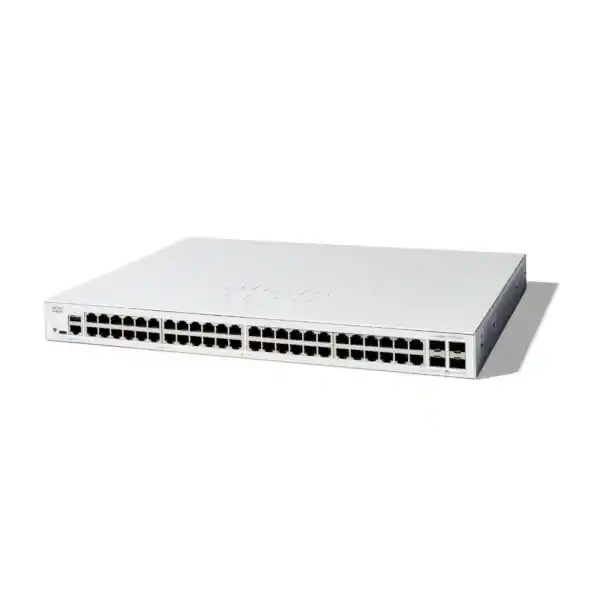
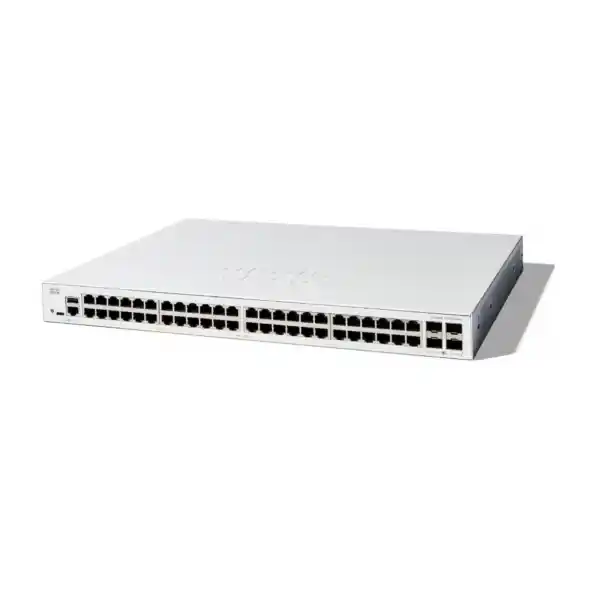
Cisco Catalyst C1300-48T-4X Network Switch
Connect a dense wired office or branch network with 48 Gigabit access ports and four 10G SFP+ uplinks. This non-PoE managed switch suits deployments where endpoints have their own power and the shared upstream path needs careful capacity planning. Request an itemized quotation from FourTeck Tanzania with your port count, uplink requirements and intended topology.
At a glance
| Item | Specification |
|---|---|
| Access connections | 48 × 10/100/1000 copper Ethernet ports |
| Uplink interfaces | 4 × 10 Gigabit SFP+ |
| Ethernet power | Non-PoE; separate endpoint power required |
| Switching capacity | 176 Gbps |
| Forwarding rate | 130.94 Mpps, specified for 64-byte packets |
| Stacking group | C1300 Family 1; supported compatible designs only |
| Installation | Rack-mountable; 444.3 × 288 × 43.94 mm (W × D × H) |
| Unit weight | 4.35 kg |
| Power input | Internal supply; 100–240V AC, 50–60 Hz |
| Cooling | One fan |
A strong shortlist when
- You need many wired Gigabit connections in one location.
- Your endpoints have separate power.
- You want to evaluate 10G uplinks or a compatible stack.
Resolve before ordering
- PoE requirements and any future multigigabit access need.
- Exact optics, cable types and far-end compatibility.
- Stack membership, uplink allocation and commercial terms.
Choose it for a dense, data-only access network
The Cisco Catalyst C1300-48T-4X is a practical shortlist option for a business that needs many wired connections in one rack location, with faster links towards aggregation or shared services. Start with the endpoint inventory: desktop computers, printers, local servers, meeting-room systems and other equipment that already has its own power. The important buying question is whether those devices need Gigabit access and whether the shared upstream path deserves more capacity than a single Gigabit connection.
Port quantity alone does not determine fit. Record how many connections are active today, how many are reserved for moves, and which devices are likely to arrive during the next expansion. A spare socket at a desk is not necessarily an active switch port, while a printer, management interface or small server can consume capacity that an employee headcount overlooks. Build the count from the patch-panel schedule and actual connected equipment.
This model is especially relevant when endpoint power is handled separately. If a project includes phones, cameras or wireless access points, identify their power source before selecting the switch. A data connection and a power connection are separate requirements. Share your endpoint list and upstream equipment with FourTeck Tanzania when requesting a quotation so the proposed equipment can be checked against the job it must perform.
Understand the 48-port access and 10G uplink arrangement
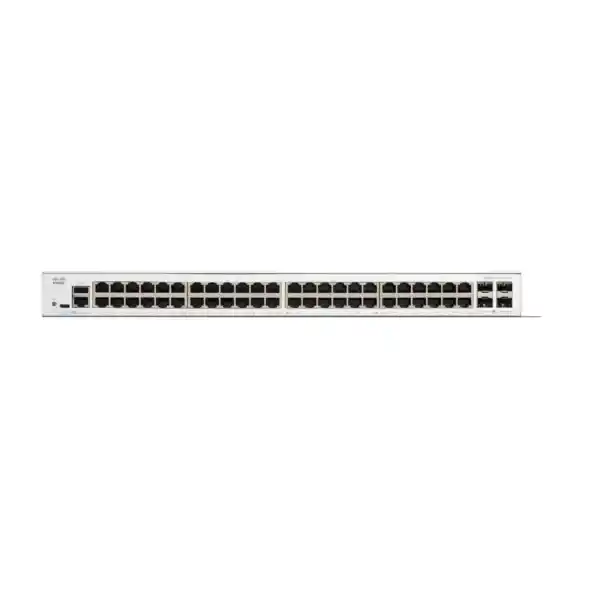
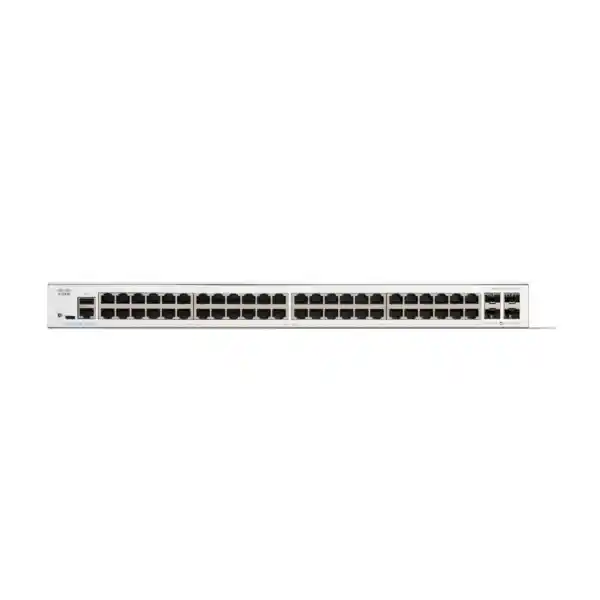
The front-panel arrangement combines 48 copper 10/100/1000 Ethernet ports with four 10 Gigabit SFP+ interfaces. The copper connections serve the access layer; the SFP+ interfaces provide options for faster connections elsewhere in the network. Those are different roles. A workstation connected to a copper access port remains limited by that port’s negotiated speed even when its traffic later travels over a 10G uplink.
Treat the four uplink interfaces as a resource to allocate deliberately. A standalone installation might need a connection to aggregation, another path for resilience, and a direct connection to an appropriate local service. A stacked design must also account for interfaces assigned to the stack. Draw the intended connections before ordering accessories, because a port cannot simultaneously carry two separate physical links.
Check the port and media type at the far end of every planned connection. A compatible switch interface, suitable transceiver or direct-attach assembly, appropriate cable and matching configuration must work together. An SFP+ cage is not itself a fiber termination or a copper Ethernet socket. State both endpoint models in the quotation request rather than asking for an unspecified “10G cable.” This makes the accessory requirement much easier to resolve.
Read the performance figures in the context of your traffic
Cisco lists 176 Gbps switching capacity and a forwarding rate of 130.94 million packets per second for this model, with the latter specified for 64-byte packets. These figures describe switch forwarding capability under the stated conditions. They do not describe internet service speed, server storage performance, application response time or the bandwidth available to one user.
A useful capacity exercise follows the traffic. Identify whether most users access internet services, a local file server, an application hosted elsewhere, or a mixture. Traffic that stays between local endpoints has a different path from traffic that must pass through an upstream firewall. Measure busy periods where possible, including backup windows and large file transfers, rather than relying only on daily averages.
For illustration, a department may have many Gigabit-connected computers but only modest simultaneous upstream demand. Another department with the same port count may regularly transfer large design files to shared storage. The second environment deserves closer attention to server interfaces, uplink utilization and storage capability. Neither example predicts an exact throughput result.
Ask the network designer to identify the narrowest part of each important path. Buying a switch with faster uplinks is useful when those uplinks address a real constraint; the benefit depends on the devices and services around it. An acceptance test should therefore include the applications people actually use, alongside basic link checks.
Decide how endpoints will receive power
The “T” version discussed here is a non-PoE switch. It does not provide Ethernet power to attached phones, cameras or wireless access points. A powered endpoint can still exchange network data through an appropriate Ethernet connection, but it needs a separate power arrangement that matches its own requirements. Confirm that arrangement per device rather than assuming every endpoint includes an adapter.
When many devices need PoE, compare a suitable PoE model before building a design around numerous individual injectors. The decision should consider power standards, required wattage, the total simultaneous load and the placement of backup power. An injector may be reasonable for a small exception, but a large collection can add sockets, cabling and support work.
Existing powered equipment also needs review. An access point that currently receives power from an old switch may stop operating after a data-only replacement is installed, even if its Ethernet cable fits perfectly. Mark every currently powered port during the site survey. Include the endpoint model, its required power mode and any feature restrictions associated with lower power.
Separate this check from uplink planning. Four 10G interfaces do not change the absence of PoE on the copper ports. For Tanzania procurement, request an itemized design that shows the switch, any necessary endpoint power equipment and the intended backup-power arrangement. This keeps the commercial comparison tied to a complete working installation.
Specify optics, fiber and direct-attach connections correctly
Choose the connection medium after confirming distance, cable route and the interfaces at both ends. Fiber links require matching optical characteristics and a suitable fiber plant. Short connections within a rack may instead be candidates for a supported direct-attach cable. Compatibility should be checked for the exact assembly and software environment before it is included in the final bill of materials.
For a fiber quotation, record the installed fiber type, route length, connector presentation and the far-end equipment. If these details are unknown, ask for a survey or an inspection of the existing termination records. Do not select optics from distance alone. A link budget also depends on the actual path, including connectors, splices and the condition of the installed fiber.
Reusable accessories deserve individual verification. An older module may look mechanically similar yet differ in speed, wavelength or platform support. Record the complete part number on the module and compare it against current compatibility guidance. If the upstream interface operates at another speed, confirm the supported operating modes instead of assuming automatic compatibility.
Make the quotation explicit about what is included. State the number of transceivers at each end, patch leads, direct-attach cables and any required spares. A switch chassis description should not be interpreted as a promise that all uplink accessories are supplied. Label both ends of each installed cable and preserve the accessory inventory with the network diagram so later troubleshooting starts with accurate information.
Plan a stack as a complete system
This model belongs to Cisco’s C1300 Family 1 stacking group. Cisco specifies stacks of up to eight supported switches and restricts mixed stacking to models within the same documented family. The similar-looking C1300X name does not make that platform a compatible stack member. Verify the full product identifiers of every proposed member, the software requirements and the intended interconnects before ordering.
Stacking can make a group of switches easier to administer as one system, but it also creates shared operational decisions. Define the topology, member placement and interfaces used for the interconnects. Reserve those interfaces in the physical design before assigning the remaining uplinks. Record how each cabinet will connect upstream and which endpoints depend on each member.
The design review should cover failure behavior. Ask what happens if one interconnect is removed, a member loses power or the controlling role changes. Evaluate these cases against the actual cabling and configuration. A product’s stacking capability should not be treated as a guarantee that every application will remain uninterrupted during every fault.
For a phased purchase, document the expected expansion path now. Consider physical rack space, spare interconnects, software alignment and how new members will be introduced during a change window. If the business prefers independent failure domains or has distant wiring locations, compare a standalone design as well. The appropriate architecture follows the operating requirement, rather than the presence of a stack feature on a datasheet.
Separate users and services with a deliberate VLAN plan
The management guide documents VLAN configuration and port membership controls. These let the network designer separate broadcast domains and define how traffic is carried between devices. A common planning exercise groups staff devices, guest access, printers and infrastructure management according to their different needs. The correct groups depend on the organization and should be written down before configuration begins.
For each group, identify its address range, gateway, DHCP source and required destinations. Then map those decisions to access ports and tagged uplinks. A VLAN created in a menu is not a complete service: port membership and the rest of the path must agree. Errors in tagging or the untagged VLAN can create confusing partial connectivity.
Use a plain connectivity matrix to describe the policy. For example, staff may need a print service while guests require only an approved path towards the internet. Treat this as a proposed requirement to validate, rather than a ready-made configuration. The matrix should show both allowed communication and deliberate restrictions.
Avoid assuming that different VLAN numbers alone enforce every security boundary. Determine where traffic crosses between networks and where the organization’s policy will be applied. Test from representative endpoints after installation, including an attempt to reach a destination that should be blocked. Keep the final port map and VLAN plan together so desk moves and future additions can follow the same design.
Place routing and security policy where they belong
The Catalyst 1300 administration documentation includes Layer 3 interfaces and IPv4 static routing. That provides design options for connecting local IP networks, subject to the platform’s capabilities and the chosen configuration. Whether the switch should perform that routing is a separate architecture decision. Start by deciding which traffic needs inspection, which services need local communication and who will maintain the routing policy.
If traffic between sensitive networks must pass through a firewall, the gateway placement must preserve that path. Moving a gateway onto a switch can change the traffic flow even when endpoint addresses remain familiar. Review both the forward path and the return path. An apparently successful ping does not demonstrate that the required inspection or access policy is being applied.
Static routing also creates maintenance responsibilities. Record destination prefixes, next hops and the owner of each route. When a subnet or firewall interface changes, the related configuration may need updating. Keep the addressing plan current so a future administrator can distinguish an intentional route from a forgotten workaround.
For a small office with straightforward requirements, simpler routing can be easier to operate. A more demanding environment may need a different platform or a more comprehensive design. Ask for the required routing features to be checked individually; the Catalyst brand name does not establish equivalence with every other Cisco switch. Test business services, policy enforcement and failure cases before accepting a change to gateway placement.
Use access controls with a tested operating policy
Cisco’s security documentation describes 802.1X authentication with a supplicant, switch authenticator and authentication server. This is relevant when an organization wants a controlled admission process for connected devices. Successful deployment requires more than enabling a setting: endpoint readiness, identity services, certificates where applicable and the handling of devices without a supplicant all need a plan.
Start with a small pilot that reflects the real device mix. Include a managed computer, a printer, any specialized equipment and a user returning after a long absence. Define what should happen when authentication succeeds, fails or cannot reach its supporting service. Record an operational recovery method so legitimate users are not left disconnected without a support path.
The access-control guide also documents ACLs. Use those controls according to an agreed traffic policy and verify where they apply. A rule’s effect depends on its match criteria, order and binding. Ask the installer to demonstrate both permitted traffic and blocked traffic rather than relying on the presence of an ACL name in a configuration export.
Administration deserves its own policy. Limit who can change the network, protect management access and preserve a controlled recovery method. Review unused interfaces and services as part of commissioning. These are operating practices that the organization must maintain; no switch feature removes the need to review permissions, update software and investigate unexpected connections over the life of the installation.
Prioritize important traffic without hiding capacity problems
The documented QoS functions include classification and queue controls for prioritizing traffic. In practical terms, the designer can decide which traffic should receive preferential treatment when a relevant interface is congested. This can be useful for latency-sensitive services, but the design must identify trusted markings and avoid letting every endpoint declare itself the highest priority.
Begin with the user problem. If calls degrade during large transfers, identify where queues build and whether the affected traffic passes through this switch. The constraint may be an upstream WAN service, a firewall or another interface. A local priority setting cannot by itself repair an unrelated bottleneck elsewhere in the path.
Agree which applications need priority and which can tolerate delay. Then test with representative background traffic and record the observed effect. Leave enough capacity for normal business services; an overly broad high-priority class can defeat the purpose of classification. Keep the policy understandable so future changes do not accidentally place backups and voice in the same treatment group.
For environments using multicast applications, the administration guide also documents IGMP and MLD snooping. Confirm the application’s requirements, VLAN layout and querier arrangement before choosing the configuration. Some video systems use unicast instead, so the word “video” alone is insufficient to decide. Include a real sender and receiver in acceptance testing and verify that unrelated endpoints do not receive unnecessary traffic.
Choose management tools your team can maintain
The Catalyst 1300 platform provides an on-box web interface and a command-line interface. Choose an operating approach that fits the people who will support the site. A graphical interface can help with everyday inspection, while a documented configuration process is valuable for repeatable deployments. Confirm the exact commands and behavior for this platform rather than assuming an existing template from another Cisco family will apply unchanged.
Define the management address, approved administrator access path and recovery access before connecting all production devices. Record credentials in the organization’s approved system and assign responsibility for ongoing access reviews. If an external installer performs the initial work, ensure the handover includes the information your own team needs to manage the equipment.
Decide how configuration changes are authorized, recorded and backed up. A useful record includes the reason for the change, who made it, the affected interfaces and the recovery approach. Verify that the intended configuration persists after a controlled restart. Do not discover during a power interruption that a recent change existed only in a temporary operating state.
For multiple sites, standardize names, interface descriptions and documentation where that improves support. Keep genuine site differences visible, such as address ranges and upstream dependencies. A consistent template can reduce confusion, but it still needs validation against local requirements. Management simplicity comes from a clear operating process as well as the interfaces provided by the product.
Prepare the rack, power and environment
Cisco identifies this switch as rack-mountable and lists dimensions of 444.3 × 288 × 43.94 mm, a weight of 4.35 kg and an internal universal 100–240V AC, 50–60 Hz supply. It uses one fan. Check the complete installation envelope, including cable bends, power connection and ventilation, rather than measuring only the chassis depth.
A cabinet that fits the equipment physically may still be unsuitable if ventilation is obstructed or access is difficult. Review cable management and the location of patch panels so technicians can identify and replace a connection without disturbing many others. Leave the manufacturer’s required clearances and follow the applicable installation instructions.
Plan backup power from the required service continuity. The switch, upstream networking equipment and any separately powered endpoints may all need power for the business service to remain available. A UPS feeding only one component does not keep the entire path operating. Establish the desired runtime, connected load and maintenance responsibility before specifying backup equipment.
Environmental suitability should be checked at the actual equipment location. A comfortable office does not prove that a closed cabinet has the same conditions. Consider heat buildup, dust, moisture and the availability of a suitable installation area. This product should not be assumed to provide outdoor or industrial protection. For a Tanzania project, include the site’s physical conditions in the requirements so equipment selection and installation planning reflect the intended location.
Compare the nearby model choices by requirement
Similar model names can conceal differences that matter during procurement. The C1300-48T-4G has four Gigabit SFP uplinks, while the requested 4X model provides the 10G SFP+ uplink arrangement. Choose according to upstream needs and compatible media. If a faster shared path is part of the project requirement, preserve that requirement explicitly in the purchase specification.
For powered endpoints, Cisco lists C1300-48P-4X and C1300-48FP-4X alternatives with PoE+ and different total power budgets. Their suitability depends on the endpoint inventory and simultaneous load. Compare the complete powering requirement rather than treating any PoE label as sufficient. Dimensions, cooling and electrical load may also differ between models.
The C1300-24T-4X is a smaller non-PoE option with the same general uplink speed class when fewer access connections are required. Right-sizing should account for spare ports and expansion, not only today’s minimum count. Two smaller switches may also create a different operational and resilience profile from one larger switch.
Finally, C1300X is a separate variant, with family-specific capabilities and stacking rules. Do not add its specifications to this product simply because the identifiers are close. A quotation should spell out the complete model, quantities and accessories. If the requested device is unavailable or unsuitable, ask for any alternative to be identified and justified against the original technical requirements before it is accepted.
Match the deployment to a real business scenario
Office access: consider this model when the main requirement is a concentration of wired desks, printers and other self-powered devices. Before buying, confirm patch-panel occupancy, expected desk moves and the upstream path to shared applications. The non-PoE design should remain visible in the specification if future phones or access points are being considered.
Training rooms and computer labs: count each fixed computer, instructor connection and peripheral, then allow for the agreed expansion plan. Think about simultaneous activity rather than only total device count. A room downloading software images or accessing shared teaching material can create a different traffic pattern from ordinary document work.
Branch connectivity: identify which services are local and which depend on a remote site or internet access. Document the firewall, router and connectivity dependencies alongside the switch. If the branch has limited technical staff, prioritize clear labeling, remote support access and a realistic recovery process in the implementation brief.
Local service connections: faster uplinks can be useful where several access users share an appropriately equipped server or aggregation path. Verify the service’s own interfaces and performance before predicting a benefit. This is an access-network selection, not an automatic recommendation for every server or storage architecture.
Each scenario is a planning example rather than a claim about an included service package. Give FourTeck Tanzania the intended use and any unusual constraints so the product discussion can focus on a suitable configuration and an accurate quotation.
Commission the network with evidence your team can use
Before migration, create an inventory of current connections and preserve the existing configuration where available. Identify services that cannot be interrupted and agree a maintenance window with the people responsible for them. Label cables before moving them. A clear mapping between old and new ports helps prevent simple physical errors from becoming lengthy application incidents.
Prepare the new configuration against the approved design. Check management access, VLAN membership, uplinks and any routing or security controls in a controlled setting where practical. Keep a recovery path that does not depend on the very connection being changed. If moving production gateways or a stack, include the additional dependencies in the change plan.
Acceptance should begin with physical and logical checks, then move to user services. Confirm expected link speeds and inspect relevant interface errors. Test address assignment, name resolution, application access and permitted communication between networks. Verify restrictions using a representative device, and check that administrators can still reach the management interface through the approved path.
If resilience is part of the design, test the agreed failure cases in a controlled window. Record what was disconnected, the observed effect and the restoration result. Avoid promising a particular recovery time until the actual design has been tested.
Finish with a handover package: final topology, port labels, accessory part numbers, configuration backup, access ownership and outstanding issues. This record makes later support and expansion more reliable than an installation remembered only by the person who performed it.
Keep useful monitoring and a sensible maintenance routine
The status and statistics pages expose information such as port utilization, interface statistics and device health. Use an initial baseline so later complaints can be compared with normal operation. Record the configuration and traffic conditions associated with that baseline; a number without context can be misleading when the network’s role changes.
Choose monitoring that leads to an action. A failed uplink, repeated link changes or increasing errors deserves a named owner and a response process. Routine high utilization may indicate a capacity issue, while a sudden change may point to a fault or an unusual workload. Correlate switch observations with application behavior and upstream device information.
Schedule software review and configuration backup as operating tasks. Check current vendor guidance and release information for the exact platform before a change. Evaluate the need, compatibility and recovery approach, then perform updates in an appropriate maintenance window. Preserve the working configuration and document the result.
For troubleshooting, first identify the scope: one endpoint, one VLAN, one uplink or the whole site. Check recent changes, physical links and the relevant service path before replacing hardware. An endpoint power problem on this non-PoE model requires a different investigation from a lost uplink. Keep a small stock of appropriate, verified spare cables or optics where the business case supports it, and record their part numbers so replacements remain consistent with the design.
Request a quotation that covers the complete requirement
For a Tanzania quotation, provide the exact model name, required quantity and the number and type of endpoints. Include the intended uplink speed, far-end device models, cable distances and known fiber details. State whether the installation will operate independently or as part of a compatible stack. These inputs help resolve the accessories and configuration decisions before an order is placed.
Ask for the bill of materials to separate switch hardware, supported uplink modules or cables, patching, stacking connections where applicable and any agreed installation work. Identify who provides rack space, backup power and endpoint power equipment. If existing accessories will be reused, list them for compatibility review rather than treating them as an unspecified assumption.
Commercial details should be confirmed in the written quotation. Request the current price, any applicable taxes, stock position, expected delivery arrangements and the warranty or support terms offered for the exact order. This page does not establish those transaction-specific details. If a requirement is essential to acceptance, include it in the specification and obtain a written response.
Compare proposals on a common basis. A chassis-only price may omit items that another supplier has included. Check the complete model identifier, accessory quantities, scope and exclusions before comparing totals. Share your network diagram or a concise port inventory with FourTeck Tanzania to begin the product-fit discussion and request an itemized offer for the proposed deployment.
Buyer questions
Does the C1300-48T-4X supply PoE?
No. It provides data connectivity without PoE output. An attached device that needs electrical power must use a suitable separate source. If many endpoints need Ethernet power, request a comparison with an appropriate PoE model and verify both per-device demand and total power budget.
Are all 52 interfaces 10 Gigabit ports?
No. The switch combines 48 copper Gigabit access ports with four 10G SFP+ interfaces. Access devices connected to the copper ports do not obtain a 10G link. Allocate the SFP+ interfaces according to the planned uplinks and any stacking connections.
Can it stack with a C1300X switch?
Cisco does not support cross-stacking between the documented C1300 and C1300X stacking families. This model is in C1300 Family 1. Verify all proposed member identifiers and software requirements against the current stacking guidance before expanding an existing installation.
Is this a fanless model?
No. Cisco lists one fan for this model. Consider equipment location, ventilation and noise sensitivity when preparing the installation. Avoid applying a fanless specification from another Catalyst 1300 model to this switch.
Can I reuse existing fiber and transceivers?
Possibly, after verification. Provide the existing module part numbers, fiber type, connection distance and far-end equipment. Compatibility depends on the complete link. Include any required replacement modules and patch leads in the quotation rather than assuming every existing accessory will work.
Will the switch make my internet connection faster?
It cannot increase the capacity purchased from an internet provider. Faster local uplinks may help when an existing local link is a bottleneck. Review utilization and the entire path, including the firewall, upstream service and destination, before predicting an improvement.
Can the switch separate departments or guest traffic?
VLAN configuration provides a way to separate broadcast domains. A complete design must also define addressing, gateways and access policy between networks. Ask for representative allowed and blocked traffic to be tested during commissioning so the intended separation is demonstrated.
What should I send with a quotation request?
Send the exact model, quantity, endpoint count, power requirements, upstream device models, required link distances and any stacking plan. Ask for accessories and any agreed implementation scope to be itemized, with current commercial terms confirmed for your order.
Request your C1300-48T-4X quotation
Share your required quantity, endpoint inventory and uplink details with FourTeck Tanzania. Include any existing transceiver part numbers and stacking requirements so the proposed bill of materials can cover the complete connection plan.
Ask for current pricing, availability, delivery arrangements and the applicable warranty and support terms to be confirmed in writing for your exact order.




Reviews
There are no reviews yet.