
2.4 / 5 / 6 GHz
High-density indoor AP
Dual multigigabit uplinks
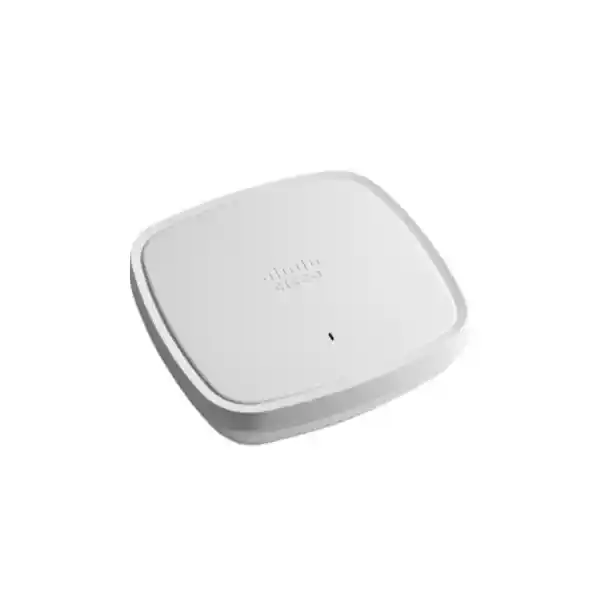
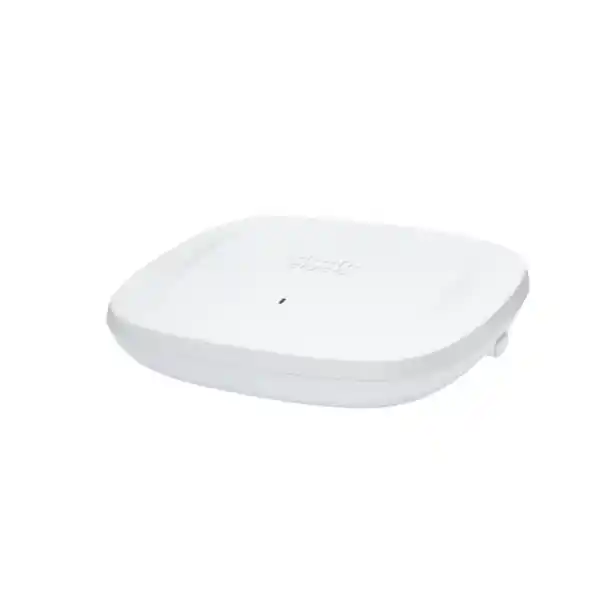
Cisco Catalyst C9136I: premium Wi‑Fi 6E capacity for demanding indoor networks
The Cisco Catalyst C9136I is built for organisations that have moved beyond basic wireless coverage and now need predictable capacity, cleaner spectrum use, stronger operational insight, and room for modern high-throughput clients. It is a tri-band enterprise access point with integrated antennas and support for 2.4 GHz, 5 GHz, and 6 GHz wireless service. Its radio design combines 4×4 operation on 2.4 GHz, an 8×8-capable 5 GHz serving radio, and 4×4 operation on 6 GHz, giving network teams a platform intended for large and high-density deployments rather than light-duty branch coverage.
For Tanzanian businesses, universities, healthcare environments, hotels, public venues, technology campuses, and other indoor sites, the C9136I can be a strong fit when the wired edge, PoE budget, controller architecture, client mix, and local radio rules are planned together. Before ordering, confirm the exact regulatory-domain variant and deployment requirements for Tanzania. FourTeck Tanzania can use your floor plan, expected device density, switching platform, controller environment, and application profile to help define a practical bill of materials and deployment scope.
Quick fit: when the C9136I makes sense
What the Cisco Catalyst C9136I is
The C9136I is an indoor, controller-based enterprise access point in Cisco’s Catalyst 9100 family. It uses internal antennas and is designed around IEEE 802.11ax capabilities extended into the 6 GHz band, which is commonly described as Wi‑Fi 6E. The practical value of Wi‑Fi 6E is not simply a higher version number. It introduces additional spectrum for compatible clients, helping architects create more channel reuse options and move newer devices away from congested legacy bands where regulations, device support, channel plans, and design conditions permit.
The platform also includes technologies associated with dense enterprise Wi‑Fi, including OFDMA, multi-user MIMO, Target Wake Time, BSS Coloring, and WPA3 support. A dedicated scanning radio and Cisco CleanAir Pro capabilities give the design an RF-awareness component that is useful when the network team needs more than simple connectivity. Bluetooth Low Energy and IoT-related functionality are integrated as well, allowing the access layer to participate in location, sensing, and device workflows supported by the broader Cisco architecture.
This is not a standalone consumer-style access point and should not be selected as if it were one. A successful deployment depends on controller support, software level, switching, multigigabit Ethernet capability where required, PoE class, cabling quality, RF design, regulatory domain, and the actual device population. Those dependencies are important because a high-end access point can only deliver its intended capabilities when the surrounding infrastructure is designed to support it.
Core radio architecture and wireless capacity
The C9136I provides serving radios across 2.4 GHz, 5 GHz, and 6 GHz. Cisco specifies a 4×4 radio with four spatial streams for 2.4 GHz, an 8×8 radio with eight spatial streams for 5 GHz, and a 4×4 radio with four spatial streams for 6 GHz. That architecture is one reason the model is positioned for large, high-density deployments. The 5 GHz radio has substantial spatial-stream capability, while the 6 GHz radio allows compatible Wi‑Fi 6E clients to operate in newer spectrum rather than relying only on the traditional 2.4 and 5 GHz bands.
Cisco documentation lists a platform scale of up to 1,200 clients in total, with up to 400 clients per serving radio. That figure is a platform limit, not a recommended design target and not a guarantee that hundreds of active users will receive acceptable application performance from one access point. Real capacity depends on airtime consumption, client capabilities, channel width, modulation, retransmissions, interference, application traffic, roaming patterns, uplink capacity, and many other factors. For voice, video collaboration, point-of-sale, clinical mobility, student devices, warehouse terminals, or other business-critical traffic, design should be based on expected concurrency and throughput rather than on a headline association limit.
| Area | C9136I capability | Why it matters in design |
|---|---|---|
| 2.4 GHz | 4×4, four spatial streams | Supports broad client compatibility, IoT and legacy device populations, but usually requires careful channel reuse because spectrum is limited. |
| 5 GHz | 8×8, eight spatial streams | Provides a high-capacity serving layer for modern enterprise clients and dense deployments. |
| 6 GHz | 4×4, four spatial streams | Creates additional clean-spectrum options for compatible Wi‑Fi 6E devices, subject to local regulations and correct configuration. |
| Scanning / RF visibility | Dedicated scanning radio and CleanAir Pro | Supports RF monitoring and interference-awareness functions without treating all radios only as client-serving resources. |
PoE and switching design: a critical buying check
Power is one of the most important design checks for the C9136I. Cisco specifies full operation with 802.3bt Cisco Universal PoE, where the access point can use the complete 4×4 2.4 GHz, 8×8 5 GHz, and 4×4 6 GHz radio configuration together with two 5 Gbps links and USB capability. Maximum PoE consumption in that mode is specified at 47.3 W. The access point can also operate from 802.3at PoE+, but the platform reduces capabilities: radio chains are reduced, the Ethernet configuration drops to one 2.5 Gbps link, and USB is disabled. Standard 802.3af PoE is intended only for staging and configuration with the radios off.
That means an upgrade project should evaluate the access switch before treating the AP as a direct replacement for an older model. Check whether the selected switch ports can deliver the required power simultaneously across all planned access points, not just on one port. Validate the switch’s total PoE budget, power-supply redundancy, multigigabit port support, cabling category and condition, patch-panel quality, and uplink capacity from the access switch into the campus core or distribution layer.
| Power source | Radio configuration | Ethernet / USB behavior | Planning implication |
|---|---|---|---|
| 802.3bt / Cisco UPOE | Full 4×4 / 8×8 / 4×4 operation | Two 5 Gbps links; USB available | Preferred when the design needs full platform capability. |
| 802.3at PoE+ | Reduced radio chains | One 2.5 Gbps link; USB disabled | Can work, but should be treated as a deliberate reduced-capability design choice. |
| 802.3af PoE | Radios off | 1 Gbps for staging | Useful for configuration staging, not normal production radio service. |
Dual multigigabit Ethernet: plan the wired path, not only the air interface
High-capacity wireless can expose weaknesses in the wired access layer. The C9136I includes two multigigabit Ethernet uplinks and, with suitable 802.3bt power, supports dual 5 Gbps operation. This is particularly relevant when a dense environment has many active clients, broad channel widths, heavy local traffic, or applications that can generate substantial aggregate throughput. Simply installing a high-end Wi‑Fi 6E AP on a legacy 1 GbE edge may constrain the overall design long before the radio architecture reaches its intended potential.
A practical assessment should look end to end: AP-to-switch copper, switch port speed, PoE class, switch uplinks, distribution capacity, WAN or internet bandwidth, firewall throughput, controller placement, and application paths. If the business is refreshing APs but retaining older access switches, calculate what capabilities will actually be available in that mixed-generation design. This avoids paying for radio and uplink performance that the supporting infrastructure cannot use.
Cabling deserves the same attention. Existing copper runs should be tested rather than assumed to support multigigabit rates because terminations, cable category, run length, patching, interference, and prior installation quality can affect results. A wireless modernization project is often the right time to certify key cable runs and document port-to-AP mappings so future troubleshooting does not begin with unknown physical-layer conditions.
Wi‑Fi 6E features that improve efficiency
The C9136I supports the core efficiency features associated with enterprise 802.11ax deployments. OFDMA can divide a channel into smaller resource units so an access point can schedule transmissions for multiple clients more efficiently. Multi-user MIMO allows the network to serve multiple devices in parallel where client and RF conditions support it. BSS Coloring helps devices distinguish overlapping basic service sets, which can improve spatial reuse in dense designs. Target Wake Time can help compatible clients coordinate sleep and wake behavior, which is particularly relevant for certain mobile and IoT devices.
These features are most valuable when the design is disciplined. Wider channels can increase peak throughput but consume more spectrum and reduce the number of non-overlapping channels available for reuse. In many high-density environments, narrower channels and stronger channel reuse may produce better aggregate user experience than chasing maximum single-client speed. The correct approach depends on floor layout, wall attenuation, device count, application mix, and neighbouring RF activity.
Wi‑Fi 6E adds the 6 GHz band for compatible clients. That can reduce contention with older client generations, but it does not eliminate the need for coverage design. Six-gigahertz signals generally experience greater path loss than lower-frequency signals under the same conditions, so an AP placement strategy copied directly from an older 2.4 GHz design may not produce the intended 6 GHz experience. Validation with an appropriate survey methodology remains important.
Security, RF visibility, and operations
Wireless performance is only part of an enterprise access layer. The C9136I supports WPA3 and is designed to operate within Cisco’s broader policy, identity, assurance, and location ecosystem. Cisco positions the platform for use with technologies such as Cisco Identity Services Engine, Cisco Catalyst Center, and Cisco Spaces. The exact value of these integrations depends on the organisation’s licences, architecture, and software versions, but the design direction is clear: the AP is intended to be managed as part of an enterprise network rather than as an isolated radio.
The dedicated scanning radio and CleanAir Pro capabilities can help the wireless infrastructure observe RF conditions and interference. For operations teams, that matters because many wireless complaints are environmental rather than simple hardware failures. A user who reports “slow Wi‑Fi” may be experiencing channel contention, non-Wi‑Fi interference, poor roaming, low signal quality, an overloaded upstream link, or an application issue. Better telemetry can reduce the time required to separate those causes.
Security design should still be policy-driven. Choose authentication methods, segmentation, guest access, device onboarding, management-plane access, logging, certificate handling, and administrative roles according to the organisation’s risk requirements. WPA3 capability is useful, but it does not replace identity architecture, network segmentation, secure controller management, firmware maintenance, and monitoring.
Controller and software requirements
The C9136I is a controller-based platform. Cisco documentation identifies Cisco IOS XE 17.7.1 or later as the baseline software requirement and supports Cisco Catalyst 9800 Series Wireless Controllers, including physical and virtual controller options. Cisco’s deployment guidance specifically notes that Embedded Wireless Controller functionality is not supported on the Catalyst 9136 as an active EWC or subordinate AP. This matters in branch and small-site designs where teams might otherwise expect the access point to operate using an embedded-controller model.
Before procurement, inventory the current controller model, software train, AP join architecture, licences, redundancy design, and change-management window. A hardware refresh can fail operationally if the new AP arrives before the controller environment is ready to recognise and manage it. Software compatibility should therefore be checked at the exact release level in use, not only at the controller-family level.
For organisations using Cisco Catalyst Center, Cisco ISE, Cisco Spaces, or assurance workflows, define which integrations are required from day one and which are future options. This produces a clearer implementation plan and prevents a wireless project from becoming an open-ended systems-integration exercise after installation has started.
Tanzania 6 GHz deployment considerations
Tanzania has published regulatory provisions for 6 GHz WAS/RLAN use. TCRA’s Minimum Technical Specifications for Short Range Devices identify 5945–6425 MHz for 6 GHz WAS/RLAN and describe power conditions for low-power indoor and very-low-power operation. TCRA’s national frequency information also identifies licence-exempt WAS/RLAN use in the lower 6 GHz range. This is useful for Wi‑Fi 6E planning, but it should not be interpreted as permission to deploy any imported access point with any regional code or power configuration.
Cisco sells C9136I variants by regulatory domain, and Cisco directs customers to verify approval and the correct domain for the country of use. For a Tanzania deployment, confirm the exact product identifier, regulatory-domain setting, locally permitted channels, power limits, and applicable type-approval requirements before the AP is ordered or activated. The 6 GHz radio can be disabled where a country does not permit the band or where software support is not available, so the procurement decision should include regulatory validation rather than assuming every global SKU behaves identically.
The regulatory check is especially important for multi-country organisations that standardise on one hardware platform. A model that is correct for a campus in another region may require a different orderable identifier or configuration for Tanzania. Treat regulatory-domain selection as part of the bill of materials, alongside mounting, switching, power, controller software, and licences.
Where the C9136I fits best
Environmental and physical considerations
Cisco specifies the C9136I for indoor operation with an operating temperature range of 0°C to 50°C and non-condensing operating humidity of 10% to 90%. The access point measures approximately 25.1 x 25.1 x 5.6 cm without mounting brackets. Cisco’s current data sheet lists a weight around 1.65 kg, while some deployment documentation shows a slightly different rounded figure, so installation planning should use the current hardware documentation for the exact orderable unit and mounting kit.
Temperature deserves attention in ceiling voids, equipment rooms, and poorly ventilated indoor areas. Cisco notes that when ambient operating temperature exceeds 40°C, the platform reduces the 5 GHz radio from 8×8 to 4×4 and the Ethernet uplink downgrades to a single 1 GbE link. In a warm environment, that is not a minor footnote: it can materially change the performance profile expected from a high-end AP. Site assessment should therefore consider the temperature at the actual mounting location, not only the air-conditioned temperature at desk level.
Mounting orientation also influences coverage. The integrated antennas are designed for intended installation patterns, so placement should follow Cisco’s hardware guidance rather than using improvised mounting positions. Ceiling height, construction materials, metalwork, glass, shelving, partitions, and nearby sources of RF noise all influence the final design.
Plan around applications, not just device count
A useful wireless design starts with applications. Two offices can each have 300 devices yet require very different AP density. One may consist mostly of email, messaging, and web traffic; another may have continuous video meetings, cloud desktops, large media transfers, real-time voice, and screen sharing. Capacity planning should therefore estimate concurrent active users, typical and peak throughput, latency sensitivity, roaming requirements, quality-of-service expectations, and client radio capabilities.
Client capability is especially important for Wi‑Fi 6E. A 6 GHz radio benefits devices that actually support the band. Older laptops, handhelds, phones, printers, scanners, and IoT devices may remain on 2.4 or 5 GHz. During a transition period, the network must serve a mixed client population, so a design that assumes immediate migration to 6 GHz can produce unexpected congestion on the legacy bands.
Roaming design matters as well. Mobile voice, healthcare devices, handheld scanners, and collaboration clients may need smooth movement between APs. AP placement, transmit power, minimum data-rate policy, authentication behavior, and client drivers all affect roaming. A large number of APs does not automatically improve mobility; excessive overlap can increase contention and encourage clients to remain connected to distant radios longer than intended.
Deployment workflow for a Tanzanian organisation
How C9136I compares with other Cisco Wi‑Fi 6E choices
Cisco offers multiple Wi‑Fi 6E access-point families, so the C9136I should be chosen for its intended role rather than simply because it is a premium model. Cisco positions the C9136I for large, high-density deployments. By comparison, the Catalyst 9162I is a more general-purpose option for smaller sites, while the 9164I increases radio capability for small and midsize deployments. The 9166 family targets large, mission-critical environments and uses a different radio architecture from the C9136I.
| Model family | Typical positioning | Radio / uplink direction | When to consider it |
|---|---|---|---|
| Catalyst 9136I | Large, high-density indoor deployments | 4×4 on 2.4 GHz, 8×8 on 5 GHz, 4×4 on 6 GHz; dual 5 Gbps mGig capability | When dense capacity, strong 5 GHz capability, 6 GHz, and premium wired edge support are priorities. |
| Catalyst 9162I | Smaller site / general-purpose Wi‑Fi 6E | 2×2 across the three Wi‑Fi bands; 2.5 Gbps multigigabit Ethernet | When requirements are lighter and a lower radio scale is suitable. |
| Catalyst 9164I | Small to midsize Wi‑Fi 6E deployments | 2×2 on 2.4 GHz and 4×4 on 5/6 GHz; 2.5 Gbps Ethernet | When more 5/6 GHz capability is needed without the C9136I’s high-end 5 GHz architecture. |
| Catalyst 9166 | Large, mission-critical Wi‑Fi 6E deployments | 4×4 across 2.4/5/6 GHz with 5 Gbps multigigabit Ethernet | When a newer 9160-family architecture better matches standardisation, management, or lifecycle strategy. |
The best choice depends on coverage and capacity objectives, controller and management strategy, switch capability, power budget, expected client mix, and lifecycle planning. A model comparison should therefore be completed as part of the design, not after the hardware list has already been fixed.
Important buying considerations before requesting a quote
Technical specifications at a glance
| Product | Cisco Catalyst 9136I indoor access point with integrated antennas |
|---|---|
| Wireless generation | Wi‑Fi 6E / IEEE 802.11ax operation across supported 2.4, 5, and 6 GHz bands |
| Serving radios | 2.4 GHz 4×4; 5 GHz 8×8; 6 GHz 4×4 |
| Client scale | Cisco documents up to 400 clients per serving radio and up to 1,200 total; use design targets based on application and airtime requirements rather than the platform maximum. |
| Ethernet | Two multigigabit PoE-in ports; full-power mode supports dual 5 Gbps links. |
| Power | 802.3bt/UPOE for full capability; 802.3at PoE+ supported with reduced functionality; 802.3af for staging with radios off. |
| Maximum PoE consumption | Up to 47.3 W in Cisco’s 802.3bt full-capability specification. |
| Management | Cisco Catalyst 9800 Series Wireless Controllers; Cisco IOS XE 17.7.1 or later baseline per Cisco documentation. |
| Scanning / IoT | Dedicated scanning radio, Cisco CleanAir Pro, integrated Bluetooth Low Energy/IoT capability. |
| Dimensions | Approximately 25.1 x 25.1 x 5.6 cm without mounting brackets. |
| Operating temperature | 0°C to 50°C; Cisco documents performance reductions above 40°C. |
| Deployment type | Indoor, controller-based enterprise WLAN |
Design notes for high-density environments
High-density Wi‑Fi is primarily an airtime engineering problem. Adding powerful access points without controlling cell size, channel reuse, transmit power, SSID count, minimum data rates, and client distribution can create more contention rather than less. The C9136I offers substantial radio capability, but the RF plan determines how efficiently that capability is used.
Start by reducing unnecessary SSIDs because every additional SSID adds management-frame overhead. Use business requirements to define segmentation instead of creating a new SSID for every department. Where security architecture allows, policy-based segmentation behind a smaller number of WLANs can be more spectrum-efficient than a large SSID catalogue. Evaluate channel width separately for each band and density profile rather than applying one global setting.
For classrooms, auditoriums, conference halls, and event spaces, seat count is not enough. Determine how many devices per person are likely to be active, whether the venue uses live streaming or collaborative tools, and whether users arrive and authenticate in large bursts. Those onboarding events can stress DHCP, authentication, DNS, and internet security services even when RF capacity is adequate.
For ordinary office floors, consider meeting-room clusters, open-plan areas, lift lobbies, stairwells, kitchens, and other places where people gather. The busiest area on a heat map is often not where the most desks are located. A post-install validation should therefore include real usage zones, not only a coverage walk through empty corridors.
Limitations and situations where another AP may be better
The C9136I is a high-end indoor model, so it can be excessive for small offices, lightly used branches, or areas where the access switch cannot provide the required power and multigigabit connectivity. A lower-tier Wi‑Fi 6E AP may provide a more economical match if client density and throughput are modest. The model is also not an outdoor AP, and it should not be treated as a weatherproof solution for exposed areas.
It is also not a good fit when an embedded-controller deployment is a firm architectural requirement, because Cisco’s documentation states that EWC functionality is not supported on this platform. Similarly, if the organisation has no realistic Wi‑Fi 6E client adoption plan and no high-density requirement, the business case for this class of AP should be tested against less complex alternatives.
Finally, high ambient temperature can cause reduced radio and uplink capability, so mounting locations above hot ceilings or in poorly ventilated spaces need special attention. The right AP is the one that fits the complete environment, not simply the model with the highest specification.
Frequently asked questions
Does the Cisco Catalyst C9136I support Wi‑Fi 6E?
Yes. It is a tri-band enterprise access point that supports 2.4 GHz, 5 GHz, and 6 GHz operation under the appropriate regulatory and software conditions. The 6 GHz band is used by compatible Wi‑Fi 6E clients.
Can the C9136I be used in Tanzania?
Tanzania has published 6 GHz WAS/RLAN provisions, but the exact C9136I regulatory-domain variant, equipment approval, permitted channels, and power configuration should be verified for Tanzania before procurement and activation. Do not assume that a unit sourced for another market is automatically suitable.
Does it need a wireless controller?
Yes. The platform is designed for controller-based operation with Cisco Catalyst 9800 Series Wireless Controllers. Cisco states that Embedded Wireless Controller operation is not supported on the Catalyst 9136.
What PoE is required for full performance?
Cisco specifies 802.3bt Cisco UPOE for the full radio configuration, dual 5 Gbps uplinks, and USB availability. The AP can run on 802.3at PoE+, but with reduced radio chains, one 2.5 Gbps uplink, and no USB. Standard 802.3af is for staging with radios disabled.
How many clients can it support?
Cisco documents up to 400 clients per serving radio and up to 1,200 total associations. That is a platform scale figure, not a recommended capacity target. Application performance should be designed using concurrency, airtime, throughput, RF conditions, and client capabilities.
Does every client get 6 GHz access?
No. Only compatible Wi‑Fi 6E clients can use 6 GHz. Older Wi‑Fi clients will continue to use 2.4 GHz or 5 GHz, so most real deployments need a mixed-band design during the migration period.
Is dual 5 Gbps Ethernet always available?
No. Cisco specifies dual 5 Gbps links in the full 802.3bt power mode. With 802.3at PoE+, the Ethernet configuration is reduced to a single 2.5 Gbps link. The switch and cabling must also support the intended speed.
Can it be installed outdoors?
The C9136I is an indoor access point. Outdoor or exposed installations should use hardware specifically designed and rated for the environmental conditions of that deployment.
Why does temperature matter?
Cisco states that above 40°C ambient temperature, the access point reduces the 5 GHz radio from 8×8 to 4×4 and the uplink to a single 1 GbE link. Hot ceiling spaces can therefore change the expected performance profile.
What information should I provide for a deployment quote?
Provide floor plans, site type, expected concurrent users and devices, key applications, current switch models, PoE capability, cabling information, wireless controller model and software, existing AP estate, security requirements, and any areas with unusual density or construction materials. That information helps determine AP quantity and supporting infrastructure.
Why infrastructure readiness matters as much as the AP
The C9136I can be the visible part of a wireless upgrade, but user experience depends on everything behind it. A site with an undersized DHCP scope, slow authentication, congested WAN, overloaded firewall, old switch uplinks, weak DNS, or poor application hosting can still feel slow even when RF coverage is excellent. For that reason, an enterprise Wi‑Fi 6E rollout should include baseline testing before changes and post-deployment measurements after users return to the site.
Operational ownership should also be clear. Define who monitors controller health, who responds to interference, who manages switch PoE budgets, who maintains certificates and identity services, and who approves software upgrades. High-end wireless platforms provide useful telemetry, but telemetry only becomes operational value when teams know how to interpret and act on it.
For multi-site organisations in Tanzania, establish a repeatable design standard while allowing each building to be surveyed and validated individually. Standardisation can simplify support, spares, configuration, and training, but RF environments are local. A configuration that performs well in one building may require different channel, power, or placement decisions in another.
Procurement and lifecycle planning
Cisco currently lists the C9136I as available to order and continues to publish current technical references for the platform. Even so, enterprise wireless procurement should include lifecycle planning rather than viewing the AP as an isolated purchase. Confirm the organisation’s preferred software train, controller roadmap, switch lifecycle, support model, licence requirements, spare strategy, and standard mounting approach before ordering at scale.
For projects being phased across several buildings, consistency in bill of materials is useful, but it should not override suitability. Some areas may justify C9136I density and full 802.3bt switching, while lower-density spaces may be better served by another model. A mixed deployment can be operationally sensible when it is designed intentionally and managed through a common supported architecture.
Also account for change windows and staging capacity. Controller upgrades, switch configuration, AP image downloads, certificate changes, and RF optimisation may all be required. Planning these tasks before the installation team arrives reduces downtime and avoids using production users as the first test group.
Request a C9136I design and quote for Tanzania
Choose the Cisco Catalyst C9136I when your indoor wireless requirement calls for high density, Wi‑Fi 6E, strong 5 GHz capacity, enterprise controller integration, RF visibility, and a wired access layer capable of supporting premium AP performance. The most important next step is to confirm that the AP, switch, controller, cabling, and regulatory-domain plan all fit together.
For a project review, prepare your floor plans, current network equipment list, expected user and device counts, application priorities, and any known coverage or capacity problems. FourTeck Tanzania can use those inputs to scope the wireless requirement and prepare a suitable solution proposal without assuming unsupported quantities, pricing, stock, or regulatory status.




Reviews
There are no reviews yet.