
CISCO CATALYST • TANZANIA PRODUCT GUIDE
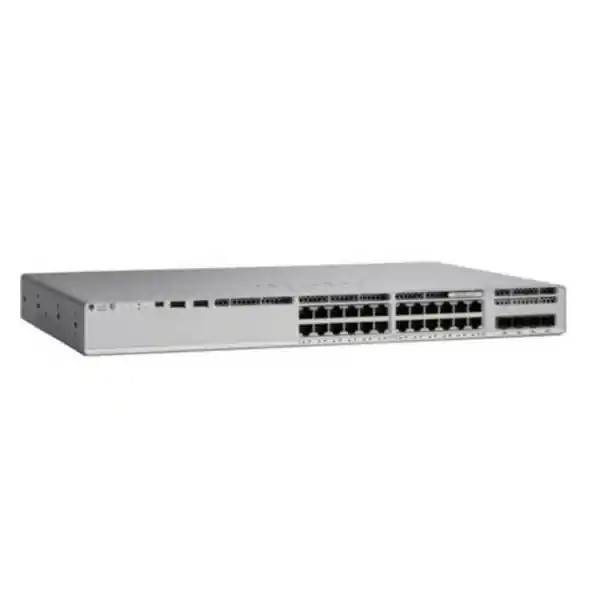
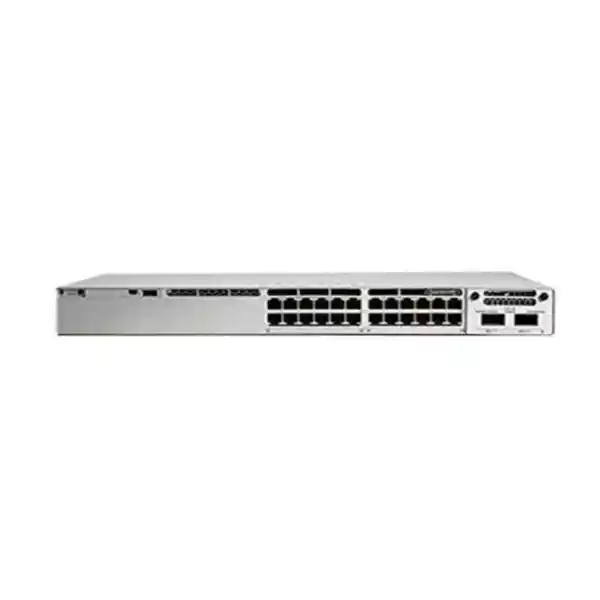
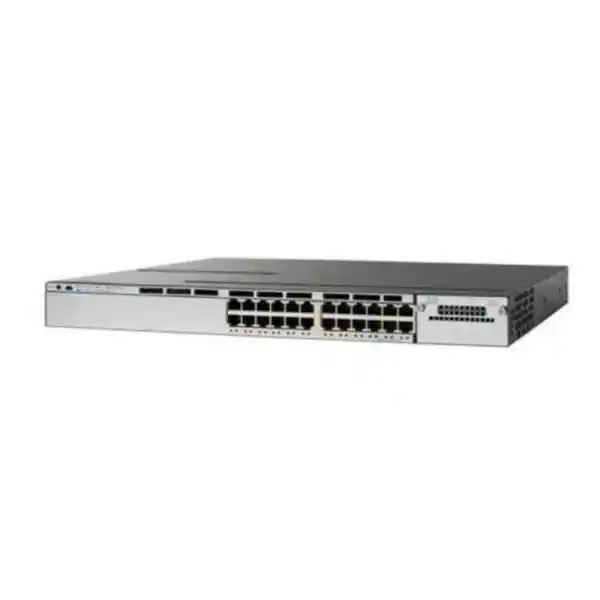
Cisco Catalyst C9200-24PXG Network Switch
Equip selected high-bandwidth endpoints with multigigabit Ethernet while keeping everyday devices on Gigabit connections. The C9200-24PXG combines eight multigigabit copper access ports with sixteen Gigabit copper access ports, PoE+ capability and a modular uplink architecture. It is a useful candidate for a business access network where wireless connectivity, endpoint power and upstream capacity need to be planned together.
For a Tanzania project, request a configuration-based quotation from FourTeck Tanzania. Share the devices you intend to connect, the required uplink speed and your resilience requirements. The final choice should identify the complete hardware and software package rather than rely on the base model name alone.
The configuration at a glance
Start with the port mix and the power arrangement. These determine whether the switch matches the endpoints you already own and the devices planned for the next phase. The specifications below describe the platform; they do not establish which optional items are included in an individual offer.
| Item | C9200-24PXG platform detail | Buyer check |
|---|---|---|
| Copper access ports | 24 total: 8 multigigabit up to 10G; 16 up to 1G | Allocate faster ports to endpoints that can use them. |
| Endpoint power | PoE+ capability, up to 30W per port at the switch | Check each endpoint and the aggregate budget. |
| AC PoE budget | 370W with one PWR-C6-600WAC; 740W with two | Full-load operation and supply-failure operation differ. |
| Uplink module choices | 4 × 10G, 2 × 25G or 2 × 40G | Specify one compatible module and the required media. |
| Stacking | Cisco StackWise-160 | Confirm compatible members, adapters and cables. |
| Serviceable hardware | Two power-supply slots; two field-replaceable fans | Verify the installed quantity and accessory list. |
| Software ordering variants | C9200-24PXG-E: Network Essentials; C9200-24PXG-A: Network Advantage | Choose the tier against documented feature requirements. |
Who should consider this access switch?
Consider this model when a wiring cabinet serves a mixture of ordinary business devices and a smaller group of faster endpoints. A port schedule might reserve multigigabit connections for suitable wireless access points or workstations, leaving Gigabit connections for devices whose Ethernet interfaces do not need more capacity. This approach makes the endpoint inventory more important than a headline port count.
It can also be considered for a branch refresh where the access layer must support powered devices and a stronger upstream connection. Treat the branch as a complete system: the switch, router or firewall, wireless access points, cabling and power arrangements must support the intended service. A faster access port cannot correct congestion elsewhere in that path.
A different platform may fit better if all 24 endpoints need multigigabit Ethernet, if individual powered devices require more than PoE+, or if the project demands a different management model. Establish those conditions before comparing prices. An accurate requirement can prevent the expense of buying an otherwise capable switch that leaves one critical deployment need unresolved.
Plan the eight faster ports deliberately
Make a simple inventory showing each endpoint, its Ethernet interface, its expected application load and its location. Assign the eight multigigabit ports to the devices with a verified need for them. Include planned replacements in that allocation so a new access point does not arrive after all suitable connections have been consumed by lower-demand devices.
Multigigabit is a negotiated link capability, not a promise that every connected device will run at the highest advertised speed. The device interface and copper channel must support the chosen rate. A purchasing specification should therefore state the required operating speed for each important connection and include a practical test of that speed after installation.
Keep bandwidth expectations tied to actual workflows. A local file transfer, a meeting-room wireless session and a cloud application can stress different parts of the network. Identify whether the requirement concerns the endpoint link, traffic between local devices, the upstream connection or the internet service. This makes the value of the faster ports measurable and helps avoid using an access-switch upgrade to address the wrong bottleneck.
PoE+ capability and total power are separate checks
The model offers PoE+ on its access ports, but a port being power-capable does not mean that every possible combination of connected devices fits the installed budget. Check the power standard and maximum required allocation of each endpoint, then compare their combined requirement with the available switch budget. Review the endpoint documentation rather than assuming that every phone, camera or access point needs the same power.
As a simple planning illustration, twelve endpoints allocated 30W each require 360W at the switch. That leaves little headroom against a 370W budget for additional powered equipment. This is arithmetic for planning, not a guarantee that a particular collection of devices will be admitted or operate fully. Negotiated allocation, cable loss and endpoint operating modes still need assessment.
Some devices change their power needs when optional radios, USB accessories or other features are enabled. Ask for the requirement associated with the intended operating mode. If the endpoint needs more power than this platform can provide on one port, review an appropriate alternative power arrangement or switch. Do not treat a second power supply as a way to increase the individual port power standard.
Choose power capacity and failure behaviour together
Cisco lists 370W of available PoE with one PWR-C6-600WAC AC supply and 740W with two of those supplies on this model. The higher figure is an aggregate capacity figure. A design using most of that combined budget needs a separate review of what happens when a supply or its input source becomes unavailable.
Define the required service during a power incident before choosing the final load. For example, decide whether essential telephones and selected access points must remain available while less important devices may be disconnected. Ask the implementation team to document the power allocation and test the agreed behaviour. The presence of two supply slots alone does not demonstrate that the desired outcome has been achieved.
Also review the equipment feeding the switch. A UPS specification should account for the complete protected load and required runtime, with the proposed switch configuration included. If both supplies ultimately depend on one unprotected source, that shared dependency remains. Record the physical power connections and label them clearly so maintenance staff can understand the arrangement without reconstructing it during an outage.
Match the modular uplink to the upstream network
The modular design supports uplink options of four 10G ports, two 25G ports or two 40G ports for this model. Select the option against the upstream device and the traffic it must carry. The access-port mix does not automatically determine the correct uplink: endpoint activity, shared services and the design of the rest of the network also matter.
For each proposed uplink, identify the device at the other end, its available interfaces, the transmission medium and the route between cabinets. Ask for the exact network module and compatible transceivers or cables in the quotation. A statement such as “fibre uplink included” is incomplete unless both ends and the required connection are defined.
Where two upstream paths are planned, specify how they are intended to operate and what failure the design should tolerate. Have the engineer confirm the supported topology and configuration. Buying multiple physical ports without a coordinated network design does not establish usable resilience. Acceptance testing should include the agreed path-failure case and verify that applications behave as expected during the transition.
Confirm cabling and optics before approving the bill of materials
An existing copper installation should be assessed for the rates the project intends to use. Record the installed cable type, patching arrangement, approximate channel length and any available certification results. Include patch leads in the assessment rather than looking only at the cable inside the wall. The acceptance criterion should be a suitable verified channel for the intended application.
For fibre links, gather the fibre type, connector details, path length and termination information. These details help the engineer select compatible media at both ends. Do not order optics solely because their advertised speed matches the switch module. The physical link and the upstream platform need to be part of the compatibility check.
Separate required components from optional spares in the quotation. This makes it easier to compare offers and prevents an apparently inexpensive switch from becoming a delayed project while essential connectivity parts are sourced later. Keep a record of the approved module and media combinations, and use that record when future staff replace a failed part or extend the installation.
Use stacking as a designed system
The C9200-24PXG supports StackWise-160. If stacking is part of the project, request an explicit compatibility review of every proposed member and its software. Do not assume that another switch with “Catalyst 9200” in its name can join the same stack. Cisco distinguishes the modular C9200 family from the fixed-uplink C9200L family for stacking.
Include the required stacking hardware and suitable cable lengths in the bill of materials. Consider cabinet position and service access when planning the cable route. A clear diagram should show member order, physical connections and upstream paths. That diagram is valuable during commissioning and when an engineer must replace a member after the original installation team has left.
Agree on the operational scope as well as the physical arrangement. Identify how configuration backups, software maintenance and member replacement will be handled. Define which failure tests are required and when they may be performed. Stacking should support an understood availability and management objective; it should not be included simply because the hardware offers the option.
Select the software tier from a feature list
Cisco identifies C9200-24PXG-E with Network Essentials and C9200-24PXG-A with Network Advantage. The supplied base name does not specify which variant the buyer intends to order. Ask for the complete part number and a written description of the proposed software package so procurement and engineering review the same configuration.
Build the decision around named requirements. List the routing, segmentation, authentication, management and automation functions the project actually needs, then have each requirement checked against the chosen tier and software release. Where a feature depends on an additional system or entitlement, include that dependency in the scope. Avoid choosing a tier from a general description such as “advanced networking”.
The quotation should separately identify hardware, the network software tier, any subscription selection and term, and support coverage. Confirm how entitlements will be associated with the intended customer account. These details affect ownership and future administration. They should be clear before purchase, particularly when different suppliers use different bundles to describe what appears to be the same switch.
Plan management and ongoing administration
This is a Cisco IOS XE platform, and the operating team needs a management approach suited to its environment. Agree who will hold administrative responsibility, how authorized staff will reach the switch, where configurations will be backed up and how changes will be approved. Include an access-recovery procedure that the customer can retain securely.
If an existing monitoring or management system is to be used, provide its name and version during design review. Ask the engineer to verify the intended integration with the selected switch release and licences. Similar product names or a shared vendor do not remove the need to check the exact combination. Define the information the operations team needs, such as link status, power use and relevant alarms.
Plan the handover as part of the purchase. Request a labelled port schedule, the final configuration, management addressing, the approved software version and a concise record of installed modules. Keep passwords and other secrets out of general handover documents. A switch becomes easier to maintain when the customer receives usable operational information alongside the physical equipment.
Coordinate segmentation, access control and voice requirements
The platform has documented VLAN, voice VLAN, QoS and identity-based networking configuration capabilities, with implementation details governed by software and feature requirements. Use those capabilities within an agreed design. Prepare a list of staff, guest, voice and device networks, and identify which systems are allowed to communicate across their boundaries.
A VLAN assignment by itself does not define the complete security policy. Confirm where routing and policy enforcement take place and how the upstream firewall or other control point will apply the intended rules. For authentication, identify the required identity infrastructure and endpoint behaviour before enabling a policy broadly. Include a controlled process for devices that cannot use the preferred authentication method.
For IP telephony, test registration and call quality with the intended phone system and representative network load. Review voice VLAN handling and QoS as part of the end-to-end path rather than assuming one switch setting resolves every quality issue. The useful outcome is a documented, tested service for real users, with clear responsibility for the switching, telephony and upstream network components.
Wireless upgrades need a wired-side check
Wireless access points are a practical reason to evaluate the multigigabit ports, but the exact access point model matters. Record its supported Ethernet rates and power requirements for the intended operating mode. Check both against the proposed switch configuration before counting it as a supported deployment. A fast wireless specification does not by itself establish the required wired connection or power class.
Review where wireless traffic travels after reaching the access switch. Include the uplink, firewall and destination services in the capacity discussion. A site dominated by cloud applications can have different constraints from one moving substantial data to local servers. Align the upgrade with the traffic that users actually generate and the performance they need.
For a broader access-point project, consult the Cisco wireless access point planning guidance for Tanzania. Use the switch assessment together with a wireless design that considers coverage and client demand. Treat the two as coordinated requirements, and request compatibility checks for the actual products being offered.
Practical deployment scenarios
Mixed office access: A business has a limited number of suitable high-bandwidth endpoints alongside desktop devices and compatible powered phones. Begin with a port schedule that distinguishes speed requirements from power requirements. Reserve capacity for planned additions and identify which connections are business critical before finalizing the switch and power arrangement.
Wireless-led refresh: A site plans new access points and wants to avoid leaving the wired access layer as an unexamined constraint. Assess each access point against available multigigabit ports and PoE+ capability. Where a proposed device needs a higher power standard, resolve that requirement explicitly rather than assuming every modern wireless product fits.
Branch or departmental cabinet: A team needs a manageable access layer with a defined upstream connection and clear maintenance ownership. Compare a standalone configuration with a properly specified stack only if the project warrants it. These are planning examples, not claims that a particular site will achieve a stated capacity, uptime or service level.
Replacing an existing switch without losing requirements
Before removing an existing device, capture its port assignments, uplink details, power use and the business functions it supports. Identify any unusual connections, manually configured interfaces or dependencies that are easy to miss in a simple device count. Include equipment that is used only occasionally, such as meeting-room systems or seasonal workstations.
Have the implementation team review the existing configuration against the proposed platform and software. Familiar command structures do not justify applying an old configuration without checking its behaviour. Establish the target configuration in a controlled environment where possible, and verify representative endpoints before the production change. The migration plan should define a rollback point and the conditions that trigger it.
For teams starting from an older access platform, the Catalyst 2960-X replacement guide for Tanzania provides wider migration context. This product assessment addresses the specific mixed-speed and modular-uplink requirements of the C9200-24PXG. Choose the replacement against the actual inventory and required behaviour rather than assuming every access-switch refresh needs the same model.
Prepare the cabinet and installation scope
Confirm the rack space, available depth, access to connections and the ventilation arrangement before scheduling installation. Include room for power leads, stacking cables if specified, uplink media and tidy copper patching. Ask the installation team to check the complete assembly and service clearance rather than considering only the bare chassis.
Review the actual equipment-room conditions and the applicable manufacturer installation guidance. Keep the location suitable for enterprise network equipment, with controlled access and a practical maintenance route. Where the cabinet also contains other powered devices, assess the combined load and heat rather than evaluating the switch in isolation.
For a Tanzania quotation, supply the actual installation location and describe any site constraints. Ask the seller to confirm delivery arrangements, any installation work, and the responsibilities of the customer and contractor. Treat these as quotation details to be agreed. A product description cannot establish local stock, site access, travel coverage, installation availability or a completion date.
What a complete quotation should contain
Request a line-by-line configuration identifying the switch variant, software tier, uplink module, media, power-supply quantity and any stacking accessories. Ask the seller to identify included items and optional items clearly. A comparable quotation should show the same functional outcome, even where one supplier bundles parts and another lists them separately.
Confirm product condition, the proposed support arrangement and the documentation supplied with the order. If warranty coverage or a support contract is material to the purchase, request the applicable terms for the actual offer. Do not infer entitlement from a general statement about the product family. Keep the approved quote with the asset record for later reference.
Price, currency, applicable taxes, availability, delivery arrangements and any implementation work should be confirmed in the commercial offer. This page does not provide a verified selling price or stock position. Give the seller a clear acceptance requirement and ask for an explanation of any deviation, so the final purchase can be reviewed on suitability as well as cost.
Compare alternatives against the same requirement
When comparing this model with another switch, use a shared requirement sheet rather than comparing family names. Start with the required number of access connections at each speed, the number and type of powered endpoints, and the upstream connection. Then add software functions and the required service during a component failure. A model that satisfies only some of those conditions is a different proposal, even if its port count looks similar.
Distinguish requirements from preferences. An existing usable uplink may be a firm constraint, while the ability to change its speed later may be a preference. Similarly, a second power supply may be essential to an agreed operating design or simply an option for later growth. Labelling those differences helps the buyer evaluate cost without accidentally removing a necessary component.
Ask each seller to explain any proposed substitution in writing. Check the impact on endpoint compatibility, software ownership, accessories and future maintenance. This is particularly useful where two products share a similar name but differ in uplink architecture or port speeds. The comparison should identify what the business can deploy with the offered package on arrival.
Allow for growth without leaving the requirement open-ended
Prepare two port schedules: one for installation day and another for the next defined project phase. Include the expected number of additional powered devices and any planned move to faster endpoint interfaces. A clear planning horizon is more useful than an unrestricted request for future-proof equipment, because it gives the engineer a concrete capacity target to check.
Review the mix of spare ports as well as the total. A cabinet can have unused Gigabit connections while all eight multigigabit ports are already assigned. The same distinction applies to power: spare physical interfaces do not prove that the installed supplies have capacity for the next set of devices. Keep these limits visible in the asset record.
Decide which expansion would trigger another design review. Examples include adding more high-demand access points, changing the upstream speed or introducing a new security requirement. This allows the initial purchase to serve a defined need while giving the operations team a practical signal for reassessment. It also avoids paying for unspecified options without a documented reason.
Keep a useful baseline for future troubleshooting
At handover, record the negotiated link rates, representative endpoint power allocations and normal upstream utilization under an agreed workload. These observations provide context when a user later reports a problem. A current port map should connect each important service to its physical interface so staff can begin with the correct device and cable.
When a problem appears, distinguish the observed symptom from its presumed cause. A wireless complaint might concern coverage, authentication, power, an upstream path or an application. Collect the affected endpoint, time, location and whether other devices show the same behaviour. Give the support team the approved configuration and a description of recent changes rather than relying only on the switch model name.
Retain a change record for endpoint moves, software updates and replacement modules. Review it alongside monitoring information before making broad configuration changes. For a business with limited on-site technical staff, a concise and accurate baseline can make remote diagnosis more focused. The goal is to preserve enough deployment context to investigate a fault without repeating the original site survey.
A commissioning checklist that reflects the purchase
Use the approved requirement as the basis for acceptance. Check that the delivered part numbers and installed options match the quotation, then verify representative access links at their intended speeds. Confirm that powered endpoints start and operate in their required modes. Record the result for the devices most important to the business.
Test upstream connectivity and the intended separation between networks. Verify management access for authorized staff and check that monitoring information reaches the agreed destination. If resilience was purchased, perform the agreed controlled failure tests within a suitable maintenance window. Define the expected application outcome in advance so the test has a clear pass condition.
Complete the handover with an updated port map, configuration backup, hardware inventory and a short record of exceptions. Assign an owner and target date to any unresolved item. This creates a useful baseline for future troubleshooting and capacity planning, and gives both the customer and implementation team a common record of what was delivered.
Buyer questions answered
Are all 24 ports multigigabit?
No. This model has eight multigigabit access ports supporting rates up to 10 Gbps and sixteen access ports supporting up to 1 Gbps. Plan the faster connections around the actual endpoint requirements. If more than eight endpoints need multigigabit links, review another platform or a different access-layer design.
Does PoE+ on every port mean full power is available everywhere at once?
No. Individual port capability and aggregate power capacity are different limits. Build a power schedule for the proposed devices and the installed supplies. Include the operating mode each endpoint needs and the desired behaviour after a supply failure. The power budget must support that complete requirement.
Is a second power supply included?
The platform supports two power-supply slots, but the supplied quantity must be stated in the quotation. Ask for the exact installed supply types and quantities. Also confirm how the connected load will behave if one supply or input source becomes unavailable; capacity and redundancy need separate assessment.
Which uplink module should I order?
Choose according to the upstream interfaces, required capacity and link medium. This model supports 4-port 10G, 2-port 25G and 2-port 40G uplink module options. The quotation should identify the selected compatible module and the media needed at both ends. Do not assume an optional module or optics are included.
Can it join a C9200L stack?
Do not plan a mixed C9200 and C9200L hardware stack. Cisco separates those stacking families. For a proposed StackWise-160 deployment, have every member, software release, adapter and cable checked together. Similar model names are not sufficient evidence that switches can operate in the same stack.
Does the base name specify the licence?
No. Ask for the full ordering variant. Cisco lists the -E variant with Network Essentials and the -A variant with Network Advantage. Confirm the required features, any subscription selection and support arrangements in the actual quotation. The base hardware description alone does not establish the complete software entitlement.
Will it work with my access points and phones?
That requires an exact-model check. Verify each device’s Ethernet interface, power standard, maximum required allocation and any deployment-specific requirements. Test representative devices with the proposed configuration. Do not rely on device category or brand alone, particularly where a wireless product needs more power for its full feature set.
How do I request a Tanzania price?
Send the required quantity and a short configuration brief to FourTeck Tanzania. Include the endpoint list, intended uplinks, software needs and any resilience requirements. Ask for a written quotation confirming price, availability, included components and commercial terms. Those offer-specific details should be checked before an order is approved.
Request a configuration-based quotation
Ask FourTeck Tanzania to quote the C9200-24PXG configuration that matches your access network. Provide the quantity, endpoint models, port-speed needs, PoE schedule, uplink destination and preferred software tier. Include your installation location and any requirements for stacking, power resilience or implementation work.
Request the complete ordering part number and an itemized list of included components. Confirm current price, availability, support and delivery terms in the written offer before placing an order. A clear configuration brief gives procurement and engineering a shared basis for choosing the right switch package.




Reviews
There are no reviews yet.