
FOURTECK TANZANIA · ENTERPRISE ACCESS
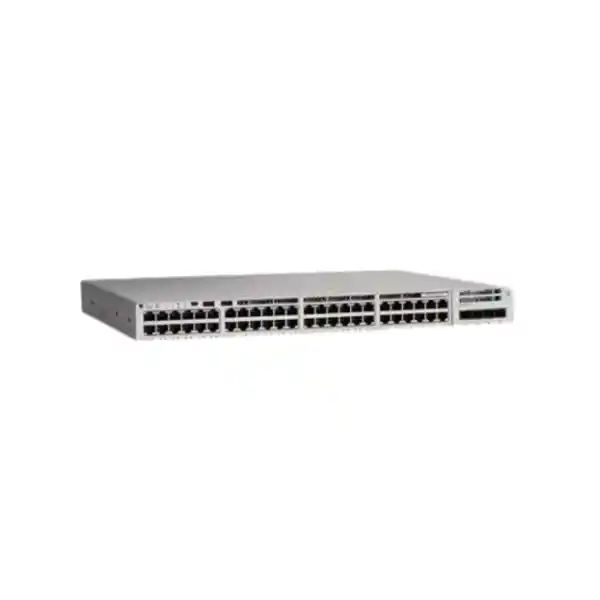
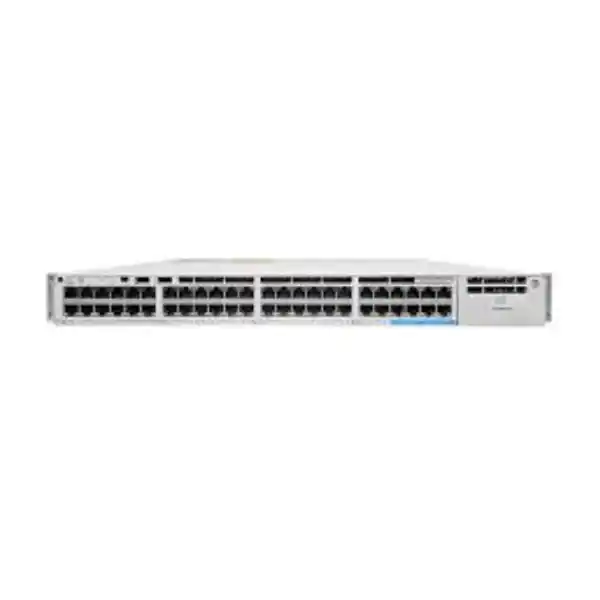
Cisco Catalyst C9200-48PXG Network Switch
Connect a mixed business network with Gigabit access, selected multigigabit connections and PoE+ capability. Specify the complete power, uplink and software configuration around your endpoints before placing an order.
Request a configuration-based quote. Share your endpoint list, uplink requirements and deployment location with FourTeck Tanzania.
A practical fit
Business access networks with a mixture of everyday devices and selected faster copper endpoints, where the team wants to choose uplinks to suit its upstream design.
Confirm before purchase
Endpoint power needs, tested cabling, uplink compatibility, software entitlement and the exact supplied accessories. State these requirements in the quotation brief.
Choose the right access switch for a mixed-speed network
An office network rarely needs the same connection speed at every outlet. Desktops, printers and many business devices can remain on established access connections, while selected wireless access points or specialist workstations may need more bandwidth. The Cisco Catalyst C9200-48PXG network switch addresses that mixed requirement with a combination of conventional access ports, faster copper connections and a choice of uplink modules. For a Tanzania procurement project, begin with the endpoint inventory and the upstream design, then request a configuration that matches both.
The practical buying question is how the switch will serve your building today and how the design will change during the next equipment refresh. List the devices that must receive network power, identify which connections genuinely need additional bandwidth, and record the links to your distribution switches. This approach gives the quotation a clear technical purpose. It also helps separate essential equipment from accessories that can be deferred until a documented expansion.
Ask FourTeck Tanzania for a configuration-based quotation covering the switch, software entitlement, uplink hardware, power supplies and required accessories. Price, supply status, delivery arrangements and any installation scope should be confirmed in the written offer for your project. The base model name alone does not define a complete deployment package.
Verified hardware at a glance
| Item | What to know |
|---|---|
| Access interfaces | 48 copper access ports: 40 Gigabit Ethernet and 8 multigigabit Ethernet ports. |
| Multigigabit speeds | The 8 faster copper ports support 1, 2.5, 5 and 10 Gbps; the connected device and cabling must support the selected rate. |
| Endpoint power | PoE+ capability across the access ports; actual allocations depend on endpoint requirements and the installed power budget. |
| Uplink architecture | A modular uplink slot, with compatible 4-port 1G/10G, 2-port 25G or 2-port 40G network-module choices. |
| Stacking | Cisco StackWise-160 support with the appropriate stacking hardware and a supported stack design. |
| Serviceable components | Two power-supply slots and two field-replaceable fans. |
| Ordering variants | C9200-48PXG-E: Network Essentials. C9200-48PXG-A: Network Advantage. Confirm the complete software order. |
| Important exclusion | C9200-NM-4G is not supported on this PXG model. |
Treat this specification summary as a starting point for selecting a configuration. A supported component is not automatically included in an offer. Require the supplier to identify the actual module, installed power supplies, software items and accessories on separate lines, so purchasing and engineering teams can approve the same bill of materials.
Allocate the faster ports where they create value
Build a port schedule before assigning equipment. For each outlet, record the device type, location, expected traffic, required link speed and whether network power is needed. Add an owner or department where that helps later troubleshooting. A concise schedule makes it easier to reserve the faster interfaces for workloads that justify them instead of allocating them by patch-panel position or convenience.
Consider a hypothetical office with ordinary desk connections and several access points serving busy meeting areas. The design team should identify which access points can use a faster wired interface and which are constrained by their own hardware or power requirements. The faster switch connection cannot change an endpoint’s supported Ethernet rate. Wireless capacity, client capability and upstream connectivity still influence the experience users receive.
Keep some expansion capacity where the business has a credible growth plan. Record whether that headroom is needed for more devices, faster interfaces or extra power, because those are different requirements. If the project requires a much larger population of high-speed copper endpoints, compare another switch configuration before purchasing. A careful allocation plan is more useful than assuming that every socket will operate at the maximum speed shown in the product name.
Check the complete copper cabling path
The cable between a switch and a device includes more than the visible patch lead. Review the permanent run, patch panels, intermediate couplers and leads at both ends. Ask the cabling contractor for test results tied to outlet labels, especially where higher connection speeds are part of the acceptance criteria. Visual inspection alone cannot establish the performance of an installed channel.
Cisco’s architecture guidance specifies Category 6a or Category 7 cabling for 10G connections on these multigigabit interfaces. Have the installer verify the chosen channel against the intended speed and installation conditions. Where existing cabling must be retained, measure what it can reliably support and include any remedial work in the project scope. Do not turn a cable-category label into a blanket promise about every installed outlet.
Create a small pilot using the actual endpoint and a representative cable route before completing a large migration. Document the negotiated rate, interface errors and application behaviour under normal load. If a connection falls below the intended speed, investigate the full path before replacing the endpoint or switch. This evidence gives the buyer a clear way to distinguish an installation issue from a hardware selection issue and makes later acceptance discussions more objective.
Build a PoE worksheet around real endpoint requirements
Prepare a separate power worksheet alongside the port schedule. Include each phone, camera, access point or other powered device, its exact model and the operating mode required. Record the manufacturer’s specified power standard and requested allocation. Include relevant accessories, such as optional radios or attached modules, when they change the endpoint’s requirements. The worksheet should describe the equipment that will actually be installed.
PoE+ supports negotiation up to 30 W at the switch port. A device that needs a higher power standard for full functionality requires a different powering solution or a different switch choice. Check the endpoint documentation rather than assuming that an Ethernet connector establishes power compatibility. Also distinguish power supplied by the switch from power available at the far end of the cable.
Use requested allocations for planning, then compare them with measured operation during commissioning. For illustration only, twenty devices budgeted at 15 W each represent 300 W of requested allocation before other endpoints are added. That arithmetic is a planning example, not a claim about this listing’s supplied configuration. Leave justified expansion capacity and document which devices have operational priority if the available budget changes.
Separate total power capacity from resilience
The power-supply arrangement should satisfy two different questions: whether the installation can power its connected equipment, and what should happen when one source is unavailable. Ask the quotation to state the available endpoint-power budget for the proposed configuration and explain the intended behaviour after a supply or feed failure. Do not approve a design solely because its combined normal-operation capacity appears sufficient.
Where continuity matters, write the required degraded-state behaviour into the design brief. For example, the business may want essential telephones and selected access points to remain available while less critical devices can be disconnected. This is a requirement to engineer and test, not a guarantee that follows automatically from installing another power supply. The selected hardware, power allocation and configuration all need review.
Include the upstream electrical arrangement in the discussion. Identify which outlets, UPS systems and circuits feed the equipment and whether any shared dependency remains. A second connection to the same vulnerable source may leave an important failure mode unresolved. Ask qualified personnel to assess electrical suitability and UPS runtime for the actual installation. Record the agreed test method so the handover demonstrates the intended outcome under a controlled maintenance procedure.
Select uplinks from traffic patterns and upstream compatibility
Choose the uplink around where traffic travels. Local printing, access to an on-site application, cloud collaboration and backup transfers create different demands. Ask for representative utilisation information if you are replacing an existing switch, and identify periods when several workloads overlap. A design based only on the number of occupied sockets can miss the concentration of traffic leaving the access layer.
For this model, the compatible modular choices include C9200-NM-4X, C9200-NM-2Y and C9200-NM-2Q. Match the selected module with the upstream switch, supported transceivers or direct-attach cables, and the installed media. The fact that an uplink module fits the access switch does not establish that every proposed optical connection is supported at both ends.
Document link speed, fibre type, connector, route and remote port before ordering optics. If two links are proposed, define whether they are for resilience, aggregate capacity or separate destinations, and have the network engineer validate the topology. Avoid treating several physical links as a promise that a single application transfer will use their combined bandwidth. A complete uplink schedule makes future expansion easier because the assumptions and spare capacity remain visible.
Decide whether stacking improves your operating model
Stacking can be relevant when several access switches need to be operated together, but it should follow the network design rather than become an automatic accessory purchase. Compare the desired administrative arrangement, physical rack positions, inter-switch connectivity and maintenance procedures. Ask whether a single independently managed switch would meet the current need, or whether the project already has a justified multi-switch design.
The supported StackWise technology requires the appropriate adapters and cables; ordinary Ethernet patch leads are not a substitute for the stacking connection. Require a written list of the participating switch models, software versions and licensing requirements. Compatibility should be checked for the exact proposed combination. Similar family names are insufficient evidence that a mixed stack is supported.
Plan cable lengths and physical access before equipment is mounted. Define how the team will identify members, retain configuration records and recover from a failed component. Include any agreed failure testing within an approved maintenance window. The stacking bandwidth is a platform interconnect specification, not an endpoint speed or an internet-service rating. Explain that distinction in the project record so business stakeholders can assess what the added hardware is intended to accomplish.
Specify software and licensing before comparing prices
An accurate comparison needs more than a chassis price. Cisco lists Network Essentials and Network Advantage ordering variants for this model, and current software purchasing options should be confirmed against the final configuration. The business should describe its required routing, policy, automation and management functions so the supplier can map them to the correct entitlement. Avoid selecting an edition solely because its name sounds more complete.
Ask the offer to identify the base software level, any required subscription, its term, the management features included and the account that will hold the entitlement. Request a clear explanation of renewal-dependent services and what the business must maintain after the initial purchase. Where a feature is important to acceptance, obtain confirmation for the exact hardware and intended software release rather than relying on a family-level feature list.
Assign responsibility for the licensing handover. The customer’s administrators should know where entitlement records are held, who can administer them and what information is needed for future support. Keep purchasing documents with the final equipment inventory. This preparation helps prevent confusion between ownership of the physical switch and access to particular software functions, without assuming that every licence or subscription follows the same commercial rules.
Fit management into your team’s daily workflow
Choose a management approach that the operating team can maintain. Establish who will approve configuration changes, where backups will be stored and how staff will recognise a developing fault. An advanced interface provides limited value if no one owns the alerts or understands the recovery process. The project brief should therefore include operational responsibilities alongside hardware specifications.
This is a Cisco IOS XE access-switch platform. Confirm management-platform compatibility and licensing for your intended deployment, especially if the organisation already uses a central monitoring or automation system. Do not assume that capabilities advertised for a different Catalyst variant or a different management mode apply to this exact order. State the proposed software release and review the relevant support documentation before adopting a management integration.
Define a small set of useful operating information: device reachability, interface errors, uplink utilisation, temperature or component alerts, and endpoint-power status where relevant. Specify who receives each alert and what action it should trigger. During handover, demonstrate a configuration backup and a practical troubleshooting example. These steps make the installation easier to operate and give the buyer a concrete way to evaluate the proposed management scope.
Design segmentation around business access requirements
Start with a simple access matrix. Identify which user groups and devices need to communicate with business applications, infrastructure services and the internet. Include guest equipment, cameras and administrative access in the discussion. The purpose is to establish clear communication requirements before translating them into VLANs and enforcement policies.
Catalyst configuration documentation supports access-port and trunk-port VLAN assignments, with allowed-VLAN controls on trunks. Have the engineer document which VLANs should appear on each connection and where routing or security enforcement will occur. A VLAN allocation is part of the design; the permitted traffic between groups still needs an explicit policy. Check that the selected software level and surrounding equipment support the intended arrangement.
Test the policy with representative users and devices. A guest client should receive the access specified in the brief, and an administrative workstation should reach only the management destinations it needs. Record both successful business tasks and deliberately blocked paths. For a live migration, retain a clear map between old and new assignments so a mispatched outlet can be diagnosed quickly. This makes segmentation understandable to the business and gives the support team useful evidence after the installer leaves.
Coordinate phones, video and application traffic
A converged access network needs agreement between the switching, telephony, wireless and security teams. Record where phones obtain addressing information, how they reach their call platform, and what happens to connected computers when equipment is moved. Include conferencing endpoints and other time-sensitive applications when defining the network requirements, rather than treating them as ordinary bulk transfers.
Cisco documents voice VLAN operation on access ports and quality-of-service queuing and scheduling on this platform. Those tools require an appropriate configuration. Ask the designer to identify the traffic classes, trust boundaries and congestion points relevant to your applications. The policy should reflect the equipment connected to each port and the treatment expected farther along the path.
Validate the user experience while representative background traffic is present. For example, carry out an agreed call-quality or conferencing test during a scheduled transfer and record the conditions. This is more useful than demonstrating only that a phone registers when the network is idle. If an external connection is the limiting factor, review that part of the design as well. A switch configuration cannot by itself establish the capacity or service quality of every network beyond its uplinks.
Match the switch to a realistic deployment scenario
For an office floor, the key requirement may be a mixture of desk connectivity, telephones and selected faster wireless connections. Build the design around occupancy, meeting-room demand and the location of the communications cabinet. Identify any outlets reserved for future teams. This scenario suits a procurement discussion centred on mixed endpoint requirements rather than a blanket upgrade of every connection.
For a learning facility or training environment, consider how a timetable changes network demand. A teaching room that is empty in the morning may be heavily used later in the day. Ask the project team to identify simultaneous sessions, shared applications and the equipment that requires network power. Those details help distinguish the number of installed devices from the traffic that is likely to occur together.
For an organisation with several branches, consistency may be the main operational objective. Prepare a standard port-label format, configuration record and acceptance checklist, while allowing each location’s uplink and power needs to be assessed separately. These are illustrative deployment scenarios, not claims about existing customers or service coverage. The right configuration follows the actual environment, and a different switch may be appropriate if the requirements change.
Identify requirements that call for a different configuration
Write down the conditions that would disqualify the proposed design before accepting an offer. Examples include endpoints requiring a higher power standard, more faster copper connections than the plan can allocate, unsupported upstream interfaces or an environmental requirement the equipment does not meet. This prevents a familiar model name from becoming a substitute for a technical assessment.
Do the same for software-dependent requirements. If the project needs a particular routing function, policy integration or management workflow, ask for its support status on the selected edition and release. Have the engineer explain any platform limits that affect the proposed scale. A requirement should be either confirmed, redesigned or explicitly removed from scope before the order is placed.
Review whether the equipment belongs in the intended role. An access-switch selection should be evaluated against access-layer workloads; specialised core, storage or high-density server requirements deserve their own design exercise. Consider operating skills and maintenance arrangements as well as interfaces. The strongest purchase decision is one the team can explain in terms of its applications, endpoints and support capacity, with any unresolved condition visible in the approval record.
Prepare the cabinet, power and physical installation
Arrange a site-readiness review before committing to the installation date. Record the cabinet location, mounting arrangements, patching access, electrical supply and cooling conditions. Cisco’s installation guidance calls for unobstructed airflow and a clean, dry, suitably controlled environment. Qualified installers should check the actual location against the hardware installation requirements rather than relying on the room’s general appearance.
Give serviceable components enough access for the intended maintenance procedure. Consider how power leads, fibre routes and copper bundles will be secured without obstructing equipment access or ventilation. Label the power sources and network destinations so staff can identify them without tracing a dense bundle during an incident. Include the condition of the existing cabinet and patch panels in the work scope.
For a Tanzania project, assess the conditions at the specific premises instead of assuming that every site has the same power or environmental constraints. Confirm any UPS, electrical or cabling work with the responsible contractors. Document who is supplying mounting items and who is approving the completed installation. This makes site preparation a visible deliverable and reduces the chance that a technically correct switch arrives before the location is ready to receive it.
Plan a controlled replacement of an existing switch
A replacement project should begin with an inventory of the equipment being removed. Capture the port assignments, connected devices, uplink destinations and application dependencies. Save the existing configuration and record any undocumented behaviour that users rely on. Obtain access to the relevant cabinets and administrative systems before the change window begins.
Prepare the target configuration in advance and have another authorised engineer review it where your change process requires that review. Cisco’s public Tanzania migration guidance also highlights the need to consider software and licensing when moving from older Catalyst equipment. For broader replacement planning, see the verified FourTeck Tanzania guidance linked below. The exact migration steps should be written for your existing environment.
Define the sequence for moving connections, the checks after each group and the point at which the team would restore the previous arrangement. Have a practical method for returning each cable to its recorded position. Communicate the expected interruption through the organisation’s normal change process, and ensure the people approving the change understand the rollback condition. A well-prepared migration gives the project a measurable completion point instead of relying on a general impression that the network appears to work.
Use an acceptance checklist tied to business outcomes
Agree the acceptance criteria before installation starts. They should cover representative endpoints, required applications, intended link rates and the management functions in scope. Include the information the customer needs at handover, such as a port schedule, equipment inventory and final configuration record. Define who witnesses the tests and where results will be retained.
Choose representative checks instead of a demonstration that exercises only an empty port. Test a normal workstation, a powered endpoint and a device assigned to a faster connection where those are included in the design. Verify the upstream path and the relevant access policy. Use a repeatable method and record the test conditions so results can be interpreted later.
Where resilience testing is part of the contract, schedule it explicitly and agree how service impact will be controlled. Record the expected behaviour, observed result and any corrective work. Finally, review unresolved items with the customer and assign an owner and completion date to each. This process separates a completed hardware installation from a fully accepted network change, giving both purchasing and technical teams a shared record of what has been delivered.
Compare the complete cost of ownership
Ask competing offers to follow the same equipment and service schedule. Separate the switch hardware, uplink module, optical or direct-attach connections, power supplies, stacking items, software and professional services. A lower headline amount may reflect a different scope. A consistent comparison helps the buyer identify which differences are commercial and which would change the finished network.
Include the work surrounding the equipment. Cabling remediation, cabinet preparation, configuration, migration, documentation and staff handover can be relevant project costs. State whether each item is included, supplied by the customer or to be quoted separately. Also ask for the terms attached to support and any recurring software items so future budget owners understand the ongoing commitments.
Confirm the quotation currency and any applicable tax, delivery or import arrangements in writing. This page does not state a local selling price or a supply commitment. Ask for a current offer based on the final configuration and delivery destination. Procurement can then assess the complete proposal against the intended outcome, with a clear record of inclusions, exclusions and the commercial validity period provided by the supplier.
Prepare a quotation brief that gets a useful answer
Send a short technical brief with the requested model and the business reason for the purchase. Include the number and type of endpoints, the planned use of faster interfaces, power requirements, upstream connection details and whether the switch will join a stack. Add the existing equipment models where compatibility or replacement is involved.
State the software and management functions that must be included, even if you are unsure which ordering option provides them. Describe the intended installation location, required migration scope and the customer’s responsibilities. Provide the delivery destination and desired project timing so the supplier can confirm what is achievable in its offer. Avoid treating an aspirational date as an agreed commitment.
Ask for the response to identify assumptions and any information still needed for final design. A useful quotation should show the complete part list, licensing terms, service scope and commercial conditions. Before issuing the purchase order, have the technical owner confirm that the quoted configuration answers the original brief. This reduces ambiguity and makes the buying conversation about a working network rather than a bare product identifier.
Keep the switch and wireless designs aligned
If faster access-point connections are a major reason for selecting this model, review the wireless design and switch order together. The access point’s wired interface, operating mode and power requirement should all be known before ports are assigned. Do not infer compatibility from the Wi-Fi generation alone. Two products used for similar wireless deployments can have different power and management needs.
Ask the wireless team to describe expected coverage, capacity and application requirements separately. A faster Ethernet link addresses one part of the path; the placement of access points, client capabilities and the upstream network remain part of the design. Where practical, trial an intended access-point model with the proposed powering arrangement and configuration before approving a larger installation.
FourTeck Tanzania’s published Cisco wireless guidance provides a broader procurement starting point for access-point selection. Use that discussion to coordinate the endpoint and switching requirements, then request confirmation for the exact combination in your quotation. Record any condition that could change the switch selection, such as a different endpoint power requirement or an increase in the number of faster wired connections.
Buyer questions
Does every access port support 10 Gbps?
No. This model combines forty Gigabit access connections with eight multigigabit connections. Map the faster endpoints before approving the order, and confirm their own interface specifications. The mixed port layout is central to deciding whether this model fits your intended deployment.
Are the uplink module and optics included?
Inclusion depends on the actual offer. Ask for a separately identified compatible uplink module and the transceivers or cables needed at both ends of each connection. A description of supported uplink speeds does not establish the contents of a supplied package.
Can I reuse a C9200-NM-4G module?
Cisco excludes that module from the supported choices for this PXG model. Review the available compatible modules against the upstream equipment before ordering. If retaining existing accessories is part of a replacement project, list each part number for an explicit compatibility check.
Will all my access points receive enough power?
Check the exact access-point model, required operating mode and power standard first. Then assess the combined allocation against the quoted power configuration, including the intended failure condition. Some endpoints require a higher power standard, so a general statement that the switch supports PoE is insufficient.
Which software variant should I request?
Request the edition and subscription arrangement that supports your required functions. Give the supplier a written list of routing, management and policy needs. Require those needs to be mapped to the final ordering items rather than assuming that the unsuffixed model name identifies the complete software entitlement.
Does stacking remove every single point of failure?
No. The design still needs review of power feeds, uplink paths, connected devices and maintenance procedures. Ask the engineer to identify remaining shared dependencies and specify what happens when a component becomes unavailable. Test only the failure scenarios agreed in the project plan.
Can existing copper cabling be retained?
Possibly, subject to testing for the intended connection rate and installation conditions. Request channel-level results linked to outlet labels and include patch leads and intermediate connections in the assessment. Have any required remedial work identified before committing to the migration schedule.
What determines the Tanzania price and delivery schedule?
The complete hardware and software configuration, quantities, delivery destination and agreed service scope need to be quoted. Request a written offer for those requirements. Confirm current availability, commercial terms and delivery arrangements directly; no stock quantity or delivery deadline is asserted here.
What should the installation handover include?
Request the final equipment inventory, agreed entitlement records, configuration backup, port schedule and acceptance results. Include a named owner for outstanding items and the support arrangements stated in the offer. The scope should be agreed before work begins so the documentation matches the installed network.
Request your switch configuration and quotation
Provide FourTeck Tanzania with your endpoint schedule, required uplink connections, power plan and preferred management approach. Include the existing network details if this purchase is part of a replacement. Ask for a complete equipment list and written confirmation of licensing, availability, delivery and any services requested.
Next step: request a quotation for the configuration your network needs.




Reviews
There are no reviews yet.