
CISCO CATALYST 9200CX · TANZANIA
Compact PoE+ access for a small device group
Connect local business devices with a compact managed switch. Match endpoint power, upstream connectivity and software requirements before requesting your configuration.
A compact access switch for a defined group of devices
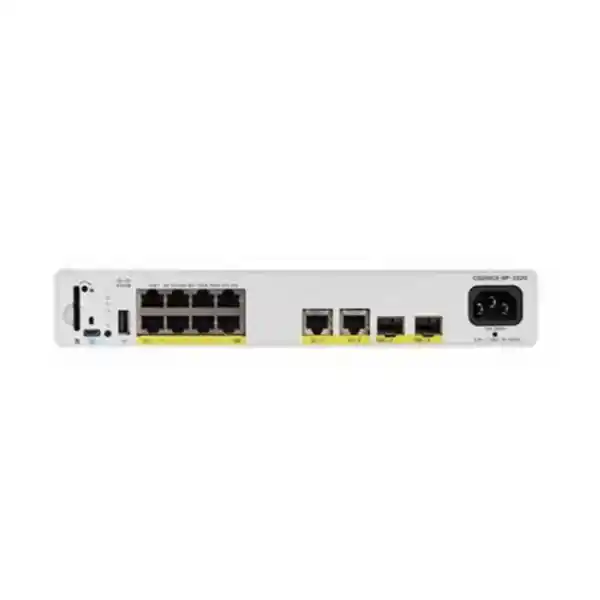
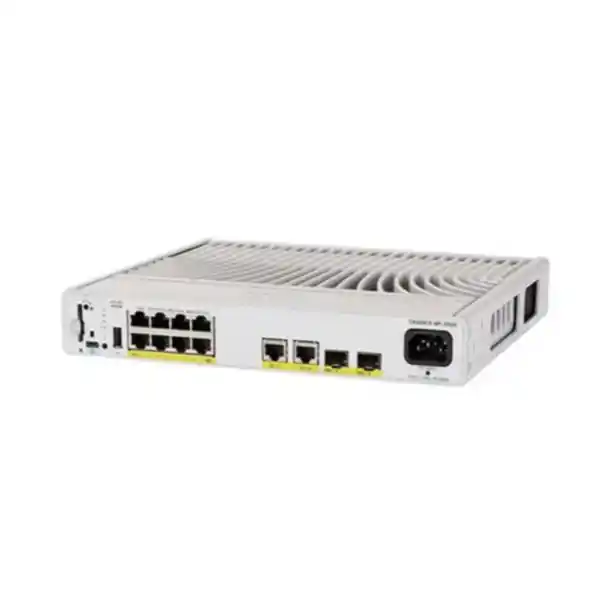
For a business extending its wired network to a small office area, reception desk, meeting suite or local equipment point, the priority is often straightforward: connect the required devices, supply appropriate power and return their traffic to the wider network without installing a large access switch beside users. The Cisco Catalyst C9200CX-8P-2X2G Network Switch addresses that requirement with eight Gigabit PoE+ access ports and separate uplink connectivity in a compact, fanless chassis.
This product is worth considering when the connected devices need Gigabit Ethernet and standards-based PoE or PoE+, while the upstream network can benefit from a faster connection. It needs more careful consideration when endpoint requirements include multigigabit copper, power beyond PoE+, hardware stacking or a larger port count. Establish those requirements before comparing quotations so that a small footprint does not conceal an unsuitable specification.
For a Tanzania procurement enquiry, ask FourTeck Tanzania to quote the complete configuration against your endpoint list and network design. Include the intended software edition, uplink media, mounting arrangement and support requirements. Price, stock, delivery, warranty and installation scope should be confirmed in the quotation for the actual order. This page describes the hardware family requested; it does not identify an already selected commercial bundle.
Read the port layout before choosing the switch
The eight downlink interfaces support 10/100/1000 Mbps Ethernet. They are the main connections for local endpoints. Uplinks are separate: the model provides two 10G SFP+ positions and two 1G copper uplink interfaces. This distinction helps a buyer reserve the access ports for devices while planning a connection back to the distribution network or another suitable upstream switch.
An SFP+ position is a connection point for supported media, rather than an optical link that becomes usable without the correct components. The quotation should identify any required transceivers or direct-attach cables, the far-end interface and the intended operating speed. Do not assume that the description of an uplink includes optics, fibre patch leads or matching modules at the other end.
Plan ports from a named device schedule. Count each phone, access point, camera, printer and computer according to its actual connection arrangement, then allow for realistic growth. A deployment with seven planned devices and several probable additions deserves a different discussion from a fixed installation with four permanent endpoints. Record which ports must provide power and which carry data only.
Verified hardware essentials
The core specification is compact enterprise access switching with PoE+, rather than a high-density wiring-closet platform. Cisco lists a 315W internal AC power supply and a maximum available PoE budget of 240W. The supply rating and the endpoint power budget describe different things: the larger figure must not be treated as power available to connected devices.
The enclosure measures approximately 4.4 × 26.9 × 24.4 cm in height, width and depth and weighs approximately 2.99 kg. These dimensions are useful for early space planning, but an installation also needs room for connectors, cable bends, ventilation and safe access. Measure the intended location with those allowances instead of checking only whether the bare chassis fits.
Fanless construction is relevant where mechanical fan noise would be unwelcome. It still requires a suitable thermal environment. Avoid treating a compact enclosure as permission to place the switch in a sealed cupboard, cover its ventilation surfaces or surround it with unrelated power equipment. The installation method should follow the hardware guide and the mounting accessories selected for the order.
| Item | Specification / selection |
|---|---|
| Model | Cisco Catalyst C9200CX-8P-2X2G |
| Access interfaces | 8 × 10/100/1000 Mbps RJ-45 PoE+ |
| Uplink interfaces | 2 × 10G SFP+ and 2 × 1G copper |
| PoE standards | IEEE 802.3af PoE and IEEE 802.3at PoE+ |
| Available endpoint power | 240W maximum total; up to 30W PoE+ per eligible port |
| Power supply | 315W internal AC |
| Cooling | Fanless |
| Dimensions / weight | 4.4 × 26.9 × 24.4 cm (H × W × D); approximately 2.99 kg |
| Software order variants | -E: Network Essentials; -A: Network Advantage |
| Hardware stacking | StackWise not supported |
Calculate endpoint power before filling the ports
PoE+ support is based on IEEE 802.3at, with up to 30W provided at an eligible switch port; IEEE 802.3af PoE devices are also supported. Delivered power at a powered device differs from the switch-side rating because the cabling path has losses. Compare each endpoint’s documented power requirements and supported standard rather than matching a marketing power figure in isolation.
Build a simple worksheet with a row for every powered device. Record its exact model, required PoE class or standard, maximum expected allocation and any features that increase consumption. Access-point radios, camera heaters, infrared illumination and attached peripherals can change the relevant requirement. Use the device manufacturer’s specification for the operating mode you actually intend to deploy.
As an illustrative planning calculation, four endpoints allocated 20W each plus two allocated 12W each total 104W. Those figures are examples, not certified consumption values for any device. The exercise demonstrates how to total a mixed installation before comparing it with the available budget. A satisfactory total does not establish compatibility if an individual endpoint requires a power standard the selected port cannot provide.
Keep the worksheet with the quotation and installation record. When a future endpoint changes, update that one row and reassess the total. This is more useful than relying on a broad statement that the switch powers phones or cameras, because equipment within either category can have very different requirements.
Choose the uplink for traffic and distance
Uplink planning starts with traffic direction. A few phones making calls generate a different pattern from cameras continuously sending video to a recorder or users transferring large files to a server. Estimate simultaneous demand toward shared services, identify peak periods and decide whether the proposed upstream path has sensible headroom. The advertised endpoint speed alone cannot answer that question.
A faster uplink can reduce contention between several local devices sending traffic upstream, but it does not increase the speed supported by an individual access interface. If a wireless design depends on a multigigabit wired connection to each access point, select a switch whose downlink specification meets that requirement. An optical uplink elsewhere in the path does not remove the endpoint-side limitation.
For fibre, document distance, fibre type, installed connector presentation, patching route and both equipment interfaces. For copper, document the existing cable condition and termination quality. For a short direct connection between cabinets or adjacent equipment, ask whether a supported direct-attach option is appropriate. Have the exact combination validated rather than buying an accessory solely because its connector looks correct.
Where two upstream paths are proposed, have the network engineer define their operating method. Parallel physical links do not automatically create useful redundancy or combine their bandwidth. The design must account for the upstream devices and the selected software capabilities, with a test that demonstrates the intended behaviour when one path is disconnected.
A worked planning example for a small business area
Consider an illustrative indoor installation with two wireless access points, two phones, two cameras and one printer. That is seven endpoint connections before any future additions. Treat the list as a planning example, not a compatibility statement for unnamed devices. Start by adding exact models to the schedule and marking which endpoints require power through Ethernet.
Suppose the access points are allocated 22W each, the phones 8W each and the cameras 14W each, while the printer uses its own electrical supply. The illustrative Ethernet power allocation totals 88W: 44W for wireless, 16W for voice and 28W for video. These assumed allocations must be replaced with verified device requirements before any real order or configuration decision.
Next, decide where the traffic goes. The cameras may send continuous streams toward a recorder, while the printer may receive occasional jobs and the phones depend on a reachable calling platform. Wireless traffic may rise sharply during meetings. Estimate the combined demand at busy times and compare it with the upstream path, including any slower interface further along that path.
Then assess the spare connection. It may be sufficient for a fixed installation, or it may leave too little room if additional desks are planned. Discuss likely changes with the people responsible for the space. A modest current device count should not obscure a known expansion that would make a different port density more appropriate.
Finally, write the acceptance criteria in plain language: each endpoint receives the required power, reaches its authorised services and operates during the agreed busy-period test. Include the intended result of any upstream link interruption if resilience is part of the design. This example turns a product enquiry into a measurable installation requirement without assuming that every endpoint category behaves the same way.
Suitable deployment scenarios
Small office extension: consider this form factor when a defined work area needs managed wired connections without the scale of a full access cabinet. Prepare the user-device count and identify which services reside elsewhere. Decide where the switch can be secured and who will have access to it. A convenient location should also allow support staff to inspect connections without disturbing daily work.
Reception or customer-service point: a local switch may consolidate the connections for phones, workstations and approved peripheral devices. Before selecting it, separate business-critical equipment from optional additions and document what happens during a power interruption. Where reception depends on a central application, the upstream network and the application platform remain part of the service path.
Meeting and training rooms: assess wired presentation equipment, room systems and wireless access points individually. Audio-visual equipment can vary widely in bandwidth and power demand, so a room-system label is insufficient for compatibility. Gather manufacturer requirements before reserving ports. Decide whether occasional visitor connections should be permitted and how they will be controlled.
Indoor camera grouping: a small group of compatible cameras may be a useful access-switch application when the recorder or monitoring system is reached upstream. Calculate video traffic using the intended resolution, frame rate and recording method. Check peak power conditions for the cameras. Physical location, power resilience and access control deserve attention because a local switch failure can affect every attached camera.
Check wireless access points individually
A wireless access point needs a suitable data connection and a suitable power source. Verify both against the exact access-point model and operating mode. A unit may connect at a lower Ethernet speed than its maximum while also changing radio or peripheral behaviour under restricted power. The acceptance criterion should therefore describe the intended service rather than simply requiring the access point to turn on.
For an existing wireless installation, record the current negotiated interface speed, power allocation and any reported restrictions before replacement. Preserve those observations in the change plan so that the new installation can be compared with the baseline. Where coverage or capacity is already poor, a switch change alone may leave the underlying wireless problem unresolved.
If the project includes new wireless equipment, review the access-point choice and switching choice together. FourTeck Tanzania’s Cisco wireless access-point guidance can help frame the wider discussion. The final configuration should state the exact device, required power, expected wired speed and management dependencies. Compatibility should be resolved before equipment is ordered for multiple rooms or branches.
Segmentation should follow the business requirement
Before configuration, identify which devices should communicate and which should remain separated. Common planning groups include staff systems, voice equipment, cameras and visitor access, but the correct groups depend on the organisation. Write down the intended traffic paths and the device responsible for enforcing them. A collection of named networks is useful only when the forwarding and access policy match the business requirement.
Ask the implementer to validate every proposed VLAN, trunk, authentication or routing function against the selected software edition and IOS XE release. The product name by itself does not establish that every feature in a wider Catalyst document applies to the chosen order. This is particularly relevant when an existing configuration contains features added over several years.
Keep management access within the same design discussion. Decide which administrator systems can reach the switch, where credentials are managed, how configuration changes are recorded and where event information will be reviewed. These are operational requirements to include in the implementation scope. They should not be assumed from the presence of managed switching.
Test segmentation using representative endpoints after configuration. Confirm the connections that should work and the connections that should be restricted. Retain a short record of the expected results so that a later technician can diagnose a problem without having to reconstruct the original business intent from interface settings.
Specify software and licensing explicitly
Cisco documents C9200CX-8P-2X2G-E with Network Essentials and C9200CX-8P-2X2G-A with Network Advantage. The user’s base model does not choose between those editions. A quotation should show the complete orderable part number and describe the entitlements included, rather than presenting a bare hardware name as a complete software specification.
Translate the network design into a feature checklist before deciding on the edition. List required forwarding functions, management integrations and any planned change during the equipment’s expected use. Have the supplier map those requirements to current Cisco licensing and software documentation. This makes a later technical review easier because the reason for the chosen edition is visible.
Subscription components, support coverage and software entitlements should be itemised separately where applicable. Ask what term applies, which account will hold the entitlement and what work is included in initial registration or handover. Avoid assuming that all recurring charges are included permanently or that an existing organisation-wide arrangement automatically covers a newly purchased switch.
For software deployment, request a release recommendation based on the actual model, required features and current support guidance. The newest available image is not by itself a complete change plan. The implementation should include a configuration backup, a tested access method and a practical recovery procedure if the upgrade or migration does not complete as intended.
Understand the resilience limits
This compact model does not support Cisco StackWise stacking. Do not purchase it as a member of a Catalyst hardware stack or include stack adapters in the design on that assumption. If a single logical stack is a mandatory requirement, select a supported platform and review the intended stack composition before ordering.
The internal power arrangement also needs to be considered as part of the availability design. Cisco’s power table does not offer an optional secondary supply for this model. An upstream UPS may address an interruption to the building supply, but it does not turn one switch into two devices or remove every equipment-level failure mode.
Define availability in terms that the business can test. State which endpoints must remain usable, which interruptions are tolerable and how long recovery may take. Then assess the switch, uplink, upstream equipment and electrical source together. Two network cables connected through one vulnerable upstream device can still leave a common point of failure.
For a small branch, an agreed spare-equipment strategy may be more practical than a complicated topology. For a critical service, a different hardware architecture may be justified. The decision should follow outage impact and recovery needs, with the support and replacement arrangements written into the procurement scope rather than inferred from the product family.
Plan location, mounting and electrical supply
The installation point should be secure, accessible for maintenance and suitable for the expected ambient conditions. Check cable entry, connector protection and the ability to reach the power connection. A switch installed close to users should not invite accidental unplugging or allow patch leads to be pulled when furniture is moved.
The hardware guide describes the AC input as autoranging from 100 to 240 VAC at 50/60Hz. Confirm the correct power cord and local outlet arrangement for the supplied order. Electrical suitability, earthing, circuit protection and any UPS integration should be checked for the actual premises by the responsible installer. A universal input rating does not confirm every installation detail.
For this model, Cisco’s environmental table lists an operating range of minus 5 to 45°C, with a minimum cold-start ambient of 0°C. Optical-module selection can impose a lower maximum temperature. Use the applicable hardware and transceiver limits together, and check conditions near the equipment rather than relying only on a room thermostat reading.
Avoid exposed, wet or uncontrolled locations unless the complete installation has been engineered for those conditions. Do not infer outdoor, ruggedised or industrial suitability from the compact metal enclosure. Ask for the mounting accessories appropriate to the intended placement and verify what is included in the actual bill of materials.
Build a complete quotation for Tanzania
A useful request begins with the country of deployment, quantity and intended installation environment. Give FourTeck Tanzania the base model plus the required software edition, or provide the feature requirements if the edition has not yet been chosen. Separate mandatory requirements from preferences so that a proposed alternative can be assessed objectively.
Include the endpoint schedule, power worksheet and upstream interface details. State whether optics, fibre leads, copper patch cables, mounting accessories, console connectivity or a UPS are required. Identify items already owned and provide their exact part numbers. This reduces the chance of paying for unnecessary duplicates or discovering an essential missing component during installation.
Request a clearly itemised commercial response. Confirm the quoted currency, applicable charges, availability, delivery arrangements, warranty terms and any professional services in writing. Where a TZS price is needed for internal approval, request it explicitly from the supplier. This page does not supply a verified selling price or promise local stock.
If the equipment will be deployed across several locations, include the quantity and configuration for each location. Explain whether one central team will configure everything or whether local handover is required. Geography affects the implementation discussion, but service coverage and delivery commitments must be confirmed for the actual destination rather than assumed from the Tanzania site name.
Prepare an orderly replacement or new installation
For replacement work, record the existing topology before removing equipment. Save the current configuration, label cables and photograph the port arrangement where appropriate under the organisation’s rules. Identify connected services whose interruption requires notice. A small switch can still serve a business-critical group of users, so port count should not determine the care given to a change.
Create a port map showing the endpoint, intended network assignment and power requirement for every connection. Mark uplinks separately from endpoint links. Reconcile the map with the device schedule and the physical patching so that an installer does not have to guess which cable provides the upstream path during a short maintenance window.
For a new installation, arrange bench preparation where practical. Confirm the supplied part number, inventory the included accessories and have the authorised engineer prepare the agreed settings. Ensure administrative access and the recovery method are available before the equipment reaches its final location. Keep production credentials within the organisation’s approved handling process.
Define rollback before the change begins. State which conditions justify reversing the change, what equipment or configuration must remain available and who can make that decision. Where the old device is being retired, avoid disposing of it or erasing necessary recovery information before the replacement has passed the agreed acceptance checks.
Acceptance checks that produce useful evidence
Start with physical and inventory checks. Verify the delivered model and software edition against the quotation, inspect the installation and confirm that every cable is labelled consistently with the port map. Record the software version and the location of the saved configuration. These observations give future support staff a reliable starting point.
Next, check endpoint operation under realistic conditions. Confirm link speed, power allocation and access to the required services for representative devices. Where cameras or access points have higher-demand operating modes, include those modes in the test when practical. An idle endpoint can pass a basic connection test while concealing a problem that appears during normal work.
Test the upstream path using the agreed application or traffic criteria. Confirm that the correct interface and media are in use and review errors or unexpected link changes. If alternate links were part of the design, test the specified failure scenario and record recovery behaviour. Do not infer resilience simply because all interface indicators are lit.
Finish with a handover that includes the port map, configuration backup, entitlement information, support contacts and outstanding actions. Keep the record concise enough to maintain. The objective is to make the installation supportable by the organisation after the commissioning engineer leaves, with clear evidence of what was supplied and what was tested.
Compare alternatives by the requirement they solve
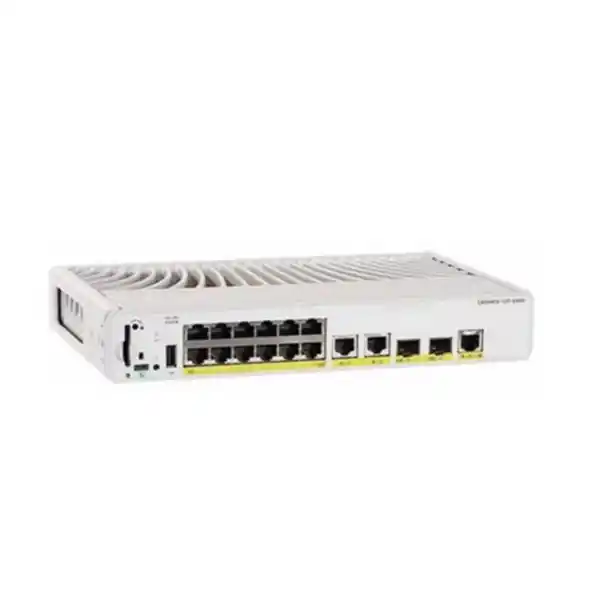
If the installation requires more local connections, compare a higher-port-count model before planning additional small switches. Cisco’s compact range includes a twelve-port PoE+ option, but the larger port count does not automatically mean a larger available power budget. Recalculate the endpoint worksheet for the proposed alternative and evaluate space, uplinks and licensing again.
If the key requirement is faster copper connectivity or more power per endpoint, evaluate an appropriate multigigabit and higher-power platform. The C9200CX-8UXG-2X is a different compact model with four multigigabit interfaces and UPOE capabilities. It should be assessed as a separate specification, including its thermal limits, rather than treated as an interchangeable name for this switch.
If hardware stacking, redundant internal supplies or substantial future expansion is essential, compare platforms explicitly designed for those needs. A larger physical footprint may be justified by the architecture. Conversely, buying a large chassis for a small, stable endpoint group may introduce cost and space requirements that the actual application does not need.
For a broad migration from older access switches, use a site-wide port and feature inventory. FourTeck Tanzania’s Catalyst 2960-X replacement guidance addresses that wider planning context. This product page focuses on a compact access point in the wired topology; a whole-building refresh needs a separate assessment of density, software, uplinks and operational requirements.
Frequently asked buying questions
Does this switch provide Wi-Fi? It is a wired Ethernet switch. Wireless service requires separate access points and their associated management arrangements. The switch can be assessed as the wired connection and power source for a compatible access point, but purchasing it does not establish wireless coverage, radio capacity or access-point compatibility.
Will every PoE camera or IP phone work? Validate the exact endpoint. Check the supported Ethernet interface, power standard, required allocation and any application-specific network dependencies. A broad product category is insufficient evidence. Supply the endpoint model numbers with the enquiry so that the power worksheet and port plan reflect the actual installation.
Can one access device use a 10G copper connection? The endpoint-facing interfaces on the requested model are Gigabit Ethernet. The faster SFP+ uplinks serve the upstream connection. If a particular endpoint needs a faster copper interface, include that requirement in the enquiry and compare a suitably specified alternative.
Are optical modules and subscriptions included? Inclusion depends on the quoted configuration. Ask for separate line items and the complete orderable part number. The presence of an SFP+ slot or a Cisco product-family name should not be treated as confirmation that a particular transceiver, subscription term or service has been supplied.
Can it replace any older Cisco switch? Replacement depends on port count, endpoint power, uplinks, required features, mounting and availability expectations. Compare those requirements directly. A compact eight-port model may be suitable for a small local group while being unsuitable as a direct replacement for a larger access switch serving an entire floor.
Ownership planning after installation
Assign responsibility for the switch before it becomes part of everyday operations. Identify who approves configuration changes, who reviews software guidance and who can obtain the current backup. Record where entitlement and purchase information are held. An enterprise product is easier to maintain when ownership survives staff changes and the original installer is no longer involved.
Include the device in the organisation’s routine inventory and maintenance process. Review connected equipment when users add new devices or when a room changes function. A meeting room converted into a workspace can alter the required port count, power allocation and traffic pattern without anyone formally changing the network design.
Monitor the conditions that matter to the application. Unexpected endpoint restarts, power-denial events, recurring interface errors or frequent uplink changes deserve investigation using the approved management tools. Agree who receives those observations and how they become a support action. Collecting information without a response process provides limited operational value.
Review the procurement assumptions periodically. A suitable switch today may require a different companion design when wireless equipment, business applications or resilience expectations change. Keep the original requirements and acceptance record alongside later changes, so that future upgrade decisions are based on the network’s actual role instead of the age of the chassis alone.
Request a configuration-based quotation
Ask FourTeck Tanzania for a Cisco compact switch quotation with your quantity, endpoint models, required software functions and upstream connection details. Add the intended mounting location and any requirements for configuration, commissioning or handover. A clear description of the application is the best starting point when the final software edition or accessories have not yet been selected.
Before approving an order, reconcile the proposed hardware, license edition, power requirements and media with the agreed design. Confirm the commercial terms and the exact scope of any services in writing. This gives the purchasing team a defined configuration to evaluate and gives the technical team a practical basis for installation and acceptance.
Request your configured switch quotation from FourTeck Tanzania.




Reviews
There are no reviews yet.