
FOURTECK TANZANIA · COMPACT ACCESS SWITCHING
Cisco Catalyst C9200CX-8UXG-2X Network Switch
Build a compact wired edge around the bandwidth and power your endpoints need. Confirm the software variant, shared power allocation and uplink accessories before ordering.
A compact switch for demanding edge connections
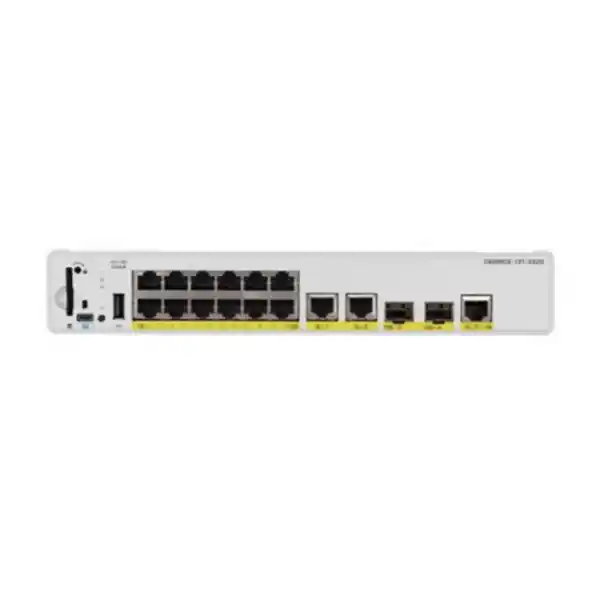
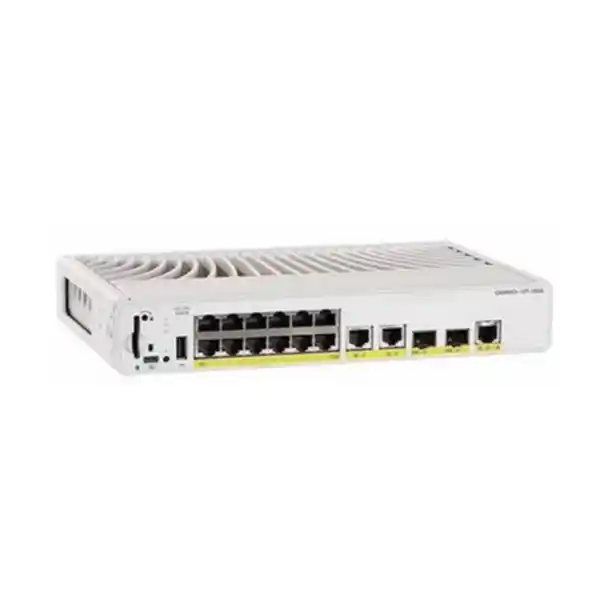
The Cisco Catalyst C9200CX-8UXG-2X Network Switch suits Tanzania buyers who need a small, fanless access switch for a limited group of demanding wired devices. It combines four multigigabit copper connections, four Gigabit copper connections and two SFP+ uplinks in one compact chassis. Its strongest fit is a carefully sized edge location where endpoint bandwidth, power delivery and physical placement matter more than a large port count.
Start your quotation with the devices you intend to connect. An access point, collaboration endpoint and ordinary desktop can need very different combinations of Ethernet speed and power. Share the endpoint model numbers, intended uplink arrangement and required software capabilities with FourTeck Tanzania so the proposed configuration can be checked against the actual deployment.
This product name identifies the base hardware model. The final order also needs an explicit software variant and a complete accessory list. Use the specification summary below to establish hardware fit, then work through power allocation, upstream connections and installation requirements before approving the bill of materials. Pricing, supply availability and commercial terms should be confirmed in the quotation for your order.
Hardware at a glance
| Item | Specification or selection note |
|---|---|
| Copper downlinks | 8 total: 4 multigigabit and 4 Gigabit Ethernet |
| Multigigabit speed options | 10/100/1000 Mbps and 2.5/5/10 Gbps on the four mGig ports |
| Gigabit speed options | 10/100/1000 Mbps on the four 1G ports |
| Fixed uplinks | 2 × 10G-capable SFP+ ports; select compatible modules or cables |
| Downlink power capability | Cisco UPOE / IEEE 802.3bt Type 3 Class 6, up to 60W per port |
| Shared PoE budget | 240W maximum across the powered endpoints |
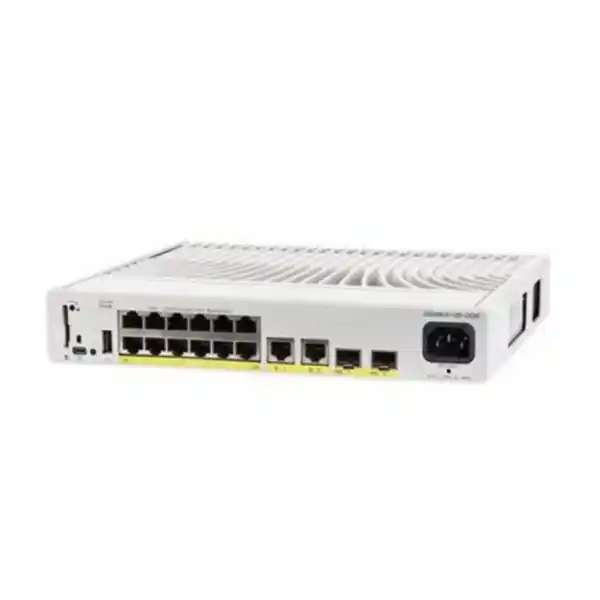
| Power supply | 315W internal AC; confirm power cord in the quotation |
| Cooling | Fanless; maintain required ventilation |
| Switching capacity | 128 Gbps, as specified in Cisco’s model performance table |
| Physical dimensions | 4.4 × 26.9 × 24.4 cm (height × width × depth) |
| Weight | 3.18 kg |
| Operating environment | −5°C to +40°C; cold start at 0°C minimum; check altitude, optics and installation restrictions |
| Hardware stacking | Unavailable on C9200CX |
| Orderable license variants | C9200CX-8UXG-2X-E: Network Essentials; C9200CX-8UXG-2X-A: Network Advantage |
Read the port layout before selecting endpoints
Allocate the four multigigabit positions to devices that can use speeds above Gigabit Ethernet. Reserve the remaining Gigabit connections for endpoints whose interfaces and workloads fit that speed. This avoids consuming a scarce higher-speed position with an ordinary device while leaving a demanding access point on an unsuitable connection. Keep the resulting port schedule with the installation documentation.
A multigigabit interface is a choice of supported link speeds, rather than a promise that every attached device will operate at the maximum. The endpoint interface, installed cable channel and configuration all affect the negotiated result. Request the intended speed for each high-bandwidth endpoint and verify it during commissioning. A label on the switch is only one part of that path.
Also consider what happens when the site expands. Count devices that are already installed, devices planned for the next project and any connections needed during maintenance. If the plan consumes every copper connection immediately, compare a larger access-switch design before committing. A compact unit is particularly useful when its port mix matches a defined requirement; it becomes harder to operate when growth depends on continually moving cables or adding unplanned equipment.
Build a realistic endpoint power schedule
Treat power as a shared resource. The available budget must cover the combination of powered devices that will run together, including the operating modes those devices need. Check the endpoint manufacturer’s required PoE standard and maximum allocation rather than assuming that a device’s typical consumption is an adequate purchasing figure. Radios, cameras and collaboration systems can have different requirements as features are enabled.
For illustration, four allocations of 45W plus four allocations of 10W total 220W. That is a planning example, not a compatibility statement for any particular endpoint. It demonstrates why a mixed group can fit a shared budget while a group of uniformly demanding devices may not. Confirm how the actual switch software reserves and reports power for the chosen devices.
Record the intended response if available power becomes constrained. Which endpoint should receive priority, and which device can tolerate interruption? Make that a deliberate operational choice rather than an accidental consequence of connection order. After installation, compare the expected allocation with the switch’s reported values and test a controlled restart. The commercial order should be based on the full required operating state, with room for the growth the customer has actually planned.
Plan uplinks around traffic and failure behavior
An uplink connects this edge location to the wider network. Size it against the traffic that will leave the switch, the upstream equipment and the business applications in use. A fast local interface can still serve an application poorly if the next link, firewall or server path is congested. Ask which destinations carry the busiest traffic and which periods matter most.
Two available uplink positions provide design choices, but simply connecting both does not define a resilient topology. The network engineer should decide whether links are separate, aggregated or controlled through another supported arrangement. Confirm the capabilities of both ends and document what should happen when a link or upstream device fails. Avoid introducing an unintended loop during installation.
Keep bandwidth expectations specific. A file transfer, cloud application and wireless client group can produce different traffic patterns, and several active endpoints share upstream resources. Agree a sensible acceptance test that reflects those workloads rather than using a single link-speed indicator as proof of application performance. Where continuity matters, test recovery as well as normal operation and record any brief interruption observed during the agreed failure scenario.
Select optics and cabling as part of the order
A complete uplink specification includes the transceiver or cable assembly at each end, the intended distance and the physical medium. Check the exact switch and software compatibility for the proposed component. Matching a connector shape alone is insufficient. A fiber design must also account for the existing cable type, patching route and compatible optical characteristics at the upstream device.
Ask the quotation to identify whether uplink components are included or separately priced. Existing optics should be evaluated by their exact identifiers and condition before reuse. Keep a record of which component belongs at each end so that installation staff can distinguish a compatibility issue from a cabling issue. For longer or unfamiliar routes, arrange an appropriate cable inspection before the change window.
Copper links deserve the same attention. Document cable category, route, patch panels and any existing test results for the multigigabit connections. Do not assume that every old cable will deliver the desired speed merely because it previously carried a Gigabit link. Verify the negotiated rate and stability with the intended endpoint after installation. If a link falls below the requirement, investigate the entire channel before changing hardware or making an unsupported performance claim.
Use the fanless form factor thoughtfully
Fanless operation can make this model attractive near occupied work areas where fan noise is undesirable. Placement still needs careful review. A compact chassis is easier to accommodate than a full-width access switch, but the power lead, uplink modules, patch cables and service access all consume additional space. Measure the complete installation rather than only the metal enclosure.
Keep ventilation clear and follow Cisco’s approved mounting arrangements. A closed furniture compartment can become much warmer than the surrounding room, especially when other powered equipment shares the enclosure. Evaluate temperature where the switch will actually sit during the busiest period. Consider sunlight, nearby heat sources and the effect of closing cabinet doors. Passive cooling depends on suitable surroundings.
Physical access also affects maintenance. Staff should be able to inspect status indicators, trace labeled cables and reach the appropriate service connection without disturbing unrelated equipment. Position cables so routine furniture movement or cleaning does not pull on connectors. If a mounting kit is required, include the compatible accessory explicitly in the order. The purchase should describe the intended mounting method rather than leaving installers to improvise after the unit arrives.
Choose the software variant against a written requirement
Cisco lists C9200CX-8UXG-2X-E with Network Essentials and C9200CX-8UXG-2X-A with Network Advantage. The base model supplied here does not specify which of those variants is intended. Ask the quotation to state the complete orderable part number and the included licensing components, with any applicable subscription terms separately identified.
Translate the network design into a short feature checklist before choosing the variant. Include the required switching and routing roles, security controls, management integration and any specialized functions. Verify every important requirement against the exact platform, entitlement and intended software release. A capability described for the wider Catalyst family should not automatically be treated as included in this particular order.
Define who will own licensing administration and maintain the associated records. For an existing enterprise, the new device should fit the organization’s established process rather than create an undocumented exception. For a new deployment, include licensing and software-maintenance responsibilities in the handover. This makes future changes easier to assess and helps procurement compare quotations on an equivalent basis. The lowest chassis line price is not a complete comparison when the proposed entitlements and operational scope differ.
Define management and security before connecting users
Decide how authorized administrators will reach the switch and where configuration backups will be kept. A branch installation should have a clear support owner, an escalation contact and an agreed method for recovering access. Those decisions are particularly useful when the equipment is physically distant from the team that manages it. Avoid relying on an undocumented personal account or an unlabeled connection.
Map business groups to the intended segmentation design. Staff devices, visitors, cameras and infrastructure systems may need different communication permissions. VLAN assignments should align with the upstream routing and firewall rules that enforce the policy. Separating traffic into named groups is only useful when the permitted paths between those groups are also understood and tested.
Prepare a management checklist covering administrative access, time settings, event collection, device naming and configuration retention. Select controls supported by the chosen license and software release, and verify them during commissioning. Keep sensitive credentials outside the ordinary installation report. A useful handover explains who can change the system, how changes are recorded and how the team will identify an unexpected condition without exposing secrets to everyone who receives the documentation.
Match the switch to the deployment scenario
For a small wireless edge, begin with the access point models and their intended operating modes. Determine how many need multigigabit links, how much power each requires and how traffic reaches the wireless management or application environment. This creates a concrete switch requirement rather than a generic request for a fast PoE device. Wireless compatibility remains a separate check for the selected access points and architecture.
For a collaboration or meeting area, list the room systems, control devices and other wired endpoints individually. Check the equipment supplier’s networking and power requirements and identify which connections are business critical during a meeting. A compact switch may suit the physical location, but the design should also allow staff to trace connections and recover from a fault without dismantling the room.
For a small branch or controlled work area, consider the operating team as well as the device count. A manageable, documented installation can be more valuable than additional unused capacity. Conversely, an area expected to expand substantially may justify a different switch from the outset. These scenarios describe potential fit; they do not establish compatibility with an unnamed endpoint or guarantee suitability for every site in a sector.
Coordinate a wireless upgrade with the wired network
An access point refresh often exposes requirements that were absent from the earlier installation. Before ordering, compare the new access point’s Ethernet capabilities and power modes with the existing switch allocation. Identify whether any features are reduced when the endpoint receives a lower power class. Include the planned radio configuration and connected accessories when checking the required mode.
Survey the cable path and upstream network at the same time. The customer may gain little from a faster access link if the rest of the route cannot carry the required traffic. Agree whether the upgrade is intended to increase aggregate capacity, reduce a known bottleneck or simply provide appropriate power for new equipment. That purpose should determine what is tested after the change.
For related planning, consult the Tanzania site’s Cisco wireless access point guidance. Use it to prepare a coordinated wireless requirement, then verify the exact access point and switch pairing. The access switch does not by itself determine wireless coverage, client capacity or radio performance. Those outcomes depend on the wider design, installation and environment and should be assessed within the wireless project.
Check power continuity beyond the switch chassis
A powered endpoint can stop when its supplying switch loses input power, even if the endpoint has no separate mains adapter. Include the switch and its connected load when planning backup power. Also identify the upstream equipment needed for the service to remain useful. Keeping a local switch running does not preserve application access if another essential part of the path is unavailable.
Have the appropriate site team review the proposed power outlet, earthing, protection and backup arrangement against the equipment requirements. The final quote should identify the correct power cord for the delivered unit and site arrangement. Do not assume that a cord or installation service is included unless the commercial offer states it. Where power continuity is a purchasing criterion, agree the desired operating time and how it will be assessed.
Plan recovery after an interruption. Consider the time needed for the switch, attached endpoints and upstream systems to return to normal service. During an authorized maintenance window, verify the intended restart sequence and confirm that important devices recover correctly. Record the observed result and any manual steps. This provides the customer with an operational expectation based on their actual installation rather than a broad promise about uninterrupted service.
Prepare a measured migration from existing equipment
Before replacing a switch, photograph or document the current cable layout and create a port map. Capture the business purpose of each connection, its VLAN, power requirement and upstream dependency. Save the existing configuration through the customer’s approved process and identify who can authorize a rollback. These records are useful even for a small installation because one overlooked cable can affect an important service.
Prepare the new configuration against the target hardware and software. Interface names, supported features and licensing can differ from the equipment being replaced. Review the old settings as evidence of current behavior, then validate the configuration needed for the new design. Check the upstream port at the same time so that both ends agree on the planned link and segmentation.
Agree a change window with a realistic sequence: install, connect, validate and either accept or restore the previous arrangement. Identify the point at which the team will decide to roll back if essential tests fail. For broader legacy planning, the verified Catalyst 2960-X replacement guide addresses a different migration requirement. Do not treat this eight-port compact model as a universal replacement for a larger access switch or an existing switch stack.
Know when to compare a different switch
Choose another design if the requirement depends on physical switch stacking. Cisco states that stacking is unavailable on C9200CX models. An Ethernet connection between two compact switches does not turn them into a single StackWise system. If unified stack operation is part of the existing architecture, make that a firm requirement in the selection process and compare an appropriate stacking-capable platform.
A different port density may also be more practical when the deployment needs many additional connections or more high-speed copper interfaces than this layout provides. Count both today’s devices and the committed expansion. Include any maintenance connections and the preferred level of spare capacity. This helps distinguish a deliberately compact installation from one that is already too small on the day it is commissioned.
Review power and environmental fit independently. A switch can have enough ports but an unsuitable aggregate power allocation, or enough bandwidth but an unsuitable installation environment. Outdoor exposure, difficult temperature conditions and industrial requirements need a separately qualified design. Avoid using enclosure size as a substitute for checking suitability. Present the unresolved requirement clearly so the alternative can be selected for a specific reason rather than through a vague upgrade recommendation.
Create a complete and comparable Tanzania quotation
Ask for a bill of materials that separates the switch hardware, exact software variant, applicable subscription items, uplink components, mounting accessories and support scope. Include quantities for each item. A clear breakdown lets the buyer compare the proposed deliverables and identify whether a lower quotation has omitted something needed for installation.
State the intended installation location and procurement requirements so the seller can confirm the relevant commercial terms. Request an explicit price and currency, applicable taxes, delivery arrangements and validity period for that offer. Confirm stock or lead time for the exact configuration at the time of quotation. This page does not establish local inventory, a delivery commitment or a fixed Tanzania selling price.
Request written clarification of warranty and support arrangements for the supplied goods. Identify the party responsible for initial fault assessment, configuration assistance and any hardware-return process. If installation is required, define the site work, testing and documentation as separate deliverables. These questions help turn a product selection into a usable purchase specification. They also keep commercial claims tied to the customer’s actual offer rather than assuming that every seller, order or deployment includes the same services.
Commission the installation against observable results
Agree acceptance criteria before equipment is connected. For each endpoint, record the required link speed, correct network segment, expected power mode and essential application path. For the upstream connection, verify the intended interface and traffic behavior. This turns a vague request to check the network into a set of observable outcomes that the customer and installer can review together.
Include a representative business test. A wireless endpoint might need to reach its required management system, while a collaboration device might need to complete a controlled call or session. Choose tests that fit the customer’s environment and authorized access. Link indicators are useful, but they do not show that addressing, policy and application dependencies are correct.
Record issues and exceptions before handover. If an endpoint works only in a reduced mode or a cable cannot sustain the intended speed, state that clearly and identify the next action. Keep the accepted configuration, port map and relevant component identifiers with the report. A compact installation benefits from the same disciplined acceptance process as a larger one, especially when the people responsible for later support were not present during the physical work.
Keep the edge location supportable over time
Assign a device name and physical label that match the customer’s documentation. Record the installed software, licensing information, uplink components and endpoint allocation in an appropriate inventory. Save the final configuration through the approved process and identify where the responsible team can retrieve it. Accurate records shorten diagnosis when a future incident involves several interconnected systems.
Establish a maintenance process proportionate to the site’s importance. Review software changes against the exact platform and installed features, schedule authorized work and preserve a recovery path. Monitor the conditions that would signal a developing problem, such as unexpected link changes or a mismatch between planned and available endpoint power. Select monitoring methods that fit the customer’s existing tools and entitlements.
Revisit the design when new endpoints are added. A spare copper connection does not automatically mean there is spare power, uplink capacity or the correct speed for the new device. Update the port schedule and power calculation with each approved change. This prevents the original, well-sized design from gradually drifting beyond its intended limits and gives procurement useful evidence when a larger or different access-switch solution eventually becomes necessary.
A practical worksheet for the purchasing team
Prepare one row for every device that will connect to the switch. Record its model, location, network purpose, required interface speed, maximum power allocation and any special configuration dependency. Mark which connections are needed on the first day and which belong to a later approved phase. Give the network engineer the same worksheet that procurement uses so the technical and commercial requirements stay aligned.
Next, describe the upstream path in plain language. Identify the equipment at the far end, the available interface, the medium, approximate route length and any existing components proposed for reuse. Specify whether a second link is required for capacity, resilience or a future phase. Include the desired mounting arrangement and the physical conditions that could affect access or cooling.
Finally, agree who approves the completed design and who accepts the installation. Record unresolved questions as quotation conditions rather than silently treating them as confirmed facts. Examples include an endpoint’s full-feature power requirement, the compatibility of an existing optic or the included software entitlement. Resolving these items before an order is placed gives both the customer and supplier a clearer definition of what the finished installation must deliver.
Buyer questions answered
Are all eight copper ports multigigabit?
No. This model combines four copper ports supporting multigigabit speeds up to 10G with four copper ports supporting up to 1G. Allocate devices according to their own interfaces and workload. Before purchasing for a wireless or collaboration project, list which endpoints need speeds above Gigabit and verify that the four higher-speed positions cover the planned requirement.
Can every powered device receive 60W at the same time?
No. Individual downlink capability and the aggregate budget are separate limits. Cisco specifies up to 60W UPOE on the downlinks, with a shared maximum budget of 240W. Eight allocations of 60W would total 480W and exceed that budget. Build a device-by-device allocation and verify the required operating mode of each endpoint before approving the configuration.
Is the 315W power-supply rating the available PoE budget?
No. The internal AC power supply is rated at 315W, while the specified shared endpoint power budget is 240W. Use the PoE budget for endpoint allocation and the relevant equipment specifications for input-power and backup-power planning. Keep those calculations separate in the procurement worksheet so the power-supply rating is not mistaken for power available to connected devices.
Does this switch support physical stacking?
No. Cisco identifies C9200CX as a platform without stacking support. If your network depends on a physical stack operating as one system, compare a suitable stacking-capable model. Two Ethernet uplinks can be used within a properly engineered network design, but their presence does not supply StackWise capability or establish a redundant topology by itself.
Which license edition should I request?
Request a quotation that explicitly identifies Network Essentials or Network Advantage and the complete associated order. Cisco lists the -E and -A variants for those respective tiers. Choose against your required functions and confirm support on the intended release. The unsuffixed base model on this page does not establish an included license tier or subscription term.
Are SFP+ modules and mounting brackets included?
Do not assume that either is included in a proposed offer. Ask for an itemized bill of materials showing the exact uplink components and mounting accessories supplied. Verify the chosen transceiver or cable assembly at both ends of the connection. The installation location and upstream equipment should determine the accessory selection, with compatibility checked before purchase.
Does a 10G link guarantee faster internet or better Wi-Fi coverage?
No. Link speed describes one part of the network. Internet service, upstream capacity, firewall processing, application servers and endpoint behavior can all affect the result. Wireless coverage also depends on radio design and placement. Establish the problem the upgrade is intended to solve and agree tests that measure that outcome in the customer’s actual environment.
Can this model be placed in a sealed cabinet?
Assess the proposed cabinet before approving the installation. Fanless equipment still needs suitable ventilation and must remain within its operating conditions. Cisco’s compact-switch installation guidance calls for clear space around the unit and unrestricted airflow. Measure the installation environment and account for nearby heat sources, cable access and any temperature restrictions associated with selected uplink components.
What should I send with a Tanzania quote request?
Send the number of switches, endpoint models, required link speeds, maximum endpoint power requirements, uplink details and intended mounting location. Include the required software functions and any support or installation scope. If replacing equipment, add the existing port map and relevant configuration requirements. This gives the quotation a defined technical basis and reduces uncertainty about missing accessories.
What is the price and is local stock available?
Request current pricing and availability for the exact software variant and accessory bundle. No fixed price, stock level or delivery deadline is established here. Ask the quotation to identify currency, applicable taxes, validity and delivery terms, together with warranty and support conditions for the supplied order. Compare complete configurations rather than using the base model name alone.
Request your compact Catalyst switch configuration
Ask FourTeck Tanzania for a quotation for this compact Catalyst access-switch requirement. Share your endpoint schedule, upstream connection details and preferred software tier, or identify the functions that need to be checked before a tier is chosen. Specify quantity, mounting method and any requested configuration or commissioning work.
Request written confirmation of the complete bill of materials, current commercial terms and the support scope for your order. The next useful step is a configuration review built around the devices and location you actually have. That review should establish the exact variant and accessories before procurement approves the purchase.
Request a configuration review and itemized quote from FourTeck Tanzania.




Reviews
There are no reviews yet.