
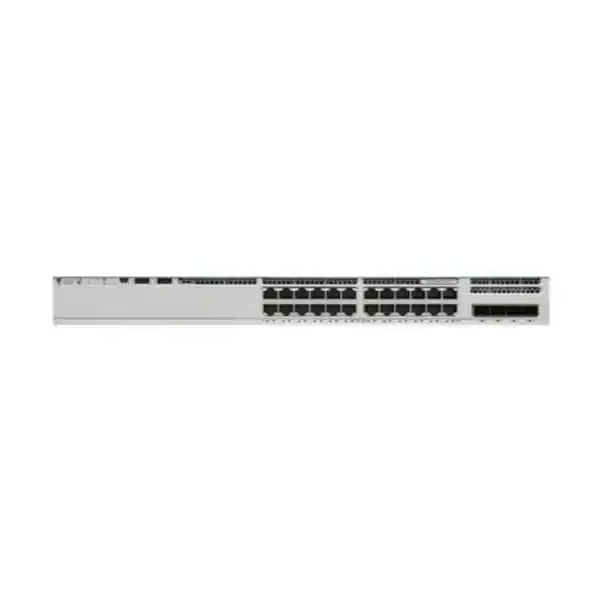
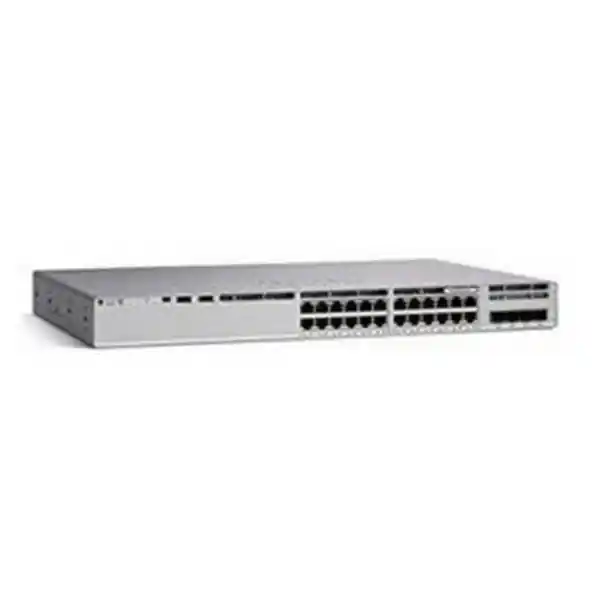
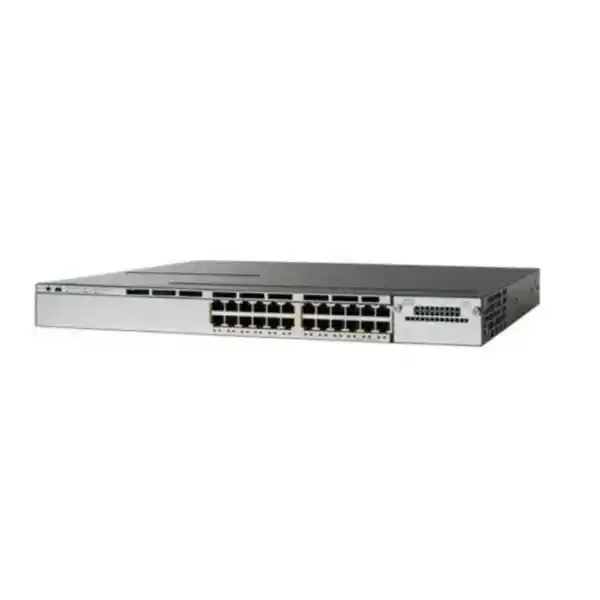
Cisco Catalyst 9200L • Multigigabit PoE+ access switching
Cisco Catalyst C9200L-24PXG-4X Network Switch
For organizations that have outgrown an all-1G access layer but do not need a 48-port chassis, the Cisco Catalyst C9200L-24PXG-4X provides a practical middle ground: eight multigigabit copper ports for high-bandwidth endpoints, sixteen additional Gigabit Ethernet access ports, PoE+ across the access interfaces, four fixed 1/10G SFP+ uplinks, and StackWise-80 support. It is designed for branch, campus and enterprise edge deployments where wireless access points, user devices, voice, video and IoT traffic must share a manageable and resilient switching platform.
8 × mGig up to 10G
16 × 1G
4 × 1/10G SFP+ uplinks
StackWise-80
Best fit
Networks that need a 24-port managed access switch with selected multigigabit ports for faster wireless or wired endpoints, without moving every copper port to multigigabit speeds.
Key value
The mixed 8 mGig + 16 1G design helps concentrate higher bandwidth where it is useful while retaining PoE+ and enterprise switching functions across the access layer.
Before you order
Confirm the exact Network Essentials or Network Advantage ordering variant, required SFP/SFP+ optics, PoE budget, stack kit, secondary power supply and software subscription choices.
Quick specification summary
| Access interfaces | 24 PoE+ copper ports: 8 multigigabit ports supporting 1G, 2.5G, 5G or 10G and 16 ports up to 1G |
|---|---|
| Fixed uplinks | 4 × 1/10G SFP+ uplink ports |
| PoE | PoE+ on access ports; 370W available with one PWR-C5-600WAC, up to 740W with an additional supported 600W AC supply, subject to per-port limits |
| Switching capacity | 272 Gbps standalone; 352 Gbps with stacking |
| Forwarding rate | 214.28 Mpps standalone; 262 Mpps with stacking |
| Stacking | StackWise-80, up to 80 Gbps stack bandwidth, up to eight compatible C9200L members with the same license level |
| Memory | 2 GB DRAM and 4 GB flash for C9200L platforms |
| Packet buffer | 12 MB on C9200L multigigabit models |
| Software | Cisco IOS XE; exact feature entitlement depends on ordered license tier and current subscription model |
| Form factor | 1RU; chassis approximately 4.4 × 44.5 × 35.0 cm (H × W × D), before fan/power protrusion allowances |
Why the mixed multigigabit design matters
Many access networks do not need every switch port to operate above 1 Gbps. User desktops, printers, IP phones, many cameras and general IoT endpoints often remain well served by Gigabit Ethernet. At the same time, modern wireless access points and selected high-performance wired systems can exceed the practical limits of a single 1G connection. The C9200L-24PXG-4X addresses that split requirement by providing eight multigigabit RJ-45 interfaces alongside sixteen conventional 1G access interfaces. This lets a network designer reserve faster copper ports for devices that can use them while avoiding an unnecessary migration of all connected endpoints.
The eight mGig ports can operate at 1G, 2.5G, 5G or 10G, allowing the switch to match endpoint and cabling capabilities rather than forcing a single speed. For 10GBASE-T operation, Cisco specifically calls for Category 6A or better cabling. For lower multigigabit rates, actual operation still depends on the installed cable plant, length, termination quality and endpoint support. That makes the switch particularly relevant in phased upgrades: an organization can move selected links above 1G while retaining the rest of an existing structured cabling environment where it remains suitable.
For Wi-Fi-focused deployments, the value is straightforward. A high-capacity access point can aggregate traffic from many wireless clients, so its wired uplink may become a bottleneck if it is restricted to 1G. A multigigabit access switch provides more headroom at the wired edge. The C9200L-24PXG-4X is therefore a sensible candidate when planning Wi-Fi 6 or 6E access layers, subject to the exact AP interface speed, PoE class and total power requirement. It can also serve multigigabit workstations, local servers, media-production endpoints or other copper-connected systems that benefit from more than 1G without requiring a fiber NIC at every high-speed endpoint.
PoE+ design: power the edge, but size the budget correctly
The switch provides PoE+ capability on its access ports, making it suitable for powered endpoints such as wireless access points, IP phones, security cameras and selected IoT devices. The important design question is not only whether a port supports PoE+, but whether the installed power supplies provide enough shared PoE budget for the intended mix of endpoints.
With the standard PWR-C5-600WAC power supply, Cisco specifies 370W of available PoE power for the C9200L-24PXG-4X. Adding a second supported PWR-C5-600WAC increases the available PoE budget to 740W, although the practical total remains constrained by the number of access ports and their individual PoE+ ratings. For design work, add the maximum or expected power draw of every powered endpoint, include reasonable growth margin, and compare that total with the switch PoE budget under both normal and failure scenarios.
A second power supply can also be valuable for resilience. The C9200L platform has two power-supply slots, and Cisco supports redundant power arrangements. If service continuity is important, do not evaluate only the combined 740W figure. Also calculate whether the remaining supply can sustain the critical PoE load if one power source or PSU is unavailable. In some installations, that may mean prioritizing essential access points, voice handsets or cameras rather than assuming every endpoint can continue at full power after a supply failure.
Cisco Catalyst 9200 Series switches also support Perpetual PoE and Fast PoE. Perpetual PoE is designed to maintain PoE+ power to attached devices during a switch reload, while Fast PoE starts providing endpoint power after power returns without waiting for the operating system to finish booting. These capabilities can reduce unnecessary endpoint restarts, but a complete availability design still depends on upstream power quality, UPS runtime, redundant power feeds, endpoint behavior and the operational configuration used in the network.
Four 10G uplinks help keep the access layer from becoming the bottleneck
The C9200L-24PXG-4X includes four fixed SFP+ uplink ports that support 1G or 10G operation. In a typical design, these interfaces connect the access switch to distribution or core switching, server infrastructure, or another aggregation point. Because the uplinks are fixed rather than modular, buyers should make sure four 1/10G uplinks are appropriate for the expected lifecycle of the deployment. If 25G uplinks are a requirement, the related C9200L-24PXG-2Y uses two 1/10/25G fixed uplinks instead and may be a better fit.
Having four uplink interfaces provides design flexibility for redundant paths, link aggregation or separate upstream connections, but the exact topology should be matched to the rest of the network. Optics and fiber type must be selected separately according to link distance, media and the upstream interface. Do not assume that an SFP+ optic, DAC or fiber patch lead is included with the switch unless the exact commercial bundle explicitly says so.
For a Tanzania deployment, this is an important procurement detail because the switch model alone does not define the complete uplink solution. A bill of materials should identify the required transceiver type at both ends, fiber category, connector format, patching, rack position and redundant path strategy. If the switch is connecting buildings, floors or distant communications rooms, confirm optical power budgets and pathway conditions before purchase rather than treating “10G uplink” as a complete design specification.
Performance and scale for enterprise access
Cisco specifies 272 Gbps switching capacity and a 214.28 Mpps forwarding rate for the C9200L-24PXG-4X in standalone operation. With stacking, the listed figures are 352 Gbps and 262 Mpps. These values indicate that the platform is designed for a high-capacity access role rather than as a simple unmanaged edge switch. The multigigabit model also has a 12 MB packet buffer, which is double the 6 MB buffer listed for the 1G-only C9200L models in the same family.
Platform scale for C9200L includes up to 16,000 MAC addresses, 11,000 total IPv4 routes when direct and learned-route limits are considered, 3,000 IPv4 routing entries, 1,500 IPv6 routing entries, 1,000 multicast routing entries, 1,500 ACL scale entries, 1,000 QoS scale entries and 512 switched virtual interfaces. The platform supports VLAN IDs up to 4094 and jumbo frames up to 9198 bytes. These are architecture-level maximums, not a recommendation to design every production network at the published ceiling. Real deployments should preserve operational margin and account for the chosen software feature set.
The C9200L multigigabit models are also listed with up to 32,000 Flexible NetFlow entries. Flow visibility can help operations teams understand traffic patterns, capacity use and security events, subject to the configured feature set and software licensing. For buyers comparing switches primarily on port counts, these platform characteristics are worth considering because enterprise access switching is as much about manageability, policy, resiliency and visibility as raw Ethernet connectivity.
StackWise-80 for growth and simplified operations
The C9200L-24PXG-4X supports Cisco StackWise-80. Cisco lists 80 Gbps of stacking bandwidth for C9200L fixed-uplink models and supports up to eight stack members. A stack operates with a shared management and control plane, which can simplify administration compared with managing each access switch independently. It can also support cross-stack EtherChannel designs so uplinks are distributed across stack members for greater resiliency.
Stacking hardware is not something to assume is present in every base unit. Cisco identifies the C9200L-STACK-KIT for C9200L models, with stack cable options for different rack layouts. When preparing a quote, include the number of stack kits and suitable cable lengths needed for the final physical arrangement. A stack design should also consider rack position, cable routing, power-feed diversity and how maintenance will be performed without creating avoidable service impact.
Compatibility matters. Cisco states that C9200L fixed-uplink models stack with other compatible C9200L models at the same license level, while mixed stacking between fixed C9200L and modular C9200 models is not supported. That distinction is important when expanding an existing environment. Before adding a new member to a production stack, verify the current switch family, license level, IOS XE compatibility, stack hardware and software-recommended release rather than relying only on a similar front-panel appearance.
For a single-switch deployment, StackWise-80 can still provide investment flexibility if growth later requires more ports. For a new multi-switch deployment, stacking may reduce the day-to-day management burden and create cleaner logical designs, but it should not be treated as a substitute for complete network redundancy. Upstream path diversity, power resilience, structured cabling, configuration backup, monitoring and change management remain separate design responsibilities.
Cisco IOS XE management, automation and visibility
The Catalyst 9200 family runs Cisco IOS XE, giving network teams a familiar enterprise operating system with CLI and web-based management options. Cisco documents API-driven configuration through NETCONF and RESTCONF using YANG data models, model-driven telemetry and automated provisioning mechanisms. This matters for organizations moving from individually configured switches toward repeatable configuration, centralized observability and infrastructure automation.
The embedded WebUI can be useful for administrators who prefer a graphical interface for provisioning, monitoring and troubleshooting, while experienced teams can continue to use the command-line interface. Larger environments may integrate switches into Cisco management and assurance platforms, subject to the licenses, subscriptions and products selected for the wider network architecture. The platform can also participate in Cisco Plug and Play workflows for more consistent branch or campus rollouts.
Cisco now also documents cloud-management options for Catalyst 9200 switches through the Meraki dashboard, with different configuration-source models. Because cloud-management capabilities and licensing evolve over time, the required operating mode and subscription should be checked against the current Cisco documentation at the time of deployment. Buyers should avoid assuming that every dashboard or assurance feature is included simply because the hardware is part of the Catalyst 9200 family.
A good procurement discussion should therefore include the operational model, not just switch hardware. Decide whether the team will manage the device locally, from a controller, through automation, or through cloud tools; identify logging and telemetry destinations; define configuration-backup practices; and confirm the software entitlement needed for those workflows. That produces a more accurate bill of materials and reduces the risk of purchasing capable hardware without the license or management components required for the intended operating model.
Security and policy capabilities
Catalyst 9200 Series switches include enterprise security capabilities intended to protect both the platform and the traffic crossing it. Cisco documents Trust Anchor technologies such as secure boot and image signing, along with 128-bit AES MACsec support on C9200 and C9200L platforms. IEEE 802.1X is also part of the supported standards set, allowing the switch to participate in identity-based access designs when combined with the appropriate authentication and policy infrastructure.
Access control lists, segmentation, QoS and security-group policy features can help separate users, devices and application classes. However, successful segmentation is an architecture task rather than a box-checking exercise. A secure deployment requires clear VLAN and routing boundaries, authentication policy, management-plane protection, AAA design, logging, secure administration protocols, vulnerability management and a maintained software lifecycle.
Cisco also positions the Catalyst 9200 family for Software-Defined Access scenarios, but the C9200L has specific limits compared with other Catalyst 9000 models. Cisco lists limited SD-Access support with one virtual network for C9200L fixed-uplink models and notes that C9200L is not supported as a Fabric Edge for SD-Access Wireless. If the switch is being evaluated for a fabric deployment, verify the intended role and current platform limitations early in the design process rather than assuming all Catalyst 9000 platforms provide identical fabric capabilities.
Layer 2 and Layer 3: more than basic access switching
The platform supports the Layer 2 functions expected in an enterprise managed switch, including VLANs, spanning-tree mechanisms, EtherChannel, QoS and access-control capabilities. For routed access and branch designs, Cisco also documents Layer 3 support. The precise routing features available depend on the license tier and software release, so it is important to tie the design requirement to the exact ordering variant rather than the chassis model alone.
With Network Essentials, Cisco documents static routing, RIP and OSPF capabilities for smaller routing applications, while advanced routing functions are associated with higher entitlement levels. Network Advantage expands the feature set for more sophisticated routing and policy use cases. If the switch will only provide Layer 2 access with redundant uplinks to a distribution pair, the licensing requirement may differ from a design in which the access switch participates directly in dynamic routing.
For this reason, procurement should start with the network role: access-only, routed access, branch aggregation, stack member, wireless edge, or a combination. Map the required protocols and management features to the current Cisco licensing guide, then select the corresponding -E or -A ordering variant. This avoids paying for an unnecessarily broad entitlement or, more importantly, buying a license level that does not support the planned configuration.
Network Essentials vs Network Advantage ordering variants
Cisco lists two principal ordering variants for this hardware family: C9200L-24PXG-4X-E with Network Essentials and C9200L-24PXG-4X-A with Network Advantage. The front-panel connectivity is the same core hardware concept—eight multigigabit access ports, sixteen 1G access ports, PoE+ and four 10G-class uplinks—but the default license level differs. Current Cisco purchasing models also include term-based software and subscription options, so the final commercial configuration should be validated at quote time.
If a purchase request contains only “C9200L-24PXG-4X,” it is incomplete for final ordering. The buyer should specify the required license tier and any associated software subscription, then confirm power supplies, stack accessories and optics. This page therefore treats C9200L-24PXG-4X as the hardware model family rather than inventing a target-site SKU. The exact orderable Cisco product number should be selected from the deployment requirements.
For budget planning, also separate one-time hardware from recurring or term-based software requirements. Cisco licensing has evolved from earlier DNA-focused purchasing to newer unified subscription models in current documentation. A quote should use the licensing structure Cisco supports at the time of purchase, not an old bill of materials copied from a previous project. This is especially important for multi-year lifecycle planning and organizations that need aligned renewal dates across multiple sites.
Common deployment scenarios
Wi-Fi 6 / 6E access layer
Use the eight multigigabit PoE+ ports for higher-throughput access points while keeping the 1G PoE+ interfaces available for phones, cameras, printers and conventional wired clients.
Branch or floor switch
Provide managed access connectivity with four 10G-class uplinks back to distribution. Add StackWise-80 where multiple C9200L units should operate as a single logical stack.
Voice, video and IoT convergence
Combine PoE+ endpoints and user traffic on one managed platform with VLAN, QoS and security policy controls. Size the PoE budget from the actual endpoint power classes.
High-speed wired edge
Connect selected workstations, media systems or other capable endpoints at 2.5G, 5G or 10G over copper, while standard devices remain on 1G ports.
Education and training facilities
Support dense wireless zones and mixed wired endpoints from a 24-port enterprise switch, with segmentation and uplink capacity suited to a structured campus design.
Hospitality and multi-service sites
Serve access points, phones, cameras and back-office systems from one switch where centralized management, PoE and reliable upstream connectivity are priorities.
Tanzania deployment planning: practical checks before purchase
For a deployment in Tanzania, the technical model should be matched to the site conditions and complete network design rather than purchased from the product name alone. Start with the endpoint list: how many access points, phones, cameras, workstations and IoT devices will connect; which ones require more than 1G; and how much PoE power does each device request? This determines whether eight mGig ports are enough and whether a single 370W PoE budget is sufficient.
Next, validate the copper and fiber cabling. A 10G-capable copper port does not guarantee 10G operation over unsuitable structured cabling, poor terminations or excessive channel length. If 10GBASE-T is required, plan Category 6A or better as Cisco specifies. For uplinks, confirm whether the path is single-mode fiber, multimode fiber, direct-attach copper or another supported medium, then choose compatible optics for the switch and the upstream device.
Power continuity deserves equal attention. A redundant PSU does not protect against a building-wide power outage if both supplies are fed from the same unprotected circuit. Consider UPS sizing, runtime, rack power distribution and separate power feeds where the site requires higher availability. Because a PoE switch may also power wireless and voice infrastructure, loss of the switch can affect more services than wired data alone. Design the backup-power capacity around the switch plus the connected PoE load, not the switch chassis in isolation.
Environmental conditions should also be checked against Cisco limits. The standard operating range includes -5°C to +45°C up to 1500 m and -5°C to +40°C up to 3000 m, with a 0°C minimum ambient temperature for cold start. Keep communications rooms ventilated, maintain clear airflow, control dust and avoid placing the switch where heat from other equipment can accumulate. The C9200L uses fixed fans, so adequate front-to-back rack planning and maintenance access remain important.
Finally, confirm the exact commercial bundle. Do not assume local stock, delivery time, warranty status, service contract, optics, power cords, stack kit or software subscription from the base model name. Request a bill of materials that identifies every required component and license. That is the most reliable way to compare quotations and avoid receiving a technically valid chassis that is incomplete for the intended installation.
Cabling and endpoint compatibility
The eight multigigabit interfaces are copper RJ-45 ports, which helps preserve the familiar access-layer cabling model. Their ability to negotiate 1G, 2.5G, 5G or 10G makes them useful where endpoints vary in capability. However, both ends of a link must support a common speed, and the cabling must meet the requirements for that speed. An endpoint with only a 1G interface will continue to operate at 1G even when connected to an mGig port.
For access points, check three separate specifications: Ethernet interface speed, required PoE standard, and maximum power draw. A wireless device may have a 2.5G or 5G Ethernet port but require a particular power class to enable all radios or features. PoE+ on the C9200L-24PXG-4X supports common 802.3at-class deployments, but endpoints that require higher-power 802.3bt delivery should be checked carefully because higher-power UPOE support is associated with other Catalyst models, not this C9200L PoE+ configuration.
For uplinks, SFP+ is a form factor rather than a statement that every transceiver works in every application. Select Cisco-supported or otherwise deployment-approved optics appropriate to the intended fiber, wavelength and distance. If link aggregation is planned, ensure the upstream platform and configuration support the desired EtherChannel design. Where redundant uplinks traverse separate physical paths, document those routes so a single cable or pathway event does not defeat the redundancy objective.
How it compares with nearby Catalyst 9200 choices
| Model | Access ports | Uplinks | Best when |
|---|---|---|---|
| C9200L-24PXG-4X | 8 mGig + 16 × 1G, PoE+ | 4 × 1/10G fixed | You need selected multigigabit access ports and four 10G-class uplinks in a 24-port C9200L. |
| C9200L-24P-4X | 24 × 1G, PoE+ | 4 × 1/10G fixed | All access endpoints are adequately served by 1G and multigigabit edge ports are unnecessary. |
| C9200L-24PXG-2Y | 8 mGig + 16 × 1G, PoE+ | 2 × 1/10/25G fixed | The access mix is right but the upstream design calls for 25G uplinks rather than four 10G ports. |
| C9200-24PXG | 8 mGig + 16 × 1G, PoE+ | Modular uplink options | You want the modular C9200 platform, field-replaceable fans, 160G stacking and broader uplink-module flexibility. |
The best choice depends on the bottleneck you are solving. If the endpoints are all 1G, the PXG premium may not add practical value. If the upstream network is moving to 25G, the 2Y variant can be more appropriate. If long-term uplink flexibility and StackWise-160 are more important than the fixed-uplink simplicity of C9200L, the modular C9200-24PXG deserves consideration. Make the decision from port-speed demand, uplink architecture, stacking requirements, fan serviceability and licensing—not from model hierarchy alone.
Physical, power and environmental considerations
The C9200L-24PXG-4X is a 1RU switch. Cisco lists the chassis at approximately 1.73 × 17.5 × 13.8 inches, or 4.4 × 44.5 × 35.0 cm, with greater depth when the power-supply and fan area is included. The listed weight is about 12 lb, or 5.44 kg. Rack planning should allow room for power leads, network cabling and airflow rather than using the bare chassis depth as the only cabinet measurement.
The standard AC power supply for this model is the PWR-C5-600WAC. Cisco specifies a 100–240 VAC, 50–60 Hz input range for this 600W supply. A supported secondary supply can be added. Because the C9200L has fixed fans rather than field-replaceable fan modules, facilities teams should preserve adequate airflow and consider the operational implications of a fan fault in the overall maintenance plan.
The switch should be installed in a suitable communications environment with proper grounding, stable power and sufficient cooling. Do not select cabinet size, UPS capacity or rack power distribution from the switch alone; include optics, patch panels, firewalls, routers, servers and any other equipment sharing the rack. A complete facilities calculation improves reliability and also makes later expansion easier.
Buyer checklist
Identify which eight endpoints need multigigabit service and which sixteen can remain at 1G.
Add endpoint power demand and decide whether the 370W single-supply budget is enough or whether a second supply is required.
Choose the -E or -A ordering variant from the actual routing, policy, automation and management requirements.
Specify SFP/SFP+ transceivers, DACs or fiber components for the required distance and media.
If stacking, include C9200L stack kits and cable lengths appropriate to the rack layout.
Validate cable category and test results for the intended 2.5G, 5G or 10G copper links; use Cat 6A or better for 10GBASE-T.
Design UPS capacity around the switch plus active PoE load and consider redundant power feeds where required.
Select a supported IOS XE release and maintain an update, backup and monitoring process after deployment.
Frequently asked questions
How many multigigabit ports does the C9200L-24PXG-4X have?
It has eight multigigabit PoE+ access ports. Cisco documents these interfaces for 1G, 2.5G, 5G and 10G operation. The other sixteen access ports operate up to 1G.
Does it provide PoE on all 24 access ports?
The model is specified as a full PoE+ 24-port switch, but total simultaneous power delivery depends on the available PoE budget. With one 600W AC supply Cisco lists 370W, and with a second supported 600W supply the budget can rise to 740W, subject to per-port limits.
Can I connect Wi-Fi 6 or Wi-Fi 6E access points?
Yes, the multigigabit PoE+ design is well suited to many higher-throughput access points. Check the exact AP Ethernet rate and PoE requirement first. Some access points require higher power than PoE+ for full functionality, so compatibility should be validated per AP model.
What uplinks are built into the switch?
It has four fixed SFP+ uplink ports supporting 1G or 10G operation. Transceivers or direct-attach cables should be selected for the exact upstream platform, distance and media.
Does the C9200L-24PXG-4X support stacking?
Yes. C9200L fixed-uplink models support StackWise-80 with up to 80 Gbps stack bandwidth and up to eight compatible C9200L members at the same license level. Required stack hardware should be included in the bill of materials.
Can a C9200L be stacked with a modular C9200?
No. Cisco states that mixed stacking between C9200L fixed-uplink models and modular C9200 models is not supported. Existing-stack compatibility should be checked before expansion.
What is the switching capacity?
Cisco lists 272 Gbps switching capacity and 214.28 Mpps forwarding in standalone mode. With stacking, Cisco lists 352 Gbps switch capacity and 262 Mpps forwarding.
Which license should I buy?
Cisco offers C9200L-24PXG-4X-E with Network Essentials and C9200L-24PXG-4X-A with Network Advantage. Choose based on the routing, policy, automation and management features required, and confirm the current Cisco subscription model when the quote is prepared.
Do I need Cat 6A cabling?
For 10GBASE-T on the multigigabit copper ports, Cisco specifies Category 6A or better. Lower multigigabit speeds still depend on cable quality, channel length, termination and endpoint capability, so existing cabling should be tested rather than assumed.
Is a second power supply required?
Not for basic operation with the standard supported primary supply. A second supply may be selected to increase available PoE power and/or improve resilience. The correct choice depends on endpoint power load and the desired failure scenario.
Is this switch still supported by current Cisco software?
Cisco’s current Catalyst 9200 release documentation continues to list the C9200L-24PXG-4X-A and C9200L-24PXG-4X-E hardware models. Always check the recommended IOS XE release and lifecycle information at deployment time, especially for long-lived enterprise networks.
What should be included in a complete quote for Tanzania?
At minimum, confirm the exact -E or -A switch variant, software subscription, primary and optional secondary power supply, power cords, SFP/SFP+ optics or DACs, stack kit and cable if stacking, rack accessories, support requirement and any implementation services. Availability, warranty and delivery terms should be confirmed for the specific quotation rather than assumed from the model name.
Request a Cisco C9200L-24PXG-4X quote for Tanzania
Share the number of powered endpoints, required multigigabit links, uplink distances, preferred license tier and whether you need stacking or redundant power. A complete requirement makes it possible to build the correct bill of materials instead of quoting only the base chassis.
Recommended next step: request a configuration review and quotation that identifies the exact Cisco ordering variant, software entitlement, power supplies, optics and stack accessories needed for your deployment.
Specifications and software entitlements should be verified against the current Cisco documentation and the exact commercial configuration at the time of purchase. No price, stock level, delivery time, warranty term or local authorization status is implied on this page.




Reviews
There are no reviews yet.