
FOURTECK TANZANIA • ENTERPRISE ACCESS SWITCHING
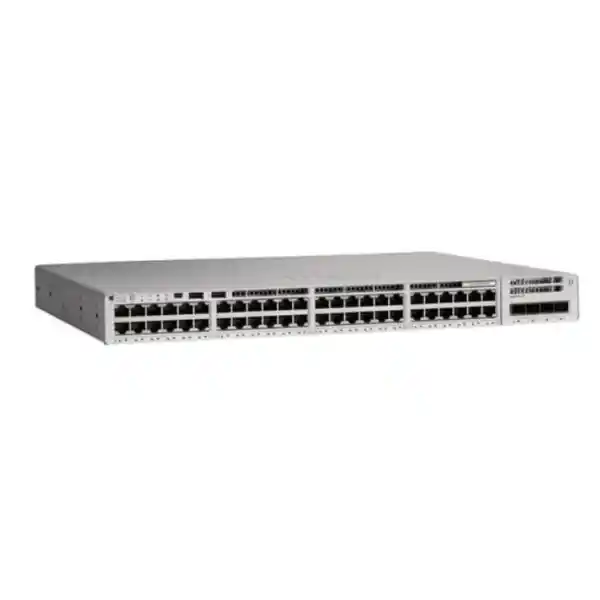
Cisco Catalyst C9200L-48P-4G Network Switch
For a Tanzania organization connecting desk phones, wireless access points, cameras and office workstations in one cabinet, the Cisco Catalyst C9200L-48P-4G provides 48 copper Gigabit Ethernet access ports with PoE+ and four fixed 1G SFP uplinks. It is a practical candidate where the endpoint count is substantial, centrally supplied Ethernet power is useful, and the upstream network is designed around Gigabit connections. Ask FourTeck Tanzania for a configuration quote that identifies the license edition, power supplies, optics and any stacking components.
A managed access switch for a busy equipment cabinet
Start with the traffic and power requirements of the attached equipment. The number of sockets on the front panel does not establish whether every planned device can receive its maximum power simultaneously, and the switch fabric rating does not establish the speed available through a single uplink. Those distinctions matter when a cabinet will serve voice, wireless and surveillance equipment together. A useful specification connects each requirement to the particular hardware option or configuration that will satisfy it.
This product page addresses the 48-port PoE+ model with fixed Gigabit uplinks. It is especially relevant to IT managers preparing an access-layer refresh, procurement teams comparing complete quotations, and engineers checking an existing network design. A buyer who needs faster upstream connections or multigigabit access should resolve that requirement before choosing the chassis. The final bill of materials should also reflect how the network will be operated after the installation team has handed it over.
Verified hardware at a glance
| Item | C9200L-48P-4G specification |
|---|---|
| Access interfaces | 48 × 10/100/1000 Ethernet RJ-45 ports |
| Endpoint power | IEEE 802.3af PoE and IEEE 802.3at PoE+; up to 30W per capable port, within the total budget |
| Uplink interfaces | 4 × fixed 1G SFP ports |
| Standalone performance | 104 Gbps switching capacity; 77.38 Mpps forwarding rate |
| Primary AC power configuration | PWR-C5-1KWAC; 740W available PoE budget |
| Additional matching AC supply | Up to 1,440W PoE budget with the documented dual-supply configuration |
| Stacking option | StackWise-80 with compatible C9200L stacking hardware; up to eight supported members |
| Cooling and power slots | Two fixed fans; two power-supply slots |
| Order variants | -E for Network Essentials; -A for Network Advantage |
These are platform specifications rather than a promise about the contents of a particular quotation. Request an itemized list for the exact order, including power cords and separately selected accessories. A hardware capability can depend on the installed supplies, software, license or connected equipment. Where a project has a mandatory requirement, include the acceptance method beside it so that procurement and engineering are working from the same definition of completion.
Match 48 access ports to the equipment that will actually connect
Build the port schedule from locations and devices rather than headcount alone. One desk can require a phone connection, while a meeting space may also need a display controller, conferencing appliance or room system. Wireless access points, printers, security cameras and building equipment add connections that a staff-only estimate can miss. Record the patch-panel reference, endpoint type, intended network and whether power must come from the switch for every planned connection.
Reserve capacity deliberately. Spare access ports are useful when a team expands or a failed cable route must be bypassed, but the right allowance depends on the building and refresh plan. Keep spare patch-panel positions and spare switch ports in the same schedule. If a project already uses nearly every port on day one, compare an additional switch or a different cabinet arrangement before the final purchase rather than treating expansion as an informal later task.
Check how devices share cabling. A phone with a downstream computer connection may reduce the number of occupied wall outlets, but that arrangement has its own power, link-speed and operational dependencies. Confirm the exact phone behavior and the organization’s support policy. For equipment that must remain available during desk moves, direct and clearly labeled connections may make troubleshooting easier. The port schedule should describe the intended arrangement so technicians do not improvise it during installation.
Distance also belongs in the access plan. The documented maximum Ethernet cable length for the copper ports is 100 metres. Survey actual routes, patching and termination quality rather than measuring straight-line room distance. Where a remote area needs a separate cabinet, evaluate the power, uplink and environmental requirements of that cabinet as a separate design decision. Avoid assuming a higher port count removes the need for a proper structured-cabling assessment.
PoE planning: separate per-port capability from the shared budget
The single-primary-supply AC configuration documented for this model provides 740W for PoE. Cisco also documents a 1,440W budget with an additional matching supply. Those figures describe different installed configurations. Specify the intended supply arrangement explicitly, particularly if a quotation will be compared with another model or a different power option. The rated wattage printed on a power supply is not interchangeable with the watts available to connected PoE equipment.
For each powered endpoint, record the manufacturer’s required PoE standard and the power needed for the intended operating mode. An access point may have different requirements when all radios and accessories are active; a camera may have different requirements when additional functions are enabled. Check the device documentation for the particular model. Compatibility should be established from power requirements and Ethernet behavior together, rather than from the presence of an RJ-45 socket.
A planning example illustrates the arithmetic. Suppose the switch-side allocations are 24 devices at 10W, 12 devices at 20W and six devices at 15W. The calculated total is 570W across 42 ports, leaving a nominal 170W against a 740W budget before any additional project reserve. This is an illustration, not a verified endpoint configuration. Replace the assumed allocations with actual device requirements, account for cable losses appropriately and test the planned load.
Power allocation deserves a failure scenario as well as a normal-operation total. If a design uses two supplies to support a load that exceeds what one supply can sustain, losing a supply can leave insufficient power for every endpoint. Decide which devices are essential, what service reduction is acceptable and how that outcome will be tested. Buying a second supply does not by itself establish that the full connected load can survive a supply failure.
Treat growth as a power requirement too. Six unused data ports do not necessarily mean there is enough remaining PoE for six additional devices of any kind. Keep the port schedule and power calculation together, revising both whenever endpoint models change. This is particularly useful when procurement substitutes an access point or camera during a project. A substitution should trigger a review of power, link speed and operating mode before it is accepted.
Understand the four fixed Gigabit uplinks before ordering
The four SFP uplink positions operate at 1G on this model. They are fixed to the chassis design, so an optic alone cannot turn them into the faster uplinks offered by a different switch variant. If the access cabinet will aggregate large wireless loads, frequent file transfers or substantial traffic toward central servers, assess upstream demand carefully. Choose the uplink class against expected application use rather than relying on the number of copper access ports.
Map traffic by destination. Communication between devices in the same local network can follow a different path from traffic to the firewall, storage, another floor or a remote office. Record which applications depend on the upstream connection and which periods create peak demand. Examples include staff starting cloud applications at the beginning of the day, scheduled workstation backups, camera viewing and large software updates. Measurements from the current network are more useful than a single assumed average.
When several uplinks are considered, have the engineer verify the supported link-aggregation design at both ends. Multiple physical links do not establish that one application session can use their combined bandwidth. Traffic distribution, upstream topology and failure behavior affect the outcome. Describe the desired result explicitly: additional aggregate capacity, alternate physical paths, or both. The acceptance plan should test that result using representative traffic and the intended operational configuration.
Specify each optical path completely. Capture the upstream device and interface, fiber type, measured or documented route length, connectors, patch panels and the transceiver proposed at each end. Check compatibility against the exact switch and software combination. A matching speed label does not settle optical compatibility. Optical modules and fiber patch leads should appear as separate, identifiable items where required, with quantities tied to the link schedule.
Keep the 104 Gbps switching-capacity figure in context. It is a device-level specification and does not make a single uplink run at that rate. Similarly, the published forwarding figure is a platform performance measure rather than an application service guarantee. A usable network design follows the entire path from endpoint to destination, including firewall processing, WAN service and server capacity. Address the constrained part of that path when comparing switching options.
Choose the software edition and account ownership together
The full order identifier needs a software suffix. Cisco lists C9200L-48P-4G-E with Network Essentials and C9200L-48P-4G-A with Network Advantage. The shortened model in a purchasing request does not establish which edition is being offered. Ask the quotation to identify the complete hardware order code and show the selected licensing tier alongside it. This prevents apparently similar offers from hiding a material difference in entitlement.
Cisco’s current ordering guide describes a perpetual Network Stack license and a required software subscription selection for new hardware purchases. It also requires a Smart Account. Confirm the current subscription type, tier and term for the actual offer. Have the technical owner approve the feature requirement before the purchasing team chooses between editions; a generic description such as managed switch or Layer 3 switch is insufficient to establish the routing and segmentation functions a project needs.
Make entitlement ownership part of the handover. Record which organization owns the account, who can administer it and who will retain access after the project closes. Use company-controlled contacts where appropriate and agree how changes in staff will be handled. Keep the purchase documentation and entitlement records with the asset inventory. These are straightforward controls that can reduce confusion when software maintenance, support or a later expansion is discussed.
Request an explicit separation between hardware, software subscriptions, support services and implementation work in the commercial offer. Their terms may differ, and the person approving the purchase should be able to understand each commitment. Confirm what happens at renewal time and who tracks the relevant dates. The correct choice is the one that fits the intended operating model and required functions, with responsibilities clear enough for the organization to maintain it.
Optional stacking: plan the complete ring and its dependencies
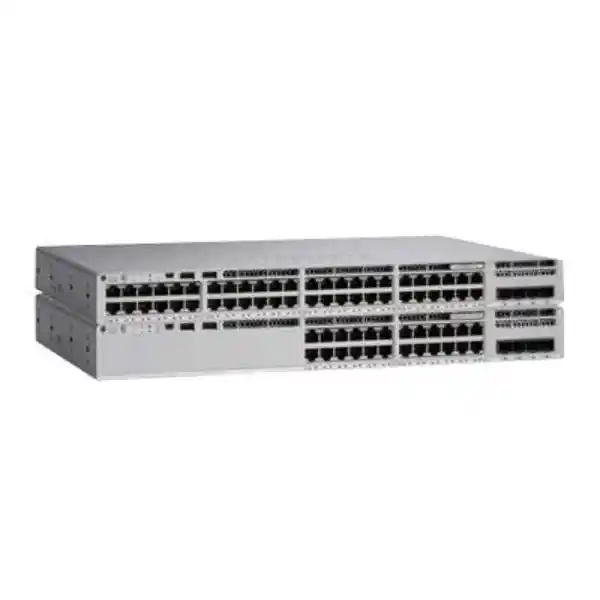
StackWise-80 allows supported C9200L members to operate as a logical switch, subject to the documented compatibility requirements. The stacking hardware is a separate planning item. Include the correct adapters and cables, the intended member arrangement and the necessary cable lengths in the equipment list. A pair of switches in the same rack should not be described as a completed stack unless the required hardware and configuration are included.
The published limit is up to eight supported members, with matching license levels required by Cisco’s stacking guidance. C9200L switches cannot be mixed in a hardware stack with modular C9200 models or older Catalyst 2960-X switches. Validate the exact member combination and software before an expansion. Similar product-family names are not enough to establish stack compatibility, especially when a purchase is intended to reuse equipment already installed.
Draw the ring connection schedule before choosing cable lengths. Leave service access for power supplies and avoid cable tension when equipment is mounted. Identify each member physically and in the configuration records. If a cabinet has limited rear access, agree how a technician will inspect or replace a connection safely. The rack arrangement should support the intended maintenance procedure as well as the initial installation.
Define what stacking is intended to improve. It may simplify administration or support a planned access topology, but an endpoint connected to one physical member still depends on that member and its cable. Review the effects of a member outage, stack-link failure and upstream-link failure separately. A sensible design documents what remains connected under each condition and uses that information to set maintenance windows and recovery expectations.
Deployment scenarios and the checks that decide fit
Office floor with phones and workstations
Map desk positions, shared printers, meeting rooms and telephone power requirements. Check whether the intended applications and upstream traffic fit a Gigabit access design. Identify devices that must stay connected during office moves and document their patching. A clear connection schedule can make everyday changes easier to support.
Wireless access cabinet
Confirm each access point’s required Ethernet speed, PoE class and full-function power demand. Decide whether the wireless roadmap calls for multigigabit ports or higher upstream capacity. An access point’s radio capabilities alone do not establish suitability for this switch. Review wired and wireless capacity as a connected design.
Cameras and operational devices
Calculate the power allocation for each exact device and trace traffic to its recording or application destination. Consider whether important cameras or controls should share the same physical failure domain. Document who supports each endpoint so switch troubleshooting and device troubleshooting can be coordinated.
These examples describe possible requirements, not preapproved bundles or guaranteed compatibility. A school, office, hotel or other organization may have several of these patterns in the same building. Keep the assessment tied to the equipment list and application priorities. The best configuration is one that can explain where every device connects, where its traffic goes and what happens when an important component is unavailable.
Build segmentation around business access requirements
Before configuring the switch, list the groups that need different access policies: employees, visitors, telephones, cameras, printers, servers and management interfaces. For each group, document the services it needs and the destinations it should reach. This requirement map gives the engineer a basis for deciding VLAN assignments, routing boundaries and security enforcement. It also gives the business a readable description of the intended access policy.
Define where policy is enforced across the complete network. Creating a separate VLAN is only one part of controlling communication; the routing and firewall design must reflect the desired access between groups. Identify the device responsible for each boundary and confirm the necessary features and licenses. Test representative allowed and blocked connections before accepting the installation, including access to shared services such as naming, time and authentication.
Protect administration as a distinct use case. Agree which networks and authorized people may manage the equipment, how credentials are controlled and where configuration records are stored. Have the engineer align the actual management configuration with the organization’s standards and the supported software. Give the operations team enough documentation to recover access during a fault without making routine administration dependent on one individual’s knowledge.
Prepare cabinet power, cooling and service access
This chassis has two fixed fans, so cabinet placement should account for active cooling and noise. Check the installation instructions for the exact environmental limits and airflow clearances before choosing the rack location. Avoid placing equipment where cable bundles, stored material or neighboring devices obstruct ventilation. A cabinet should be assessed under its expected operating load, not only while the building is quiet and the door is open.
Power continuity planning should include both the switch and the endpoints it supplies. A UPS estimate based only on the switch’s unloaded consumption can underestimate the supported load once phones, cameras or access points are powered. Provide the selected supply arrangement and expected connected load to the person sizing the backup system. Specify the required runtime, monitoring and shutdown or recovery procedure so the calculation serves a clear operational need.
Where two supplies are selected, document their electrical feed arrangement and the failure cases that the design is intended to tolerate. Two cords connected to the same unprotected source do not create independent utility power. Ask the responsible electrical professional to check the proposed rack distribution and protection. Confirm the appropriate cords and outlet types in the quote rather than relying on a generic product photograph.
Leave room for installation and later maintenance. Confirm rack compatibility, physical depth, mounting hardware, access to the rear connections and cable-management space against the selected chassis documentation. Label supply feeds, upstream fibers and stack links so a service visit can follow the recorded design. A cabinet that is easy to inspect is easier to maintain when the technician is working under time pressure.
Migrate from the existing network with a controlled change plan
Begin a replacement project by documenting the current state. Record the existing switch model, active ports, device locations, uplink paths, VLAN requirements, address assignments and any special endpoint behavior. Back up the existing configuration using the organization’s approved process. An accurate baseline helps distinguish problems introduced during the change from conditions already present in the network.
Translate the requirement into the new platform instead of assuming the old configuration can be copied unchanged. Review software syntax, supported features, licensing, uplink interfaces and optical modules. If an older switch is part of a hardware stack, decide how the replacement will connect during the transition and what remains operational while members are removed. Test the intended new arrangement before moving critical users.
Schedule the work around actual business dependencies. Telephone service, reception equipment, transaction systems, security monitoring and wireless access may have different acceptable outage windows. Agree the order in which services will be restored and identify the people who can verify them. Include a communications plan managed by the organization so affected teams know when to test their equipment.
Set a rollback decision point before the change begins. State the conditions that would trigger rollback, the latest time it can start and which equipment must remain available for it. Keep the previous patching record accessible and label the new arrangement as work proceeds. After migration, check that configuration backups, monitoring and asset records describe the new switch rather than the removed equipment.
For a broader replacement project, consult the Catalyst 2960-X replacement planning guide. Use this product assessment alongside the migration plan to decide whether the particular port, power and uplink configuration meets the new requirement.
Acceptance checks that make the purchase measurable
| Check | What to establish before handover |
|---|---|
| Equipment identity | Delivered chassis, software edition, supply quantities and accessories match the approved bill of materials. |
| Connections | Port labels, patch-panel references and uplink destinations agree with the final connection schedule. |
| Endpoint power | The actual powered devices start correctly and retain the required functions under the planned load. |
| Application paths | Representative voice, wireless, office and operational traffic reaches the intended services. |
| Access boundaries | Approved communication works and agreed restrictions are verified from representative devices. |
| Failure behavior | Authorized maintenance tests demonstrate the agreed response to selected power or link outages. |
| Operations | The designated team receives backups, access ownership, monitoring details and the as-installed records. |
Use a representative busy-period test where practical. A quiet test with one laptop cannot demonstrate how a shared uplink behaves during a scheduled backup or how every powered device starts after a power interruption. Choose safe tests that reflect the workload, obtain the organization’s operational authorization and record the outcome. Any unresolved issue should have an owner and an agreed next action.
Keep the network supportable after installation
Record an operational baseline once the configuration is accepted. Include the software release, license information, hardware serial numbers, endpoint map, uplink identifiers and normal power usage observed during the agreed test. Capture enough information for the support team to recognize a change in behavior. Store a current configuration backup according to the organization’s access and retention rules.
Choose monitoring around useful operational questions. The team should be able to investigate whether an endpoint has lost its link, whether power demand is changing and whether important paths are becoming congested. Have the engineer confirm the available monitoring methods and integration for the selected software. Assign alert ownership so an event reaches someone who can distinguish a local cabling problem from an upstream or endpoint issue.
Manage subsequent changes with the same connection schedule used for installation. When a new phone, camera or access point is added, update the endpoint model, port assignment and power calculation together. When software is changed, review the relevant release notes and the organization’s validation requirements. A modest record-keeping routine can preserve the value of the original design as the environment grows.
Keep support scope and warranty terms explicit in the order documents. Confirm the exact hardware eligibility, service arrangements, response commitments if any, and the process for obtaining assistance. Manufacturer program descriptions should not be interpreted as a local delivery-time commitment. Ask the quotation to state the applicable terms for the supplied equipment and location so the operations team knows what resources it can use.
Compare alternatives by the requirement that changes the decision
A different Catalyst model may be a better choice when the physical interface requirement changes. The C9200L-48P-4X is the adjacent PoE+ option to review when 10G uplinks are required. Confirm the exact order variant and accessories independently. The important question is whether faster upstream connectivity is part of the design requirement today or within the planned refresh period.
Where access points or other endpoints need speeds above Gigabit Ethernet, evaluate an appropriate multigigabit model against the exact device requirements. Where endpoints require more power per port than PoE+ supports, evaluate a suitable higher-power platform. Where no endpoint needs switch-supplied power, include a data-only option in the commercial comparison. Each alternative should solve a specific requirement rather than simply carry a larger performance number.
Compare complete configurations consistently. Align the port count, uplink class, software entitlement, subscription term, supply arrangement, optics, stacking components and agreed services across quotations. A difference in the initial equipment total can reflect omitted dependencies. Ask each offer to identify exclusions clearly, and compare the cost of a deployable system against the same acceptance criteria.
For wireless-related decisions, the Cisco wireless planning overview provides a related discussion of access-point requirements. Bring the selected AP list into the switch assessment so the wired interface and power requirements are settled together.
Questions buyers ask about this switch
Does the 4G designation mean mobile connectivity?
Here it identifies the four Gigabit fixed uplinks in the switch model naming. Procurement should specify the SFP modules and upstream connections needed for the actual network. It does not describe a cellular router or a mobile data service.
Can every powered port deliver its maximum output at once?
That depends on the installed supplies and the combined allocation. A per-port PoE+ capability is separate from the shared PoE budget. Calculate the complete endpoint load and specify the supply configuration, including the required behavior if a supply becomes unavailable.
Are SFP modules, stacking hardware and a second supply included?
Do not assume their inclusion from the base model name. Ask the quotation to itemize the proposed optical modules, stack adapters and cables, supplies, cords and mounting components. Check quantities against the connection schedule before approving the order.
Which license edition should I request?
Choose against the actual switching, routing, segmentation and management functions required by the design. Have the engineer confirm feature support for the intended software and edition. Request the full -E or -A order identifier and the associated subscription details in writing.
Will it suit newer wireless access points?
Verify the exact AP model’s Ethernet and power requirements. A device that requires a faster wired connection or a higher power class may call for a different access switch. Also check the aggregate traffic that the AP group will send upstream.
What should be provided for a Tanzania quotation?
Send the required quantity, endpoint inventory, upstream device details, fiber information, license preference if known and power-continuity requirement. Identify existing switches intended for reuse and the desired installation scope. Provide the project location so commercial and service terms can be confirmed for that request.
Is price or stock confirmed on this page?
No current price or stock commitment is stated here. Request a written quotation for the specified configuration and ask for the applicable lead time, payment terms, warranty and any implementation scope. Evaluate those terms against your project schedule before placing the order.
Request a configuration quote from FourTeck Tanzania
Share the number of switches required, the device and power schedule, upstream link details and the software features your network needs. Include any existing C9200L members intended for stacking, the required power-failure behavior and the intended handover responsibilities. These details make the proposed configuration easier to check and compare.
Ask for the complete order codes, itemized accessories, licensing and subscription terms, confirmed commercial conditions and any agreed deployment services. Finalize the purchase after the technical owner has checked the bill of materials against the connection plan and acceptance requirements. Request a Cisco Catalyst 48-port PoE+ switch quotation from FourTeck Tanzania with the configuration details above.




Reviews
There are no reviews yet.