
FourTeck Tanzania · Enterprise access switching
Multigigabit access for a mixed business network
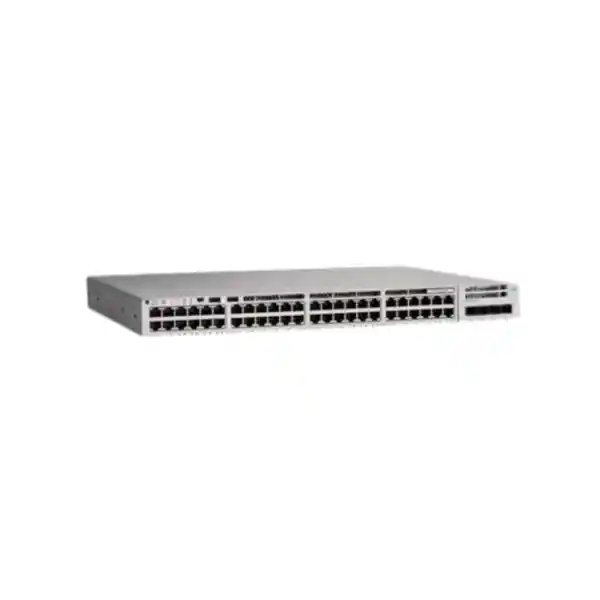
The Cisco Catalyst C9200L-48PXG-4X network switch suits organizations that need powered connections for business endpoints alongside faster copper links for selected devices. It combines 12 multigigabit access ports, 36 Gigabit access ports and four fixed 1/10G uplinks. This makes it a practical candidate for an access cabinet serving a mixture of wireless access points, IP phones, cameras and workstations, provided each endpoint’s power and connectivity requirements are checked.
For a Tanzania procurement project, start with the endpoint schedule, uplink design and required software features. Ask FourTeck Tanzania for a configuration-based quote that identifies the license edition, power supplies, uplink accessories and any stacking components. Price, stock, delivery and support terms should be confirmed against that specific quotation.
Verified hardware at a glance
The important distinction is the distribution of access speeds. This is a mixed-speed switch: the multigigabit capability applies to a defined group of ports. The four uplink interfaces are separate from the 48 copper access interfaces. Use the following specification summary to match the chassis to your network drawing before preparing a bill of materials.
| Item | Model specification | Planning implication |
|---|---|---|
| Copper access ports | 48 total: 12 multigigabit and 36 Gigabit | Reserve faster interfaces for endpoints that can use them. |
| Multigigabit copper speeds | 100M, 1G, 2.5G, 5G and 10G | Achievable speed depends on the endpoint and installed cabling. |
| Gigabit copper speeds | 10M, 100M and 1G | Suitable for compatible conventional Ethernet devices. |
| Uplinks | 4 fixed 1/10G interfaces | Select supported SFP/SFP+ connectivity for the upstream link. |
| Power delivery | IEEE 802.3at PoE+, up to 30W per port at the switch | Check the endpoint requirement and total available PoE budget. |
| Power hardware | 2 power-supply slots; PWR-C5-1KWAC primary AC supply in Cisco’s model table | Confirm the exact supplied configuration and any second supply. |
| Cooling | 2 fixed fans | Plan a ventilated equipment location and service access. |
| Data stacking | Cisco StackWise-80 | Appropriate stack adapters and cables must be specified. |
A compatible physical connector alone does not establish full compatibility. The purchase specification should identify the endpoint model, speed, PoE class and intended configuration. For uplinks, it should identify both ends of the connection and the complete optical or direct-attach path. This avoids discovering a missing accessory or unsuitable interface during installation.
Who should consider this access switch?
Wireless access refresh
Consider this platform when a limited number of access points need copper connectivity above Gigabit speed and the remaining endpoints use conventional access links. Match each access point’s power requirement before selecting the switch.
Office voice and data
A mixed office can combine compatible PoE phones with desktop connections and selected higher-speed endpoints. Plan the port layout around actual desk arrangements, shared connections and expected expansion.
Managed branch or campus access
The platform is relevant when an IT team wants a managed IOS XE access layer with documented configuration, security policies and an optional compatible stack design.
Begin with demand at each wiring cabinet rather than a building-wide total. A project may have enough ports overall but too few high-speed interfaces in the cabinet where the access points terminate. Record where every cable lands, which connections need power and which devices are expected to move. This produces a more reliable switch allocation than distributing equipment evenly without a physical survey.
The product deserves a different comparison if the requirement is for multigigabit speed on every access port, higher-power endpoints, a silent desk-side installation or a future modular uplink change. Those requirements should shape platform selection before a quotation is approved. Choosing a suitable architecture early can prevent avoidable replacement of accessories, power hardware or an entire access switch later.
Plan the 12 faster ports around real endpoint demand
Use the multigigabit group deliberately. A wireless access point with a suitable Ethernet interface may benefit from a link above 1G, while a conventional phone or printer usually does not need one of those scarce interfaces. Build a port map that assigns high-speed ports according to verified endpoint capabilities and the traffic they carry. Include spare capacity where a later access-point replacement is already planned.
For an illustrative deployment, an office might reserve ten faster ports for compatible access points and leave two for growth or a specialist endpoint. Its other connections would use the Gigabit group. This is a planning example, not a claim about a tested deployment or a guaranteed design. The final allocation depends on where cabling terminates, how many physical links each device needs and how much headroom the organization wants.
A negotiated link speed describes the connection between the switch and the endpoint. Application throughput also depends on the endpoint, radio conditions where wireless is involved, upstream capacity, server performance and the application itself. Upgrading the copper access link addresses one part of that path. It does not automatically increase an internet service speed or remove a bottleneck elsewhere.
Cabling assessment belongs in the same work package. Ask the installer to document the cable type, installed channel length, patching and test results for proposed faster links. Do not assume that an existing cable run will support the desired rate simply because it currently carries Gigabit traffic. Where the installed channel cannot meet the target, agree on a realistic operating speed or a cabling upgrade before commissioning.
Understand the PoE budget before connecting devices
PoE planning has two separate checks: whether an individual port can serve the device, and whether the switch has sufficient total power for all connected devices. Cisco lists 740W of available PoE power for this model with its single primary PWR-C5-1KWAC supply, and up to 1440W with an additional matching supply. These figures describe the specified power configurations; confirm the actual supplies included in the offer.
A 1000W power-supply rating is not a promise of 1000W available to powered endpoints. The switch itself also requires power. Likewise, support for PoE+ across the access interfaces does not mean that one primary supply can deliver the maximum port rating simultaneously on every port. The endpoint schedule and supply configuration determine how much usable capacity the installation has.
As a simple budgeting illustration, 48 ports allocated at 30W require 1440W at the switch. That exceeds the single-supply budget. The calculation does not predict real device consumption, and power available at an endpoint is affected by the applicable standard and cable losses. Use manufacturer requirements and negotiated allocations when designing a real installation; keep an allowance for growth and operating conditions.
Record the exact access-point, phone and camera models rather than estimating every device from its category. Some endpoints require more power for their full feature set than for basic startup. A device that powers on may still operate with reduced functions if the source is insufficient. Check the manufacturer’s operating modes and required power standard, especially when refreshing wireless equipment or adding specialist cameras.
Ask for two power calculations where continuity matters: normal operation and operation after losing one supply or feed. A configuration that uses both supplies to meet a high aggregate load should not be assumed to preserve that whole load after a failure. Decide which endpoints are essential, how much power must remain available and what behavior is acceptable before selecting the final supply arrangement.
Choose uplinks as a complete connection
The fixed uplink design provides four interfaces supporting 1G or 10G connectivity. Specify them together with the upstream equipment, supported transceivers or direct-attach cables, fiber type, distance and connector requirements. An available cage on each switch is only the starting point. The physical media and the supported optics at both ends must form a compatible link.
For a cabinet connecting to a distribution switch, document the route as well as the straight-line distance. Include patch panels, patch leads and intermediate connections. For an equipment-room connection, compare the appropriate supported short-distance options against optical connectivity. Confirm the precise accessory part numbers in the quotation rather than accepting a general description such as ‘fiber module included.’
Capacity planning should consider the traffic that leaves the switch at busy periods. A group of high-speed access links can generate more aggregate demand than a single upstream link can carry. Review whether traffic mostly stays local, crosses to another access cabinet, reaches a server network or goes to the internet. Uplink utilization and application requirements are more useful inputs than adding every port’s label speed and treating the result as constant demand.
Multiple links may be useful for capacity or resilience when the surrounding network supports the intended design. The implementation needs compatible upstream equipment and an agreed logical topology. Do not assume that connecting every uplink automatically creates one larger path or protects every application. Ask the network designer to explain link behavior, expected bottlenecks and what happens when a link or upstream device is lost.
The uplinks are fixed on this C9200L variant. If the project specifically requires a different uplink architecture later, evaluate that requirement during selection. A plan that depends on replacing a modular network uplink card should be assessed against a platform designed for that approach.
Use stacking when it solves an operational requirement
StackWise-80 enables a compatible C9200L group to operate as a logical switching system. Cisco documents stacks of up to eight compatible units in this family. Stacking can simplify certain management and topology decisions, but its value depends on the cabinet layout, growth plan and required failure behavior. A single standalone switch remains a valid design when a stack is unnecessary.
Stack hardware must appear in the bill of materials. Cisco identifies the C9200L-STACK-KIT for this family and states that the kit is not included by default. Specify adapters, cable quantities and suitable cable lengths for the intended arrangement. Check what a quoted bundle actually contains; the presence of stack capability in a product description does not establish that the accessories are supplied.
Treat stacking as a platform-specific connection. Fixed C9200L models cannot be combined in a hardware stack with modular C9200 models or an older Catalyst 2960-X. Existing stack accessories should not be assumed reusable. A migration can still connect different switch families through an appropriate network design, but that is different from joining them into one supported StackWise system.
For a new stack, ask the implementation team to record the intended topology, member identification, software compatibility and cable routing. Agree on how a member replacement will be handled and how configuration backups will be maintained. Leave room to reach rear connections without disturbing unrelated cables. These practical details make the stack easier to service after the original installation team has left.
Resilience should be tested against named events: loss of an uplink, one power feed or an individual member. Stacking does not replace those tests and does not make every attached endpoint redundant. A phone or access point connected to one physical switch still depends on that particular connection. Document the expected outcome for critical services.
Specify the license edition and subscription clearly
The base model name supplied here does not choose a software edition. Cisco lists C9200L-48PXG-4X-E with Network Essentials and C9200L-48PXG-4X-A with Network Advantage. Ask for the complete orderable model in the quotation and compare its entitlements with the required feature list. Hardware similarity is not a substitute for a licensing check.
Cisco’s ordering guide distinguishes the included perpetual Network Stack license from the Cisco Catalyst or Cisco DNA software term subscription selected at purchase. The guide requires both elements for a new order. Have the quote identify the subscription type, tier and term explicitly. Avoid treating every mention of ‘license’ as the same entitlement or assuming that the base product name includes every management capability.
Write the intended network functions in plain language before selecting an edition: where traffic will be routed, how users will be segmented, what upstream systems are involved and how the equipment will be managed. The supplier or network designer can then map each required feature to the applicable software release and license. This is more reliable than purchasing the higher or lower tier solely from its name.
For organizations with existing Cisco management practices, include account ownership, entitlement records and operational access in the handover plan. Identify who will retain purchase documentation and who will manage subscription decisions. If a feature depends on another product or service, request that dependency as a separate line item or a clear design assumption.
Support coverage and software subscription rights should be described separately in commercial discussions. Ask what is included, what is optional and which terms apply to the exact offer. This page does not assign a support contract, renewal price or service commitment to the unsuffixed model.
Build access security around the actual device mix
A managed access switch is one component of a security design. Begin by separating the device groups that require different access policies: employee computers, voice endpoints, wireless infrastructure, cameras and administration systems. Define which communications each group needs and where policy enforcement will occur. A network diagram should show those boundaries as well as the physical links.
Cisco documents IEEE 802.1X port-based authentication for the Catalyst 9200 platform. Its deployment requires a compatible authentication design, endpoint behavior and supporting infrastructure. Before enforcing it across a cabinet, test representative devices and agree on what happens when an endpoint cannot authenticate or the authentication service is unavailable. Include devices without a conventional user login in that review.
DHCP snooping can help defend against rogue DHCP server traffic by distinguishing trusted paths from untrusted access connections. Trust must follow the real route to legitimate DHCP services. An incorrect trust design can disrupt address assignment. Plan and test it against the deployed VLANs and upstream paths rather than enabling it without a topology review.
Dynamic ARP Inspection checks ARP traffic against trusted binding information. In DHCP environments it depends on the DHCP snooping database; statically addressed devices require appropriate treatment. Cisco documents that the feature needs configuration. Prepare a small validation group first, including phones, printers and cameras, so that legitimate traffic is not unexpectedly blocked during a wider rollout.
Security operations also need ownership. Decide who reviews alerts, approves port changes and updates endpoint exceptions. Retain a record of approved settings, but do not expose credentials or sensitive configuration in a public quote request. The objective is a maintainable access policy whose expected behavior can be checked, not a list of enabled feature names.
Prepare the rack, power and equipment location
Cisco’s hardware guide identifies two power-supply slots and two fixed fans for this model. Position the equipment in a suitable network location with ventilation, cable management and access for maintenance. Consider the surrounding equipment and total cabinet heat rather than assessing the switch in isolation. A location that works for a small passive device may not suit a powered enterprise access installation.
Before ordering, measure the available mounting space and the complete depth needed for the chassis, fitted power supplies, connectors and cable bends. Check both front and rear access. Rack mounting, patching and stack connections should be planned together so that replacing a cable or supply does not require dismantling unrelated equipment. Have the installer verify the manufacturer’s environmental and clearance requirements for the actual location.
The electrical plan should identify the supplies, power cords, socket arrangement, upstream protection and any UPS capacity. If two supplies are intended to improve continuity, describe the feeds they will use. Two plugs connected to the same failing source do not provide independent source continuity. Where separate feeds are unavailable, state that limitation in the design.
UPS planning must include the switch and the powered devices it serves. A switch that supplies endpoint power adds those loads to the backup requirement. Select a target runtime based on the services that matter, then have the electrical or infrastructure team calculate the appropriate capacity. Do not estimate runtime from the switch chassis alone or assume a second power supply is a battery backup.
For a Tanzania project, confirm the installation’s actual electrical conditions, required cord selection and site arrangements with the responsible team. The model name does not establish local installation readiness, regulatory approval or the suitability of a particular socket. Those checks belong to the exact equipment offer and deployment location.
Deployment scenarios to discuss with your network team
An office refreshing wireless access
An office may need faster wired connections for a subset of new access points while retaining ordinary Gigabit links for other devices. First map the access points to their terminating cabinet. Then check the exact AP Ethernet speeds and full-feature power needs. The useful question is whether this mixed port arrangement fits that map, including a practical allowance for later changes.
A branch combining phones, desktops and shared devices
A branch can evaluate the switch around its desk layout, phone requirements, printers and selected infrastructure links. Count physical switch connections carefully where a desktop is connected through a phone, and check the consequences of that arrangement for speed and fault isolation. Identify which services should continue during a power interruption before selecting PoE capacity and backup power.
A building with cameras and business systems
Where cameras share access infrastructure with business devices, review the endpoint power requirements, sustained video traffic and intended separation of services. Ask where recording traffic travels and which uplinks carry it. Specialist cameras may require power beyond this platform’s per-port PoE+ capability, so their exact requirements must be checked before treating the switch as suitable for the entire camera estate.
A managed access layer planned for expansion
An IT team expecting growth may value compatible stacking and documented management practices. Estimate how expansion affects ports, aggregate power, upstream capacity and rack space at the same time. Adding another switch is only one part of growth planning. The existing upstream network and cabinet infrastructure must remain suitable as more endpoints and more traffic are introduced.
Compare nearby Catalyst options by requirement
Similar model names can conceal differences that affect a purchase. Use the requirement that matters most to narrow the choice, then verify the full orderable identifier and software tier. The comparison below is a selection aid based on Cisco’s model descriptions; it does not imply that any alternative is in stock or available under the same commercial terms.
| Requirement | Model to assess | Key distinction |
|---|---|---|
| 48 Gigabit PoE+ access connections | C9200L-48P-4X | Gigabit access rather than this model’s mixed multigigabit arrangement. |
| Fewer access connections with some faster copper ports | C9200L-24PXG-4X | 24 access ports, including 8 multigigabit ports, with four 1/10G uplinks. |
| 25G uplink requirement | C9200L-48PXG-2Y | Two 1/10/25G uplinks, with 8 multigigabit and 40 Gigabit access ports. |
| Modular uplink architecture | An appropriate modular C9200 model | Different uplink and stacking architecture; verify the complete configuration. |
A 25G uplink alternative is not an identical access-port replacement with only faster uplinks added. Its port mix differs. Similarly, selecting a smaller chassis may be sensible for a cabinet with fewer endpoints but insufficient if the planned powered devices or spare-port requirement exceeds it. Compare each option against the same endpoint schedule and failure assumptions.
If the requirement includes higher power per endpoint or multigigabit connectivity across all access ports, expand the comparison to a platform that explicitly supports those needs. Ask for a short explanation of how each proposed option meets the required design. This keeps the evaluation focused on fit and complete system cost rather than on a model number alone.
Move from an existing access switch with a clear cutover plan
For a replacement project, capture the working state before removing equipment. Record port usage, endpoint identities, VLAN assignments, uplinks, power demand and any special configuration. Include ports that look unused but serve intermittent devices. This baseline helps distinguish an installation problem from an existing issue and gives the team a reference if the change must be reversed.
Review the configuration as a design input rather than copying it without inspection. Software syntax, feature availability, license requirements and interface numbering may differ. Resolve obsolete settings and undocumented exceptions before the cutover where possible. Preserve the original backup and agree on who can authorize changes during the maintenance window.
Test a representative set of endpoints before moving every connection. Include a powered phone, a wireless access point, a statically addressed device and any application with a strict availability requirement. Confirm the intended link rate, power behavior, address assignment and access to required services. A successful link light is useful evidence but does not show that the whole service works.
Label the new port map and migration sequence. Define a rollback point, retain access to the old configuration and identify how staff will report problems. After the move, compare observed interface errors, power allocations and application behavior with the baseline. Complete the handover only when the organization knows how to operate and recover the new access layer.
For broader planning around that transition, see FourTeck Tanzania’s Catalyst 2960-X replacement guidance. Use it alongside an exact assessment of the existing hardware and the intended replacement configuration.
Commissioning and handover checklist
Agree on acceptance criteria before installation begins. The criteria should describe observable outcomes for the services using the switch, not simply whether the chassis has powered on. Keep the checks proportionate to the site and its critical applications. The following checklist can form the basis of a project handover document.
- Confirm the delivered chassis identifier, license edition, power supplies and accessories against the approved quotation. Record serial numbers in the organization’s asset system.
- Verify the port map against physical labels. Check the intended negotiated speeds on representative faster and Gigabit connections, and investigate unexpected downshifts.
- Confirm PoE allocation and endpoint operation under the planned load. Include the access-point features or camera functions that depend on adequate power.
- Check uplink operation at the required speed and validate the intended traffic path. Record optical or cable details so that replacements can be selected correctly.
- Validate addressing, segmentation, authentication and required application access. Include legitimate static devices when reviewing security behavior.
- Test the agreed failure scenarios during an authorized window. Compare actual outcomes with the design assumptions for power, links and stack members.
- Save the approved configuration and record the software release, management access process and recovery arrangements. Assign an owner for subsequent changes.
Retain the results with the configuration backup and procurement documents. If an item cannot be completed, record the reason and the operational consequence. A clear exception list is more useful than assuming every feature has been verified. Repeat relevant checks when later changes alter endpoint power, topology or security policies.
Information to include in a Tanzania quote request
A useful quote request gives the supplier enough detail to define a complete configuration. State the number of switches, the intended cabinet locations and whether each unit will run alone or in a compatible stack. Include the current upstream equipment and the applications that drive performance or continuity requirements. Avoid sending only a photograph or a short model name when the project needs several accessories.
- Endpoint schedule: quantity, exact device models, required speeds, PoE requirements and planned spare connections.
- Uplink schedule: required speed, upstream model, media, route distance and any existing optics proposed for reuse.
- Power plan: expected aggregate PoE demand, number of supplies, required feed arrangement and backup-power objective.
- Software requirements: intended functions, requested Network Essentials or Network Advantage edition, subscription type and term for confirmation.
- Stack requirements: member count, physical arrangement, appropriate adapters and cable quantities with lengths.
- Commercial scope: installation or configuration work requested, documentation, support scope and any required acceptance checks.
Ask the quote to separate hardware, software, accessories and services so that omissions are visible. Confirm the offered condition of the equipment and the commercial terms attached to that offer. Obtain current pricing, tax treatment, availability, delivery arrangements and warranty or support details in writing for the specific transaction.
If wireless infrastructure is part of the purchase, FourTeck Tanzania’s Cisco wireless access-point guidance can support the wider selection discussion. The final switch-to-AP pairing still needs verification against the exact access point’s Ethernet and power specifications.
Buyer questions
Are all 48 copper ports multigigabit?
No. This variant has 12 multigigabit access ports and 36 Gigabit access ports. Reserve the faster group for compatible endpoints that benefit from it. If your planned access points or workstations need more faster connections in one cabinet, compare that requirement with a different switch or a revised allocation before ordering.
Can it power every port at the full PoE+ rating?
That depends on the fitted power supplies and total allocated load. The single-primary AC configuration has a lower budget than 48 maximum-rated PoE+ allocations require. Check the endpoint schedule and the proposed supply arrangement together, including the load that must remain supported after losing a feed or supply.
Does the product name confirm Network Essentials or Network Advantage?
The unsuffixed name does not choose between them. The complete -E or -A orderable identifier identifies the Network Stack tier. Request an itemized quote that also identifies the selected software subscription and term. Have the required features checked against the applicable licensing and software documentation.
Are stacking accessories and uplink optics included?
Do not assume they are. Cisco states that the stack kit is not included by default. Optics, cables and any additional power supply should also be identified in the exact offer. A bill of materials should show all components needed to build the proposed topology.
Can it join an existing 2960-X hardware stack?
No. Plan a separate supported C9200L stack where required, or an appropriate network connection between systems. Existing 2960-X stacking cables are not a substitute for this family’s stacking components. Migration planning should identify how connectivity will be maintained while the access layer is changed.
Will it support any modern wireless access point?
Compatibility depends on the individual AP’s Ethernet interface, required power standard and full-feature power demand. Check those details before selecting this switch. A compatible data speed does not guarantee adequate power, and a powered device may have operating modes that need more power than its minimum startup requirement.
Is the switch a complete internet or wireless solution?
It provides wired access switching within the network design. Internet connectivity, routing at the appropriate boundary, wireless access points, security policy and any required management systems must be considered separately. Identify those dependencies in the project scope so that a switch purchase is not mistaken for a complete service deployment.
How can I get an accurate current price in Tanzania?
Request a quote for the complete configuration, including edition, subscription, power supplies and accessories. Supply the endpoint and uplink schedules to reduce ambiguity. Current price, availability, delivery and support terms need confirmation for that offer; they cannot be established from the base model name alone.
Request a configuration-based quote
Share your endpoint count, access-point models, uplink requirements and preferred standalone or stacked arrangement with FourTeck Tanzania. Ask for the Cisco Catalyst C9200L-48PXG-4X configuration that matches those requirements, with the full software suffix, power-supply arrangement and accessories clearly identified.
Before approving the order, review the complete bill of materials, the power budget and the installation assumptions. Confirm current pricing and commercial terms against that exact offer. A well-defined request gives your team a switch configuration it can assess, install and support with a clear understanding of what is included.




Reviews
There are no reviews yet.