
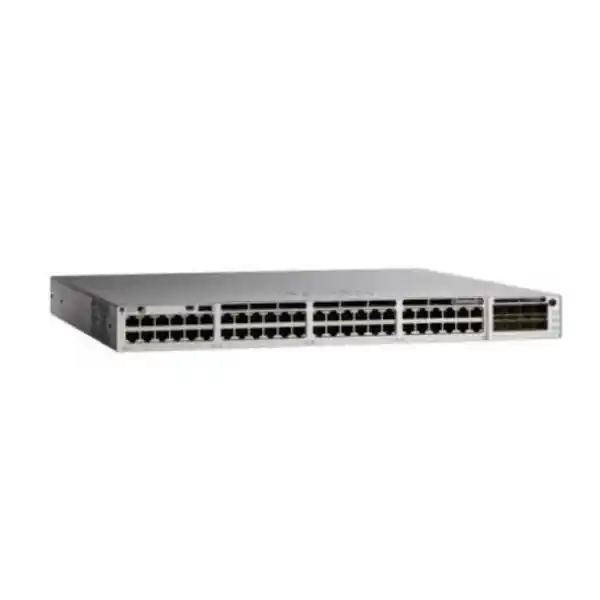
Cisco Catalyst C9300L-24P-4G Network Switch
The Cisco Catalyst C9300L-24P-4G is designed for organisations that need a managed enterprise access switch with twenty-four Gigabit Ethernet PoE+ ports, dedicated fiber uplinks and the option to build a resilient switch stack. It is a practical fit for office floors, branch networks, schools, healthcare environments, hospitality properties and other business sites where the access switch must connect and power endpoints while supporting VLANs, routing, security controls and centralized network operations.
For a Tanzania procurement decision, the most important question is not simply whether the switch has enough ports. Confirm the total PoE load, required uplink speed, fiber type and distance, software license tier, stacking design, rack power, cooling and future growth. The C9300L-24P-4G uses four fixed 1G SFP uplinks; buyers who need 10G uplinks should evaluate a different variant such as the C9300L-24P-4X rather than assuming the -4G model can be upgraded to 10G later.
Quick answer: who should choose the C9300L-24P-4G?
Choose this model when the access layer needs up to twenty-four wired Gigabit connections, a substantial PoE+ budget and enterprise Cisco Catalyst switching features, while four 1G fiber uplinks are sufficient for the traffic design. Typical powered devices can include IP phones, business wireless access points, security cameras, door controllers, small IoT gateways and other standards-based PoE endpoints. The model is especially relevant when an organisation wants to standardize on the Catalyst 9300 family and may later add switches into an optional StackWise-320 stack.
Do not choose it only because “9300” appears in the model name. The fixed-uplink Catalyst 9300L range has several port, PoE and uplink combinations. If the site requires multigigabit access for high-performance wireless, 60 W power delivery, 10G uplinks, forty-eight access ports, or a different licensing capability, another Catalyst 9300L or Catalyst 9300 model may be more appropriate. Correct model selection prevents expensive redesigns after optics, cabling and licenses have already been ordered.
Verified hardware specification summary
| Model | Cisco Catalyst C9300L-24P-4G |
|---|---|
| Access ports | 24 × 10/100/1000 Mbps Ethernet ports with PoE+ |
| Fixed uplinks | 4 × 1G SFP |
| Default power supply | 715 W AC |
| Available PoE budget | 505 W with the default power supply |
| Standalone switching capacity | 56 Gbps |
| Standalone forwarding rate | 41.66 Mpps |
| Stacking | Optional StackWise-320; up to 8 compatible C9300L/C9300LM switches with the same license level |
| Memory | 8 GB DRAM; 16 GB flash for Catalyst 9300L/LM fixed-uplink models |
| Packet buffer | 16 MB on 24/48-port Gigabit Ethernet Catalyst 9300L/LM fixed-uplink models |
| Dimensions with default PSU | Approx. 4.4 × 44.5 × 44.9 cm (H × W × D) |
| Weight | Approx. 6.81 kg |
Specifications should be checked again against the exact Cisco ordering SKU and current software release when preparing a quotation. The base model name does not identify whether the Network Essentials or Network Advantage ordering variant has been selected, and optics, stacking accessories and software subscriptions must be scoped separately where required.
PoE+ capacity: size the power budget, not just the port count
The C9300L-24P-4G provides PoE+ on all twenty-four copper access ports and Cisco specifies 505 W of available PoE with the default 715 W AC power supply. Those two numbers describe different things. The 715 W figure is the power-supply rating; 505 W is the power budget Cisco makes available for powered devices in the documented default configuration. A project should therefore calculate the expected endpoint load against the 505 W PoE budget rather than assuming the full power-supply rating can be delivered to connected devices.
PoE+ is associated with IEEE 802.3at and supports higher per-port power than basic IEEE 802.3af PoE. However, the total budget remains shared across the switch. Twenty-four devices each drawing the full 30 W associated with PoE+ would represent 720 W of endpoint demand, which is above the switch’s documented 505 W available PoE budget with the default supply. In real deployments many phones, cameras and access points draw less than their maximum rating, but design should use realistic worst-case figures from the endpoint datasheets rather than averages observed during quiet periods.
A useful procurement worksheet lists every powered endpoint, its required PoE standard, maximum wattage, quantity and whether any device may be replaced by a higher-power model during the life of the network. Add a sensible engineering margin so a future phone, camera or access-point upgrade does not immediately consume the remaining budget. If the calculated total approaches the platform limit, review a higher-PoE model, split the endpoint load across additional switches, or redesign the access layer before purchase.
This is particularly important for modern wireless. Some access points operate on standard PoE+ while others need more power for full radio capability, USB functions or auxiliary features. The C9300L-24P-4G is a 30 W PoE class model rather than a UPOE/multigigabit model. When new Wi-Fi infrastructure is part of the same project, confirm both the Ethernet speed and the power requirement of each access point before selecting the switch.
The four 1G SFP uplinks are a deliberate design choice
The “4G” portion of C9300L-24P-4G matters because it identifies four fixed 1 Gigabit Ethernet SFP uplink ports. They can provide fiber connectivity to a distribution switch, core switch or another suitable network device when the correct 1G SFP optics and fiber are selected. The uplinks are fixed on this model, so the chassis does not provide a modular uplink slot that can simply be replaced later with a higher-speed module.
For a lightly loaded office floor or branch, 1G uplinks may be entirely adequate, especially when user traffic, voice and local services are modest. For dense wireless, large file transfers, video production, high-volume surveillance or heavy inter-VLAN traffic, uplink capacity deserves closer examination. A switch with twenty-four 1G access ports can theoretically aggregate much more edge traffic than a single 1G uplink can carry at once. Link aggregation can provide additional bandwidth and resilience when the connected design supports it, but it does not change the per-link speed or make the switch equivalent to a model with 10G SFP+ uplinks.
Cisco lists the C9300L-24P-4X as the related twenty-four-port PoE+ variant with four 10G/1G fixed uplinks. If the project roadmap includes faster servers, denser Wi-Fi or a core refresh, comparing -4G and -4X at the design stage is sensible. The correct answer depends on current traffic, expected growth, fiber plant and the capabilities of the upstream switch.
Optics should also be treated as a separate design item. “SFP” does not by itself specify multimode or single-mode fiber, wavelength, connector, supported reach or the exact transceiver part number. Document the installed fiber type and path length, then select Cisco-supported optics that match both ends of the link. Do not assume the switch base unit includes the transceivers required for a particular site.
StackWise-320 for access-layer growth and operational simplicity
Cisco Catalyst 9300L fixed-uplink models support optional StackWise-320. Cisco documents 320 Gbps of stacking bandwidth and support for up to eight compatible switches in a stack, using the appropriate C9300L stack kit and dedicated stack cables. For an organisation growing beyond twenty-four access ports, stacking can provide a cleaner operational model than treating every access switch as an unrelated standalone device.
The stack hardware is not something to assume from the base product name. Cisco lists dedicated stack kits containing the required adapters and cable, with different cable lengths available. If stacking is part of the deployment, the bill of materials should state the stack kit, cable length, switch placement and software license alignment. Cisco also notes that C9300L and C9300LM models stack under defined compatibility rules, including the same license level, so mixed-model plans need confirmation before ordering.
Stacking can simplify configuration, management and expansion, but it does not remove the need to engineer uplink redundancy or power resilience. The project should define how the stack connects upstream, how links are distributed across members, what happens if an uplink or member fails, and whether key PoE endpoints are spread across switches. For a branch or building floor, this kind of failure-domain planning often matters more than the headline stack bandwidth.
Cisco lists standalone performance for the C9300L-24P-4G at 56 Gbps switching capacity and 41.66 Mpps forwarding, with higher aggregate figures when stacking is included in the platform table. Those numbers are useful for comparing hardware, but a real access-layer design should still be based on traffic paths, uplinks, oversubscription, VLAN topology and the applications carried by the network.
Enterprise switching, segmentation and network policy
Catalyst 9300L belongs to Cisco’s enterprise access switching portfolio. Beyond basic port connectivity, the platform is built for managed networks that require VLAN segmentation, Layer 2 controls, routing functions, access control, quality-of-service policy, monitoring and integration with Cisco network-management workflows. The exact software capabilities available to a customer depend on the selected Network Essentials or Network Advantage level and the software release in use.
For a typical business deployment, VLAN design should be decided before installation rather than improvised after devices are connected. User computers, IP phones, cameras, wireless access points, guest services, building systems and management interfaces may need different network segments. Segmentation reduces unnecessary broadcast scope and helps security policy control which systems can communicate. The switch can form an important enforcement point, but the complete policy may also involve a firewall, identity system, wireless platform and upstream routing design.
Quality of service is another practical requirement when voice and interactive applications share links with backup, file transfers or camera traffic. IP telephony can be sensitive to delay, jitter and packet loss, so the switching configuration should preserve an intentional QoS design from the endpoint through the uplink. Marking everything as high priority defeats the purpose. A proper implementation identifies trusted devices and traffic classes, then maps them into a consistent policy across access, distribution and WAN infrastructure.
Security configuration should likewise be deliberate. Enterprise switches may support authentication, ACLs, secure management protocols, control-plane protections and telemetry, but features must be enabled and operated correctly. A new switch should enter service with an approved software release, restricted management access, secure administrator authentication, configuration backup, time synchronization, logging and documented port policies. Hardware capability is only one part of a secure deployment.
Licensing: confirm Essentials versus Advantage before ordering
The base description C9300L-24P-4G does not by itself identify the final perpetual network license tier. Cisco lists C9300L-24P-4G-E with Network Essentials and C9300L-24P-4G-A with Network Advantage. These are meaningful ordering distinctions, not cosmetic suffixes. Procurement should therefore state the required software capabilities and exact ordering SKU rather than accepting a quotation that only says “C9300L-24P-4G.”
Cisco’s current Catalyst 9300 data sheet also states that models ordered with Network Essentials or Network Advantage require a Cisco Catalyst or Cisco DNA subscription license at the time of configuration. Cisco lists 3-, 5- and 7-year terms for the relevant subscription stacks, while the Network Essentials or Network Advantage base license is perpetual. Because Cisco software packaging changes over time, the exact subscription name, tier, term and renewal implications should be checked on the current quote.
Buyers should ask the supplier to show hardware, base network license and subscription entitlement as separate, understandable line items. This makes it easier to compare quotations and prevents an apparent hardware-price difference from actually being a different software package. For an existing Cisco estate, record the current license tier and management approach so the new switch aligns with operational standards.
Do not assume that every feature mentioned for the wider Catalyst 9300 family is available under every license level or software release. If a project depends on a particular routing, automation, assurance, security or management function, identify that function in the requirements and validate it against the intended license tier and Cisco IOS XE release before purchase.
Common deployment scenarios
Office access layer
Connect employee desktops, phones, printers and wireless access points on a managed twenty-four-port switch. Use VLANs and QoS to separate business roles and protect voice quality while the fiber uplinks connect the floor or branch to the wider network.
IP telephony
Power compatible IP phones through PoE+ and use voice VLAN and QoS policies as part of a documented communications design. Confirm the total phone power draw and any pass-through or expansion-module requirements.
Business Wi-Fi
Use PoE+ ports for compatible wireless access points while carrying management and client VLANs to the wired network. Check whether each AP is satisfied by 1G access and PoE+; newer high-performance APs may justify multigigabit switching.
Video surveillance
Connect and power suitable IP cameras, but calculate aggregate camera bandwidth, recording destinations and PoE consumption. Large camera estates may require more access ports, more PoE capacity or greater uplink bandwidth than one switch provides.
Education and campus buildings
A stackable access switch can support classrooms, administration areas and shared services while allowing consistent VLAN and policy templates. The design should account for room density, AP count, lab traffic and planned expansion.
Branch standardization
Organizations with multiple sites can standardize on a repeatable Catalyst configuration where port counts and traffic profiles are similar. Each branch still needs its own power, uplink, ISP and endpoint assessment rather than a one-size-fits-all bill of materials.
Tanzania deployment planning: power, cooling, fiber and WAN conditions
A switch specification is only useful when it matches the physical environment where the equipment will operate. For Tanzania projects, document the rack location, mains power arrangement, UPS capacity, earthing, ventilation, dust exposure and room temperature. Cisco publishes environmental operating limits for the Catalyst 9300 family, but good engineering practice is to keep network rooms stable and clean rather than designing around exceptional temperature limits.
UPS sizing should include the switch itself and the PoE load that remains active during an outage. A common mistake is to size a UPS from the switch’s idle consumption while ignoring the phones, cameras and access points being powered through it. If those endpoints are expected to remain operational during a mains interruption, their power comes through the switch and must be included in the runtime calculation. Also decide which services genuinely need backup duration; security cameras, access control and voice may have different priorities from ordinary desktop connectivity.
Fiber planning should be completed before the optics are ordered. Record whether the building backbone is multimode or single-mode, the connector type, approximate distance, patch-panel arrangement and the capabilities of the upstream switch. This information determines the suitable 1G SFP transceiver type and helps prevent costly incompatibility discovered during installation. Where copper uplinks are currently used, confirm whether the project is also upgrading the backbone to fiber or simply preparing for a later phase.
WAN speed and cloud use also influence uplink decisions. A branch with a modest internet circuit and mostly SaaS applications may place less pressure on a 1G campus uplink than a site that continuously moves backups, surveillance video or large datasets to a local data center. The access switch should be considered as part of an end-to-end path: endpoint speed, local uplink, core capacity, firewall throughput, WAN bandwidth and application architecture all affect user experience.
If the network is replacing older Catalyst hardware, review the existing configuration and physical dependencies before migration. FourTeck Tanzania’s Cisco Catalyst 2960-X replacement planning guide provides a broader checklist for assessing PoE, uplinks, stacking, licensing, optics and migration requirements when moving from legacy access switches.
Physical installation and rack planning
The C9300L-24P-4G is a one-rack-unit-class enterprise switch. Cisco lists chassis dimensions of approximately 4.4 cm high by 44.5 cm wide by 40.9 cm deep, increasing to about 44.9 cm depth with the default power supply installed. The documented weight is approximately 6.81 kg. Rack planning must also allow room for rear power, stacking hardware and cable bend radius rather than using chassis depth alone.
Cable management has operational value. Separate and label copper access runs, fiber uplinks, stack cables and power leads so a technician can identify a failed or moved connection without tracing an entire bundle. Use a consistent port-labeling scheme tied to patch-panel and room identifiers. Before cutover, prepare a port map showing endpoint, VLAN, PoE requirement and any special configuration. This makes testing faster and reduces accidental policy changes after deployment.
Cisco documents field-replaceable fans with N+1 redundancy for the Catalyst 9300 series. Even with platform fan resilience, airflow must not be blocked. Avoid packing loose cable or unused equipment directly against fan intakes or exhaust paths. Keep network cabinets free of unnecessary heat sources and confirm that UPS units, patch panels and other switches do not obstruct maintenance access.
If the switch will be stacked, place stack members so the selected stack cable lengths are appropriate and serviceable. Stacking should be designed before mounting because cable reach and member arrangement can constrain the rack layout. For larger stacks, document member numbering, uplink placement and the intended physical order to make later replacement easier.
Performance and scale in context
Cisco’s current Catalyst 9300 data sheet lists the C9300L-24P-4G at 56 Gbps switching capacity and 41.66 million packets per second forwarding in standalone operation. The same table lists 376 Gbps switching capacity and 279.76 Mpps forwarding when stacking bandwidth is included. These are platform comparison figures; they should not be interpreted as a guarantee that every application will see those rates, because real throughput depends on packet size, feature use, topology and traffic direction.
For Catalyst 9300L/LM fixed-uplink models, Cisco lists 32,000 MAC addresses, 32,000 total IPv4 routes in the relevant scale table, 16,000 IPv6 routing entries, 8,000 multicast routes, 5,120 QoS scale entries, 5,120 ACL scale entries, 8 GB of DRAM and 16 GB of flash. The 24- and 48-port Gigabit Ethernet fixed-uplink models are listed with a 16 MB packet buffer. These values show that the platform is built for much more than unmanaged edge connectivity, but actual usable scale can depend on templates, software and feature combinations.
Most small and midsize access-layer deployments will not approach these control-plane scale limits. More practical questions are whether the switch has enough physical ports, whether the PoE budget covers peak demand, whether uplinks can carry aggregate traffic, and whether the chosen software tier provides the needed functions. High scale specifications are valuable for enterprise standardization, but they should not distract from the bottlenecks that users are most likely to experience.
When sizing for cameras or wireless, estimate traffic rather than counting devices alone. Twenty cameras at a modest average bitrate can be easy to carry, while a smaller number of high-resolution cameras using high frame rates can consume far more bandwidth. Likewise, several lightly used APs can fit comfortably behind a 1G uplink, while dense APs serving many active clients may generate bursts that justify higher-speed aggregation. Design around the workload expected at busy periods.
C9300L-24P-4G versus nearby Catalyst 9300L choices
| Model family option | Access | Uplinks | Best reason to consider it |
|---|---|---|---|
| C9300L-24P-4G | 24 × 1G PoE+ | 4 × 1G SFP | 24-port PoE+ access where 1G fiber uplinks are sufficient |
| C9300L-24P-4X | 24 × 1G PoE+ | 4 × 10G/1G SFP+ | Same basic access-port count with faster uplink headroom |
| C9300L-48P-4G | 48 × 1G PoE+ | 4 × 1G SFP | Higher port density when 1G uplinks remain appropriate |
| C9300L multigigabit/UPOE variants | Model dependent | Model dependent, including faster options | Higher-power or multigigabit endpoint requirements |
This comparison is not a substitute for a complete bill of materials. Cisco offers additional Catalyst 9300 and 9300L models with different uplinks, PoE classes, port counts and license options. The right selection should follow a port-and-power schedule plus an uplink and software requirement, not simply the nearest model number.
Migration from an older access switch
Replacing an older switch should be treated as a controlled migration rather than a physical swap. Export and review the existing configuration, but do not blindly copy every command. Old networks often contain unused VLANs, abandoned trunks, insecure management settings or temporary exceptions that were never cleaned up. Use the refresh as an opportunity to confirm which ports and services are still required.
Build a current inventory of connected devices and note which ports provide power. Record trunk links, EtherChannels, voice VLANs, spanning-tree settings, routing interfaces, ACLs, authentication policies, monitoring destinations and management addresses. Check that replacement optics are supported and that fiber polarity and patching are known. If the old switch used a different stacking technology, plan the new StackWise arrangement separately rather than assuming cables or accessories are reusable.
The cutover plan should specify how long devices can be offline, how configuration will be validated and how the team will roll back if an upstream or endpoint issue appears. Test a representative phone, computer, access point and other critical device after migration. Confirm DHCP, DNS, gateway reachability, voice registration, wireless connectivity, camera recording and monitoring as applicable. A port showing “up” does not prove that the application works end to end.
Finally, update documentation after the change. Keep the final configuration backup, software version, license details, serial-number records, optics list, stack-member mapping, port map and support contacts together. This reduces troubleshooting time and makes future expansion easier for another administrator who was not present during installation.
Quotation checklist for a Tanzania project
A useful quotation request should contain enough technical detail to select the exact hardware and license instead of asking only for “one Cisco 24-port PoE switch.” The list below helps separate requirements that materially change the bill of materials.
- Required quantity of switches and whether they will operate standalone or as a StackWise-320 stack.
- Number of active copper ports now and expected growth during the intended service life.
- Powered-device schedule showing device type, quantity, PoE standard and maximum wattage.
- Required uplink count and whether 1G is sufficient or 10G should be selected instead.
- Fiber type, connector, approximate distance and upstream interface so correct SFP optics can be identified.
- Preferred Network Essentials or Network Advantage tier based on required software features.
- Required Cisco Catalyst or Cisco DNA subscription tier and term under the current ordering model.
- Stack kits and cable lengths if stacking is required.
- Rack space, patching, UPS capacity and environmental conditions.
- Existing switch model and configuration if the project is a migration rather than a new site.
- Required deployment, configuration, testing or documentation scope, stated separately from hardware supply.
- Any requirement for specific support coverage, spares or service terms, to be confirmed explicitly in the final quotation.
Frequently asked questions
How many PoE ports does the C9300L-24P-4G have?
It has twenty-four 10/100/1000 Mbps copper access ports with PoE+. All twenty-four are PoE-capable, but the total powered-device load must fit within the switch’s available PoE budget.
What is the PoE budget?
Cisco documents 505 W of available PoE with the default 715 W AC power supply. The 715 W power-supply rating and 505 W endpoint PoE budget are not interchangeable figures.
Does it have 10G uplinks?
No. The C9300L-24P-4G has four fixed 1G SFP uplinks. The related C9300L-24P-4X is the twenty-four-port PoE+ variant Cisco lists with four 10G/1G SFP+ fixed uplinks.
Can the switch be stacked?
Yes. Cisco documents optional StackWise-320 support for Catalyst 9300L fixed-uplink models, using the appropriate stack kit and dedicated cables. Up to eight compatible switches can be configured in a stack under Cisco’s documented compatibility rules.
Are stacking cables included with the base switch?
Do not assume so. Cisco lists dedicated C9300L stack kits and cable options. If stacking is required, the quotation should explicitly list the correct kit and cable length.
Which software license comes with C9300L-24P-4G?
The unsuffixed base model name is not enough to answer that. Cisco lists C9300L-24P-4G-E for Network Essentials and C9300L-24P-4G-A for Network Advantage. The exact ordering SKU and subscription entitlement should appear on the quotation.
Is a Cisco Catalyst or Cisco DNA subscription required?
Cisco’s current data sheet states that a Cisco Catalyst or Cisco DNA subscription term must be ordered when purchasing Catalyst 9300 models with Network Essentials or Network Advantage perpetual licenses. Verify the current tier and term when ordering because software packaging can change.
Can it power Wi-Fi access points?
It can power compatible PoE/PoE+ access points, provided each AP’s Ethernet speed and power requirement are within the switch’s capabilities and the total device load remains inside the PoE budget. Some newer access points benefit from multigigabit Ethernet or higher-power PoE, so check the AP model first.
Are SFP modules included?
The product model identifies the SFP uplink interfaces, not a site-specific set of optics. A quotation should state the exact transceivers required for the fiber type, wavelength and distance. Do not assume optics are included unless they are listed.
Is this a good replacement for a Catalyst 2960-X?
It can be a candidate for many modern access-layer refresh projects, but replacement should be based on the old switch’s port count, PoE requirement, uplinks, stacking, VLAN/routing configuration, optics and software needs. A direct one-for-one assumption can miss important design differences.
What information is needed for a quotation?
Provide switch quantity, powered-device count and wattage, uplink requirements, fiber details, license tier, subscription term, stacking requirement, existing equipment, rack and UPS details, and any configuration or migration scope. This produces a clearer and more comparable bill of materials than requesting only the chassis model.
Request a model-specific Cisco Catalyst quotation
For a C9300L-24P-4G requirement in Tanzania, prepare a short equipment schedule showing port count, PoE devices, uplink fiber, required software features and whether stacking is planned. This allows the exact -E or -A ordering variant, subscription term, optics and stacking accessories to be checked together instead of quoting an incomplete chassis-only solution.
Next step: request a quotation with the complete technical requirement and ask for every license, optic and stacking accessory to be itemized. Price, stock, lead time, warranty and service coverage should be confirmed in the quotation for the specific order rather than assumed from this product overview.




Reviews
There are no reviews yet.