
Enterprise access switching for Tanzania
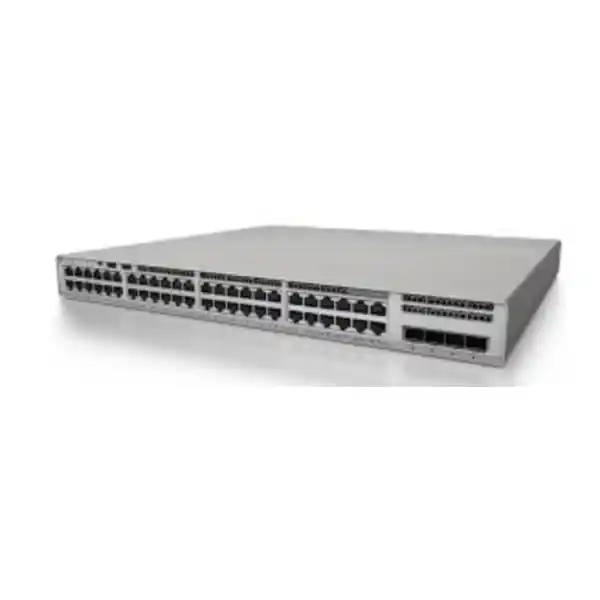
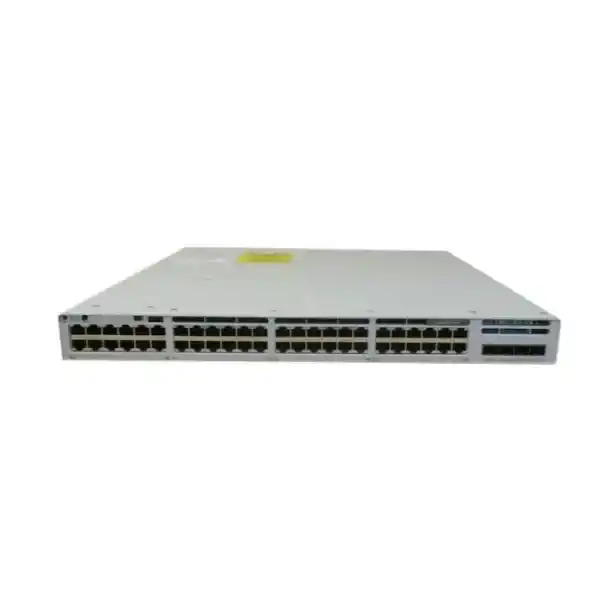
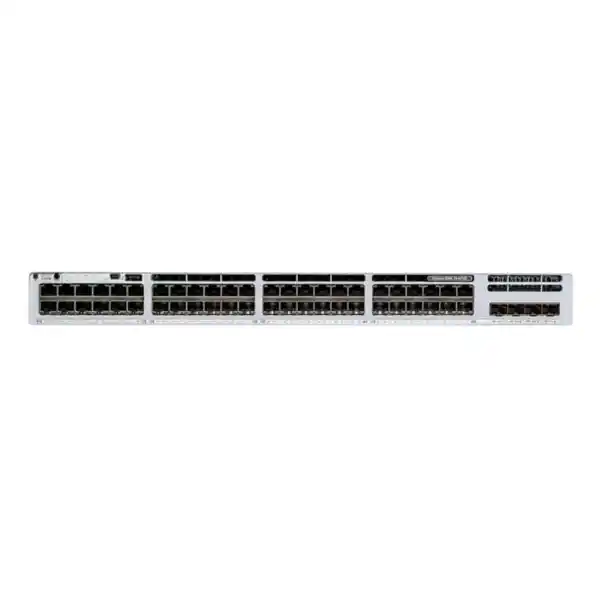
Cisco Catalyst C9300LM-48T-4Y Network Switch
The Cisco Catalyst C9300LM-48T-4Y is built for organisations that need a dense 48-port wired access layer, high-speed fibre uplinks and enterprise-class Catalyst software in a shallow 1U chassis. It is a data-only model: the 48 copper access ports do not provide PoE, making it especially relevant when desktops, printers, servers, appliances or other connected devices already have independent power. Four fixed 25 Gigabit SFP28 uplinks give the design more upstream bandwidth than many traditional 1G access switches, while StackWise-320 support allows compatible units to be planned as a hardware stack.
4 × 25G SFP28 Uplinks
StackWise-320
Shallow 1U Chassis
No PoE
Best starting point: share the number of endpoints, rack depth, uplink speed, fibre type and distance, stacking requirement, software tier and existing upstream switch. These details help determine whether the C9300LM-48T-4Y is the right fit and which optics, licences and accessories belong in the final bill of materials.
Quick product information
| Brand / family | Cisco Catalyst 9300LM Series |
|---|---|
| Model | C9300LM-48T-4Y |
| Access ports | 48 × 10/100/1000 Mbps copper Ethernet, data only |
| Fixed uplinks | 4 × 25 Gigabit SFP28 |
| Stacking | Cisco StackWise-320 |
| Switching capacity | 296 Gbps; 616 Gbps with stacking capacity |
| Forwarding rate | 220.22 Mpps; 458.30 Mpps with stacking |
| Default power supply | 600 W AC |
| PoE | No PoE output on access ports |
| Dimensions | Approx. 4.4 × 44.5 × 31.5 cm (H × W × D) |
| Weight | Approx. 5 kg with default configuration |
| Software | Cisco IOS XE; feature set depends on the selected Network Essentials or Network Advantage and subscription entitlement |
Who should consider the C9300LM-48T-4Y?
This switch is intended for organisations that need a serious enterprise access layer but do not need the switch itself to power connected endpoints. That distinction matters. A 48-port switch is often selected only by port count, yet the actual endpoint mix determines whether a data-only “T” model is efficient or whether a PoE-capable “U” or multigigabit variant is more appropriate. If the cabinet mainly serves PCs, printers, servers, storage appliances, firewalls, industrial controllers with their own power, or other separately powered Ethernet devices, the C9300LM-48T-4Y can avoid paying for a PoE architecture that is not required.
The shallow chassis is another important design advantage. Cisco lists the C9300LM-48T-4Y at approximately 31.5 cm deep, substantially shallower than many conventional enterprise access switches. That can help in compact wall cabinets, telecommunications rooms and installations where usable rack depth is constrained by patch panels, cable bend radius, power distribution units or rear-door clearance. A shallow switch does not remove the need for good airflow and cable management, but it gives network designers more physical flexibility.
The model is also attractive when the access layer needs faster aggregation. Forty-eight 1G ports can create substantial upstream demand when many users are active at the same time. Four fixed 25G SFP28 uplinks provide a strong foundation for connections to an aggregation or core layer, subject to compatible optics, fibre, upstream interfaces and the chosen topology. For Tanzania projects, that can be useful in head offices, education campuses, hospitals, financial environments, hotels, logistics operations, government facilities and distributed enterprise sites where access switching must support growth without turning the uplink into an immediate bottleneck.
48-port wired access without PoE
The front-panel access design provides 48 copper Ethernet ports supporting 10/100/1000 Mbps. In practical terms, that gives a full rack-unit of Gigabit access for standard business endpoints. The switch can sit at the edge of a campus or enterprise network and aggregate user devices into VLANs, apply access policy, provide Layer 2 switching and, depending on software entitlement and design, participate in routed-access architectures.
The most important limitation is equally clear: this SKU does not provide PoE. It should not be selected on the assumption that it can power Wi-Fi access points, IP phones, security cameras, access-control readers or other powered devices through the Ethernet cable. Those devices would need independent power or a different switch model with the appropriate PoE capability and power budget. This makes endpoint inventory one of the first checks before ordering. A site with forty desktop computers and eight network printers has a very different power requirement from a site with twenty access points, fifteen cameras and thirteen IP phones.
A good design can also mix switch types. For example, a cabinet may use a data-only C9300LM-48T-4Y for conventional wired users and a PoE-capable Catalyst switch for phones, cameras and wireless access points. The advantage of separating roles is clearer power planning and easier capacity management. The disadvantage is that it adds another device and may increase rack, UPS and stacking requirements. The right approach depends on port density, powered-device wattage, resilience goals and operational standards.
Four fixed 25G SFP28 uplinks: plan the fibre path, not just the switch
The C9300LM-48T-4Y includes four fixed 25 Gigabit SFP28 uplink interfaces. This is one of the defining reasons to choose the LM model. High-speed uplinks help a 48-port access switch carry traffic toward an aggregation or core layer with more headroom for busy users, server access, application traffic, backup flows, internet services and east-west campus communications. Multiple uplinks can also be incorporated into redundancy or link-aggregation designs when the upstream architecture supports them.
The switch alone does not complete the uplink. The quotation must account for the physical media and the device at the far end. Before selecting transceivers, document the required line rate, fibre type, connector type, approximate link length and the exact upstream switch or router interface. A 25G-capable port does not mean that every SFP or SFP28 module is appropriate. Optic compatibility, wavelength, fibre mode, maximum reach and software support should be checked against the actual design.
For building-to-building or floor-to-core links, also consider pathway quality and resilience. If two uplinks are meant to provide redundancy, routing both fibres through the same tray or riser may leave a single physical failure point. If the network uses link aggregation, confirm that both sides are configured consistently and that the topology does not create unintended loops. When an existing core switch has only 10G uplink capacity, the project team should verify the intended interoperability rather than purchasing optics based only on the C9300LM label.
For procurement, it is useful to treat each fibre link as a mini bill of materials: switch port, transceiver at each end, fibre patch leads, structured fibre path, patch-panel interfaces where used, cleaning and inspection process, and spare strategy. This avoids a common deployment delay in which the switch arrives on site but the correct optics or patching components were not included.
Performance and StackWise-320
Cisco specifies 296 Gbps switching capacity and a forwarding rate of 220.22 million packets per second for the C9300LM-48T-4Y. With supported stacking, Cisco lists 616 Gbps switching capacity and 458.30 Mpps forwarding rate. These figures describe the platform’s switching and forwarding capability; they are not a guarantee that every application will achieve a specific end-to-end throughput. Real network performance also depends on endpoint speeds, traffic patterns, uplink design, optics, configuration, software features and the capabilities of connected infrastructure.
StackWise-320 allows compatible Catalyst 9300 fixed-uplink family switches to be planned as a hardware stack with a shared operational model. For an organisation expanding beyond one 48-port access switch, stacking can simplify management and create a more coordinated access block. It can also help designers spread uplinks or connected systems across stack members so that the network is not dependent on one physical chassis for every connection.
Stacking should be planned before purchase rather than treated as a last-minute accessory. Confirm the number of members, physical rack position, compatible stack hardware and cable lengths, power strategy, software consistency and the intended uplink layout. Maintenance matters too: document how a member will be replaced, how configuration is backed up and how the cabling will be labelled. Good stack design is as much about operations as it is about bandwidth.
A single C9300LM-48T-4Y can still be the right answer for a smaller access block. Stacking is most useful when additional port density, coordinated management or resilience justifies the extra hardware and cabling. Avoid creating a stack simply because the feature exists. The best design balances failure domains, maintenance complexity, port growth and the organisation’s operational skills.
Shallow-depth chassis, power and rack planning
Cisco lists the C9300LM-48T-4Y at approximately 4.4 cm high, 44.5 cm wide and 31.5 cm deep, with a weight of about 5 kg in the documented default configuration. This 1U shallow-depth format is valuable in cabinets that cannot accommodate deeper enterprise switches. It can also leave more usable rear space for patch leads and power arrangements, although cabinet dimensions should always be checked physically before ordering.
Current Cisco documentation identifies a 600 W AC default power supply for this model and fixed fans. Because it is a data-only switch, there is no PoE power budget to allocate to endpoints. That simplifies powered-device calculations but does not remove the need for electrical planning. The switch, uplink optics and surrounding network equipment still add to UPS load and heat output. For sites where utility power can fluctuate or outages are operationally significant, the network design should include suitable UPS capacity, surge protection, grounding and a documented shutdown or generator strategy.
Cisco’s installation guidance lists an operating range for the switch family of approximately -5°C to 45°C under specified conditions, with non-condensing humidity requirements. In Tanzania, the practical concern is usually not the lower limit but controlling heat, dust and power quality in communications rooms. A rack placed in a hot storeroom, crowded cabinet or poorly ventilated ceiling space can create conditions very different from an air-conditioned equipment room. Confirm airflow, room temperature, dust control and clearance around the switch instead of assuming the compact chassis can operate anywhere.
If power redundancy is part of the availability target, include the appropriate secondary-power design and supporting electrical path in the bill of materials after checking the exact supported configuration. A second supply is most valuable when it is connected to an independent protected source rather than the same overloaded extension or single point of failure. Power resilience should be planned at system level: utility feed, UPS, PDU, power supplies, cooling and upstream connectivity all contribute to actual availability.
Cisco IOS XE and licensing: choose the feature tier deliberately
Catalyst 9300 Series purchasing is not only a hardware decision. Cisco offers the platform with Network Essentials or Network Advantage feature tiers and current ordering models also include a software subscription choice. The exact ordering suffix and entitlement determine which routing, segmentation, automation, security and management capabilities are available. For that reason, a quotation should state the required software tier rather than list only the base hardware model.
Network Essentials covers core switching functions and a set of routed-access, security, quality-of-service and telemetry capabilities. Cisco’s current feature matrix lists items such as Layer 2 switching, selected routed access functions, 802.1X, MACsec-128, control-plane policing and telemetry functions in the Essentials tier. Network Advantage extends the platform with more advanced routing, segmentation and automation functions. Cisco lists capabilities such as BGP, broader OSPF functionality, VRF, VXLAN, LISP, Cisco TrustSec, model-driven automation interfaces and MACsec-256 under the Advantage tier. Feature availability can also depend on software release and subscription entitlement, so the project should validate the exact requirement rather than buying Advantage only because it sounds “higher”.
A practical way to select the tier is to start from use cases. If the switch is primarily providing standard enterprise Layer 2 access, basic routed access and authentication, Essentials may align with the design. If the switch must participate in advanced Layer 3 routing, VRF-based segmentation, SD-Access architecture, more extensive automation or advanced security functions, the Advantage path may be required. Existing Cisco standards can be equally important: a large organisation may standardise on one tier to simplify operations even when every site does not immediately use every feature.
Licensing should be discussed before the purchase order because it affects both initial procurement and lifecycle planning. Record the Smart Account ownership, subscription term, renewal responsibility, management platform and software policy. If the organisation already operates Cisco Catalyst Center, identity services or a defined Smart Licensing process, include the network operations team in the decision. This prevents a technically correct switch from arriving without the entitlement or administrative ownership needed for the intended deployment.
Security, segmentation and visibility
Enterprise access switches sit close to users and devices, so security should be considered at the access port rather than left entirely to the firewall. The Catalyst 9300 software family supports capabilities for authentication, policy enforcement, encrypted links, control-plane protection and traffic visibility, with specific functions determined by the selected software tier and release. This makes the platform suitable for organisations that want the wired edge to participate in a broader identity and segmentation design.
For user access, 802.1X can be part of a design that authenticates users or devices before granting network access. Where not every endpoint can participate in 802.1X, the organisation may combine authentication methods and carefully controlled exceptions. The goal is to avoid treating every live wall port as automatically trusted. VLAN design, access-control policy, device profiling and endpoint ownership should be defined together so the switch configuration reflects business policy rather than a collection of unrelated port settings.
Segmentation becomes more important as offices connect operational systems, cameras, printers, building controls and third-party devices alongside employee computers. Network Advantage includes advanced segmentation technologies in Cisco’s feature matrix, but a simpler VLAN and routing architecture may still be more appropriate for smaller environments. Do not deploy complexity for its own sake. A maintainable segmentation model, clear IP plan, documented gateway location and controlled inter-VLAN policy are more valuable than enabling technologies the operations team cannot support.
Telemetry and traffic visibility also help with troubleshooting and capacity planning. Baseline interface utilisation, errors, discards, CPU, memory and uplink load after deployment. Over time, those measurements can show whether a 1G access link is congested, whether uplink utilisation is growing or whether a device is behaving abnormally. The switch should be integrated into the organisation’s monitoring and logging process so failures are detected by operations rather than first reported by end users.
Common business scenarios in Tanzania
Head-office user access
A corporate floor with many desktops, printers and docking stations may need dense 1G access but little switch-delivered power. The 48-port data-only design can consolidate these endpoints while 25G uplinks provide a growth path toward the core.
Compact communications rooms
Where rack depth is constrained, the approximately 31.5 cm chassis can be easier to accommodate than deeper enterprise switches. Cabinet airflow, rear clearance and patching still need to be verified on site.
Campus access blocks
Multiple compatible switches can be designed with StackWise-320 for higher port density and coordinated operations. The fibre uplink layout can then be planned around redundant paths to aggregation or core switching.
Server-room edge connectivity
The switch can serve 1G management, appliance or infrastructure interfaces where devices are independently powered. Workloads that need more than 1G at the host should be reviewed separately rather than assumed to fit this access-port profile.
Education and institutional networks
Labs, administration areas and wired teaching spaces can use 48-port access density, while high-speed uplinks help aggregate traffic from multiple rooms. If wireless APs are connected to the same cabinet, confirm their PoE and speed needs separately.
Branch standardisation
Organisations with larger branches can standardise a common Catalyst access model, licensing policy, monitoring method and configuration template. The shallow chassis is particularly useful where branch cabinets differ in depth.
When this model is not the right fit
The C9300LM-48T-4Y is not the default answer for every 48-port project. The first reason to choose another model is PoE. If the access layer must power IP phones, cameras, access points or IoT equipment, a PoE-capable model should be sized according to both port count and total wattage. Do not rely on local injectors as an unplanned workaround for dozens of devices; that can complicate power, cabling and support.
The second reason is multigigabit access. This switch provides Gigabit copper access ports. If the endpoint requirement includes 2.5G, 5G or 10G copper—for example, high-performance wireless access points or workstations—review the C9300LM multigigabit variants or another suitable platform. Buying 25G uplinks does not increase the speed of an individual 1G access port.
The third reason is uplink architecture. The C9300LM-48T-4Y uses fixed 25G SFP28 uplinks. If the project requires a different modular uplink arrangement, or if the organisation has a standard based on other Catalyst 9300 chassis and network modules, compare the conventional C9300 family. Conversely, if the site only needs 10G fixed uplinks and has enough rack depth, a C9300L data-only model may satisfy the requirement at a different configuration point.
Finally, do not over-specify the switch when a simpler branch platform meets the actual requirement. The Catalyst 9300 family is aimed at enterprise-class access with stronger scale and advanced feature options. A small office with modest Layer 2 needs may be better served by a different Cisco family. FourTeck Tanzania can review the topology and help distinguish a genuine technical requirement from a preference for a particular series name.
C9300LM-48T-4Y vs nearby Catalyst choices
| Model direction | Access | Uplink | When to consider it |
|---|---|---|---|
| C9300LM-48T-4Y | 48 × 1G data-only | 4 × 25G SFP28 fixed | Shallow chassis, no PoE requirement, higher-speed fixed fibre uplinks |
| C9300LM-48U-4Y | 48 × 1G with Cisco UPOE | 4 × 25G SFP28 fixed | Same LM direction but powered endpoints are required |
| C9300LM-48UX-4Y | 48 ports with a mix including multigigabit and UPOE | 4 × 25G SFP28 fixed | Higher-speed copper endpoints and powered access are required |
| C9300L-48T-4X | 48 × 1G data-only | 4 × 10G SFP+ fixed | Data-only access is required but 10G uplinks and a deeper chassis are acceptable |
This comparison is a design aid rather than a substitute for an exact bill-of-materials review. Power supplies, software entitlements, optics, stack accessories and support options vary by SKU and ordering choice. Always use the full ordering part number and intended software tier when requesting a quotation.
Deployment planning for a reliable access layer
A reliable deployment starts before the switch is powered on. Map the physical and logical environment. On the physical side, record rack depth, available rack units, patch-panel position, cable-management space, AC circuits, UPS capacity, ambient temperature and fibre entry points. On the logical side, document VLANs, IP subnets, default gateways, routing boundaries, authentication requirements, uplink topology, spanning-tree design, monitoring and configuration management.
Next, create a port schedule. Assign intended roles rather than leaving all 48 access ports as an undifferentiated pool. A port schedule can identify user data, printer, server management, building systems, guest devices or reserved capacity. It can also capture authentication mode, VLAN, description and whether the port should be administratively disabled when unused. This improves both security and troubleshooting because operations staff can compare live configuration with the intended design.
Plan uplinks separately from user ports. Decide whether the switch connects to one or two upstream devices, whether links are aggregated, which fibre paths are used and how failure should behave. Redundancy should be tested, not assumed. After installation, simulate the loss of an uplink or stack member within the maintenance plan and confirm that traffic follows the expected alternate path. Document convergence behaviour and any application impact.
Software preparation is equally important. Choose an approved Cisco IOS XE release according to organisational policy and compatibility requirements. Back up the configuration, maintain access-control credentials securely and integrate the switch with time synchronisation, logging, monitoring and authentication services where applicable. If automation is used, treat the switch configuration as managed infrastructure rather than relying on undocumented manual changes.
Finally, establish acceptance criteria. Confirm that every intended copper port negotiates correctly, uplinks are stable, interface error counters are clean, stack status is healthy if used, environmental conditions are acceptable and management systems can see the device. Baseline utilisation during normal business hours. A deployment is complete when the switch is not only passing traffic, but is also documented, monitored and supportable.
Tanzania procurement checklist
Use the following checklist before requesting a final commercial offer. It helps reduce missed accessories and prevents a hardware-only quotation from hiding important design assumptions.
- Quantity and site: number of switches, destination and whether units are for one cabinet or multiple locations.
- Endpoint inventory: active 1G devices, planned growth and confirmation that connected endpoints do not require PoE from this switch.
- Uplink design: required speed, fibre type, link distance, upstream device model, redundancy and link-aggregation plan.
- Optics: exact compatible transceivers at both ends plus the correct patch leads and connector type.
- Stacking: number of stack members, compatible stacking hardware, cable lengths and rack layout.
- Software tier: Network Essentials or Network Advantage based on routing, segmentation, automation and security requirements.
- Subscription and Smart Account: selected subscription path, term, ownership and renewal responsibility.
- Power: available AC feed, UPS load, desired redundancy and correct power accessories for the deployment.
- Rack environment: usable depth, airflow, temperature, cable management and grounding.
- Operations: IP addressing, monitoring, logging, authentication, backup and software lifecycle process.
- Support: required Cisco service or support level should be confirmed for the exact purchase and operating model.
Technical specifications
The following summary is based on Cisco’s current documentation for the C9300LM-48T-4Y and the Catalyst 9300LM family. Software functions remain entitlement- and release-dependent, and transceiver compatibility should be checked for the exact intended link.
| Product type | Stackable enterprise access switch |
|---|---|
| ASIC | Cisco UADP 2.0-based platform |
| Copper access | 48 × 10/100/1000 Mbps Ethernet |
| Power over Ethernet | Not provided on this T model |
| Uplinks | 4 × 25G SFP28 fixed fibre uplink ports |
| Stacking technology | StackWise-320 |
| Switching capacity | 296 Gbps standalone; 616 Gbps with stacking capacity |
| Forwarding performance | 220.22 Mpps standalone; 458.30 Mpps with stacking |
| Default AC PSU | 600 W AC |
| Fans | Fixed fans |
| Dimensions | 1.73 × 17.5 × 12.39 in (4.4 × 44.5 × 31.5 cm) |
| Weight | Approx. 11 lb / 5 kg |
| Operating temperature | Cisco family guidance: approximately -5°C to 45°C under documented conditions |
| Relative humidity | Cisco family guidance: 5% to 90%, non-condensing |
| Operating altitude | Up to 3,000 m under documented conditions |
| Software family | Cisco IOS XE |
| Network licence options | Network Essentials or Network Advantage ordering paths |
Frequently asked questions
Does the C9300LM-48T-4Y provide PoE?
No. It is a data-only 48-port model. If phones, access points, cameras or other devices need power through Ethernet, select a PoE-capable Catalyst model or provide a deliberately engineered external power method. Do not assume that all C9300LM switches have the same powered-access capability.
How many uplink ports does it have?
It has four fixed 25 Gigabit SFP28 uplink ports. The required transceivers are selected according to the upstream interface, fibre medium, distance and supported optic matrix. Confirm both ends of every link before finalising the optics.
Is the C9300LM-48T-4Y stackable?
Yes. Cisco documents StackWise-320 support for this model. A complete stack requires the appropriate compatible stacking components and a planned physical layout. Include stack accessories in the initial quotation when stacking is part of the design.
What is the advantage of the LM chassis?
The LM model uses a shallow-depth chassis. Cisco lists the C9300LM-48T-4Y at about 31.5 cm deep. This is useful for compact cabinets and constrained telecommunications spaces, provided airflow, cabling and environmental requirements are still met.
What switching performance does Cisco specify?
Cisco lists 296 Gbps switching capacity and 220.22 Mpps forwarding rate for the standalone C9300LM-48T-4Y. The documented figures increase to 616 Gbps switching capacity and 458.30 Mpps forwarding when stacking capacity is included.
Do I need Network Essentials or Network Advantage?
That depends on the intended features. Essentials covers core switching and selected routed-access, security and visibility functions. Advantage is required for a broader set of advanced routing, segmentation, automation and security functions. Describe the features you actually need so the ordering tier matches the design.
Can I use the switch for Wi-Fi access points?
It can carry Ethernet traffic from an access point, but it does not supply PoE. If the AP requires PoE and no separate power method is planned, use a PoE-capable switch. Also confirm the AP’s Ethernet speed; high-performance APs may benefit from multigigabit access rather than a 1G copper port.
What should I provide for a Tanzania quotation?
Provide quantity, destination, endpoint count, confirmation that PoE is not required, uplink speed, fibre type and distance, upstream switch model, stacking plan, preferred software tier, power-redundancy requirement and any project schedule dependency. If some details are unknown, share the existing topology so the missing decisions can be identified.
Are optics and stack cables automatically included?
Do not assume so. Optics, fibre patching, stack hardware, stack cables, secondary power components and software choices should be listed explicitly in the bill of materials. A switch-only line item is not enough to describe a complete deployment.
Is the C9300LM-48T-4Y suitable for a small branch?
It can be, particularly when the branch needs many wired data ports, high-speed uplinks or enterprise Catalyst features. For a small site with modest requirements, however, a simpler platform may be more economical and easier to operate. Selection should follow the network requirement rather than port count alone.
Request a Cisco C9300LM-48T-4Y configuration review
FourTeck Tanzania can review the intended access-layer design before quotation. Share your switch quantity, site destination, endpoint list, rack constraints, fibre links, upstream equipment, stacking requirement, software tier and power-resilience objective. The goal is to confirm the correct hardware direction and identify the optics, licences, stack components and other accessories needed for a deployable bill of materials.
Buying note: price, stock, delivery time, support entitlement and final software configuration should be confirmed for the exact ordering SKU and project requirement. No unverified local availability or lead-time claim is assumed on this page.




Reviews
There are no reviews yet.