
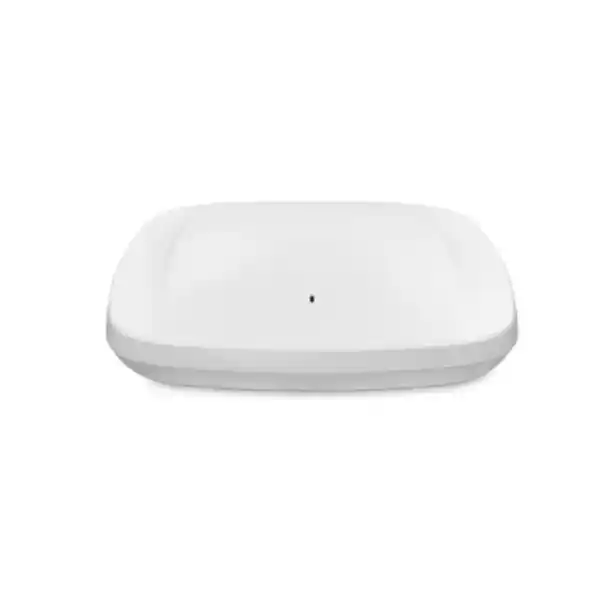
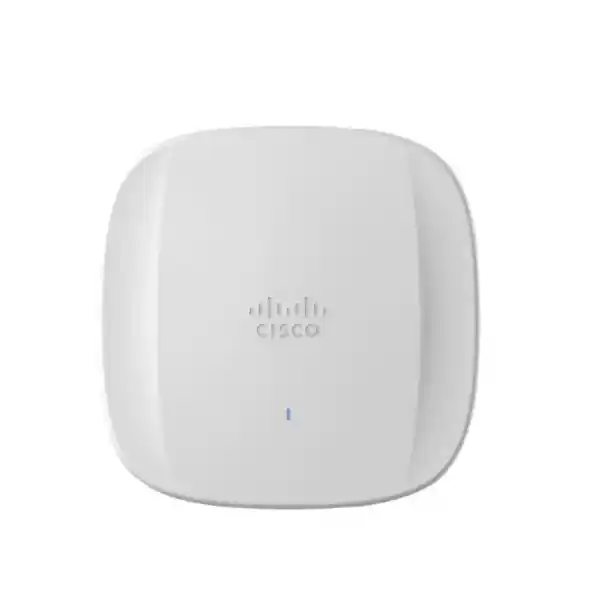
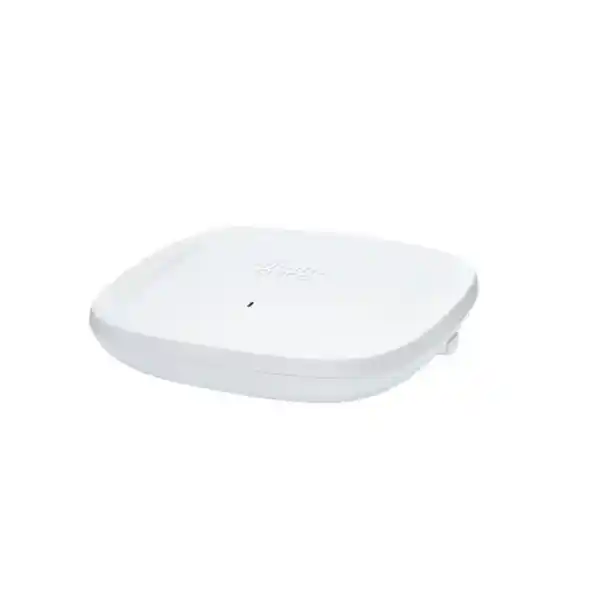
Tri-band 2.4 / 5 / 6 GHz
2.5 GbE uplink
Indoor enterprise AP
Cisco Catalyst CW9164I Wi-Fi 6E Access Point for modern indoor business networks
The Cisco Catalyst CW9164I is designed for organizations that are ready to increase wireless capacity, support newer Wi-Fi 6E clients, and use the 6 GHz band while keeping a balanced cost and performance profile. Cisco positions this model for small and midsize deployments, yet the platform still carries enterprise capabilities including 4×4:4 MU-MIMO on the 5 GHz and 6 GHz radios, 2×2:2 operation on 2.4 GHz, uplink and downlink OFDMA, WPA3 security, CleanAir Pro spectrum intelligence, integrated Bluetooth Low Energy, a 2.5 Gigabit Ethernet interface, and a choice of Cisco Catalyst or Meraki-oriented management models.
For buyers in Tanzania, the most important question is not only whether Wi-Fi 6E is faster. A successful purchase also depends on choosing the correct regulatory-domain model, confirming whether 6 GHz operation is authorized and supported for the exact SKU, checking switch PoE and multigigabit capacity, validating the controller or cloud-management approach, and designing coverage around the building rather than simply replacing old access points one-for-one. This page explains those buying and deployment decisions in practical terms.
Quick decision summary
Best fit
Indoor business sites that want Wi-Fi 6E, stronger 5 GHz and 6 GHz capacity, enterprise security, and centralized operations without requiring the higher radio and uplink specifications of Cisco’s larger CW9166-class access points.
Radio design
2×2:2 at 2.4 GHz and 4×4:4 at both 5 GHz and 6 GHz, with a separate tri-band scanning radio and a BLE radio. This allows the main Wi-Fi radios to serve clients while dedicated scanning supports RF awareness.
Wired edge
One 100/1000/2500 Multigigabit Ethernet port. A 2.5 GbE-capable switch port is recommended when the design needs to preserve the access point’s aggregate wireless potential.
Power planning
802.3at PoE+ can operate the 2.4, 5 and 6 GHz radios with a 2.5 GbE link, but the USB port is disabled. 802.3bt or supported DC power enables the USB port. Standard 802.3af is intended only for staging because the radios are disabled.
Why the CW9164I matters in a Wi-Fi refresh
Many wireless refresh projects begin because users complain about speed, but the real causes are often more complicated: too many devices competing on the same channels, older client radios consuming airtime inefficiently, interference, weak roaming design, insufficient switch uplink capacity, poor placement, or access points that were sized for a much smaller number of devices. The CW9164I addresses several of these issues through Wi-Fi 6E radio architecture and enterprise network features, but it still needs to be deployed as part of a planned wireless system.
The biggest architectural change is support for the 6 GHz band. Wi-Fi 6E extends 802.11ax operation into additional spectrum, giving compatible client devices access to channels that are not shared with older 2.4 GHz and 5 GHz-only devices. In a suitable regulatory environment and with enough compatible clients, this can reduce contention and create more room for high-throughput, low-latency applications. It can also help network designers keep legacy devices on 2.4 GHz or 5 GHz while directing modern devices toward 6 GHz.
The CW9164I also improves the 5 GHz side of the design. Its 4×4:4 5 GHz radio supports more spatial-stream capability than entry-level 2×2 platforms, while the separate 6 GHz 4×4:4 radio creates another capacity layer. For organizations moving gradually to Wi-Fi 6E, this is useful because the access point can continue serving a mixed client estate rather than depending on every laptop, phone, scanner, tablet, or IoT endpoint already supporting 6 GHz.
Radio architecture and client capacity
The CW9164I uses a dedicated client-serving radio for each of the three Wi-Fi bands. The 2.4 GHz radio is 2×2:2, while the 5 GHz and 6 GHz radios are each 4×4:4. Cisco also includes a tri-band scanning radio used by CleanAir Pro and an integrated 2.4 GHz Bluetooth Low Energy radio for supported IoT and location scenarios. This five-radio architecture is important because RF scanning does not have to rely solely on the client-serving radios.
Wi-Fi 6 features such as uplink and downlink OFDMA divide channel resources into smaller resource units that can be scheduled among different clients. Uplink and downlink MU-MIMO allow the access point to use multiple spatial streams across supported clients. BSS coloring helps devices distinguish neighboring basic service sets and can improve spatial reuse in appropriate deployments. Target Wake Time can let compatible battery-powered clients spend more time sleeping between scheduled exchanges, which is useful for certain mobile and IoT device profiles.
The data sheet lists aggregate 802.11ax PHY rates up to 7.49 Gbps across the three radios under the defined maximum radio configuration. This is a theoretical physical-layer figure rather than an application throughput guarantee. Real user performance depends on channel width, allowed transmit power, client capabilities, distance, interference, building materials, airtime utilization, contention, protocol overhead, uplink capacity, application behavior, and the number of simultaneous users. Buyers should therefore treat headline PHY rates as a design capability, not as a promise that every device will experience multi-gigabit throughput.
Channel planning matters especially in 6 GHz. The CW9164I supports 20, 40, 80 and 160 MHz channels in 6 GHz, while 5 GHz supports 20, 40 and 80 MHz channels and 2.4 GHz uses 20 MHz channels. Wider channels can increase peak throughput but use more spectrum and may reduce the number of non-overlapping channel choices. A site with many access points may obtain better total capacity from carefully reused narrower channels than from making every radio as wide as possible.
6 GHz and Tanzania deployment checks
The 6 GHz radio is one of the main reasons to choose the CW9164I, but 6 GHz use is country- and regulatory-domain dependent. Cisco explicitly states that customers must verify approval for use in their country, and that the 6 GHz radio can be disabled where the band is not allowed or where current software support is unavailable. Because authorization, channel ranges, power rules and product regulatory domains can differ by market, a Tanzania deployment should not assume that a model ordered for another country will provide the intended 6 GHz operation.
Before procurement, confirm the exact CW9164I regulatory-domain suffix, the supported local operating mode, the software release to be used, and the controller or cloud-management platform. If 6 GHz is not available for the exact configuration, the access point can still provide 2.4 GHz and 5 GHz service, but the business case for buying a Wi-Fi 6E model should be reviewed. This is especially important for projects whose primary objective is to move high-performance client traffic into 6 GHz.
Client readiness should also be checked. A laptop or phone must have compatible Wi-Fi 6E hardware, drivers and operating-system support before it can use the 6 GHz band. Older Wi-Fi 6 and Wi-Fi 5 clients will continue to use 2.4 GHz or 5 GHz. A practical migration plan therefore measures the actual client mix and expected refresh cycle instead of assuming that all users will immediately benefit from 6 GHz.
2.5 Gigabit Ethernet uplink: plan the switch side as carefully as the Wi-Fi side
The access point includes one multigigabit RJ-45 interface supporting 100 Mbps, 1 Gbps and 2.5 Gbps. This matters because a modern tri-band access point can generate enough aggregate traffic that a 1 Gbps wired link may become a constraint in busy environments. Connecting the CW9164I to a multigigabit switch port gives the design more headroom and aligns the wired edge with the access point’s wireless capabilities.
A network upgrade should therefore check the access switch model, port speed, PoE standard, available PoE budget, uplink from the access switch toward distribution or core, VLAN design, controller reachability, quality-of-service policy and cabling. Existing structured cabling may be suitable for 2.5 GbE depending on cable category, length, installation quality and interference environment, but this should be validated rather than assumed.
The best result comes when wireless and switching are planned together. Installing a high-capacity Wi-Fi 6E access point on a congested 1 Gbps switch uplink, an oversubscribed WAN circuit or a poorly sized controller does not remove the rest of the network bottleneck. The CW9164I should be treated as one component in an end-to-end access design.
Power requirements and feature behavior
Cisco supports multiple power inputs on the CW9164I, but the available feature set changes with the power source. This is an important procurement detail because a switch that can power an older access point may not provide the desired behavior for a Wi-Fi 6E replacement.
| Power source | Wi-Fi radios | Ethernet link | USB | Cisco maximum listed power |
|---|---|---|---|---|
| 802.3bt / Cisco UPOE | 2.4 GHz 2×2, 5 GHz 4×4, 6 GHz 4×4 | 2.5G | Enabled, up to 4.5 W | 30 W |
| 802.3at PoE+ | 2.4 GHz 2×2, 5 GHz 4×4, 6 GHz 4×4 | 2.5G | Disabled | 25 W |
| 802.3af PoE | Radios disabled | 1G | Disabled | 14 W |
| Supported DC power | 2.4 GHz 2×2, 5 GHz 4×4, 6 GHz 4×4 | 2.5G | Enabled, up to 4.5 W | 30 W |
For most straightforward wireless deployments, 802.3at PoE+ is sufficient to run all three client-serving Wi-Fi radios and retain the 2.5 GbE link. If the project needs the USB port for supported application-hosting or hardware-module use cases, plan for 802.3bt or supported DC power. Cisco recommends enabling LLDP or CDP so that power negotiation can occur correctly.
Do not treat 802.3af as a normal operational power option for this model. Cisco states that with 802.3af the radios are switched off, the Ethernet port is reduced to 1 GbE and the USB port is disabled. This mode is suitable for configuration staging rather than live wireless service.
Management choice: Catalyst controller or Meraki cloud
A major advantage of the Catalyst 9160 family is the choice between Cisco enterprise controller-based management and Meraki cloud-oriented management, but buyers need to order and license the intended model correctly. In Catalyst controller deployments, the CW9164I is supported with Cisco Catalyst 9800 Series Wireless Controllers, physical or virtual. Cisco lists IOS XE 17.9.1 as the minimum software release for CW9164I support, though production networks should normally follow current compatibility and recommended-release guidance rather than staying on the earliest supported version.
Cisco also offers the CW9164I-MR cloud-managed version for Meraki Dashboard operation. A model in Meraki Management mode does not simply attempt to join a Catalyst 9800 controller; migration between management personalities has a defined process. Procurement teams should therefore decide the management architecture before ordering, especially when adding access points to an existing estate.
The correct management choice depends on the wider environment. Existing Catalyst 9800 customers may prioritize integration with their controller, Cisco Catalyst Center workflows, policy model and established operational practices. Organizations already standardized on Meraki may prioritize cloud-based administration and the Meraki Dashboard experience. Mixed environments should be designed intentionally rather than assuming that one access point can be moved between operating models without planning, licensing and operational change.
Licensing should also be confirmed during quotation. Cisco wireless licensing includes Essentials and Advantage tiers, and the exact capabilities depend on the license tier, deployment model, software release and management platform. The access point hardware alone does not define every management, assurance, analytics or policy capability that the organization may expect.
Security for enterprise wireless access
The CW9164I supports WPA2 and WPA3 security options, including WPA3-Personal, WPA3-Enterprise and WPA3 Enhanced Open using Opportunistic Wireless Encryption. It also supports WPA2-Enterprise with 802.1X and AES encryption. In an enterprise design, the security outcome depends on more than the access point: authentication servers, identity stores, certificates, endpoint configuration, VLAN or policy segmentation, management-plane security, logging and software maintenance all contribute to the final posture.
For new corporate SSIDs, WPA3-Enterprise should be evaluated where the client estate and authentication infrastructure support it. Compatibility testing is important for older endpoints, embedded devices and specialized equipment that may not handle newer security modes correctly. A transition may therefore use separate WLANs or staged policy changes rather than forcing every device into the same security profile on day one.
Software currency also matters. Cisco publishes release guidance, security advisories and field notices for its wireless platforms. Operational teams should include access points, controllers and management systems in the organization’s normal patching and lifecycle process. This is particularly important for infrastructure expected to remain in service for many years.
CleanAir Pro, RF visibility and troubleshooting value
Wireless performance problems are often caused by the RF environment rather than by a lack of headline radio speed. The CW9164I includes a tri-band scanning radio and supports Cisco CleanAir Pro across 2.4 GHz, 5 GHz and 6 GHz. This helps the platform detect and classify interference and provides additional visibility into the wireless environment without relying only on client traffic radios for scanning activity.
This matters in real buildings where neighboring networks, poorly placed access points, non-Wi-Fi interference, changing furniture layouts, new partitions, meeting-room density and device growth can alter performance over time. A design that works during commissioning may become less efficient as the environment changes. RF telemetry gives network teams evidence they can use when investigating channel utilization, interference and anomalous behavior.
The CW9164I also supports Cisco Intelligent Capture functions within the broader management ecosystem. The practical benefit is faster troubleshooting when paired with the required software and services: rather than treating every complaint as a generic “Wi-Fi is slow” issue, administrators can use deeper telemetry to separate RF conditions, client behavior, policy, authentication or upstream network constraints.
Integrated BLE and USB: useful, but only when they fit the project
The access point includes a Bluetooth Low Energy radio that can support IoT and location-oriented use cases within compatible Cisco solutions. This can be useful for organizations considering wayfinding, asset visibility or other BLE-enabled services, but these outcomes depend on the full application, licensing, device ecosystem and design. The presence of BLE should not be presented as an automatic indoor-location solution by itself.
A USB 2.0 Type-A interface is also available for supported application-hosting and hardware-module scenarios. Power design is critical here: Cisco specifies that the CW9164I requires 802.3bt or supported DC power to make the USB port available at up to 4.5 W. On 802.3at PoE+, the Wi-Fi radios continue to operate but USB is disabled.
If the deployment does not require USB or BLE services, there is no need to complicate the design around them. The primary value of the CW9164I remains its tri-band Wi-Fi 6E capacity, security, RF intelligence and management flexibility. Optional platform capabilities should be adopted only when they solve a defined operational or business requirement.
Where the Cisco Catalyst CW9164I fits best
Business offices
A strong fit for modern office floors with a mixture of laptops, phones, collaboration endpoints and legacy clients, particularly when the organization expects more Wi-Fi 6E-capable devices over the next refresh cycle.
Education environments
Suitable for indoor teaching, administration and shared learning spaces when capacity is designed around real class sizes, device counts, roaming and application requirements rather than simple floor area alone.
Hospitality and guest areas
Useful where many mixed-generation client devices share indoor coverage. Guest isolation, identity, internet capacity, channel reuse and RF placement remain critical parts of the solution.
Healthcare and professional sites
Applicable to indoor environments that value centralized management, secure authentication and predictable wireless operations, subject to validation of any specialized medical or operational device requirements.
Retail and service locations
Can support business devices, staff mobility and guest connectivity where the network design separates operational traffic appropriately and validates the client capabilities of scanners, tablets, terminals and IoT devices.
Branch and campus buildings
A practical mid-tier choice for standardized indoor deployments that need more capability than an entry-level 2×2 access point but do not require the larger CW9166 specification at every location.
When the CW9164I may not be the right choice
The CW9164I is an indoor access point with integrated internal antennas. It is not an outdoor model, and it is not intended to replace purpose-built outdoor hardware in exposed environments. Projects that need external or directional antenna systems, outdoor weather resistance, industrial mounting or long-distance point-to-point behavior should use a platform designed for those requirements.
It may also be more than necessary for small sites with modest client density and no realistic 6 GHz adoption plan. Cisco’s CW9162I is positioned as a general-purpose Wi-Fi 6E access point for smaller site deployments and uses 2×2:2 radios across the three Wi-Fi bands. Conversely, highly demanding environments may justify evaluating the CW9166 family, which Cisco positions for larger mission-critical deployments and equips with 4×4:4 radios on 2.4, 5 and 6 GHz plus a faster multigigabit uplink.
The right model should be selected from capacity, coverage, client capability, redundancy, switch infrastructure, management, licensing and budget requirements. Choosing the most powerful access point is not automatically the best design if the surrounding network cannot use the additional capability.
CW9164I compared with nearby Cisco Wi-Fi 6E options
| Model | 2.4 GHz | 5 GHz | 6 GHz | Wired uplink | Typical positioning |
|---|---|---|---|---|---|
| CW9162I | 2×2:2 | 2×2:2 | 2×2:2 | 2.5 GbE | General-purpose Wi-Fi 6E for smaller sites |
| CW9164I | 2×2:2 | 4×4:4 | 4×4:4 | 2.5 GbE | Balanced Wi-Fi 6E for small and midsize deployments |
| CW9166 | 4×4:4 | 4×4:4 | 4×4:4 | 5 GbE | Higher-performance, larger mission-critical deployments |
This comparison is useful for initial product selection, but the final choice should come from an RF and capacity design. A smaller number of more powerful access points is not always better because user experience depends on cell size, client transmit power, roaming boundaries, channel reuse and building geometry. In many indoor networks, placing the right number of appropriately sized access points is more effective than trying to cover a larger area from each unit.
Physical, radio and environmental specifications
| Wi-Fi standard | IEEE 802.11ax Wi-Fi 6E, with support for earlier Wi-Fi generations as defined by Cisco |
|---|---|
| Client-serving radios | 2.4 GHz 2×2:2; 5 GHz 4×4:4; 6 GHz 4×4:4 |
| Additional radios | Tri-band scanning radio for CleanAir Pro; 2.4 GHz Bluetooth Low Energy radio |
| Maximum listed 802.11ax PHY rate | Up to 7.49 Gbps aggregate under Cisco’s defined maximum radio configuration; not an end-user throughput guarantee |
| Channel widths | 6 GHz: 20/40/80/160 MHz; 5 GHz: 20/40/80 MHz; 2.4 GHz: 20 MHz |
| Integrated antenna peak gain | 2.4 GHz: 3 dBi; 5 GHz: 5 dBi; 6 GHz: 4 dBi |
| Ethernet | 1 x 100M/1G/2.5G Multigigabit Ethernet, RJ-45 |
| Other interfaces | RJ-45 management console, USB 2.0 Type-A, supported DC power input, recovery button, status LED |
| Security support | WPA2-Personal, WPA2-Enterprise with 802.1X, WPA3-Personal, WPA3-Enterprise, WPA3 Enhanced Open, AES, supported EAP methods |
| Controller support | Cisco Catalyst 9800 Series Wireless Controllers for Catalyst-managed deployments |
| Minimum Catalyst controller software | Cisco IOS XE 17.9.1 or later for CW9164I support |
| Dimensions without mounting bracket | 241.3 x 241.3 x 56.9 mm |
| Weight | Approximately 1.60 kg |
| Operating temperature | 0°C to 50°C |
| Operating humidity | 10% to 90%, noncondensing |
Installation and mounting considerations
Cisco’s installation guidance supports common ceiling-rail and bracket options for the CW9164I. The standard installation package includes specified mounting hardware depending on the ordered version, and additional brackets or accessories can be ordered for different mounting requirements. The final mounting method should be selected according to the ceiling or wall structure, cable routing, service access and physical security needs.
Placement should come from RF design rather than convenience. Avoid choosing positions only because an existing cable outlet is nearby. Ceiling height, walls, reinforced concrete, metal shelving, glass, lifts, plant rooms, dense furniture and neighboring access points can all change propagation. In high-use areas such as meeting rooms, classrooms or shared spaces, capacity may drive access-point quantity even when one unit could technically provide basic signal coverage across a larger area.
For a greenfield or major refresh project, conduct a predictive design and, where appropriate, an on-site survey. After installation, validate coverage, roaming, channel plan, power levels, actual client behavior and application performance. The design should also verify that the controller, DHCP, DNS, authentication, switching and WAN services can support the intended load.
The CW9164I is intended for indoor environments. Its listed operating temperature range is 0°C to 50°C and its operating humidity range is 10% to 90% noncondensing. Sites with heat, dust, water exposure, outdoor mounting or industrial environmental requirements should validate whether a different platform or enclosure strategy is required.
Recommended procurement checklist for Tanzania projects
- Confirm the exact regulatory-domain part number. Do not substitute a model intended for another market simply because the base CW9164I name is the same.
- Verify 6 GHz eligibility for the exact SKU and deployment software. If 6 GHz is central to the project, make this a pre-purchase requirement.
- Choose the management architecture. Confirm whether the network will use a Catalyst 9800 controller environment or the appropriate Meraki-managed model and licensing.
- Check the controller software release. CW9164I support starts at IOS XE 17.9.1 on Catalyst 9800, but use a currently recommended compatible release for production.
- Check switch port speed. Use 2.5 GbE where the traffic profile justifies it and verify the upstream path is not the bottleneck.
- Check switch PoE budget. PoE+ supports all three Wi-Fi radios but not USB; 802.3bt or supported DC power is needed for USB operation.
- Review the client estate. Identify how many devices support 6 GHz today and how quickly the fleet will refresh.
- Plan coverage and capacity. Use floor plans, expected occupancy, applications and building materials rather than an arbitrary access-point-per-square-metre rule.
- Validate authentication and segmentation. Confirm RADIUS, certificates, SSID strategy, guest access, VLANs or policy segmentation and endpoint compatibility.
- Confirm accessories and mounting. Include the correct brackets, injectors where required, cabling work and any physical-security requirements in the project scope.
Deployment approach: from requirement to validated service
1. Define demand
Document user counts, device types, applications, guest usage, roaming, voice or collaboration requirements, and growth. Separate basic coverage needs from capacity-critical areas.
2. Assess RF and client readiness
Identify interference sources, building materials, existing channel use and the proportion of devices able to use Wi-Fi 6E. Confirm the regulatory position for the exact model.
3. Validate switching and power
Check 2.5 GbE availability, PoE+ or 802.3bt budget, cabling condition, access-switch uplinks and redundancy. Include power and UPS planning where business continuity requires it.
4. Select management and licensing
Align the access point model with Catalyst 9800 or Meraki operations, software versions, licensing tier, monitoring, assurance and support processes.
5. Install and configure
Mount according to the approved RF plan, configure SSIDs and policy, validate controller join or cloud onboarding, and verify the intended power state and negotiated Ethernet speed.
6. Validate and optimize
Test coverage, roaming, authentication, application experience, channel utilization, client steering and upstream throughput. Keep records so future changes can be compared against the commissioned baseline.
Frequently asked questions
Is the Cisco CW9164I a Wi-Fi 6 or Wi-Fi 6E access point?
It is a Wi-Fi 6E access point. It uses the 802.11ax standard and adds operation in the 6 GHz band where the exact regulatory domain and software support permit it. It also serves clients on 2.4 GHz and 5 GHz, so a deployment can support a mixed estate of legacy and newer devices.
Does every user get 7.49 Gbps?
No. Cisco’s up-to-7.49-Gbps figure is an aggregate physical-layer rate across the defined radio configuration, not a guaranteed application speed for one device. Actual throughput is lower and depends on the client radio, channel width, distance, interference, contention, protocol overhead, switch uplink and upstream network.
Can the CW9164I run from normal PoE+?
Yes. With 802.3at PoE+, Cisco lists the 2.4 GHz, 5 GHz and 6 GHz radios as active and the Ethernet link at 2.5G, with the USB port disabled. If USB functionality is required, use 802.3bt or supported DC power.
Can it operate on 802.3af PoE?
Cisco supports 802.3af only for a restricted staging state. In that condition the Wi-Fi radios are switched off, the Ethernet interface is reduced to 1 GbE and USB is disabled. It should not be planned as the normal production power source for wireless service.
Do I need a 2.5 GbE switch?
The access point can negotiate lower Ethernet speeds, but a 2.5 GbE-capable switch port is the better match when the deployment is designed to use high aggregate wireless capacity. The entire upstream path should also be checked so another link does not become the limiting factor.
Will 6 GHz definitely work in Tanzania?
Do not assume this from the base model name alone. Cisco states that 6 GHz operation is country and regulatory-domain dependent and may be disabled where approval or software support is unavailable. Confirm the exact part number, local authorization and compatible software before purchase if 6 GHz is a project requirement.
Does the CW9164I require a wireless controller?
Catalyst-managed CW9164I deployments use Cisco Catalyst 9800 Series Wireless Controllers, physical or virtual. Cisco also offers a CW9164I-MR cloud-managed version for Meraki Dashboard. Choose the management model and licensing approach before ordering rather than treating them as interchangeable after deployment.
What controller software is required?
Cisco lists IOS XE 17.9.1 or later for CW9164I support on Catalyst 9800. A production network should also follow Cisco’s current compatibility and recommended-release guidance for the controller, access point and management tools being used.
Does it support WPA3?
Yes. Cisco lists WPA3-Personal, WPA3-Enterprise and WPA3 Enhanced Open, along with WPA2 options and AES. The final security design must still consider client compatibility, 802.1X infrastructure, certificates, identity systems and segmentation requirements.
Is the CW9164I suitable outdoors?
No. The CW9164I is an indoor access point with integrated internal antennas. Outdoor or harsh-environment installations should use hardware designed and rated for those conditions.
How is it different from the CW9162I?
The CW9162I uses 2×2:2 client radios across 2.4, 5 and 6 GHz, while the CW9164I steps up to 4×4:4 on both 5 GHz and 6 GHz while retaining 2×2:2 on 2.4 GHz. This makes the CW9164I a stronger fit when greater 5 GHz and 6 GHz capacity is needed.
How is it different from the CW9166?
The CW9166 is positioned for larger, higher-performance deployments and uses 4×4:4 radios on 2.4, 5 and 6 GHz with a faster 5 GbE multigigabit interface. The CW9164I provides a middle option with 2×2:2 on 2.4 GHz, 4×4:4 on 5 and 6 GHz and a 2.5 GbE uplink.
Plan the CW9164I as part of the complete wireless system
The Cisco Catalyst CW9164I is a strong mid-tier Wi-Fi 6E choice when your project needs high-capacity 5 GHz and 6 GHz radios, secure enterprise access, a 2.5 GbE edge, RF intelligence and flexible management options. The hardware decision should be paired with the correct regulatory-domain model, a validated 6 GHz plan, suitable PoE and switching, compatible management and licensing, and an RF design based on real users and building conditions.
Request a Tanzania deployment review or quotation with your floor plans, expected user/device counts, existing switch models, controller or Meraki preference, and target applications so the access-point quantity, power, uplinks, licensing and regulatory-domain requirements can be checked before procurement.




Reviews
There are no reviews yet.