
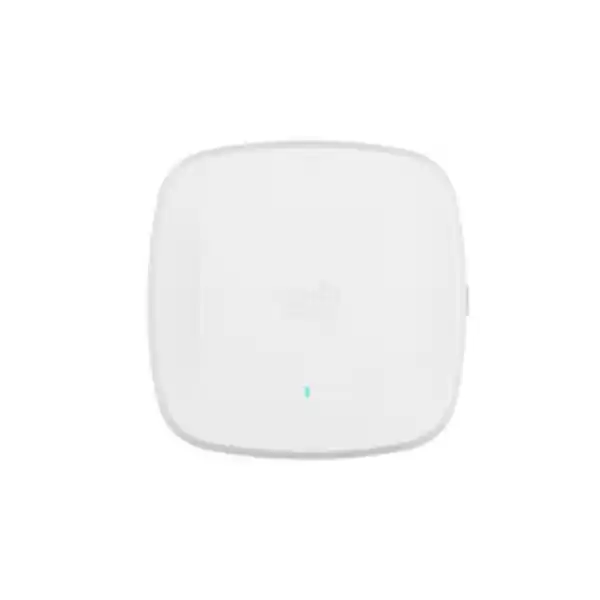
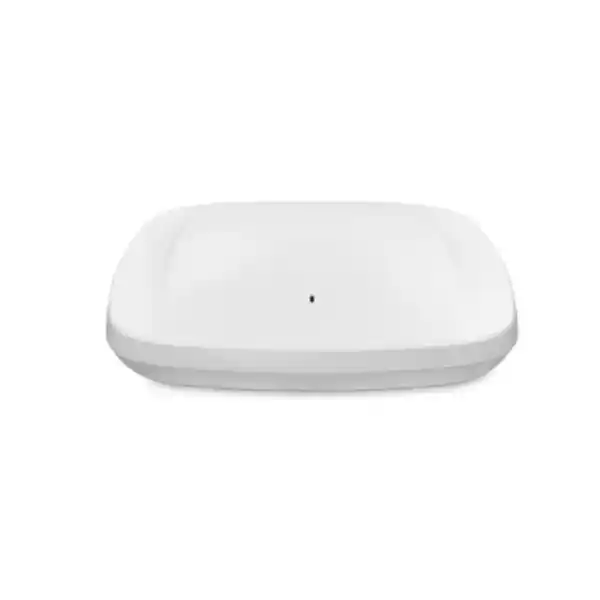
Cisco Catalyst CW9166D1 Wi‑Fi 6E Access Point
The Cisco Catalyst CW9166D1 is designed for organizations that need to aim enterprise Wi‑Fi coverage into a defined indoor area instead of radiating it evenly in every direction. Its integrated directional antenna makes it particularly relevant to high-ceiling halls, warehouses, auditoriums, training spaces, production areas, retail floors, distribution environments and other large indoor spaces where access-point placement and antenna direction matter as much as raw radio capability. The platform combines Wi‑Fi 6E, three 4×4 client-serving radios, a 5 Gbps Multigigabit uplink, advanced RF visibility, WPA3, Bluetooth Low Energy and environmental sensing in one enterprise access point.
For a Tanzania deployment, the key buying question is not simply whether the CW9166D1 is powerful enough. The right decision depends on ceiling height, aisle or seating geometry, client density, 6 GHz client readiness, switching speed, available PoE, management preference and the regulatory-domain approval of the exact unit being ordered. A proper wireless design should confirm these points before quantities are finalized.
Integrated directional antenna
4×4 radios
5 Gbps mGig uplink
Catalyst or Meraki management
Fast decision summary
Choose the CW9166D1 when the design calls for focused indoor coverage from an integrated directional antenna and you want a high-capacity Cisco Wi‑Fi 6E platform. It is not simply the directional version of a basic office access point: the D1 is intended to solve coverage patterns that are often handled with carefully aimed antennas, while retaining the enterprise radio, security and management capabilities of the Catalyst 9166 family.
| Decision area | CW9166D1 consideration | What to verify before ordering |
|---|---|---|
| Coverage pattern | Integrated directional antennas focus RF energy toward the intended coverage zone. | Mounting position, height, angle, aisle orientation, seating pattern and required overlap. |
| Wireless bands | 2.4 GHz, 5 GHz and 6 GHz operation with a flexible 5/6 GHz XOR radio. | Client support for 6 GHz, current Tanzania rules and exact Cisco regulatory domain. |
| Wired uplink | One 100M/1G/2.5G/5G Multigigabit Ethernet interface. | Switch-port mGig capability, cabling quality and uplink capacity. |
| Power | 802.3at supports the three 4×4 radios and 5 Gbps link; 802.3bt also supports USB power. | PoE budget per port and across the switch; do not plan production service on 802.3af. |
| Management | Supports Cisco Catalyst controller-based operation and supported Meraki cloud management. | Controller, software release, subscription or licensing model and operational preference. |
Where the CW9166D1 fits best
The main reason to select the CW9166D1 over a conventional omnidirectional indoor access point is the antenna pattern. An omnidirectional AP is useful when users surround the access point in a relatively balanced floor area. A directional AP is more useful when the RF should be pushed toward a defined zone. Cisco specifically positions the CW9166D1 for areas such as auditoriums, warehouses and large open spaces with high ceilings. In these environments, simply adding more omnidirectional access points can create unnecessary RF overlap, increase contention and make channel planning harder. Directional coverage can help the designer shape cells more deliberately.
Warehouses and distribution
Aim coverage along aisles, work zones or loading areas while considering racking, stock materials, forklifts and scanner mobility. A survey is important because metal shelving and changing inventory can alter propagation substantially.
Auditoriums and halls
Direct RF toward seating or activity areas from high mounting points, while designing enough capacity for dense bursts of smartphones, laptops and collaboration traffic before, during and after events.
Training and education spaces
Support modern laptops and mobile devices where predictable coverage is needed across rooms, lecture zones or practical training floors. Client mix and roaming behavior should guide band and channel choices.
Industrial indoor areas
Use directional placement to serve defined production or operational zones. Confirm mounting, temperature, interference, cable routes and device mobility, and remember that the CW9166D1 is an indoor access point rather than an outdoor weatherproof AP.
The CW9166D1 should not be selected only because a project specification says “high density.” High density is a design condition, not a product checkbox. The number of access points, their mounting angles, channel widths, transmit power, minimum data rates and client distribution all influence the final result. Directional antennas can make those decisions more controllable, but they do not remove the need for RF engineering.
Directional antenna design: what is different about the D1
The CW9166D1 uses integrated directional antennas rather than removable external antennas. Cisco lists peak gain of 6 dBi for the 2.4 GHz and primary 5 GHz directional antennas, with approximately 70 by 70 degree patterns, and peak gain of 8 dBi for the XOR 5 GHz and 6 GHz directional antennas, with approximately 60 by 60 degree patterns. These figures are useful for understanding the intent of the product, but they should not be treated as a guarantee that every room or aisle will have the same coverage distance. Walls, doors, racks, machinery, glass, people, ceiling height and client transmit power all affect the real cell boundary.
Because the antenna is integrated, the access point and antenna are engineered as a single unit. This simplifies the bill of materials compared with an AP that requires separate antennas and RF cables, and it reduces the possibility of selecting an incompatible external antenna. It also means the installer must pay close attention to how the complete access point is aimed. Cisco supports mounting options that can be used to position the unit and, where appropriate, angle it toward the target area. The physical installation should follow Cisco mounting guidance and the site survey rather than using an assumed angle across every project.
For a warehouse, one design might place access points to project coverage down long aisles. Another warehouse with low shelving and large open picking areas may need a different orientation. An auditorium may need cells aimed into seating zones while preventing excessive overlap between adjacent APs. A manufacturing floor may require coverage around machinery that creates reflections and shadowing. This is why the “directional” label should be understood as a tool for RF design, not as a shortcut that replaces design.
The CW9166D1 is an indoor Wi‑Fi 6E access point. Do not specify it as an outdoor AP simply because a directional pattern is useful outdoors. Where an outdoor or exposed installation is required, select equipment specifically rated and approved for that environment and spectrum use.
Wi‑Fi 6E radio architecture and capacity
The CW9166D1 is based on 802.11ax and provides three 4×4 client-serving radio paths: 2.4 GHz, 5 GHz and a flexible radio that can operate in 6 GHz or as a second 5 GHz radio. This architecture gives a network designer options. A site with a growing population of Wi‑Fi 6E clients can use 6 GHz to add clean spectrum and wide channels where permitted. A site with few 6 GHz clients can use the flexible radio differently, depending on the supported software design, to increase 5 GHz capacity. The right choice depends on the client estate and RF plan.
Cisco lists 4×4 uplink and downlink MU‑MIMO with four spatial streams on 2.4, 5 and 6 GHz, along with uplink and downlink OFDMA, Target Wake Time, BSS Coloring and beamforming. These technologies are designed to improve efficiency when many capable clients share the medium. They are particularly valuable in environments where airtime must be managed carefully, but actual user throughput still depends on client capabilities, signal quality, channel width, interference, backhaul, application traffic and network policy.
Cisco publishes a maximum aggregate PHY data rate of up to 7.78 Gbps for the 802.11ax radio combination under supported channel assumptions. That is a theoretical physical-layer figure, not a promise that one device or one application will receive 7.78 Gbps of usable throughput. Real application throughput is lower because Wi‑Fi is a shared medium and protocol overhead, contention, client radio capability and wired-network limits all matter. For procurement, the value of the platform is better understood as high-capacity tri-band flexibility rather than a single headline speed.
Cisco also documents a platform scale of up to 1,200 clients in total, with up to 400 clients per radio. This is a technical association scale, not a recommended design target for every application. A classroom of interactive video users, a warehouse of handheld scanners and an auditorium full of smartphones place very different loads on an AP. Capacity planning should start from concurrent active users, application mix, airtime demand and service expectations, not from the maximum association count.
The access point includes an AI/ML-driven scanning radio and Cisco CleanAir Pro capabilities for RF visibility and interference classification. It also contains a Bluetooth Low Energy 5.1 radio for supported location-oriented use cases and integrated environmental sensors for temperature, humidity and total volatile organic compounds. Availability and usefulness of higher-level analytics or location workflows can depend on the chosen management platform, software and licensing, so these functions should be mapped to the intended solution rather than assumed from hardware alone.
5 Gbps Multigigabit uplink and PoE planning
The CW9166D1 has one RJ‑45 Multigigabit Ethernet interface supporting 100 Mbps, 1 Gbps, 2.5 Gbps and 5 Gbps link rates. A 5 Gbps access-point uplink is valuable only when the rest of the path can support it. Before ordering access points, check whether the access switch provides a compatible multigigabit port, whether the installed copper cabling is suitable for the required link rate and whether upstream switching capacity is sized for the expected aggregate traffic. Connecting a Wi‑Fi 6E AP to a 1 Gbps port may still work in a supported design, but it can introduce a wired bottleneck in demanding environments.
Power is equally important. Cisco documents 802.3at PoE+ operation with the 2.4, 5 and 6 GHz radios at 4×4 and the link capable of 5 Gbps. Under 802.3at, the USB port is disabled. With 802.3bt, the same radio capability is supported and the USB interface can provide up to 4.5 W, with Cisco listing a maximum PoE power consumption of 30.5 W. Cisco also allows 54 V DC power. By contrast, 802.3af is intended for staging or day-zero connectivity: the radios are off, the link is limited to 1 Gbps and USB is disabled. It should not be treated as a normal production power design for this AP.
A common project mistake is checking only whether an individual switch port says “PoE+.” The total switch PoE budget must also be reviewed. A switch may have enough ports for the required access points but insufficient available watts to power all of them at the intended mode simultaneously. Include other powered devices such as IP phones, cameras, sensors or downstream devices in the same budget. Cisco also recommends proper LLDP or CDP power negotiation, which should be considered in switch configuration and commissioning.
Use for staging and initial connectivity only; radios are not available for production service.
Supports the three 4×4 radios and 5 Gbps Ethernet; USB power is disabled.
Supports full radio operation, 5 Gbps Ethernet and USB power up to 4.5 W.
Catalyst controller or Meraki cloud management
One of the defining characteristics of the Catalyst 9166 family is management flexibility. Cisco designed the hardware so supported deployments can use an on-premises Cisco Catalyst wireless architecture or supported Meraki cloud management. For organizations that already operate Cisco Catalyst 9800 wireless controllers, the CW9166D1 can join that environment when the controller software and feature requirements are compatible. Cisco identifies IOS XE 17.12.1 or later as the starting software support for the CW9166D1, but production deployments should validate the currently recommended release and the exact controller platform before rollout.
For Catalyst-managed designs, Cisco lists support across the Catalyst 9800 family, including physical and virtual controller options, subject to software and deployment requirements. This can suit organizations that want controller-based policy, integration with Cisco identity and assurance tools, and an operational model aligned with an existing enterprise network. For cloud-managed designs, the Meraki operational model can centralize configuration, monitoring and troubleshooting through the Meraki dashboard, with the exact subscription and feature set determined by the current Cisco offer.
The fact that the hardware supports a choice of management model does not mean licensing is optional. Cisco wireless licensing has evolved, and current purchases may involve Cisco Networking Subscription or other supported entitlements depending on the architecture, transaction and lifecycle position. A quotation should therefore identify the intended management mode, required subscription or license tier, term, support requirements and any controller components. Avoid comparing AP hardware prices without including the software and operational model because that can produce an incomplete total-cost picture.
If an organization expects to change management strategy later, the hardware flexibility can protect the physical access-point investment, but migration planning should still account for software eligibility, configuration changes, license conversion rules and operational processes that apply at that time. Treat “management flexibility” as an architectural advantage, not as a statement that every migration is automatic or free of prerequisites.
Security, RF intelligence and IoT capabilities
The CW9166D1 supports WPA2 and WPA3 security modes, including enterprise authentication options when deployed with the appropriate network services. Wi‑Fi 6E places particular importance on modern security because 6 GHz operation uses WPA3-based security requirements rather than legacy security combinations. A migration plan should therefore examine whether existing client devices, identity services and WLAN policies are ready for WPA3, especially if the objective is to move significant user traffic onto 6 GHz.
Cisco Trust Anchor technologies, signed images and Secure Boot are part of the platform security foundation. For organizations using Cisco Identity Services Engine or other supported Cisco security integrations, policy can be designed around user, device and network context. The access point also supports CleanAir Pro, which provides RF interference detection and classification across the supported Wi‑Fi bands. This is useful in busy enterprise environments where poor performance may come from non-Wi‑Fi interference as well as competing WLAN traffic.
Bluetooth Low Energy 5.1 and the integrated environmental sensors add capabilities beyond client connectivity. Depending on the management platform and supporting services, BLE can contribute to location, asset or wayfinding use cases, while onboard sensors can report temperature, humidity and total volatile organic compounds. These features should be treated as part of a broader solution design: confirm the applications, licenses, dashboards and data workflows needed to turn sensor capability into an operational outcome.
Tanzania 6 GHz and regulatory planning
The 6 GHz capability is a major reason to consider Wi‑Fi 6E, but country rules determine which channels and operating modes are actually available. Cisco explicitly states that regulatory approvals vary by country and that customers must verify the regulatory domain for the country where an access point will be used. Cisco also notes that when 6 GHz is not authorized or supported for a country, the 6 GHz radio may be disabled and can operate as a second 5 GHz radio in supported configurations.
For a Tanzania project, confirm two separate points before procurement. First, check the current Tanzania Communications Regulatory Authority spectrum rules applicable to WLAN operation in 6 GHz. Spectrum allocations and technical conditions can change, and a general statement that “Wi‑Fi 6E uses 6 GHz” is not enough to determine the channels permitted in a particular country. Second, verify that the exact Cisco regulatory-domain part number being ordered is approved for use in Tanzania and supports the intended 6 GHz operation. Do not substitute a unit intended for another regulatory domain merely because the model family name is the same.
The practical implication is that a Wi‑Fi 6E design should remain useful even while the customer is validating country-specific details. The CW9166D1 still provides strong 5 GHz capability, and the flexible 5/6 GHz radio gives the architecture options where supported. However, a bill of materials, implementation statement or performance expectation should not assume a specific 6 GHz channel set until the exact regulatory and software position has been confirmed.
This is especially important for imported enterprise wireless equipment. Regulatory-domain selection can affect allowed channels and transmit behavior, while the local authority may also have equipment-approval requirements. The safest procurement approach is to identify the deployment country at quotation stage, match the Cisco part number to that country and retain the approval evidence with the project documentation.
RF design considerations before installation
A directional access point creates opportunities for more deliberate cell shaping, but it also makes mounting decisions more consequential. A few degrees of angle, a change in ceiling height or a large rack placed in the RF path can alter the useful coverage area. For a new building or major refresh, predictive design should use accurate floor plans and ceiling heights. For difficult spaces, on-site validation is strongly recommended. Cisco itself recommends wireless planning and site-survey tools for Wi‑Fi 6E deployments because 6 GHz propagation and client behavior differ from older bands.
6 GHz generally has a shorter practical reach through obstacles than lower-frequency Wi‑Fi bands, so a design that worked at 5 GHz should not be copied without validation. The objective is not necessarily to make 6 GHz coverage equal to 2.4 GHz everywhere. Instead, define where Wi‑Fi 6E clients need the additional spectrum and ensure the cell design supports those locations while maintaining appropriate 5 GHz and 2.4 GHz service for legacy devices. In mixed estates, some users will continue to roam on 5 GHz because their hardware or security profile does not support 6 GHz.
Channel width is another design tradeoff. Wide 80 or 160 MHz channels can deliver high peak rates to capable clients, but they consume more spectrum and may not be the best choice in dense deployments with many adjacent cells. A warehouse with modest throughput requirements and many APs may benefit from a different channel-width strategy than a low-density creative studio moving very large files. Design for airtime efficiency and reuse, not only for a speed-test headline.
Client transmit power should also be considered. The AP may have a well-shaped directional antenna and relatively strong transmit capability, but Wi‑Fi is bidirectional. A low-power handheld scanner or mobile device still needs to transmit successfully back to the access point. Excessive AP power can create a situation where the client hears the AP but the AP cannot reliably hear the client. Balanced cell design, minimum data rates and power tuning are therefore part of commissioning.
Finally, roaming should be validated with the real device types used in the business. Voice handsets, warehouse scanners, tablets, laptops and smartphones make roaming decisions differently. In a directional design, cell boundaries can be sharper, which can be useful, but the overlap between adjacent coverage zones still needs to support the intended mobility. Test critical devices along real walking or vehicle routes rather than judging the network only from stationary signal readings.
Deployment checklist for Tanzanian organizations
1. Define the coverage objective
Document the exact floor, aisle, seating, training or production zones that require service. Include ceiling heights, construction materials, obstructions, expected user positions and mobility paths.
2. Inventory client devices
Identify which laptops, phones, scanners and specialist devices support Wi‑Fi 6, Wi‑Fi 6E, WPA3 and the relevant channel widths. Legacy clients may remain on 5 or 2.4 GHz.
3. Verify Tanzania regulatory fit
Confirm the current 6 GHz WLAN rules and verify the exact Cisco regulatory-domain part number for Tanzania before purchase or activation of 6 GHz service.
4. Check switching and cabling
Confirm the required switch ports provide multigigabit Ethernet where needed and that the installed copper plant can support the target rate over the actual cable runs.
5. Size PoE correctly
Plan around 802.3at or 802.3bt for production. Check per-port power as well as the entire switch power budget. Include phones, cameras and other powered devices in the calculation.
6. Choose the management model
Decide whether the network will be Catalyst-controller managed or use supported Meraki cloud management. Align controller, subscription, support and operational responsibilities.
7. Perform predictive design
Model directional antenna placement with accurate floor plans, heights and materials. Use the expected client requirements instead of designing from AP maximum specifications.
8. Validate on site
After installation, verify signal quality, channel use, interference, roaming, authentication and real application performance using the actual device types used by staff or customers.
For sites outside major commercial centers or where IT support is centralized, also plan for resilient power, switch replacement strategy, remote-management access and change control. These are not unique to the CW9166D1, but they often determine whether an enterprise WLAN remains manageable after installation. Where mains power continuity is a concern, include appropriate UPS capacity for access switches and upstream network equipment so that PoE-powered APs do not become unavailable during short power interruptions.
CW9166D1 versus CW9166I: which antenna style is right?
The CW9166D1 and CW9166I share the same broad Catalyst 9166 platform direction, but their antenna approach differs. The CW9166I uses integrated omnidirectional antennas, while the CW9166D1 uses integrated directional antennas. That difference should drive product selection more than the letter in the model name.
| Question | CW9166D1 | CW9166I |
|---|---|---|
| Antenna pattern | Directional | Omnidirectional |
| Typical design intent | Focus coverage toward a defined zone from a deliberate mounting position. | Serve users around the AP in a more balanced surrounding area. |
| Examples | High ceilings, warehouse aisles, auditoriums, selected open areas. | Typical offices, classrooms, rooms and general floor coverage. |
| Selection method | Use when directional cell shaping is a design requirement. | Use when broad local coverage around the mounting point is preferred. |
Neither model is universally better. A building may legitimately use both: omnidirectional APs for standard office areas and directional D1 units for halls, atriums, warehouses or special coverage zones. A survey-based design can determine where each antenna pattern provides the cleaner result.
Key hardware and environmental specifications
| Wireless standard | IEEE 802.11ax with Wi‑Fi 6 and Wi‑Fi 6E capabilities |
| Client-serving radios | 4×4 on 2.4 GHz, 4×4 on 5 GHz and 4×4 flexible 5/6 GHz radio |
| Antenna | Integrated directional antenna array |
| Ethernet | 1 x 100M/1G/2.5G/5G Multigigabit RJ‑45 |
| Power | 802.3at, 802.3bt, staging support via 802.3af, or supported 54 V DC input |
| Dimensions | Approximately 241.3 x 241.3 x 57.9 mm without mounting brackets |
| Weight | Approximately 1.59 kg |
| Operating temperature | -20°C to 50°C for the CW9166D1, within Cisco environmental conditions |
| Operating humidity | 10% to 90%, noncondensing |
| Bluetooth | Bluetooth Low Energy 5.1 |
Specifications can be affected by regulatory domain, software release, power mode and management architecture. Confirm the exact ordered part number and current Cisco documentation when preparing the final bill of materials.
Buying considerations before requesting a quote
A useful quotation for the CW9166D1 should contain more than an AP quantity. Start by identifying the exact country of use and management model. Then confirm whether mounting hardware, articulating mounts, power injectors, multigigabit switches, optics or uplinks, controllers, subscriptions, support and professional services are part of the requirement. If an existing Cisco network is being expanded, provide the current controller platform and software release so compatibility can be checked before hardware is ordered.
For a replacement project, share the existing AP model, mounting height and reason for the upgrade. Replacing older omnidirectional APs one-for-one with directional APs is not automatically correct because the radiation pattern changes. A new design may require a different count or position. Likewise, if the project goal is to introduce 6 GHz, include an estimate of how many client devices can actually use Wi‑Fi 6E and whether the organization is ready for WPA3-based 6 GHz WLANs.
For a greenfield project, provide floor plans, ceiling heights, expected user or device counts and the main applications. A warehouse should also identify rack height, rack material, aisle width, scanner models and vehicle movement. An auditorium should identify seating capacity, expected concurrent users and whether usage peaks around events. These details help turn a hardware request into a network design.
Do not rely on an online price alone to compare enterprise WLAN options. The practical cost includes licensing or subscriptions, switching, PoE, cabling, survey and installation, while the practical value depends on achieving the required coverage and application performance. A lower hardware count is not a saving if it produces poor roaming or weak capacity, and a higher AP count is not better if it creates unnecessary interference.
Frequently asked questions
Is the Cisco CW9166D1 an outdoor access point?
No. Cisco positions the CW9166D1 as an indoor Wi‑Fi 6E access point. Its directional antenna may look suitable for long or focused coverage areas, but that does not make the enclosure an outdoor product. For exposed, humid, dusty or outdoor environments, choose an access point designed and approved for those conditions.
What is the main advantage of the CW9166D1 directional antenna?
The integrated directional antenna lets a wireless designer focus coverage toward a defined area rather than radiating it evenly around the access point. This can be useful for high ceilings, warehouse aisles, auditoriums and large indoor zones. It can improve cell shaping, but correct placement and RF validation are still essential.
Does the CW9166D1 support 6 GHz Wi‑Fi in Tanzania?
The hardware is Wi‑Fi 6E capable, but the usable 6 GHz channels and operating conditions depend on Tanzania’s current spectrum rules, Cisco software support and the regulatory-domain approval of the exact unit. Confirm these points before ordering or enabling 6 GHz. Do not assume that a unit sourced for another country is appropriate for Tanzania.
Can the CW9166D1 work if our clients do not support Wi‑Fi 6E?
Yes. The platform also serves 2.4 GHz and 5 GHz clients, subject to configuration. Legacy devices will not gain 6 GHz capability, so the WLAN should preserve suitable 5 GHz or 2.4 GHz service where those devices are required. The client inventory should guide how the flexible radio is used.
Do we need a 5 Gbps switch port?
The AP supports up to a 5 Gbps Multigigabit Ethernet link. Whether a 5 Gbps port is necessary depends on expected traffic and design objectives, but using a lower-speed switch port can become a bottleneck in demanding deployments. If you are investing in high-capacity Wi‑Fi 6E, review multigigabit switching and cabling as part of the same project.
Can we power it using standard 802.3af PoE?
Cisco supports 802.3af only for staging or initial connectivity with the radios off and a 1 Gbps link. Production deployment should be designed around the supported higher-power options, typically 802.3at PoE+ or 802.3bt, depending on required features. Check the total switch PoE budget as well as individual ports.
What is the difference between 802.3at and 802.3bt on this AP?
Cisco documents the three 4×4 radios and 5 Gbps Ethernet capability under both 802.3at and 802.3bt. The key hardware difference shown in the power table is USB power: it is disabled with 802.3at and available up to 4.5 W with 802.3bt. Confirm any application-hosting or USB accessory requirement before deciding the power design.
Does the CW9166D1 require a Cisco wireless controller?
Not in every supported architecture. The Catalyst 9166 platform can operate with supported Cisco Catalyst controller-based management or supported Meraki cloud management. The correct choice depends on your existing network, operational model, software and licensing. If using Catalyst controllers, verify the controller platform and recommended software release for the CW9166D1.
How many clients can a CW9166D1 handle?
Cisco documents a technical scale of up to 1,200 associated clients in total, with up to 400 per radio. That should not be used as a design target for active users. The practical number depends on traffic type, airtime demand, signal quality, channel plan, client capabilities and the experience the business expects. Capacity planning should be application-led.
Is the stated 7.78 Gbps rate the speed one user will receive?
No. Cisco’s figure is a maximum aggregate physical-layer data rate under particular radio and channel assumptions. Wi‑Fi application throughput is lower and is shared among clients. Real performance depends on channel width, interference, client radio capability, signal quality, protocol overhead, wired backhaul and application behavior.
Can we replace our existing Cisco APs one-for-one with CW9166D1 units?
A physical one-for-one swap may not produce the best RF design, especially when replacing omnidirectional APs. The CW9166D1 has a directional antenna pattern, so mounting position, orientation and cell overlap should be redesigned or validated. Also confirm controller software, licenses, PoE and mGig switching before planning a refresh.
What information should we provide for a quotation?
Provide the number and type of spaces, floor plans if available, ceiling heights, expected user or device counts, major applications, existing Cisco controller details, current switch models, desired management mode and deployment country. For warehouses, include rack and aisle information. These inputs help determine whether the CW9166D1 is the right model and what supporting components are required.
Request a Cisco CW9166D1 solution quote for Tanzania
If your project needs directional indoor Wi‑Fi coverage, request a quotation based on the actual deployment rather than hardware alone. Include the site type, coverage areas, ceiling height, approximate client count, existing switch and controller environment, management preference and whether 6 GHz service is a project requirement. This makes it possible to verify the access-point model, power method, mounting approach, regulatory-domain part number, licensing and supporting network components together.
FourTeck Tanzania can prepare the product request around the Cisco Catalyst CW9166D1 specification without assuming unverified stock, pricing or delivery. Ask for a project-specific quote and confirm the final bill of materials before purchase.




Reviews
There are no reviews yet.