
Enterprise Wi-Fi 7 • Indoor access point • Tanzania
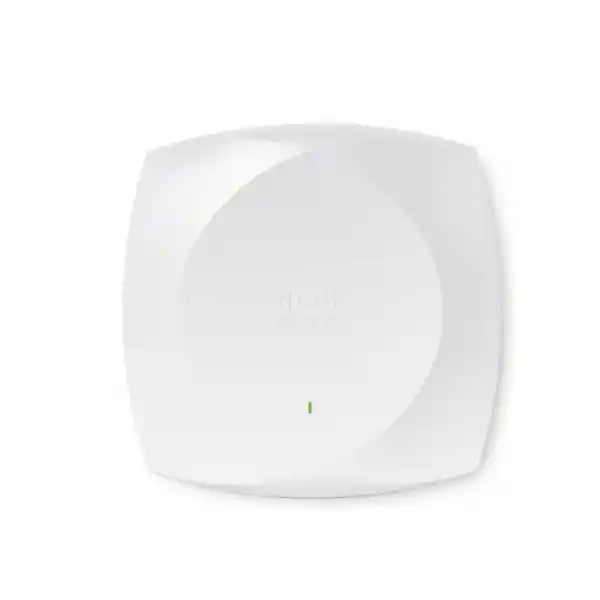
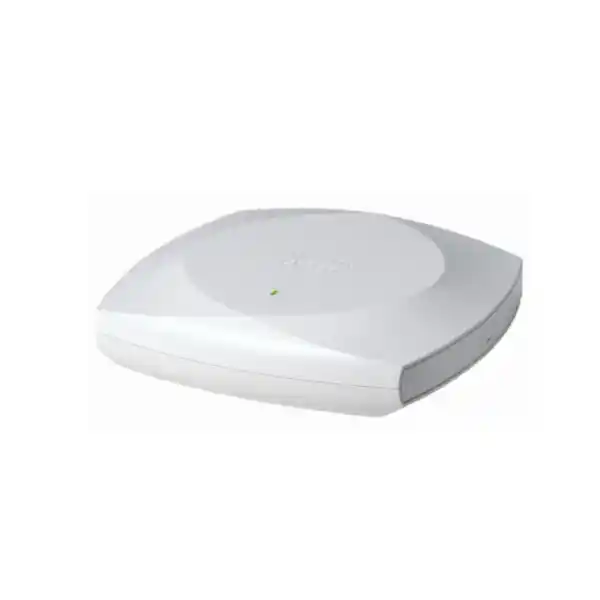
Cisco Wireless CW9172I Wi-Fi 7 Access Point in Tanzania
The Cisco Wireless CW9172I is designed for organisations that want to modernise indoor wireless networks without jumping immediately to the highest-density access point tier. It combines Wi-Fi 7 across 2.4 GHz, 5 GHz and 6 GHz, integrated omnidirectional antennas, a 2.5 Gigabit Ethernet uplink, dedicated scanning and IoT capabilities, and flexible cloud or controller-based management. For Tanzanian businesses, institutions and multi-site teams, the important buying question is not simply whether the access point supports Wi-Fi 7; it is whether the selected radio mode, switching, PoE budget, cabling, licensing, coverage design and regulatory profile match the actual site.
2.4 / 5 / 6 GHz
2.5GbE uplink
Catalyst or Meraki management
Best fit: moderate-density indoor deployments such as branch offices, professional workplaces, retail locations, healthcare clinics, learning spaces, remote work hubs, smaller hospitality areas and distributed sites where a 2.5GbE wired edge and flexible Wi-Fi 7 radio design are appropriate. Share your site type, approximate concurrent-user count, current switch model, management preference and quantity with FourTeck Tanzania for a configuration-led quotation.
Quick Product Information
What the CW9172I Is Designed to Solve
A wireless refresh is often triggered by complaints about slow meetings, congested meeting rooms, unstable roaming, growing device counts or the limits of older 1 Gigabit access points. Those symptoms can have several causes, including airtime contention, poor placement, insufficient backhaul, overloaded switch uplinks, weak cabling, power constraints or outdated channel design. The CW9172I gives network teams a modern platform for addressing many of those constraints, but it should be treated as part of an engineered WLAN rather than a drop-in speed booster. Its strengths are a current Wi-Fi 7 radio platform, flexible radio modes, multigigabit Ethernet, integrated antennas and the ability to fit Cisco cloud or on-premises operational models.
Cisco positions the 9172 family for low-to-moderate or moderate-density business environments. That positioning matters. A branch with dozens of active users, a clinic with staff and patient devices, a retail shop with POS terminals and guest Wi-Fi, or a distributed office can have very different airtime patterns from a packed lecture hall or major public venue. The CW9172I can be an efficient choice where the requirement is modern enterprise wireless with sensible capacity rather than the maximum number of spatial streams and the fastest wired interface available in Cisco’s Wi-Fi 7 portfolio.
For procurement teams, this usually means the access point should be evaluated with five linked decisions: how many concurrent devices will be active in each zone, which client generations dominate the estate, whether 6 GHz will be used, what the switch can deliver in speed and PoE, and whether the organisation wants Catalyst controller management or Meraki cloud management. Making those decisions before purchase reduces the risk of paying for capability that the underlying network cannot use.
Modern radio layer
802.11be capability across the three client-serving bands gives a forward-looking access layer for mixed Wi-Fi estates and newer Wi-Fi 7 endpoints.
2.5G wired edge
The multigigabit RJ-45 uplink avoids forcing every deployment through a 1GbE access-port ceiling, provided the switch and cabling are ready.
Flexible operations
The global-use hardware supports Cisco’s unified approach to cloud-managed Meraki and supported Catalyst controller deployments, subject to software and licence requirements.
Integrated installation
Internal omnidirectional antennas suit standard indoor ceiling or wall placement where broad coverage is required without separate external antenna selection.
Wi-Fi 7 Radio Architecture and What It Means
In its default tri-radio mode, the CW9172I uses 2×2:2 client-serving radios at 2.4 GHz, 5 GHz and 6 GHz. Cisco also documents an alternative mode that uses 2×2:2 at 2.4 GHz and 4×4:4 at 5 GHz while the 6 GHz client-serving radio is not used. This is useful because not every site benefits from exactly the same spectrum strategy. A new office with a growing number of 6 GHz-capable laptops may prefer tri-band operation, while another environment with a large 5 GHz client base may choose the dual-radio 5 GHz 4×4 mode for different capacity objectives.
The 802.11be feature set includes 4096-QAM, Multi-Link Operation, preamble puncturing, uplink and downlink OFDMA, Target Wake Time, BSS coloring and wider channels, including up to 320 MHz on 6 GHz where the regulatory profile and channel plan permit. These are protocol capabilities, not a promise that every client will use every feature. Endpoints must support the relevant Wi-Fi generation, band and feature, and real throughput depends on signal quality, channel width, interference, contention, device capability, traffic direction and the wired network behind the access point.
Cisco states a maximum aggregate PHY data rate up to 9 Gbps for the specified tri-band Wi-Fi 7 configuration and up to 6 Gbps for the documented dual-radio 5 GHz 4×4 configuration. Those figures are best used to understand radio capability rather than to forecast internet speed. Application throughput is always lower than PHY rate because wireless protocols include management traffic, contention, retransmissions and other overhead. For a Tanzanian office, the practical design question is usually whether the WLAN can deliver stable capacity and latency to many active devices while the internet circuit, firewall, switching and cloud applications are also sized appropriately.
2.4 GHz, 5 GHz and 6 GHz: Plan Each Band for a Role
The three-band design is most useful when the wireless plan assigns each band a realistic role instead of treating all spectrum as identical. The 2.4 GHz band generally offers broad compatibility and useful reach but has fewer non-overlapping channels and is often shared with legacy or IoT devices. The 5 GHz band remains central for enterprise Wi-Fi because it has a large installed client base and more channel-planning flexibility. The 6 GHz band can provide cleaner spectrum and wider channels for compatible devices, but coverage characteristics, endpoint support and national regulatory settings must all be considered.
For Tanzania, TCRA’s published National Frequency Allocation Table identifies 5925-6425 MHz for licence-exempt WAS/RLAN use. That is useful context, but it should not be interpreted as permission to manually force any arbitrary channel or power setting. Cisco identifies the CW9172I as a global-use product and directs installers to verify the applicable country regulatory domain and current product approvals. Regulatory data can change as approvals and software support evolve, so final deployment should use the country profile and software release appropriate to Tanzania.
A site survey remains valuable even with Wi-Fi 7. Walls, reinforced concrete, shelving, glass, ceiling height, equipment rooms and neighbouring networks influence coverage and capacity. 6 GHz usually has different propagation characteristics from 2.4 GHz, so a design based only on an old 2.4 GHz heat map can leave gaps for newer clients. Where roaming, voice, video or handheld workflows are important, the survey should test the applications and client types that will actually be used.
Multigigabit Ethernet, PoE and Cabling Readiness
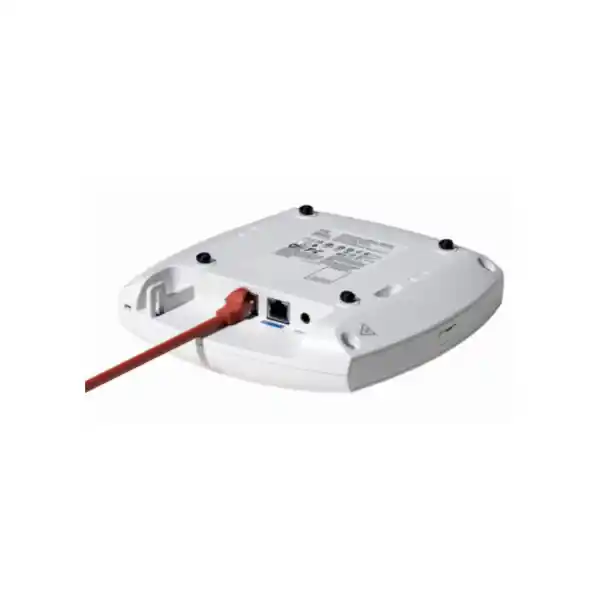
The CW9172I has one 100M/1G/2.5G multigigabit Ethernet uplink. That makes switch selection more important than it was for many older access points. A Wi-Fi 7 deployment connected to a 1GbE switch port can still operate, but the wired edge may become a constraint in busy scenarios. Organisations should check the exact switch model, port speed, PoE standard, available power per port, total chassis or switch PoE budget, uplink capacity and the category and condition of the copper run.
Cisco’s current power table shows that 802.3at PoE+ can support the intended 2×2 tri-radio configuration with a 2.5G link, and it also supports the documented 2.4 GHz 2×2 plus 5 GHz 4×4 mode. 802.3af PoE, however, is heavily restricted: Cisco documents a 1×1 2.4 GHz-only state, a 1G link and no USB. That difference is large enough that procurement should never assume any PoE switch will deliver the same AP capabilities. Where USB peripherals are part of the design, power needs should be checked separately as well.
Cable quality matters because multigigabit Ethernet is designed to reuse common copper infrastructure but real installations may have long runs, poor terminations, damaged cable, excessive bundling or legacy patch panels. If an existing site is being upgraded from older access points, testing representative runs before a large rollout is often cheaper than diagnosing intermittent multigigabit negotiation after installation. The switch uplink and firewall path should also be reviewed so access-layer improvements do not simply move the bottleneck deeper into the network.
Power continuity is another practical Tanzania deployment consideration. If staff depend on cloud applications, IP telephony, payment systems or wireless handhelds, keeping only the access points powered is not enough. The PoE switch, firewall, ISP equipment and upstream core all need an appropriate UPS or backup strategy for the required continuity target. The final UPS runtime and electrical design should be based on the site’s actual load and operating requirements.
Catalyst or Meraki: Choose the Management Path Deliberately
One of the most important characteristics of Cisco’s newer global-use wireless hardware is management flexibility. Cisco documents the CW9172I for supported on-premises Catalyst infrastructure and the Meraki cloud-based stack. This can simplify hardware standardisation for organisations that operate different management models, but the access point is not a management system by itself. The architecture, software level, subscription and operational ownership must still be planned.
For a Catalyst environment, Cisco lists support for Catalyst 9800 Series Wireless Controllers and certain Catalyst 9000 switch Embedded Wireless Controller scenarios in SDA mode. Cisco’s deployment guidance also notes that Embedded Wireless Controller functionality hosted directly on the CW9172 series AP is not supported. An organisation already running Catalyst wireless should therefore confirm controller model, software release, feature requirements and upgrade path before introducing the CW9172I.
For a Meraki approach, the attraction is central cloud-based operations, especially for distributed sites where a small IT team needs visibility across many branches. The management choice should reflect how the organisation handles configuration, monitoring, change control, internet dependency, administrator access and subscription renewals. It should not be chosen solely because one interface looks simpler during initial setup.
Cisco states that the 9172 Series requires a Cisco Networking Subscription, with Wireless Essentials or Wireless Advantage options. The correct subscription edition and term should be part of the quotation, not treated as an optional detail after the hardware arrives. Buyers should also identify who owns the Cisco account, who will administer the wireless environment, and how renewals will be tracked across the equipment lifecycle.
Security Capabilities for Business WLANs
Wireless security has to be designed at several layers. The CW9172I platform supports WPA2 and WPA3-related capabilities, 802.1X authentication options, Enhanced Open/OWE and modern AES cipher suites. Cisco also describes Trust Anchor technologies, image signing and Secure Boot as part of the platform’s infrastructure security. These features provide a strong foundation, but they do not replace policy decisions around identity, network segmentation, certificate management, guest access, logging and administrator security.
For corporate users, a common design goal is authenticated access tied to a directory or identity service rather than a shared password used indefinitely. For guests, the organisation may want internet-only access separated from business systems. Operational devices such as scanners, IoT sensors or specialised medical or retail endpoints may need separate VLANs and security policies because their update cycles and authentication capabilities differ from staff laptops. Those design choices are implemented across the wireless controller or cloud management platform, switching and firewall layers.
When upgrading from a legacy WLAN, security migration should be staged with client compatibility in mind. Some older devices may not support the desired authentication or encryption mode. A device inventory, pilot SSID and test group can expose compatibility issues before a company-wide cutover. The goal is to improve security without discovering during rollout that a critical printer, handheld terminal or embedded system cannot join the new configuration.
Dedicated Scanning and IoT Capability
The CW9172I includes a dedicated scan or auxiliary radio and an IoT radio with Bluetooth Low Energy capability. Dedicated scanning is valuable because a wireless system benefits from visibility into the RF environment without constantly diverting the client-serving radios from normal traffic. The exact analytics, security, assurance and sensing value available to an organisation depends on the selected management platform, software features and subscription.
IoT capability should likewise be connected to a defined application rather than treated as a marketing checkbox. A retail site might be exploring beacon-based workflows, a healthcare environment may have asset-related use cases, and an office may be considering environmental or occupancy-related applications. In each case, the buyer should confirm what endpoint technology is used, what management or application platform consumes the data, and whether the feature is included in the selected Cisco licensing and software design.
The presence of an IoT radio does not mean every IoT protocol or business application is automatically supported. Project teams should validate the required endpoint ecosystem and integration. This is especially important where third-party applications, location workflows or building systems are involved, because interoperability can depend on more than the physical radio present in the access point.
Where the CW9172I Fits in Tanzania
The CW9172I is most compelling when the organisation needs enterprise controls and modern radio capability in a moderate-density indoor site. A professional office can use it for staff laptops, collaboration rooms, mobile devices and guest access. A retail branch can combine business devices, POS-related connectivity, handhelds and guest Wi-Fi while keeping those traffic classes segmented. A clinic can support staff mobility, administrative systems and patient-facing connectivity, provided the WLAN is designed around application criticality and the physical building. A school or training centre can use the platform in classrooms and common areas where density is moderate and central administration is important.
Distributed organisations may gain particular value from a standard hardware platform because each branch can follow a repeatable design for switching, access points, security and monitoring. Standardisation should not mean using the same AP count everywhere. A small branch with open offices, a concrete multi-room building and a retail floor with dense shelving will have different RF behaviour. Site classes can standardise equipment choices while still allowing placement and quantity to reflect local conditions.
Hospitality and accommodation projects can also use the CW9172I in common areas, offices or shared spaces, although room-by-room deployments may sometimes favour wall-plate access point designs depending on the building and wired requirements. Warehouses require extra care because racks, stock, ceiling height and moving inventory can change signal behaviour; a survey should determine whether an integrated omnidirectional indoor AP is suitable for each zone or whether a different antenna pattern is needed.
In all of these environments, procurement should separate product suitability from local commercial availability. Price, stock, lead time, warranty and delivery should be confirmed against the exact quotation, quantity, licence, supply route and destination rather than assumed from a general product page.
Site Survey and Access Point Placement
An access point count based only on floor area is rarely a reliable enterprise design method. Two buildings of the same size can need different numbers of APs because wall materials, room layout, ceiling height, user concentration, neighbouring networks and application requirements differ. Capacity can also drive placement before coverage does. A meeting room with many active video users may need a different design from a corridor that only requires roaming coverage.
The CW9172I uses integrated omnidirectional antennas. Cisco publishes peak antenna gains of 4 dBi at 2.4 GHz, 5.5 dBi at 5 GHz and 6 dBi at 6 GHz, along with detailed radiation patterns. Those specifications help a wireless engineer model coverage, but the final result still depends on mounting position and the building. Mounting an AP above metal ceiling structures, inside cabinets or behind dense obstructions can compromise the design. Where aesthetics or security require concealed installation, the RF effect should be measured rather than assumed.
A predictive survey can be a useful starting point for new construction when floor plans and material assumptions are available. A validation survey after installation confirms whether the real building behaves as expected. Existing sites may benefit from an active survey that measures current signal, interference and application behaviour. For voice, real-time collaboration or roaming handhelds, validation should include mobility between APs and not only a static speed test under the access point.
Channel width also affects capacity planning. Very wide channels can deliver high peak rates to capable clients but consume more spectrum and may be inefficient in denser multi-AP deployments. The best channel plan balances available spectrum, interference, client capabilities and the number of APs. Wi-Fi 7 expands the toolbox; it does not remove the need for RF engineering.
Performance Expectations: Read the Numbers Correctly
Cisco documents up to 9 Gbps aggregate PHY rate for the relevant tri-band Wi-Fi 7 configuration. A buyer should not interpret that as 9 Gbps of internet speed to one laptop. PHY rates represent radio signalling under specific channel-width and spatial-stream conditions. User throughput is lower, and a single client is limited by its own radio design, signal conditions, channel width, protocol overhead and the traffic available from the network.
Cisco’s deployment guide lists a scale of up to 256 clients per radio. That is a platform-scale figure, not a recommended design target for every application. A radio with hundreds of associated but mostly idle devices behaves very differently from one with dozens of users simultaneously uploading files, joining video conferences or running voice traffic. Good wireless design uses active-client counts, airtime demand and application behaviour rather than only the maximum association number.
Internet capacity remains a separate constraint. If a branch has a 100 Mbps WAN circuit shared by many users, replacing the AP may improve local wireless efficiency and stability but cannot create additional ISP bandwidth. The same applies to firewall throughput, VPN capacity and upstream switching. When users report “slow Wi-Fi,” a useful assessment checks the full path from device to application rather than assuming the radio is the only cause.
Performance should therefore be defined in business terms: stable video calls, predictable roaming, fast application response, sufficient capacity at busy times, reliable guest service and manageable operations. Those outcomes are more useful than chasing a single laboratory maximum rate that may never be visible to end users.
Physical Specifications and Installation Planning
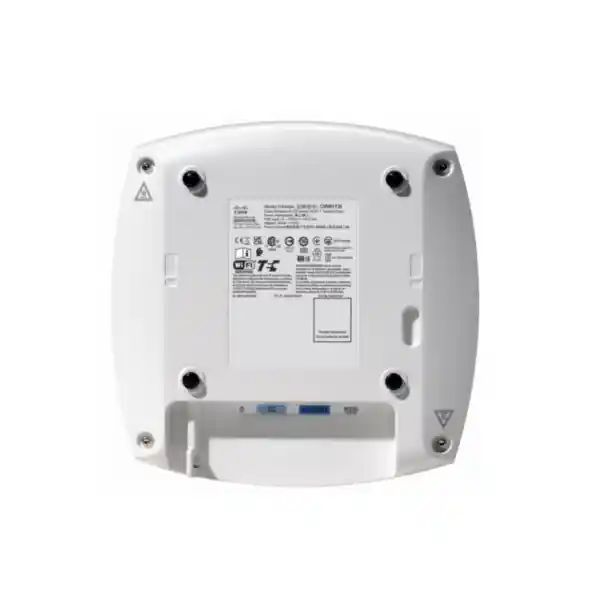
The CW9172I measures approximately 20 x 20 x 5.3 cm without mounting brackets and weighs about 874 g. Cisco lists AIR-AP-BRACKET-1 and AIR-AP-BRACKET-2 mounting brackets for the model. These details matter when planning ceiling grids, wall mounting, replacement projects and contractor scope. The access point also provides an RJ-45 management console port and a USB 2.0 interface in addition to the multigigabit uplink.
Cisco specifies an operating temperature range of 0 to 50°C for the CW9172I, with performance or radio operation derating above 40°C, and operating humidity from 0 to 95% noncondensing. That makes environmental review important for hot ceiling voids, poorly ventilated areas or locations near heat-producing equipment. A room that feels comfortable at desk level can be significantly warmer above a suspended ceiling. Installation should follow Cisco’s documented environmental and mounting requirements.
For replacement projects, mount compatibility may simplify installation, but teams should still inspect brackets, cable slack, labels and ceiling condition. Reusing the exact old position without validating coverage can reproduce a weak design. The rollout plan should identify who supplies brackets, who performs cabling, who mounts the APs, who configures the network and who validates service afterward so responsibilities are clear before equipment arrives.
Migration from Wi-Fi 5, Wi-Fi 6 or Wi-Fi 6E
A Wi-Fi 7 refresh does not require every endpoint to be Wi-Fi 7 on day one. Cisco describes interoperability with leading 802.11ax clients, and the access point supports earlier wireless standards in the product specification. That allows organisations to modernise the infrastructure while client devices turn over gradually. The immediate value may come from better platform lifecycle, spectrum options, multigigabit backhaul, management consistency and security rather than one dramatic speed increase for every old device.
The migration should begin with an inventory of access points, controllers or dashboards, switches, PoE capacity, cable runs, SSIDs, VLANs, authentication methods and important client types. Then define the target design and identify dependencies. A Catalyst environment may need a controller software upgrade. A Meraki migration may involve cloud organisation planning and licence assignment. Older switches may need replacement or selective upgrade for 2.5GbE and PoE+. Cabling may need certification where multigigabit performance is expected.
A pilot site or floor can reduce risk. Test normal staff devices, guest access, printers, voice endpoints, handhelds, roaming and any specialised systems. Capture baseline metrics before the change so the team can distinguish genuine improvement from perception. If the organisation is adopting 6 GHz, confirm that a meaningful share of the intended endpoints can use it and that the selected security settings are compatible with the target clients.
Finally, document the operating model. Record software versions, subscription ownership, configuration standards, escalation paths and renewal dates. A successful wireless project is not finished when the AP LED turns green; it needs maintainable operations for the years that follow.
CW9172I Compared with Other Cisco Wi-Fi 7 Options
Cisco’s current Wi-Fi 7 portfolio includes several indoor models. The CW9172I sits in a moderate-density position with integrated antennas and a 2.5GbE uplink. The CW9174I is positioned for moderate-to-high-density indoor deployments and uses a faster 5GbE multigigabit uplink with higher radio capacity. Higher-performance models such as the CW9176I move further up the portfolio with 4×4 radios and 10GbE connectivity. The right choice depends on the zone rather than on selecting the largest model everywhere.
| Decision point | CW9172I fit | Consider a higher tier when… |
|---|---|---|
| Client density | Low-to-moderate or moderate business density | A zone has sustained high active-client or airtime demand |
| Wired edge | 2.5GbE access switching matches the design | The project is designed around 5GbE or 10GbE AP uplinks |
| Radio capacity | 2×2 tri-band or 4×4 5 GHz dual-radio mode is sufficient | More spatial streams are justified by client and density requirements |
| Budget efficiency | A balanced Wi-Fi 7 entry point for enterprise environments | The business case supports a higher-capacity design in specific zones |
A mixed design can be sensible. Standard offices may use CW9172I units, while a denser training room, event space or collaboration area uses a higher-capacity model. This avoids over-specifying every location while keeping the network architecture consistent. Model selection should follow site classes, user counts and switch infrastructure.
Tanzania Deployment Checklist Before You Order
Record floor area, wall construction, ceiling height, expected user concentration, roaming areas and critical wireless applications.
Estimate active laptops, phones, tablets, handhelds and IoT devices, and identify how many support Wi-Fi 6E or Wi-Fi 7 and 6 GHz.
Confirm 2.5GbE port support, 802.3at or better power, total PoE budget and upstream bandwidth.
Check copper category, length, patch panels and termination quality, particularly when reusing older structured cabling.
Decide whether the project belongs in a supported Catalyst controller architecture or Meraki cloud-managed environment.
Include the correct Cisco Networking Subscription edition and term in the commercial request.
Use the current Tanzania country settings and verify Cisco approvals/channel availability instead of manually assuming all 6 GHz channels are usable.
Plan UPS or backup coverage for the switch, firewall and ISP equipment if wireless service is operationally important.
Detailed Technical Specifications
The following summary is intended for buying and deployment planning. Final configurations should be checked against the current Cisco data sheet, controller or dashboard software release, country regulatory profile and the exact licence selected for the project.
| Specification | CW9172I detail | Buyer guidance |
|---|---|---|
| Wireless standard | IEEE 802.11be Wi-Fi 7, with support for earlier documented Wi-Fi generations | Client capability determines which features are actually used. |
| Tri-radio mode | 2.4 GHz 2×2:2 + 5 GHz 2×2:2 + 6 GHz 2×2:2 | Useful for mixed-band designs and growing 6 GHz client estates. |
| Alternative mode | 2.4 GHz 2×2:2 + 5 GHz 4×4:4 | Provides a different capacity option where 6 GHz is not used. |
| Wi-Fi 7 features | 4096-QAM, MLO, preamble puncturing, OFDMA, TWT, BSS coloring; up to 320 MHz channels on 6 GHz | Feature use depends on client, software, radio configuration and regulatory settings. |
| Maximum PHY rate | Up to 9 Gbps aggregate in specified tri-band configuration | Not a guaranteed user or internet throughput figure. |
| Ethernet | 1 x 100M / 1G / 2.5G multigigabit RJ-45 | Check switch port speed, PoE and cabling together. |
| Other interfaces | RJ-45 console and USB 2.0 | USB availability/power is affected by power mode. |
| Integrated antennas | Omnidirectional; peak gain 4 dBi at 2.4 GHz, 5.5 dBi at 5 GHz, 6 dBi at 6 GHz | Use survey and Cisco radiation patterns for placement decisions. |
| IoT antenna | Integrated, peak gain 2 dBi | Application support depends on the wider platform and use case. |
| Security | WPA2/WPA3-related capabilities, 802.1X, Enhanced Open/OWE and AES cipher support | Define identity, segmentation and guest policy separately. |
| Dimensions | Approx. 20 x 20 x 5.3 cm without bracket | Confirm mounting space and bracket requirements. |
| Weight | Approx. 874 g | Relevant to ceiling and wall installation planning. |
| Operating temperature | 0 to 50°C, with documented derating above 40°C | Check ceiling voids and hot indoor spaces. |
| Humidity | 0 to 95% noncondensing | Indoor environmental limits still apply. |
| Software baseline | Cisco IOS XE 17.15.2b or later for the documented controller path | Confirm the current supported release for the intended architecture. |
| Mounting | AIR-AP-BRACKET-1 or AIR-AP-BRACKET-2 listed by Cisco | Include required bracket and installation materials in the BOM. |
Buying Guidance for Procurement and IT Teams
A useful quotation request should contain more than the model name. State the number of sites, delivery destination, required quantity, current switch model, management platform, expected concurrent users, main applications, licence term preference and whether installation or survey services are needed. If this is a replacement project, include the existing access point and controller models. If it is new construction, provide floor plans and expected handover dates where available.
The bill of materials may need access points, licences, mounting brackets, PoE-capable switches, optics or switch uplinks, patching, UPS capacity and professional services. A lower hardware price can become expensive if missing dependencies force a second purchase cycle or delay installation. Conversely, a well-defined scope can avoid unnecessary upgrades when the existing network already meets requirements.
SKU, price, stock, delivery time and warranty terms should be confirmed against the exact FourTeck Tanzania quotation. The model identifier CW9172I is a Cisco product ID, but it should not be presented as a FourTeck Tanzania SKU unless the target listing explicitly assigns it as such. This page therefore avoids inventing a local SKU or permanent commercial terms.
For projects with several site types, ask for a model-fit review rather than assuming every zone should use the CW9172I. A design might use this model for normal branches, another model for dense collaboration spaces and a different antenna approach for warehouses or unusual layouts. The objective is a coherent wireless architecture with appropriate capacity in each zone.
Frequently Asked Questions
Is the Cisco CW9172I a Wi-Fi 7 access point?
Yes. Cisco specifies 802.11be Wi-Fi 7 operation on the CW9172I client-serving radios. In supported tri-radio mode it operates across 2.4 GHz, 5 GHz and 6 GHz using 2×2:2 radios on each band. Actual Wi-Fi 7 features used by a device depend on the client’s own capabilities and the configured network.
Does the CW9172I support 6 GHz in Tanzania?
TCRA’s National Frequency Allocation Table identifies 5925-6425 MHz for licence-exempt WAS/RLAN use. Cisco nevertheless requires country-specific regulatory configuration and directs customers to verify current product approvals and regulatory domains. The deployment should therefore use the current Tanzania country profile and supported software rather than assuming every 6 GHz channel or power level is available.
Can the CW9172I be managed with Cisco Meraki?
Cisco documents the global-use 9172 platform for Meraki cloud-based operation as well as supported Catalyst controller infrastructure. The management mode, software, account setup and subscription should be planned before deployment. Organisations migrating between management approaches should validate the supported workflow for their installed versions and licences.
Does it require a Cisco subscription?
Yes. Cisco states that the 9172 Series requires a Cisco Networking Subscription, with Wireless Essentials or Wireless Advantage options. The appropriate edition and term should be included in the quotation and aligned with the chosen management and feature requirements.
What switch port does the CW9172I need?
The access point has a 100M/1G/2.5G multigigabit Ethernet uplink. For the intended Wi-Fi 7 deployment, a 2.5GbE PoE-capable access port is a strong match. Cisco documents tri-radio operation with 802.3at PoE+, while 802.3af significantly limits radio operation and reduces the wired link to 1G.
How many users can one CW9172I support?
Cisco’s deployment guide lists scale up to 256 clients per radio, but that should not be used as a universal design target. The practical number of active users depends on traffic type, channel plan, signal quality, client capability and performance objectives. Video meetings and voice users consume airtime differently from mostly idle devices, so AP quantity should come from capacity and coverage planning.
Can it replace an older Cisco access point in the same location?
It may be physically straightforward because Cisco lists familiar mounting bracket options, but the old location should still be validated. Wi-Fi 7, 6 GHz, different client density and multigigabit backhaul can change design requirements. Check mounting, cabling, PoE, controller or dashboard support and RF coverage before treating the replacement as one-for-one.
Is 9 Gbps the speed one user will receive?
No. Cisco’s up-to-9-Gbps figure is an aggregate PHY rate for a specified tri-band configuration. Real application throughput is lower and is shared across active clients and constrained by each client’s radio, signal conditions, channel width, protocol overhead, wired uplink, firewall and internet circuit.
Is the CW9172I suitable for a warehouse?
Possibly, but a warehouse should be surveyed carefully. High ceilings, metal racking, changing stock and aisle geometry can make an integrated omnidirectional AP less suitable in some zones than a model using a different antenna pattern. The correct decision depends on the building and client locations rather than the product name alone.
What information should I send FourTeck Tanzania for a quote?
Send the quantity, delivery location, site type, expected concurrent users, current switch and firewall models, existing wireless platform, preferred Catalyst or Meraki management approach, licence term, and whether you need survey, installation or configuration support. Floor plans and existing AP models are especially useful for migration projects.
Request a Cisco CW9172I Quote for Tanzania
If you are planning a new office, branch refresh, retail rollout, clinic, school, hospitality site or multi-location wireless upgrade, share the requirement before finalising the access point count. Send FourTeck Tanzania the expected density, current switches, PoE capability, cabling, management platform, licence term, mounting needs and deployment scope for review and quotation.
For the most useful commercial response, include quantity, destination, existing Cisco environment, current switch models, approximate active-user count and whether 6 GHz clients are part of the project. Price, availability, warranty and delivery are confirmed against the exact quotation rather than assumed from this product page.
Technical note: specifications and software support can change over the product lifecycle. Final design should be validated against current Cisco documentation, the selected management stack and the applicable Tanzania regulatory profile at the time of deployment.




Reviews
There are no reviews yet.