
FOURTECK TANZANIA • BRANCH NETWORK SECURITY
Cisco Firepower 1010 Firewall for Tanzania
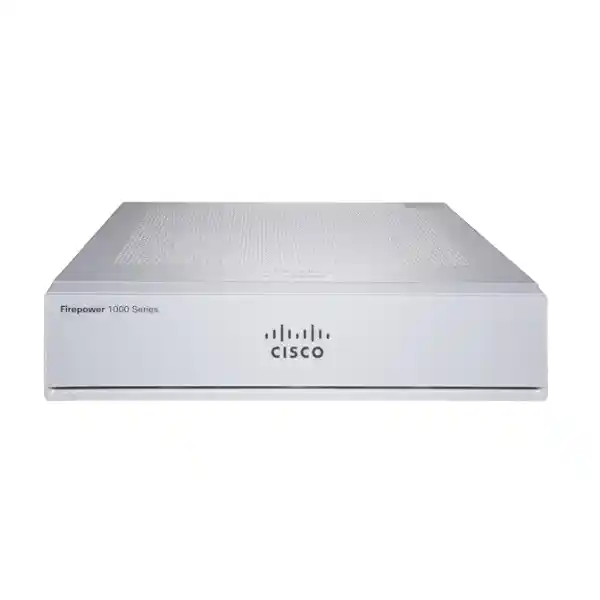
The Cisco Firepower 1010 Firewall is a compact Cisco security appliance for small offices and branch networks. For a Tanzania business, the buying decision should begin with internet capacity, application traffic, remote connectivity and the security controls that will actually be enabled. Request a configuration and licence review before ordering so the proposed appliance, software and subscriptions match the deployment.
This model is worth evaluating when a branch needs a defined security boundary, controlled internet access and VPN connectivity without a full-size rack appliance. It should be assessed as part of the network design: switches, wireless networks, upstream equipment and business applications all affect the result. A correct model choice still needs a tested configuration and an operating plan.
Start the discussion with a simple requirement: which people and devices need access to which applications, from which networks? A professional office, a retail administration site and a remote operational branch can have similar employee counts yet very different traffic patterns. Supplying that context makes the recommendation more useful than choosing a firewall from user count alone.
Verified model facts at a glance
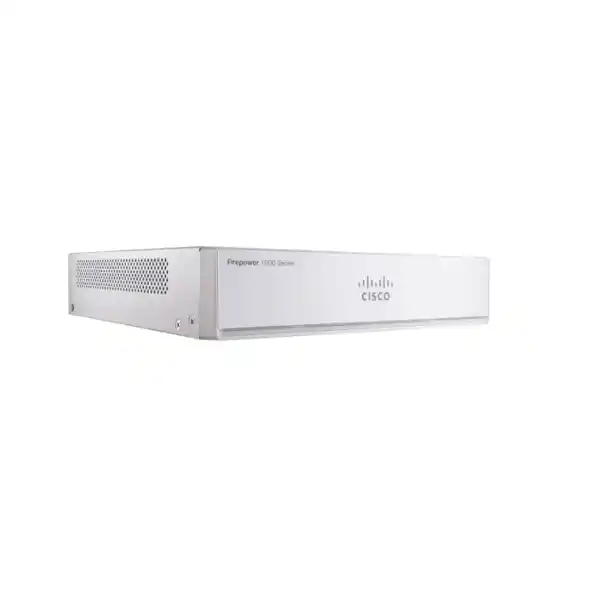
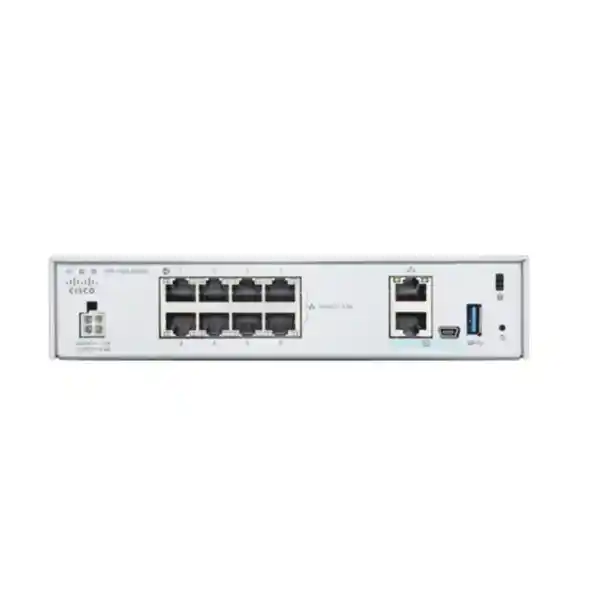
The 1010 has eight Gigabit Ethernet copper data ports, a separate management interface and a fanless compact chassis. Ports 7 and 8 support PoE+ on the 1010; the 1010E does not provide PoE+. Check the exact model on the quotation, together with the supplied power equipment and any mounting accessories.
These details help establish physical fit, but they do not determine the full deployment design. Reserve data ports for the required connections and keep a written port map. Decide which links connect to the internet, downstream switching, isolated networks and any other approved equipment before installation begins.
Ask the supplier to identify the actual appliance variant rather than relying on a photograph or a shortened product name. Similar names can conceal a meaningful difference when a connected device depends on power from the firewall. A quote should make those dependencies clear enough for the network engineer and purchasing team to review together.
Read performance figures in their proper context
Cisco’s published Threat Defense figures for the 1010 include 890 Mbps for firewall plus application visibility and control, 880 Mbps with IPS added, and 195 Mbps for TLS. Its listed IPsec result is 400 Mbps using the specified 1024-byte TCP Fastpath test. These are laboratory reference figures, not a promise for a particular installation.
A Gigabit interface describes link speed. It does not mean every combination of inspection, encrypted sessions, VPN traffic and logging will pass at that speed. Compare the proposed security policy with the relevant performance measure, and leave room for busy periods, application changes and growth. Avoid using a basic forwarding result to size a deeply inspected network.
Measure traffic during a representative business period. Include cloud backups, software updates, video meetings and transfers between offices, rather than relying only on an average internet graph. An occasional large transfer may be acceptable if scheduled overnight; the same load during trading hours may affect the buying decision.
Agree on a practical acceptance target before purchase. Describe the applications that must remain responsive, the security functions that must be active and the traffic conditions under which testing will occur. This creates a more meaningful evaluation than asking the installer to demonstrate a single speed-test result.
ASA or Threat Defense: decide before ordering
Cisco supports this hardware family with ASA or Secure Firewall Threat Defense software. Treat them as alternative operating environments, each with its own configuration and management approach. Do not assume that every capability described for Threat Defense is present when an appliance is supplied with ASA.
For a new deployment, describe the required outcomes before selecting the software. Application-aware controls, intrusion prevention and web filtering should be reviewed against the intended Threat Defense version and entitlements. An organisation maintaining an ASA environment may instead prioritise consistency with its established configuration practices and operational knowledge.
Ask the quotation to state the installed software, planned release and management method. If a change of software is proposed, include preparation, configuration work, validation and recovery arrangements in the scope. Do not treat changing operating environments as a minor administrative adjustment during an already busy cutover.
Existing configuration files are useful discovery material, but they do not replace a design review. Remove obsolete access requirements, confirm application dependencies and document the desired behaviour in plain language. The resulting policy should reflect current business needs rather than preserve every historical exception.
Make the licence bundle explicit
Cisco’s current 1010 Threat Defense licensing guidance identifies Standard, IPS, Malware Defense, URL Filtering and Cisco Secure Client licence categories. The required entitlements depend on the functions being deployed. A hardware quotation should therefore identify the included licences, any subscription terms and any separately priced components.
Ask who will own and administer the organisation’s Cisco Smart Account and how the order will be associated with it. Account access should remain understandable to the customer after handover. Keep commercial documents and entitlement records available to the staff responsible for renewals and support.
Compare offers using the same scope. A lower hardware price may exclude inspection subscriptions, remote-access licensing, implementation or support. A higher total may include services that your team does not need. Break the proposal into identifiable components so differences are visible before a purchase order is raised.
Record subscription start dates, renewal responsibilities and the process for reviewing future requirements. Do not wait for a renewal deadline to discover that the original administrator has left the business. Procurement and IT should both understand which functions depend on continuing entitlements and which checks are required before renewal.
Map the interfaces to the real network
Prepare a diagram showing the internet handoff, firewall, switches, wireless access points and important internal networks. Label each physical connection and identify where routing occurs. This is particularly useful when replacing a device that has accumulated undocumented cables or when several suppliers manage different parts of the site.
Confirm the upstream handoff type. The 1010’s data connections are copper Gigabit Ethernet; if the service arrives through other media, the surrounding design must provide an appropriate, supported handoff. Include that dependency in the bill of materials instead of assuming a cable can connect directly.
Decide which networks require separate policy boundaries. Staff devices, visitors, business servers and management systems may have different access needs. Their separation depends on the actual switching and routing arrangement, not simply on assigning descriptive names to networks.
Preserve access for authorised administration while restricting it from ordinary user and guest segments. A management connection should have a documented purpose, approved source networks and an owner. Include a way to recover access during installation without leaving an unnecessarily broad management path enabled afterwards.
Use segmentation with clear access requirements
Build an access matrix before creating rules. For each source network, list required destinations, services and business owners. Include shared dependencies such as name resolution, time services and identity systems. This makes it easier to distinguish necessary communication from historical convenience.
Guest access is a useful example. Visitors may need internet connectivity while business devices require access to internal applications. Verify that traffic between those groups follows the intended enforcement path. Devices sharing an unfiltered local segment may communicate without crossing the firewall.
Server access deserves similar care. A finance application may need a small set of client connections without exposing administrative services to every workstation. Review how users, support staff and automated processes access it, then test each approved workflow from the correct network.
Plan for exceptions to expire or be reviewed. Temporary access granted for a supplier visit or a migration should have a named owner and an agreed end condition. Keeping the policy understandable reduces the chance that an urgent one-time change becomes permanent access that nobody recognises.
Plan VPN connectivity as an application requirement
A site-to-site VPN requirement should include both ends of the connection, the networks being protected and the applications that will use it. Confirm that address ranges do not overlap and establish who controls the peer device. A successful project depends on coordinated settings and routing at both locations.
Estimate the traffic carried through the tunnel separately from ordinary internet use. File transfers, backups, database traffic and voice can place very different demands on a link. The quality of the surrounding connections still matters even when the tunnel itself is correctly configured.
Remote access needs a different requirement brief. State the expected concurrent users, endpoint types, authentication requirements and internal resources they may reach. Verify the appropriate Cisco Secure Client entitlement and the selected software’s supported design before treating remote access as included.
Test from outside the office using representative users and devices. Confirm access to required applications, correct name resolution and appropriate restrictions. Keep credentials, shared secrets and certificate material out of public documentation and ordinary quotation text; exchange them through an agreed secure process.
Choose a management approach your team can operate
Local Device Manager and central Management Center approaches serve different operational needs in supported Threat Defense deployments. Confirm the exact platform, release compatibility and management entitlement before selecting one. The right choice depends partly on whether one team operates a single branch or manages a wider estate.
A small site may value a straightforward local administration process. A larger organisation may prioritise consistent policy, central event review and coordinated changes across locations. In either case, nominate the people who will approve policy changes, deploy them and respond when an application stops working.
Include the management environment in the project scope. If a separate management platform is required, identify where it runs, who maintains it and how access is secured. Do not assume that purchasing a firewall also supplies every surrounding management component.
Ask for a demonstration of routine operations during handover. Your team should know how to review relevant events, find the policy affecting an application, obtain a backup and start the agreed support process. Familiarity with those tasks is more valuable than a tour of every menu.
Apply inspection according to risk and workload
Decide what the business expects from intrusion prevention, malware-related controls and URL filtering before choosing subscriptions. Relate those requirements to real use: employee browsing, internet-facing services, supplier access or branch applications. Then verify feature availability and configuration details for the selected release.
Policy should distinguish different types of traffic. A business-critical application may need careful testing before a new inspection policy is enforced, while an unnecessary category of internet use may have no business justification. Document the reasoning so future administrators understand why settings differ.
Encrypted traffic requires particular attention. Decryption decisions involve application behaviour, endpoint trust, operational requirements and processing capacity. Define what should be inspected, which exceptions are justified and who approves them. Do not assume that switching on a general option will produce complete visibility without preparation.
Introduce changes with a way to assess their effect. Review relevant events, validate business workflows and record any exceptions created during testing. Inspection is useful only when the organisation can operate it consistently and understand whether alerts require action.
Build a sensible policy and NAT baseline
Separate the question of whether a connection is permitted from how its addresses are translated. During discovery, list outbound internet requirements, any published services and connections between private networks. This helps prevent a translation problem from being mistaken for an access-rule problem.
For each published service, identify the actual application, destination host, business owner and permitted sources where appropriate. Consider whether direct exposure is necessary or whether the business has another approved access design. The requirement should drive the rule rather than the availability of a spare public address.
Review rule order and object naming with the team that will maintain the device. Descriptive names should identify networks and purposes clearly without embedding passwords or sensitive operational details. Keep a concise change record explaining why each significant exception exists.
Test policy from both permitted and restricted sources. A service working from one workstation does not prove that other networks are correctly blocked. Include the expected negative results in acceptance testing so the team verifies the security boundary as well as connectivity.
Prepare the physical installation
The fanless desktop design still requires suitable ventilation and placement. Use the current hardware installation guide for clearances, mounting and environmental limits, and confirm that the supplied accessories match the chosen installation. A compact appliance should not be hidden under papers, placed against blocked vents or left unsecured in a busy public area.
Review power continuity for the whole connection path. A UPS protecting only the firewall will not keep users connected if the upstream modem or downstream switch loses power. Identify the equipment needed for the priority business service and size the continuity arrangement around that combined requirement.
If PoE+ from the 1010 will power connected equipment, verify the endpoint requirements, supported software, available budget and supplied power configuration. Do not assume that every access point or other powered device fits simply because it uses an Ethernet cable.
Organise cabling so staff can identify the WAN, LAN and management connections without disturbing unrelated equipment. Label both ends and record where each cable terminates. This small preparation step can make a later outage or replacement much easier to handle.
Common business scenarios
Small professional office: begin with staff access to cloud applications, business email, internal systems and remote work. Check whether the requirement is primarily internet policy or whether application inspection, protected remote access and network separation are also needed. Size for the actual workload and expected growth.
Retail or operational branch: identify payment-related, inventory, administration and visitor networks without assuming they share the same access needs. Establish which systems need headquarters connectivity and which rely directly on cloud services. Include the operational impact of a lost connection in the resilience discussion.
Regional office: document the relationship with central IT, including policy ownership, tunnel peers and support responsibilities. A branch should not depend on an undocumented configuration known only to one engineer. Agree on how local staff can report a fault and what information they should capture.
Existing Cisco environment: evaluate the 1010 against the intended software standard, management approach and lifecycle requirements. Familiarity with Cisco equipment can help operations, but it does not remove the need to verify capacity, licences, features and migration compatibility for this exact appliance.
When to evaluate a larger or different appliance
Consider another platform if the requirement includes direct fibre connectivity, faster interfaces, substantially more inspected traffic or growth beyond a compact branch design. The interface count alone is not enough: evaluate the traffic that will traverse the device and the controls applied to it.
A high proportion of traffic requiring TLS inspection can change sizing materially. Use an estimate of inspected encrypted workload and validate the proposed design instead of treating the general firewall throughput headline as the relevant capacity measure.
Availability requirements may also affect the architecture and budget. If the business cannot tolerate a single appliance outage, assess a supported redundancy design, licensing, connection paths and recovery procedures. Two devices do not automatically remove dependencies on a single power source, switch or internet circuit.
Ask for alternatives against a common requirements sheet. Comparing every model by its largest published number can obscure important differences in interfaces, management, subscriptions and operating effort. A clear explanation of why a model fits is more useful than a recommendation based only on brand or price.
A practical deployment sequence
Discovery should capture current addressing, internet settings, routing, VPN peers, published applications and the people who can validate them. Identify information gaps before scheduling the change. Ask the existing support provider for configuration records where available and handle sensitive material securely.
Design should turn those findings into an interface plan, zone model, access requirements and management approach. Record decisions that affect the purchase, including software, licence scope and accessories. Review unresolved dependencies with the customer before equipment is configured.
Preparation should include an approved configuration plan, backups of the existing environment and a cutover checklist. Confirm that the implementation team has necessary account access, documentation and recovery equipment. Avoid making production readiness depend on finding a missing credential during the maintenance window.
Validation should prove the agreed business outcomes. Handover should then provide the final diagram, configuration records, operational responsibilities and outstanding actions. Treat unresolved issues explicitly rather than letting them disappear into a general statement that installation is complete.
Acceptance tests that reflect daily work
Choose a representative set of workflows with application owners. This may include signing in to cloud services, using an internal business application, transferring a file through a VPN and making a business call. Write the expected result for each test so different people can assess it consistently.
Check isolation as well as access. Confirm that guest devices cannot reach restricted internal resources and that management interfaces are available only from approved sources. If an exception is required, document it and obtain the appropriate business approval.
Verify the evidence available to administrators. Relevant events should have usable timestamps and enough context to support troubleshooting. Agree where events are reviewed and who responds; collecting records without an owner does not create an operating process.
Test recovery assumptions where they are part of the agreed design. Confirm how the team restores configuration, accesses the appliance during a network fault and reverts a failed change. The test scope should match the purchased solution rather than imply redundancy or support services that were never included.
Migration without carrying every old exception forward
An old firewall configuration often contains useful history alongside settings that no longer serve a business purpose. Ask application owners to confirm current requirements. Where a rule has no identifiable owner, investigate it rather than automatically reproducing it on the new device.
Compare addressing and translation behaviour carefully. A device replacement can expose dependencies in upstream routes, static host settings or externally permitted source addresses. Record any changes that affect partners or hosted services and coordinate them before the maintenance window.
Plan a realistic rollback point. Keep the existing configuration and connection records available, identify who decides to revert and define the conditions that trigger that decision. A recovery plan is most useful when everyone understands it before the change starts.
After cutover, review both user reports and relevant technical events. Some scheduled jobs run only overnight or at particular times of the month. Agree on a follow-up period that covers important business cycles, with any additional support arrangements stated explicitly in the service scope.
Operating the firewall after handover
Assign ownership for policy changes, software maintenance, subscriptions and configuration backups. These responsibilities may sit with different teams, but they should be visible in one operating record. The appliance needs a maintained process around it throughout its useful life.
Review access when staff roles, applications or suppliers change. Remove permissions that are no longer required and revisit temporary exceptions. Regular small reviews are easier to manage than reconstructing the purpose of a large policy after several years.
Treat software maintenance as a planned activity. Check Cisco release information, relevant security advisories and platform compatibility before selecting an upgrade. Confirm a backup, maintenance window and validation plan rather than assuming the most recent release is automatically appropriate for every environment.
Protect administrative accounts and maintain a secure recovery process. Document authorised administrators without publishing secrets in general handover materials. When a service relationship changes, review access and ensure the organisation can still manage its own equipment and entitlement records.
Build a requirement sheet before comparing quotes
Use one brief for every proposed solution so suppliers are answering the same questions. Describe the current environment, the desired outcome and any constraints that are already fixed. Separate a firm requirement from a preference: for example, existing management standards may be mandatory while the mounting position may still be open for discussion.
List capacity inputs with their meaning. State whether a bandwidth figure describes the internet circuit, observed peak traffic, a VPN requirement or a future upgrade. Identify which traffic will be inspected and which applications are sensitive to delay. This prevents a performance number from being compared with a different workload simply because both are expressed in megabits per second.
Document responsibility boundaries. The ISP may manage the upstream equipment, an internal team may own switching and another provider may maintain the application. Name the person who can approve changes in each area. When a firewall project crosses those boundaries, coordinated preparation can prevent delays that the appliance itself cannot resolve.
Ask each proposal to show assumptions and exclusions alongside the equipment list. If an offer assumes an existing management platform, a customer-provided UPS or a particular software entitlement, make that visible. Resolve differences before comparing totals so the purchasing decision reflects an achievable deployment rather than a partially specified collection of components.
Keep acceptance criteria brief and observable. State which applications must work, which networks must remain separated and which documents must be delivered. A concise requirement sheet gives the buyer a useful reference for technical review, implementation planning and eventual handover without requiring them to become a firewall configuration specialist.
Commercial details to confirm for Tanzania procurement
Request a written quotation for the exact hardware variant, operating software and required security subscriptions. Include implementation, management components and support as separate identifiable items where applicable. Ask for the offered price and applicable commercial terms rather than assuming a public reference price reflects the complete deployment.
Confirm stock status, delivery arrangements, supplied accessories and warranty or support terms directly for the specific offer. These details can vary with the order and should be documented before purchase. No fixed local price, delivery promise or included support period is stated on this page.
Share the installation location and expected service scope when requesting a proposal. If on-site work is required, have the quotation confirm coverage, prerequisites and responsibilities. A product enquiry does not by itself establish that travel, cabling, switching changes or ongoing administration are included.
Keep the commercial comparison connected to the technical requirement. A complete solution should identify what will be supplied, what will be configured, what the customer must provide and how completion will be judged. That clarity reduces avoidable changes after the order has been placed.
Frequently asked buyer questions
Is the 1010 the same as the 1010E? They are distinct variants. In particular, PoE+ support differs, so confirm the exact model and power-related requirement before accepting a substitution.
Does the appliance include all security services? Confirm the software image and quoted entitlements. Hardware ownership alone should not be treated as proof that IPS, malware-related features, URL filtering or remote-access licensing are included in the required form.
Can it protect a Gigabit internet connection? Evaluate it against the inspection and VPN workload, with headroom for growth. Port speed is only one part of the assessment, and actual results depend on traffic and enabled functions.
How many employees can use it? Employee count alone is not a sound sizing method. Supply concurrent activity, applications, remote access, link speeds, inspection requirements and growth expectations so the recommendation reflects the workload.
Can it connect a branch to headquarters? Evaluate a supported site-to-site VPN design for the selected software, including peer compatibility, non-overlapping networks, routing, policies and capacity. Both ends need coordinated preparation and application testing.
Can FourTeck help with installation planning? Review the Tanzania Cisco firewall installation and configuration service information and request an exact scope for your environment. Confirm the tasks, location, prerequisites and handover deliverables in the proposal.
What should I send for a quote? Provide WAN speeds, main applications, network diagram if available, required security services, VPN needs, preferred management approach and growth plans. Do not send passwords, private keys or shared secrets with an ordinary product enquiry.
Is there a verified SKU or current stock figure here? No target-listing SKU or current stock figure has been established for this enquiry. Ask for the precise orderable offer and its commercial details; the model name should not be substituted for a retailer-specific SKU.
Request a correctly scoped firewall proposal
Tell FourTeck Tanzania what the branch needs to protect and connect. Include internet speeds, current equipment, internal networks, important applications, remote users, VPN peers and expected growth. Identify whether you require supply only or a proposal that includes design, migration, installation and handover.
Ask the response to confirm the exact 1010 variant, software environment, licence terms, management approach and any required accessories. If the workload exceeds the proposed platform, request a suitable alternative with a clear explanation of the sizing assumptions.
For deployment assistance, review the verified Cisco firewall installation and configuration service page. Agree on the final technical and commercial scope before ordering so the appliance and surrounding services can be evaluated as one coherent branch security project.




Reviews
There are no reviews yet.