
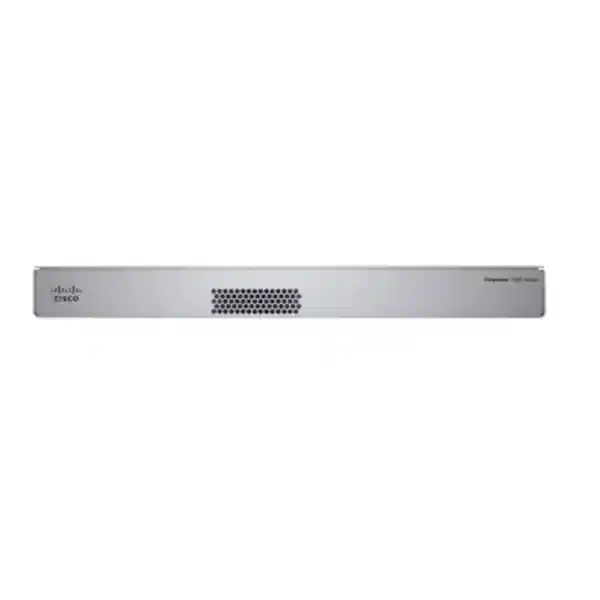
Cisco Firepower 1150 Firewall for Tanzania
1U appliance • Copper and optical connections • Software and licensing assessment
The Cisco Firepower 1150 Firewall is a rack-mounted security appliance for organisations in Tanzania evaluating a controlled internet edge, protected branch connectivity or separation between business networks. It is worth considering when the requirement combines copper access connections with faster fibre uplinks and a clearly defined security policy. Ask FourTeck Tanzania for a configuration-based quotation that identifies the operating software, security subscriptions, management approach and deployment scope before placing an order.
Start with the traffic that must be inspected rather than the speed printed on an internet contract. A business using cloud applications, encrypted web services, remote access and inter-office connections creates several different processing demands. The most useful sizing discussion separates these workloads, identifies their busiest periods and records which protection functions must remain enabled. That gives the buyer a practical basis for deciding whether this model is appropriate or whether another platform deserves comparison.
This page is intended for IT managers, network administrators and procurement teams assessing this specific appliance. The planning guidance below describes questions to resolve during design; it does not mean every feature, accessory or service is included with the hardware. Pricing, stock, exact orderable configuration, entitlement terms and implementation responsibilities must be confirmed in the written quotation. A model name alone is insufficient to define a complete production firewall purchase.
Verified hardware and performance at a glance
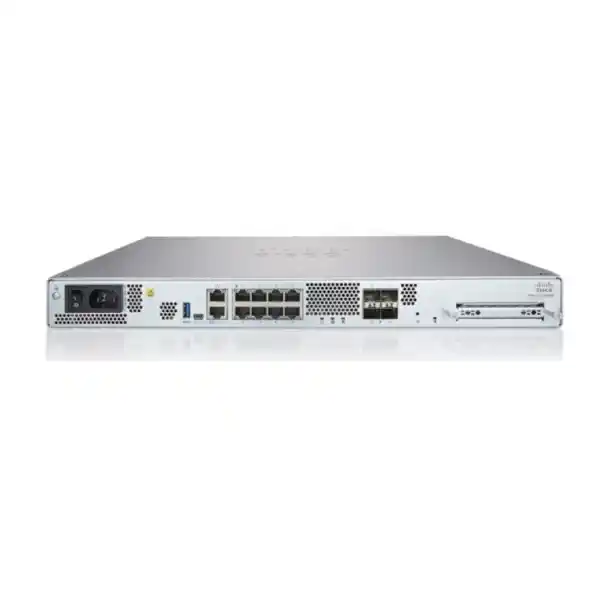
Cisco specifies eight Gigabit Ethernet RJ-45 ports, two SFP ports and two 10 Gigabit SFP+ ports. The appliance uses a 1U rack format. With Threat Defense software, published figures include 5.3 Gbps for firewall plus application visibility and control, 4.9 Gbps with IPS added, 6.1 Gbps NGIPS, 1.4 Gbps TLS and 2.4 Gbps IPsec VPN. These are distinct test results, not simultaneous guaranteed capacities.
The data sheet also lists 600,000 concurrent sessions with application visibility, 28,000 new connections per second and a maximum of 800 VPN peers. The IPsec figure uses Cisco’s 1024-byte TCP Fastpath test. Actual results vary with software, enabled functions, packet sizes and traffic mix. A 10 Gigabit interface does not establish 10 Gigabit inspected throughput.
Use published maxima to frame an assessment, then size against the intended workload. Record baseline traffic, peak traffic, connection behaviour and the proportion expected to require deeper inspection. Where an application has strict response requirements, include latency and user experience in acceptance criteria. The appliance should be selected with reasonable operating headroom, since a design that depends on permanently matching a laboratory maximum leaves little room for changing usage.
Decide between Threat Defense and ASA before ordering
The hardware installation guide identifies support for Cisco Secure Firewall Threat Defense and Cisco Secure Firewall ASA software. These are different operating choices with different management and feature workflows. Specify the intended software in the purchase brief, and verify the supported release and exact configuration. Do not assume the appliance provides both operating environments concurrently or that changing the operating environment preserves an existing configuration without migration work.
For a Threat Defense assessment, explain the inspection outcomes required: application-aware access decisions, intrusion prevention, web controls or other licensed security functions. For an ASA-oriented requirement, identify the existing configuration, operational skills and compatibility dependencies that motivate that choice. Ask the designer to map each requirement to the selected software rather than treating familiar product names as interchangeable evidence of feature equivalence.
An existing Cisco environment may influence the decision, but continuity should be examined carefully. A team familiar with one management interface can still need training for a different workflow. Review how policies are edited, approved, deployed, backed up and recovered. The final design should state the software mode, release baseline, administrative method and expected maintenance process so procurement and engineering approve the same solution.
Read throughput figures in the context of your network
Separate ordinary internet forwarding, threat inspection, encrypted traffic inspection and VPN processing in the sizing worksheet. A single combined bandwidth estimate can hide the busiest processing path. For example, a scheduled data transfer may consume substantial bandwidth with few connections, while many users browsing cloud services can create frequent short-lived sessions. Neither example should be used as a universal sizing rule; both illustrate why workload composition matters.
Measure busy-hour behaviour over a representative business period where possible. Include operational peaks such as backups, payroll processing, reporting, software distribution and large file exchanges. Establish whether these tasks happen together or at different times. Record foreseeable changes, including additional branches, new cloud services and increased remote work. These inputs are more useful than selecting an arbitrary percentage increase without understanding what will generate the extra traffic.
Agree on acceptable headroom and review the proposed configuration against it. If encrypted inspection is required for only certain categories of traffic, document the intended selection and exclusions. If VPN traffic will also pass through additional inspection policies, describe that path explicitly. A proof of concept using representative traffic can be valuable where the workload is uncertain or where the cost of an undersized appliance would be significant.
Map copper, fibre and switching dependencies
The mix of copper and optical interfaces can simplify some designs, but the port plan still needs careful attention. Identify which connections will serve internet circuits, internal switching, isolated server segments and any availability links. Separate physical port requirements from logical network requirements. Several business networks may share a suitably designed switch connection, while another connection may require dedicated physical separation for operational reasons.
Confirm supported optics and cabling against Cisco compatibility documentation for the selected release and hardware. Specify link speed, fibre type, distance, connector type and the equipment at the far end. Avoid treating an SFP or SFP+ cage as proof that any transceiver will work. The quotation should identify supplied modules and cables clearly, including items required at the switch or provider handoff that fall outside the firewall purchase.
Review the complete forwarding path. A faster firewall uplink cannot remove a bottleneck in an older switch, oversubscribed uplink or restricted provider connection. Check VLAN assignments, trunk configuration, addressing and expected route selection before cutover. Label interfaces using a shared port schedule so the installation team and operations team can relate physical cables to the approved topology without relying on memory.
Build a segmentation policy that staff can maintain
A useful firewall policy starts with defined relationships between business systems. List user networks, server networks, guest connectivity, management systems and any operational devices that need separation. For each relationship, identify the application owner, business purpose, source, destination and required service. This creates a reviewable access model and helps distinguish a necessary connection from a historical rule whose purpose is no longer known.
Consider a hypothetical office that shares internet access between employees and visitors while hosting an internal application. Visitors may need external connectivity without access to internal servers. Employees may need access to the application but not its administrative interface. Administrators may need a separate management path. These are design examples, not a preconfigured policy supplied with the appliance; the actual rules must reflect the customer’s systems.
Keep rule names and network objects understandable. Record exceptions with an owner and review date, and test that prohibited paths remain blocked after approved access is enabled. A successful deployment should make permitted business activity predictable while keeping unnecessary reachability limited. When routing between networks occurs elsewhere, verify whether traffic actually crosses the firewall before assuming an access rule protects that relationship.
Make security subscriptions explicit
Request an itemised licensing proposal that maps desired protection outcomes to the exact orderable subscriptions and terms. Hardware ownership does not establish that every optional security service is included. Identify the requested inspection functions, management entitlement, remote-access requirements and support coverage separately. Ask what is included initially, what requires renewal and what operational consequences follow if a particular entitlement expires.
Procurement should compare equivalent configurations. A lower hardware price can be misleading if another quotation includes subscriptions, optics, management capacity or implementation work that the first quotation excludes. Compare the same operating mode, subscription duration, quantities and support assumptions. Keep optional enhancements visible as separate items so the business can make informed choices without confusing an optional capability with a mandatory prerequisite.
Assign responsibility for account registration and entitlement administration before deployment. The organisation should know which authorised staff control renewals, support access and relevant management accounts. Store licensing records with the asset documentation, using appropriate access controls. A repeatable ownership process reduces delays when the firewall needs a software update, a replacement assessment or a renewal quotation during a busy operational period.
Choose a management model that matches the team
Cisco documents local Device Manager and central Management Center options for supported Threat Defense deployments. Management selection should account for the number of appliances, administrative responsibilities and the reporting process. Confirm feature support and compatibility for the exact software release. If a cloud management option is being evaluated, verify its current product name, entitlement and supported workflow rather than relying solely on older data-sheet terminology.
A single-site team may prioritise straightforward administration and a clear recovery path. A team responsible for several sites may place greater value on consistent policy ownership, coordinated changes and shared visibility. These are operational priorities to assess, not guarantees that one management method is always preferable. Include management infrastructure, licensing, connectivity and administrative access in the overall design and commercial scope.
Define who can view events, change policies, deploy approved changes and manage backups. Where responsibilities are divided between internal staff and an external service provider, document the boundary. Emergency access should be planned alongside routine access. The handover should explain how an authorised administrator reaches the management system when ordinary user connectivity is impaired, without unnecessarily exposing administration to untrusted networks.
Plan site-to-site VPNs around application paths
An inter-office VPN requirement should describe the applications being connected, the protected address ranges and the devices at both ends. Capture peer ownership, public addressing, authentication approach and any translation requirements. The existence of encryption support does not establish compatibility with an unspecified third-party configuration. Agree on parameters using current documentation for both endpoints before committing to the migration schedule.
Check for overlapping private networks early. Independently installed branches can use identical address ranges, which creates ambiguity when they are joined. Resolve the addressing strategy before writing access policies and tests. Also identify whether cloud services, internet access and central applications follow different routes. A tunnel can be established while an application remains inaccessible because traffic follows an unexpected path or encounters a policy mismatch.
Prepare application-level tests for each important remote service. Validate name resolution, authentication, data transfer and any background connections the application needs. Include the remote administrator in the test plan so failures can be examined at both ends. For procurement, provide the expected tunnel count, aggregate busy-hour traffic and availability expectations rather than assuming that a maximum peer figure is a complete VPN design.
Scope remote access separately from branch connectivity
Remote users introduce different requirements from fixed office-to-office links. Record the expected number of simultaneous users, endpoint types, authentication system and applications they need to reach. Confirm compatible client software and required licensing for the chosen firewall software and release. A hardware VPN peer limit should not be interpreted as a bundle of remote-access user entitlements or a guaranteed user-experience rating.
Decide which traffic should use the corporate connection and how access will be limited after authentication. Consider the needs of employees, contractors and administrators separately. A contractor supporting one application may require a narrower access scope than an employee using several internal systems. Document endpoint assumptions and account lifecycle responsibilities so access can be reviewed and removed when the business relationship changes.
Test from realistic external connections and representative devices before broad rollout. Include login recovery, multi-factor authentication where part of the approved design, application reachability and help-desk escalation. Avoid distributing shared administrative credentials as an operational shortcut. The acceptance criteria should show that authorised users can complete their work and that their accounts do not gain unrelated access to internal networks.
Treat encrypted inspection as a deliberate project choice
Encrypted traffic inspection requires more planning than enabling a checkbox. Define why inspection is needed, which traffic falls within scope and how exceptions will be handled. Assess certificate distribution, application behaviour, endpoint ownership and applicable organisational requirements. The published TLS figure provides one sizing reference, but the actual mix of connections and selected policies must inform the proposed capacity.
Some applications use connection protections or trust arrangements that require special consideration. Build a representative test group and include applications that are difficult to interrupt, such as business communications or operational portals. Record any approved exclusions with a reason and owner. Avoid broad exceptions created only to silence an unexplained fault; investigate the dependency so the security and availability implications are understood.
Communicate the rollout to the people responsible for endpoints and applications. Define how certificates will be deployed, how failed connections will be reported and who can approve changes to inspection scope. A controlled pilot helps reveal compatibility issues before they affect the entire organisation. Capacity review should use the intended production policy, because a test without the planned inspection functions answers a different performance question.
Review availability beyond the firewall chassis
Cisco lists active/standby high availability for Threat Defense on this platform. A resilient design still requires compatible devices, software, licensing and a supported topology. Specify the intended pair and confirm the exact configuration with current documentation. Do not infer that purchasing a single appliance provides chassis redundancy, or that adding a second appliance automatically doubles the processing capacity available to an individual traffic flow.
Examine shared dependencies such as power, upstream switching, internet handoff and downstream switching. Two firewalls can still depend on one failed component elsewhere in the path. Determine which failure cases the design is expected to survive and which remain accepted business risks. Include any necessary switch ports, cabling and power arrangements in the bill of materials instead of leaving those requirements to installation day.
Agree on planned failover tests and the business services used to judge recovery. Record what users may experience during a transition and what evidence operations staff should collect. Test management access and monitoring as well as forwarding. An availability design is easier to support when the team knows how to distinguish a firewall failure from an internet outage or a switching problem.
Prepare the installation environment
The hardware guide lists a dedicated Gigabit Ethernet management interface and console access. Keep management connectivity separate in the design from ordinary production traffic. Plan how authorised administrators will reach the device during initial configuration and later troubleshooting. Include a documented port allocation and access method so recovery does not depend on a single employee’s laptop or an undocumented cable arrangement.
Cisco’s hardware guidance should determine mounting, clearance and environmental checks for the exact unit. Confirm the rack position, airflow path, power connection and cabling before delivery. Evaluate the power continuity of connected network equipment as a whole. A firewall that remains powered while its essential switches or provider equipment lose power may not preserve the business service that the UPS was intended to protect.
Use a site-readiness checklist with a named owner for each dependency. Confirm rack access, installation permissions, approved maintenance time and availability of the existing configuration backup. Photograph or record cable labels where useful, without exposing sensitive configuration details. These practical preparations reduce avoidable delays and help the installation team focus on controlled configuration and testing rather than resolving missing infrastructure.
Migrate rules with business ownership
Replacing a firewall is an opportunity to review access policy, but the migration should preserve required business behaviour intentionally. Export and protect the existing configuration, inventory important services and identify rules with unclear ownership. Determine whether the project includes policy cleanup or a narrower migration. Combining both without an agreed scope can make testing harder because too many unrelated changes happen at once.
Assess address objects, translation rules, routes, VPN definitions and management permissions as separate workstreams. Similar feature names do not establish identical behaviour across operating environments. Validate any migration tooling against supported source and destination versions, and review its output before deployment. Manually inspect the rules protecting published services and critical internal systems because errors in those paths can have a disproportionate operational impact.
Prepare a rollback plan with practical trigger points. State who can authorise rollback, what evidence should be collected first and how the original path will be restored. Keep the previous configuration and cable mapping available during the change window. Business owners should know when to test and how to report a failure so the team can make an informed decision before the maintenance period ends.
Test business outcomes before acceptance
Define success before installation starts. Useful acceptance tests include staff internet access, approved cloud applications, remote connectivity, required server access and isolation of networks that should not communicate. For externally published services, test from an appropriate external location. A successful ping or a green interface indicator is useful diagnostic evidence, but it does not prove that the required business workflows operate correctly.
Use a test matrix that names the source network, destination service, expected outcome and responsible tester. Include both allowed and denied examples. If a guest network should not reach internal administration, record that negative test explicitly. Where multiple internet paths exist, identify which failure scenarios will be tested and distinguish planned behaviour from assumptions that have never been demonstrated.
Record the deployed configuration baseline, relevant software versions and outstanding exceptions at handover. Capture representative performance observations with the intended policies active. If a test cannot be completed because an application owner is unavailable, record the limitation and arrange a follow-up rather than marking it as passed. Clear acceptance evidence gives both procurement and operations a shared understanding of what was delivered.
Set up logging and a sustainable support routine
Decide which events need to be retained, who will review them and where investigation records belong. Logging everything without a review process can create noise and storage pressure. Logging too little can leave the team unable to explain a failure. Match event collection to operational questions, such as which policy denied a connection, whether a VPN changed state or whether an administrator altered the configuration.
Use consistent time settings and meaningful names so records from different systems can be compared. Agree on retention needs according to the organisation’s requirements, and assess any separate log storage or monitoring platform. Local appliance storage should not be assumed to replace an intentionally designed retention system. Include access controls for logs because they may reveal internal addresses, user activity or sensitive operational details.
Establish a maintenance calendar for policy review, backup verification, entitlement tracking and software assessment. Check current Cisco advisories and release compatibility before planning updates. Assign an owner for each activity and maintain an escalation path. This routine should remain practical for the team that actually supports the network, whether responsibilities sit internally, externally or across both groups.
Compare alternatives using the same requirements
The 1150 should be compared with other options using the same inspection profile and commercial assumptions. Start with interface needs, realistic protected throughput, management requirements and the expected lifecycle of the project. If another appliance is proposed, ask for the reasoning in those terms. Comparing only a headline firewall number can hide differences in tested conditions, software behaviour and included subscriptions.
A smaller environment with modest traffic may not need the same platform as a busy office with several protected networks. Conversely, a project with heavy encrypted inspection or demanding growth expectations may require a broader assessment. These are reasons to validate the workload, not automatic recommendations for a different model. The appropriate decision depends on measured needs and the features the organisation intends to operate.
Separate acquisition cost from ongoing operating cost. Include renewals, management infrastructure, optics, implementation, staff training and support obligations in the comparison. Ask each supplier to identify exclusions and assumptions in writing. A clear comparison makes it easier to explain why the selected configuration meets the business requirement and which trade-offs the organisation has deliberately accepted.
What to include in a Tanzania quotation request
Send FourTeck Tanzania a concise technical brief describing the number of sites, internet bandwidth, expected growth, internal networks and business-critical applications. Include the existing firewall model and software where a replacement is involved. Explain whether the project requires hardware only, a licensed security configuration, migration assistance or a broader deployment scope. The requested scope should be confirmed in the proposal rather than inferred from a product page.
State your preferred operating software if already decided, and identify management, remote-access and availability requirements. Include the number and type of optical connections, plus any known transceiver or switching constraints. Provide target installation dates as planning information without assuming stock or delivery availability. Request written confirmation of the exact orderable part numbers, subscription terms, supplied accessories and commercial validity.
Ask for a clearly itemised TZS quotation where applicable, including the treatment of taxes and any separately chargeable work. Confirm warranty and support terms for the exact offer, along with delivery arrangements and responsibility for installation. No price, local stock level or guaranteed completion time is stated here because those details require verification for the configuration and order being discussed.
Keep an accurate asset and renewal record
Create an asset record when the configuration is agreed. Include the supplied model, serial number after delivery, approved operating software, ownership contact and associated commercial documents. Keep sensitive account details in a controlled system rather than in a widely shared spreadsheet. The record should let an authorised colleague identify the appliance and its entitlements without depending on the original purchaser.
Track subscription and support dates alongside the internal budget cycle. Give the renewal owner enough time to review whether requirements have changed before seeking a new quotation. Growth, application changes or a revised management strategy can alter what should be renewed. Confirm the exact entitlement references with the supplier instead of copying identifiers from an unrelated appliance.
Document the installed location, cable schedule and recovery responsibilities as part of the same handover. When equipment is moved, replaced or decommissioned, update these records and review stored configurations according to the organisation’s data-handling practice. Maintaining this information is a practical operating task that makes later troubleshooting, procurement and lifecycle decisions easier.
Frequently asked buying questions
Is this a 10 Gigabit firewall? The model includes two 10 Gigabit SFP+ interfaces, but interface speed and inspected throughput describe different things. Select it using the performance figures for the intended software and protection profile. Check switching, optics and cabling as well, since an appropriate port on the appliance does not establish the capacity of the complete application path.
Does the hardware include every security service? Do not assume that it does. Ask for a mapping between each required security function and its entitlement, duration and renewal requirement. The same approach applies to management and remote-access licensing. A written configuration list is more useful than a general statement that an appliance is fully featured.
Can it replace an existing ASA? It may be considered as part of a replacement assessment, but the existing configuration, target operating software and supported versions need review. Migration should include routes, translation, policies, remote connectivity and application testing. A familiar manufacturer name does not remove the need to check configuration behaviour and plan a controlled cutover.
How many users can it support? User count alone is insufficient for dependable sizing. Gather concurrent activity, application types, connection rates, inspection requirements and expected VPN use. Two organisations with similar staff numbers can generate very different workloads. Ask for a sizing explanation that relates those inputs to the proposed configuration and identifies remaining uncertainty.
Can it protect several internal networks? The answer depends on where traffic is routed and how the topology is built. Define the networks and required communication paths, then verify that the relevant traffic crosses the intended enforcement point. Include switch configuration and addressing in the design review so policy is applied where the business expects it.
Is installation part of the purchase? Treat installation, migration, testing and ongoing support as scope items to be confirmed in the quotation. The public Tanzania site provides a separate Cisco firewall installation and configuration service page for discussing deployment needs. The product order should still state exactly which work, documentation and handover activities are included.
Request a configuration-based proposal
Ask FourTeck Tanzania to assess the Firepower 1150 against your traffic profile, interface plan, software preference and support requirements. Provide a network summary and the services that must remain available during migration. Request a proposal that separates appliance hardware, required entitlements, accessories and engineering work so the final purchase can be reviewed by both technical and procurement stakeholders.
For deployment planning, review the verified Cisco firewall installation and configuration service page linked below. Confirm the exact scope and commercial terms directly before ordering. A useful final proposal should explain why the selected configuration fits, what the customer must prepare and how successful operation will be demonstrated during handover.




Reviews
There are no reviews yet.