
Grandstream GWN7701 Tanzania
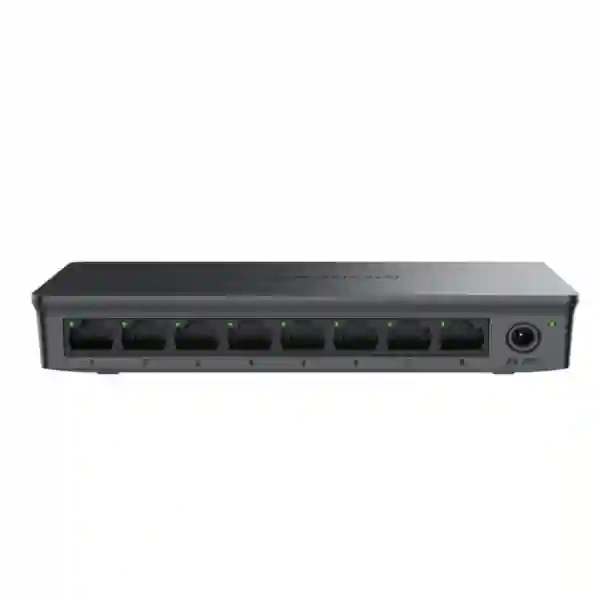
The Grandstream GWN7701 is an 8-port unmanaged Gigabit Ethernet switch for organisations that need a simple, compact and cost-conscious way to extend wired LAN connectivity. It is designed for plug-and-play use, so there is no management interface to configure before connecting endpoints. For Tanzanian offices, retail locations, reception areas, small server-room edge connections, branch sites and home-office environments, the GWN7701 offers a practical way to connect computers, printers, routers, network appliances and other standard Ethernet devices at Gigabit speeds.
Choose the GWN7701 when you need eight non-PoE Gigabit ports, no VLAN or web-management requirement, compact desktop or wall installation and straightforward network expansion. If your design needs PoE, VLANs, managed uplinks or remote switch administration, select a different model or managed-switch family instead.
What is the Grandstream GWN7701?
The GWN7701 belongs to Grandstream’s GWN7700 series of unmanaged network switches. Official Grandstream documentation identifies the GWN7701 as an 8-port unmanaged Gigabit switch with eight 10/100/1000Mbps RJ45 ports, Auto Negotiation and Auto MDI/MDIX. The model is intended to add wired Gigabit connectivity without requiring switch configuration. This makes it especially suitable where the network design is intentionally simple: a router or firewall already provides addressing and policy, while the switch is used only to increase the number of physical Ethernet connections.
Its switching capacity is 16Gbps, with an 8K MAC address table and support for 9KB jumbo frames. Grandstream also lists IEEE 802.3i, 802.3u, 802.3ab and 802.3x network standards for this model, along with MAC address auto-learning and auto-aging, IEEE 802.3x flow control, 802.1p/DSCP QoS behaviour, unlink-clear FDB functionality and IGMP-related functions. Because the GWN7701 is unmanaged, buyers should understand that these built-in functions are not the same as a configurable managed-switch feature set. There is no expectation that an administrator will create VLANs, define trunks or build complex access policies on the unit itself.
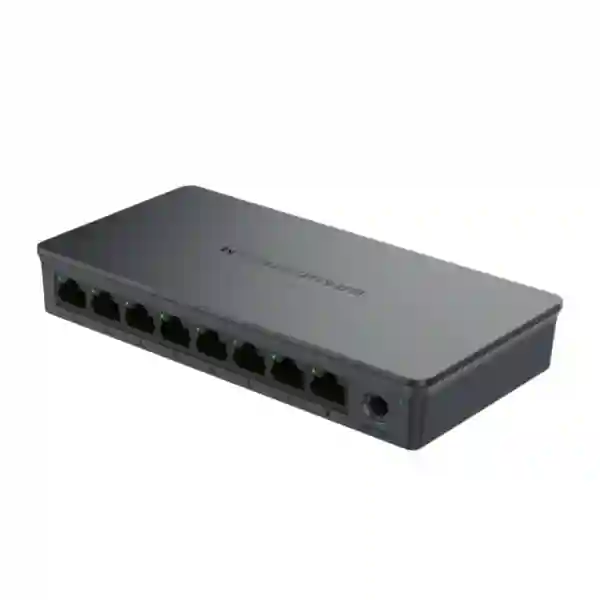
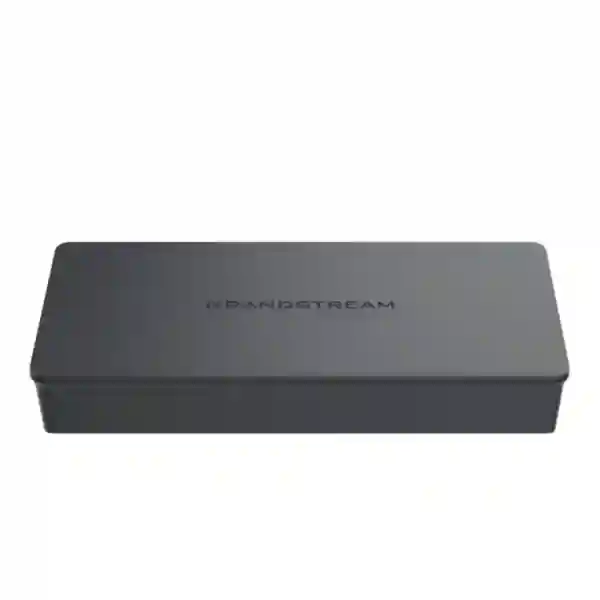
The enclosure is plastic and the device supports desktop or wall mounting. The official datasheet gives unit dimensions of 164 x 80 x 30mm and a unit weight of about 0.17kg. Power is supplied by an external 5VDC/0.6A adapter, with a maximum base-system power consumption of 2.7W. The operating-temperature range is 0°C to 40°C, with 10% to 90% non-condensing operating humidity. The package includes the switch, power adapter and quick installation guide.
8 Gigabit ports
Eight RJ45 interfaces support 10/100/1000Mbps Ethernet with auto negotiation and Auto MDI/MDIX, simplifying connection of ordinary network devices.
16Gbps switching
The published switching capacity is 16Gbps, appropriate for a compact eight-port Gigabit access switch used within its intended SMB role.
Unmanaged operation
No web interface or controller configuration is needed for basic use. Connect power, connect the uplink and attach Ethernet endpoints.
No PoE output
The GWN7701 itself does not provide Power over Ethernet. PoE endpoints need their own power or a PoE-capable switch/injector.
Grandstream GWN7701 specifications
| Model | GWN7701 |
| Switch type | Unmanaged Gigabit Ethernet switch |
| RJ45 ports | 8 x 10/100/1000Mbps |
| PoE ports | None |
| Switching capacity | 16Gbps |
| MAC address table | 8K |
| Jumbo frame | 9KB |
| Standards | IEEE 802.3i, 802.3u, 802.3ab, 802.3x |
| Mounting | Desktop / wall-mount |
| Power | External 5VDC/0.6A adapter |
| Maximum base power consumption | 2.7W |
| Dimensions | 164 x 80 x 30mm |
| Unit weight | 0.17kg |
| Operating temperature | 0°C to 40°C |
Where the GWN7701 fits in a business network
An eight-port unmanaged switch is useful when the network edge does not require advanced control. A typical deployment might connect a router or firewall uplink to the GWN7701, then use the remaining ports for desktop PCs, printers, a NAS, a locally powered IP phone, a point-of-sale terminal or another small Ethernet appliance. It can also be used as a compact expansion point where a larger managed network already exists and the connected devices belong to the same intended network segment.
The most important design question is not whether eight ports sound sufficient today, but whether the endpoint count and growth plan leave enough headroom. Remember that one port is commonly consumed by the uplink, leaving seven ports for local devices. If all eight endpoint connections are required and an uplink must also be connected, a larger switch may be more appropriate. Buyers should also check whether any connected device needs PoE. Standard IP cameras, many wireless access points and many IP phones often rely on PoE in professional deployments. The GWN7701 cannot power them, so those endpoints will need separate adapters, injectors or a PoE switch.
Another important distinction is management. The GWN7701 is best for simple Layer-2 connectivity. If your deployment requires VLAN assignment per port, remote monitoring, link aggregation, spanning-tree control, configurable security policies or switch-level troubleshooting, a managed switch should be considered. FourTeck’s Tanzania technology shop provides broader network-switch and infrastructure options, while the FourTeck Tanzania services portfolio is useful when the switch is part of a wider LAN, Wi-Fi, voice or security deployment.
GWN7701 vs GWN7701P and GWN7701PA
The GWN7701, GWN7701P and GWN7701PA share an eight-port format in the GWN7700 family, but their power capabilities differ. The standard GWN7701 has no PoE output. The GWN7701P provides PoE on four ports with a published 60W total PoE budget, while the GWN7701PA provides PoE across eight ports with a published 145W total budget. Enclosure and mounting details also differ across the models. This distinction matters because a buyer choosing purely by the number of Ethernet ports can accidentally select a non-PoE model for cameras or access points that were expected to receive power through the network cable.
For a small office where every endpoint already has its own power source, the GWN7701 can be the cleaner and lower-complexity choice. For IP telephony, surveillance or wireless deployments, calculate the number of PoE endpoints and the total wattage before selecting the switch. If the requirement also includes configurable VLANs and central switch management, move beyond the unmanaged GWN7700 family and evaluate a managed Grandstream switch or another managed platform that matches the network design.
Installation and deployment guidance
1. Confirm the uplink
Connect one switch port to a LAN port on the router, firewall or upstream switch. Verify that the upstream network provides the required DHCP, routing and security services.
2. Count endpoints
Reserve a port for the uplink and confirm the remaining ports cover current devices plus realistic growth. Avoid designing a new site with no spare capacity.
3. Verify power
The GWN7701 does not supply PoE. Each connected endpoint requiring power must use its own supply or another PoE source.
4. Plan placement
Install the switch in a dry, ventilated location within its operating-temperature range. Desktop or wall mounting can help keep small network spaces organised.
Grandstream GWN7701 Tanzania
For organisations in Tanzania, the Grandstream GWN7701 is a relevant choice when the requirement is uncomplicated wired LAN expansion rather than a fully managed access layer. A small professional office may have a router or firewall with only a few LAN ports but need additional connections for desktop computers, a shared printer, a network storage device, a reception terminal and another fixed endpoint. The GWN7701 adds eight Gigabit ports in a compact form factor without requiring switch configuration, which can simplify small deployments where the logical network design is already handled upstream.
Procurement teams should define the exact role of the switch before requesting a quotation. Start with device count, then separate devices that need ordinary Ethernet from devices that require PoE. If the site includes IP cameras, wireless access points or IP phones, determine whether those endpoints have local adapters. If not, a PoE-capable model may be more suitable. Also consider whether users need VLAN separation, central monitoring or port-level administration. The GWN7701 is intentionally unmanaged, so it should not be selected where those capabilities are mandatory.
Tanzania deployments may also benefit from attention to power continuity and physical installation. The switch consumes little base power, but the wider network can still be affected by unstable power or accidental disconnection. A suitable UPS for the router, firewall, switch and other critical network devices can improve continuity during brief interruptions. Cabling should be tested and labelled, particularly when a small switch is used in a shared communications area where several users or systems converge. For project planning that includes switching, wireless, firewall and cabling together, FourTeck Tanzania can assess the switch as one component of the full network rather than as an isolated purchase.
Grandstream GWN7701 Dar es Salaam
In Dar es Salaam, the GWN7701 can suit compact offices, professional services firms, retail back offices, clinics, training centres and branch sites that need a few more wired connections without introducing switch-management overhead. In these environments the practical requirement is often simple: the internet router or firewall is already in place, but its built-in LAN ports are no longer enough for fixed workstations, printers and other local devices. The GWN7701 can provide a straightforward eight-port Gigabit edge layer for that purpose.
A good Dar es Salaam deployment begins with the physical layout. Decide whether the switch will sit near the router, inside a small communications cabinet or on a wall near a group of Ethernet outlets. Keep cable runs within Ethernet design limits, avoid placing the device in hot or poorly ventilated spaces and ensure the power adapter is secured. If the office is expanding, count the ports carefully. Using one port for the uplink typically leaves seven for endpoints. A site that already expects seven or eight local devices may be better served by moving to a 16-port switch rather than filling the GWN7701 from day one.
Businesses combining phones, cameras and Wi-Fi should also confirm power requirements. The GWN7701 has no PoE output. Where access points or IP phones require PoE, either select a PoE-capable switch or include suitable power injectors/adapters in the bill of materials. For organisations with multiple Dar es Salaam branches, standardising endpoint counts, cabling labels and network diagrams can make support easier even when the switch itself is unmanaged. The value comes from a clean, repeatable site design rather than from configuration features inside the switch.
Grandstream GWN7701 Mwanza
For Mwanza businesses, the GWN7701 can provide a compact Gigabit connectivity layer for branch offices, small commercial locations, service counters, education spaces and other sites where a handful of wired devices must share one upstream network connection. Its unmanaged operation means the switch does not need a configuration session before being put into service, which can reduce deployment steps when the site is intentionally simple and all connected devices belong to the same network segment.
Before choosing the model, document the endpoint list. A useful checklist includes computers, printers, IP phones, recorders, access points, storage appliances and any specialised business equipment that needs Ethernet. Then identify which of those devices need PoE and which have their own power. The GWN7701 is suitable only for non-PoE switching. If the project includes several cameras or wireless access points that should be powered from the switch, the procurement plan should move to a suitable PoE model instead of adding multiple injectors without a clear design.
For Mwanza sites where technical support may need to be performed by different staff over time, simple documentation adds significant value. Label the uplink, note which ports serve which rooms or devices, record the router/firewall address and keep a basic diagram near the communications area. Because the switch itself is unmanaged, troubleshooting normally begins with link LEDs, cable tests, endpoint settings and the upstream network device. Power protection is also worth considering for the router and switching equipment, especially where business continuity is important. A small UPS can keep the local network stable through brief power events, provided it is correctly sized for the devices connected to it.
Grandstream GWN7701 Arusha
In Arusha, organisations in hospitality, tourism support, professional services, education and general commerce may need compact wired-network expansion at reception desks, administration offices, small back-of-house areas or remote buildings. The GWN7701 is relevant when those endpoints simply require stable Gigabit Ethernet access and do not need switch-level VLAN configuration or PoE. Its eight auto-negotiating ports allow mixed 10/100/1000Mbps Ethernet devices to connect while the switch handles link negotiation automatically.
Hospitality and guest-service environments should separate the idea of physical connectivity from network policy. The GWN7701 can connect devices, but it is not the place to build guest/staff segmentation. If a site needs dedicated VLANs for staff, guest wireless, CCTV, payment terminals or voice, that segmentation should be provided by suitable managed switching and routing equipment. Using an unmanaged switch inside a carefully designed segment can still be valid, but it should be an intentional architectural choice.
For procurement in Arusha, provide the quantity of switches, intended location, endpoint list, uplink source and power requirements. Mention whether wall mounting is preferred and whether the switch will be installed in an enclosed cabinet. The official 0°C to 40°C operating range means ventilation should be considered if the communications space becomes hot. Also indicate whether the site needs rack-mount equipment; the compact GWN7701 is a desktop/wall model rather than a conventional rack switch. When the requirement grows beyond a simple eight-port edge, consider a larger or managed platform rather than chaining small unmanaged switches across a complex site.
Grandstream GWN7701 Dodoma
Dodoma offices, administrative sites, training facilities and small branch locations can use the GWN7701 where a simple eight-port Gigabit access switch is sufficient. It is particularly useful for straightforward desk-side or room-level expansion when an existing router or firewall provides DHCP, internet access and security controls. The switch itself does not require software setup, so installation can focus on correct cabling, reliable power and accurate endpoint connections.
The decision should be based on the network role rather than the purchase price alone. If an organisation expects the switch to power phones, cameras or wireless access points, the GWN7701 is not the correct model because it has no PoE output. If the project requires administrators to create VLANs, monitor individual ports, aggregate links or apply configurable switch policies, a managed switch should be selected. The GWN7701 is most effective when the network requirement is deliberately modest and well defined.
For new Dodoma installations, reserve capacity for growth. A small site may start with four or five wired devices, making the eight-port format practical. If the requirement is already close to the maximum available connections, buying a larger switch can reduce future disruption. Keep the switch, router and any critical communications equipment on appropriate power protection where business operations depend on continuous connectivity. Use structured cabling rather than loose patch leads across long distances, and label the switch ports even though the device is unmanaged. This creates a more professional installation and makes later troubleshooting significantly faster.
Grandstream GWN7701 UAE
For organisations with operations in the UAE as well as Tanzania, the Grandstream GWN7701 can serve as a consistent small-site switch where the requirement is non-PoE Gigabit connectivity. Standardising a compact switch model across branch offices can simplify spare-parts planning and basic documentation, provided every site genuinely has the same network requirements. The UAE deployment should still be assessed independently for endpoint count, physical placement and whether managed features are needed.
A common use case is a small room or branch where a firewall/router connection must be extended to several desktops, printers and local appliances. The GWN7701’s eight ports and 16Gbps switching capacity fit that simple edge role. It should not be confused with a managed access switch or PoE device. If IP phones, access points or cameras are expected to draw power from Ethernet, use a PoE-capable model. If the site needs VLAN trunks, port authentication or central switch configuration, choose a managed platform.
Cross-border IT teams often benefit from a common bill-of-materials template that records switch model, uplink port, endpoint names, cable labels and power source. This can make support easier even when local service arrangements differ. FourTeck’s UAE technology solutions site can be used for related UAE requirements, while Tanzania projects can be handled through the Tanzania site. Keeping the technical standard consistent across locations is useful, but avoid forcing the GWN7701 into sites that need more ports, PoE or managed capabilities simply for the sake of standardisation.
Grandstream GWN7701 Uganda
In Uganda, the GWN7701 can fit small offices, retail environments, clinics, schools and branch locations that need to extend a simple Ethernet LAN. The unit’s unmanaged design is useful where the network does not require switch configuration and the upstream router or firewall already handles the site’s addressing and security policies. Eight Gigabit ports provide room for a modest group of wired devices, but planners should reserve capacity for the uplink and future growth.
Before ordering, list the endpoints and classify them by power requirement. PCs, printers and many network appliances have their own power and can connect directly. IP cameras, wireless access points and IP phones frequently rely on PoE in business deployments. Because the GWN7701 does not provide PoE, those devices need separate power or a different switch. The same planning applies to management: an unmanaged switch is not a substitute for a VLAN-capable access switch when the network needs segmentation.
Ugandan organisations with multiple branches can use a standard deployment note for each site: uplink device, switch location, cable labels, endpoint list and power protection. This makes it easier to support an unmanaged switch because technicians know what should be connected without needing a management interface. For broader Uganda networking and communications requirements, the FourTeck Uganda technology portal provides a regional point of reference. The right procurement choice should still be driven by the actual branch design, including port count, PoE, environment and future expansion.
Grandstream GWN7701 Kampala
Kampala businesses often operate compact office and retail networks where wired Ethernet remains important for desktops, printers, payment devices and local appliances. In a small, single-segment environment, the GWN7701 can expand a router or firewall’s available LAN ports without adding switch-management complexity. The device is plug-and-play, so the deployment process is primarily physical: connect power, connect the uplink and attach endpoints using suitable Ethernet cabling.
The switch is best used where simplicity is intentional. A growing Kampala office may initially need only four or five wired connections, leaving spare ports for future staff or equipment. If a site is already expected to use seven or more endpoint ports, choose a larger switch rather than designing around a device that will be full immediately. If users expect PoE-powered phones or access points, specify a PoE switch from the outset. Adding power injectors later can work technically but may create unnecessary adapters and cable clutter.
Network reliability also depends on the rest of the environment. Confirm the router or firewall can handle the users and applications, test cabling and provide adequate power protection. Since the GWN7701 has no configuration interface, issues such as DHCP failure, internet access and network segmentation are usually diagnosed upstream rather than on the switch. Keeping a port map and basic network diagram can reduce troubleshooting time. For branches that later add guest Wi-Fi, CCTV or IP telephony, reassess whether unmanaged switching still fits the architecture instead of simply extending the same topology indefinitely.
Grandstream GWN7701 Arua
For Arua deployments, the GWN7701 can be useful in small branch environments where easy installation and a compact footprint matter more than advanced switch management. A site may need Ethernet for a few staff workstations, an office printer, a local server or storage device and an upstream router. The eight-port format can accommodate this type of requirement while keeping the equipment list simple.
A remote or branch-site design should emphasise clarity. Because the switch is unmanaged, remote IT teams cannot rely on switch-level configuration tools to identify every issue. Label cables, document which endpoint is connected to each port and record the upstream network device. Where a local user may need to assist with basic troubleshooting, simple instructions such as checking the power LED, link LED and cable seating can be more useful than complex technical procedures.
Power and expansion planning are equally important. The GWN7701 itself has low base power consumption, but the router, switch and other critical network devices may benefit from UPS protection where interruptions affect operations. Do not assume the switch can power IP cameras or phones; it has no PoE output. If a future Arua site expansion will add wireless access points or surveillance cameras, choosing a PoE or managed switch earlier may reduce later replacement work. Procurement teams should therefore include current endpoint count, expected growth, PoE needs and management requirements in the quotation request, rather than treating all eight-port Gigabit switches as interchangeable.
Grandstream GWN7701 Mbarara
In Mbarara, the GWN7701 is suited to small wired networks that need additional Gigabit ports for conventional Ethernet devices. Business environments such as clinics, offices, retail operations and training centres may have a router with limited LAN interfaces but several fixed devices that benefit from reliable cable connections. The switch provides a straightforward expansion point without requiring configuration or licensing.
The main buying questions are port count, PoE and management. One physical port will often be used for the connection back to the router or upstream switch, so available endpoint capacity should be calculated accordingly. The GWN7701 does not power devices through Ethernet. If IP phones, cameras or access points are included, confirm whether they have separate power adapters; otherwise, use a PoE-capable switch. If the network requires VLAN separation for staff, guest, voice or CCTV traffic, choose a managed solution that can enforce the intended architecture.
For a clean Mbarara installation, place the switch in a secure, ventilated location and use properly terminated and labelled cables. Avoid leaving the unit loose among power adapters where connectors can be accidentally removed. If several network devices depend on one power point, plan the power strip and UPS arrangement deliberately. Keep a short site record containing device model, serial information, uplink path and port assignments. These small operational steps can make an unmanaged switch easier to support over its lifecycle and reduce the time spent tracing cables during changes or troubleshooting.
Grandstream GWN7701 Gulu
Gulu organisations looking for a compact 8-port Gigabit switch can consider the GWN7701 when their requirement is simple Layer-2 connectivity. The device works best at a small network edge where the upstream router or firewall provides the intelligence and the switch simply connects local Ethernet endpoints. This can be practical for modest office groups, service desks, administrative rooms or small commercial sites.
The absence of configuration is both an advantage and a limitation. Deployment is fast because there are no VLANs or management credentials to set on the switch. At the same time, administrators cannot use it to build complex segmentation or centrally manage port behaviour. When a Gulu site is likely to grow into a multi-VLAN network, selecting a managed switch from the beginning may be more economical than replacing the unmanaged model later.
Endpoint power should be reviewed before purchase. The standard GWN7701 has no PoE output, so PoE-dependent devices require another power method. For ordinary PCs, printers, network appliances and other self-powered devices, this is not a concern. Planning should also include spare ports and cabling quality. A switch that is filled on day one gives the organisation no convenient room for growth. Good labelling, ventilation and power protection help make the physical installation more dependable. If the network forms part of a larger multi-site design, use the same documentation template across branches so the uncomplicated hardware remains easy to understand and support.
Grandstream GWN7701 Kenya
For Kenya-based branches and organisations that operate across East Africa, the GWN7701 can provide a consistent small-site wired-switching option when eight non-PoE Gigabit ports are appropriate. A standardised model can simplify procurement records, spare-device planning and installation notes, but the underlying network requirements should still be checked at every location. A Nairobi office, a warehouse branch or a remote sales site may have very different port and management needs.
The GWN7701 is a strong fit for simple networks where endpoint devices have their own power and an upstream firewall or router already provides policy and addressing. It is not a PoE switch and does not replace a managed access layer. If a Kenyan site uses many access points, phones or cameras, calculate PoE capacity and select a compatible PoE model. If the site needs staff, guest and device VLANs, plan managed switching rather than attempting to create the segmentation through an unmanaged unit.
For regional procurement, record model number, quantity, power-adapter requirement, installation location and expected endpoint count in the request. Avoid assuming that pricing or stock status seen on another market applies locally; availability and commercial terms should be confirmed for the actual destination. FourTeck’s Kenya IT solutions site can support Kenya-specific technology planning, while Tanzania enquiries remain aligned to the Tanzania platform. Cross-border consistency is useful when it follows a shared architecture, not when it overrides the technical needs of each branch.
Grandstream GWN7701 Kuwait
Kuwait offices and branch environments can use the GWN7701 as a small unmanaged Gigabit switch where straightforward wired expansion is the objective. The model’s eight 10/100/1000Mbps ports suit self-powered Ethernet endpoints, while the lack of switch configuration can reduce setup effort for a small site. It is particularly appropriate where a router, firewall or managed upstream switch already defines the network policies and the local edge needs only basic connectivity.
Physical environment remains important. The official operating-temperature range is 0°C to 40°C, so network equipment should be installed indoors in a suitable conditioned and ventilated area rather than in exposed or excessively hot spaces. Wall mounting can help keep the compact switch away from clutter, while desktop placement may be adequate in a secure communications area. Cabling should be organised and labelled so future changes do not require trial-and-error tracing.
When preparing a Kuwait quotation, specify whether any endpoints require PoE. The standard GWN7701 has none. Also indicate whether the site requires VLANs, managed monitoring or rack mounting. These requirements can change the recommended product family completely. For an eight-port office with ordinary PCs and printers, the GWN7701 may be sufficient. For a surveillance, Wi-Fi or IP-phone deployment, a PoE switch may be more appropriate. For a multi-department or compliance-sensitive network, managed switching is usually preferable because administrators need greater visibility and control than an unmanaged device can provide.
Grandstream GWN7701 Ghana
In Ghana, the GWN7701 is relevant for small-business and branch deployments that need a compact set of Gigabit Ethernet ports without software configuration. It can connect fixed workstations, printers, storage devices and other self-powered Ethernet endpoints to an existing router or upstream switch. Because the unit is unmanaged, it is particularly easy to deploy where all devices belong to the same intended network segment.
The buyer should first confirm that simplicity matches the network plan. If the organisation expects guest Wi-Fi, staff devices, CCTV and voice equipment to be separated into different VLANs, a managed switch should be part of the design. Likewise, the standard GWN7701 should not be selected when PoE is expected. Cameras, access points and many IP phones often use 802.3af/at power from the switch, while this model offers no PoE output. The related GWN7701P and GWN7701PA are PoE variants, but their power budgets and port arrangements should be checked against the endpoint requirements.
For Ghana projects, include cable infrastructure, uplink device, UPS strategy and future port demand in the procurement discussion. An unmanaged switch is inexpensive to operate but should still be installed professionally. Mount it securely, keep it ventilated, use labelled patch leads and document the endpoint connections. Where organisations have operations in Tanzania and Ghana, consistent documentation and naming can help regional IT teams support each branch, even when local commercial arrangements and site conditions differ.
Grandstream GWN7701 Nigeria
For Nigerian offices, retail sites and small branches, the GWN7701 offers eight Gigabit Ethernet ports for straightforward wired expansion. It can be used when a router or firewall has insufficient LAN ports and the organisation wants to connect several local devices without configuring a managed switch. The 16Gbps switching capacity and eight Gigabit interfaces make it appropriate for ordinary small-office traffic within its intended role.
Power resilience deserves attention in environments where network continuity matters. Although the GWN7701 itself has low base power consumption, users will lose network connectivity if the switch, router or upstream internet device loses power. A correctly sized UPS for the communication stack can improve resilience through short interruptions. The power arrangement should be planned as a system rather than protecting the switch alone.
The other major procurement issue is feature fit. The GWN7701 has no PoE output and no configurable management interface. A Nigerian site deploying IP cameras, Wi-Fi access points or desk phones may be better served by a PoE model. A site with VLAN separation, remote switch monitoring or advanced access-layer controls needs managed switching. If the requirement is instead a simple group of PCs, printers and self-powered appliances, the GWN7701 can keep the network edge uncomplicated. Include expected port count over the next growth stage in the quotation so the selected switch is not fully occupied immediately after installation.
Grandstream GWN7701 Seychelles
In Seychelles, the GWN7701 may suit small offices, hospitality back-office spaces, administration areas and branch networks that need compact Gigabit Ethernet expansion. Its desktop or wall-mount form factor makes it easy to place in a small communications area, while unmanaged operation keeps setup simple when the network does not require switch-level configuration. The device should remain indoors in an appropriate environment and within the manufacturer’s published temperature and humidity limits.
Hospitality and distributed-property environments often combine many network functions, so it is important to decide whether an unmanaged switch really belongs in the design. Guest Wi-Fi, staff networks, IP telephony, cameras and building systems may require VLAN separation and PoE. In those cases, a managed PoE access switch is usually more suitable. The GWN7701 fits better in a clearly defined local segment for self-powered devices such as computers, printers and specialised Ethernet appliances.
Procurement planning should also account for logistics and spares without assuming current stock or delivery timing. Confirm the required quantity, destination, power adapters, mounting preference and endpoint list before requesting a quotation. For critical small sites, keeping a documented spare or using a standard approved model across similar locations can reduce replacement complexity. The key is to standardise only when the network role is genuinely the same. If a Seychelles branch needs more ports, fiber uplinks, PoE or management, choose the platform that fits those needs instead of forcing a compact unmanaged switch into a larger architecture.
Buying guidance: when the GWN7701 is the right choice
The GWN7701 is a good fit when you need a small number of Gigabit Ethernet connections, your endpoints have their own power, your network segment does not require switch configuration and you value quick physical deployment. It is less suitable when the site needs PoE, rack mounting, configurable VLANs, port security, fiber uplinks, link aggregation, central switch administration or substantial growth beyond eight physical ports.
Before buying, confirm the uplink design. If the switch connects to a router, decide which router LAN port will be used and whether all connected devices should share the same subnet. If the switch connects downstream of a managed network, confirm that the unmanaged edge does not undermine required segmentation. Also check the cable category and physical condition. A Gigabit switch cannot deliver reliable Gigabit links over damaged, poorly terminated or unsuitable cabling.
Related network planning on FourTeck
Switch and infrastructure selection
Browse the FourTeck Tanzania shop when comparing switch sizes, PoE requirements and related network hardware.
Network implementation support
Use the Tanzania services page for broader LAN, Wi-Fi, security and structured-infrastructure planning.
Regional East Africa requirements
For cross-border projects, reference the FourTeck Kenya and FourTeck Uganda regional technology sites.
UAE network projects
Organisations coordinating UAE and Tanzania infrastructure can also review FourTeck UAE for related regional IT and networking requirements.
Grandstream GWN7701 FAQ
Is the GWN7701 a managed switch?
No. The GWN7701 is an unmanaged Gigabit switch. It is intended for plug-and-play Ethernet connectivity rather than administrator-configured VLANs, trunks or port policies.
Does the GWN7701 provide PoE?
No. The standard GWN7701 has no PoE output. Grandstream offers related GWN7701P and GWN7701PA models with PoE capability, but buyers should verify the number of PoE ports and power budget required.
How many Gigabit ports does it have?
The GWN7701 has eight 10/100/1000Mbps RJ45 Ethernet ports. In many installations one port is used as the uplink, so plan the remaining endpoint capacity accordingly.
What is the switching capacity?
Grandstream publishes a 16Gbps switching capacity for the GWN7701, along with an 8K MAC address table and 9KB jumbo-frame support.
Can I use it with IP phones or cameras?
Yes, if the endpoints have their own appropriate power source and only Ethernet connectivity is required. If the phone or camera expects power from Ethernet, use a PoE source or choose a PoE-capable switch.
Can I create VLANs on the GWN7701?
The GWN7701 is unmanaged and is not intended for configurable VLAN administration. Choose a managed switch where VLAN creation and port assignment are required.
Can it be wall mounted?
Yes. Grandstream lists the GWN7701 for desktop or wall-mount use. Confirm the mounting surface, ventilation and cable routing before installation.
What should I provide for a quotation?
Provide the required quantity, destination, number and type of connected devices, PoE requirements, expected growth, uplink details and whether managed features are needed. This helps confirm whether the GWN7701 is the correct model before ordering.
Quotation checklist
Decision recap
The Grandstream GWN7701 is best understood as a compact, unmanaged, non-PoE eight-port Gigabit switch. Its value comes from simplicity: eight auto-negotiating Gigabit RJ45 ports, 16Gbps switching capacity, an 8K MAC table, low base power consumption and desktop/wall installation. It is not designed to replace a managed access switch, and it does not power endpoints. When those boundaries match the project, it can be an efficient network-expansion choice for Tanzania and other regional business sites.
Talk to FourTeck about your GWN7701 requirement
Share the number of devices you need to connect, whether any endpoints require PoE, your existing router or firewall, the installation location and expected future growth. FourTeck can help confirm whether the GWN7701 is appropriate or whether a PoE, managed or higher-port-count switch would better fit the network.




Reviews
There are no reviews yet.