
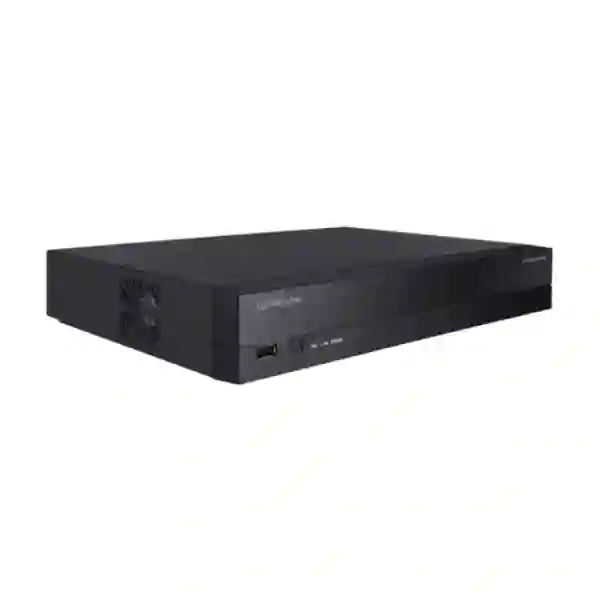
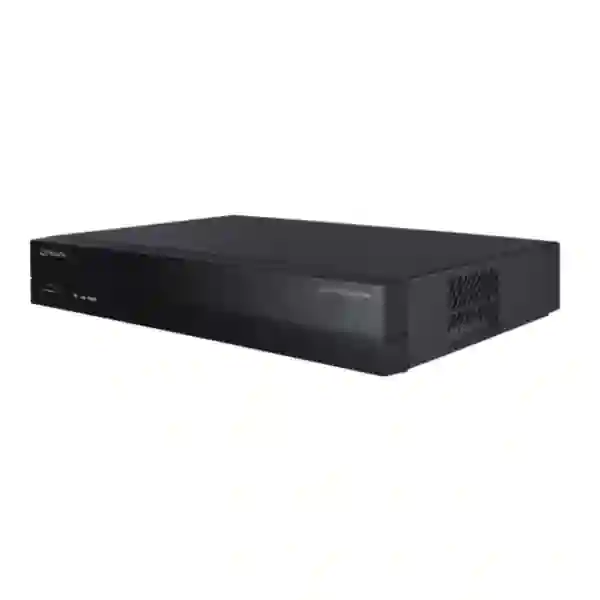
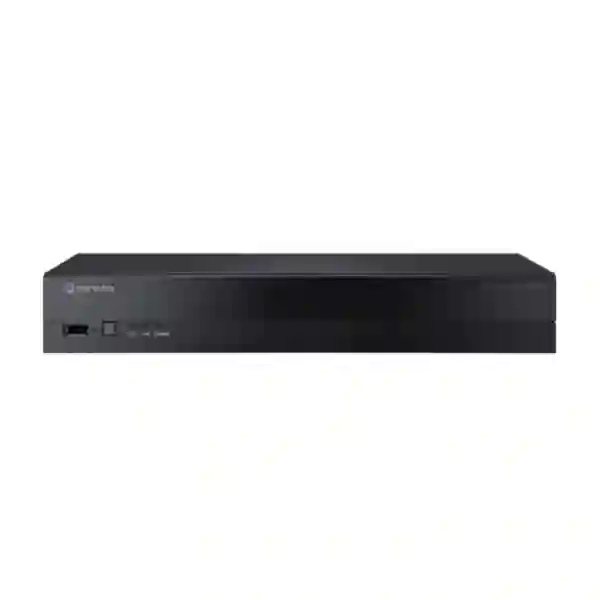
HANWHA VISION • 2TB PENTABRID VIDEO RECORDER
Hanwha HRX-434-2T DVR: Four Analogue Camera Inputs and Flexible IP Expansion
Looking to modernise a compact CCTV system without discarding compatible coaxial cameras? The Hanwha HRX-434-2T DVR combines four analogue BNC inputs, support for multiple video standards, a 2TB model configuration and limited IP-camera expansion. Evaluate camera compatibility, recording frame rate and evidence retention before requesting a Tanzania quotation.
4 BNC inputs
Analogue camera connections
2TB
Model storage configuration
Up to 8MP
Resolution subject to frame-rate limits
H.265
Alongside H.264 and MJPEG
1 SATA bay
Up to 6TB compatible HDD
Quick suitability check
A good candidate: A small site with up to four compatible analogue cameras, a sensible retention policy and perhaps one or two future network-camera views. Review another option: A site needing many more cameras, a multi-drive storage design, high-frame-rate 8MP recording or an IP-only architecture with greater headroom.
These are buying guidelines, not a final compatibility verdict. The full system depends on camera models, streaming settings, drive selection, cabling and network design.
Product specifications at a glance
The HRX-434 platform details below are manufacturer-documented capabilities; the 2TB storage configuration is verified for the HRX-434-2T designation. Exact camera combinations, firmware and supplied accessories need confirmation in your proposal.
| Manufacturer / model | Hanwha Vision HRX-434-2T; 2TB configuration |
|---|---|
| Recorder class | Five-format / pentabrid digital video recorder |
| Analogue input | Four BNC inputs; AHD, HDTVI, HDCVI and CVBS |
| Network cameras | Supported ONVIF and SUNAPI devices; up to six total channels depending on input mix |
| Video resolution | Up to 8MP for supported camera formats |
| Analogue recording rates | 8MP: 8fps; 5MP: 12fps; 4MP: 15/12fps; 2MP: 30/25fps, per channel, mode dependent |
| Compression | H.265, H.264, MJPEG |
| Recording / playback bandwidth | Up to 30Mbps recording / 32Mbps playback |
| Hard-drive slots | One SATA bay; compatible drive up to 6TB |
| Display and connection | HDMI, VGA, Ethernet RJ-45, USB and supported alarm/control interfaces |
| Mobile and remote viewing | Compatible iOS/Android viewers, with supported QR-code P2P setup |
| Power and environment | 12V DC; published operating temperature 0°C–40°C and humidity 20%–85% RH |
Is this the right recorder for your site?
The Hanwha HRX-434-2T DVR is a compact choice for a four-camera analogue CCTV installation that may need a measured step towards network cameras. It is a five-format, or pentabrid, recorder: AHD, HDTVI, HDCVI, traditional CVBS and supported IP cameras can form part of a planned system. The 2TB variant gives a defined starting storage configuration, while the underlying HRX-434 platform has one SATA hard-drive bay. This combination is most attractive when existing coaxial cable and compatible cameras are still useful and replacing everything at once would create needless work.
Before selecting the recorder, list the installed camera models, connector types, actual video standards, target recording resolution and number of days you need footage. A four-input DVR should not be sold as an unlimited expansion platform. If you plan many more cameras, require substantial long-term storage, or intend an IP-only network, assess a different recorder class first. Ask FourTeck Tanzania to review your camera schedule and storage requirement against the actual proposed system.
Understanding the 2TB designation
The model suffix 2T identifies a 2TB storage configuration in Hanwha Vision’s published HRX recorder range. It is not a claim that exactly 2TB of space will remain available for footage after formatting or that any particular number of recording days is guaranteed. Some space is used by file systems and operation, and recorded video volume changes continuously with scene movement, resolution, frame rate, compression, and the way recording is scheduled. Confirm the drive supplied with the exact commercial quotation and verify that the recorder recognises its installed disk during commissioning.
A 2TB configuration can suit a compact site, but storage planning is just as important as channel count. Four cameras recording busy scenes continuously can use their capacity much faster than cameras that record mostly static scenes on a considered event schedule. Do not select retention by copying a figure from a different building. Start from the policy for what evidence must be retained, calculate the expected aggregate bitrate, then test the outcome on real footage. Where the requirement changes, evaluate a compatible larger drive within the supported capacity rather than assuming an extra drive bay exists.
What pentabrid really means
Pentabrid describes the types of video input the platform is designed to handle, not five separate physical sockets per camera. The HRX-434 provides four analogue BNC camera inputs and supports AHD, HDTVI, HDCVI and legacy composite CVBS signals. Network camera support adds an IP migration option, subject to the supported channel allocation, protocols and bandwidth. This can be useful when the cameras across a property were installed at different times, although camera specifications should still be checked individually before making promises about interoperability.
A matching BNC connector alone does not guarantee a working picture. A camera may be set to a signal format the recorder does not recognise, have a resolution or frame rate outside the supported combination, or need a different control protocol. Verify whether cameras can switch video standards, whether their power supply is suitable, and whether the coaxial path is healthy. A small compatibility test before procurement can avoid a great deal of installation time. This page describes platform capabilities, not a guarantee of support for every third-party model or firmware release.
Reuse of existing coaxial wiring
For many upgrades, the expensive and disruptive element is not the recorder but the cabling behind ceilings, across walls, or between separate areas. A compatible pentabrid DVR can let a business retain sound coaxial runs and supported analogue cameras while replacing an older recorder. That matters where access to conduits is difficult or where surveillance needs to remain available during an equipment change. The benefit is conditional: cables, joints, BNC terminations and camera power must all pass inspection before anyone relies on them for dependable video.
Look for intermittent image loss, interference, water ingress, damaged connectors and voltage drop over long power runs. Check the result in daylight, darkness and periods of high electrical activity, because a clear picture during a short office visit does not prove that the wiring is sound. If the installation has been extended with improvised connectors or mixed-quality cable, plan for repairs in the quotation. Preserving useful infrastructure is sensible; preserving faults is not. Record which cable serves each camera so future technicians can troubleshoot quickly.
Four analogue inputs and network expansion
The four BNC inputs define the recorder’s normal analogue camera connections. Hanwha Vision also specifies network-camera capability and a total system ceiling of up to six channels, depending on the chosen analogue and IP mix. For a conventional design retaining all four analogue channels, plan around up to two additional supported network cameras rather than assuming six extra IP channels. Channel allocation and network-camera admission should be checked against the current firmware and manufacturer specification before the final bill of materials is approved.
Network cameras have different infrastructure needs. They require suitable Ethernet connectivity, addresses, security settings and often separate power through PoE equipment or an appropriate adapter. This DVR’s network interface should not be mistaken for an integrated multiport PoE switch. Confirm ONVIF or SUNAPI compatibility, codec, camera stream settings and throughput. A practical mixed system might preserve four existing views while introducing one or two IP views for newly monitored areas. If the project is likely to expand past that point, choose a recorder designed for the future channel count instead.
Resolution up to 8MP: what buyers should know
The platform supports video resolutions up to 8MP for suitable signal types, but its advertised maximum resolution does not mean that every camera will record at its highest resolution and highest frame rate simultaneously. The manufacturer lists analogue main-stream recording at approximately 8 frames per second for 8MP, 12 frames per second for 5MP, 15 or 12 frames per second for 4MP, and 30 or 25 frames per second for 2MP according to NTSC or PAL configuration. Actual operation also depends on the camera’s output and system limits.
Match resolution to the evidence you need. A doorway that needs a clear view of visitors may justify more image detail, while a fast-moving vehicle path might demand greater attention to frame rate and shutter settings. Video quality is also shaped by lens choice, lighting, angle, motion blur and the distance to the subject. A recorder cannot reconstruct identifying detail that the camera never captured. Test representative clips at the proposed camera position, including demanding lighting, before accepting a resolution label as proof of adequate coverage.
Frame rate versus motion detail
Frame rate and pixel count answer different questions. Higher resolution can preserve more detail in each frame, but fewer frames per second create larger gaps between sampled moments. For a slowly changing overview, the tradeoff may be acceptable. For quick handling of cash, a narrow entrance or rapidly moving objects, operators may value smoother temporal coverage. The correct balance depends on what an investigator might need to see after an incident rather than on the largest number in a catalogue.
Review a sample at normal speed and frame-by-frame playback. Inspect what happens when someone turns, reaches for an object or passes behind a counter. Also verify image timestamps and whether the selected compression profile changes during scheduled or event recording. Where the chosen high-resolution configuration captures too few frames for the use case, consider a lower camera output resolution or a more capable recording platform. That decision should be made deliberately and documented, not discovered after footage is needed.
Recording bandwidth and performance
Hanwha Vision specifies a maximum recording bandwidth of 30Mbps for the HRX-434 platform and a playback bandwidth of up to 32Mbps. These are performance limits for the recorder; they do not describe the speed of your internet service. The cameras’ total recording streams must fit the supported bandwidth alongside the recorder’s channel and format rules. A mixture of high-resolution network cameras and analogue streams should therefore be planned with realistic bitrates, not only by counting camera bodies.
Ask the installer to calculate expected aggregate recording traffic using each camera’s proposed codec, frame rate, resolution and rate-control settings. A stream can spike when motion or fine detail increases, so designing exactly at the published ceiling leaves little margin. After installation, observe actual bitrates during busy operating hours and confirm there are no dropped streams or recording gaps. If the workload sits too close to the limit, lower appropriate stream settings or change the system design instead of relying on best-case assumptions.
H.265, H.264 and MJPEG compression
The HRX-434 supports H.265, H.264 and MJPEG video compression. These formats provide options for balancing storage consumption, playback compatibility and recording quality. H.265 often reduces the amount of data required for comparable video quality, but it is not a promise of a fixed percentage saving. Actual compression depends on the scene, camera encoder, available stream formats and selected quality settings. Older playback systems and third-party applications may not support every combination equally well.
When planning a system upgrade, verify the codec both at the camera and in the recorder’s recording profile. If footage must be exported for a particular investigator or organisation, test that an exported file can be opened and reviewed with the intended software. Remember that aggressively reducing bitrate can damage fine details even when the displayed resolution looks impressive. A short, realistic quality test is a better procurement decision than choosing the smallest file size without checking whether the recorded evidence remains usable.
How to estimate storage retention
The usable retention period for a 2TB DVR is a calculation, not a published promise. Gather each camera’s average recording bitrate, hours recorded per day, proportion of motion-triggered activity and any separate stream settings. For a simple continuous-recording estimate, one megabit per second produces roughly 10.8 gigabytes of video per day before allowing for overhead and capacity conventions. Multiply that by the total average megabits per second, then divide usable disk capacity by the daily total to obtain an initial estimate.
For example, four streams averaging 2Mbps each would generate roughly 86.4GB daily before overhead, which illustrates why a 2TB recorder may retain a period measured in weeks rather than months under that assumed workload. This is only an illustrative arithmetic scenario, not a guaranteed recording duration for this model. Real stream rates fluctuate and usable capacity differs from a drive’s nominal label. Validate the estimate on-site, verify automatic overwrite settings, and write down the minimum acceptable retention before making a purchase decision.
When a larger hard drive is needed
The HRX-434 has a single SATA hard-drive bay, and Hanwha Vision specifies support for a compatible drive up to 6TB. A buyer considering longer retention should confirm the current approved-drive compatibility list rather than purchasing a disk solely because its capacity fits the headline limit. Drive technology, thermal behaviour, operating profile and firmware compatibility matter in a continuously recording appliance. Because there is only one bay, a capacity upgrade normally involves replacing the existing internal disk instead of adding a second disk beside it.
Plan any replacement to protect evidence and minimise downtime. Export recordings that must be retained through a supported workflow before removing a disk, and keep appropriate custody records when footage has legal or operational value. Have the technician follow the manufacturer’s installation procedure, power the unit down safely and initialise the replacement storage correctly. Confirm that the system sees the full usable capacity, that all channels record, and that retention settings are appropriate. A larger disk does not fix deficient camera views or unsupported channel requirements.
Continuous, scheduled and event recording
The recorder offers manual, schedule-based and event-oriented recording modes, including continuous and event scheduling with pre-event and post-event options. These choices let an organisation set a useful policy rather than recording every location in the same way. A reception entrance may warrant continuous coverage while a low-traffic store room may be a candidate for carefully tuned event recording. The right schedule reflects working hours, incident risk, requirements for an audit trail and how much video can reasonably be reviewed.
Event recording is not automatically more reliable or always more efficient. Poorly tuned motion detection can fill storage with moving shadows or miss subtle incidents; intermittent camera communication can also undermine event triggers. Document which events start recording and how much footage before and after an event is preserved. Then conduct walk-through tests in daytime, at night and during normal customer traffic. Keep critical views on continuous recording when missing a short incident would be unacceptable.
Motion, video loss and event response
For analogue camera feeds, Hanwha Vision lists event handling including motion detection, video loss and tampering. Supported network cameras may contribute additional camera-generated events and analytics, but those functions depend on the exact camera model, its configuration and interoperability. Do not treat the DVR itself as a substitute for advanced analytics hardware or assume every third-party camera exposes every event type. Define what the site needs to be alerted about and verify that the complete camera-recorder combination actually produces the desired result.
A video-loss event is especially valuable for maintenance because an apparently installed camera can stop recording without anyone noticing. Decide who receives alerts, how often health checks are reviewed and what the response should be when a channel fails. Test each event route rather than leaving default rules untouched. Excessive false alarms can lead staff to ignore notifications, while overaggressive sensitivity reduction can conceal genuine incidents. The objective is a dependable response process, not merely a long list of available event labels.
HDMI, VGA and local viewing
The recorder provides HDMI and VGA outputs for local viewing, including simultaneous output according to the manufacturer. This is helpful where a security desk needs a direct monitor and a second compatible display is part of the room design. HDMI output options include resolutions up to 3840 by 2160, but a high-resolution monitor output does not increase the resolution of footage originally captured by a camera. Make sure the selected display accepts the output mode and that the viewing layout fits the operator’s needs.
Place a local display where authorised staff can see it without exposing private footage to the public. A practical four-camera grid is often easier to monitor than frequent manual switching, provided each pane remains large enough to reveal relevant movement. Test monitor wake behaviour after power interruptions and confirm the selected output mode returns correctly. If a remote screen or a separate monitoring room is required, define the connection method, network security and operator permissions rather than assuming that an extra HDMI cable can be run without distance or signal limitations.
Playback, searching and exporting evidence
A recording system is useful only when footage can be located and recovered. The HRX-434 supports searches and playback through its supported local and client interfaces, with format-specific export options including the manufacturer-listed backup workflows. Operators should be trained to find a channel, select a date and time, view surrounding footage and export a test clip. Time synchronisation is critical: an image showing an event with an inaccurate clock can create confusion during internal reviews and investigations.
For evidence handling, use an agreed process. Note the camera, recorder, date, requested period, person exporting, destination media and any transformation performed on the file. Where software allows verification, preserve original material and check that an exported copy plays on the intended computer before releasing it. Restrict export permissions and store sensitive footage securely. Also test USB media compatibility before an urgent incident; a physical USB port does not guarantee that every storage device or file system will behave identically.
Phone viewing and P2P setup
Hanwha Vision documents smartphone access for supported iOS and Android devices along with QR-code-assisted P2P configuration. This can make routine remote checks more convenient, but mobile viewing is not a replacement for good network design or local recording. Remote access depends on appropriate device configuration, connectivity, application compatibility and service availability. Buyers should confirm the currently supported mobile app and setup method for the recorder’s firmware before building operational procedures around a particular phone or software version.
Choose named users and individual access rights rather than handing out a single administrator password. Limit which camera views each person may see, and review access when employees change roles. Test performance on both local Wi-Fi and an approved external connection. Variable mobile bandwidth can affect picture quality and responsiveness even when local recordings are intact. If internet service fails, the site’s local recording strategy should continue to meet its requirements; verify the behaviour with a controlled test rather than simply assuming that all access functions work offline.
Network configuration and cybersecurity
The platform supports standard network protocols and documented security functions including account controls, encrypted communications and access logs. These capabilities should be deployed deliberately. Place video equipment on an appropriate managed network where possible, assign documented addresses, protect administrator credentials and use the approved firmware for the exact hardware. Unnecessary internet exposure increases risk. A recorder is a security component, but it still needs routine hardening and updates like any other connected device.
Ask who is responsible for firmware checks, user provisioning, audit review and recovery when credentials are lost. Avoid casual port forwarding or broad access rules simply to make phone viewing quicker. Where remote access is needed, select a method consistent with the organisation’s IT policy and current vendor guidance. Disable unused accounts and features when practical, and maintain a secure record of configuration. Cybersecurity cannot be guaranteed by a product label; it depends on installation, ongoing administration, network boundaries and the behaviour of authorised users.
Coaxial camera control and PTZ planning
Hanwha Vision lists coaxial control support for applicable analogue formats and an RS-485 interface for supported PTZ control protocols. These features can reduce the need for additional control cabling in certain compatible installations. They do not mean that every PTZ camera will accept every command or that a fixed camera can suddenly pan, tilt and zoom. Confirm the actual camera’s control standard, recorder support, wiring, protocol addresses and whether the required functions operate under the selected video mode.
For a site that uses PTZ, decide how movement commands will be managed during events. Two operators competing for control can create missed views, while a poorly chosen preset may leave an important doorway outside the field of vision. Document preset positions, access permissions and a safe resting view. After commissioning, test control using the local interface and any authorised remote viewer. If a third-party PTZ model is involved, a bench test is more reliable than assuming compatibility based on connector shape or marketing terminology.
Alarm interfaces and peripheral equipment
The HRX-434 technical listing includes hardware alarm connections, a spot monitor BNC output, network Ethernet, USB connections and a serial interface. Such interfaces can support a more structured surveillance installation, but the precise electrical ratings, pin assignments and accessory compatibility must be taken from the current manufacturer’s installation documentation. The number of sockets does not establish that a door sensor, siren or relay can be wired directly without an appropriate interface or protection.
When integrating external sensors or an annunciator, prepare a wiring diagram and a clear response rule for each signal. Decide whether an alert should notify an operator, trigger an output or simply mark the recording timeline. Test what happens when power is restored and when the monitored sensor reports an abnormal condition. For audio functions, verify the chosen camera or microphone, applicable permissions and the exact supported input method. Do not connect unrelated equipment to the recorder on the assumption that all interfaces follow a common standard.
Choosing camera positions for useful evidence
A suitable DVR cannot compensate for poor camera placement. Start with the decisions footage must support: identifying a person at an entrance, verifying the movement of goods, observing a transaction area or confirming the time a vehicle passed. Draw the area and identify where people actually move. Then select coverage angles with enough subject detail while avoiding intense backlight, glare or obstructions. An impressive wide-angle image may show a whole room but provide little identifying detail at the far side.
Plan an appropriate mix of overview and close-detail views. In a compact four-camera design, each view should have a clear purpose rather than merely filling a spare channel. Test lighting after hours, where storefront signs, outdoor lamps or sudden headlights may change the picture dramatically. Consider privacy and avoid unnecessary monitoring of adjoining properties or sensitive spaces. Record the agreed field of view during handover so later furniture changes, shelving or renovations do not silently undermine the design.
Installation considerations in Tanzania
For a Tanzania deployment, focus first on the real conditions at the installation site rather than making assumptions based on a city name. Inspect the room temperature, ventilation, dust exposure, power stability, network connectivity and space around the recorder. Hanwha Vision specifies an operating range of 0°C to 40°C and 20% to 85% relative humidity for the platform. An enclosed shelf beside a hot appliance or an unventilated security cupboard may be unsuitable even if the location appears physically secure.
Keep the recorder dry, supported and accessible to authorised maintenance staff, with unobstructed ventilation. Label camera cables and leave enough clearance to inspect the rear connectors without disturbing adjacent equipment. Consider physical protection against accidental unplugging, tampering and theft, while avoiding an enclosure that traps heat. The recorder uses a 12V DC input, so verify the supplied power arrangement and electrical protection for the installation. Any claim about local stock, installation service, certifications or delivery should be confirmed separately in a formal quotation.
Power interruption and continuity planning
A surveillance plan should explain what happens when mains power fails. The recorder uses 12V DC power, and the manufacturer lists a maximum 22W consumption for a specified high-capacity hard-drive configuration. That is a product power figure, not an assurance of how many hours an external battery will operate the whole CCTV system. Cameras, switches, routers, monitors and networking devices may draw additional power and must be included in the backup calculation when they are essential to recording or remote monitoring.
Size any UPS or protected supply from measured equipment demand, intended runtime, power factor and battery condition. Test recovery after a planned interruption: confirm the recorder restarts properly, each camera reconnects, the disk remains healthy and automatic recording resumes. If network connectivity is absent during a power cut, the locally connected camera views may still record when their power and the recorder remain available. A backup plan is only credible when the devices that create and store the video are protected together.
Retail shops and customer-facing counters
Small shops can use a four-camera recorder to monitor entry routes, the transaction counter, a stock access point and another high-value area. The important decision is how the views work together, not whether the system can display four images. A counter camera should capture the interaction without facing directly into a bright window, while an entrance camera should show people at a useful scale. When older analogue cameras already exist, a compatible pentabrid recorder can provide a relatively focused recording-system update.
Retail sites often have activity peaks that change recording bitrates and storage consumption. Test a busy trading period and review a sample that includes fast hand movements, queueing and changes in light. Keep appropriate notices and internal access rules consistent with the organisation’s privacy responsibilities. If the business needs more than four analogue viewpoints, do not force a large coverage area into too few cameras. Evaluate the IP expansion limits or a larger recorder before deciding that the existing channel count is sufficient.
Offices, reception and shared facilities
An office may need to monitor a visitor entrance, reception desk, records access area and a permitted common corridor. In these settings, privacy and permissions are especially important. Define what the security team needs to verify and ensure that camera placement avoids inappropriate observation of desks, private rooms or confidential documents. Give staff a clear reason for each view and control who may review recordings. A small recorder can be part of a sensible security policy without becoming a tool for indiscriminate monitoring.
Consider operating schedules and retention separately from retail or warehouse needs. Reception activity may be concentrated during working hours, while a shared entrance remains relevant overnight. Choose recording modes accordingly and test the behaviour of motion events when lighting switches off. If remote managers occasionally need to check an entry point, provide limited authorised viewing rather than a shared administrative login. The value comes from usable evidence, predictable operation and an understandable policy, not from keeping every camera accessible to everyone.
Stock rooms, workshops and small warehouses
A stock room or workshop may place higher priority on loading points, restricted storage, entrances and the movement of goods. Dust, vibration, equipment movements and changing light deserve attention during camera selection and recorder installation. A wide overview may help reconstruct an incident, but a dedicated view is often needed to read labels or recognise an individual. Ask whether the intended footage must show the direction of movement, the identity of a person or the condition of a package; each goal affects the camera layout.
Storage demand can be influenced by high activity and detailed backgrounds, so verify bitrates during normal operations rather than during a quiet test. Protect cables from moving equipment and ensure that camera power is not taken from an unreliable extension arrangement. Put the recorder in a suitable protected location, not beside machinery that creates avoidable heat or dust. A compact four-input system may fit a small operation, while a site with multiple aisles and loading zones should be assessed for greater camera and storage capacity.
When an NVR or larger DVR is preferable
The HRX-434-2T is not the best answer to every surveillance requirement. If the entire proposed system uses IP cameras, an NVR designed around the required network bandwidth, channel count and storage bays may be a more straightforward foundation. If an analogue installation has six or eight fixed coaxial cameras, a recorder with the appropriate analogue inputs may be better than attempting to reduce necessary viewpoints. If months of retention are required, a single 6TB-capable drive bay may become the deciding limitation.
Ask for a system comparison rather than comparing recorder prices alone. Account for cameras, cabling, switching, power, display arrangements, licences when relevant, compatible hard drives and support procedures. An option that looks inexpensive until multiple extra components are required may not be the best value. Equally, replacing usable coaxial infrastructure with an all-IP design may add work without resolving a real problem. Choose the architecture around coverage, evidence quality, retention, reliability and future expansion, then select the recorder.
Comparing HRX-434-2T with related models
Hanwha Vision lists the HRX-434-2T among its four-channel pentabrid models and places it beside the HRX-435-2T in its recorder range. One important planning difference is storage expansion: published range information identifies a single SATA drive bay for the HRX-434 platform and two bays for the HRX-435 family. Do not assume the models otherwise share identical ports or capabilities merely because their names look similar. Obtain current, exact-model specification sheets for any alternative before making a technical or commercial comparison.
A buyer focused on retaining a handful of existing coaxial cameras with moderate recording retention may find the single-bay option proportionate. A buyer who needs additional storage flexibility should investigate the larger model or another recorder architecture, accounting for disk compatibility and system performance. The best comparison is a written requirement sheet: number and type of cameras, minimum frame rate, required footage retention, viewing access, any alarms, environmental conditions and maximum planned expansion. Ask for a model-specific proposal against that list.
Commissioning tests that should be documented
A new recorder is not ready for operational use merely because four images appear on a monitor. At commissioning, verify the exact model, installed drive capacity, camera labels, the configured time zone, reliable time synchronisation and administrative access. Inspect video at the chosen recording settings and confirm that all required channels actually create playable recordings. Conduct a planned disconnect test for a selected camera, verify the event response and confirm the system recovers when the camera returns.
Export a short clip from each important camera and open it on the intended viewing computer. Test remote access using an authorised non-administrator account, plus recovery after a controlled power interruption. Review the actual disk usage and compare it with the retention estimate. Save a secure configuration record and mark the date of acceptance. These tests are not formal product certifications; they are practical site checks that can catch incorrect settings, faulty connectors and unsuitable performance before an incident exposes the weakness.
Maintenance, ownership and future changes
A recording system needs an owner responsible for routine checks. Agree who reviews camera health, disk warnings, the available retention window and whether the clock remains accurate. Check for approved manufacturer updates and apply them through a controlled maintenance process rather than leaving an internet-connected recorder unattended indefinitely. Keep a record of firmware changes, configuration backups where supported, and the people who can access or export footage. Staff turnover should trigger an access review.
When a camera is replaced, revisit its resolution, stream bitrate, compatibility and effect on overall storage. Adding a more detailed view may shorten retention even when the channel count stays unchanged. Changes to networking or internet service can also affect remote access without disrupting local recording. Make a short maintenance checklist part of the handover, including how to report a missing picture, a disk problem or a failed export. Predictable maintenance is often more valuable than a feature that is never configured or checked.
What to confirm before requesting a quote
Prepare the camera list with make, model, resolution, current video standard, location and cable type. State whether the existing four cameras should be retained, whether new IP cameras are planned, and what footage must be readable after an incident. Include the minimum number of recording days, whether recording should be continuous, and who needs local or mobile access. Describe the proposed recorder location, temperature, power continuity and available internet connection. These details make product selection much more accurate than a request for a generic four-channel CCTV recorder.
Ask the seller to confirm that the quotation refers specifically to HRX-434-2T, identifies the supplied 2TB drive, explains any accessories included or excluded, and lists the compatible cameras and proposed recording settings. Obtain the local price, stock status, warranty terms and any installation scope directly from the current offer rather than relying on a general product description. If the site requires more channels, greater storage or a different level of service, request an alternative rather than weakening the requirement to fit the device.
Frequently asked questions
Answers below separate published recorder capabilities from site-specific checks that require an installation design or quotation.
Does HRX-434-2T include 2TB storage?
Hanwha Vision identifies HRX-434-2T as a 2TB model configuration. Ask for confirmation of the exact supplied drive in the quotation and check the installed capacity when commissioning. Nominal capacity is not the same as footage-ready usable capacity after formatting. The precise number of retained days depends on the recording settings, activity levels and total video bitrate. A specific retention promise requires a calculation and verification using the proposed cameras.
How many cameras can connect to it?
There are four physical analogue BNC camera inputs. The HRX-434 platform also provides supported IP-camera capability up to a system total of six channels, depending on the analogue and network mix. With four analogue inputs in use, plan for up to two additional supported IP views, subject to compatibility and bandwidth. Do not interpret six channels as six extra BNC connectors or six extra network cameras in every configuration.
Can I keep my old analogue CCTV cameras?
Possibly. The recorder supports AHD, HDTVI, HDCVI and CVBS video formats, making it suitable for evaluating a mixed or upgraded analogue installation. Compatibility still depends on each camera’s signal mode, output resolution, frame rate, cabling and power arrangement. A camera with a BNC connector is not automatically compatible. Share its model number and, ideally, test one camera before ordering hardware for the entire site.
Does it record 8MP at 30 frames per second?
No. Although the supported platform resolution reaches 8MP for compatible signals, Hanwha Vision lists 8MP analogue recording at approximately 8fps per channel, subject to camera output and video standard. Its specified analogue recording frame rates are higher at lower resolutions. If smooth capture of fast movement is important, review frame rate together with resolution and test a real recording, rather than selecting solely on an 8MP headline.
How long will 2TB keep CCTV footage?
There is no single honest answer without camera settings. Camera count, scene activity, compression, bitrate, recording schedule and usable disk capacity all change the result. Calculate total average recorded bitrate and compare the expected daily storage use with the usable disk space. Then confirm the estimate after the system has recorded ordinary working days. Ask for a system-specific retention estimate if footage must be preserved for a mandatory period.
Can I add a second hard drive?
The manufacturer specifies one SATA hard-drive bay for the HRX-434 platform, with supported disk capacity up to 6TB for a compatible drive. It is not a two-bay recorder. A capacity increase generally means replacing the existing drive with an approved larger one after preserving any footage that must be retained. Confirm the current compatibility list and commissioning procedure before attempting a disk change.
Does it work with IP cameras and ONVIF?
The HRX-434 platform documents support for network cameras using protocols including ONVIF and Hanwha’s SUNAPI. That is a compatibility starting point, not a guarantee that every ONVIF-labelled camera supports every feature. Check the exact camera model, firmware, profile, stream settings and total recorder bandwidth. Advanced camera events and analytics may require additional model-specific verification.
Does the recorder provide PoE to network cameras?
Do not plan around built-in camera PoE ports. The manufacturer identifies the recorder’s Ethernet network connection, not an integrated bank of PoE camera outputs. Network cameras may need a separate suitable PoE switch, injector or approved power supply. The full installation quotation should show how each network camera receives both power and data and how the network is secured.
Can I view live cameras on a phone?
Hanwha Vision lists mobile viewing support for compatible iOS and Android devices and QR-code-assisted P2P setup. The actual experience depends on firmware, supported application versions, credentials, permissions and network availability. Ask the installer to demonstrate authorised viewing using the current supported software. Remote phone viewing should be securely configured and should not be treated as a substitute for local recording or a tested backup power plan.
What monitor connections are available?
The HRX-434 provides HDMI and VGA local display outputs according to the manufacturer. The HDMI output supports high-resolution display modes, but this does not increase the detail in the video captured by a camera. Confirm monitor compatibility, resolution settings and the desired multi-camera layout before installation. If two displays are required, test the supported simultaneous output behaviour with the actual equipment.
Can the DVR send alerts for video loss or movement?
The manufacturer lists analogue-camera video-loss, motion and tamper event support, with additional camera-generated event possibilities for compatible network cameras. Alert routing and associated actions depend on configuration and the connected equipment. Define the desired event, test it in realistic conditions and assign someone to respond. Not every connected camera will support every form of advanced detection, and default sensitivity settings should not be assumed suitable.
Is the model suitable for a hot or dusty room?
The published operating temperature range is 0°C to 40°C with operating humidity of 20% to 85% relative humidity. A room may exceed these conditions when it is closed or when surrounding equipment generates heat. Keep the recorder clean, dry and well ventilated, and assess any enclosure for heat buildup. If the site is unusually hot, dusty or humid, address the environment in the installation design rather than assuming the recorder is environmentally sealed.
Is a price or warranty included here?
No Tanzania price, stock status, local warranty commitment or installation package is stated on this page. Those commercial details must come from a verified quotation for the specific supplied product and location. Ask what is included, whether the stated 2TB drive is supplied and what support arrangement applies. Regional availability and service policies can differ, so do not treat descriptions from other markets as promises for a Tanzania purchase.
What details should I send when seeking advice?
Send the recorder model, existing camera brands and models, the number of analogue and planned IP cameras, the minimum footage retention, and whether fast movement must be recorded clearly. Add photos or a basic diagram of the cable connections if available, along with details of the installation room and backup power. These details help a supplier assess compatibility and sizing. Do not send account passwords or expose live camera access when asking for a quotation.
Request a model-specific CCTV recorder quote
Ask FourTeck Tanzania about the Hanwha HRX-434-2T, confirming your existing camera models, 2TB supplied configuration, minimum retention, required recordings and any proposed IP-camera expansion. Request verified commercial terms, installation scope and compatibility advice before ordering.
No price, stock commitment, local warranty term or installation coverage is assumed in this product information.




Reviews
There are no reviews yet.