
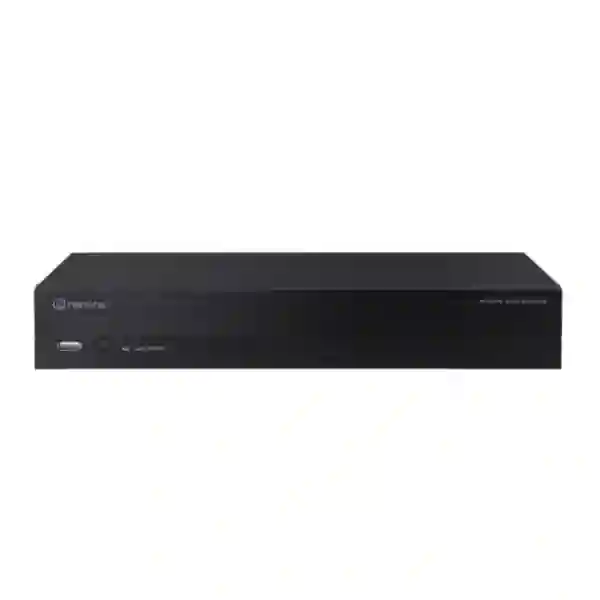
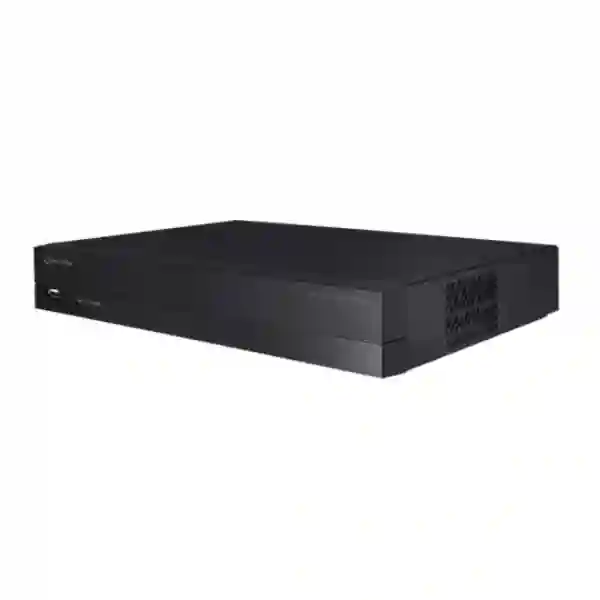
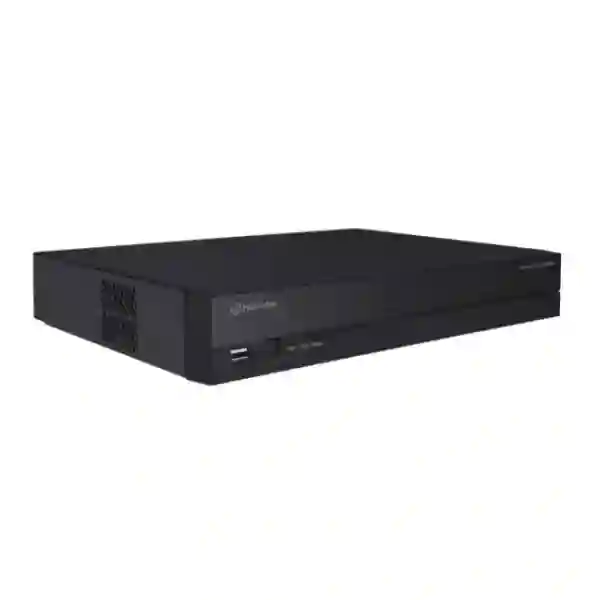
Hanwha QRN-430S-2T 4-Channel PoE NVR with 2TB HDD
Need a recorder for four IP CCTV cameras? The Hanwha QRN-430S-2T combines a supplied 2TB drive, four PoE camera ports, H.265/H.264/MJPEG recording and HDMI local viewing in a compact unit. It can support compatible cameras up to 8MP while handling up to 40Mbps total recording bandwidth.
It is best evaluated as one part of a complete system. Review the camera power draw, compatibility, expected recording days and plans for future expansion before requesting a quote from FourTeck Tanzania.
Key specifications
| Specification | Verified value |
|---|---|
| Brand / model | Hanwha Vision QRN-430S-2T |
| Type | 4-channel IP network video recorder |
| Hard disk supplied | 2TB |
| Camera resolution | Up to 8MP |
| Recording bandwidth | Up to 40Mbps aggregate |
| Playback bandwidth | Up to 32Mbps |
| Codec support | H.265 / H.264 / MJPEG |
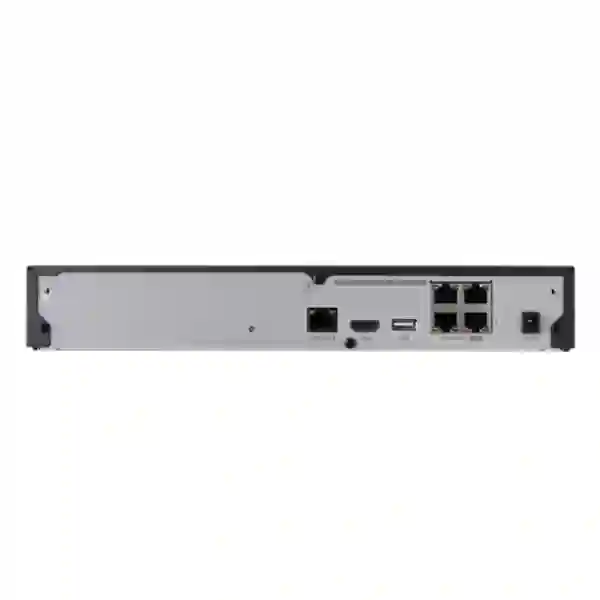
| Power over Ethernet | 4 built-in ports; 35W shared budget |
| Storage expansion | 1 SATA HDD bay; up to 6TB supported |
| Display output | HDMI, up to 3840 × 2160 at 30Hz |
| Interoperability | SUNAPI and ONVIF |
| Mobile connection | P2P QR-code-assisted setup |
| Power input | 100–240V AC, 50/60Hz through applicable supply |
| Maximum stated consumption | 52W (1 HDD, PoE on) |
| Operating temperature | 0°C to 40°C |
| Device dimensions | 300 × 47.1 × 208.4mm |
Confirm proposed camera functions, current manufacturer documentation and the exact quoted package before purchase. Specifications do not establish local price, stock or warranty.
Choosing a four-camera recorder
The Hanwha QRN-430S-2T is an IP network video recorder designed to store footage from up to four compatible surveillance cameras. Its appeal is a focused specification: four recording channels, a supplied 2TB hard disk and integrated camera-power ports. It is an NVR rather than an analog coaxial DVR, so the camera technology and network configuration need to match.
Consider the four scenes that genuinely need recording. A shop might select the public entrance, transaction counter, storeroom approach and delivery doorway. A small office might instead prioritize reception, a corridor, an entrance and an equipment-room approach. The correct camera layout is determined by the site survey, not a universal recipe.
This listing describes the recorder, not a complete camera system. Cameras, cable, monitor, UPS, mounting accessories and installation should be assumed separate unless the formal quotation includes them. Buying the right recorder starts with a clear statement of evidence needs and a realistic view of future expansion.
What 4 channels and 8MP actually promise
Four channels means support for four recorded IP camera feeds within the device’s performance envelope. It does not guarantee compatibility with every brand, firmware, stream profile or advanced camera feature. Each proposed camera must be matched to an appropriate supported protocol and a recording profile the NVR can handle.
The published camera resolution range extends to 8MP. Higher pixel counts can help preserve scene detail, but the camera lens, lighting, mounting angle, motion and compression often matter as much as resolution. A camera aimed across an entire car park may show activity without revealing useful detail at a distant gate.
Plan evidence goals per camera: recognizing arrivals, examining a transaction area, understanding movement through a corridor or checking a locked doorway. Then confirm the installed view at typical day and night conditions. Never assume that a four-camera, 8MP-capable recorder automatically solves every surveillance problem.
Understanding the supplied 2TB hard disk
Hanwha Vision identifies the QRN-430S-2T as the variant with a supplied 2TB drive. That simplifies the starting equipment list, but 2TB is a capacity figure rather than a fixed number of recording days. The recorder stores much more data when connected cameras run at high combined bitrates or record continuously.
The enclosure has one SATA HDD position with support up to 6TB, subject to the manufacturer’s current drive compatibility information. This is a single-disk design. Replacing the fitted drive for greater retention should be planned carefully, since stored footage may need to be preserved before hardware work begins.
For procurement, write down the required historical recording period before accepting the supplied capacity. If the business needs thirty days, request a retention calculation using the actual camera settings. If it only needs a short review window, the fitted 2TB drive may be sufficient, but that suitability must be confirmed.
Estimating recording days without false promises
Retention depends mainly on the sum of average recorded bitrates, active recording time and available storage. As a simplified illustration, a nominal 2TB contains approximately 16 trillion bits before system overhead. At a constant combined bitrate of 8Mbps, dividing this raw capacity by daily usage suggests roughly 23 days. At 16Mbps the same calculation yields about 11.6 days.
These examples are theoretical, not guaranteed results. Real footage takes account of formatting, system allocation, changing bitrates, recording schedules, camera behavior and extra streams where configured. Night-time noise, busy traffic or moving foliage may change compression efficiency. Event recording may stretch calendar retention while creating a greater dependence on reliable detection.
Ask for a written estimate that names each camera, codec, resolution, frame rate, average bitrate and recording schedule. Recheck actual disk consumption after commissioning and document the observed overwrite period. That verification is more useful than describing any 2TB NVR as a fixed thirty-day system.
Working within 40Mbps of recording bandwidth
Hanwha specifies up to 40Mbps aggregate camera recording bandwidth for this model. Aggregate is the key word: the ceiling applies across the combined cameras, not separately to each of the four ports. Four cameras set to 10Mbps would nominally consume the full figure; four streams at 5Mbps would total 20Mbps.
Camera streams can vary with movement, exposure and encoder choices. A theoretical design that runs exactly at the product maximum leaves less flexibility for busy scenes. Capture a realistic traffic profile and leave margin instead of choosing configuration settings solely from a headline resolution.
The manufacturer also lists up to 32Mbps playback bandwidth. Recording, viewing, exporting and remote access are different operations and may place different demands on the system. A buyer should validate the proposed real-world workflow, including simultaneous multi-camera playback, rather than assume that every published maximum can be achieved at once.
Four PoE ports and a shared 35W budget
The recorder has four integrated PoE camera connections. Power over Ethernet can carry both electrical power and video networking on compatible cables, reducing the need for individual camera power supplies. However, the exact-model manufacturer specifications list a 35W total PoE power budget. Four ports do not mean four unlimited power outputs.
For illustration, four cameras with an 8W maximum demand would require 32W together; four models drawing 12W would need 48W and exceed a 35W shared budget. These examples do not represent particular camera models. Real design should use each camera’s published peak power, including infrared illumination or accessory operation, and check individual port limits.
High-power outdoor devices, specialized infrared units or motorized PTZ cameras may need a separate compatible switch or power method. Camera networking and recording channel compatibility must still be validated. Always ask an installer to list the peak wattages alongside the camera model numbers.
Camera interoperability through ONVIF and SUNAPI
The device family supports SUNAPI and ONVIF communication for compatible network cameras. This can help owners who already use Hanwha cameras or are evaluating other IP camera models. Protocol support is not a blanket promise that every camera will register, deliver analytics, work with audio or provide PTZ control on the recorder.
Verify supported codecs, video profiles, authentication, ONVIF capabilities, firmware and intended event types. A third-party camera may deliver live and recorded video correctly while advanced metadata, special motion alerts or other functions remain unavailable. Treat interoperability as a feature-by-feature acceptance test.
For an upgrade, provide the exact camera make, model and firmware. For a new system, select the lens, placement and environmental specification first, then confirm that a supported stream and power arrangement fit this NVR. This avoids paying for camera features that the intended recording workflow cannot use.
H.265, H.264 and MJPEG choices
Hanwha lists H.265, H.264 and MJPEG codecs for this recorder. A codec determines how digital video is encoded and affects the storage consumption, network load and downstream playback requirements. H.265 often uses less bitrate than H.264 for comparable content, but the result depends on the encoder, scene movement and settings rather than a universal percentage.
H.264 can remain useful where viewers or integration systems have more limited codec support. MJPEG may fit specific compatibility needs but is generally less efficient for long-term storage. Choosing the smallest files at any cost is not the same as choosing the most useful evidence.
Compare daytime and night-time samples from the actual camera viewpoint. A well-designed profile should retain sufficient detail for the business purpose, fit within aggregate bandwidth and offer an acceptable overwrite period. Review the footage on the same displays or workstations that operators will use.
Continuous, scheduled and event recording
The QRN-430S family supports continuous, scheduled and event-oriented recording modes, including configurable pre-event and post-event capture. Continuous recording maintains a chronological record that can be useful when incident detection fails to trigger. Its predictable data flow also makes storage forecasting more straightforward.
Event recording can save space when the environment is quiet, but depends on correctly configured detection and compatible camera events. Moving trees, vehicle headlights and busy entrances may generate false triggers. Poor sensitivity settings can miss the incident for which the system was purchased.
A mixed policy may be sensible: continuous coverage at a main entrance and carefully tested events at a quiet interior location. Document the policy, verify sample recordings and train staff to search the video. Do not switch to event-only recording merely to make an optimistic retention figure appear possible.
A local 4K HDMI display workflow
The recorder includes an HDMI output specified up to 3840 × 2160 at 30Hz. A compatible external monitor can show recorded or live camera views using supported layouts. The HDMI output resolution does not make an ordinary camera feed higher resolution, and the display itself is not established as part of the supplied recorder package.
Think about the operator’s role. A guard might need a four-way overview during a shift; an office manager might only open the local monitor to verify a fault or export a clip. Arrange camera names and layouts so the operator can recognize the correct entrance, corridor or counter quickly.
The front power, recording and network indicators provide basic status information, but they do not replace review of actual footage. Include a mouse, display connection and a simple operating procedure in the commissioning scope wherever a permanent local screen is expected.
Searching, playing back and exporting evidence
A recorder becomes valuable when it can retrieve the right footage after an event. Hanwha documents date-and-time, event-list and smart-search capabilities for the family, although some search functions depend on recorded camera data. Correct device time, sensible camera names and a consistent recording schedule are essential.
The manufacturer describes local and network-related export options. Test whether clips can be selected for a defined interval, copied through the intended process and opened on an authorized computer. Confirm the file format, playback tools and any audio handling before treating a demonstration as finished.
Where clips may be used as evidence, define an access and preservation process. Limit export privileges, retain originals as needed, record the camera and time interval, and avoid relying on a photo of the monitor. Local requirements and an organization’s own evidence procedures should inform this workflow.
QR-code-assisted phone access and its limits
The product supports a QR-code-assisted P2P configuration approach for compatible mobile viewing. This can be convenient for an owner checking a site when away from the premises. The feature still needs current supported software, valid accounts, working internet access, compatible network settings and a secure configuration.
Local recording and off-site viewing are different requirements. If the external internet connection fails while cameras, power and the recorder remain operational, local recording may continue according to configuration even though remote access and alerts are interrupted. This distinction should be discussed during project planning.
Test the intended phones on a connection outside the premises, not only on the building’s Wi-Fi. Confirm who has access, how a lost phone is handled and how former staff are removed. Avoid treating a scanned QR code as a complete network security policy.
Passwords, firmware and remote-access security
An NVR is a networked system that can contain sensitive footage. Use strong unique administrator credentials and separate day-to-day user accounts with the least permissions necessary. Avoid leaving shared administrator passwords in a public logbook or allowing every viewer to change recording settings.
Use supported secure remote-access methods, apply appropriate firewall or network restrictions, and review current official firmware and device support information. Changes should be scheduled carefully because an unmanaged update or restart can interrupt recording. Secure the router and connected cameras as part of the same system, not as unrelated accessories.
Document who can view, export, maintain and delete video. Agree how permissions will be withdrawn when an employee changes role or leaves. Operational accountability is often the difference between a useful recording installation and a system that gradually becomes difficult to manage.
Audio, two-way talk and connected camera functions
Hanwha lists network audio and two-way audio support for the QRN-430S family. This does not mean the box includes a microphone, speaker or compatible audio camera. Every planned audio function needs suitable endpoints and a successful configuration test. Audio quality can vary with device placement and background noise.
The recorder can also control compatible PTZ camera functions and respond to supported camera events. These depend on the connected cameras and relevant protocols. The NVR does not itself create a motorized lens, standalone AI object detector or guaranteed person-tracking capability simply because such camera features exist in the market.
Specify each required function separately: video recording, listening, speaking, motion notifications, PTZ presets or specialized analytics. Then test it with the exact chosen camera. Any audio deployment must also follow appropriate privacy and organizational recording policies.
What ARB and N+1 failover do not mean
Hanwha documentation identifies Automatic Recovery Backup and N+1 failover capabilities for the recorder family. These functions should be evaluated in their supported architecture rather than interpreted as unconditional recovery for every site. They may need compatible additional equipment, camera functions or configuration before providing a benefit.
Most importantly, this model has one internal SATA drive slot. It is not a two-drive RAID recorder, and the single fitted 2TB HDD is not automatically mirrored to a second internal disk. A buyer who needs protection from drive loss must make separate arrangements consistent with the chosen system.
Plan incident exports, routine drive-health checks, supported backup methods and a response procedure for camera or recorder faults. For applications requiring uninterrupted evidence capture during hardware failure, discuss a recorder architecture with verified redundancy instead of relying on a feature name alone.
Electrical load and protection for local conditions
The published power input specification is 100–240V AC at 50/60Hz, through the applicable power arrangement, with a maximum consumption figure of 52W when one HDD and PoE are enabled. Verify the exact adapter and accessories supplied. A site should not assume that the NVR alone describes its full electrical load.
An appropriate UPS can help bridge short power interruptions, but its expected runtime depends on the NVR, cameras, connected networking and any other supported devices using backup power. Battery condition and inverter losses matter. Calculate the complete load and required minutes of operation before selecting the UPS.
For a Tanzania deployment, inspect the actual electrical installation rather than making broad claims about any area. Consider surge protection, safe grounding where applicable, equipment security and a documented restart procedure after extended power loss.
Temperature, humidity, dust and location
Hanwha’s operating specifications list 0°C to 40°C and 20% to 85% relative humidity. The device should be placed in a secure, ventilated environment that respects those limits. An unventilated cabinet or roof void can become substantially hotter than the occupied room around it.
The product description does not establish weatherproof outdoor construction. Indoor placement and appropriate cable protection should be assumed. Avoid locations exposed to cleaning water, heavy dust, accidental impacts or unnecessary access by visitors. Leave enough space around the chassis for normal airflow and cable service.
These decisions are especially important where recording is expected around the clock. A camera in a weatherproof outdoor housing does not imply that the NVR can be mounted outdoors beside it. An installer should confirm the intended mounting environment before cables are terminated.
Planning cable routes and camera positions
Four built-in camera ports simplify some wiring, but installation quality remains critical. Use suitable network cable for the actual environment and protect external runs from moisture and mechanical damage. Check cable length and termination quality against applicable Ethernet and PoE design requirements rather than assuming every run will work.
Plan the camera’s field of view before pulling cable. A technically perfect cable route may still put the lens at the wrong angle for identification. Review backlight, nighttime illumination, possible glare and access for future lens cleaning. The right mounting height depends on the task, not a universal number.
The published NVR enclosure is about 300 × 47.1 × 208.4mm. Allow additional space for rear connections, cooling and maintenance. Keep cabling labelled and provide an as-built drawing so a future technician can distinguish the camera ports from the separate network connection.
Network setup and the camera-side ports
Hanwha’s current setup guidance for S-series NVRs distinguishes the dedicated PoE camera interface from the separate network interface used for other connections. Its configuration wizard includes address setup and automatic or manual camera registration. The intended cabling layout determines which registration approach is appropriate.
Do not assume default DHCP settings should be left untouched on every interface. If both the recorder and an existing router act as address servers on the same network, conflicts can arise. The manufacturer also advises correct network separation between camera and other interfaces where required by the design.
A competent installer should record IP addressing, access rights, camera registration, firmware versions and router responsibilities. Test the local live view and an authorized viewing workstation after applying the planned settings. A network diagram makes future troubleshooting faster and more reliable.
Commissioning checks before handover
Start with an inventory covering the exact NVR model, fitted HDD, cameras, PoE loads, network cable, monitor and power equipment. Configure secure accounts, assign descriptive camera names, select recording profiles and verify device time. Confirm the installed disk is healthy and recording is actually taking place.
Perform tests in realistic conditions. Watch the entrance during daylight and darkness, verify motion events if enabled, search a known time interval and export a sample clip. Restart the system under controlled conditions and verify that the camera feeds recover. Where mobile access matters, test it from outside the building’s local network.
Complete handover with the approved administrator contact, instructions, configuration record, retention baseline and fault escalation procedure. A signed acceptance checklist reduces confusion over whether the installation has been delivered as expected or only shows a temporary live picture.
Small shop and showroom use cases
A compact retail operation may find a four-camera arrangement suitable for its primary security needs: an entrance, checkout point, display area and inventory access. Such a layout is illustrative. A large or unusually shaped shop may require more viewpoints and a different recording platform.
Retail operators often want footage that explains events around a transaction or delivery. Configure image framing for that question rather than using maximum resolution without considering detail. Consistent timestamps, sensible recording schedules and a straightforward export process make incident review more useful.
Access policy matters too. A shop manager may need playback and export privileges while another employee needs only a live entrance view. Remote access can help authorized owners, but it should use supported software and appropriate permissions. Confirm all actual views during a walk-through.
Offices, reception areas and controlled corridors
A small office may use four viewpoints to document visitors, reception activity, a main hallway and a controlled entrance. There is no reason to aim cameras indiscriminately into private workspaces when a narrower legitimate security purpose can be defined.
The recorder can support a local display and managed footage review, but the organization’s processes determine who should see it. Establish permissions for reception, facilities and management. If clips may contain sensitive conversations or individuals, apply an appropriate privacy and retention policy instead of copying another business’s settings.
If the premises may add more doors, floors or buildings, the four-channel limit deserves attention before ordering. A separate network switch will not create more licensed recording channels. A larger recorder might be a better long-term design even if only four cameras are installed on day one.
Homes and small residential compounds
A four-channel system may suit a home that needs to observe an entry gate, front entrance, parking area and one side approach. The site geometry decides whether these views actually cover important movement. Wide-angle footage is useful for awareness but may not identify distant faces or vehicle details.
A centralized PoE arrangement can keep recording equipment inside a locked, ventilated position. An approved UPS may improve resilience to brief power interruptions. Remote phone access can be convenient, but is not a substitute for a local recording-health check or reliable internet service.
Aim cameras to minimize unnecessary recording of neighboring spaces and consider who can access family footage. Test the nighttime view and lighting before sign-off. Four carefully designed views are often preferable to four arbitrary cameras that happen to fit the available ports.
Educational and healthcare reception settings
A school office, clinic reception or community centre may need limited camera coverage in public circulation areas. These are sensitive settings in which an equipment purchase is only one part of an appropriate security plan. Determine who has authority to view recordings and when clips may legitimately be shared.
The NVR supports a four-camera starting configuration but does not supply legal permission to record any location. The organization must establish applicable notice, privacy, access, retention and incident-handling requirements. Audio capture may merit separate consideration.
Sites needing continuous evidence through power failures or hardware faults should assess UPS sizing and backup arrangements. A single-drive recorder should not be represented as a high-availability recording platform. Formal sign-off on camera positions, coverage and user permissions is particularly important.
When to choose a larger NVR
A four-channel limit should be treated as a firm design boundary. A fifth camera, an additional building or anticipated expansion may justify a higher-channel recorder now. Adding a PoE switch to a four-channel NVR does not convert it into an eight-channel recording system.
A larger model may have other bandwidth, storage or resilience capabilities, but these should be checked for the exact alternative rather than assumed. Conversely, a stable four-viewpoint requirement may not benefit from a bigger chassis. Choose based on total project needs, not a generic preference for more channels.
Request a comparison of the installed cost, power, camera count, retention, maintenance and future growth of competing designs. The price of recorder hardware alone rarely captures all of those considerations. A properly scoped proposal should show why the selected number of channels is sufficient.
Comparing storage options without confusing performance
A bigger drive may allow a longer overwrite cycle under the same recording settings, but it does not increase image resolution, camera count or bandwidth. The 2TB variant is a capacity choice within a four-channel class, not a promise of a more advanced surveillance function than other drive configurations.
As a simple capacity illustration, 4TB contains around twice the nominal raw storage space of 2TB. Actual usable footage history remains subject to formatting, bitrate variation and recording mode. For this device, the manufacturer specifies a single SATA HDD bay supporting up to 6TB.
Ask for the current compatible-drive list before planning a replacement. If an upgrade happens later, preserve any video needed from the original disk and verify recordings after the change. Do not assume a larger disk can be inserted without installation and configuration consequences.
What an effective FourTeck Tanzania quote should contain
Specify Hanwha QRN-430S-2T as the exact requested model and ask for confirmation of the included 2TB HDD. Attach the proposed camera models, required field of view and any existing equipment to be integrated. Request a compatibility check for supported recording profiles and any special audio or event functions.
Include a written PoE power calculation, an aggregate bitrate estimate, a storage-retention forecast and details of network, cable, mounting and power accessories. Clarify whether the quotation includes cameras, monitor, UPS, installation, setup, remote-access configuration and staff orientation.
Confirm the current local selling price, actual availability, lead time, supported commercial terms and applicable warranty in the formal response. Those details are not established by a manufacturer specification or an overseas reseller and should never be invented for a Tanzania listing.
Maintaining the recording system after installation
Arrange periodic checks that the HDD is recording, cameras have not gone offline, timestamps remain correct and footage from a recent time can actually be played. Look for changed nighttime scenes, storage warnings, obstructed lenses and forgotten accounts. A system that worked during installation can degrade without routine observation.
If a feed disappears, troubleshoot power budget, cable, connectivity, addressing and registration before deciding hardware must be replaced. If retained history becomes unexpectedly short, inspect recording bitrates, event activity, schedules and HDD status. If remote viewing fails but local recording works, investigate network and application conditions separately.
Keep manufacturer documentation, configuration records and an escalation contact. Review firmware through a controlled process with necessary preservation precautions. Assign responsibility for maintenance so a fault is not discovered for the first time after an incident.
Frequently asked questions
Does the 2T model include storage?
Hanwha’s exact-model documentation identifies a 2TB supplied HDD. The delivery configuration should still be checked against the specific quotation, and the installer should confirm the installed drive is healthy and recording.
Can this NVR record more than four IP cameras?
No. Its supported camera recording limit is four channels. An external switch does not increase that limit. Evaluate an appropriately specified higher-channel recorder if more views are needed.
Is every 8MP camera compatible?
No. Up to 8MP is a supported resolution maximum, not a universal compatibility guarantee. Check each camera’s protocol, codec, authentication, firmware, required events and recording bitrate.
What is the maximum recording bandwidth?
The manufacturer lists up to 40Mbps total camera recording bandwidth, shared by the active streams. A safe design should account for bitrate variability and practical operating margin.
Will the four ports power any four cameras?
No. Hanwha’s exact-model specification lists a shared 35W PoE power budget. Calculate peak requirements for all connected cameras and check individual port capabilities.
How long will 2TB record?
There is no fixed answer. A simplified theoretical raw-capacity calculation gives about 23 days at a combined constant 8Mbps, before overhead. The actual retention period depends on installed settings and should be measured.
Can footage be viewed using a mobile phone?
The recorder supports QR-code-assisted mobile connection for a supported application. Suitable internet connectivity, access control, software and secure configuration are still required.
Can it operate without internet?
Local recording can continue with power, cameras and healthy storage even when external internet access is unavailable, according to the system configuration. Remote viewing or notifications may be unavailable during that period.
Can I upgrade to a 6TB drive?
The manufacturer specifies one SATA HDD bay supporting up to 6TB. Confirm exact HDD compatibility and handle any existing recordings appropriately before replacing the drive.
Is a monitor included?
A monitor is not established as included. The NVR offers HDMI output up to 4K, so request a compatible monitor separately when local viewing is required.
Does it provide RAID protection?
No internal RAID mirror is provided by the single-drive bay. Documented ARB or N+1 features should be understood in their supported system configuration, not treated as automatic disk redundancy.
How do I order for Tanzania?
Ask FourTeck Tanzania for a configuration-specific quote confirming the exact model, 2TB drive, camera compatibility, power and retention plan, current price, availability and installation scope.
Request a Hanwha QRN-430S-2T quote
Share your planned camera count, exact camera models, site layout, retention target and preferred viewing method with FourTeck Tanzania. Ask for a proposal that confirms the NVR’s supplied drive, compatibility, PoE load, recording bandwidth and any additional equipment needed for an operational system.
Request the current Tanzania price, stock position, commercial terms and installation scope directly. These details have not been verified for this listing, and no availability or delivery claim is made here.




Reviews
There are no reviews yet.