
Hanwha Vision • Wisenet network recorder
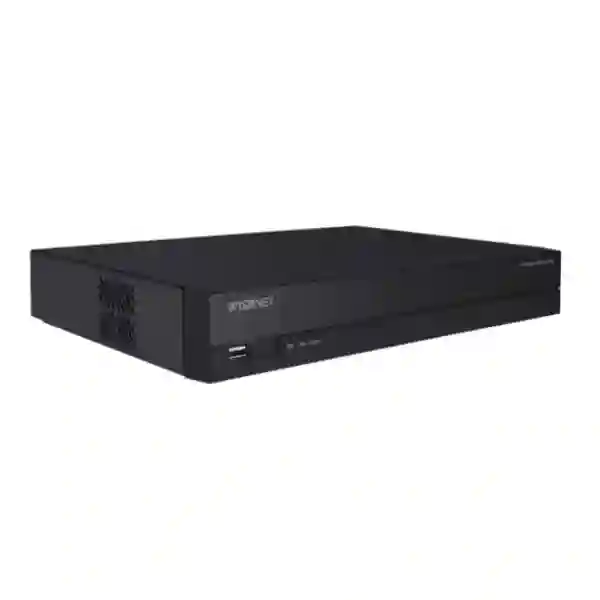
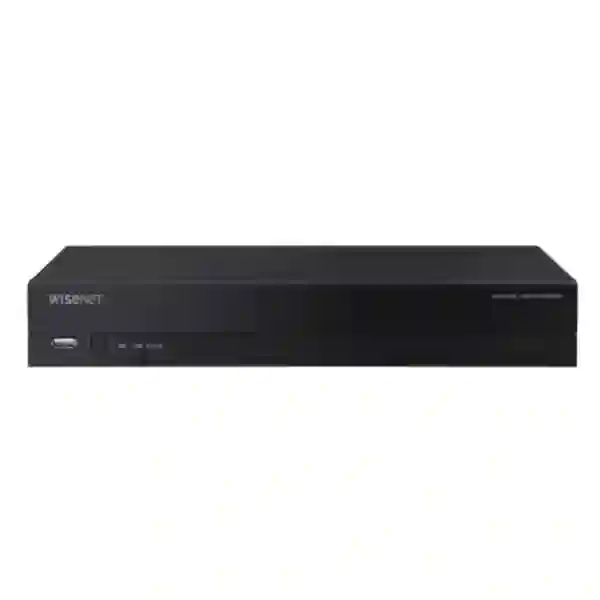
Hanwha QRN-820S 8-Channel PoE NVR for IP CCTV Systems
Plan a focused IP camera system with up to eight recording channels, camera support to 8MP, integrated PoE ports, and local video storage. The QRN-820S is a practical candidate for compact commercial surveillance where its bandwidth, power, and one-drive limits suit the design.
Before requesting a quotation, confirm camera compatibility, aggregate bitrate, shared 65W PoE load, required retention, and whether an HDD is part of the proposed package. FourTeck Tanzania can use your camera list and site requirements to clarify the specification.
QRN-820S at a glance
These are equipment capabilities, not a substitute for camera-by-camera compatibility checks or an agreement about the supplied storage. The exact installation must meet the recorder’s combined recording and power limits.
Manufacturer specification summary
| Product model | QRN-820S |
|---|---|
| Manufacturer / family | Hanwha Vision / Wisenet |
| IP camera inputs | Up to 8 channels |
| Maximum supported camera resolution | Up to 8MP |
| Video codecs | H.265, H.264, MJPEG |
| Recording input bandwidth | 80 Mbps maximum |
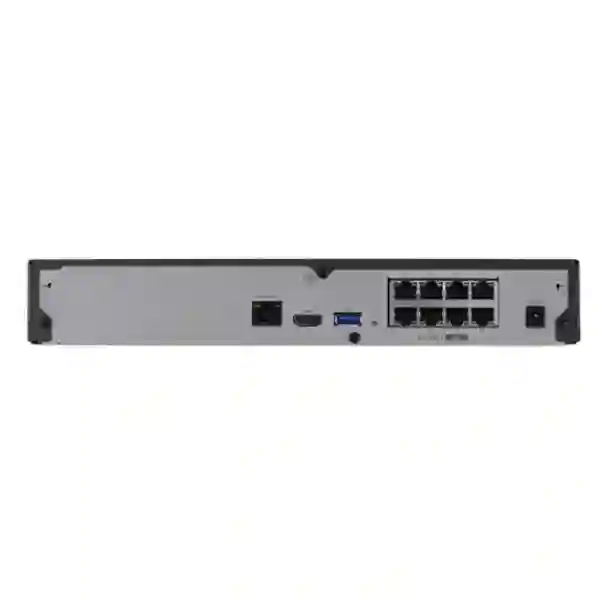
| PoE ports / aggregate budget | 8 PoE+ / 65W total |
| Internal storage | 1 SATA HDD slot, up to 6TB supported |
| Local video output | HDMI, including 3840 × 2160 mode |
| Network connections | 1 gigabit network interface plus 8 PoE+ camera ports |
| Camera interoperability | Wisenet and ONVIF; validate exact camera features |
| Remote viewing option | P2P / QR-code support, subject to setup |
| Operating temperature | 0°C to 40°C, per manufacturer technical information |
Manufacturer specifications may be revised. Confirm the exact QRN-820S revision, camera firmware, HDD compatibility, and itemised quotation before purchase.
Who the QRN-820S is designed for
The Hanwha QRN-820S is an eight-channel network video recorder for a location that needs a manageable group of IP cameras, local video recording, and straightforward day-to-day review. It fits buyers who want to know what happened at entrances, service counters, corridors, loading areas, or other important camera positions without making a small installation more complicated than necessary. Its integrated PoE ports can simplify a compact installation, while the local HDMI output means a nearby monitor can show video without depending on a cloud viewing service. The right purchase decision starts with the camera plan, not simply the recorder’s channel count.
For a Tanzania-based buyer planning CCTV for a shop, office, reception area, apartment common area, or modest commercial property, the practical questions are the same: How many views must be recorded, how much detail is needed, how long should footage be retained, and who should be allowed to review it? A QRN-820S can provide a useful core for an eight-camera-or-smaller design when these questions are answered in advance. It should not be represented as a complete CCTV kit: camera models, cables, surveillance-grade storage, monitor, power protection, installation work, and network setup must be defined separately.
Use this product when the 8-channel ceiling and one-drive storage architecture are appropriate. If the site expects more than eight cameras, requires extensive storage redundancy, or needs a larger enterprise management architecture, plan for a different recorder rather than assuming this model can be expanded later. FourTeck Tanzania can review a proposed camera schedule and help make the specification discussion more precise before a purchase or quotation is finalised.
Eight camera channels: plan the coverage first
An eight-channel NVR accepts up to eight network camera streams for recording. This figure is a system limit, not a recommendation that all eight ports must be populated. Some businesses begin with four or six cameras and use the remaining channels for carefully planned expansion. Others already need eight views on day one. List every required scene, including front entrance, customer area, cash handling point, rear access, staff entry, and storage zones; then decide whether each scene genuinely requires its own camera. A single wide view is not always a substitute for two detailed views of different activities.
Think about what the footage must prove. An overview camera may establish movement through a hallway, while a well-placed identification view could be needed at a controlled entrance. The recorder accepts camera resolutions up to 8 megapixels, but clarity at a target depends on lens selection, field of view, lighting, camera placement, subject distance, and encoded bitrate. Adding a higher-resolution camera does not automatically produce an identifiable image if it points in the wrong direction. Ask the installer to demonstrate useful images at the intended viewing distance.
Keep a clear camera schedule with location, expected resolution, maximum expected power draw, network address, recording schedule, and retention priority. This simple document makes the QRN-820S easier to configure and maintain. It also exposes requirements that a basic eight-port NVR may not meet, such as a ninth camera, long outdoor cable runs, or a site that needs centrally coordinated recording across several separate buildings.
8MP support and what 4K HDMI actually means
Hanwha specifies support for network cameras up to 8MP on the QRN-820S and provides HDMI output up to 3840 by 2160 pixels. These are two related but different capabilities. Camera resolution describes the detail a connected camera may contribute to a recording. HDMI output describes the display signal the recorder can send to a compatible local screen. Neither statement means that eight simultaneous 8MP streams can all be decoded at their full frame rates on one screen. Live layouts, playback performance, stream profiles, and camera encoding settings still matter.
For a practical design, select each camera resolution according to the scene rather than applying the highest setting everywhere. An entrance where details matter may justify a high-resolution stream; a small service passage could have different priorities. Test images in daytime, nighttime, and transitional lighting. Some cameras reduce frame rate or increase compression under poor lighting, and motion blur can defeat the benefit of extra pixels. The NVR records what the camera delivers, so capture quality must be assessed at the camera.
If a 4K monitor is planned, confirm the display supports the intended HDMI mode and that the recorder’s live layout remains readable from the operator’s viewing distance. On a small monitor, eight thumbnail views can be difficult to interpret even when the output is high resolution. A useful monitoring arrangement often combines a multi-camera overview with quick access to full-screen views of high-priority cameras.
Understand the 80Mbps recording bandwidth limit
The QRN-820S provides a maximum network-camera recording bandwidth of 80 Mbps. This is the combined recording ingest budget, not a guaranteed bitrate for each individual port. A buyer should add the planned maximum camera bitrates and consider how events, changing scene complexity, frame rate, codec, and quality settings affect the total. Eight camera streams configured at 10 Mbps each would already consume the full nominal 80 Mbps without comfortable design headroom. Such a configuration deserves review rather than blind acceptance.
The recording bandwidth limit is different from the speed advertised for the site’s internet connection. Video travelling from cameras into a local NVR can be recorded even when an external internet link is unavailable, provided the local network and power are working. Remote live viewing and off-site access, however, depend on network availability and outbound capacity. Similarly, the local playback performance of the recorder should not be confused with its recording input rating. Different workloads can have distinct processing limits.
Build a bandwidth budget before installation. Record each camera’s normal and maximum expected bitrate, the number of active channels, the chosen recording mode, and whether a secondary stream is used for convenient viewing. Confirm the final configuration under representative conditions rather than assuming an estimated average will always apply. If the camera plan consistently approaches the recorder’s limits, consider changing stream profiles or selecting a model with more available recording bandwidth.
Eight PoE+ ports and the shared 65W budget
The recorder includes eight PoE+ camera ports with a manufacturer-stated total PoE power budget of 65 watts. This can reduce the need for separate power adapters at a compact site because compatible cameras can receive power and data through the same network cable. The critical distinction is that 65W is the shared total budget; it is not 65W available on each of eight ports. A design with many high-consumption cameras must be checked as a group, even if every individual camera has a PoE-compatible connector.
Obtain the maximum power specification for each proposed camera, including its infrared illumination, heater, motorised lens, and other accessories where applicable. Add these values and leave sensible operating margin. A camera that appears low power during daylight may draw more after dark when illumination operates. PTZ movement or other features can change demand as well. If the combined maximum exceeds the recorder’s available budget, an appropriate external PoE switch or other approved power design may be needed, with compatibility verified before deployment.
PoE cabling is convenient, not a substitute for sound electrical planning. Use suitable network cable, correct termination, and secure routing. Label both ends and test each completed run. Do not assume a weather-exposed camera can be connected safely without suitable junction boxes, surge protection, and environmental protection. The installer should document power consumption and network topology so future technicians know whether there is room to add another camera.
Cabling, ports, and network topology
For a conventional small installation, cameras can connect to the recorder’s integrated PoE ports, while the recorder’s network interface connects to the site’s router or managed network. Hanwha’s technical specifications identify a gigabit RJ-45 network interface plus eight RJ-45 PoE+ ports. These interfaces serve different purposes: the built-in ports simplify camera connections, and the main network connection supports management, permitted viewing, and connectivity to the wider local network where configured.
Plan each cable route before mounting equipment. Long outdoor paths, interference-prone locations, multiple buildings, and areas with electrical hazards may require a more specialised design than simply attaching a long patch cable. Copper Ethernet distance limits, appropriate surge protection, grounding arrangements, and local installation requirements deserve professional review. If cameras are placed on an external switch, verify that their network paths, address assignment, and security rules permit the recorder to communicate with them.
A useful handover includes a cable diagram, camera-to-port mapping, labelled patch leads, IP address information, and details of any switch or network segmentation. This is especially valuable when the office’s internet equipment is later replaced. Without such records, a simple router change can cause avoidable disruption to remote viewing or camera discovery. Good installation documentation is often more valuable than a long list of features on a box.
Choosing between continuous, scheduled, and event recording
The QRN-820S supports normal and schedule-based recording, including continuous and event-triggered operation, as well as pre-event and post-event recording modes. These options let buyers align recording behaviour with the risks of the site. A reception camera may need continuous footage during trading hours; a low-traffic storeroom may have different requirements. The correct policy depends on what evidence must exist after an incident, not merely which setting uses the least disk space.
Event recording can reduce unnecessary footage in selected situations, but it depends on event detection and configuration. Motion can be missed, false events can occur, and rapidly changing lighting may cause alerts that do not represent a security incident. Where uninterrupted evidence is essential, continuous recording is often easier to justify. A hybrid plan may record important channels continuously while applying narrower schedules or event rules to less critical areas. The chosen approach should be tested against realistic activity.
Document the recording policy for every camera. Include whether recording continues outside working hours, how event thresholds are reviewed, who can change the schedule, and how missed recordings will be detected. Periodically verify that scheduled and event footage can actually be found and played back. A recorder that appears healthy on a live screen may still have gaps in its saved video if its recording configuration is wrong.
H.265, H.264, MJPEG, and WiseStream
Hanwha lists support for H.265, H.264, and MJPEG, with WiseStream support for the QRN-820S. These terms describe video compression and stream management rather than differences in camera count. H.265 can often achieve useful storage efficiency compared with older encoding approaches for similar content, but the result depends on the scene and camera configuration. WiseStream support can help optimise video data with compatible equipment and appropriate settings. Neither feature should be described as a fixed percentage of storage saving without a tested camera workload.
Codec choice has operational consequences. High-motion scenes, difficult lighting, complex backgrounds, and high frame rates may demand more data than a calm indoor view. A compressed image can also become less useful if quality is reduced aggressively. When reviewing a proposed installation, specify the minimum visual detail needed and then adjust codec, bitrate control, frame rate, and image quality around that need. A short recording test is more reliable than estimating storage from resolution alone.
Compatibility also matters. Verify that each selected camera produces a stream the recorder accepts and that the intended recording and playback functions operate with the proposed codec. A product description saying H.265 is supported does not mean every third-party camera’s implementation and advanced features are interchangeable. Keep a record of tested camera firmware and stream settings in the installation handover.
Internal hard-drive capacity and the one-slot limit
The QRN-820S has one SATA hard-drive slot, with manufacturer-stated support for a maximum of 6TB. The supported capacity is not a statement that a drive is included in every commercial offer. A buyer should confirm whether a quotation contains a hard drive, its exact model and rated capacity, whether it is suitable for continuous surveillance use, and who installs and initialises it. The storage configuration must be agreed before the system is treated as ready to record.
One storage slot keeps a compact recorder simple but imposes a significant operational limit: there is no second internal disk on which to create a conventional two-disk mirrored recording set. Backups, redundancy, and evidence retention need to be designed around that fact. A large single disk may store a considerable amount of footage at suitable bitrates, but it remains a single physical device. If a business requires disk fault tolerance or significantly longer retention, the purchasing specification should reflect those requirements.
Before selecting the disk, consult the manufacturer compatibility guidance for the actual drive model and any applicable firmware requirements. A capacity that fits physically is not automatically proof of supported operation. Confirm how storage will be formatted, how overwrite behaviour is set, how disk-health issues will be monitored, and what happens if capacity fills sooner than expected. Storage planning is a policy decision as much as a hardware decision.
How to estimate recording retention correctly
Video retention depends on the combined recorded bitrate, number of cameras, recording hours, stream compression, event frequency, audio use, and the available formatted disk capacity. A useful planning calculation begins with the sum of the average recorded stream bitrates and multiplies it by the intended hours of operation. It then accounts for storage overhead and variation across real scenes. This explains why two businesses using the same 6TB disk may retain different numbers of days of video.
Do not equate the recorder’s maximum 80 Mbps incoming bandwidth with the bitrate that every installation will actually use. Many projects will operate well below that ceiling, but the exact result needs to be checked with the chosen cameras and image-quality settings. Likewise, do not assume the nameplate disk capacity is the number of bytes available to footage after formatting and system overhead. Alarm-heavy recording or sudden changes in scene complexity can shorten retention relative to a neat spreadsheet estimate.
Write down the minimum retention requirement before requesting a storage quotation. Decide whether different cameras need different policies, who is responsible for exporting important incidents before automatic overwrite, and whether recorded footage must be copied to a separate authorised location. After commissioning, check the recorder’s actual usage rate for several representative days and revise the estimate if necessary. A measured retention period is more dependable than a generic promise of thirty days.
What one drive means for evidence resilience
A single-drive NVR is designed principally for recording and retrieval, not as a complete disaster-recovery system. If the drive fails, locally stored footage can become inaccessible. If the recorder is damaged, stolen, or loses power during an incident, recovery depends on the wider system design. Hanwha documentation identifies support for automatic recovery backup in compatible workflows, but this should not be interpreted as a replacement for disk redundancy or a guarantee that recordings always survive equipment failure.
For important sites, separate the concepts of recording availability, backup, and evidence preservation. Recording availability concerns keeping the camera-to-recorder path operating. Backup concerns retaining an additional usable copy of selected data. Evidence preservation concerns exporting and securing a relevant time interval once an incident has been identified. Different procedures and equipment may be needed for each objective. Decide these responsibilities in writing rather than relying only on a specification label.
Ask whether a recorder with more drive bays, a dedicated failover arrangement, or a separate protected archive is more appropriate for the value of the monitored area. Some small sites can accept a single drive if the risk is understood and a clear backup process exists; other sites cannot. The QRN-820S is best purchased with an explicit understanding of this tradeoff.
Local HDMI monitoring and operator usability
The HDMI output allows an operator to connect a suitable display for live viewing and local review. This is useful at a reception desk, security position, or back office where authorised staff need direct access. Hanwha lists output modes up to 4K, but the usability of a layout still depends on monitor size, viewing distance, supported display mode, and the selected number of camera tiles. A clear full-screen view is often more useful during an incident than a dense grid of small images.
Before handover, test the live layout and playback workflow with the people who will use the system. They should know how to switch between cameras, search by date and time, play a specific interval, and recognise the indicators that recording has stopped. The recorder includes USB interfaces that can support appropriate local workflows, but the exact backup media and file format requirements should be checked against the selected configuration.
Protect the monitoring station from casual access. A visible screen may be useful to security staff but inappropriate in a public waiting area if it exposes private spaces or sensitive movement patterns. Decide where the recorder, monitor, mouse, and power equipment will be installed and who is permitted to operate them. An accessible system is not the same as an unrestricted system.
Remote viewing and QR-code connection
The QRN-820S offers manufacturer-listed P2P or QR-code connection support for compatible mobile viewing workflows. This can simplify initial linking compared with some manual networking methods. Remote access should nevertheless be viewed as a separately configured service, not as something that works automatically in every mobile network or office setup. Internet connectivity, account setup, app compatibility, security settings, and network restrictions can all affect whether the authorised user can connect.
Remote viewing also consumes network capacity at the site and at the viewer’s location. If several users watch high-quality streams simultaneously, the site’s upload connection may become a practical bottleneck. Choose appropriate live-view profiles for mobile use and avoid promising fluid multi-camera viewing over every connection. A reliable local recording system can be more important than a glossy remote demonstration because security footage must still be stored when external internet access is interrupted.
For business use, record who is granted remote access and why. Remove access promptly when an employee changes role or leaves. If QR-based setup is used, treat connection credentials and device pairing details as sensitive. Review manufacturer support guidance for the current supported application and firmware rather than assuming that older screenshots or app instructions remain unchanged.
Network security and responsible account setup
A video recorder is part of the customer’s network, so its security configuration belongs in the installation plan. Hanwha’s published technical information lists features including HTTPS login, user authentication, IP address filtering, access logs, and 802.1X support. The availability of security features does not establish that a particular installation is secure by default. They must be configured appropriately, supported by the surrounding network, and maintained as equipment and personnel change.
Replace default credentials, use strong unique administrator authentication, and create individual authorised accounts where the workflow allows. Limit administration to people who need it. Separate camera traffic from general office or guest traffic when practical, use a properly configured firewall, and avoid exposing management services broadly to the internet. Where a remote solution is required, choose an approach consistent with the business’s security policy and the manufacturer’s current guidance. Keep a secure record of configuration changes.
Firmware management also matters. Hanwha maintains product-specific support information, but a download’s availability does not mean it should be applied blindly. Confirm the precise QRN-820S model, firmware compatibility, maintenance window, and backup procedures before an update. After updating, verify that cameras still record, remote access works as intended, playback is available, and users retain the correct permissions.
ONVIF interoperability and camera selection
The product’s published specifications identify Wisenet and ONVIF support, including ONVIF Profile S networking details. That can help with interoperability, but it does not mean every ONVIF-labelled camera will deliver every advanced capability through this recorder. Basic video streaming, motion events, audio, camera configuration, PTZ operation, and analytics metadata can have different levels of implementation. Confirm the actual device model and firmware combination rather than accepting a broad compatibility claim.
Before purchasing a mixed-brand system, make a test list: discovery, live image, chosen codec, recording schedule, event detection, timestamp handling, PTZ where applicable, audio where needed, and replay after restart. This is particularly important if a site is reusing existing cameras rather than installing a fully specified new set. A camera may deliver a picture successfully while an important event or control function remains unavailable.
Hanwha’s own ecosystem can offer useful integration options, but even same-brand equipment should be checked against current compatibility lists. Avoid selecting cameras solely because their resolution matches the NVR’s maximum. Network security, PoE consumption, optical performance, software compatibility, and installation environment all affect the result. An agreed camera compatibility schedule protects the buyer from a system that looks complete on paper but has gaps in operation.
Event alerts and motion-related workflows
The recorder supports event-oriented recording and actions tied to specified conditions, with published examples including camera-generated events, video loss, buzzer, monitor output, and email-related response options. Which camera event types can be used depends on the installed cameras and their integration. Buyers should not assume that every smart analytic available on a newer camera will be recognised by this recorder or surfaced through a particular mobile application.
Choose alerts with a specific action in mind. A video-loss warning may tell maintenance staff that a camera requires attention. A selected after-hours motion event may direct an authorised person to review a scene. Excessive alerts from trees, passing traffic, insects, or changing light can become noise and reduce trust in the system. Configure detection areas and schedules carefully, then revise them based on observed false positives and missed activity.
Test the complete route from an event to the user response. Trigger a controlled event, confirm that footage was recorded, check the displayed timestamp, and verify that the intended notification or local action occurred. Record any dependence on an email service, router configuration, or compatible camera feature. An event feature is useful only when the customer knows what will happen and who is responsible for acting.
Playback, search, export, and incident handling
Recording is only half the job of a useful CCTV system. After an incident, an authorised user needs to find the right camera, select an accurate time interval, review it, and preserve the relevant sequence before older files are overwritten. Hanwha specifies search and playback features and local or network export options for the QRN-820S. The exact workflow can vary with software and firmware, so it should be demonstrated during commissioning rather than left for an emergency.
Time accuracy is critical. Set the correct time zone, date, network time synchronisation, and applicable daylight-saving settings so video times are meaningful. If the installation has several devices, confirm their clocks agree. A wrong clock can complicate an incident investigation even when the video itself is clear. When exporting, retain enough footage before and after the event to preserve context and keep a written record of who handled the copy.
Decide where exported footage may be stored and who may share it. Access should respect company policy and applicable privacy and legal requirements. Avoid using personal devices or uncontrolled messaging applications for sensitive footage without authorisation. Test that the exported file can be opened on a suitable device and that the picture, timestamp, and sequence remain usable before the original data is overwritten.
Audio, PTZ, and specialist camera features
Published specifications identify network audio support and two-way communication capability as well as PTZ control through supported interfaces. Those entries describe possible functions, not a guarantee that audio or PTZ will work with every camera. Microphone hardware, camera capabilities, speaker arrangements, codec support, network behaviour, and applicable privacy rules must all be reviewed. A standard fixed camera without audio hardware cannot gain a microphone simply because the recorder lists audio support.
PTZ cameras may be useful at some larger or open areas, but a camera pointed away from an incident can miss events that a fixed overview camera would capture. If a PTZ unit is proposed, specify its patrol, presets, manual control responsibilities, and recording expectations. Also check its peak PoE power draw; it may exceed the practical allocation available from a shared 65W budget. An external power plan may be necessary depending on the equipment.
Other specialist functions, such as fisheye viewing or camera analytics, require model-specific compatibility checks. An integrated feature is useful only when it solves a real monitoring problem and the staff understand how to use it. For many small businesses, dependable fixed views, strong lighting, and consistent recording provide more value than advanced controls that are seldom operated.
Protecting the recorder from power and environmental problems
The NVR should be installed in a secure, dry, ventilated location with suitable power protection. Hanwha’s technical information describes an operating environment intended for indoor equipment, including an operating temperature range of 0°C to 40°C. This makes cabinet ventilation and the immediate equipment-room environment important, particularly when a site becomes hot during the day. A recorder hidden in a closed cupboard beside other heat-producing equipment may have very different conditions from the surrounding office.
Assess power continuity before promising reliable recordings. A suitable uninterruptible power supply can help bridge brief outages, but its sizing must account for the recorder, its powered cameras, network equipment, and actual load. The recorder’s PoE ports form part of that consumption. Choose protection based on the installation’s electrical design and maintenance requirements, and test controlled shutdown and restart behaviour where appropriate. No recorder can create footage while its cameras and essential equipment are without power.
Physical security matters as much as network security. Place the NVR where casual visitors cannot unplug, remove, or tamper with it. Make sure technicians can still access ventilation, cables, and service points. Label power supplies and keep the cabinet or shelf clean. A practical commissioning inspection should cover mounting, airflow, surge protection, power restoration, cable strain relief, and safe access.
Typical use case: retail premises and service counters
A compact shop or customer-service location often needs coverage of the entrance, sales area, service counter, goods receiving point, and a storage or staff-access door. The QRN-820S can be evaluated for such a plan when the number of views stays within eight and the camera network fits its recording and PoE budgets. Camera placement should be designed around the questions the business expects to answer after a dispute or incident. A wide-angle overview alone may not show the detail needed at a specific counter.
Determine whether continuous recording is necessary during opening hours and whether selected views should continue overnight. Set practical image-quality priorities and estimate retention using the actual stream settings. For a shop with a separate back office, a local HDMI monitor may suit the authorised supervisor, while carefully controlled remote access can help management review a specific incident. Do not assume that staff or customers should have unrestricted access to the monitor.
The most valuable outcome is a system the staff can use under pressure. Training should cover basic live-view navigation, searching by time, exporting a defined clip, and recognising when a camera has disconnected. A short handover demonstration often reveals whether the camera labels, timestamps, and chosen monitor layout are sufficiently clear.
Typical use case: offices, shared premises, and small facilities
An office may want to monitor selected doors, corridors, reception areas, and equipment rooms while avoiding unnecessary recording of private workspaces. The recorder’s eight channels can support a focused camera plan if the field of view and operational requirements are agreed. The number of cameras should not be chosen simply to fill the available ports. The goal is useful coverage with sensible access controls and a recording policy that fits the organisation’s needs.
Shared premises introduce additional design questions: Who owns the footage, who administers accounts, who may inspect it, and who handles maintenance? If multiple departments or tenants need separate rights, confirm that the available user and permission functions satisfy the intended structure. A larger centralised platform may be preferable where many users, many sites, or sophisticated permission rules are involved. Treat administration requirements as part of the recorder selection.
A small warehouse or goods-handling facility may have a different challenge. Lighting changes, long cable routes, large doors, and high-mounted cameras can complicate footage quality. Verify the optical requirements and cabling environment before selecting the recorder’s companion cameras. If the site needs more than eight fixed views or a high-capacity archive, make that a purchasing decision now rather than a retrofit problem later.
A practical pre-purchase checklist
Start with an eight-line camera schedule, even if fewer than eight cameras are currently planned. Record each camera’s location, purpose, resolution, expected maximum bitrate, codec, expected PoE draw, and physical cable route. Add the total recording bandwidth and the maximum PoE consumption separately. These two totals answer different questions and should both leave appropriate margin. Check whether any high-draw camera, extended network run, or specialist function requires supporting equipment beyond the recorder.
Next, write down the retention requirement and identify the proposed storage drive. Confirm that one internal drive with up to 6TB supported capacity is sufficient, that the drive model is compatible, and that the exact quotation makes the drive inclusion clear. Decide whether single-disk operation is an acceptable risk. If footage has high evidential value, specify an incident export and backup procedure rather than assuming the NVR alone provides a resilient archive.
Finally, define the operating arrangement: monitor or no monitor, who receives access, whether remote viewing is needed, what internet and firewall rules apply, and what power protection is required. Confirm the precise device model QRN-820S rather than a similarly named XRN-series recorder with different capabilities. Ask for a quotation that lists the recorder, storage, cameras, cabling, network accessories, power items, commissioning, and any separately agreed support.
A sensible commissioning sequence
Commission the system in a deliberate order. Begin with the physical inspection: secure mounting, correct power supply, ventilation, labelled cables, and confirmed camera positions. Install and verify the supported storage device, then configure the network and security settings. Connect cameras one by one and validate live video, resolution, codec, frame rate, and actual bitrate. If the camera list is complete, the installer can confirm that the aggregate stream load and PoE consumption remain within the designed limits.
Configure recording schedules and verify stored footage rather than relying only on live pictures. Check date, time, and time zone on the recorder and cameras. Review playback on the local display and any approved remote interface. Test event actions only where they are required, and confirm that staff understand which events create notifications. If external internet access is disconnected, check that intended local recording continues; do not confuse failed remote access with failed local recording.
Complete the handover with administrator and operator roles, approved credential custody, a network and camera map, disk and firmware details, and a short written test record. Explain the process for saving footage before automatic overwrite. Ask the business to sign off on image coverage, night-time results, retention expectations, and user permissions. These practical checks make it easier to prove that the installed system meets the agreed requirement.
Maintenance and lifecycle planning
After installation, schedule checks for camera images, recording continuity, disk health, clock accuracy, and account permissions. Inspect night-time images as well as daytime views because lighting and infrared conditions can change with weather, landscaping, and site activity. Confirm that a recent recording can be found and played back. A camera may still show a picture while its configured recording schedule has been accidentally changed, so a live image is not sufficient proof of a healthy archive.
Keep a record of firmware revisions, disk replacements, camera model changes, and network configuration updates. Before applying software changes, verify current manufacturer instructions for this exact model and arrange a suitable maintenance period. Retest the system afterwards. If a camera is added, its extra stream bitrate and peak power should be included in the existing budgets rather than being treated as a free spare connection.
Review the installation whenever the building layout or operational process changes. A new partition, stock shelf, counter, signboard, or light source can obstruct a previously useful view. Staff changes should trigger access reviews. Long-term CCTV value comes from maintaining the system’s usefulness, not just keeping the recorder powered on.
When another recorder would be a better fit
The QRN-820S has an identifiable role: local recording for up to eight IP cameras with integrated PoE and a single internal drive. It is less well matched to a project that already needs nine or more cameras, multiple redundant disks, very long footage retention at high bitrates, or large numbers of simultaneous users. It may also be the wrong choice where cameras have demanding power requirements that a shared 65W PoE budget cannot accommodate without additional infrastructure.
Consider operational complexity as carefully as hardware limits. Multi-site operations may need a central management design; high-risk sites may require stronger resilience, separate archival storage, or a tested failover process. High-resolution cameras with unusual analytic integrations may need a different compatibility profile. Do not infer that a newer or similarly named recorder has identical storage, bandwidth, or power characteristics. Compare exact model documentation against the approved camera schedule.
Where a different system is preferable, the goal is not simply to purchase a more expensive box. It is to avoid buying equipment that cannot meet a defined requirement. An accurate quote should describe what is included, what is excluded, what has been compatibility-tested, and which outcomes still depend on site conditions. That approach helps a Tanzania buyer select a surveillance solution rather than just a recorder model.
Frequently asked questions
How many cameras can the Hanwha QRN-820S record?
It supports up to eight IP camera channels. Eight is a firm recorder limit, so a project that expects more than eight cameras should consider another recording platform. Camera resolution, stream bitrates, storage requirements, and PoE power must also be assessed; the ability to plug in eight cameras does not by itself confirm that every proposed camera configuration is suitable.
Does the QRN-820S support 8MP cameras?
Yes. The manufacturer specifies camera support up to 8 megapixels. Actual recorded usefulness depends on the camera, lens, scene lighting, bitrate, and selected stream configuration. Do not interpret this as a promise that every eight-camera 8MP configuration can be displayed simultaneously at maximum frame rates. Review the aggregate recording bandwidth and playback requirements before selecting the final settings.
Can I connect eight PoE cameras directly?
There are eight integrated PoE+ camera ports, but their shared power budget is 65W. Check the maximum consumption of each proposed camera and the total, including night-time infrared or other peak loads. Some combinations may require additional approved power equipment. Correct cable routing, protection, and installation are still required even when power and data use one cable.
Is a hard drive included with the recorder?
The manufacturer’s specification confirms one SATA slot supporting up to 6TB, but it does not establish the storage bundled with a particular FourTeck Tanzania offer. Request explicit confirmation of whether an HDD is supplied, its make and capacity, its compatibility, and installation and commissioning responsibilities. Never base a retention promise on an unspecified disk.
How many days can the recorder store CCTV footage?
There is no single guaranteed number. Recording days depend on available disk capacity, camera bitrates, codecs, recording schedule, audio, and activity. Set a target retention period, calculate against realistic stream settings, and verify actual use after commissioning. Important incident clips should be exported before the system’s overwrite process removes them.
Can I view my cameras on a phone?
The QRN-820S has manufacturer-listed QR-code or P2P connection support for compatible mobile viewing arrangements. Actual remote viewing requires appropriate network, account, software, security, and internet configuration. A mobile application and stable remote access should be confirmed for the current system configuration; no internet connection should be assumed merely because the feature is listed.
Can I use another brand of ONVIF camera?
The recorder supports Wisenet and ONVIF networking, including Profile S details in manufacturer documentation. Basic video operation may be possible with compatible cameras, but functions such as events, audio, analytics, PTZ, and setup can differ. Check the exact camera model and firmware and test the features needed before committing to a mixed-brand installation.
Will it continue recording without the internet?
A correctly configured local camera and NVR installation can generally continue local recording during a loss of external internet, provided its cameras, recorder, network paths, and power remain operational. Remote viewing and some externally delivered services may stop. A site test should verify the intended behaviour and make clear what happens during power loss rather than internet loss.
Can the recorder create a backup if the HDD fails?
A single installed HDD is a single local storage device; the recorder does not have a second internal SATA slot for a standard mirrored pair. Any required backup, evidence export, or additional resilience must be planned separately. Do not treat a listed recovery feature as a blanket guarantee that local evidence survives disk failure or damage to the unit.
What should I send when asking for a quote in Tanzania?
Provide the exact model QRN-820S, the number and models of intended cameras, an outline of camera positions, expected recording hours, desired retention period, any need for remote viewing, and whether storage and installation are required. Mention site power conditions and unusual long cable routes. Ask for clear confirmation of the package contents, compatibility, support arrangements, and availability.
Is this model the same as XRN-820S?
No. Similar-looking model names can refer to different recorders with different capacity, recording, storage, and software features. Quote QRN-820S exactly and use the QRN-820S specification when checking parts and compatibility. Do not transfer XRN-series specifications to this product simply because the numeric portion of the model name is similar.
Is this recorder appropriate for a larger enterprise site?
It may serve a smaller independent area, but its eight-channel limit, 80Mbps recording bandwidth, 65W PoE budget, and single-drive design need comparison against the whole project’s requirements. Large or high-risk installations may need greater channel capacity, more storage redundancy, stronger central management, or dedicated network architecture. Select by the actual scope rather than the building label.
Request a QRN-820S specification-based quotation
Tell FourTeck Tanzania how many cameras you plan to use, where they will be installed, the required footage retention, and whether you need a hard drive, remote viewing, power protection, or installation. Ask for confirmation of the exact QRN-820S model, storage inclusion, camera compatibility, and package availability before placing an order.
This page describes technical suitability, not live stock, a verified local price, a warranty commitment, or a promise of service coverage. These commercial terms should be confirmed directly in the quotation.




Reviews
There are no reviews yet.