
Hanwha Vision · AI public view monitoring
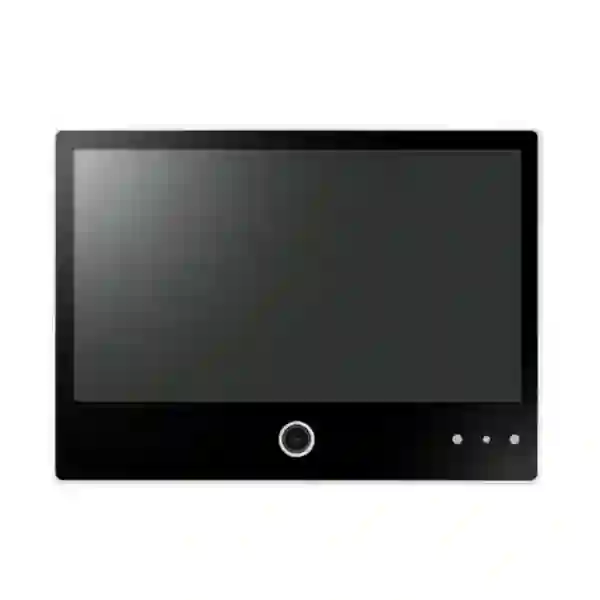
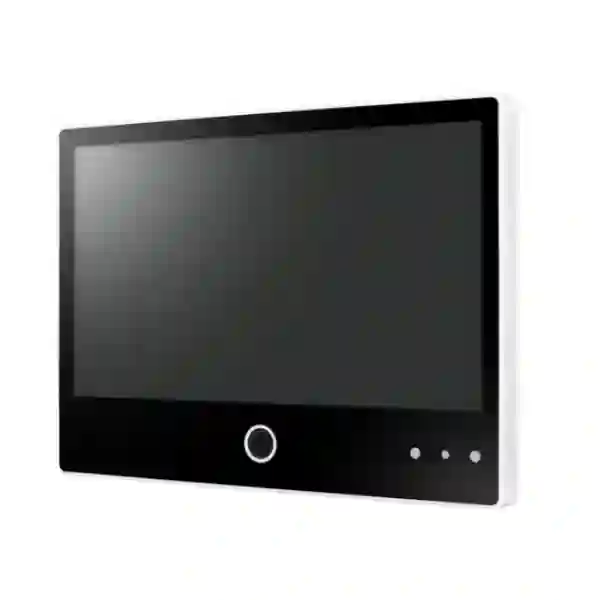
Hanwha SMT-1031PVW 10-inch AI Public View Monitor — White
Make surveillance visible at an indoor customer-facing location with a compact screen and integrated 2MP AI camera. The Hanwha SMT-1031PVW brings a public view display, configurable messaging, event analytics and IP connectivity together in one device. For a Tanzania project, confirm placement, power, network integration and recording needs before ordering.
Need a complete site-ready proposal? Request a quote with the intended location, network design and required recording or analytics features.
What the SMT-1031PVW is designed to do
A public view monitor combines a camera with a visible screen so people approaching a monitored location can see a live surveillance image or configured on-screen information. The Hanwha SMT-1031PVW integrates those two functions in one compact, white-cabinet device. Rather than hide the camera’s presence, this approach deliberately makes surveillance visible. That can be useful at a retail entrance, a supervised service counter, or another indoor location where the business wants customers and staff to know a monitoring point exists. Its purpose should be explained clearly in the security design, not mistaken for a guarantee that theft or incidents will stop.
The main purchasing question is whether a customer-facing surveillance display adds value beyond the business’s existing cameras. Where an ordinary camera might be mounted discreetly above a doorway, a public view monitor provides an immediate visual reminder. The built-in camera lets the device collect its own image, while the screen communicates that observation is taking place. A single compact unit can therefore simplify the physical appearance of a small monitoring point. However, overall evidence retention, incident response and compliance still depend on the wider security processes and recording configuration.
For Tanzania-based buyers evaluating an AI public view monitor, the best first step is to define the site and the outcome. Is the objective to show a live image near the entrance, identify movement through a defined area, alert staff to a configured event, or generate operational observations such as footfall? The answer affects camera placement, the selected analytics, display messaging and storage choices. Request a configuration and compatibility review for the intended location rather than assuming that every listed feature is suitable for every environment.
At-a-glance feature and specification overview
The following values come from Hanwha Vision’s specification for the exact white SMT-1031PVW model. They are provided to help a buyer compare the physical installation, camera coverage, display capability and supporting infrastructure. Manufacturer specifications describe device capabilities under stated conditions; field performance varies with mounting height, lighting, background movement, network design and configuration. The display resolution and camera sensor resolution are different measurements and should not be confused. A 2MP camera does not turn the integrated display into a Full HD panel.
Key display values are a 10-inch class LED monitor, 1024 × 600 maximum display resolution, 500 cd/m² stated brightness, 500:1 contrast ratio, 16:9 aspect ratio and 140-degree horizontal by 120-degree vertical viewing angle. The camera uses a 1/2.8-inch 2MP CMOS sensor, a fixed 3.06 mm F1.6 lens and a stated horizontal field of view of 107.7 degrees. Audio comes from two built-in 1W speakers. The Ethernet interface is 10/100BASE-T, the power input is PoE+ IEEE 802.3at or 24V DC, and rated power consumption is 14W.
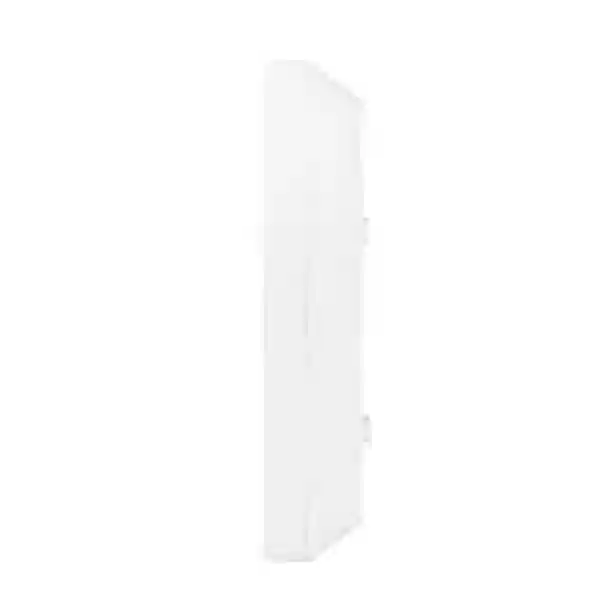
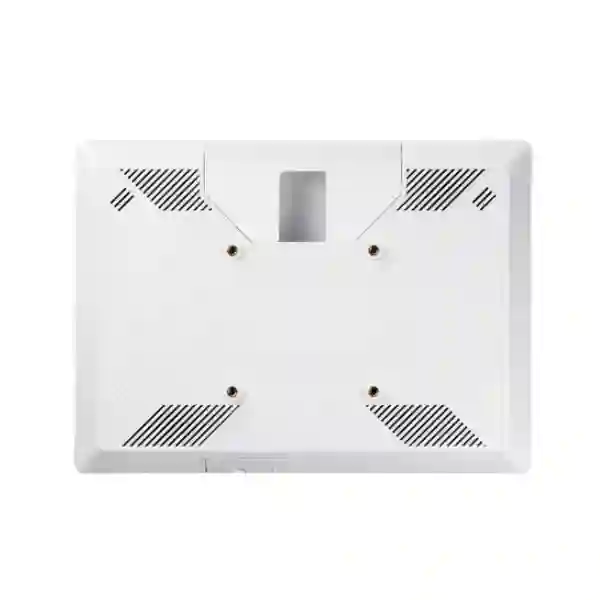
The manufacturer specifies a white cabinet, an approximately 245.5 × 178.2 × 35.5 mm body without stand, approximately 900 g weight, and a 75 × 75 mm VESA mounting interface. The operating range is 0 to 40 degrees Celsius with 10% to 80% non-condensing humidity. These figures support design screening but should be checked against final project drawings and the latest revision of the exact-model datasheet. Accessories, brackets, card media, network infrastructure and installation services should be itemized separately when obtaining a quotation.
| Specification | Manufacturer value |
|---|---|
| Model | SMT-1031PVW, white cabinet |
| Product type | 10-inch AI public view monitor with integrated camera |
| Display | 1024 × 600; 500 cd/m²; 16:9; 500:1 contrast |
| Camera | 1/2.8-inch 2MP CMOS; 3.06 mm fixed F1.6 lens |
| Camera field of view | 107.7° horizontal; 59.0° vertical; 126.7° diagonal |
| Analytics | Person/face classification; defined motion and virtual-area events; people counting, queues, heat maps |
| Interoperability | SUNAPI; ONVIF Profiles S/G/T/M |
| Network | RJ-45 10/100BASE-T |
| Audio and alarms | Two 1W speakers; one alarm input and one alarm output |
| Storage interface | One microSD/SDHC/SDXC slot; up to 256GB |
| Power | PoE+ 802.3at or 24V DC; 14W stated consumption |
| Adapter | Not included; Hanwha identifies SPU-60240 option |
| Mounting | VESA 75 × 75 mm |
| Operating environment | 0–40°C; 10–80% RH, non-condensing |
How visible monitoring supports a security plan
A monitor placed in the public’s line of sight serves a different role from a screen in a back-office control room. It communicates that the area is observed, reinforces site notices and may encourage people to behave carefully. That effect can support a broader loss-prevention approach, but it should not be sold as a measurable reduction in shrinkage without site-specific evidence. Lighting, staff supervision, incident escalation and recording procedures still determine how a business reacts to a problem. Treat the SMT-1031PVW as a security communication point as well as an IP camera.
Decide what a person should see when looking at the display. A live scene can give a clear visual cue, while a configured text overlay can explain that monitoring is in operation. The monitor supports logo presentation and an image slide show, which may allow the viewing surface to fit the business’s visual identity. These features should be tested against actual security messaging: a rotating promotional image may be less direct than a visible live view for a particular site. Choose the content based on what the public needs to understand, not simply because all display options are available.
Think about the surrounding space. A screen at an entrance may be visible to arriving customers yet not to staff behind a counter. A device mounted too high may show a less useful view of faces, while a screen positioned in direct glare may be difficult to read. Do a physical walkthrough from the likely approach direction. Mark the point at which visitors first notice the screen, inspect what the integrated camera can see and check whether the unit draws attention away from safe pedestrian movement.
Choosing the right camera position and field of view
The fixed 3.06 mm lens and 107.7-degree stated horizontal field of view are important planning details. A wide scene is useful when the device needs context around a doorway or a service area, but it does not mean distant details remain equally clear across the entire image. The farther a person stands from the camera, the fewer image pixels typically describe them. Buyers seeking specific identification performance should define a target distance and test the actual installation geometry rather than interpreting a wide-angle specification as proof of recognition capability.
Start with an annotated floor plan. Identify where visitors enter, where they pause, which shelves or counters matter, and which sightlines are blocked by signs, doors or fixtures. Then consider the likely mounting height, the viewing angle and potential tampering. A place that offers an attractive display angle may be poor for camera coverage, and the reverse is also possible. For a project with both public communication and detailed forensic needs, the best solution may be a public view monitor supported by separate, purpose-positioned cameras.
The camera’s stated vertical and diagonal fields of view are 59.0 and 126.7 degrees respectively. These geometry figures help installers predict how much of the approach area falls inside the image. They do not tell the full story about perspective, occlusion or lighting. Check the view when the doorway is open and closed, when a queue forms, and when typical merchandise or furniture is in place. Revisit the positioning after any significant layout changes, because moving a promotional stand can alter coverage even though the camera’s settings remain unchanged.
Image quality, low light and difficult lighting
The 2MP CMOS imaging sensor is separate from the 1024 × 600 public display. Hanwha specifies colour minimum illumination of 0.03 lux at F1.6 and a 1/30-second exposure, plus 120 dB wide dynamic range. These are manufacturer test specifications, not a promise that every dim corner will produce clean evidence. Motion blur, noise and a bright window behind the subject may reduce the practical value of footage. Before purchasing, ask whether the scene is lit consistently during the hours when monitoring matters most.
Wide dynamic range can help with a scene that contains bright and dark regions, such as a shaded entrance facing daylight. Backlight compensation, digital noise reduction, white balance and lens distortion correction provide additional tools for tuning the picture. Each adjustment has trade-offs. An exposure that brightens a shadowed face may blur movement; aggressive noise reduction can affect fine texture; a setting that looks good in daytime may be poor after dark. Commission the device with representative daytime and evening tests instead of relying on an untouched default image.
Because the camera has a fixed focal-length lens, buyers should not expect the installer to change its optical zoom to solve a badly chosen location. Digital PTZ and display adjustments are useful functions, but they are not replacements for moving the camera or selecting a device with different optics when a tighter scene is needed. Verify the intended subject size on recorded or streamed images at the target distance. That simple check is more meaningful than comparing megapixel labels alone.
AI analytics: useful signals, not automatic decisions
The SMT-1031PVW includes manufacturer-described AI object classification and event analytics. Listed functions include person and face classification, motion and object detection, virtual-line crossing and direction, intrusion, loitering, area entry and exit, defocus detection and tampering detection. A face detection box can make a person aware that the camera has detected a face in the scene. That is not the same as establishing identity, performing face recognition or creating a reliable person-identification record. The datasheet does not support assuming those additional capabilities.
Good analytics start with a specific question: which event merits attention, where should the detection zone be, and what should happen when the event occurs? A crossing rule might help distinguish movement past a defined line from general activity elsewhere in the image. A loitering rule may be relevant to a carefully chosen area, but lingering at a retail counter may be perfectly normal. Configuration should reflect normal site behavior to avoid unnecessary alerts. Test busy periods, cleaning, deliveries and lighting changes before putting an alarm into regular use.
AI labels are estimates based on what the camera sees. They can miss events or trigger unexpectedly because of perspective, occlusion, reflections or unusual motion. Treat notifications as inputs for human review, not as evidence of misconduct on their own. Before deployment, define acceptable nuisance-alert levels, staff response procedures and a periodic tuning plan. That makes the analytics measurable in practice and avoids a system that generates so many alerts that responsible staff ignore them.
People counting, queue analysis and heat maps
Hanwha also lists people counting, queue management and heat-map functions based on its AI engine. These capabilities may be interesting to operators who need more than a visible security presence. A business might wish to understand how visitors move through an entrance, whether a waiting area becomes crowded, or which part of a scene receives repeated activity. The available result and its interpretation depend on camera placement, analytic configuration and how the data is accessed. The product description should not be read as a promise of a particular reporting dashboard or business outcome.
A counting line works best when its physical meaning is clear. At a doorway, people may enter together, walk back and forth or be partly hidden by a door leaf. A queue is different from a group casually standing together. A heat map indicates activity in the observed image and does not automatically explain why people gathered. For an operational project, agree on definitions, sample periods and acceptable error before relying on such outputs for staffing or layout decisions. Human observation remains a useful validation method.
Analytics should serve an explicit operational decision rather than becoming unused data collection. If the business needs staffing insight, decide who reviews the observations and how frequently. If the only aim is a customer-facing deterrence display, there may be no need to enable additional counting or heat-map functions. Keeping configuration proportional to the purpose simplifies administration and makes privacy review easier. Confirm downstream software support before promising integration of analytics into an existing management system.
Display messages, branding and visitor communication
The integrated screen supports a customizable text overlay, an on-screen logo and an image slide show. Hanwha identifies a default message of “Recording in progress,” but the operator should use messaging that accurately describes what the site has actually configured. A public statement about recording should not be displayed if recording has been disabled or is unavailable. The ability to show a message is not proof that footage is being retained. Verify the real recording workflow before approving any notice or on-screen claim.
A useful message is brief, legible and appropriate for the space. From the visitor’s perspective, the screen should not require reading a long paragraph while walking through an entrance. Where the business needs fuller privacy information, use appropriate physical signage and other notices. The monitor can reinforce a message, not necessarily carry every explanation required by an organization’s policy. Consider contrast, readability, viewing height and the language used by the intended audience when designing the display content.
The image slide show is listed as requiring no additional storage for that particular function, which should not be confused with video-recording storage. These are separate tasks. Schedule any branding or informational presentation so it does not interfere with the security purpose of the device. After configuration, inspect the screen at the normal approach distance and under the strongest ambient lighting expected. A clean branded layout is useful only when it remains intelligible during real operation.
Audible alerts and alarm connections
Two integrated speakers are specified at 1W each. The product also supports motion- or event-activated LED and audio alarm behavior, along with one alarm input and one alarm output. These features allow a site designer to consider both visible and audible responses to a configured event. An alert should be selected based on location and purpose. A sound that is helpful at a small stockroom entrance could be distracting or inappropriate at a reception desk, especially if it is triggered by routine movement.
Plan the alert path from detection to human action. Decide whether the display should change, whether a sound should play, whether an output should activate another approved device, and who should respond. Check the compatibility and electrical characteristics of connected equipment before wiring. The existence of an alarm output does not establish that every siren, access-control device or third-party controller is directly compatible. The final design should be reviewed using the supported interfaces and installation instructions.
Avoid treating an audible alert as a standalone security response. There must be a person or team with responsibility for investigating incidents, and they need enough information to decide whether the event is meaningful. Commissioning tests should include routine customer behavior and deliberately triggered test events. Confirm that the sound is audible where intended, not unnecessarily intrusive elsewhere, and that a failed network or power connection produces the response described in the site’s procedures.
Recording, storage and incident retrieval
The manufacturer lists a microSD, microSDHC or microSDXC slot supporting media up to 256GB, as well as event-triggered recording to supported SD media or NAS destinations. Recording is therefore a configuration and system-design matter, not an automatic property that should be assumed merely because a live image appears on screen. A memory card may be a separate purchase. Its capacity, endurance rating, recording schedule, compression settings and expected event frequency all affect the retention time that can be achieved.
For any security deployment, establish a retention objective before selecting storage. Consider how frequently an incident is expected, who is authorized to review it, and how quickly a relevant segment must be retrieved. A site requiring centralized investigations may prefer a compatible network recording or video management design. A small installation using edge recording still needs a procedure to check card health and export evidence. Neither approach should be chosen solely because a storage slot or ONVIF profile is listed.
Hanwha’s specification references H.265 and H.264 video as well as MJPEG, with maximum frame rates that depend on format and operating mode. Compression choice affects image quality, storage usage and downstream compatibility. Test the actual recording stream against the requirements of the selected software or storage device. Verify timestamps, time-zone settings and time synchronization so footage can be investigated correctly. Test an export and playback before accepting the installation; seeing a recording icon is not enough evidence that the recovery procedure works.
Network integration and ONVIF considerations
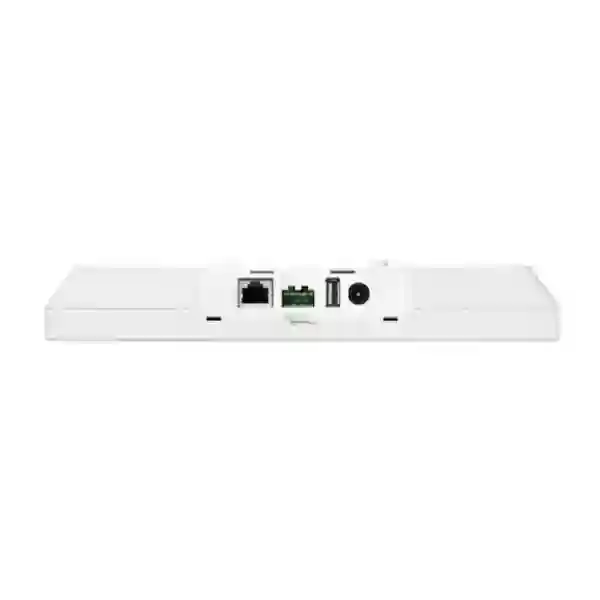
The SMT-1031PVW provides a 10/100BASE-T RJ-45 Ethernet interface, and Hanwha lists SUNAPI together with ONVIF Profiles S, G, T and M. These are relevant integration signals for customers planning an IP-based surveillance system. However, support for a protocol or profile does not guarantee that every recorder, video management system, analytics application or software version will support every device feature. Basic video discovery may work while advanced analytics or display management requires another method.
Make an integration schedule before ordering. Record the existing recorder or VMS name and version, the number of cameras or channels already licensed, the desired stream resolution and codec, and the specific events that need to reach operators. If the project uses a third-party system, request a test for the functions that matter rather than relying only on a broad ONVIF compatibility statement. Ask the integrator to document the supported stream, credential method, event mapping and any licenses needed in the receiving application.
The public display is managed through Hanwha’s WebUI for functions such as power scheduling and banners. That management capability is distinct from the live-video protocols used elsewhere in a network. An administrator should confirm which settings are controlled locally and which can be managed from the chosen platform. Keep a configuration record with the device’s network details, firmware version, responsible owner and tested operating profile. These records make future troubleshooting easier when a site changes networking equipment or software.
Power design: PoE+ versus 24V DC
The manufacturer identifies two power methods: IEEE 802.3at PoE+ and 24V DC, with a stated 14W consumption figure. PoE+ can be attractive when the installer can use a compatible network switch or injector and route one appropriate Ethernet cable to the device. It does not mean that every PoE-capable switch is sufficient. Check the switch’s per-port capabilities, total power budget, cable length and installation quality. A standard PoE port without the required power support should not be assumed compatible.
The alternative is a supported 24V DC supply. Hanwha states that the power adapter is not included and identifies the SPU-60240 as a 24V adapter option. Confirm the correct accessory for the exact regional supply arrangement, including safe mains connection and any project-specific approval requirement. Do not use a generic adapter based only on matching voltage, because connector, polarity, current capacity and safety details also matter. Have the installer verify these against the manufacturer instructions.
A power continuity plan is useful for sites that need monitoring during outages. For a PoE installation, the network switch and any upstream recording or management equipment may need suitable backup power. For a DC installation, the local supply and supporting network equipment have separate continuity needs. The monitor’s rated consumption is a planning input, not a complete UPS runtime calculation. Size backup equipment for the full system and test recovery after a controlled power interruption.
Cybersecurity and device administration
This is a network-connected camera as well as a screen, so its cybersecurity deserves the same attention as other IP surveillance equipment. Hanwha lists features including secure boot, signed firmware, encrypted firmware, digest authentication, brute-force protection, 802.1X options, HTTPS, secure real-time communication and logging functions. These are useful capabilities, but their presence does not eliminate the need for secure deployment. A poorly protected network or shared administrative password can still undermine the installation.
Before the monitor is connected to a production network, define who owns its administrator account, what password policy applies, and which operators genuinely need access. Use network segmentation or other access restrictions appropriate to the site’s architecture. Limit management access to authorized systems, disable unnecessary functions where supported, and avoid exposing the interface directly to the public internet. Record the intended NTP or time source, DNS settings and firmware update procedure. The best policy is one the site can actually maintain.
Hanwha also lists IP-based access control, encrypted credentials, audit logs and encrypted SD-card partitions. Confirm that the relevant functions are enabled and working in the deployed configuration rather than assuming the default settings meet an organization’s policy. An audit log is useful only if someone reviews it when an issue arises. A secure storage function does not replace a policy for removing, destroying or transferring recording media. Assign accountability to an owner who can approve configuration changes and respond to alerts.
Firmware management deserves a documented process. Before applying an update, review the exact model and release notes, confirm configuration backups where supported, and arrange a maintenance period appropriate to the site. Afterward, retest the live view, event rules, recording and integrations. Avoid describing any single firmware package as the correct update without matching it to the exact device and installed version. A modest periodic configuration review can prevent many small changes from accumulating into an unreliable or insecure security installation.
Privacy, fair use and responsible monitoring
A visible monitor can make camera use more obvious, but visibility alone does not establish that a deployment satisfies privacy or data-protection obligations. Businesses should determine the lawful purpose of recording, what information is collected, who may view it and when it will be deleted. These decisions belong to the organization and, where appropriate, its legal or compliance advisers. This product description does not assert a Tanzania-specific authorization, exemption or registration status for the device or its use.
The camera includes configurable privacy masking, which may help exclude portions of a scene that should not be monitored. It is not a replacement for sensible mounting and field-of-view selection. Avoid unnecessary views into neighboring premises, private offices or areas unrelated to the security objective. Face detection is not proof of personal identification, and a customer should not be described as suspicious solely because an analytic highlighted them. Operational rules should require appropriate human judgment.
Establish access roles and an incident handling procedure before storage is enabled. Limit video viewing to authorized people, protect exports, document when clips are shared and remove recordings according to a defined schedule. Inform staff who operate the system about the difference between a live deterrence display, analytic alerts and actual recorded evidence. A clear process protects visitors and employees while making security decisions easier to audit.
Installation dimensions, mounting and service access
The manufacturer specifies a 75 × 75 mm VESA mounting interface and a body approximately 245.5 mm wide, 178.2 mm high and 35.5 mm deep without stand. The stated device weight is approximately 900 g. These figures make the monitor compact enough to be considered for a variety of indoor positions, but the wall, bracket and mounting hardware must still be matched to the environment. Check whether a proposed bracket allows the desired orientation and sufficient clearance for connectors and service access.
The mounting design has two simultaneous jobs: put the display where it can be read, and put the camera where it captures the required area. Verify both with a temporary position before drilling. Check that the screen is not obstructed by doors or ceiling fittings and that the camera does not point directly into a nearby bright light. Allow the installer to access the network connection, power arrangement, any approved accessories and the card compartment as needed. Concealed cabling may look neat, but it should remain serviceable.
Plan for the physical life of the installation. If the monitor is within easy reach of the public, consider the likelihood of accidental contact and the suitability of the selected bracket. If it is installed high up, confirm safe access for inspection and maintenance. The manufacturer’s environmental rating should be respected; do not interpret the compact enclosure as evidence of outdoor weather resistance. Agree on cable labels, equipment identification and as-built photographs so the device can be located and supported later.
Tanzania site-planning questions before deployment
Tanzania is the intended market for this product content, but the right deployment still depends on the individual building. A shop entrance, hotel reception and indoor service counter may face very different lighting, power and staffing conditions. Start with a site survey rather than assuming the same mounting and configuration plan works everywhere. Ask the installer to assess the actual indoor temperature and humidity near the proposed location, especially where air conditioning is intermittent or sunlight heats a wall. The rated range remains 0 to 40 degrees Celsius and 10% to 80% non-condensing humidity.
Review electrical continuity and network availability at the exact monitoring point. If the building has an existing PoE switch, verify that it meets the PoE+ requirement and has sufficient available budget. If a separate 24V supply is proposed, confirm adapter suitability and safe installation. Determine whether the system will send footage to a local recorder, a network storage device or a wider surveillance platform. A loss of network connectivity may affect remote management and recording even when the screen remains physically powered.
Commercial terms must be verified for the individual quotation. The exact scope of supply, any mounting bracket, the optional power adapter, memory card, installation labor, software licensing, applicable warranty and future support are not established by the manufacturer feature list. The same is true of Tanzanian shilling pricing, stock position, delivery coverage and lead time. Ask for a written, itemized quotation and a confirmed compatibility review. This avoids comparing a bare hardware price with a complete working installation as though they were equivalent.
Common business scenarios
Retail doorway: A small shop may want entering visitors to recognize that security monitoring is active. The visible display helps communicate the presence of a camera while the integrated lens observes the approach area. The installer should check doorway movement, glare, queue formation and signage. If the objective includes reliable evidence of incidents deeper inside the shop, additional purpose-positioned cameras may be needed. Do not infer that a single wide-angle device covers the entire sales floor.
Reception and customer service: A reception area can benefit from a clearly identified monitoring point and a concise notice. The device’s display message and logo functions may be useful when they support the organization’s communication style. However, face detection boxes, audible alarms and crowd analytics may be inappropriate for some receptions. The project should choose only features that support an agreed purpose. Staff should know what alerts mean and where to report a concern.
Indoor waiting or queue area: Queue-management analytics may interest organizations that need to review congestion patterns, while the visible screen supports awareness of monitoring. Before purchasing, define what a queue means in that space and how output will be interpreted. Staff, furniture and customer movement can affect measurements. A pilot with the actual viewing position is more convincing than a generic claim that AI automatically improves service times. Results should be checked against observed conditions.
Supervised entrance or staff access zone: Virtual-line or intrusion analytics may be considered when a defined passage or restricted indoor area has an appropriate monitoring purpose. The right alert rule depends on who is legitimately allowed to pass and at what times. Connection to other systems may require integration testing, and a security alert should never be assumed to control an access barrier without a verified design. Document normal exceptions such as cleaners, maintenance staff and authorized late access.
How to decide whether this model is the right fit
Choose the SMT-1031PVW when the primary goal includes a compact, visible public-facing monitor and the integrated 2MP camera’s coverage is suitable for the chosen point. Its white cabinet is a selection detail that may matter in a particular interior design. The device also makes sense when a buyer values the combination of live-view presentation, configurable overlays, AI event functions and network integration in one unit. The benefit is functional consolidation at one visible location, not a claim that it replaces every other security component.
Consider a different solution when the project needs a much larger display, high-resolution public signage, outdoor exposure, optical zoom, specialized identification at long distances, or a standalone recording platform with extensive central management. The manufacturer lists the SMT-1031PVW as a 10-inch class device with a fixed lens and indoor-type environmental operating limits. A larger public view monitor or a separate camera-and-screen arrangement may better fit a large foyer or an unusual mounting position. Define requirements first and compare candidates against those requirements rather than simply comparing headline feature counts.
The model name matters. The SMT-1031PVW is the white-cabinet version; nearby Hanwha model numbers may indicate different color or size variants. Check the exact quoted model on the commercial document, the label and the datasheet. Also distinguish this public view monitor from a passive CCTV display that accepts multiple camera feeds. A buyer who wants to watch many remote cameras on one desk screen may need a conventional security monitor instead.
Pre-purchase checklist for the project team
The most useful quotation request includes a brief description of the mounting location and intended purpose. Provide an entrance photograph or simple floor plan, estimated mounting height, typical viewing distance, lighting conditions, hours of operation and whether visitors should see live footage or an information screen. Explain if the system must integrate with an existing NVR, VMS or network. These details help the supplier assess whether the device’s fixed wide-angle camera and screen size are a reasonable fit.
Ask the supplier to identify which components are included in the proposal and which are separate. Specifically confirm PoE+ supply or 24V power, the appropriate adapter if DC is planned, approved mounting hardware, card media if needed, network switch capacity, cable work, commissioning, configuration documentation and operator training. Where recording is required, request a written storage and retention design rather than simply asking for the largest available card. Where analytics are required, ask for demonstration of the actual trigger and notification path.
Finally, agree on acceptance criteria. They may include readable on-screen text at the intended distance, adequate camera framing, usable daytime and nighttime imagery, reliable event activation, successful video retrieval, verified network integration and a secure handover of administrative credentials. Confirm who is responsible for updates and support after commissioning. These checks turn a product specification into an accountable installation plan and reduce avoidable surprises after the device is mounted.
Commissioning, testing and ongoing upkeep
A practical commissioning process begins with the physical installation. Check bracket security, cable routing and protective measures. Verify the correct power source and network link, then confirm the device identity and installed firmware before making configuration changes. Adjust camera exposure and relevant image settings using realistic live conditions. Inspect the display from the normal visitor position, not just from a ladder at the device. Ensure that configured wording accurately reflects the recording state and the site’s privacy notices.
Next, test each function that is part of the approved design. Walk through the analytics zones at normal speed and under expected lighting conditions. Check that alerts are received by the intended person or system, that any sound is appropriate and that the device returns to normal behavior after the event. Where recording is enabled, generate a known test event, retrieve the clip and verify it has a useful timestamp. Confirm what happens during a network interruption and a controlled restart.
At handover, record mounting details, device model, firmware revision, network assignment, configuration choices, account ownership, storage location and support contacts. Avoid placing passwords in unsecured handover documents. Schedule periodic checks for camera cleanliness, time synchronization, available recording capacity, alert accuracy and firmware support. Review the system after a shop refurbishment or workflow change, because physical alterations may change what the camera sees. An installation remains effective when somebody owns its upkeep, not merely when the initial demonstration succeeds.
Frequently asked questions
Is the Hanwha SMT-1031PVW a camera or a monitor?
It is both. The product combines a compact public-facing display with an integrated 2MP IP camera. That makes it different from a regular monitor connected only to external cameras. A business can use the screen to display configured live-view or messaging content while the camera observes the area in front of the unit. The installation still needs suitable power, network configuration and a considered recording plan if stored evidence is required.
Does it support PoE?
Yes. Hanwha specifies IEEE 802.3at PoE+, as well as a 24V DC input. Confirm that the actual switch or injector provides the required PoE+ capability and that the power budget is sufficient. Do not assume an older or lower-power PoE port is adequate. An installer should also check cable quality and the requirements of any network equipment that must remain operational during a power interruption.
Is the 24V power adapter included?
No. The manufacturer explicitly states that the 24V DC adapter is not included and identifies the SPU-60240 adapter option. The accessory and local mains connection should be confirmed before ordering. A written quotation should make clear whether the supply uses PoE+ or DC and whether any adapter, injector or switch is part of the proposed scope.
Is this a Full HD display?
No. The integrated panel’s specified maximum display resolution is 1024 × 600. The built-in camera has a 2MP imaging sensor. These specifications relate to different components. If a business needs a larger or higher-resolution public-facing panel, it should evaluate another display size or model instead of assuming the camera sensor resolution determines the monitor’s screen resolution.
What does the face detection box do?
The manufacturer lists face detection and on-screen face-box presentation, along with AI object classification. A detection box indicates that the camera system has detected a face-like subject in the scene. It should not be described as facial recognition, identification or a proof of who a person is. If the use case requires identity verification, it needs a separate requirements and privacy review.
Can it record video to a memory card?
The device has a microSD-family slot specified for media up to 256GB and supports event recording functions described by Hanwha. Recording must be configured correctly, and storage media may be purchased separately. The amount of footage retained depends on settings and event frequency. For investigation use, test both recording and export, and define a retention policy rather than assuming the card will preserve an arbitrary number of days.
Will it work with my existing NVR or VMS?
Hanwha lists SUNAPI and ONVIF Profiles S, G, T and M, which provide a basis for IP-system integration. Actual compatibility depends on the target product, software version, protocol implementation, licensing and the functions required. Before buying, verify a live stream and any needed alarms, metadata, playback or management workflows with the specific NVR or VMS. A broad compatibility label is not a substitute for that test.
Can the unit help measure queues or footfall?
The specification lists people counting, queue management and heat-map analytics. Their usefulness depends on placement, settings and how resulting observations are reviewed. Define the question the business wants answered and carry out an on-site pilot. Counts and heat maps should be treated as operational indicators rather than guaranteed exact measurements. Confirm any reporting or software export requirements separately.
Can it be installed outdoors?
Do not assume so. The manufacturer states an operating range of 0 to 40 degrees Celsius and 10% to 80% non-condensing humidity but does not establish an outdoor weatherproof enclosure in the referenced specification. A project exposed to rain, dust, direct sun or unusual heat should be reviewed for a more suitable product or an appropriately engineered protective arrangement.
What is the difference between this and an ordinary CCTV camera?
A conventional camera is primarily designed to capture images for viewing or recording elsewhere. The public view monitor is intentionally visible and includes its own screen so people near it can see surveillance-related content. That can support a visible deterrence message at one location. It does not automatically replace a wider CCTV camera layout, centralized recording, staff procedures or investigative controls.
What must I confirm before requesting a Tanzania quote?
Share the intended indoor location, mounting height, distance to the area of interest, current network equipment, required recording method and any existing VMS or NVR. Ask for a quotation that itemizes power equipment, mounting hardware, storage, integration work and support scope. Availability, Tanzanian pricing, shipping and warranty terms must be confirmed for the specific offer; they are not established by the generic manufacturer datasheet.
What should be tested after installation?
Test display readability, camera framing, relevant lighting conditions, configured analytics, alarm behavior and the actual recording retrieval process. Confirm that the overlay accurately describes what the site is doing and that authorized administrators can maintain the device securely. Document the firmware version, relevant settings and support responsibility. Repeat essential checks after changes to the shop layout, software integrations or device configuration.
Request a project-specific SMT-1031PVW quotation
Tell the FourTeck Tanzania team how the monitor will be used, whether a compatible PoE+ connection is available, what recording or VMS integration is required and where the device will be mounted. Request confirmation of the precise hardware scope, optional adapter, mounting arrangements, commercial terms and commissioning support before committing to purchase.
Specifications are based on the manufacturer’s SMT-1031PVW product information. Regional availability, pricing and installation scope require confirmation in the actual quote.




Reviews
There are no reviews yet.