
AI public view monitoring · Tanzania product guide
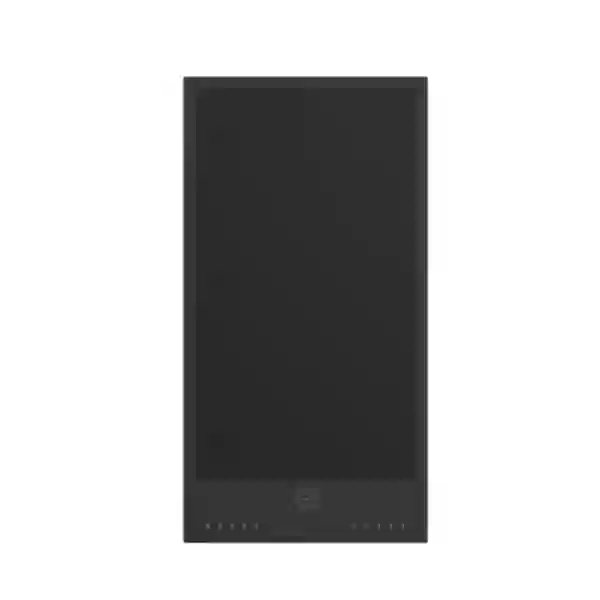
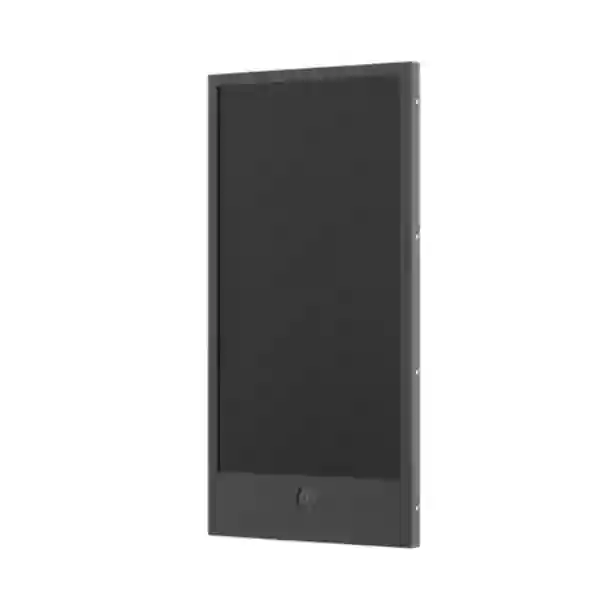
Hanwha Vision SMT-2221PV 22-inch AI Public View Monitor
Need a visible security-monitoring message at an entrance, counter or reception area? The Hanwha SMT-2221PV combines a 22-inch Full HD screen with a built-in 2MP AI-enabled camera. It can present the live view while supporting configurable text, branding and selected analytics. Evaluate it as a customer-facing monitoring device, not simply as a generic CCTV screen.
For a Tanzania purchasing enquiry, share your site layout, number of units and intended recording or analytics needs. The appropriate mounting, power accessories, network design and current commercial terms can then be confirmed for your actual project.
Key features at a glance
- 22-inch Full HD 1920 × 1080 LED screen
- Built-in 2MP AI camera with approximately 3.06 mm fixed lens
- Person and face detection plus supported activity analytics
- Configurable monitoring text, logo imagery and slideshow display
- Event-activated visual and audio alarms
- Network integration via Ethernet, ONVIF and SUNAPI
- VESA 100 × 100 mm mounting interface
- Power planning: DC 24 V or verified supported powered-Ethernet setup
Technical specifications
These are selected published manufacturer specifications. Dimensions, installation orientation, optional accessories and integration behaviour should be cross-checked with the exact product documentation supplied for the project.
| Product | Hanwha Vision SMT-2221PV, black AI public view monitor |
|---|---|
| Display | 22-inch LED, 1920 × 1080, 16:9 |
| Brightness and contrast | 250 cd/m²; 1000:1 |
| Viewing angles | 178° horizontal / 178° vertical |
| Camera | Built-in 1/2.8-inch 2MP CMOS |
| Fixed lens | Approximately 3.06 mm, F1.6 |
| Field of view | Approximately 107.7° horizontal, 59° vertical |
| Camera processing | 120 dB wide dynamic range; H.265 / H.264 / MJPEG |
| Analytics | Person/face detection, people counting, queue management, heatmap and supported event analytics |
| Network | 1 × RJ-45 10/100BASE-T; ONVIF S/G/T/M; SUNAPI |
| Storage | 1 × microSD/SDHC/SDXC slot, up to 256 GB |
| Audio | Integrated speakers, 1 W × 2 |
| Mounting | VESA 100 × 100 mm |
| Power draw | 22.5 W typical; 28 W maximum |
| Power source | DC 24 V; powered-Ethernet classification to be confirmed against exact manual |
| Environment | 0 to 40°C; 10–80% non-condensing humidity |
Important power note: the manufacturer’s current public feature list and detailed specifications use different PoE terminology. Have the installer confirm the correct powered-Ethernet standard and approved accessory for the exact product before procurement.
Why choose a public view monitor rather than an ordinary screen?
The Hanwha Vision SMT-2221PV is designed to show people that a camera is actively observing an area. A conventional computer monitor simply displays whatever video source a separate system provides; a public view monitor combines a visible screen, an integrated imaging device and purpose-built on-screen communication. In a shop, reception desk or customer-service location, that difference matters. Visitors can see the monitored scene and understand that the organisation has chosen a visible security presence rather than relying entirely on hidden equipment. The screen can also display a warning message or a logo, helping staff communicate a consistent message at the point where people enter or transact.
The practical value is not an automatic reduction in incidents, which no screen can guarantee. It is the ability to make monitoring conspicuous, support situational awareness and present approved information in one installation. A buyer should assess the placement, intended message and camera view together. If the requirement is a large video wall, computer display with multiple HDMI sources or a central security control-room monitor, a different product category may be better suited. For customer-facing monitoring, however, this integrated unit offers a clearer starting point than assembling unrelated display and camera components.
Who is the SMT-2221PV intended for?
This 22-inch black model suits organisations that need a compact but visible security display in a customer-facing position. Typical evaluation scenarios include retail entrances, supermarket service areas, pharmacy counters, hotel reception spaces, office visitor desks and commercial buildings with monitored access points. The strongest fit is a position where people naturally look at the display and where the built-in camera can also observe a useful part of the scene. Buyers should plan the two functions together: a screen that nobody notices will have limited communication value, while a camera facing the wrong direction may produce a visually impressive but operationally weak installation.
The model can also be considered where a site manager wants basic AI-assisted event information in addition to live imagery. That is different from claiming the unit replaces an entire surveillance estate. A public view device usually complements other cameras, recorders, policies and staff procedures. Before requesting a quotation, identify the number of sites, the number of entrances or counters per site, whether live images should be recorded, who will administer the network connection and how warnings should be displayed. These details help determine whether one unit is sufficient or whether a wider design is necessary.
Retail entrances: visibility at the right moment
An entrance is often an effective location for public view monitoring because visitors have a natural pause as they approach the door, pass through a foyer or orient themselves inside a store. The display can show the live scene that includes the entrance and a suitable recording notice. The integrated 2MP camera avoids the need to aim a separate camera merely to feed the public view screen. Good placement should not obstruct access, create trip hazards or become vulnerable to easy tampering. The final camera angle should cover the intended area without collecting unnecessary views of adjoining private spaces.
Entrance conditions change throughout the day. Sunlight through glass doors, shaded interior aisles, external reflections and artificial lighting can all affect image usability. Hanwha Vision specifies wide dynamic range capabilities for the camera, but a site walk-through is still important. Look at the image during both bright and subdued conditions and check how clearly subjects appear. Also consider the apparent size of the display from the entrance path: a 22-inch screen may be excellent at a counter or modest foyer while a much larger lobby may require a different position or screen size.
Checkout and service counters: useful, not distracting
At checkout counters, the public view image can reinforce that the transaction zone is monitored while keeping the message close to the customer interaction. This placement calls for more careful evaluation than simply mounting a screen above a till. A camera must see the intended public zone without unnecessarily capturing payment credentials, private documents or staff-only systems. The screen should sit where customers can notice it without leaning around shelving, promotional signs or point-of-sale equipment. A brief, clear message is usually more effective than multiple competing banners, especially where queues move quickly.
Managers may be interested in queue-related analytics, but these should be treated as operational signals rather than precise measures of staff performance or individual behaviour. Lighting, overlapping customers and the exact boundaries configured for an analytic region affect results. The unit can provide a starting point for understanding activity around a service area, yet any decision about staffing should be based on several observations and business context. Ask the installer to demonstrate the actual camera view during a representative busy period, not just on a quiet day when detection is easiest.
Reception and lobbies: reassurance with measured design
Reception desks and office lobbies often need a different visual tone from retail checkouts. The aim may be to provide a visible reminder that entry areas are monitored without making the space feel confrontational. The SMT-2221PV supports screen messaging and logo imagery, allowing a site to balance the live camera view with approved visual communication. A receptionist can benefit from a clear installation if it reinforces the organisation’s visitor policy, but the display should not replace access-control procedures, visitor registration or prompt assistance from trained staff.
Decide whether visitors should encounter the display before or after a reception desk and whether the camera can see the intended approach. Mounting height matters: a screen above eye level may be visible from farther away but less legible for short text. Glare from glass or polished surfaces may reduce readability. For multi-tenant buildings, discuss responsibility for the recording notice and management of any video data before installation. A tidy cable route, sensible screen brightness and a restrained message usually make the installation more useful than adding unnecessary effects.
Public-facing service areas and smaller commercial sites
Smaller businesses may want a single device that combines a customer-visible screen and integrated camera where physical space is limited. Examples include a service collection desk, equipment hire counter, customer-support booth or monitored doorway. The product’s compact format can be useful in these areas, provided the chosen position meets both viewing and imaging needs. It is sensible to compare the cost and complexity of the integrated monitor with a separate camera and display, including power equipment, mounting, network connections and ongoing administration rather than comparing screen prices alone.
Not every commercial space benefits from a public view monitor. In a stock room with no public access, a standard surveillance camera may be more appropriate. Where the objective is advertising only, a commercial signage display may offer more suitable content-management functions. Where staff need to monitor many cameras simultaneously, an operations console may be preferable. The SMT-2221PV is most relevant when visible monitoring itself is part of the requirement and the built-in camera can be used effectively. Defining that requirement early prevents spending on a feature that the site does not actually need.
22-inch Full HD display: what the numbers mean
Hanwha Vision lists a 22-inch LED monitor with a maximum resolution of 1920 × 1080 and a 16:9 aspect ratio. This is commonly described as Full HD and provides a practical format for live imagery and short on-screen messages at close-to-moderate viewing distances. The published brightness is 250 cd/m² with a 1000:1 contrast ratio, and the viewing angles are listed as 178 degrees horizontally and vertically. These figures help an installer assess expected indoor viewing conditions; they do not establish outdoor sunlight readability or performance behind strongly reflective glass.
The manufacturer also specifies 16.7 million display colours, a 14 ms response time and a nominal panel-life figure of 30,000 hours. These values should be interpreted as product specifications rather than guarantees of individual unit longevity or uninterrupted service. More important for many buyers is legibility under actual site lighting. Test text size, logo contrast and the live image from the typical viewing position. Resist placing too much small-print information on the screen. A concise notice may communicate more effectively than a dense statement nobody can read while walking past.
Integrated 2MP camera and field of view
The built-in camera uses a 1/2.8-inch 2MP CMOS imaging sensor and a fixed lens of approximately 3.06 mm at F1.6. The manufacturer’s published field of view is about 107.7 degrees horizontally and 59 degrees vertically. A wide horizontal view can be helpful across a counter or entrance, but it also means that subjects farther away occupy fewer image pixels. For reliable visual review, camera position and distance matter as much as the sensor resolution. It is better to define the required observation area and test a sample image than to assume every person across a broad room will appear with equal detail.
Because the lens is fixed rather than optically zooming, the physical installation has greater influence on framing. Before fastening the mount, check whether the view includes the door, queue or counter section that matters and whether it avoids unrelated private areas. The product supports video rotation and a hallway-style view for suitable layouts, but the overall screen orientation and camera view should be checked against the manufacturer’s installation guidance. The camera’s 2MP specification is not a promise of identification at any distance, and the device should not be marketed as a replacement for specialist identification cameras.
Image quality across changing light
Bright doorways, windows and illuminated signs can create difficult scenes for security imaging. Hanwha Vision publishes wide dynamic range support, including a 120 dB figure, together with exposure and noise-processing functions. Those capabilities are relevant when an entrance includes both bright outside light and a darker interior. They help explain why a purpose-built camera may produce more usable results than an unspecialised webcam embedded in a display. Actual image quality still varies with setup, subjects in motion, environmental reflections, cleaning and camera angle.
Use a short commissioning checklist for illumination rather than relying on a specification alone. View the scene during normal trading hours, at opening and near closing if practical. Check faces moving toward and away from the door, not only a stationary person near the screen. Inspect the screen’s own reflections and make sure bright content is not distracting visitors. Avoid positioning the camera into direct light where a small mounting adjustment could improve the image. Any night or low-light requirement should be tested explicitly; the unit should not be described as having infrared illumination unless that capability is separately confirmed for the exact model.
AI detection is not the same as facial recognition
Hanwha Vision describes AI-based classification of persons and faces and includes analytics such as object detection and activity events. For buyers, the essential distinction is between detecting that a person or face is present in an image and identifying who that person is. The product’s published person/face detection features do not, by themselves, establish an identity-recognition service, a staff attendance system or a searchable database of named individuals. Avoid designing workflows around those assumptions. Confirm exactly which event data the system supplies and what, if anything, the connected recording or management software can store.
AI assistance can improve the relevance of events when configured correctly, but conditions such as occlusion, complex reflections, unusual camera angles and crowded scenes can still affect detection. Use the functions as aids for monitoring and operational review, not as infallible proof of conduct. If an organisation wants to trigger a message or report from an analytic condition, test representative situations and define how staff respond to false alarms. The most effective configuration is usually one that provides a small number of understandable, actionable events rather than a large collection of poorly maintained rules.
People counting: interpreting the data carefully
The manufacturer lists people-counting functionality within the camera’s business-intelligence capabilities. In a retail environment, count information can potentially help teams understand how activity changes by entrance or by part of a service area. It is useful only when the counting line or area is positioned correctly, access routes are consistent and the chosen reporting workflow can retrieve the required information. For example, an entrance with overlapping traffic, a wide open doorway or people standing inside a counting zone may need extra configuration and real-world validation before the figures can inform business decisions.
Do not assume a people-counting number equals unique customers, completed purchases or a legally reliable occupancy count. Repeated crossings, staff movement and physical layout can change the meaning of the result. Ask what exactly is counted, how direction is interpreted, when counters reset and where reports can be viewed. If a site plans to use counts for staffing or layout analysis, compare sample results with manual observations during commissioning. Meaningful trends require consistent configuration over time, and the business should document any layout changes that could alter the numbers.
Queue management and busy-period planning
Queue-management analytics can be relevant to customer-service counters and retail waiting areas where people collect in a predictable space. The unit’s integrated camera may provide useful information about activity in the defined region, but effectiveness depends on the scene and the event definitions supported by the deployed configuration. A manager should be clear about whether the objective is recognising when a queue forms, reviewing busy periods or evaluating how a change in counter layout affects movement. Different objectives may require different analytic settings and reporting systems.
Consider factors that can distort queue readings. Customers may stand in groups, leave the line temporarily, or spread across a wide waiting area. A pillar, display stand or promotional fixture can obscure the camera’s view. Staff may work at multiple service points, making a simple interpretation misleading. Commission the queue-related function with the actual service process in mind and agree which alerts are meaningful. The screen itself can still provide a useful visible monitoring message even when the analytic information is treated as a supplementary operational tool rather than an exact measurement of waiting time.
Heatmap analytics and store-layout questions
Hanwha Vision also identifies heatmap functionality in the model’s analytics list. A heatmap can help describe patterns in observed activity within a scene, making it potentially interesting for businesses evaluating where people pause or how they move around a customer-facing zone. However, a heatmap is not a map of customer intent, purchase motivation or individual identity. It is a visual interpretation of observed events under particular camera and software settings. Buyers should confirm how the information is generated, retained, exported and displayed in their chosen management environment.
Heatmaps are most helpful when used to ask modest, practical questions. Does a new queue barrier change where visitors gather? Is a reception approach unusually congested during busy hours? Does a display obstruct a natural route? Even then, direct observation and staff feedback should accompany the data. Changes in fixtures, camera positions, lighting or detection settings may make an earlier heatmap difficult to compare with a later one. Keep the interpretation proportionate to the evidence rather than presenting the feature as a guaranteed sales-optimisation or crowd-prediction system.
Event-triggered visual and audio alerts
The SMT-2221PV includes manufacturer-described motion- and event-activated LED and audio alarm capabilities. The idea is to draw attention to defined conditions rather than relying exclusively on a passive image. Depending on the implementation, an installer may configure suitable analytic events and associated notifications or display behaviour. This can be useful for a customer-facing entrance where a clear acknowledgement of monitoring is desired. However, the alarm design must fit the environment. A frequent or unnecessarily loud alert can disturb legitimate customers and create alarm fatigue among staff.
Start by identifying an event that is relevant to a specific operational concern, then test the event repeatedly under realistic conditions. Define who owns the settings and who is expected to act when an alert occurs. A visual deterrent is not the same as a monitored emergency alarm service, and built-in speakers do not replace a life-safety notification system. The device has published alarm input and output capabilities, but electrical interfaces and connected equipment should be specified and installed by a qualified professional. Avoid promising a particular alarm integration without confirming the complete system design.
Text overlay, recording notice and brand presentation
Hanwha Vision describes customisable text overlays, including a default recording-related message, along with an on-screen custom logo option. This gives organisations a straightforward way to explain that a space is monitored while maintaining an appropriate visual identity. The wording should be readable, accurate and approved for the site. A statement about recording should only be displayed when the relevant camera and recording arrangement genuinely matches it. A business should not claim that every image is stored or centrally monitored if those functions have not been configured.
A well-designed screen message is short, specific and visible from the intended distance. Use high contrast between the notice and the background, keep branding secondary to the safety message, and avoid turning the screen into a crowded noticeboard. The manufacturer also lists image slideshow features that may help vary displayed information. Content owners should establish a simple approval process for logos, notices and any promotional imagery, including version control when multiple branches are involved. Do not assume the monitor includes a full digital-signage campaign platform simply because it can show a slideshow.
Screen orientation, live view and presentation planning
Public view monitors are often selected because the camera image can be placed where people can see it without additional display hardware. This model is described as supporting live video, image slideshow presentation and configurable on-screen content. It also offers rotation and hallway-view capabilities documented for the imaging side of the device. Before installation, the organisation should decide what viewers are supposed to notice first: the live image, a recording notice or a branded message. That hierarchy affects mount height, text dimensions, placement and how long each visitor has to understand the display.
Do not treat every orientation or split-screen configuration advertised for a broader product family as automatically available on this exact 22-inch variant. The manufacturer’s interface specification for this model identifies the internal camera as its video source; buyers expecting multiple external HDMI inputs should verify a different display option instead of making assumptions. Review the exact operating guide for layout and orientation options before approving a design. Where the public-facing image and security recording need different arrangements, ask the integrator to explain how both outputs will be managed and what limitations apply.
Network connectivity and standards-based integration
The manufacturer specifies one RJ-45 10/100BASE-T Ethernet interface and support for ONVIF Profiles S, G, T and M together with Hanwha’s SUNAPI interface. Those published capabilities may be relevant to organisations that already use compatible surveillance management or recording systems. They are not a guarantee that every third-party platform implements every device feature. A connected VMS might support the video stream while not exposing every analytics event, display-control option or maintenance function. The exact software version, licence, profile implementation and firmware combination should be tested.
A sensible integration discussion starts with the buyer’s existing environment. Identify the recording or management platform, network segmentation, switch type, IP addressing policy and required event outputs. Decide whether the customer-visible monitor and the stored camera view need to operate during a network interruption. Confirm the authentication method and administrator responsibilities. In complex estates, a pilot connection is better evidence than a generic compatibility statement. Document the tested functions so future operators know what the system can do, rather than assuming a product standards logo means every possible workflow is supported.
Local edge storage and recording decisions
The published specifications list one microSD, SDHC or SDXC slot with support up to 256 GB, and describe event recording capabilities involving removable storage or network recording destinations. This gives the integration team storage options to consider, but the presence of a slot does not mean a card is included, recording is already enabled or a particular retention period is guaranteed. Storage duration depends on video settings, event frequency, recording schedule, compression and the chosen medium. A network video recorder or compatible management system may also be part of the solution depending on what the organisation needs.
Ask who needs access to stored footage, how a recording is requested, and what happens if the memory card fails or is removed. Decide whether retention is governed by an internal policy and whether evidence must be exported securely. If the business needs continuous recording of multiple areas, size the wider recording system independently. The public view device should not be the sole component of an important evidence-retention strategy without considering resilience and monitoring. Also confirm whether edge storage encryption and related security settings are supported and enabled in the chosen firmware configuration.
Cybersecurity and administrator access
Network-connected security devices need a security plan as well as a camera plan. Hanwha Vision publishes features such as secure boot, signed firmware, encrypted communications, user authentication and network access controls for this model. These are useful foundations, but they do not automatically create a secure installation. The system owner must still set unique credentials, restrict administrative access, maintain firmware, review logs where appropriate and avoid exposing management interfaces directly to untrusted networks. Security controls are most valuable when they are deliberately configured and maintained.
Before deployment, define which team owns the device credentials, how configuration backups are protected and how updates will be evaluated. Keep the public-view network separate from unrelated visitor Wi-Fi wherever appropriate, and limit management access to authorised personnel. Consider how equipment is retired, how removable storage is handled and how administrative permissions are withdrawn when staff roles change. Where a third-party management platform is involved, coordinate security responsibilities across both systems. Confirm that any required remote-management method is supported and secured; do not assume cloud access is provided as part of the monitor purchase.
Privacy, signage and responsible AI use
A public view monitor is deliberately visible, but visibility alone does not settle privacy responsibilities. A buyer should establish the purpose of monitoring, provide appropriate notice, determine the lawful basis and retention practices applicable to the organisation, and limit collection to areas relevant to that purpose. Sensitive areas such as changing rooms, private consultation spaces or screens containing confidential information should not be captured incidentally. The camera’s configurable privacy-masking functions may help narrow the view, but they should supplement, not replace, good physical placement and clear governance.
When analytics are used for people counting, object events or heatmaps, document what information is actually retained and who may interpret the reports. Do not describe person/face detection as identification of named people unless a separate, verified system performs that function and its use is justified. Tanzania-specific legal requirements should be checked with qualified local advisers for the intended deployment rather than inferred from generic international marketing material. The customer should also decide how enquiries and access requests about monitoring will be handled under their own documented policies.
Mounting, viewing height and cable management
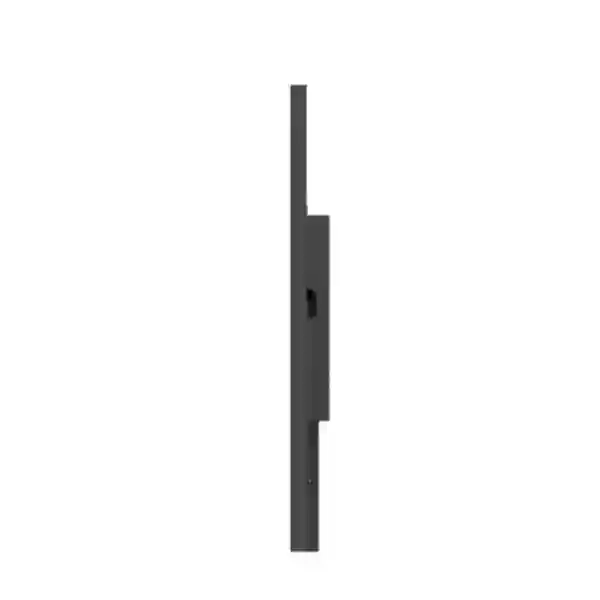
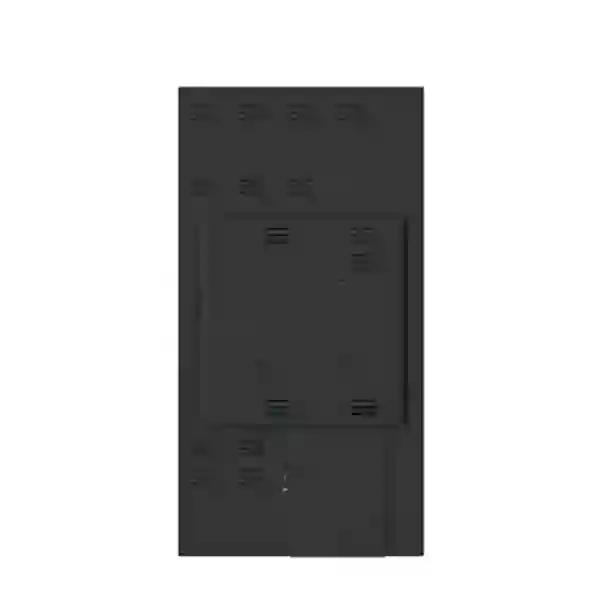
The monitor uses a black cabinet and a published 100 × 100 mm VESA mounting interface, which helps with evaluating wall or bracket options. The appropriate mounting hardware must still be selected for the actual building surface, expected load and orientation. A bracket may fit the VESA spacing but be unsuitable for the installation because of access restrictions, poor cable routing, insufficient service clearance or an insecure fixing surface. Ask the installer to verify the assembly, including any accessories, before drilling or routing cable.
Choose a height that offers both a useful camera view and readable screen content. At a counter, customer eye level and reach may differ from an entrance foyer. In a busy area, protect cable connections and avoid sharp edges or easily pulled cords. Make provision for future cleaning and troubleshooting without disturbing the mount. Consider whether the device will be exposed to sunlight, splashing, excessive dust or impact, and whether a more protective installation method is necessary. The manufacturer specifies indoor operating conditions; do not assume that a visible commercial monitor is automatically weatherproof.
Power requirements: an important pre-order check
Hanwha Vision lists DC 24 V power and network-supplied power in the SMT-2221PV documentation, with the power adapter described as an optional or separately supplied item. There is a discrepancy in the manufacturer’s current published wording: the feature summary references PoE+ while the detailed specification references higher-power PoE. Because selecting the wrong switch or injector can prevent reliable operation, do not purchase power accessories based on a generic PoE label alone. Confirm the exact requirement against the applicable product datasheet, installation manual and supplied hardware before equipment is ordered.
The manufacturer’s published consumption is approximately 22.5 W typical and 28 W maximum. That helps the electrician or integrator plan a power budget, but the full design must also account for switch capacity, injector suitability, cable losses and any backup power strategy. If using a DC supply, verify the approved adapter model and connection requirements. Check whether the chosen accessory is included in the quotation, since the base device description does not establish that an adapter comes in the box. For an office or store where monitoring is important during short outages, discuss protected power for the network and any recorder as well as the display.
Tanzania site conditions and environmental limits
The manufacturer’s operating range is 0 to 40 degrees Celsius with 10 to 80 percent non-condensing humidity. This information matters when specifying equipment for commercial premises in Tanzania, where installation conditions can vary widely between air-conditioned offices, enclosed shops and warmer utility spaces. The rating should be evaluated at the actual mounting position rather than assumed from the typical room temperature. An enclosure exposed to direct sun or insufficient ventilation can become considerably warmer than the occupied part of a building.
Protect the installation from moisture, dust and electrical conditions beyond the published limits. A coastal or high-humidity environment does not automatically make the model unsuitable, but condensation, direct water exposure and corrosive conditions require careful design. Confirm that any enclosure and cable route remain accessible for cleaning and inspection. The device’s specified electrical input is not the same as a claim of local grid compatibility for a particular power accessory. Have the approved adapter, protective equipment and site electrical arrangement checked by the installer for the intended location.
Planning one monitor versus several
For a single reception desk, one carefully positioned public view monitor may meet the communication objective. In a supermarket with several entrances, or a business with multiple customer-service counters, the question becomes how to choose locations that are both visually meaningful and operationally manageable. A buyer should not simply multiply the number of devices by the number of doors. Consider the expected viewing path, camera coverage, available power and network points, existing CCTV positions and whether staff can maintain a consistent message across the estate.
Create a small placement schedule for every proposed monitor: room or entrance, display purpose, target camera scene, mounting height, power approach, switch port, recording destination and administrator. This makes quotations comparable and reduces changes during installation. If multiple branches are involved, use a standard naming convention and configuration checklist while allowing for local layout differences. A consistent implementation can improve support, but uniform settings should not override the needs of a doorway with different lighting or traffic patterns. Site-specific testing remains necessary.
Commissioning: tests worth performing before handover
The installation should finish with a demonstration based on actual buyer requirements, not just a powered-on screen. Verify the live view, notice legibility, camera angle and image quality in representative lighting. Check the expected network connection and any recording destination. Demonstrate one configured event and confirm the intended visual or audio response. If analytics are part of the purchase decision, verify their operation with normal customer movement and record any known limits. A test should also include the device rebooting cleanly and restoring the approved configuration.
Obtain a basic handover record including equipment model, installation location, firmware version, power arrangement, network contact, assigned administrator and safe method for changing the display message. Document which settings have been enabled and which remain unused. If footage is being recorded, demonstrate how an authorised user finds and exports a sample clip without disclosing it publicly. Ask who receives fault reports and who authorises configuration changes. A short practical handover often creates more long-term value than an elaborate feature demonstration that the receiving team cannot maintain.
Operations, cleaning and periodic review
A public-facing monitor needs ongoing attention because it is both a communication device and a camera. Dust, fingerprints and changes in nearby fixtures can gradually impair the display or the image. Include the unit in routine site inspection, checking screen readability, visible damage, mount security, cable condition and the camera’s current field of view. If a store moves shelves or changes queue barriers, revisit the analytic zones and make sure recording notices remain accurate. The system owner should also review whether the chosen logo and text remain approved.
Keep configuration and firmware maintenance under an assigned administrator rather than allowing ad hoc changes by multiple staff. Follow the manufacturer’s current guidance for updates and safe cleaning; avoid liquid exposure and unapproved cleaning methods. If storage is used, review its health and retention behaviour, not merely whether live video is visible. Audit which users still need administrative access. A device that continues to show an image may still have failed event delivery or recording, so periodic functional checks are worthwhile when those services are operationally important.
Comparing an integrated PVM with separate equipment
Some buyers already own a working CCTV camera near the proposed display location. In that case, it is reasonable to compare the SMT-2221PV against reusing the existing camera with a standalone monitor. An integrated public view monitor can simplify the physical presentation and provide device-specific visual messaging, but it may not replace every feature of a separate signage display or a dedicated surveillance camera. A separate camera could be better positioned for incident review, while a larger independent display might serve a broad entrance more effectively. The right answer depends on where the camera needs to look and where people need to see the message.
Look beyond the initial unit count. Compare mounting work, cable routes, compatible power accessories, network ports, video management configuration, software administration, spare parts planning and maintenance responsibilities. Also consider whether the customer needs external video inputs; the published specification for this variant lists the internal camera as the video connector, so it should not be selected on an assumption of multiple HDMI feeds. A useful quotation should make these boundaries visible. This prevents an inexpensive-looking configuration from becoming costly through unplanned converters or installation changes.
How to choose the right screen size
Screen size is a usability decision, not just a hardware preference. At a compact service counter, a 22-inch display may offer suitable visibility without dominating the customer interaction. Across a wide foyer, customers may see the screen but struggle to read a small notice from the far side. Before selecting the unit, measure the typical viewing distance and identify whether the primary purpose is to show a recognisable live camera scene or to communicate a short text message. The two goals can require different content scale and mount positions.
Other public view monitor sizes exist within Hanwha Vision’s broader product family, but product-family names should not be treated as proof that all models have identical video interfaces, power requirements or screen layouts. If the 22-inch format appears too small, ask for a comparison based on the exact alternative model rather than assuming a larger version simply increases the diagonal measurement. Conversely, choosing a bigger display cannot correct a camera that is badly aimed. Evaluate the complete installation in the space where it will operate.
Costs, accessories and quotation scope
A serious purchasing decision should be based on a complete solution quotation rather than the device name alone. Confirm the monitor, compatible power equipment, VESA bracket, network cabling, switch capacity, any removable storage, recording integration, configuration labour and commissioning. If remote maintenance or central management is requested, ask how it will be provided and whether it requires additional licences or services. The exact deliverables should be described in writing. No Tanzania selling price, delivery commitment, stock status or warranty term is assumed in this product description.
The number of sites and intended level of integration can influence installation complexity far more than the display size. A single monitor with an approved message may be straightforward, while a multi-site solution with recording, analytics reporting and managed access controls demands more detailed planning. Ask a supplier to separate essential items from optional enhancements, explain any exclusions and identify the information needed for a firm proposal. An itemised scope allows the buyer to compare offers fairly and helps the installer avoid missing power or networking accessories.
Questions to settle before ordering
First decide what problem the public view monitor is meant to solve. Is it primarily a visible deterrence message, a live picture of an entrance, a branded monitoring notice, or a source of activity analytics? Next, document the intended location, the approximate viewing distance and the camera scene. Decide who will have access to the video stream and whether footage needs to be recorded. Confirm the existing network equipment and whether the installation team has approval to connect an IP camera device. These questions establish a usable brief without requiring specialist jargon from the buyer.
Then identify the acceptance criteria. The monitor should be readable from the customer approach, the camera should frame the intended area, the approved notice should be accurate, and any required recording or events should be demonstrated. Confirm the correct power standard and accessories for this exact model, along with the chosen mounting method. If the organisation has privacy, security or IT policies, provide them to the integrator before installation. The result should be a proposal that addresses the real use case rather than a general list of impressive specifications.
Frequently asked questions
What is the Hanwha SMT-2221PV?
It is a black 22-inch AI public view monitor from Hanwha Vision that combines a Full HD display and an integrated 2MP network camera. Its purpose is to make monitoring visible in suitable customer-facing areas, with options for on-screen messages and supported analytics.
Does the monitor include a camera?
Yes. The manufacturer lists an integrated 2MP CMOS camera with a fixed lens around 3.06 mm. The camera view should be verified on site because the final coverage depends on mounting position and distance.
Is the display Full HD?
Yes. Hanwha Vision specifies a maximum resolution of 1920 × 1080 pixels in a 16:9 format. Actual readability depends on the room, the message design, reflections and the viewer’s distance from the screen.
Can it show a recording notice and business logo?
The manufacturer’s features include customisable text overlays and on-screen custom logo imagery. Ensure any statement about recording matches what is actually configured at the site, and use approved branding and clear notice wording.
Does it support people counting and queue analytics?
People counting, queue management and heatmap analytics appear in Hanwha Vision’s published specifications. Their usefulness depends on scene geometry, configuration and the software used to view or report the information. They should be validated during a pilot.
Does person or face detection identify people by name?
No identity-recognition capability should be assumed from those labels. Detecting a person or face in a video scene is different from identifying a known individual. Any separate identity-processing requirement needs its own technical and privacy review.
Can it connect to a surveillance management platform?
The manufacturer documents Ethernet networking, ONVIF Profiles S/G/T/M and SUNAPI. These are useful interoperability starting points, but support for each analytic, display-management or recording function must be checked with the exact platform and version.
Does it have a memory card slot?
The specification lists a microSD, SDHC or SDXC slot supporting up to 256 GB. A card, recording configuration and retention policy should not be assumed to come with the device. Verify the supplied accessories and intended storage plan.
What power equipment is required?
The device documentation references DC 24 V and powered Ethernet, but the manufacturer’s feature text and detailed specification differ on the PoE classification. Confirm the correct approved adapter, injector or switch power before ordering, and check whether it is included.
Can it be mounted on a wall?
The manufacturer lists a 100 × 100 mm VESA mounting interface. The correct bracket, fixings and cable route must still be chosen for the particular wall, viewing height and service conditions.
Can it be installed outdoors?
Do not assume outdoor suitability. Hanwha Vision publishes a 0–40°C operating temperature range and 10–80 percent non-condensing humidity. Weather exposure and harsh installation conditions require a separately verified solution.
What should a Tanzania buyer provide for a quotation?
Provide the number of units, site or room type, expected mounting position, intended message, whether video recording or analytics is required, available power and network details, and any procurement or security requirements. Request confirmation of local price, stock, accessories and delivery terms.
Request a configuration and quotation review
Ask about the Hanwha SMT-2221PV for your Tanzania project with details of the intended entrance, reception or retail installation. Include the number of devices, camera-view objective, mounting surface, network availability, power preference and any recording or analytic requirements. A complete configuration review should confirm the right model, accessory requirements, system integration and current commercial conditions before any purchase decision.
Contact FourTeck Tanzania to request product and project information.




Reviews
There are no reviews yet.