
AI PUBLIC VIEW SECURITY DISPLAY • TANZANIA BUYER GUIDE
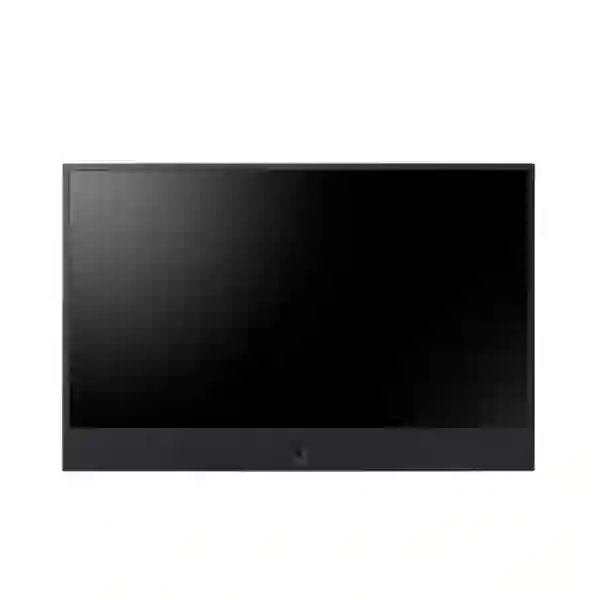
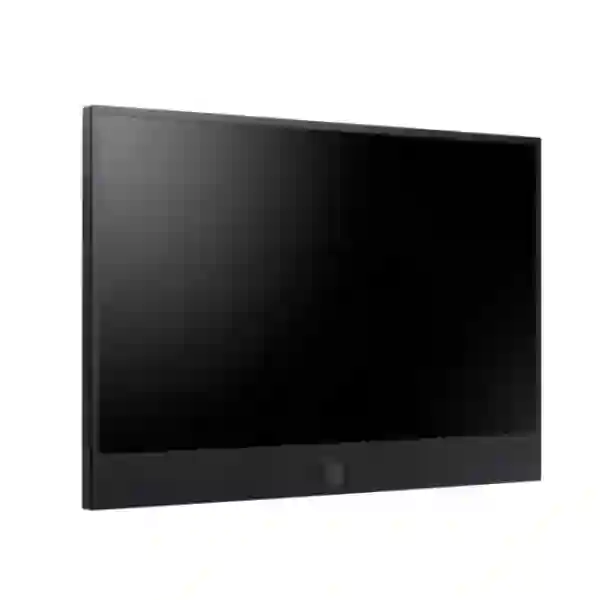
Hanwha SMT-2721PV 27-Inch AI Public View Monitor
Make monitoring visible at the point where visitors enter, queue or interact with staff. This 27-inch Full HD public view display brings together a built-in 2MP AI camera, configurable on-screen messages and event-driven alerts in one network-capable unit. It suits buyers who want to evaluate a conspicuous indoor security display alongside an existing CCTV or building-security plan.
Verified specifications at a glance
| Display | 27-inch LED; 1920 × 1080; 16:9; 300 cd/m²; 1000:1; 178°/178° |
|---|---|
| Integrated camera | 2MP CMOS; 3.06 mm fixed lens; F1.6; 120 dB WDR |
| Viewing angle | 107.7° horizontal / 59.0° vertical / 126.7° diagonal |
| AI features | People/face detection, object analytics, virtual lines and areas, people counting, queue management |
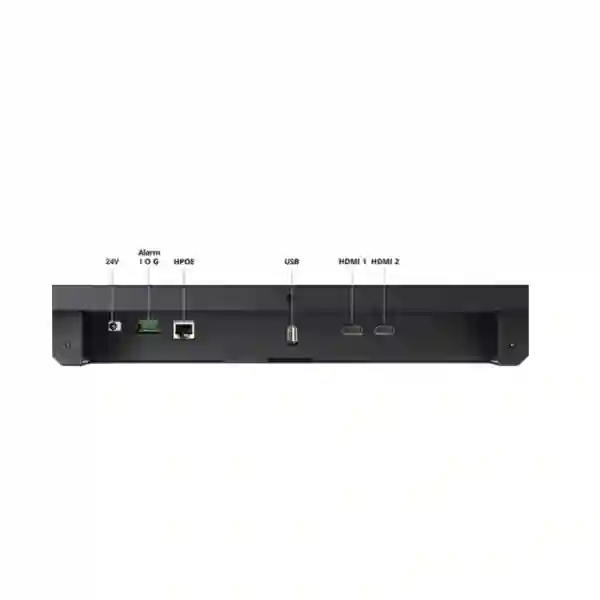
| Interfaces | HDMI × 2; RJ-45 10/100BASE-T; alarm input × 1; alarm output × 1 |
| Storage / audio | microSD/SDHC/SDXC up to 256 GB; two 2 W speakers |
| Video protocols | H.265, H.264, MJPEG; ONVIF Profiles S/G/T/M; SUNAPI |
| Power | 24V DC or IEEE 802.3bt HPoE; 31 W rated consumption; adapter not included |
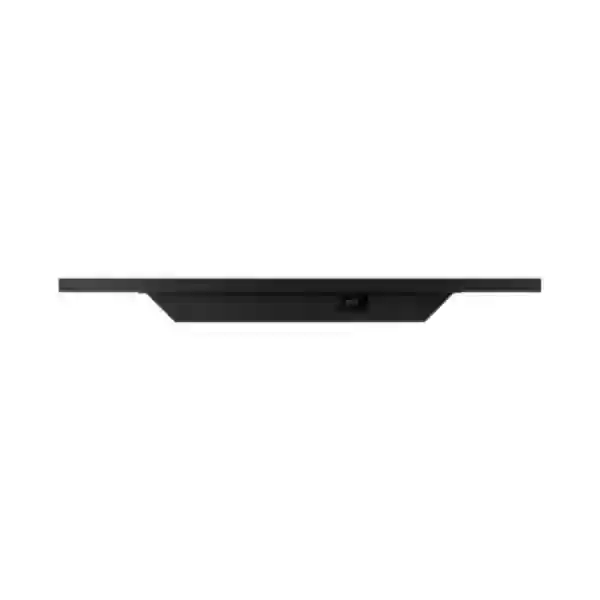
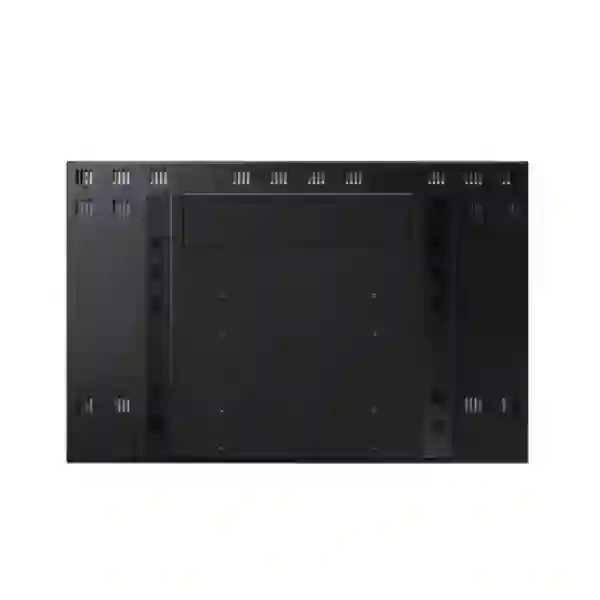
| Dimensions / mounting | 619 × 405 × 58 mm without stand; about 8.5 kg; VESA 100 × 100, 200 × 100 or 200 × 200 mm |
| Indoor operating limits | 0°C to +40°C; 10%–80% RH, non-condensing |
Manufacturer specifications may change; confirm the precise delivered configuration and compatible accessories before ordering. No Tanzania price, stock or delivery commitment is stated.
What the SMT-2721PV is built to do
The Hanwha SMT-2721PV combines a public-facing display with an integrated network camera and event-driven visual cues. This makes it different from an ordinary office monitor, which may show video but does not itself supply the same integrated camera and public-view functions. A business can position the screen where visitors can see it, display a monitoring notice, and use the built-in camera for a defined coverage area. The intention is to create a visible, understandable security presence rather than to hide every element of a surveillance system.
For a Tanzanian premises, the right purchase decision starts with a simple question: is the objective to show people that an area is monitored, collect useful video from a nearby viewing angle, or operate a conventional security-control display? The SMT-2721PV is best evaluated against the first two objectives. It still needs a suitable mounting position, responsible video handling, a compatible power source and network planning. It is not a replacement for every fixed security camera, recording platform or staffed security procedure. Review those requirements before deciding how many units the project needs.
Public view monitoring versus a normal CCTV monitor
A conventional CCTV display is usually installed behind a desk or inside a security room, where operators watch multiple camera feeds. A public view monitor has a different audience. It deliberately presents a visible image or notification to people near the monitored space. That distinction matters when designing an entrance, cashier-facing location or reception queue: the message should be immediately legible, the device should not obstruct movement, and the camera must see the intended area without pointing unnecessarily into private spaces.
The SMT-2721PV includes its own 2MP camera, so the public-facing installation is not dependent on hanging a separate visible camera beside a standard screen. At the same time, the integrated camera has a fixed lens and a finite field of view. An installer should not assume it can monitor distant stock rooms, multiple separated entrances or complicated floor layouts from one position. Use a site drawing and a real sightline check to decide whether complementary cameras or a different display approach are needed.
27-inch Full HD panel: what the specifications mean
The 27-inch LED monitor has a 1920 × 1080 maximum resolution, 16:9 aspect ratio, 300 cd/m² rated brightness, 1000:1 contrast ratio and 178-degree horizontal and vertical viewing angles. Those numbers help a buyer judge the expected display rather than relying on broad claims such as crystal-clear or high visibility. The panel also has a rated 14 ms response time and a listed 30,000-hour panel life. These are manufacturer specification figures, not guarantees of viewing quality or replacement time in every operating environment.
In practice, a readable customer-facing screen depends on distance, light reflections, font size and the direction people approach from. A monitor that looks bright during a bench test may appear less useful opposite a strongly sunlit window. Before ordering, decide whether the audience will see the screen from a few steps away or across a larger lobby. Test the main message at that distance, and leave adequate contrast around words, icons and the live image.
Integrated 2MP camera and field of view
The built-in camera uses a 1/2.8-inch 2MP CMOS image sensor and a 3.06 mm fixed-focal-length lens with F1.6 maximum aperture. Hanwha lists a horizontal field of view of about 107.7 degrees, a vertical field of view of 59 degrees and a diagonal view of 126.7 degrees. These wide-angle figures can suit a near-field public view application where people pass through an entrance or stand in a defined area. They do not eliminate blind spots created by shelves, pillars, tall displays or incorrect mounting height.
The camera also specifies 120 dB wide dynamic range, supporting challenging scenes with light and dark regions. However, final results will still vary with installation, lighting, positioning and configuration. The published minimum color illumination figure is 0.03 lux at F1.6 and 1/30 second, which should not be mistaken for a guarantee of usable evidence in complete darkness. This is an indoor product with defined environmental limits; buyers needing an outdoor or night-focused surveillance solution should assess separate appropriate hardware.
AI object classification and analytical events
The manufacturer lists AI-supported classification for people and faces alongside detection-related analytics. Functions include motion detection, object detection, virtual-line crossing or direction, and virtual-area events such as loitering, intrusion, entry and exit. The official specification also references events for defocus, tampering, appearing or disappearing. These tools can help structure rules for the exact monitored area, allowing a site team to focus on defined situations rather than responding to every visible movement.
Configuration quality matters more than simply enabling every rule. A virtual line should sit across a meaningful path, not in a location crossed continually by normal staff activity. An intrusion area should describe a place that genuinely requires attention. Background changes, lighting and movement patterns should be checked during commissioning. Face detection is not the same as identifying a person by name or granting identity verification, and the page does not promise face recognition. The presence of AI analytics also does not mean events will always be perfectly classified, so responsible supervision remains important.
Visible alerts and the deterrence message
The SMT-2721PV supports motion- and event-activated LED and audio alarms. A business might choose to display a prominent monitoring message while configuring an event response for the specific area that needs attention. The goal is for the device to communicate that monitoring exists, while giving operators another way to notice configured events. Such alerts can complement existing security practices but should never be described as guaranteed prevention of theft, trespass or other incidents.
A good design avoids unnecessarily alarming customers. In a busy retail entrance, a continuously triggered audio alert can quickly become distracting and may undermine the intended message. Consider which events should be visible, which need sound and which should be logged without an audible response. Confirm local noise expectations and staff procedures. Train the people responsible for responding to alerts, including what an alert means, when to review footage, when to disregard nuisance events and how to escalate a genuine security concern.
Custom text, logo and image slide shows
Public-facing video is most useful when paired with a message that a visitor can understand. The monitor supports customizable text overlays, including a default notice stating that recording is in progress, as well as an on-screen logo image. It also supports image slide shows without the need for additional slide-show storage. A buyer can therefore plan a more intentional public-view experience than merely placing a live image on an unlabelled screen.
The content itself still needs editorial care. A notice should accurately describe whether the camera is recording, rather than using a stronger claim by default. Keep the wording concise and readable from the planned approach distance. Use a logo only where the site has the right to display it, and make sure visual branding does not obscure the monitored area or important instructions. If using slide-show content, check how it interacts with the live view and any event state during a real test. Do not assume this model is a complete digital signage platform with every feature offered by specialist signage software.
Landscape, portrait and hallway configurations
The display supports landscape and portrait use, while the camera lists flip, mirror and hallway-view rotation modes. This gives designers options for a wide customer-facing screen or a narrower vertical presentation. A retail doorway may benefit from a portrait layout if vertical wall space is available; a reception desk or counter area may suit landscape installation. The ideal orientation depends on the content, the route people take and the physical support behind the mounting point.
Orientation is not simply a software setting. Verify the monitor dimensions, VESA pattern, wall construction, camera angle and any cable bends in the selected position. Portrait installations especially need checking for the resulting camera view and the legibility of text. Confirm that the physical installation is approved for the chosen orientation and that any separate bracket is rated for the device. A mock-up at installation height is a practical way to catch problems before drilling or cabling begins.
HDMI, Ethernet, alarms and audio interfaces
The unit has two HDMI inputs, one RJ-45 10/100BASE-T Ethernet connection, a built-in camera, two 2 W speakers, one alarm input and one alarm output. These are useful planning details because a public view deployment often involves several disciplines: video, network infrastructure, electrical power, and possibly an external event circuit. It is important to distinguish an HDMI input from a network-video decoding capability; a buyer should not assume that any arbitrary IP camera grid can be shown directly without a suitable source or compatible system.
Decide early which interfaces the site needs. If the project uses only the integrated camera and a simple visible message, the wiring may be different from a deployment that also uses an external HDMI source or alarm relay. Check cable reach, connector access after mounting, and the position of network and power termination points. Where an external system is involved, test the actual signal format and event behavior instead of inferring compatibility solely from the connector list.
ONVIF and SUNAPI integration considerations
The manufacturer’s specification lists ONVIF Profiles S, G, T and M alongside Hanwha SUNAPI. These are useful integration starting points for networked video and analytics workflows. They indicate that the device is designed with standardized and vendor-oriented interfaces, but successful integration still depends on the exact recorder, video management software, firmware, supported events and configuration. A written compatibility check is more dependable than a broad promise that every VMS, NVR or analytics platform will work.
Before purchase, ask the integrator which functions are essential: live video, playback, analytics metadata, events, alarm handling or device administration. The fact that one function works does not automatically mean the others will behave in the required way. Confirm the version of the software at the intended site and document the expected event mapping. If a recording platform already exists, a short proof-of-concept test can prevent later disappointment. Keep account permissions and network access restricted to authorized operators rather than making the camera generally reachable.
Video codecs, storage and evidence handling
Hanwha lists H.265, H.264 and MJPEG support for the integrated camera, with a manufacturer-specified maximum frame rate of 30 fps or 25 fps for H.265/H.264 depending on system frequency, and lower maximum rates for MJPEG. A microSD/SDHC/SDXC slot supports cards up to 256 GB. The specification also describes event-triggered recording to eligible memory cards or NAS destinations and image notification or transfer through supported methods. These functions are valuable for planning, but they do not establish a guaranteed number of recording days.
Retention depends on image settings, motion, events, compression, storage capacity and any recording policy. Decide in advance whether the camera should record continuously where supported by the overall system, record selected events or forward video into an existing recorder. Define who can export footage, how long it should be held and what happens when storage fills or equipment loses power. Validate recording and playback with the actual storage medium. A visible public view monitor should never substitute for a documented evidence-handling process when footage may be needed later.
Built-in device security capabilities
The manufacturer’s listed protections include secure boot, signed firmware, firmware encryption, HTTPS-related secure communication, network authentication options including 802.1X, address-based access controls and audit logs. The specification also lists secure storage features for the memory-card partition. This provides useful building blocks for enterprise deployment, but security depends on correct configuration and on the systems to which the monitor connects.
Treat the monitor like any other networked camera rather than like a passive television. Place it on an appropriately controlled network, assign only necessary access, use unique credentials and document who owns maintenance. Restrict configuration access to trained staff. Check for official firmware notices before deployment, then schedule reviews according to the site’s change-management process. The availability of secure features should not be confused with an automatically hardened system. A network diagram, credential register and tested recovery procedure are proportionate controls even for a small installation.
Power planning: HPoE or 24V DC
The SMT-2721PV supports DC 24V or IEEE 802.3bt HPoE and lists 31 W power consumption. Crucially, Hanwha states that the power adapters are not included. Do not purchase the monitor on the assumption that a standard small PoE switch port or a generic plug-top supply will necessarily be suitable. The power design needs to match the precise electrical input requirement, intended cable run and the accessories approved for this model.
A project may choose the DC route or a compatible high-power Ethernet source depending on the building wiring. Ask the supplier to confirm the correct accessories for the destination market and the delivered package. Review power budgeting for other devices sharing the same switch or electrical circuit. Where operation during interruptions matters, assess UPS coverage and what will happen to the switch, recorder and network upstream. A powered monitor with no functioning network may not meet the project’s security objective, so the whole path should be considered.
Mounting patterns, dimensions and structural support
The published dimensions without stand are 619 × 405 × 58 mm, with a weight of approximately 8.5 kg. Hanwha lists VESA mounting patterns of 100 × 100 mm, 200 × 100 mm and 200 × 200 mm, giving installers several compatible interface options. The cabinet is steel and black. These details are relevant when choosing an indoor wall mount, checking clearance for adjacent doors or fitting the product into an existing retail fixture.
The equipment’s weight is not the only structural consideration. The mount, fasteners, wall substrate, vibration, cable strain and access for servicing all affect installation safety. Check whether the selected support is compatible with the pattern and with portrait or landscape orientation. Confirm what is actually supplied with the order; do not assume a stand, bracket, adapter, fixings or SD card is included unless specifically quoted. Provide enough clearance for ventilation and accessible cabling, and plan how technicians can reach the monitor without disrupting customer circulation.
Operating conditions for Tanzanian installations
The specified operating temperature is 0°C to +40°C, with 10% to 80% non-condensing relative humidity. These limits are essential when planning a site in a warm or humid environment. The product should be evaluated as an indoor display and camera assembly; the reviewed product specifications do not establish an outdoor weatherproof rating. An installer should therefore avoid an exposed exterior location or a position likely to experience water intrusion, condensation or temperatures beyond the documented range.
In a customer entrance, direct sun, heat build-up behind signage, nearby cooking equipment or poor ventilation may create a challenging location even when the surrounding room is acceptable. Consider the actual conditions near the screen rather than relying on a regional climate average. A design review should also account for cleaning routines, accidental contact, cable protection and access for maintenance. Any special enclosure should be assessed for thermal performance and manufacturer compatibility rather than assumed to solve every environmental issue.
Choosing the correct viewing position
Because the monitor is public-facing, installation location determines much of its value. Start with the route visitors naturally take, then identify where the screen will be visible without forcing people to stop, turn or block a doorway. Position the camera for the relevant scene rather than pointing into a general area and hoping that analytics will compensate for an unsuitable angle. The screen and integrated camera share one physical installation point, so finding the right compromise matters.
Conduct a walk-through during realistic operating hours. Check reflections, changing lighting, shelf obstructions and the height of the intended audience. Review whether a visitor can read the message without standing very close. Confirm the field of view using representative people and normal movement, not an empty room. Make sure the monitor is not easily struck by carts, goods or opening doors. A small repositioning during design is usually preferable to major rework after the network and power cabling have been completed.
Privacy, notices and responsible monitoring
A visible security screen can help explain that monitoring takes place, but the on-screen notice must reflect the site’s actual recording and privacy practices. Before installation, define the legitimate security objective, the space being monitored, the people who may access footage and how retention will be managed. Avoid framing the face-detection feature as personal identification or a source of verified identity. A detection box is an on-screen analytical indicator and does not by itself demonstrate recognition, identification or legal authority to collect sensitive information.
Configure privacy masks where appropriate; the product specification lists privacy-masking capability. Keep the camera out of areas where recording would be inappropriate and ensure staff understand how to respond to access requests or incidents under the site’s own legal and governance advice. Requirements can depend on the organization and context, so regulatory compliance should be reviewed separately rather than implied by buying a particular camera. A clear notice, restricted access and a practical retention policy support responsible deployment.
Retail entrance example
At a retail entrance, the public view monitor can present a live camera view or configured message in a place customers naturally notice. The wide-angle integrated camera may be well suited to seeing movement through a nearby doorway, provided the actual site geometry is appropriate. A business could use a custom logo and a straightforward notice about monitoring, with selected analytics configured for a relevant operational purpose rather than enabling all alerts by default.
The design should account for both visitor experience and operational practicality. A large sign, reflective glass or rapidly changing lighting can interfere with the intended outcome. If people pass immediately beside the device, check that the screen is safely mounted and does not protrude into a narrow route. Determine whether the device should record locally or through the existing video system. Decide who will review alerts and what the response should be. The result is a more coherent security feature, not merely a screen that happens to display video.
Checkout and customer-service counter example
Customer-facing counters are another candidate location because people may wait nearby and notice a visible monitoring screen. In this setting, the main objective might be to communicate the presence of cameras, provide a recognizable visual cue and support observation of the general service area. The screen must not reveal private account data or unrelated security feeds. A minimal message and correctly framed public-view image may be more appropriate than a crowded multi-information display.
Test the proposed camera angle from the actual counter layout. Cash registers, payment devices, shelving and customer queues may create unwanted reflections or privacy concerns. Never assume the integrated camera alone covers stock behind the counter or all the relevant transaction area. A site with a complex checkout zone may still need separate fixed cameras or a dedicated recorder. The public view unit should be integrated into a broader risk assessment and customer-experience plan, including staff training on the purpose of visible monitoring.
Queue and reception use cases
The specification includes AI-based people counting, queue management and heatmap functions. These capabilities may be relevant in a reception or waiting area where a facility wants to understand patterns of movement. They should be tested with the camera position and chosen software or workflow before any business decision depends on them. Counting accuracy and interpretation can vary with occlusion, installation angle, scene density and configuration; they should not be represented as guaranteed measurements.
For a reception deployment, keep the display reassuring and simple. Consider whether a live view is helpful to visitors or whether an approved on-screen notice provides a clearer purpose. Separate operational analytics from any decision that affects individual people, and ensure the site’s policy covers its use of camera-derived information. A reception area can also have confidential conversations and documents, so framing matters. The monitor is a potential component of a coordinated reception-security design, not an automatic substitute for staff oversight or established visitor procedures.
Stockroom thresholds and restricted passages
An interior threshold between a public area and a controlled passage may benefit from a visible monitoring notice and event analytics. Virtual lines or areas could be configured around a relevant path, provided the camera can actually see the movement. This makes the SMT-2721PV worth evaluating where a public warning is useful. Yet it remains an indoor public view device, and the right solution for a dark loading yard or outdoor gate may be a different purpose-built camera.
In a busy stockroom transition, staff and deliveries may cross repeatedly. Alert rules should distinguish expected movement from the conditions that genuinely require a response. A technician should validate those rules during a representative operating period, document any exclusions and agree on an escalation procedure. If the project requires forensic detail over longer distances, multiple camera angles or extensive video wall functionality, compare those requirements against an expanded CCTV system rather than expecting one public view monitor to solve them all.
Building lobby and office visitor-area example
A building lobby can present a different security challenge from a shop floor. Visitors may be unfamiliar with the property, the desk may be unstaffed at times and the entrance design may be visually prominent. A 27-inch public view screen can be included as part of an intentional entrance-security plan, with monitoring text and a visible camera image if those elements meet the site’s requirements. Its support for portrait and landscape layouts gives designers some flexibility in fitting the device around the architectural approach.
Make the display serve the site rather than dominate it. The notice should be readable and appropriate to the building. Verify that the camera captures the desired public area without extending into unrelated workspaces or private offices. If visitor logs, access control or other alarms are part of the design, document the actual interface and test it. Do not assume an alarm input or output automatically integrates with every access-control platform. Ensure building management agrees on the privacy and operating procedures before activation.
When this model is not the right choice
The SMT-2721PV should not be bought solely because it has a camera and AI in its description. A security room requiring many simultaneous live camera tiles may need a dedicated decoder monitor or video wall solution. A large outdoor forecourt needs equipment whose environmental ratings match the weather. A location that requires identification at a distant gate may need a different focal length, optical zoom or complementary coverage. An existing signage project may also require content-management features beyond the public view functions confirmed for this model.
Another reason to choose differently is when the monitor cannot be positioned so both the display and built-in camera serve their intended purpose. In that case, a separate camera and display may allow better placement of each. Procurement teams should document the operational outcome first, then compare equipment classes. Doing so avoids the common mistake of treating a product’s long feature list as evidence that it is suitable for every surveillance or display application.
Comparing closely related Hanwha options
Model suffixes matter when evaluating similar equipment. The SMT-2721PV should be identified by its complete model name, not by a broad phrase such as Hanwha 27-inch monitor. Hanwha also lists other 27-inch products with different intended functions. For instance, the SMT-2731PV is presented as a public view variant with picture-in-picture and picture-by-picture capability, while the SMT-2721D is described as a monitor with a built-in IP video decoder. Those are different use cases, not interchangeable descriptions of this model.
If the project requires combining multiple live sources on-screen or viewing a grid of network cameras, have the supplier demonstrate the exact capability with the quoted model. Do not transfer specifications or included accessories from a neighboring product. Check that quotations, delivery documents, technical drawings and final order confirmations all show SMT-2721PV. Model-level precision is particularly important when planning power accessories, mounting hardware, existing video software and any approval or maintenance documentation.
What to confirm before requesting a Tanzania quote
A useful purchase enquiry should include the exact model, intended quantity, mounting orientation, approximate installation height, business setting and whether the unit will work with an existing camera network. State whether the site has 24V DC or a compatible IEEE 802.3bt HPoE power design, and whether the quote should separately identify the required power equipment. Mention whether the integrator must provide mounting hardware, media cards, cabling, commissioning and user training.
Ask for the current applicable specification, full accessory list and a quote that clearly distinguishes product supply from optional services. If a site requires a particular recorder or video management platform, identify its version so compatibility can be assessed before commitment. Current pricing, stock, delivery conditions and warranty coverage for Tanzania require a specific verified offer; none are assumed on this page. This practical information makes it easier to compare quotations on a like-for-like basis and prevents a seemingly complete unit price from hiding essential installation items.
Site survey and deployment preparation
Begin implementation with a short site survey. Record the intended audience for the screen, the specific field of view required, existing camera coverage, the available mounting surface and the nearest suitable network and power points. Confirm that the monitored area remains within the camera’s useful view as people move normally. Note nearby sunlight, heat sources and any risk of condensation. Obtain any required internal approvals for recording, signage and the use of analytics before equipment arrives.
The site team should also identify who owns network addressing, account creation, firmware governance, storage retention and integration testing. If multiple public view units are planned, define a consistent naming convention and a method for tracing each device to its physical location. Write the expected behavior in plain language: what visitors will see, which events should trigger a visible or audible response, and where recordings should be reviewed. This preparation can reduce miscommunication between procurement, IT, security and facilities teams.
Commissioning and acceptance testing
A sensible acceptance test checks the display and camera separately, then verifies them together. Begin by confirming the actual unit model, serial details in the project’s asset register, approved power arrangement and secure mounting. Check the display in the intended lighting, including readability of its monitoring notice and the appearance of any custom logo. Test the camera view with people moving along realistic routes rather than relying on a static installation photo.
Next, verify network connectivity, authorized user access, any recording destination, playback and the specific analytics events enabled for the site. Test alarm behavior with care so that unintended noise is not introduced during normal business. Confirm what happens after a power interruption, network outage or restart and document any manual intervention needed. Record the final configuration, firmware version and known limitations. Sign-off should be based on agreed functional tests, not on the assumption that installing the product automatically proves every feature is operating correctly.
Ongoing maintenance and operator training
A public-facing security display needs maintenance even when it is functioning quietly. Plan periodic checks of screen readability, camera focus and framing, network connectivity, storage health, relevant event rules and firmware advisories. Changes to store fixtures, branding or entrance layout can affect the camera view after commissioning, so the initial configuration should not be regarded as permanent. Keep the screen clean using methods suitable for the manufacturer’s instructions and ensure technicians can reach it safely.
Operators should know the difference between a camera event, an alarm signal and a confirmed incident. Provide simple instructions for acknowledging an alert, checking the associated footage, escalating appropriately and recording actions taken. Restricted administrative access, documented password procedures and equipment ownership are important because the monitor is a networked device. A maintenance plan should also cover what happens if the screen stops displaying correctly while the camera continues recording, or if the display works but network video is unavailable.
Total project cost and accessory checklist
The purchase price of the display is only part of deployment cost. A project may also require a suitable 24V supply or 802.3bt HPoE source, compatible bracket, fixings, network cable, surge protection appropriate to the installation, storage media, recording integration and technician time. If uptime is important, the overall network and power system may need backup arrangements. Those items depend on the site; they are not all automatically included with the product.
When comparing quotations, look for clear line items and an explicit commissioning scope. Ask whether integration testing, network security configuration, operator orientation and documentation are included or offered separately. Budget for ongoing device checks and any storage or software services already used at the premises. Avoid using overseas retail prices as a substitute for a Tanzania offer, and do not assume the supplier has this exact model in local stock. Request confirmation of all commercial terms for the final destination and installation requirements.
Practical suitability checklist for decision-makers
The best fit is a defined indoor location where a 27-inch public-facing image or message will be visible, the integrated wide-angle camera can see the intended scene and event analytics add a useful operational function. The team must also be prepared to use an appropriate network and power design, secure the device, place accurate notices and establish responsibility for recorded material. This is a more meaningful test of suitability than counting features.
Before sign-off, answer a few operational questions: What should visitors see? Which part of the space must be recorded? Does the proposed screen position serve both needs? Will the selected power source support the product? Can the existing recorder or software use the required features? Is there a documented privacy and retention approach? Who receives alerts and who maintains the configuration? If answers remain uncertain, a site survey and compatibility check should come before purchase. FourTeck Tanzania can be contacted for a quotation request specifying these requirements, subject to confirmation of supply and service terms.
Questions buyers frequently ask
Is the SMT-2721PV a standard monitor or a camera?
It is an AI public view monitor combining a 27-inch Full HD display with a built-in 2MP network camera. Its purpose is different from that of a passive office screen or a conventional control-room display. It may also form part of a larger video system when the required integration is verified.
Does it support face recognition?
Hanwha lists face detection and a visible detection box as well as AI object classification. Detection is not the same as identifying a named person. Do not treat the model as a verified facial-recognition or identity-checking system, and assess privacy requirements for the intended use.
Can it be installed in portrait orientation?
Yes. The manufacturer lists both portrait and landscape operation, plus camera rotation modes. The chosen bracket, wall structure, cable access and camera field of view still need checking. Test actual message readability and camera framing in the planned orientation before final installation.
Is an AC adapter supplied in the box?
The manufacturer states that power adapters are not included. The device supports DC 24V or IEEE 802.3bt HPoE. Specify the required compatible accessory on the quotation and confirm its regional suitability. Do not assume ordinary low-power PoE meets the product’s power requirement.
What screen resolution and size does it have?
The specified panel size is 27 inches with maximum 1920 × 1080 Full HD resolution and a 16:9 aspect ratio. Hanwha lists 300 cd/m² brightness and broad viewing angles. Visibility depends on installation distance, lighting and content design, so a site check remains useful.
Can it work with an existing NVR or VMS?
The device supports ONVIF Profiles S, G, T and M and Hanwha SUNAPI, which are relevant integration interfaces. Actual compatibility depends on the exact recorder or software version and the functions required. Request validation for live video, recording, events and administration rather than assuming universal support.
Can the monitor show a company logo and a security notice?
Yes. The product lists customizable text overlays, a default recording notice and on-screen logo support. Make the words accurate for the premises’ real recording practices. Keep text legible and avoid covering important parts of the camera image or creating a misleading impression about monitoring.
Is microSD storage supported?
Yes. The published specifications list a microSD/SDHC/SDXC slot supporting up to 256 GB. This does not guarantee a fixed recording duration; capacity depends on settings and events. Confirm supported media, the recording policy and playback operation during commissioning, especially if footage is operationally important.
Is this model suitable for outdoor mounting?
The reviewed manufacturer specification lists an operating range of 0°C to +40°C and 10% to 80% non-condensing humidity. It does not establish an outdoor weatherproof rating. Treat it as an indoor installation and assess different equipment if the proposed location is exposed to rain, dust or excessive heat.
Can analytics count people or evaluate queues?
Hanwha lists people-counting, queue-management and heatmap features using its AI engine. Their usefulness depends on camera placement, scene conditions and the intended workflow. Test the accuracy and the method of using results before relying on them for staffing, operational or security decisions.
How many HDMI connectors does it offer?
The model lists two HDMI inputs, plus an Ethernet port, an alarm input, an alarm output, built-in speakers and the internal camera. Check the proposed HDMI signal formats and the source device. HDMI inputs should not be confused with guaranteed multichannel IP decoding or picture-in-picture functions.
How can a buyer in Tanzania evaluate or order it?
Send the exact model, required quantity, use location, mounting orientation, preferred power method and recording or integration requirements in a quote request. Ask the supplier to verify availability, compatible accessories, final price, delivery and warranty terms for the actual project. No local stock or price is represented here.
Request a quote for your Tanzania security project
To assess the Hanwha SMT-2721PV for a specific premises, contact FourTeck Tanzania with the required quantity, installation location, existing recorder or VMS, preferred mounting orientation and planned power arrangement. Request a written confirmation of model availability, accessories, quoted terms and relevant services before ordering.
Ask for the Hanwha Vision SMT-2721PV 27-inch AI Public View Monitor by its exact model number.




Reviews
There are no reviews yet.