

CCTV DISPLAY • PRODUCT GUIDE • TANZANIA
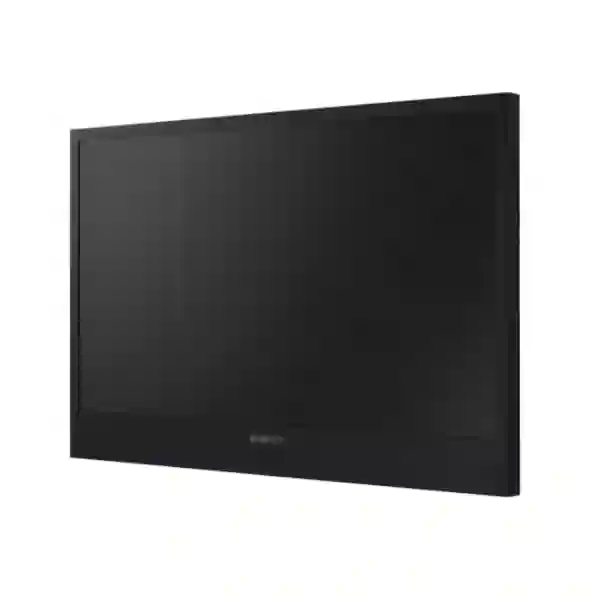
Hanwha SMT-2730 27-inch Full HD CCTV Monitor
Need to connect a surveillance recorder to a reliable viewing screen? Review the SMT-2730’s documented inputs, panel specification and mounting needs before choosing an exact-model replacement or a modern alternative.
Manufacturer lifecycle status: discontinued. Ask for verification of any proposed stock or current equivalent before purchasing.
Specifications at a glance
Figures are taken from archived manufacturer documentation. Check the exact hardware revision where historical documents differ, especially for response time.
| Item | Documented detail |
|---|---|
| Product type | 27-inch LED-backlit surveillance display |
| Native resolution | 1920 × 1080 (Full HD), 16:9 |
| Brightness / contrast | 300 cd/m² / 1000:1 (historic datasheet) |
| Viewing angles | 170° horizontal / 160° vertical |
| Video interfaces | HDMI × 1, VGA × 1, composite BNC × 2 with loop outputs |
| Analogue formats | NTSC / PAL composite video |
| Audio | Integrated stereo speakers; audio inputs documented |
| VESA pattern | 100 × 100 mm |
| Power | AC 100–240 V, 50/60 Hz; approximately 35 W |
| Operating temperature | 0°C to +40°C |
| Size with stand | 648 × 479.1 × 212 mm (W × H × D) |
| Net weight | Approximately 7.3 kg |
| Lifecycle | Discontinued, per Hanwha Vision |
What this monitor is built to do
The Hanwha SMT-2730 is a 27-inch security-display monitor intended to show a video signal from surveillance equipment. It has a native Full HD panel and a combination of digital, computer-video and older analogue connections. That makes the model relevant to organisations maintaining a legacy CCTV room, replacing a failed screen, or assessing how an existing DVR should be displayed. It is a viewing device, not a surveillance camera, recorder, network switch or software platform. The quality and number of camera images available on screen depend first on the connected equipment and its output configuration.
For a Tanzania-based project, the practical question is not simply whether a 27-inch screen is large enough. Buyers should identify the recorder output, connector type, viewing position, power arrangement, ventilation and expected hours of use. These checks establish whether an SMT-2730 already on site can continue to serve a useful role, whether a replacement unit is appropriate, or whether a more current display is the sensible investment.
A discontinued model: plan procurement accordingly
Hanwha Vision’s official product information marks SMT-2730 as discontinued and names SMT-2731 as its suggested replacement. That notice is a product-lifecycle statement; it is not evidence that a particular unit is in stock, that an old replacement is still manufactured, or that either model can be supplied in Tanzania. Hanwha Vision’s current global listing also marks SMT-2731 as discontinued. A buyer therefore needs to verify the status of any proposed substitute rather than treating an historic replacement recommendation as a current purchase guarantee.
When requesting a quotation, clearly separate an exact-model requirement from an acceptable equivalent. Exact-model requests may matter where the existing stand, wall bracket, cable routing or operating procedures cannot change. When flexibility is possible, compare current monitors by signal inputs, mounting interface, panel resolution, operating limits and total installed cost. FourTeck can use a technical enquiry to clarify the required specification; this page does not assert local inventory, lead times or warranty entitlement.
The important technical specifications
The documented panel is a 27-inch LED-backlit display with native 1,920 × 1,080 resolution, a 16:9 aspect ratio, published 300 cd/m² brightness and a nominal 1,000:1 contrast ratio. Historic documentation lists 170° horizontal and 160° vertical viewing angles. The original user guide and a later Samsung Techwin datasheet differ on response time: one states 5 ms, while a revised 2014 sheet describes 8 ms gray-to-gray. These should not be combined into a single guaranteed response-time claim without checking the exact unit revision and documentation.
For integration planning, the more consequential details are one HDMI input, one analogue VGA input and two composite BNC video inputs with loop-through outputs. An older product guide documents built-in speakers, 100 × 100 mm VESA mounting, approximately 35 W power consumption and an AC 100–240 V input. The listed values describe the manufacturer documentation, not the condition, configuration or capability of a second-hand individual unit.
Understand Full HD before selecting the screen
Full HD means 1,920 pixels across and 1,080 pixels vertically. It is appropriate for displaying a compatible 1080p recorder output, but it does not convert a low-resolution analogue camera into a high-definition image. A camera’s recording quality, the recorder’s chosen output, stream compression and any downscaling can all affect what an operator actually sees. The display will show the image sent to it within supported formats; it cannot reconstruct detail that was never captured.
A modern recorder may support higher-resolution camera recordings while offering a separately configurable HDMI display output. Check that the output can be set to a format accepted by this monitor, ideally 1,920 × 1,080 at a compatible refresh rate. Do not assume that a recorder offering 4K recording automatically provides a 4K picture through a Full HD monitor. Buyers needing detailed inspection across many camera tiles should assess screen count and workflow, not screen size alone.
Screen size and viewing distance
A 27-inch display offers a useful balance between desk footprint and image area when the operator sits relatively close to the screen. A guard watching several camera tiles may prefer the screen nearer eye level, while a manager looking from a doorway may need a larger image or a dedicated second display. Because 27 inches refers to the panel diagonal, it does not state how large each camera image will be after a recorder divides the view into four, nine or sixteen tiles.
Test the actual viewing scenario: identify the smallest information an operator must recognise, such as a vehicle’s direction, an entrance status or movement near a gate. Then look at the feed from the expected chair position. A monitor can have a technically adequate resolution while still producing tiles too small for the task. If rapid visual recognition is important, a simpler camera layout or a separate spot monitor may be more useful than a crowded grid.
Brightness, reflections and control-room lighting
The historic 300 cd/m² brightness figure is useful for general comparison, but real readability depends heavily on the room. A bright window behind the operator can reflect from a display and make dark surveillance areas difficult to observe. A light fitting directly over the screen can have a similar effect. Before ordering any monitor, assess daylight, artificial lighting, blind placement and whether the screen can be positioned away from distracting reflections.
Contrast is often more useful than maximum brightness when the task involves checking dark corridors, shadowed loading zones or night-time footage. The SMT-2730 is documented with a 1,000:1 contrast ratio, but this does not guarantee a particular viewing result under every room condition. Calibrate brightness and contrast with representative day and night scenes. Avoid pushing brightness so far that highlights become difficult to distinguish, and avoid setting black levels so low that important shadow detail disappears.
Viewing angles and operator positions
Published viewing angles of 170° horizontally and 160° vertically describe the historical panel specification. They do not mean every viewer at every angle receives an identical image. The practical test is whether someone stationed to one side of a desk can make reliable visual decisions from the picture. Where two staff members share a viewing point, consider their positions and ensure the screen can be seen without excessive rotation, leaning or colour shifts.
A monitor fixed high above a reception counter may look very different from one viewed straight ahead at desk height. This is especially important when assessing dark images and small camera tiles. If the installation involves several viewing stations, conduct a simple sight-line check from each. A wall-mounted display may need an appropriate adjustable bracket, selected for the display’s weight and mount pattern, rather than an assumption that the included desktop stand suits every location.
Connecting the HDMI input
HDMI is normally the straightforward choice when a DVR, NVR or management computer provides a compatible digital video output. The archived user manual shows one HDMI input on the SMT-2730. Match the connector types, use a suitable cable, select HDMI as the screen source and configure the upstream equipment for a supported display format. The monitor itself does not choose which cameras appear; camera selection and screen layouts are normally controlled by the recorder or computer.
HDMI is a video connection rather than evidence of native IP-network access. A camera system on an Ethernet network still requires a device that can decode and present its video, such as a compatible NVR or workstation. If a new recorder is configured for a higher output resolution than the monitor supports, lower the recorder’s display-output setting. Confirm both picture and any required audio operation during commissioning, because video capability alone does not establish that all audio paths or applications are supported.
Keeping a VGA-based DVR or workstation running
VGA can be valuable where an installed DVR or older security workstation has an analogue computer-display output. The SMT-2730 documentation includes one VGA input. Before connecting, inspect the cable and connector for bent pins, poor seating or damage. Select the corresponding input on the monitor, then choose an accepted resolution and refresh rate on the sending device. The manufacturer’s manual describes image alignment and automatic adjustment controls for VGA use.
A functioning VGA path may be a reason to retain an existing screen during a gradual surveillance upgrade. However, compatibility should be tested rather than assumed: adapters, converter boxes and extended cable routes may introduce new issues. VGA is not a direct substitute for an IP camera network connector and does not carry network control. If the source is a modern device without VGA, assess a supported digital connection first; if conversion is essential, test the exact adapter and output combination before rollout.
Using composite BNC video inputs
Two composite video inputs, designated Video A and Video B in the user guide, distinguish this display from a typical office monitor. These BNC connections are relevant where legacy standard-definition CCTV equipment still produces a compatible composite feed. The monitor documentation supports NTSC and PAL video systems. Composite video is not the same as HD-SDI, HD-TVI, HD-CVI or AHD simply because some of those systems may also use BNC connectors.
Before connecting an unfamiliar camera or recorder, establish its actual signal standard. Plugging a higher-definition analogue signal into an input intended for composite video does not guarantee a usable image. Check the source specifications and, where necessary, select a suitable converter or a recorder output that provides the correct format. This step is especially useful when a site contains equipment installed at different times, with visually similar cables but incompatible signal types.
Loop-through connections and termination
The archived installation guide shows a Video A input and output and a Video B input and output, allowing a suitable composite signal to pass through to another compatible display or destination. This can help in older control rooms where one analogue feed was intentionally shared between two monitoring positions. However, loop-through wiring is not the same as freely splitting a digital camera feed, and incorrect impedance or termination may degrade picture quality.
The original user guide warns that an unused video loop output needs appropriate treatment; its troubleshooting guidance refers to cable removal or 75-ohm termination. Have an installer verify the intended signal path and termination arrangement rather than casually connecting extra screens. If the picture becomes unexpectedly bright, washed out, unstable or distorted after adding a second device, revisit loop-through wiring and termination before blaming the camera. Document the final wiring for future maintenance.
How the monitor works with an NVR
A network video recorder receives and manages video from compatible IP cameras, then produces a display output that can be viewed on a monitor. In this arrangement, the SMT-2730 attaches to the recorder’s HDMI or another appropriate supported display connection. The camera network remains on the recorder or management infrastructure. This keeps the distinction clear: the monitor displays a prepared view and does not independently discover, authenticate, record or manage network cameras.
For a control room using a current NVR, verify that the intended recorder offers a supported 1080p HDMI output and the desired live-view layout. Confirm whether users need instant playback, event review, maps or a second screen, because these functions belong to the recorder or client application. If 4K review, high tile density or additional digital interfaces are essential, a more modern monitor may be preferable even when the original SMT-2730 remains functional.
How the monitor works with a DVR
With a digital video recorder that has a compatible VGA or HDMI output, the display can show the recorder’s interface, live grid and playback screens. With an older device offering only composite video, one of the BNC inputs may be appropriate if the signal standard is supported. These configurations are different, so identify the recorder’s make, model and available outputs before deciding how to wire the monitor.
The practical value of the SMT-2730 in a DVR environment is its mix of legacy and familiar display interfaces. That can reduce the need to change every component at once. Still, an installer should confirm the maximum output format, connector condition, cable routing and available controls. Do not infer that a BNC video socket allows the monitor to decode every modern analogue camera format. The recorder and camera technologies must be evaluated separately.
Built-in audio and its limitations
Archived specifications show built-in stereo speakers and audio connections, with a later datasheet listing two 1 W speakers. This may be useful for equipment that produces a compatible audio signal, but it is not a promise that microphone audio from a CCTV installation will automatically reach the monitor. The camera, recorder, software permissions, audio codecs and output configuration are all part of the audio path.
Check whether the application genuinely requires sound at the guard position. In some environments, silent monitoring is preferable; in others, audio may be essential for an approved operational purpose. If audio is required, verify the recorder’s capabilities and local operating policies, and test volume and clarity without disturbing nearby work areas. Avoid treating speaker presence as evidence of a built-in microphone, two-way talk system or independent audio recording feature.
Picture-in-picture, freeze and display controls
The SMT-2730 user guide describes on-screen picture settings, a freeze function and picture-in-picture operation in supported source modes. These are monitor functions, not replacements for a recorder’s multi-camera management, evidence capture or playback tools. A frozen display image is particularly important to understand: it should never be mistaken for paused recording at the DVR or NVR. Operators must know whether they are viewing live motion or a static image.
Before handing over a control-room workstation, show the operator how to choose the source, identify a lost-signal message and exit any temporary picture mode. Keep the settings stable after commissioning and document any adjustments that support night-time viewing. If the recorder already offers flexible layouts, use its software for routine camera switching; reserve monitor controls for input selection and display tuning. This reduces confusion during a genuine incident.
Choose the right number of camera tiles
Four cameras on one 27-inch Full HD screen can be relatively comfortable for many desk-viewing tasks, while sixteen small tiles may be harder to interpret at a glance. These are layout considerations rather than manufacturer capacity ratings. The SMT-2730 does not itself impose a number of supported cameras; a connected recorder or computer constructs the grid. The camera count, tile size, typography and importance of each feed determine how useful the displayed result will be.
For a Tanzania security operation with a main entrance, reception, parking area and perimeter, consider whether all views require equal attention. Critical camera images can be given larger tiles, while less urgent views rotate through a secondary layout. Test live footage containing real movement rather than static sample images. When the operator must recognise fine details from multiple feeds simultaneously, consider a larger screen, more screens or a different workflow rather than relying only on the display’s diagonal size.
Desk installation and viewing comfort
The manufacturer lists dimensions of approximately 648 × 479.1 × 212 mm with the stand. That footprint should be checked against the usable desk space, nearby keyboards and the view of any other screens. A guard who must turn repeatedly between a monitor, access-control terminal and visitor log may benefit from a different arrangement than an operator managing only surveillance footage. The stand and cable exits also need enough clearance for safe everyday use.
Position the main image so regular viewing does not require prolonged neck twisting. Confirm that menus and time stamps remain legible at the intended distance. Keep the power and video cables routed so the desk can be cleaned or adjusted without pulling on connectors. Where several people use the same station, use a simple physical setup guide indicating preferred input, ordinary brightness setting and who to contact if the feed disappears.
VESA wall mounting
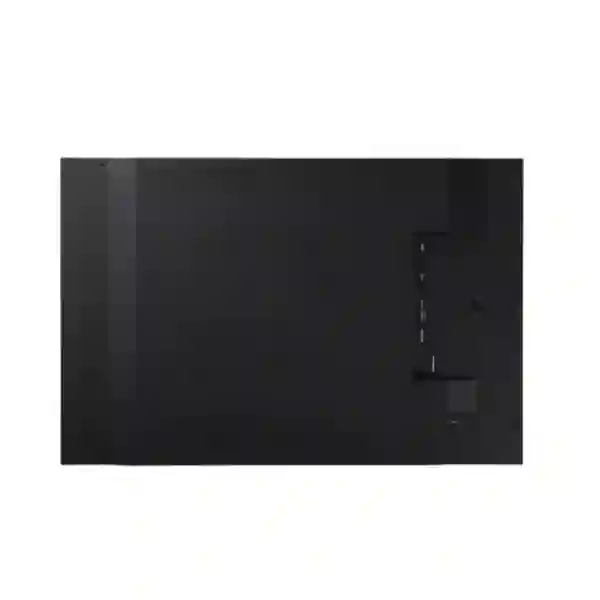
Historical manufacturer specifications describe a 100 × 100 mm VESA mounting pattern for the SMT-2730. This is a mechanical interface measurement, not a promise that a particular wall bracket, fastener or wall surface is suitable. The unit’s listed weight is about 7.3 kg, and the final wall installation must account for the bracket, fasteners, wall structure, cable tension and access for servicing.
The user guide includes ventilation guidance around wall-mounted installations. Before fixing the screen, select a location where air can circulate and where staff can still reach the video and power connectors safely. Use suitable mounting hardware and professional installation practices for the actual structure. If the site already has a bracket from another monitor, confirm the hole spacing, safe load, screw geometry and clearance instead of assuming all 27-inch monitors mount in the same way.
Dimensions, access and ventilation
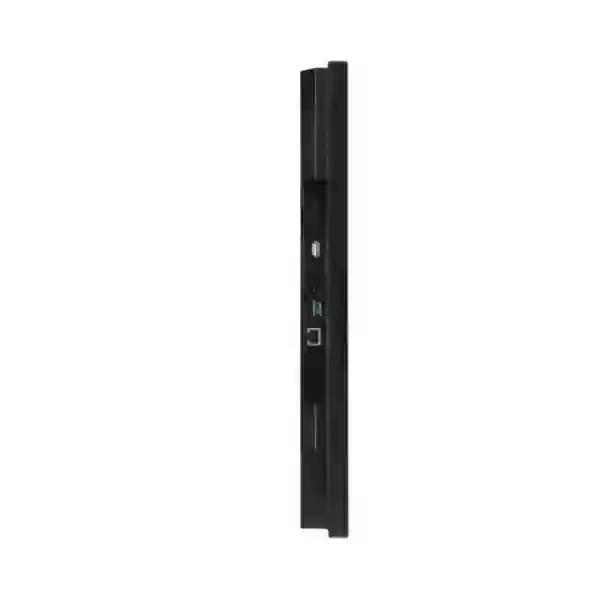
Without the stand, the archived body dimensions are approximately 648 × 396 × 61.7 mm. These figures help with a cabinet opening, security-desk recess or wall-mounted arrangement. They should be checked against the exact hardware in hand, because tolerances, brackets, cable bends and rear connectors add to the installation envelope. Depth is especially important where a cable has to bend behind the screen without being crushed.
The installation manual illustrates ventilation clearances around the unit, including space above, below and beside the screen. An enclosed cabinet can trap warm air even when the room feels comfortable, so do not treat a close-fitting opening as adequate simply because the monitor physically fits. Avoid covering ventilation openings with signage or equipment. A straightforward site survey should include measurements, rear-access space, power outlet position and an assessment of everyday cleaning and service access.
Power requirements and backup planning
The Samsung Techwin documentation lists an AC 100–240 V, 50/60 Hz input and approximately 35 W power consumption. These are product specifications, not an estimate of a complete CCTV installation’s electricity use. A recorder, network switch, cameras, router and any cooling equipment consume additional power. Always confirm the specific unit’s power label and use a suitable, safe power connection before energising it.
In sites where brief power interruptions would compromise monitoring, think about the whole signal chain rather than the display alone. A monitor connected to backup power will still show no picture if the recorder, network equipment or cameras lose power first. The UPS should be selected based on the measured or rated load of all necessary components and the required operating duration. For a retrofit, review battery condition, outlet arrangement and the restart behaviour of equipment after power returns.
Temperature, humidity and Tanzania site conditions
The historical specification gives an operating temperature range of 0°C to +40°C and requires non-condensing humidity. These are environmental limits for the monitor, not a statement that every room in Tanzania meets them. A security booth exposed to afternoon sunlight, a poorly ventilated cupboard or a humid area near an open doorway can create conditions very different from an air-conditioned control desk.
Check the actual temperature around the rear of the operating screen during the hottest normal period, not only the temperature in the middle of the room. Protect the installation from rain, liquid spills, direct exposure to weather and condensation. If the environment is hotter, dustier or more exposed than the specified conditions, choose equipment rated for that installation instead of assuming a standard indoor CCTV display is suitable. Plan cleaning and airflow as part of the deployment.
Cables, distance and signal quality
Before buying cables, record the source device, output type, required route and any obstacles. A short HDMI run between a desk recorder and the monitor is different from an extended cable route across a building. Cable quality, interference, routing and additional equipment may determine whether the picture remains stable. The SMT-2730 documentation establishes the monitor’s interfaces but does not guarantee a particular maximum cable distance for every installation.
Where a long run is unavoidable, design the transmission method around the signal type and test it at the target resolution. Avoid assuming that passive adapters can translate every source format; some changes require active conversion. Label both ends of the cable and keep the final cable schedule with the security equipment records. For mixed analogue and digital systems, clear identification can prevent a future technician from connecting a signal that merely fits the socket but is electronically incompatible.
What to check when the screen says no signal
Begin with the source selection. A working monitor set to VGA will not automatically display a recorder connected to HDMI, and an unused BNC input cannot show the digital feed. Confirm the upstream device is powered, the correct output is enabled and the connector is seated. If the source provides a configurable resolution, set a known compatible output format and retest. Make one change at a time so the cause of the fault stays clear.
Next, test with a known-working cable or compatible alternate display where available. If the screen works with another source, investigate the recorder’s output and settings before replacing the monitor. If the display remains blank with every verified source, inspect its power status and input controls under safe procedures. Record the symptoms, time of failure and recent changes; this makes technical assistance more effective than a general report that the CCTV is not working.
Investigating a poor HDMI or VGA picture
A digital picture that appears intermittently may be affected by a loose connection, a cable issue or an unsupported output mode. Text that is difficult to read can also indicate non-native resolution or scaling on the source. For HDMI, start with a direct connection at an accepted 1080p output rather than immediately adding splitters or converters. Verify that the recorder’s interface is truly being output to the selected connector.
For VGA, investigate focus, image alignment and screen geometry using the monitor’s supported adjustment controls. Check the cable path for interference from other equipment and confirm the source resolution. If artefacts appear only when a long cable is installed, the route may need redesign. Test a simple direct connection before declaring the panel defective. Keep the setup at a stable resolution once the picture is correct, and document the final settings for operators.
Investigating analogue-video distortion
Composite video can look softer than a digital Full HD output because the originating signal carries less picture detail. That softness is not by itself proof of a defective monitor. However, excessive brightness, washed-out images, rolling, unstable colour or a missing feed should prompt a review of the source’s video standard, BNC connector quality and any loop-through termination. The original user guide specifically discusses termination around the analogue loop outputs.
If a site is migrating from an older CCTV recorder to new equipment, verify whether its BNC connectors still carry conventional composite video. A matching physical connector is not enough to establish electronic compatibility. Use a documented conversion approach where required and test the completed path under normal operating conditions. If several analogue cameras look poor only on one shared signal route, inspect the common cabling and termination before replacing individual cameras.
Suitable deployment examples
This model can be relevant to a staffed reception desk where a recorder presents entrance footage over HDMI, a guard station that retains a VGA-output DVR, or a maintenance project using a compatible composite-video feed. These are examples of potential technical fit, not claims about any particular local customer installation. In each example, the monitor is one component within a larger surveillance solution and must be compatible with the source device.
Other possibilities include a secondary operator screen, a dedicated spot-monitor position or a controlled spare for a legacy room. The decision depends on actual hardware condition and purchase economics. If the task is to view multiple current IP-camera feeds in high detail, support newer display interfaces or deploy an outdoor-facing monitor, investigate an alternative with specifications matched to those requirements rather than assuming the SMT-2730 is universally suitable.
When to prefer a more current monitor
A new surveillance project should begin with the intended workflow and the current generation of recorder outputs. If operators need 4K review, multiple simultaneous HDMI sources, modern display-management features or a larger field of view, an old Full HD screen may be a constraint. Similarly, an installation using only HDMI may have little need for the SMT-2730’s legacy VGA and composite ports. Paying for unused compatibility is not necessarily an advantage.
Lifecycle status matters as much as resolution. The manufacturer marks this specific model discontinued, and its historically named successor also has a discontinued status on the global manufacturer site. Ask for a current model recommendation that meets the required interface, size, mounting and environmental criteria. Compare the proposed substitute against the equipment actually installed; do not rely solely on a similar model number or a general claim that the monitor is for CCTV.
A practical comparison with a standard office display
An ordinary computer monitor may provide Full HD resolution and HDMI connectivity, which can be enough when a recorder offers a compatible digital output. The historical attraction of the SMT-2730 is the combination of HDMI, VGA and composite BNC inputs designed around surveillance use. That additional interface flexibility may be valuable for legacy systems but adds little benefit when all sources are digital and the monitor is being selected for a new installation.
Compare supportable video formats, viewing angles, mounting pattern, power requirements, operating environment and service arrangements rather than simply comparing screen diagonals. For a normal office-style digital feed, the ease of obtaining and supporting a current monitor could outweigh historical CCTV-specific features. For an analogue retrofit, the old connection set may save the cost and complexity of a converter. The right choice depends on the source equipment, not on a generic professional-versus-consumer label.
What an exact-model replacement should include
If replacing an existing SMT-2730, identify whether the request covers only the monitor or also the stand, power lead, remote controller and other accessories. The original guide illustrates a monitor, remote, batteries, VGA cable, power cord and documentation in its unpacking section; a current transaction should not assume that every historical box item is included. Obtain a written description of the actual supply scope and condition before approving purchase.
For a second-hand or refurbished unit, ask for a power-on test, visual condition details, proof that each required input operates and information about any dead pixels, backlight issues or unstable connectors. Verify the serial/model label and the physical mounting points. An existing installation may depend on the supplied remote or a working front-panel source button. Include those operational requirements in the enquiry instead of discovering at handover that the display powers on but cannot be switched to the needed source.
A useful pre-purchase information checklist
A good technical enquiry names the camera-system recorder model, its available outputs, the preferred screen size, required mounting method and intended viewing position. It should also state whether the SMT-2730 model is mandatory or whether a technically suitable alternative can be evaluated. Include photographs of the relevant rear-panel connections when the exact connector types are uncertain. These details allow a meaningful compatibility review without making an unsupported stock claim.
For a Tanzania installation, also note whether the site has reliable indoor power, backup power and adequate ventilation. If the display is placed in a remote guard booth or a warm equipment cabinet, describe that environment rather than relying on a broad location name. Specify whether audio is needed, whether the monitor will run for extended periods and whether someone must maintain an older BNC workflow. The more precisely the required signal path is described, the easier it becomes to compare options fairly.
Commissioning steps after installation
Start by inspecting the monitor and its connectors before connection. Fix the unit securely, confirm safe ventilation and connect the appropriate power source. Attach the selected video cable, then power the monitor and source equipment according to the equipment instructions. Select the correct input, set the upstream output to a supported resolution and check the picture. Verify clarity with both typical daytime footage and lower-light camera scenes.
Continue by confirming that the live-view layout is practical from the operator’s chair and that important menus, timestamps and status messages are legible. If audio is needed, test that separately. For installations using BNC loop outputs, verify correct termination and picture stability on every receiving device. Finally, label the cable, record the settings, teach the operator the source-selection controls and document who handles first-line support. Commissioning should demonstrate the required task, not merely that the backlight turns on.
Keeping the display useful over time
Routine attention to the physical environment often prevents avoidable screen problems. Keep ventilation openings clear, avoid pressure on the panel and follow suitable cleaning practices that do not introduce liquid into the housing. Check that cables remain secure after furniture is moved and that the unit is not exposed to unnecessary heat or condensation. Monitor changes in brightness, flicker, unexpected power cycling or lost input selections and investigate them before they interrupt a critical monitoring shift.
Because this is a discontinued model, plan for future replacement rather than assuming an identical spare can always be obtained. Record the connected equipment’s supported output formats and the current bracket details so that a different monitor can be evaluated quickly if needed. The surveillance system’s resilience depends on the recorder, network, display and power arrangements together. Good maintenance notes reduce the chance that a simple screen failure becomes a prolonged operational interruption.
Selecting a replacement without losing functionality
First list the functions actually used on the SMT-2730: HDMI, VGA, composite BNC, analogue loop-through, audio, mounting and preferred screen size. Many newer displays can cover the digital elements but may omit the analogue video inputs. If a legacy site relies on direct composite feeds or loop-through, those requirements need an explicit solution. A modern screen with the same diagonal size is not automatically a drop-in functional replacement.
Second, verify the proposed screen’s supported resolution, refresh rates, physical mount, overall dimensions and electrical needs. Assess any required converters as part of the whole solution, including how they are powered and serviced. For an operator desk, compare image readability using the actual recorder interface. A successful replacement should preserve the required monitoring task without introducing a fragile set of adapters that no one has documented or can troubleshoot.
The difference between model names matters
SMT-2730, SMT-2731 and similarly named public-view monitor products are not interchangeable labels. The SMT-2730 discussed here is a conventional surveillance viewing monitor documented with HDMI, VGA and composite inputs. Some public-view monitor families include their own camera and networking-related features, which should never be attributed to this model simply because the numerals appear similar.
When a quotation or purchase order uses only a shortened code, ask for the complete model designation and a matching specification sheet. Confirm whether the proposed item is the exact monitor, an archived successor or a different type of public-view display. This prevents procurement errors involving camera functions, ports, power inputs and mechanical fittings. Model accuracy is particularly important when the equipment must fit an existing panel opening or work with an older signal standard.
Understanding the product limitations
The SMT-2730 is not specified as a 4K monitor, IP camera decoder, NVR, DVR, PoE-powered endpoint, access-control console or outdoor weatherproof display. It should not be described as having a built-in camera, network recording, wireless viewing or touch controls without verifiable model-specific evidence. The manufacturer documentation supports a conventional 27-inch Full HD surveillance display with particular wired video connections.
Being explicit about these limits helps the buyer avoid a disappointing installation. If the user needs a self-contained live camera feed with no recorder or computer, request a different product category. If the requirement includes a high-density 4K control wall, choose a display and output architecture built for that resolution. If a warm, exposed or dusty booth is unavoidable, verify suitable environmental protection. A correct technical fit is more useful than an impressive but unsupported feature list.
Tanzania-focused buying guidance
A security system deployed in Tanzania may combine equipment from several installation phases. One location may still operate an analogue DVR, while another has moved to IP cameras and an NVR. The SMT-2730’s mixed connector set explains why it can remain relevant to some maintenance discussions. However, regional product availability, importer arrangements, delivery, warranty and prices are separate commercial questions that must be confirmed for the exact offer.
Use the purchase enquiry to distinguish three situations: replacing one failed monitor in an established system, expanding an existing control desk, or specifying a completely new surveillance deployment. Each has a different risk profile. In a replacement, interface and mount compatibility may dominate. In an expansion, screen layout and operator sight lines matter. In a new deployment, lifecycle status and current display capability should receive more weight. Ask for the proposal to state what is included and what must be supplied separately.
Before requesting a quotation
Share the exact model code Hanwha SMT-2730 and say whether an equivalent can be considered. Include the recorder model, the connection you expect to use, the screen’s intended position and any compulsory wall-mount details. If there is an existing screen, describe the failure or reason for replacement. If the picture is currently poor, mention whether the issue occurs on every input or only on one source, as a cable or configuration problem can sometimes resemble a panel fault.
A useful response should identify the proposed product and whether the required connections are provided directly or through additional equipment. It should make clear which accessories, mounting work or configuration steps are outside the hardware supply. Do not send passwords, footage containing sensitive personal information or security-system credentials in an ordinary product enquiry. Technical specifications and connector photographs are usually sufficient for an initial compatibility discussion.
Frequently asked questions
Is the Hanwha SMT-2730 still manufactured?
Hanwha Vision marks the model discontinued. Its original product information names SMT-2731 as a suggested replacement, but the global Hanwha listing also labels SMT-2731 discontinued. Confirm a genuinely current alternative and its regional supply status before making procurement decisions.
What is the screen resolution?
The manufacturer documentation describes a native Full HD panel of 1,920 × 1,080 pixels with a 16:9 aspect ratio. It does not provide a 4K display. Source resolution and recorder settings still influence the quality of the image that appears.
Can I connect it to an NVR?
Yes, a compatible NVR can send its prepared display output to the monitor using an appropriate supported connection, commonly HDMI. The monitor does not join an IP camera network directly or record video. Confirm the NVR’s output mode first.
Does it have HDMI and VGA?
The archived user guide documents one HDMI input and one VGA input. It also documents two conventional composite BNC video inputs with matching loop outputs. Check the actual rear panel if assessing a used unit.
Will an AHD, TVI or CVI camera work through BNC?
Not merely because the plug fits. The documented BNC interface is for compatible composite video, with NTSC/PAL support. HD analogue formats need a separately compatible receiving or conversion path.
Does it include speakers?
Archived documentation describes integrated speakers and audio connections. A later datasheet lists two 1 W speakers. To hear camera audio, the entire recorder and audio path must support the function and be configured properly.
Can it be fixed on a wall?
The archived product sheet specifies a 100 × 100 mm VESA interface. Confirm the actual bracket, wall construction, screws, cable clearance and listed weight of about 7.3 kg before installation.
What electricity supply does it need?
The manufacturer documentation lists AC 100–240 V at 50/60 Hz and approximately 35 W. Confirm the unit’s own power label and assess the backup-power needs of the wider camera system separately.
Is it suitable for a hot security booth?
Only when conditions stay within the documented operating limits, including 0°C to +40°C and non-condensing humidity. Indoor heat buildup, direct sunlight, poor ventilation and moisture can change what is suitable. Inspect the real site environment.
Can it display many cameras simultaneously?
The connected recorder or workstation produces the camera grid. The display shows that video output but does not independently choose or decode a network of cameras. Verify that individual tiles remain large enough for the operator’s task.
Why is the response time listed differently in some documents?
The original user manual and official manufacturer page mention 5 ms, while a revised Samsung Techwin datasheet describes 8 ms gray-to-gray. This is a historical documentation difference; verify the revision before specifying a guaranteed numerical response time.
How do I ask about a replacement in Tanzania?
Provide the exact model, recorder output connection, physical mounting needs, operating environment and whether an equivalent is acceptable. Request confirmation of the proposed unit’s availability, specification, accessories and commercial terms rather than assuming discontinued stock exists.
Request a compatibility review or quotation
Tell FourTeck Tanzania whether you need the exact Hanwha SMT-2730 or are open to a current alternative. Include the DVR/NVR output type, mounting requirements and expected operating environment. Ask for written confirmation of the proposed equipment, compatibility, accessories and applicable commercial terms.
Enquire about the SMT-2730 or a suitable replacement




Reviews
There are no reviews yet.