
Professional CCTV display • Tanzania buying guide
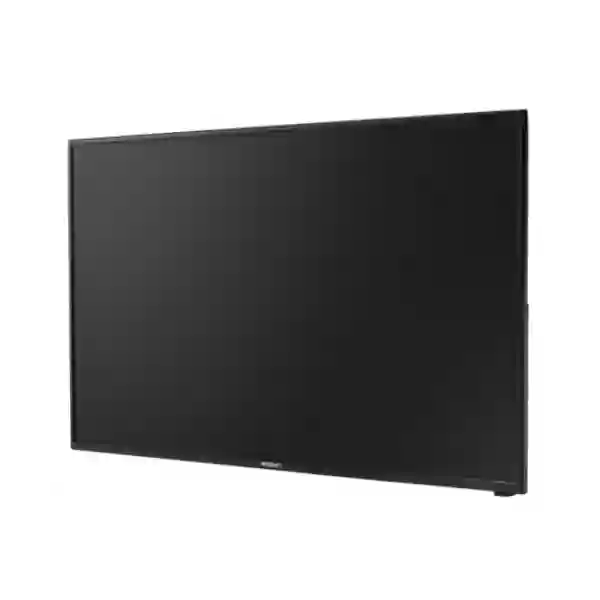
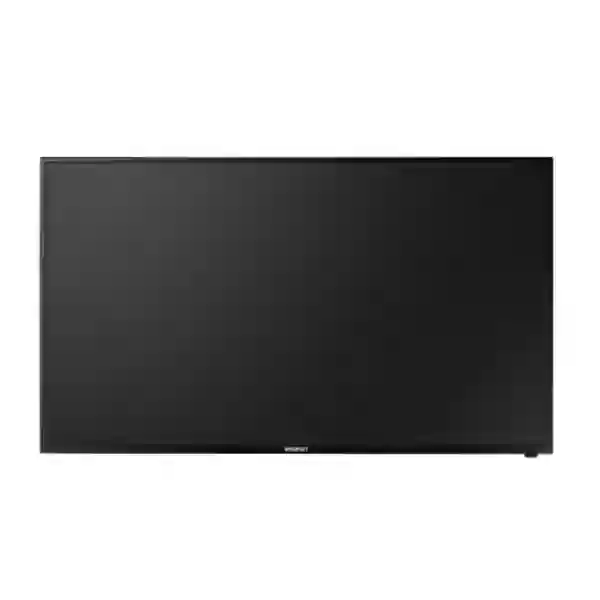
Hanwha SMT-4343S 43-inch 4K Surveillance Monitor Set
Need a large monitoring screen with its desktop stand? The Hanwha SMT-4343S combines a 43-inch class UHD LED monitor and desktop stand for surveillance viewing. Hanwha Vision identifies the model as discontinued, so confirm the exact unit, connectors and supply conditions before ordering.
Key facts at a glance
Type: Monitor and desktop stand set
Format: 3840 × 2160, 16:9
Brand: Hanwha Vision
Local supply: Requires confirmation
Published connector and speaker information differs across related manufacturer descriptions. Verify the actual hardware revision; this page intentionally avoids presenting unconfirmed variant-specific details as universal specifications.
What the SMT-4343S package means
The Hanwha SMT-4343S is identified by Hanwha Vision as a monitor set rather than just a loose display panel. The set combines an SMT-4343 class 43-inch LED security monitor with the SBM-4343 desktop stand. That distinction matters when planning a control-room workstation. A monitor without a suitable stand can require an extra mounting purchase, introduce a schedule delay, or change the footprint of the finished installation. The set designation gives buyers a practical starting point, but an actual quotation should still identify the precise contents and condition of the supplied package.
This is a display for viewing footage supplied by a compatible recorder, workstation or other video source. It is not a camera, network video recorder, storage system, video wall controller or complete surveillance solution on its own. Before ordering, match the display to the equipment generating the pictures, the physical location where operators will use it, and the accessories needed for a safe installation. The monitor’s role is to show information; recording, playback permissions and camera management remain functions of the connected system.
Discontinued model: the first buying decision
Hanwha Vision currently labels the SMT-4343S as discontinued on its manufacturer product page. That is an important lifecycle fact, not a statement that every unit worldwide has disappeared or that the model cannot be used. Buyers may encounter existing inventory, previously deployed equipment, replacement requests or refurbishment opportunities. None of those possibilities should be confused with confirmed local availability. Request written confirmation of supply, exact part number, condition and after-sales arrangements before planning a project around this specific set.
Discontinued status is especially relevant to organisations standardising several monitoring desks. If one unit is replaced later, the same model, stand or panel revision may be difficult to source. Ask whether a project requires visual uniformity across screens, identical mounting holes, matching connection options, or common spare parts. For a new installation, compare an available current-generation model alongside the legacy unit. For an exact replacement of an installed system, compatibility and physical fit may outweigh newer functions. Either decision should be documented rather than assumed.
Who should consider this 43-inch display
The most relevant buyers are security teams, CCTV integrators, facilities managers and technical staff designing a dedicated monitoring position. A larger fixed screen can give an operator more room to inspect camera layouts, review recorded clips or keep a live view alongside alarms, depending on the capabilities of the connected recorder or workstation. It may suit a reception-security desk, supervisory station or a small surveillance control room where one operator watches several areas.
It may be less appropriate for a narrow counter, a mobile installation, an outdoor location or a desk where the operator sits very close to the panel. A 43-inch diagonal does not automatically improve the recognition of faces or vehicle plates; that outcome depends heavily on the camera image, available pixels, positioning and recording quality. If operators mostly read small software text at arm’s length, a different screen size or several smaller monitors may be more comfortable. Start with the actual monitoring task rather than treating larger as automatically better.
4K UHD resolution in practical terms
The monitor family supports an ultra-high-definition picture of 3840 by 2160 pixels, often called 4K UHD or 2160p. Compared with a 1920 by 1080 display, that is four times the number of screen pixels. The additional screen detail can be useful when showing several camera tiles or a high-resolution playback window, provided the video source outputs an appropriate signal and its own image contains useful detail. The 16:9 shape is also familiar to most video systems.
However, four times as many display pixels do not create detail absent from the original footage. A low-resolution camera, excessively compressed recording or poor night-time exposure remains limited even on a 4K display. Likewise, a recorder configured to send a 1080p graphical interface will not automatically use every UHD pixel. Evaluate the recorder’s actual output setting, any multi-camera decoding limitations and the quality of the source material. Treat 4K as display capacity, not a promise about surveillance accuracy or analytical performance.
Screen size and operator viewing distance
A 43-inch class screen is substantial at a typical security desk. The actual panel in the underlying SMT-4343 documentation is described as approximately 42.5 inches viewable; the commercial product class is 43 inches. Placement should account for the operator’s line of sight, chair adjustment, desk depth, screen height and how often the user needs to scan from one side to the other. A screen that is too close may require uncomfortable head movement even though it appears impressive during installation.
Before choosing the display, mark the proposed screen outline with tape or a cardboard mock-up at the real workstation. Sit in the expected operator position and check whether corners, alarm banners and menus are easy to see. Consider reflections from windows and overhead lighting during daytime and evening conditions. The most useful installation is one where an operator can sustain attention, read labels and respond to events without constantly changing posture. There is no single correct viewing distance for every control room; test the actual camera layout and text size.
Viewing angles and team visibility
Hanwha’s underlying SMT-4343 documentation lists wide horizontal and vertical viewing angles of 178 degrees. This describes the panel specification rather than a guarantee that contrast, colours and small objects remain identical from every position. For a workstation where several people periodically inspect footage, the broad viewing-angle specification is useful, but the final arrangement still needs a physical viewing check. Reflections, screen tilt and ambient lighting can have a larger practical effect than a headline angle figure.
If a supervisor stands behind an operator or a second person reviews footage from a side position, test the smallest information they must read. Include timestamp overlays, camera names, alert symbols and selected frames, not just a brightly coloured test image. Screens mounted high on a wall can introduce another viewing angle issue for seated staff. In a shared room, position the display for the primary operator and verify secondary sightlines rather than making both groups compromise unnecessarily. Physical viewing tests are more reliable than buying on angle specifications alone.
Multi-camera layouts and pixel budgets
A common reason to consider a UHD display is presenting multiple camera views at once. A recorder might offer grid choices such as four, nine or sixteen tiles, although the available layouts depend on its interface and decoder capabilities. Each additional tile reduces the area allocated to a particular feed. A 4K desktop can improve screen real estate, but a single camera filling one tile is still limited by its captured image, the recorder’s display stream and any software scaling.
For operational planning, separate the overview function from the investigative function. A grid is useful for detecting activity across entrances, aisles or perimeter zones. When an incident needs careful examination, an operator should switch to a larger single-camera view or review the recorded footage through an appropriate workflow. Select legible camera labels and avoid putting critical event information in tiny corners. If the control desk requires simultaneous viewing of many detailed feeds, consider whether more screens, a purpose-built video wall or different software would improve the workflow. The panel itself does not generate multi-view functions independently.
Connector information needs revision checking
Published product information for this model family is not completely consistent. Hanwha Vision’s SMT-4343S set summary lists DVI, HDMI, VGA and CVBS, while its separate SMT-4343 base-monitor specification lists HDMI, DisplayPort and audio connections. Third-party listings also mix those connector descriptions. Because the exact input arrangement may depend on the documentation or hardware revision, buyers should not assume that every advertised connector is physically present on the individual unit offered.
Ask for a clear photograph of the rear input panel, the exact revision label and the matching manufacturer’s manual before ordering cables, adapters or an NVR. HDMI is mentioned across the official summaries, but the details of a particular unit should still be checked before promising a specific video format. DisplayPort, DVI, VGA and composite video each imply different source capabilities and cabling choices. Do not use a product-family description as a substitute for confirming the actual sockets. This simple verification can prevent costly site revisits and installation delays.
Matching the recorder or workstation output
Most modern monitoring systems send a video signal from an NVR, DVR or computer to the display rather than sending individual camera network cables directly to the panel. Determine whether the source has HDMI, DisplayPort or another output and what resolution and refresh-rate combination it supports. The source, cable path and display must share a workable video format. Some recorder interfaces may output lower resolutions than the highest resolution of the cameras they record.
Check what happens at startup, after a power interruption and when users log into the monitoring software. A format that appears during a laptop demonstration might not match the output used by the installed security recorder. If a switcher, extender or matrix is in the signal path, include that device in the compatibility review. For critical operations, document the expected resolution and source selection so staff can restore the picture without guesswork. An integrator should verify both video and audio routing where audio monitoring is part of the approved workflow.
Cables, extenders and adapters
A compatible video connector does not alone guarantee a stable picture over every cable run. Cable quality, the length of the run, signal bandwidth and the capabilities of any conversion device matter. When a recorder is near the display, a direct suitable cable is often the simplest approach. Longer runs may require an engineered extender or a more carefully specified distribution system. Select equipment for the actual signal format rather than relying on broad packaging claims.
Where an older source requires conversion, identify whether the conversion is passive or actively powered and whether the output resolution is supported. Analog video and digital video are not interchangeable simply because their connectors fit into an adapter. Test the entire path with the intended recorder before hiding cables in conduits or furniture. Label both ends and retain a spare known-good cable when operational downtime matters. Keep low-voltage signal cabling and mains-power arrangements organised according to the site’s electrical and safety practices. Cabling should allow future replacement without dismantling the workstation.
Audio features and their limitations
The SMT-4343S manufacturer set summary lists built-in speakers rated at 2 watts each, while other documentation for the underlying SMT-4343 family reports a different speaker figure. This discrepancy is another reason to request the documentation for the exact supplied unit rather than copying an apparently precise number from an unrelated listing. Built-in speakers can be convenient for an approved audio source, but they should not be treated as a full public-address or alarm-announcement system.
Audio from a security camera also depends on whether the camera captures sound, the recorder supports that channel, the signal path carries audio and the operator is authorised to listen. A monitor does not add microphones to cameras or create audio where none was recorded. If sound matters for investigations or operational alerts, test playback, volume control and any applicable organisational privacy rules. For a noisy guard room, evaluate whether dedicated speakers or another alert method are more appropriate. Do not base an emergency notification plan solely on the presence of small integrated monitor speakers.
SBM-4343 desktop stand and set identification
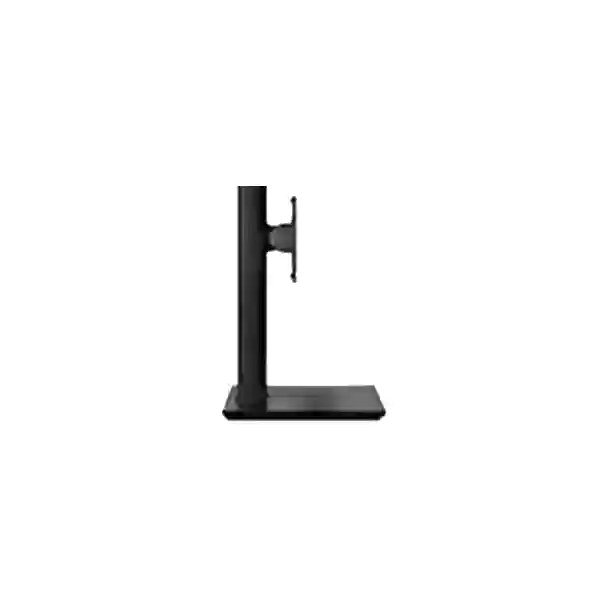
The bundled desktop stand is a distinguishing feature of the SMT-4343S. Hanwha identifies the stand as the SBM-4343, a separate support accessory designed for selected monitors including the SMT-4343. The stand documentation gives dimensions of approximately 307.26 by 356.33 by 236.75 millimetres and a weight of about 2.9 kilograms. These figures describe the stand itself; they are not the assembled screen’s complete footprint or total shipment dimensions.
When checking an actual set, confirm that the stand, fastening hardware and any required fitting components are present and correspond to the display. Do not assume that a used unit or remaining inventory includes every item originally associated with the bundle. The position of the stand relative to the panel affects rear clearance and desk depth. A larger screen also changes the workstation’s centre of gravity and the risk of accidental impact. Follow the official assembly guidance for the supplied revision, use a stable supporting surface and avoid improvised brackets or substitute fasteners.
VESA mounting considerations
The manufacturer’s product-set summary references VESA mounting dimensions of 100 by 100 millimetres and 400 by 200 millimetres in connection with the monitor and stand arrangement. These figures must not be interpreted as permission to attach any generic bracket in any orientation. The compatible mounting pattern, screw size, allowable depth, weight rating and clearance should be checked against the actual display’s installation instructions. The included stand and a wall mount are different installation methods.
For a wall-mounted or arm-mounted project, confirm whether the proposed configuration is supported before removing the factory stand. Ensure the mounting structure and its fixings are rated for the complete supported load, including the bracket and any cable forces. Consider access to the rear connectors, safe service removal and the ability to tilt or position the screen without stressing the ports. If a team is switching from a desk mount to a wall mount, include cable routing and an accessible power isolation point in the design. Installation hardware should never be chosen only from the diagonal screen size.
Desk space, cable access and furniture
A security desk has to carry more than the monitor. Operators may need a keyboard, mouse, recorder controls, telephone, visitor register, alarm panel or radio equipment. The screen and stand must fit while leaving the work surface practical. Before delivery, measure the desk depth, usable width, distance from the rear edge and the access route into the room. Check any overhead shelves or wall cabinets that could obstruct the top of the panel.
Plan how cables will reach the rear input area without sharp bends or pinch points. A service loop can make routine maintenance easier, but loose loops should not create trip or snag hazards. Avoid placing the panel where users repeatedly bump its corners when reaching for other devices. The screen should remain stable when the desk is used normally, including when drawers or adjacent doors move. If a mounting change is required, treat it as a design decision and verify the hardware rather than improvising an unstable arrangement on site.
Safe wall installation and service access
Wall mounting may be preferable in a compact control room or at a supervisory viewing point, but it introduces installation obligations that a desktop stand does not. The wall construction, bracket rating, fastener selection and access requirements should be reviewed by a competent installer. A screen in an occupied area must be secured against accidental release, and cables must be protected from strain when the screen is tilted or serviced.
Think beyond the day of installation. Technicians may need to reach input ports, inspect the mains connection, change a cable or remove the display for replacement. A fixed mount that hides every connector can turn a simple troubleshooting task into a major interruption. Leave enough ventilation clearance according to the manual, and do not enclose the display in an unventilated cabinet. For public-facing areas, also consider tamper exposure and whether the mount lets visitors touch the display. Do not assume the included desktop stand provides any wall-mount parts or fixings.
Operating duty and panel life
Hanwha describes the underlying SMT-4343 monitor as designed and tested for continuous 24/7 operation and lists a panel-life figure of 30,000 hours. These statements concern product design and an indicative component-life specification; they are not a guarantee of uninterrupted use for a fixed number of years. Actual reliability depends on temperature, ventilation, electrical conditions, handling and the operating schedule. A discontinued product may also have support or replacement constraints unrelated to the original display design.
For a continuous-monitoring position, plan the broader system rather than relying on the panel alone. The recorder, workstation, network, storage and upstream power must all remain functional for the screen to show the necessary footage. Establish a procedure for detecting a blank display, frozen image or recorder failure. Where the consequences of losing a picture are serious, consider a spare display, secondary operating position or other continuity arrangement. Treat the monitor’s duty specification as one input to an availability plan, not a complete resilience strategy.
Electrical power and backup planning
The SMT-4343 base-monitor documentation describes an AC mains input covering 100 to 240 volts at 50 or 60 hertz. That range is helpful when assessing electrical suitability, but the supplied power cord, plug, unit condition and site installation must still be checked. Do not infer a local certification or plug configuration from the general voltage specification. The exact product’s rating label and operating instructions take priority over a copied distributor description.
For a surveillance control room, the display’s power is only one part of the continuity requirement. A UPS must be sized for all equipment that needs to remain active, including recorder, display, networking and any supporting computer. Verify actual power draw and required runtime rather than converting a single nominal monitor figure directly into a UPS purchase. Use appropriate surge protection, grounding and electrical installation practices. When power returns after an interruption, test whether the screen resumes the correct input and whether the video source boots into the expected monitoring layout. Record the result in the handover notes.
Heat, humidity and Tanzania deployment
Tanzanian operating environments vary between air-conditioned offices, sheltered facilities and locations exposed to substantial heat, dust or humidity. The relevant question is the temperature and moisture condition inside the room where the display is installed, not only the weather outside. Hanwha’s SMT-4343 family documentation lists an operating temperature range from 0 to 40 degrees Celsius, with 10 to 80 percent non-condensing relative humidity. These are equipment limits, not a claim that the monitor is weatherproof.
Do not place this indoor-style monitoring screen outdoors or in a location exposed to water unless an independently engineered protective installation is approved for the complete equipment system. In a poorly ventilated guard room, heat generated by other electronics may raise the local temperature around the panel. Measure or reasonably assess that environment before commissioning. Provide ventilation while keeping dust-control and equipment-security requirements in mind. Avoid directing moisture or condensation toward the display and allow equipment moved from a cooler room to acclimatise as appropriate under the manufacturer’s instructions.
Cleaning, dust management and airflow
Daily security operations can place a screen near entrances, open windows or busy work areas where dust accumulates. Dust and smudges reduce perceived image clarity and may make small overlays harder to read. Establish a cleaning method appropriate to the manufacturer’s guidance, using approved materials and no excessive pressure on the panel. Do not spray liquid directly into ports or ventilation openings. Disconnect power when required by the operating instructions and use trained staff for maintenance that goes beyond surface cleaning.
Airflow is equally important. A large screen pushed against a wall, packed between furniture panels or covered with papers may not dissipate heat as intended. Keep the surrounding space clear and inspect cables during scheduled cleaning. Check that the display remains stable on its stand and that no one has moved it into an unsafe position. If glare increases as windows or lighting arrangements change, review the installation rather than compensating with uncontrolled changes to every picture setting. Routine checks help keep an otherwise simple display useful to its operators.
Image settings for useful surveillance
A bright, dramatic picture is not necessarily the most useful security picture. Excessive sharpness may exaggerate compression artifacts; poorly chosen contrast or brightness settings can conceal detail in darker areas. The best setting depends on the incoming signal, room light and operator task. Begin with a known-good video source, verify its output format and adjust the monitor controls carefully while viewing representative daytime and night-time footage. Save or document the final settings if the unit supports that workflow.
Use a realistic mix of scenes: people entering a doorway, vehicles moving across a yard, well-lit interiors and dim surveillance footage. Confirm that date stamps, camera names and warning banners are legible. Test whether the image returns correctly after the monitor has been switched off and on. A monitor adjustment cannot recover clipped highlights or motion blur created in the camera, so unresolved image problems should be investigated at the source as well. Separate display calibration concerns from camera exposure, focus, stream encoding and recorder output settings.
Video management software and NVR interface
The SMT-4343S acts as an output screen; it does not provide a standalone VMS platform or an NVR operating system. Video management software, camera permissions, user accounts, playback tools and alarms are supplied by the connected devices or applications. The panel may display a familiar Hanwha monitoring environment when connected to a suitable Hanwha recorder, but it should not be described as automatically integrating with every application or recorder.
For a computer-based monitoring station, check the graphics adapter’s supported UHD modes, desktop scaling and application layout. For a recorder-based station, check the recorder’s supported output resolution, menu arrangement and multi-view options. Test live view, search, playback and camera selection, not just the home screen. Where two operators share a workstation, verify that the display setup works under the intended access permissions. Avoid assuming that an HDMI connection changes licensing, enables analytics or increases the maximum number of cameras the system can decode. Those capabilities belong to the rest of the surveillance solution.
Using a 4K screen with lower-resolution cameras
Many existing CCTV systems contain a mixture of camera resolutions and stream settings. A UHD monitor can display those feeds, but it does not make a lower-resolution camera capture more detail. A 1080p camera filling a 4K screen will generally be enlarged by the display chain. Compression, camera focus, lens choice and placement determine whether a critical object is recognisable. The video shown during live monitoring may also differ from the higher-quality stream recorded for later investigation.
When updating only the screen, ask the integrator to demonstrate typical existing footage before committing to the purchase. Compare a representative live grid and a recorded clip, ideally at the operator’s real seating position. If the problem is insufficient detail around a distant doorway, camera placement or lens choice may produce more value than a screen upgrade. If the problem is that several good feeds need to be monitored clearly from one desk, additional display space may help. This distinction avoids spending the budget on the wrong layer of the CCTV system.
Reception, retail and small-site security
At a smaller site, a single large security screen may serve the person responsible for reception, access oversight or routine incident review. The advantage is not that the display performs monitoring by itself, but that it can present a clearer overview of the recorder’s interface when the work area has adequate space. Place it so authorised staff can see the picture without exposing sensitive camera views to visitors. Consider whether the screen remains readable when the room lighting changes during the day.
A practical setup might reserve the screen for a small group of priority camera feeds during ordinary operation and use full-screen playback when a reported incident needs attention. The exact layout is a recorder or software function. If reception staff have several responsibilities, avoid an overwhelming grid with too many tiny images. Agree on which camera view deserves priority and how an event is escalated. A suitable deployment should simplify decisions, not add another large surface that receives little attention. Verify staff training and privacy requirements before changing the visible layout.
Warehouse and industrial security desks
A warehouse or industrial site may need an operator to observe vehicle access points, dispatch areas, loading bays and selected perimeter cameras. A large display can make a supervisory overview more convenient when the camera layout is designed around those tasks. However, the environment often matters as much as screen size. A monitoring station adjacent to a dusty operational zone, vibration source or high-temperature room needs additional protection and a realistic equipment-maintenance plan.
Choose the monitor position so that important safety and security alerts remain visible despite changing shifts and bright external daylight. For areas monitored overnight, include footage recorded in actual low-light conditions in acceptance testing. If a wide site requires detailed simultaneous views, evaluate whether one large panel provides sufficient workspace or whether separate screens would help operators distinguish different zones. The decision should be based on alarm response and incident workflow. A monitor alone does not replace site rules, camera maintenance, recording retention or the human review needed to interpret events.
Hospitality and multi-entry facilities
Hotels, offices and facilities with multiple entrances may prefer a monitoring layout that groups public access, service entrances and vehicle approaches. A 43-inch screen can help a supervisor inspect that overview, subject to the connected application’s permissions and layout functions. The installation should protect guests, visitors and staff from unintended exposure to surveillance feeds. Place the display in an authorised workspace rather than treating it as general signage.
The operator may need to switch between routine live viewing and targeted review during a reported event. Make sure the controls for those actions are available and easy to use. Video quality at a doorway is more affected by camera framing, lighting and the viewing angle of the source camera than by simply increasing the monitor diagonal. Test the specific operational scenarios that justify the purchase. Where the screen must remain visible to several supervisors, check sightlines and reflections from the actual room layout. If the location needs public information display as well, use a separate, appropriately managed signage solution rather than mixing duties without a clear security policy.
Dedicated control-room design
In a dedicated control room, screen choice is part of a complete ergonomic and operational design. The viewing wall, desktop controls, operator seating, alarm channels, room lighting and duty schedule all interact. A single SMT-4343S may suit one workstation, but a larger room with several operators may need more than one display or a centralised video wall. The panel’s role must be documented within that architecture.
Design around the highest-priority workflow. Determine whether operators are primarily watching live feeds, responding to alarm pop-ups, investigating recordings or handing over incidents between shifts. Ask how the interface changes when an alarm occurs and whether the resulting text is legible at the intended distance. Keep a written screen map identifying priority cameras and expected source inputs. Consider the procedure for switching to a backup screen after a failure. The right layout minimises missed information and unnecessary navigation. Good monitoring performance is the result of a coherent system, not any single display specification.
Replacement of an existing SMT-4343S
An exact replacement request often has tighter constraints than a new monitor purchase. The installed desk may already have a stand, bracket, fixed cable route and recorder output configured for the original unit. Begin by recording the existing screen’s model label, serial or revision information, connector panel, mounting arrangement and operational settings. Photographs are valuable because documentation for related models may not describe the actual hardware revision in use.
Check whether the faulty element is the display, the video cable, the power arrangement or the source equipment before ordering another monitor. A blank screen does not by itself prove panel failure. If the display is defective, identify which characteristics must remain unchanged: screen size, power supply arrangement, connection type, mounting pattern and operator view. Be cautious about assuming that another Hanwha monitor with the same diagonal is a drop-in replacement. The newest option may use different stand hardware, bracket holes or ports. Compare all of those practical details before confirming a substitute.
New, remaining-stock and previously used units
Because the manufacturer identifies the model as discontinued, buyers should clarify whether any offered item is unopened remaining stock, a demonstration unit, refurbished equipment or previously used hardware. Those categories have different risks even when the model name is identical. Ask for a written condition statement, photographs of the label and rear panel, and an explanation of the accessories included. Do not rely on a generic product picture when assessing the actual unit.
For a previously used screen, request a demonstration that covers image uniformity, dead or stuck pixels, backlight condition, all needed video inputs, remote operation and stability over a realistic operating period. Inspect the stand for missing fasteners and signs of damage. Request any available documentation about repairs, but do not assume a transferable manufacturer warranty. Confirm the terms of return, testing and after-sales assistance from the party actually providing the unit. The goal is not to rule out every legacy item; it is to make condition and lifecycle risk explicit before the equipment becomes part of an important monitoring process.
Procurement questions before requesting a quote
A useful request for quotation should describe the application rather than sending only the model name. Include the number of displays, the intended installation type, the video source model, required input connection, desired output format, room conditions and any existing mounting constraints. For a discontinued model, also ask the supplier to state whether the exact set can be provided and what alternative is recommended if it cannot. Do not treat a website’s product description as confirmation of local stock.
Ask the quotation to itemise the monitor, desktop stand, relevant cables, any mounting hardware and installation or configuration work where applicable. Confirm the offered item’s condition and the applicable warranty terms in writing. Clarify delivery, taxes, local currency and lead time as part of the actual quote rather than assuming them from overseas listings. For multi-site projects, record the standard hardware revision accepted by your engineering team. A precise quotation protects both the buyer and the installer from misunderstandings during commissioning.
Evaluating the newer SMT-4345 alternative
Hanwha Vision also lists an SMT-4345 43-inch UHD monitor with two-window picture-in-picture and picture-by-picture capabilities. Its official specifications include 3840 by 2160 resolution at up to 60 hertz, two HDMI inputs, one DisplayPort input and a VESA mounting interface of 200 by 200 millimetres. Those details make it an option to evaluate when choosing a newer display, but they do not establish it as a direct mechanical or electrical replacement for the discontinued SMT-4343S bundle.
The SMT-4345’s mounting pattern differs from the patterns associated with the older set’s documentation, and the newer product must be evaluated with its own stand and accessory requirements. Its two-window feature may help in a workstation that needs two video sources, but the source and operating workflow still need testing. Do not assume that the SMT-4345 includes the legacy SBM-4343 stand or accepts the exact same bracket. Request an up-to-date configuration and confirm supply terms separately. Alternatives should be chosen on verified fit rather than on model-number similarity.
Acceptance testing and commissioning
Plan a practical commissioning test before the installation is declared complete. Confirm that the supplied model and accessories match the quotation and that the mounting is stable. Inspect the display and power cable for transport damage. Connect the actual recorder or workstation, select the intended input and verify the expected output resolution. Use a sample of live cameras and playback material that reflects daily operating conditions rather than an attractive promotional demo.
Test readable timestamps, camera labels, menu controls, night-time footage and any authorised audio playback. Switch the equipment off and on in a controlled way and confirm that it returns to the correct monitoring view. Check the angle and comfort of the screen from the real seated position, as well as reflections during different light conditions. Where a UPS is installed, verify the intended shutdown or continuity procedure. Record model details, input settings, cable routes and any limitations discovered. This handover record is especially useful for a discontinued product whose replacement options may change.
Operator handover and basic training
A new screen is useful only if the operator knows what to do when the expected picture changes. Provide a short handover that identifies the normal input selection, the main monitoring layout and the person responsible for restoring a lost feed. Explain which controls belong to the monitor and which belong to the recorder or video management software. This prevents a user from changing display settings while the real problem is an offline camera.
Agree on a simple escalation process for black screens, frozen footage, incorrect camera labels or missing alarm messages. Operators should know when to document an incident rather than attempting a technical repair. If the monitor is shared between shifts, maintain consistent input and picture settings unless authorised changes are needed. Train staff to avoid exposing sensitive recordings to unauthorised viewers. A basic operating guide can reduce preventable downtime and preserve a reliable process even when the original installer is unavailable. Training is part of the overall monitoring solution, not an optional afterthought.
Troubleshooting a blank or unstable display
When the screen is blank, start with safe basic checks: whether the panel is receiving power, whether the intended video source is on, and whether the selected input matches the connected cable. Where appropriate, substitute a known-good cable or temporarily connect a known-good compatible source. Do not open the monitor enclosure or perform electrical work unless qualified and authorised to do so. Keep the troubleshooting process consistent with the manufacturer’s manual and site safety rules.
An unstable picture may be caused by unsupported output timing, an unreliable extender, a damaged connector or a source that is changing resolution. A blurred picture may arise from scaling or the camera feed rather than a fault in the monitor. Write down the symptom, when it occurs, which input is selected and what has been tested. For an older discontinued unit, maintain realistic expectations about repair parts and service options. If the screen supports a critical security position, provide an approved temporary display strategy while the underlying issue is diagnosed.
Lifecycle, maintenance and support planning
A product can remain technically useful after discontinuation, but organisations should not rely on indefinite access to identical replacement hardware. Establish an asset record showing the exact display model, installation location, source device and required accessories. Keep the relevant manual and configuration notes available to the team. During periodic inspections, check image quality, cable strain, display stability and signs of heat or physical damage.
For projects involving several screens, evaluate the consequences of one unit failing. If downtime is unacceptable, an organisation may choose to hold a compatible spare or establish a documented replacement standard. If the product is already installed and performing adequately, a planned migration can be more economical than a hurried replacement after failure. If a new procurement is being considered, lifecycle support deserves significant weight alongside panel size and resolution. Do not infer an active manufacturer warranty, spare-parts supply or service entitlement from historical product descriptions. Obtain the relevant terms for the actual item being supplied.
Total cost and long-term value
The purchase price is only one part of the cost of a monitoring display. An accurate comparison should also include stand or wall-mount hardware, approved cabling, any adapters, power protection, installation, operator training and future replacement planning. A low-cost legacy unit may still be sensible for an exact replacement, while a currently supported model may reduce uncertainty in a new multi-year project. The right trade-off depends on the operational consequence of downtime.
Consider the hidden costs of unsupported connectors, awkward service access and non-standard brackets. A nominally inexpensive monitor can become costly when a technician needs to revisit the site, modify furniture or source a converter. Conversely, there is little value in purchasing advanced display features the recorder and operators will never use. Request comparable quotations with the same assumptions and an explicit list of exclusions. Because Tanzania pricing, stock and commercial terms have not been verified for this model, no local price is stated here. Confirm the total delivered and installed cost with the provider of the actual offer.
Choosing between one large screen and several smaller ones
A single 43-inch screen simplifies the physical workstation compared with several separate monitors, but it can also concentrate many tasks onto one point of failure. Two smaller displays may let a team separate live surveillance from playback, alarms or management software. One UHD panel may provide a cleaner overview where space and cabling are limited. Neither approach is universally better, and the choice should reflect software layout, source outputs and operator practice.
List the activities that must stay visible at the same time. If a recorded incident is reviewed, can the operator continue watching priority live feeds? If an alarm overlay appears, does it obscure the view used for access control? If the screen fails, is another display available? Answer these workflow questions before comparing diagonal sizes. Test a proposed layout at realistic scale, including the smallest text and most demanding camera grid. The Hanwha SMT-4343S is a possible display component in that decision, not a complete answer to the control-room design problem.
Installation checklist for the project owner
Before approving installation, check that the model and included stand are identified in writing, the exact input connectors have been verified, and the source equipment can output an appropriate video signal. Confirm the desk or mounting structure is suitable, there is safe access to mains power, and cable routing will not expose connectors to mechanical strain. Check the room’s heat, humidity and dust conditions against the applicable operating requirements.
During commissioning, confirm that the screen shows real camera footage and that staff can read important overlays from their normal position. Verify the selected input, output resolution, restart behaviour, viewing comfort and maintenance access. Document any adapters, extension devices or extra brackets that were required. Ask for an asset record, an operating guide and the relevant condition and warranty documents. If the product cannot be sourced, obtain a written alternative proposal and compare its connectors, mounting, dimensions, display behaviour and support terms. This checklist is particularly valuable when a discontinued unit is being integrated into an existing security installation.
Request the right technical confirmation
When contacting FourTeck Tanzania about the Hanwha SMT-4343S, describe whether the requirement is an exact replacement, an expansion of an existing control room or a new surveillance workstation. Mention the recorder or computer model, required number of screens, preferred desktop or wall mounting, and the connector shown on the current source equipment. If an old SMT-4343S is being replaced, a photograph of its rating label and connector area can help prevent model or revision confusion.
Ask for confirmation of the exact offered configuration, product condition, local availability if any, accessory list, quotation currency and applicable commercial terms. For a new deployment, invite an appropriate current 43-inch monitoring alternative to be evaluated as well. FourTeck should verify the actual unit and terms before any commitment is made. This approach reduces risk and makes the next conversation more productive: the objective is a working, maintainable security monitoring position, not simply a model number printed on a purchase order.
Frequently asked questions
Is the Hanwha SMT-4343S still a current model?
No. Hanwha Vision’s manufacturer page currently marks the SMT-4343S as discontinued. This describes the manufacturer’s product lifecycle, not the verified inventory of any particular seller. If an exact replacement is needed, ask whether a specific unit can be supplied, in what condition and under which support terms. For a new project, compare a current alternative before making a commitment.
Does the SMT-4343S include a desktop stand?
The manufacturer’s set description combines the SMT-4343 monitor with the SBM-4343 desktop stand. That is the central distinction between the set and the underlying standalone monitor. Nevertheless, a quotation for remaining stock or used equipment should explicitly list the stand and fixing components. Do not assume that every advertised unit includes all accessories unless the actual offer confirms them.
Does this monitor record CCTV footage?
No. The display presents video supplied by another device such as a compatible NVR, DVR or monitoring workstation. Recording, storage, user management and search functions belong to that connected equipment and its software. A separate surveillance system is needed to collect and store video, and the display does not increase camera recording capacity merely by offering a UHD panel.
Will it show 4K images from every camera?
It supports a 4K UHD display format, but the visible detail depends on the camera, recording settings, source output, cables and software. A 1080p feed does not become native 4K detail when enlarged. Check what resolution the recorder actually sends to the screen and review representative footage. For investigative work, use the appropriate recorded stream and software rather than judging solely from a multi-camera grid.
Which video input connectors does the set have?
The official information is inconsistent across closely related descriptions: the set summary names DVI, HDMI, VGA and CVBS, while the base SMT-4343 description mentions HDMI and DisplayPort. Confirm the real rear connector panel and product revision before choosing cables. If a specific input such as DisplayPort or analog composite is essential, request written confirmation for the actual unit offered.
Can the screen be wall-mounted?
The family documentation references VESA mounting arrangements, but a suitable wall bracket must match the exact display revision, mounting pattern, weight and installation instructions. The desktop stand is not itself a wall mount. Ask a qualified installer to verify the support structure, fasteners, ventilation and cable access. Never infer compatibility from the 43-inch size or choose an unverified bracket.
Is it suitable for 24-hour CCTV monitoring?
Hanwha describes the underlying SMT-4343 display as designed and tested for 24/7 operation. That does not guarantee that an individual old or previously used unit will run continuously without failure. Installation temperature, ventilation, power quality and physical condition remain important. For critical duty, plan for monitoring-system faults, maintenance and an alternative display if the primary panel becomes unavailable.
How should I compare it with the SMT-4345?
The SMT-4345 is a different Hanwha 43-inch UHD monitor whose manufacturer specification includes two HDMI inputs, a DisplayPort input and two-window picture-in-picture or picture-by-picture operation. Its VESA mounting pattern and accessory requirements differ from the older set. Compare source connections, stand requirements, mechanical fit, intended operator workflow and current supply terms before treating it as an alternative.
Can I use the SMT-4343S with an NVR from another brand?
The monitor receives a video signal rather than a camera-network protocol, so compatibility is mainly a question of matching physical inputs and supported video output formats. However, exact operation cannot be guaranteed for an unidentified recorder. Verify the recorder’s display output, required resolution, cable or conversion chain and on-screen behaviour through a practical test. Software functions remain those of the recorder.
What should a Tanzania quotation include?
Ask for the exact model and condition, quantity, display and stand contents, connector verification, necessary cables, mounting approach and documented commercial terms. Request confirmation of actual local supply, the quotation currency, taxes or delivery where relevant, and the applicable warranty terms. No stock, delivery promise or Tanzanian price is asserted for this discontinued model without a verified specific offer.
What if the installed screen suddenly goes blank?
Check safe basic items first: source power, display power, input selection and obvious cable issues. Use a known-good compatible source or cable where permitted to isolate the fault. Do not open the enclosure or attempt electrical repairs without qualification. If the screen supports essential monitoring, switch to the organisation’s approved alternative viewing method while the technical fault is investigated.
What details should I send for a replacement enquiry?
Share the old display’s full model and revision label where available, a photograph of the connector panel, the type of stand or mount in use, and the connected recorder or computer model. Explain the normal camera layout and whether the new screen must fit an existing bracket. These facts help compare the legacy model against a possible substitute without assuming mechanical or signal compatibility.
Request a configuration and availability review
Ask FourTeck Tanzania to review your Hanwha SMT-4343S requirement against the connected recorder, the actual connector panel, the mounting plan and the availability of the exact discontinued set. If a new installation is planned, request a suitable current alternative for comparison.
Share your source model, number of displays, mounting preference and required input connection when requesting a quote.




Reviews
There are no reviews yet.