

Professional video display | Tanzania buying guide
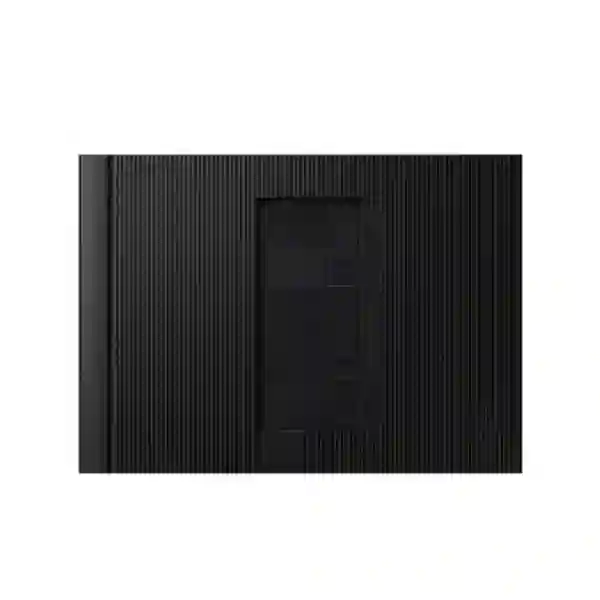
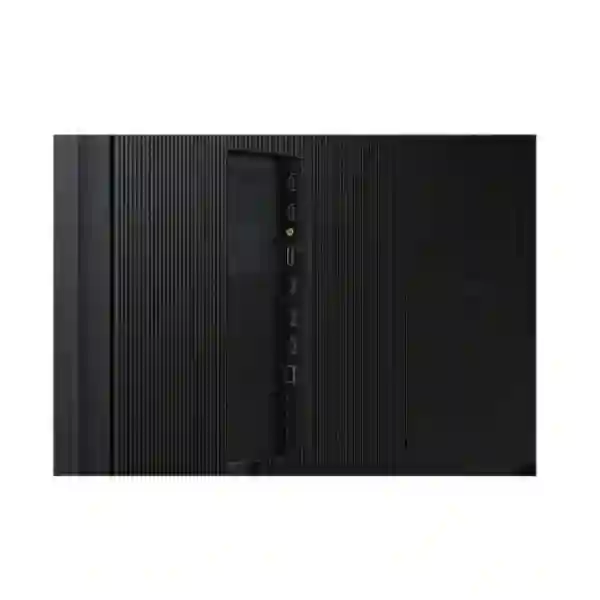
Hanwha SMT-5010 50-Inch 4K UHD LED Monitor
Need a large, clear screen for CCTV viewing without confusing a monitor with a complete surveillance system? The Hanwha SMT-5010 combines a 50-inch UHD viewing area with 300-nit brightness, a 4,000:1 published contrast ratio and an 8 ms response specification. Its documented 16-hours-per-day usage category is especially important when deciding whether the screen suits your security operation.
Start with the right buying decision
This model is worth evaluating when an indoor team needs a large view of live or recorded video and the planned daily use fits the manufacturer-stated duty category. It may be the wrong choice for a continuously staffed 24-hour control room, a highly reflective sunlit location or any application that needs recording functions built into the screen. Confirm the recorder output, cable route, wall arrangement and exact sourcing terms first.
- Plan the number and size of camera windows around operator tasks.
- Use compatible source equipment for UHD resolution and suitable refresh.
- Compare daily duty, brightness and physical fit before comparing prices.
- Request a precise quotation rather than assuming local stock or warranty terms.
Verified technical overview
The figures below summarize manufacturer literature for the SMT-5010. Confirm the current exact-model specification, supplied configuration and installation drawing before procurement.
| Parameter | Published value or planning note |
|---|---|
| Screen | 50-inch LED-backlit display |
| Resolution | 3,840 × 2,160 (UHD), up to 60 Hz per line-up |
| Brightness | 300 nits |
| Contrast ratio | 4,000:1 |
| Response time | 8 ms |
| Viewing angles | 178° horizontal / 178° vertical |
| Speakers | Built-in 10 W + 10 W |
| Typical / maximum power | Approximately 95 W / 149 W |
| Dimensions | Approx. 1,116.8 × 644.2 × 59.9 mm |
| Weight | Approximately 11.7 kg |
| Daily duty category | 16 hours per day in Hanwha material |
An overview for surveillance buyers
The Hanwha SMT-5010 is a large-format LED-backlit monitor for organizations that need to see video clearly across a shared room or dedicated monitoring desk. It offers a 50-inch screen and 4K UHD pixel resolution rather than the smaller canvas of a conventional office display. That can be valuable when an operator wants several camera views on one screen, or when supervisors need to review a selected scene from a reasonable distance. The screen is a display device, not an independent CCTV recorder, camera or complete security system.
For a Tanzania purchasing decision, begin with the application rather than the diagonal measurement alone. Establish who will watch the screen, how many feeds they need at once, how long the display will run each day and whether the room receives direct sunlight. Confirm the video source, cable routing, wall or furniture arrangement, electrical protection and acceptance test before requesting a quote. These practical checks do more to prevent a disappointing deployment than choosing a product on resolution alone.
Why 4K UHD resolution matters
The display supports 3,840 by 2,160 pixels, commonly called 4K UHD. That is four times the pixel count of a 1,920 by 1,080 Full HD frame. The advantage is additional workspace for compatible camera layouts, timelines, maps or operator controls. It can also make a high-resolution source look more detailed than it would on a lower-resolution panel when source quality, scaling and viewing distance are appropriate. It does not automatically increase the resolution captured by any camera.
A 4K screen is most useful when the recorder, decoder or monitoring computer can deliver the intended signal and the software can arrange it effectively. If the source outputs only Full HD, the monitor may scale the picture but cannot recover details that were never recorded. Likewise, a screen showing sixteen tiny windows will not make unreadable signage or blurred faces legible by itself. Treat UHD as a display capability within a complete imaging chain, not as a substitute for camera positioning, optics or proper recording settings.
What the 50-inch format changes
A 50-inch diagonal gives the SMT-5010 a much larger viewing surface than a desktop monitor. This format can help when one screen must be visible to two operators or a supervisor approaching the desk. However, a larger image is not automatically a better workstation. At close distances the user may have to move their head repeatedly to inspect corners, while small on-screen labels can remain difficult to read if a monitoring interface is poorly scaled. The appropriate arrangement depends on the layout and task.
Measure both the available installation area and the expected viewing position. Hanwha’s published dimensions are approximately 1,116.8 mm wide, 644.2 mm high and 59.9 mm deep, excluding any unverified mount or support arrangement. That gives a useful first estimate for wall space but not a complete installation drawing. Leave room for connectors, airflow and service access. If multiple people will stand at different angles, test actual readability with the intended CCTV layout rather than relying solely on a showroom demonstration.
Understanding the 300-nit brightness figure
Hanwha lists 300 nits of brightness for the SMT-5010. Nits measure luminance, so this figure helps compare how much light a screen can emit under specified conditions. In an indoor control room with manageable overhead lighting, this class of display can be practical. Brightness alone, however, does not determine whether an operator can see detail: glare, window position, reflections, contrast settings, content and the distance to the screen are just as important. There is no verified claim here that the model is suitable for direct outdoor sunlight.
Assess the real room before purchase. A display facing a sunlit entrance may need shade, relocation or a higher-brightness model. Dim areas may require carefully balanced brightness so a bright screen does not fatigue users during long sessions. Request a demonstration that shows darker night footage as well as daylight scenes. If visual legibility is central to a safety-critical task, agree on objective scene tests instead of assuming that a stated number guarantees performance in every environment.
Reading the 4,000:1 contrast specification
The manufacturer’s published contrast ratio is 4,000:1. Contrast describes the difference between light and dark levels under the conditions used for measurement. A strong nominal contrast ratio can help visually separate objects, backgrounds and camera overlays, especially in indoor monitoring environments. Yet this value should not be interpreted as proof that low-light recordings contain detail. That detail depends primarily on the camera sensor, lens, exposure, scene illumination, compression and display settings before the signal reaches the screen.
When reviewing CCTV footage, ask to see difficult examples: vehicles arriving at dusk, a shadowed corridor, an entrance with strong backlighting and a low-light parking zone. Check whether the screen preserves useful differences in these scenes at a comfortable brightness. It may be necessary to adjust source image processing or the room’s lighting rather than the monitor alone. A useful acceptance test evaluates the whole video path and operator decisions, not just a contrast figure printed in a product comparison table.
Viewing angles and shared monitoring
The SMT-5010 is listed with 178-degree horizontal and vertical viewing angles. These are panel specifications intended to indicate that images remain visible across a wide range of positions. In practice, color and contrast can change as a person moves away from the central position, and the readability of small text may worsen from a steep angle. For one operator seated directly in front, this may not be a major issue. Shared desks and incident review rooms benefit from planning several actual sightlines.
Mark where staff will sit or stand and inspect the intended software layout from those positions. Check important overlays such as timestamps, camera names and warning symbols rather than judging a bright promotional image. Consider whether the display should be mounted higher for a standing audience or lower for a desk-bound operator. A wide viewing-angle specification is helpful, but it does not eliminate the need to evaluate reflected lights, furniture placement, screen tilt and appropriate height.
Response time and moving CCTV footage
Hanwha specifies an 8 ms response time for this model. Response time concerns how quickly pixels change between image states; it is one factor that can influence visible trails behind moving objects. Fast vehicles, pedestrians and panning cameras are useful sources for a practical review. An 8 ms panel figure should not be confused with end-to-end CCTV latency, because the camera, encoding, network, recorder, software and video output can each introduce additional delay before any image reaches the monitor.
If the main use case is real-time intervention, test how quickly an actual event appears at the operator station and how smoothly motion is displayed during normal network load. If the application is recorded-footage review, frame stepping, playback speed and software controls may matter more than the panel response specification. Do not assume that this monitor makes a delayed stream real-time. Define the operational requirement and identify where delays or dropped frames occur throughout the system.
60 Hz and compatible video output
Hanwha’s current line-up material identifies UHD operation up to 60 Hz for the SMT-5010. Refresh rate describes how often a display can update its picture when driven by a compatible source. This can support smooth presentation of menus, cursors and motion compared with lower refresh arrangements, but the actual result depends on the connected device and signal mode. A video recorder that outputs 4K at a lower refresh rate, for example, cannot be made to output a higher rate simply because the monitor supports it.
Before ordering, check the exact output options of the proposed NVR, video decoder or computer. Verify resolution, frame or refresh rate, connection type and cable requirements together. Port counts and interface versions must be confirmed against the exact model’s current technical sheet; this description does not invent them. During commissioning, inspect the display information and source settings to confirm that the expected resolution appears without unusual scaling, clipping, signal dropouts or inconsistent image placement.
The entire CCTV signal chain matters
For most deployments the signal starts at an IP or analog camera, passes through a recorder, decoder or monitoring workstation and finally reaches the screen. The SMT-5010 is only the endpoint that presents the image. That division of responsibility matters when estimating cost or diagnosing issues. Buying a 4K display does not add recording capacity, camera channels, storage retention, motion analytics, alarm handling or network bandwidth. Those functions come from the rest of the system and must be specified separately.
Ask the installer or systems integrator to draw a simple signal path for each required viewing function. Identify whether the picture will come from an NVR local display, a dedicated decoder, a surveillance application or a general-purpose PC. Confirm the device’s maximum display output independently of the camera’s recording resolution. Plan what happens when the NVR is restarted or a network connection fails. With these answers, a buyer can assess whether the monitor belongs in the right architecture.
Multiple camera windows on one screen
A large UHD canvas offers flexibility for camera mosaics, but the ideal number of windows depends on the job. A four-camera layout can give each feed generous space, while nine or sixteen feeds may help provide a quick situational overview. The useful question is whether an operator can recognize the specific event they must respond to. Small windows may be satisfactory for presence detection yet unsuitable for reading a number plate or evaluating a face at a distance.
Design the layout around priority. Keep critical entrances, payment areas or perimeter approaches visible at an appropriate size, and allow operators to enlarge an individual feed without losing access to alarms. Test the readability of timestamps, labels and icons at the chosen distance. If operators frequently need to work in software while watching live video, a second desktop monitor may sometimes be more productive than stretching every workflow across one large screen.
How the screen handles source quality
A high-resolution panel makes differences in source quality more obvious. Compression artifacts, excessive sharpening, poor focus and unstable frame rates can stand out on a 50-inch display. An apparently soft picture might arise because the camera is low resolution, the stream has been downscaled or the recording software is presenting a low-bandwidth substream. Before changing the monitor settings, examine what the source is actually delivering and whether a different playback or viewing profile is available.
Use several representative images during setup: a still daytime view, a moving object, a low-light scene and a fine-detail target. Compare full-screen and multi-window presentation. Check the software’s scaling mode and make sure the source does not add black borders, distort the aspect ratio or crop important areas. If evidence review is a central purpose, clarify how footage can be exported and examined without confusing a monitor’s displayed appearance with the original recorded data.
Aspect ratio and visual geometry
The native 3,840 by 2,160 resolution has a 16:9 aspect ratio. Matching source content to that geometry avoids unnecessary stretching and makes layouts more predictable. CCTV streams with different aspect ratios may be presented with borders or cropped according to the viewing software. A stretched image can misrepresent shapes and positions, which is especially unhelpful when operators compare details or review an incident. The display should present images accurately rather than merely filling every available pixel.
Confirm that the source output is configured for a supported format and that the NVR or PC does not overscan the image. Check whether software toolbars and edge icons remain visible at all four sides. If a security application uses a large navigation pane, adjust operating-system scaling so labels remain readable. When staff use the screen for evidence review, it is useful to document the display and software settings used for a consistent visual examination process.
Built-in audio and its limits
Hanwha product literature identifies integrated speakers rated at 10 W plus 10 W for the SMT-5010. This can be convenient when the video source provides an appropriate audio signal and the site wants a simple audible monitoring arrangement. The presence of speakers does not establish that a camera records audio, that an NVR forwards it or that a specific connector supports the required audio path. Audio availability is an end-to-end design decision with separate technical and operational considerations.
If audio is needed, confirm microphone availability, permissions, source encoding, decoder or application support and the output configuration. Test speech intelligibility at the operator position with typical background noise rather than relying on a wattage specification. Establish clear rules for when sound may be monitored and who can access recordings. If the room is noisy or privacy-sensitive, dedicated audio hardware or muted operation may be more appropriate than leaving built-in speakers active continuously.
Daily operating duty is a critical choice
Manufacturer material describes the SMT-5010 in a 16-hours-per-day operating category. This is a major selection consideration for a surveillance project. A site that staffs its control desk during business hours may have a different requirement from a hospital, logistics gate or security operations centre running all day and night. A 16-hour designation should not be casually rewritten as a 24/7 rating, and a buyer should not infer an uninterrupted-duty warranty merely because the screen can remain switched on.
Document the desired daily schedule before making a recommendation. If a display must operate continuously, specify a model whose manufacturer documentation explicitly supports that duty and confirm the exact procurement configuration. Hanwha’s SMT-5020 is one comparison point in its 50-inch range, with literature identifying a higher-brightness 24-hour category. Confirm the latest applicable terms before choosing. Correct duty selection can be more important over time than a small difference in initial purchase cost.
SMT-5010 versus the SMT-5020
Both model names appear in Hanwha’s 50-inch UHD monitor family, and current line-up material lists the same 3,840 by 2,160 resolution, 4,000:1 contrast and 8 ms response categories. The better-known distinctions are brightness and intended operating schedule: the SMT-5010 is listed at 300 nits with a 16-hour daily usage category, while the SMT-5020 is listed at 500 nits with a 24-hour category in manufacturer product material. These are meaningful procurement differences, not just marketing suffixes.
Choose based on ambient light and duty requirements rather than assuming the model with the higher number is always necessary. An indoor, time-limited control desk may be adequately served by the SMT-5010, subject to a real installation assessment. A bright or continuously staffed environment warrants a closer evaluation of the higher-rated option. Check mounting arrangement, power demand, exact connectors and quotation terms individually rather than assuming that two products in one family are physically or electrically interchangeable.
SMT-5010 versus larger 55-inch options
Hanwha also lists a 55-inch SMT-5510 in the same broader UHD monitor group. Its larger diagonal may improve visibility from farther across a room, but it also consumes more wall space and changes the viewing geometry for seated operators. A five-inch difference in diagonal size should be considered alongside the actual screen width, height, desk distance and number of people viewing. Neither a larger display nor a higher pixel count automatically solves poor layout design.
Consider making a simple room sketch before requesting prices. Place the screen outline at the intended height, mark desks and walkways and check whether nearby fixtures obstruct the view. If the job requires frequent keyboard use, a large wall display may be less practical than a dedicated operator monitor plus a shared overview screen. Discuss whether the business needs one focal display, several independent operator screens or a more elaborate multi-display system with its own video distribution equipment.
Electricity use and site planning
Hanwha’s published product material lists approximately 95 W typical and 149 W maximum power consumption for the SMT-5010. These figures are useful for preliminary electricity and UPS planning, but consumption during a particular installation depends on usage, settings and power conditions. The numbers should not be treated as a complete site power design. Allowances for source equipment, other screens, network infrastructure and peripherals can exceed the monitor’s own demand substantially.
Ask the electrical designer to identify a protected supply, suitable outlets, cable routing and any backup-power requirement. If the site requires the display to continue during a mains interruption, the UPS must support the entire critical display path, including the recorder or decoder and relevant network devices. Battery runtime should be calculated using the total verified load, battery characteristics and desired autonomy. For Tanzanian installations, avoid assuming that a nominal supply arrangement or a generic plug adapter guarantees correct electrical integration.
Physical dimensions and installation clearance
The manufacturer lists dimensions of approximately 1,116.8 × 644.2 × 59.9 mm and a mass of about 11.7 kg for the SMT-5010. These figures help assess wall space and handling requirements. They do not confirm which bracket, stand, bolts or fixings will be included with a local purchase. The complete installation may project farther from the wall after mounting hardware and connected cables are added. Wall construction and safe load-bearing arrangements require professional evaluation.
Before selecting a bracket, request the current mechanical drawing and confirm the exact mounting interface, fastener specification and permissible orientation. Check for access to power and signal ports and sufficient space to plug in cables without sharp bends. If multiple monitors will be fitted side by side, allow for installation tolerances and service access. Avoid designing solely from the screen’s external dimensions; a cable connector and maintenance clearance often determine whether a neat wall layout is actually feasible.
Heat, airflow and room conditions
A large display produces heat while operating, and the surrounding room affects both operator comfort and equipment life. Avoid enclosing the SMT-5010 tightly in cabinetry or positioning it directly beside heat-producing devices without reviewing the manufacturer’s installation instructions. Airflow that looks adequate when a room is empty may change when other monitors, recorders, servers and people are present. Environmental decisions should reflect the specific building rather than assumptions made from a product photograph.
For warm or dusty installations, pay attention to room ventilation, cleaning procedures and the location of electrical equipment. Ask for the model’s confirmed permitted temperature and humidity range before approving an installation exposed to unusual conditions; those limits are not asserted here without the exact current specification. Position the display where vents and rear connections can be inspected safely. If the room is routinely unconditioned or exposed to heavy contamination, that should influence the entire system design.
Reflections, windows and screen placement
The room’s lighting can be a bigger obstacle to viewing than pixel resolution. Windows behind operators may reflect in the monitor, while strong light directly facing the screen can wash out darker details. Ceiling fixtures can create bright bands over important video areas. A reasonable placement test is to observe the proposed location at different times of day, particularly when operators will need to inspect cameras showing shadows, dim corridors or night scenes.
Consider changing the screen orientation, adjusting blinds or moving overhead lighting before increasing display brightness. Avoid placing vital alarm indicators in screen areas consistently affected by glare. A brief on-site mock-up using a similarly sized rectangle can reveal ergonomic issues before brackets are drilled into a wall. The objective is not to make the display unusually bright; it is to provide reliable visibility in the actual working environment without excessive eye strain.
Power continuity for monitoring teams
When a surveillance screen loses power, the operator loses visual access even if cameras and recorders continue running. A resilience plan should therefore distinguish the display, the recording infrastructure and the network. The screen is one component of the human monitoring interface, and its importance depends on whether staff must react immediately to events or mainly inspect recorded footage later. Not every site needs the same UPS autonomy or redundant display architecture.
Define the minimum acceptable interruption before purchasing backup equipment. Identify which devices must remain powered for an operator to see a live view, including switches, NVRs, decoders and any workstation. Label power circuits and avoid accidentally connecting the monitor to an unprotected outlet while the recorder is backed up. During commissioning, test the expected behavior during a controlled power interruption and recovery. A resilient installation is built through coordinated power design, not the monitor alone.
Routine care and operational checks
Simple operational habits can help staff notice changes before they interfere with a shift. Inspect the picture for unexpected color shifts, persistent artifacts, flicker or unusual noise, and make sure the source settings have not changed after a firmware update or equipment replacement. Keep the viewing area clean and free from unnecessary obstruction. Any cleaning method must follow the manufacturer’s instructions so that solvents, excess moisture or abrasive materials do not damage the panel surface.
Assign responsibility for reporting problems and recording what was seen, when it occurred and which input or video source was selected. A blank screen might indicate a failed cable, a sleeping workstation, a wrong source selection or an upstream recorder problem rather than a defective monitor. An organized first-level checklist shortens diagnosis and makes warranty or service discussions more productive. Avoid opening the display housing or attempting electrical repairs without qualified support.
Choosing for a small business security desk
For a shop, office, warehouse reception or smaller site, the important decision may be how staff divide attention between daily duties and camera monitoring. A large 50-inch screen can display a useful overview, but an oversized wall display behind a busy reception counter can create distraction without improving response. Prioritize the few cameras that need constant observation and make sure alerts are visible to the person responsible for acting on them.
Confirm whether the desk operates for fewer than sixteen hours per day or requires a longer duty pattern. Examine whether the recorder can create a dedicated, easy-to-read display layout without leaving technical menus open. Consider physical security of cables and controls in public-facing spaces. The best solution may also require a smaller desktop screen for evidence review, even if the SMT-5010 is used to provide the broader camera overview. A practical workflow matters as much as display size.
Planning a multi-operator monitoring room
A shared security room usually requires more coordination than a single reception desk. Several operators may need different camera groups, while a supervisor needs a common incident view. The SMT-5010 can be evaluated as one large overview display within that design, but it does not itself provide camera switching logic, collaborative controls or integrated incident management software. Those functions depend on the source systems and their configuration.
Map the main operator positions and define what each person must read, enlarge and control. Decide whether everyone needs to see the same information or whether independent screens are necessary. If an alarm demands rapid escalation, test the process of moving a selected camera to the shared display and communicating its location. A good layout should still function during shift handovers, software updates and equipment maintenance. Select a 24-hour-rated alternative if continuous display operation is an essential requirement.
Use in hospitality, healthcare and facilities
Buildings such as hotels, clinics, campuses and industrial facilities may use shared security displays for entrance monitoring, service corridors, visitor areas or site overviews. The actual camera placement and monitoring rules vary with each operation. A large UHD monitor can make multiple relevant views accessible from one location, but it cannot determine whether cameras have been installed lawfully or whether footage contains enough detail for the intended decision.
For a healthcare or hospitality environment, separate public-facing screens from restricted security viewing areas and think carefully about privacy. For industrial sites, consider glare, dust, vibration and electrical conditions before choosing where to mount the display. Define which roles can access live and recorded images and avoid exposing sensitive video to visitors. The selection should satisfy the organization’s practical operating pattern, data-handling requirements and real physical conditions.
Integrating with existing recorders
Organizations replacing a failed monitor often want to keep their current cameras and recording equipment. That can be a reasonable approach, provided the existing recorder has a video output compatible with the replacement and the proposed resolution. Do not assume that a recorder with 4K camera recording capability always has a 4K local display output; these are separate specifications. An older system may also use connectors or control methods that require separate equipment.
Gather the exact recorder model, available video output formats and photos or a documented description of the current connections. Verify the intended cable length and whether existing adaptors introduce a reliability concern. During a trial, test live viewing, recorded playback and any mouse or keyboard controls used by staff. If the system relies on proprietary display behavior, ask the integrator to confirm it before procurement. This avoids buying a high-resolution screen that simply receives an unnecessarily low-resolution or incompatible signal.
Why a CCTV monitor is not a smart camera
Buyers sometimes see the word surveillance and expect the monitor to provide recording, event analytics, object detection, network video decoding or cloud access. The SMT-5010 should instead be treated as a large video display. Its ability to show an AI-generated event label or an NVR’s split-screen image does not mean those functions originate inside the monitor. This distinction prevents confusion when comparing product quotations, especially when one supplier prices a screen and another prices an entire security system.
If a quote mentions facial recognition, license-plate reading, motion alerts, retention periods or mobile access, ask which specific component provides each capability and how it will be licensed or maintained. Do not attribute those functions to the SMT-5010 without model-specific evidence. The monitor’s role is to help people view information generated elsewhere. A clear bill of materials should separate the display, recording hardware, cameras, networking, power protection, software and installation.
Preparing a fair product comparison
It is easy to compare two monitors by diagonal size and purchase price while overlooking their actual operating suitability. A fair evaluation should include resolution, brightness, contrast, daily-duty rating, power needs, physical dimensions, source connectivity and the required mounting arrangement. Consider the room’s light level and the operator’s viewing distance in the same comparison. For critical environments, evidence of continuous-operation suitability should carry more weight than a small visual difference in a brochure.
Ask competing suppliers to quote equivalent scope, including any necessary mounting hardware, video cables, electrical works, configuration and commissioning. Confirm which items are included and which are optional. Request the exact manufacturer model and current datasheet rather than a generic description such as 50-inch 4K security TV. Do not compare a display-only quote with a delivered-and-installed system price as if they cover the same service. Clear scope makes Tanzania procurement decisions more transparent.
A practical commissioning sequence
Commissioning should start before the mounting team leaves the site. Verify that the physical installation is secure, the intended inputs have been identified and the screen receives a stable image from the actual recorder or workstation. Confirm that software menus are accessible and that the edges of the source image are visible. Review several camera layouts at the typical operator position, and ask staff whether they can read camera labels and timestamps without leaning forward.
Next, inspect the picture in the room’s normal lighting and test any approved audio use. Record the resolution and refresh configuration, the connected equipment, the display location and a responsible contact for operational support. For a backup-powered location, conduct a controlled continuity check. Explain basic input selection and fault reporting to the users. Sign-off should reflect the real workflow, not merely a photograph showing a screen that has turned on.
Troubleshooting a blank or poor picture
If the SMT-5010 shows no expected picture, start with safe external checks. Confirm power, source selection and whether the connected recorder or PC is operating normally. Inspect the cable and try a known-good output where an authorized technician can do so safely. Check whether the source resolution is supported and whether a recent configuration change has altered the signal. A black screen does not on its own identify a monitor hardware fault.
For a soft or delayed picture, determine whether the feed is live or recorded, whether a lower-resolution substream has been selected and whether the source is being stretched. For flicker or intermittent loss, consider cable quality, connectors and output settings as well as the display. Record the exact symptoms and the conditions under which they occur before requesting service. Avoid factory resets or invasive repair attempts until essential settings and warranty obligations have been reviewed.
A responsible purchasing request for Tanzania
A useful quotation request for the SMT-5010 should state the exact model, quantity, intended daily operating hours, application, mounting preference and video source. It should also ask the supplier to confirm the current revision, matching accessories, warranty conditions and any installation work included. Current Tanzania stock, import status, delivery times, taxes and local price have not been verified in this content, so they should be requested rather than assumed.
Where equipment will form part of a larger security project, include the NVR or PC model, required display layout and room conditions. Ask for a documented compatibility and commissioning plan. If the deployment is for uninterrupted twenty-four-hour monitoring, explicitly request a comparison with a model rated for that duty. The goal is a purchase that fits the site for its actual schedule and display needs, without unsupported claims about supply, local certification or bundled services.
Frequently asked questions about the SMT-5010
These direct answers address the practical questions buyers and security integrators commonly need to settle before approval.
Is the Hanwha SMT-5010 a 4K monitor?
Yes. The published display resolution is 3,840 × 2,160 pixels, commonly called 4K UHD. The useful level of detail still depends on the source signal, camera recording resolution, image scaling and viewing distance. A low-resolution camera feed does not gain new recorded detail when shown on a UHD screen.
How large is the SMT-5010?
It is described as a 50-inch display. Manufacturer literature lists the approximate enclosure dimensions as 1,116.8 × 644.2 × 59.9 mm and the weight as about 11.7 kg. Confirm the current mechanical drawing and the complete mounted depth before buying brackets or planning a tight wall opening.
Can it run 24 hours a day?
Do not assume so. Hanwha literature identifies the SMT-5010 as a 16-hours-per-day category display. For uninterrupted daily use, compare a monitor explicitly identified for 24-hour duty and check current manufacturer guidance. The SMT-5020 is a relevant 50-inch model to investigate for that application.
Is the SMT-5010 bright enough for a sunny room?
Its published brightness is 300 nits, but suitability depends on where the screen faces, window reflections, shade, room lighting and the required image detail. Test the intended installation position with representative footage. A brighter model or revised screen location may be more suitable when glare is difficult to control.
Does it record CCTV footage?
No. Treat the SMT-5010 as a display, not a video recorder. Cameras, an NVR or other recording platform, storage and software perform capture and recording functions. The screen presents video from a suitable source; it does not provide recording retention simply because it displays several camera views.
Will it work with any NVR?
Compatibility cannot be promised without knowing the exact recorder and connection. Check the source device’s physical video outputs, supported resolutions, refresh rates and the required cable path against the current SMT-5010 specification. A recorder’s ability to capture 4K video is not the same as its ability to output a 4K display signal.
How many cameras can be displayed at once?
The number of windows is controlled by the recorder, decoder or monitoring software. The UHD resolution provides useful display space, but the actual layout and decoding capacity depend on the source system. Ask to see a demonstration using your expected camera count and the labels operators must read.
Does this monitor include speakers?
Hanwha product material lists built-in 10 W + 10 W speakers. Audible monitoring still requires an appropriate signal path and source configuration. Confirm that your recorder or workstation supplies the audio you need, that the installation permits it and that staff can hear it clearly at the intended position.
Is it suitable for an outdoor installation?
No outdoor suitability is established by the specifications used here. The 300-nit brightness figure and 50-inch format alone do not demonstrate weather protection or direct-sunlight readability. For an exposed installation, obtain verified environmental and enclosure requirements and evaluate a product intended for those conditions.
What should I verify before wall mounting?
Confirm the current mounting-interface specification, approved orientation, wall capacity, fixings, cable clearance and service access. The published dimensions and weight are useful planning inputs but do not confirm that any particular bracket or stand is supplied. Use qualified installation personnel and the exact mechanical drawing.
Is the SMT-5020 the same as the SMT-5010?
They share a 50-inch UHD category, and Hanwha’s line-up presents several common performance figures. However, the SMT-5020 is listed at 500 nits and in a 24-hour operating category, versus 300 nits and a 16-hour daily category for the SMT-5010. Those differences can materially change the right choice.
Can I get a Tanzania price or stock confirmation?
A local price, stock level or delivery date has not been verified here. Request a formal quotation covering the exact model, quantity, configuration, accessory scope, taxes, warranty and any installation requirements. That is more reliable than converting an overseas list price or treating an unrelated retailer’s availability as local stock.
What information should accompany a quote request?
Provide the exact model SMT-5010, intended use, daily hours, quantity, display location, preferred mounting method, recorder or computer model and required camera layout. If the screen is replacing another monitor, include existing connection and bracket information. Ask the supplier to confirm compatibility and current terms in writing.
Is 8 ms the delay from a camera to the screen?
No. The 8 ms figure is a panel response specification, not total camera-to-screen latency. Network transmission, encoding, decoding and software can contribute much more to delay. If rapid incident response matters, test the complete live-view path under realistic conditions instead of using the monitor response time as a latency guarantee.
Can a 4K monitor improve old low-resolution recordings?
It can present a larger, well-scaled image, but it cannot restore information that was not captured in the original video. Evaluate camera quality, source settings and playback software before attributing softness to the display. For evidence review, retain the original recorded file and understand any scaling applied during viewing.
Request a Hanwha SMT-5010 quotation
For a Tanzania project, specify the exact monitor model, quantity, intended daily use, video source and mounting method. Ask for a formal quotation with the current product revision, supply terms, warranty conditions, required accessories and any requested installation or commissioning scope. If your screen must remain active around the clock, ask for a comparison with an appropriately rated alternative before selecting this model.
Contact FourTeck Tanzania to request a product and compatibility review




Reviews
There are no reviews yet.