
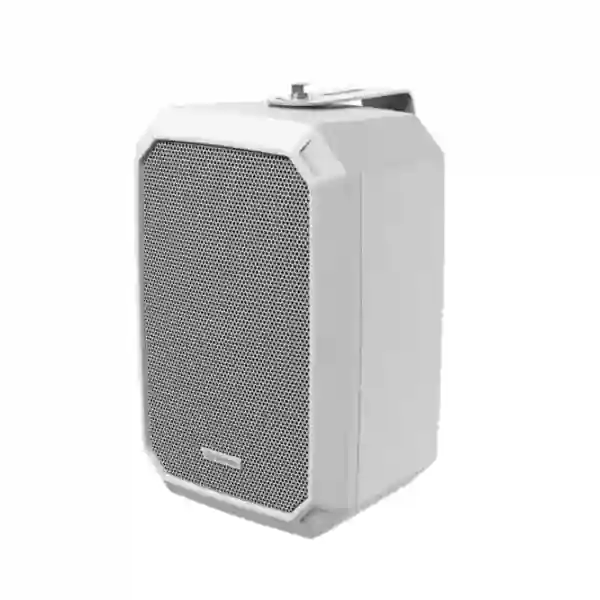
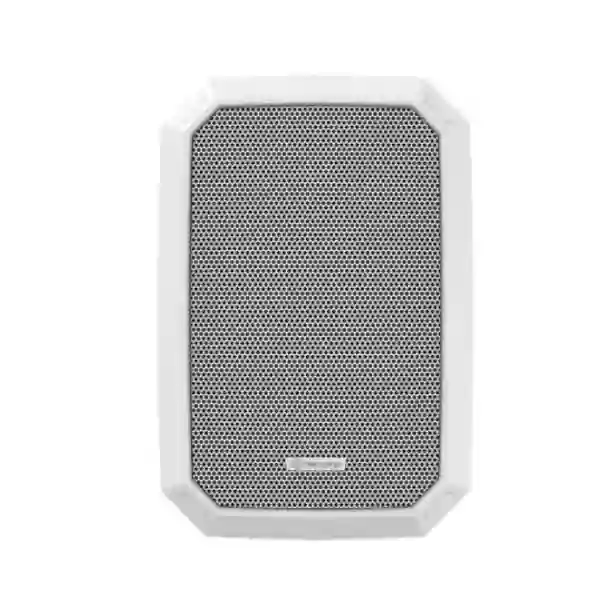
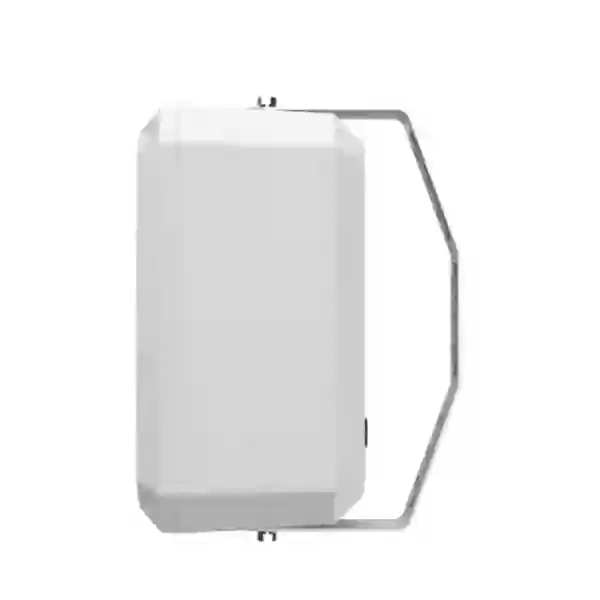
Hanwha SPA-W100W IP Wall Speaker – White
Need clear announcements and targeted paging without specifying a separate analogue amplifier for each wall speaker? The Hanwha SPA-W100W IP wall speaker combines network audio, a built-in 10W Class D amplifier and PoE/PoE+ power in a white IP54-rated enclosure. It is a candidate for offices, schools, commercial sites and managed facilities in Tanzania where the network and acoustic design are planned together.
Request an application-specific review before ordering: the right choice depends on intelligibility, power, speaker placement, source compatibility and the broader announcement workflow. Price, stock and services are not asserted here.
At a glance: what you are specifying
10W built-in amplifier
Class D amplifier integrated into the endpoint; the model identifier does not mean 100 watts.
PoE / PoE+
Ethernet-delivered power, with manufacturer-listed maximum sound pressure differing by supply mode.
Up to 101 dB
Maximum manufacturer sound pressure figure on PoE+; actual intelligibility depends on placement and environment.
IP54 enclosure
Specified protection level for assessed environments; not a promise of unrestricted weather exposure.
SIP and system interfaces
Designed for supported SIP, SUNAPI and ONVIF Profile S integration, subject to platform testing.
White wall enclosure
170 × 250 × 134 mm body weighing about 2.5 kg, suitable for a planned wall mounting position.
Technical specification summary
These are selected specifications published by Hanwha Vision for the SPA-W100W. They are intended to support design and product comparison; confirm documentation for the delivered unit and installed firmware before final commissioning.
| Product model | Hanwha Vision SPA-W100W; white IP wall speaker |
|---|---|
| Speaker and amplifier | Two-way loudspeaker assembly: 5-inch low-frequency driver and 0.5-inch high-frequency driver; built-in 10W Class D amplifier |
| Power standards | IEEE 802.3af Type 1 Class 3 PoE; IEEE 802.3at Type 2 Class 4 PoE+ |
| Maximum SPL | 97 dB on PoE; 101 dB on PoE+ (manufacturer figures) |
| Speaker frequency range | 120 Hz to 20 kHz at -10 dB; distinct from the specified line-output response |
| Audio line output | +6 dBV ±3 dB; specified response 20 Hz–20 kHz |
| Connection | 10/100 Base-T Ethernet |
| Internal and external memory | 1 GB internal; SDHC microSD support up to 32 GB for listed compatible media |
| Supported media | WAV and MP3; manufacturer specifies 64–320 kbps and 16–48 kHz sampling rates |
| Contact I/O | One dry-contact input and one normally-open dry-contact output |
| Integration | SIP; SUNAPI HTTP API; ONVIF Profile S; verify functions in the proposed system |
| Paging and groups | Manufacturer lists multicast / unicast zone controls and grouped operation subject to complete system setup |
| Text-to-speech languages | Manufacturer lists English (US/UK), German, French, Spanish and Russian; Swahili not listed |
| Operating environment | -20°C to +50°C; 10–85% RH non-condensing |
| Ingress protection | IP54; mounting and exposure still require assessment |
| Enclosure and mass | 170 × 250 × 134 mm; approximately 2.5 kg; white finish |
A note on specifications: the manufacturer distinguishes the line-output response from the speaker’s acoustic frequency range. Some reseller summaries also display conflicting IP or sound-pressure figures. The values above follow the manufacturer product specification rather than a reseller shorthand.
Who should consider this IP wall speaker?
The SPA-W100W is intended for projects in which a voice message must reach a defined area without relying solely on someone carrying a handheld radio or calling individual telephones. A school may need class-change messages, a reception team may need a paging point, or a facility manager may want planned announcements in separate operational zones. The main buying decision is not simply whether the speaker is network-connected; it is whether its output, mounting location and management method fit the real communication task.
For a small premises, the device can be evaluated as a single wall-mounted announcement point. For a larger estate, it becomes one component of a designed IP audio system, potentially with multiple speakers, paging sources, zone assignments and a tested network. The advantage of an IP approach is the possibility of addressing endpoints through managed infrastructure, but ease of deployment depends on the chosen software, switch capacity, VLAN design and day-to-day operating procedures.
Select it when a wall speaker with a white finish, a built-in amplifier and network audio capability meets the physical and functional brief. Do not assume it can replace a horn speaker across a large outdoor yard, a full emergency voice-alarm system or every intercom function. Establish the exact use case, background noise level, mounting height and message priority before finalising the specification.
How the speaker fits into a wider announcement system
This model combines a loudspeaker, a 10W Class D amplifier and an Ethernet endpoint in one enclosure. Instead of feeding every speaker from a conventional central amplifier via long analogue speaker runs, an IP design can distribute network audio to suitable endpoints. The cabling still needs professional planning: a data cable, adequate PoE power, a compatible switch port and appropriate network access must be available at each installation position.
A complete solution may also require a paging console, microphone source, scheduling platform, audio controller or SIP-enabled calling system. Those devices are not automatically included with the speaker. Projects should identify who can broadcast, how announcements are initiated, how messages are routed and what happens if the network or controller becomes unavailable. Treat every component as an explicit part of the bill of materials rather than an implied accessory.
For procurement, request a simple topology showing source devices, switches, network segments, speaker locations and any controller or PBX. That drawing is more useful than choosing devices by wattage alone. It makes power loads, available ports, access control, distance to the nearest switch and possible single points of failure visible before installation begins. It also helps distinguish features stated in a datasheet from functions actually delivered by a complete deployment.
Understand the difference between 10W and 101 dB
The SPA-W100W contains a 10W Class D amplifier. That rating describes its amplifier, not the acoustic area it will reliably cover. Hanwha’s specifications give maximum sound pressure levels of 97 dB when powered by PoE and 101 dB when powered by PoE+. These figures should be treated as rated maximum values under the manufacturer’s measurement conditions, not as a guaranteed volume everywhere in a room or a prediction of speech intelligibility at a distant listener.
How loudly people perceive an announcement depends on their distance from the speaker, intervening objects, room reverberation, crowd activity and machinery. A wall speaker in a quiet corridor may serve a different role from an identical unit next to an industrial machine. Turning up the level does not always solve an intelligibility problem; in a reflective hall it may worsen echoes. Correct speaker placement and distribution often deliver a clearer result than concentrating output in one location.
Hanwha gives a speaker frequency range of 120 Hz to 20 kHz at -10 dB. It separately lists a line-output frequency response of 20 Hz to 20 kHz, which should not be presented as the acoustic frequency range of the built-in speaker. For voice-first projects, assess consonant clarity, the reverberant environment and whether every intended listener can understand the message at the desired volume. Conduct an on-site listening test before approving final coverage.
Plan PoE and PoE+ before cabling
The product supports IEEE 802.3af PoE and IEEE 802.3at PoE+. Both options can simplify cabling because power and network connectivity arrive over the Ethernet connection, but they are not interchangeable in performance planning. Hanwha’s maximum sound-pressure figures differ between the two power modes. If the design relies on the higher specified output, provide an appropriate PoE+ power source and verify that the switch negotiates the expected power class.
A switch’s total PoE budget matters as much as its individual port labels. A 24-port switch may offer PoE on many ports while still having a shared supply budget that limits simultaneous loads. Create a power schedule for speakers and other connected equipment, then include a sensible operating margin. Consider UPS support for network switches and upstream controllers if announcements are important during ordinary mains disruptions; do not assume the speaker contains its own backup battery.
During commissioning, record the switch model, port number, reported power draw, link state and negotiated supply mode for each endpoint. Check cable quality, connector protection and the actual installed run against the networking design. A device that powers up in a test office does not prove that a distant installed port will be reliable. If PoE is not available at the intended position, resolve power distribution before purchase instead of expecting a separate local mains adapter to be included.
Network requirements for reliable IP audio
The SPA-W100W uses a 10/100 Base-T Ethernet interface. This is sufficient information to establish that it is an IP endpoint rather than a conventional passive speaker, but bandwidth alone is not the main engineering question. IT teams should confirm address allocation, DNS and time services where required, multicast behaviour, switch features and the policies that govern how a paging source communicates with speakers. A clear network diagram prevents avoidable configuration changes during installation.
Multicast can help distribute the same audio to more than one receiver, while unicast can suit different controlled workflows. Neither should be enabled casually across a large network. Verify that routers and managed switches handle the intended multicast traffic, that necessary ports are permitted and that access is limited to authorised systems. The correct design depends on the selected controller or SIP environment, and should be tested with representative peak traffic rather than assumed from a protocol name.
Give each installed endpoint a meaningful asset label that matches its network record and physical location. Document IP addressing, device firmware, switch port, configuration backup and responsible administrator. Where a separate voice or security VLAN is used, coordinate it with the organisation’s existing policies. This approach makes later troubleshooting practical: teams can tell whether an incident concerns power, network reachability, software routing, audio sources or the speaker itself.
Common business scenarios
These examples describe reasonable design questions, not guaranteed site coverage or a promise that every workflow is supplied by the speaker alone. The controlling system and the environment determine implementation.
School or training campus
Use separate announcement areas for teaching blocks, administration and shared facilities. Test speech clarity when corridors are busy; document which staff may page each group. Choose recorded English or Kiswahili messages as needed, noting that built-in Swahili text-to-speech is not listed.
Office and reception
Provide routine staff paging or visitor-related announcements where a wall-mounted endpoint fits the interior. Check that levels remain comfortable near desks and that messages can target only the relevant occupied spaces rather than interrupting the entire building.
Warehouse and operations floor
Evaluate a speaker at actual working noise levels before committing to quantity. Forklifts, fans, partitions and open doors affect intelligibility. A different speaker form factor may be better if the required directionality or protection exceeds the SPA-W100W’s specification.
Retail and customer-service areas
Plan scheduled information or operational paging without overloading customer spaces with announcements. Separate public areas from back-office zones where practical. Decide who approves recordings and how the staff override routine playback when an immediate message is required.
Security control rooms
Investigate how authorised operators could trigger a predefined message from the chosen security workflow. Validate the software interface, event trigger and endpoint response on the exact versions in use. Do not confuse a possible integration path with an out-of-the-box guarantee.
Multi-building facilities
Use a zone map and network diagram to understand routing across buildings. Check switching, uplinks, PoE budget, outdoor cable protection and administration responsibilities. Plan availability according to the entire source-to-speaker path rather than depending on the enclosure’s IP rating.
Paging zones, groups and message routing
Hanwha’s published system-integration specifications describe extensive multi-source and zone-control functions, including multicast and unicast arrangements. These capabilities can be useful when one message should reach a reception area, another should reach workshops and a third should reach a broader group. They are system-design features that require compatible configuration and should never be interpreted as a promise that one speaker alone supplies a complete multi-building management platform.
Start with a zone map drawn from how the organisation communicates, not merely from the floor plan. Consider the difference between departments, safety boundaries, occupied buildings, noisy rooms and restricted areas. Decide which sources may reach each zone and whether a person should be able to make a whole-site announcement. Message priority and interruption rules matter if music, scheduled messages and live paging could compete for the same speaker at the same moment.
Use descriptive zone names that staff can recognise under pressure. Test a message from every authorised source into every intended group and confirm it does not unintentionally play in neighbouring zones. If a location has multiple speakers, check timing and perceived level throughout the area. Keep a record of approved changes so that a future office relocation does not leave a zone assignment pointing at the wrong physical location.
SIP and telephony integration: what to check
The manufacturer identifies SIP capability and lists tested SIP client families and an Asterisk PBX example. This makes the SPA-W100W a candidate for projects that want an announcement endpoint alongside IP telephony, but a SIP logo is not a guarantee of interoperability with every PBX, cloud voice service or paging workflow. Authentication, supported codecs, call handling, DTMF behaviour and the endpoint’s registration method must be aligned with the actual deployment.
Before promising dial-to-page operation, ask the IT or telephony team for the PBX version, connection architecture, authentication approach, network segmentation and preferred audio codec. The manufacturer’s specification lists PCMU, PCMA and Speex variants among supported SIP codecs, and DTMF using RFC2833. These are useful starting points for a test matrix. Determine whether a specific caller can reach one endpoint, a defined zone or a controller-managed group under the planned software configuration.
Plan for real operating conditions. Verify how an announcement starts, whether it needs a dialled code, how it ends, what the user hears when an endpoint is offline and how conflicts with other sources are resolved. Retest after firmware or PBX changes. If the organisation uses a hosted voice platform, obtain its technical integration requirements first; do not assume support based on successful examples with another PBX or handset brand.
APIs, ONVIF and platform compatibility
Hanwha lists SUNAPI (HTTP API) and ONVIF Profile S in the product’s system-integration specifications. These interfaces offer potential ways to incorporate the endpoint into wider management workflows, but the existence of an interface does not mean every third-party platform exposes every audio or event function. Feature coverage varies among software products and versions. Buyers should ask suppliers to demonstrate the exact action they need rather than accepting general compatibility wording.
For a video-surveillance-led project, describe the intended event from beginning to end. Is the goal to play an alert when an operator identifies an incident, to trigger a predefined audio file from an automation rule or to use a SIP paging source? Identify which platform controls the command and which system stores the event history. Then validate permissions, response time, message choice and what the operator sees if delivery fails.
Developers should work from the official Hanwha interface documentation for the installed firmware, not from examples written for other network speaker families. Any integration should include authentication protection, meaningful logging, handling of unexpected responses and a recovery process. A successful proof of concept should be repeated on the production network design before the system is treated as ready for everyday operation.
Local audio files, schedules and text-to-speech
The SPA-W100W has 1 GB of built-in memory and the manufacturer lists SDHC microSD support up to 32 GB for specified compatible media. WAV and MP3 audio formats are supported within published encoding and sample-rate ranges. Local file capability may help a design use repeated announcements, chimes or prepared messages, but storage size alone does not tell you how schedules, priorities and content approvals are managed. Confirm those workflows in the exact controlling software.
Recordings are often preferable when the wording, accent and timing of an instruction must remain consistent. Prepare clear source files, maintain a master copy and assign descriptive names and version numbers. Have a responsible person review any message that could affect safety or operations. If separate language versions are needed, confirm they were professionally recorded, correctly pronounced and accepted by the users who will hear them.
Hanwha lists text-to-speech for English (US and UK), German, French, Spanish and Russian. Swahili is not among the listed built-in TTS languages; a Tanzania deployment requiring Kiswahili announcements should therefore plan recorded Kiswahili audio or separately verify another supported workflow. Do not assume the built-in engine can pronounce every local name correctly. Test message clarity through the installed speaker at the planned level before relying on a script.
Dry-contact input, output and event design
The manufacturer specifies one dry-contact input and one normally-open dry-contact output. These may be relevant when audio needs to interact with another controlled device or a simple signal source. However, the electrical contact type, wiring details, permitted loads and programming options must be checked in the installation instructions for the exact hardware revision. A dry contact is not a general-purpose supply that can safely power an external device.
Describe each event as a clear input-condition-action sequence. For example, a proposed system might detect a permitted contact change, request an authorised announcement and record completion. Whether that sequence is supported depends on the endpoint settings and wider software. Avoid connecting security, fire or access-control outputs directly without reviewing the circuit design and approval requirements. Confirm isolation and protection needs with a qualified installer.
At handover, document which input terminals are in use, what state is expected at rest, which events cause playback and what the output is permitted to control. Test normal operation, disconnection and a simulated fault without causing an unsafe condition. This prevents future technicians from assuming a spare terminal has no operational significance and makes changes more controlled.
Choose the right wall location and environment
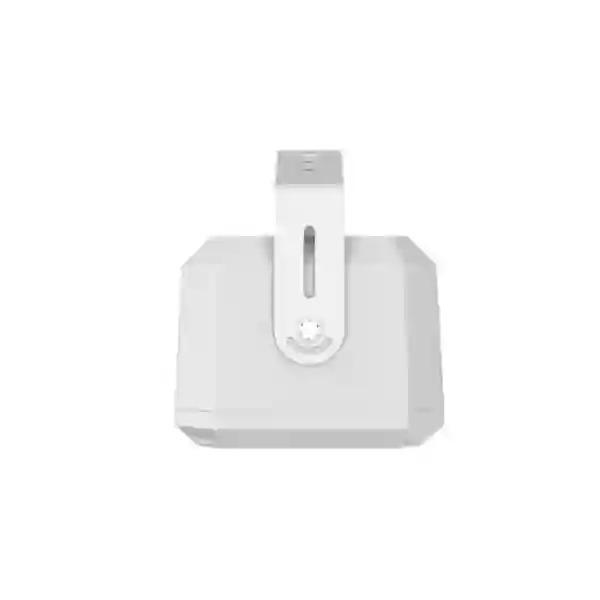
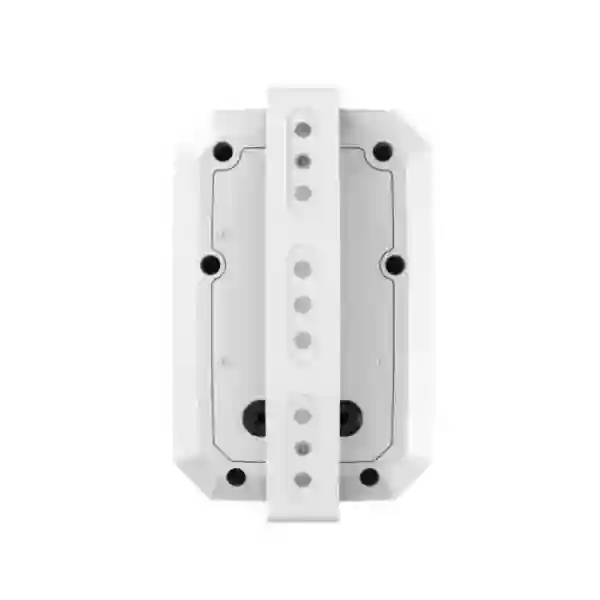
The enclosure is specified at approximately 170 mm wide, 250 mm high and 134 mm deep, with a weight of 2.5 kg. These dimensions and weight are relevant to mounting hardware, working clearance and wall strength. The white finish may suit reception areas, corridors and visible commercial interiors, but colour should not displace acoustic or maintenance requirements. Ensure the speaker is accessible for approved service while keeping its wiring and connections protected.
The IP54 rating indicates a stated degree of protection against dust ingress and splashing water under the applicable test classification; it does not mean the speaker can be submerged or exposed without limitation. When proposing a sheltered outdoor position, consider rain direction, direct sunlight, condensation, wind-driven water and the type of mounting surface. Indoor or sheltered locations should still be assessed for humidity, dust and accidental impacts.
Hanwha specifies an operating temperature range from -20°C to +50°C and non-condensing relative humidity of 10–85%. These are equipment limits, not a substitute for a site survey. In hot or dusty environments, verify the actual installed microclimate and allow for heat near roofs or metal structures. Where the environment exceeds the intended protection level, select another enclosure or a more appropriate speaker type instead of assuming the stated rating is sufficient.
Speech intelligibility and acoustic coverage
Hanwha publishes different horizontal and vertical coverage patterns at different frequencies. This is a useful reminder that a speaker does not deliver identical output in every direction. Plan its orientation around where people stand, move and work. An overly high position, a blocked path or a wall that reflects sound toward the wrong part of a space can reduce the usefulness of an otherwise correctly selected device.
Establish a realistic background-noise picture before specifying quantity. Observe the location during normal operations, busy periods and equipment start-up. Speech has to remain understandable, not simply audible. Consider whether listeners wear hearing protection, whether spaces open directly into noisy streets and whether there are hard reflective surfaces. In large or reverberant spaces, several well-positioned speakers at controlled levels may outperform a single loud endpoint.
A commissioning test should use representative recorded speech, not only a musical test track or a tone. Ask people in several positions to repeat the message and note where wording becomes unclear. Check that acceptable levels in quiet offices do not become uncomfortable near the speaker. Record any limitations and adjust coverage, message content, routing or physical placement before treating the installation as complete.
Security, accounts and ongoing administration
Network audio equipment belongs in the same security planning process as other managed IP endpoints. The published features include password-protected user roles, authentication functions and usage logging. Those features help, but they are not a complete security policy by themselves. Remove default credentials, assign strong unique administration secrets and grant configuration access only to people who need it. Confirm current firmware guidance before devices are placed on a production network.
Separate the authority to play an announcement from the authority to change the device’s configuration wherever the operating software allows. A receptionist may need a simple way to page a zone without permission to edit network settings. Retain a documented change process for adding users, reassigning speakers and revising messages. A system that is technically flexible can become confusing if there is no ownership of its day-to-day rules.
Monitor connection health and failures. Hanwha lists a speaker test tool, connection verification and built-in system logging. Decide who reviews that information, how often it is checked and what happens if an endpoint stops responding. Keep an inventory of approved firmware, integration versions and configuration backups. Do not expose management interfaces to the public internet merely to make a remote configuration task easier.
Practical Tanzania deployment considerations
A Tanzania project can involve a mix of offices, school blocks, workshops, reception areas and covered circulation spaces. Instead of relying on generic coverage promises, begin with the actual building layout, staff communications and network facilities. The same model can be a reasonable candidate for different projects while requiring a different number of devices, different wiring and different management methods. Buyers should make procurement conditional on an application-specific review.
Power continuity is especially important when a message is operationally significant. If the speaker is supplied from a PoE switch, the switch and any upstream network equipment need a continuity plan consistent with the business requirement. A UPS may keep equipment available during a local interruption, but overall communication still depends on the paging source, cabling and network path. Specify the desired continuity outcome and design the complete chain accordingly.
Where organisations use both English and Kiswahili in daily operations, plan language content separately from the hardware choice. Recorded announcements may be preferable for consistent local pronunciation. Requirements relating to public warning, workplace safety or emergency communications can be more demanding than routine paging. Obtain project-specific professional advice and required approvals rather than assuming a general-purpose IP speaker automatically meets a regulated life-safety standard.
What to confirm before requesting a quotation
Provide the application type, number of buildings, approximate areas to cover, expected speaker count and a description of the loudest operating conditions. Include photographs or drawings of proposed mounting points where practical. List the network switches currently available and whether their ports support PoE or PoE+. State whether the site already operates an IP PBX, a video-management system or a dedicated audio controller.
Clarify which functions are essential and which are optional. For example, ‘staff paging into two warehouse zones from an existing telephone system’ is a testable requirement. ‘Compatible with our security system’ is not precise enough: identify the system’s name, version, event workflow and who will initiate announcements. For bilingual messages, supply language requirements and whether prerecorded content is acceptable. These details help avoid quoting accessories that do not solve the actual task.
Ask for a complete proposal that separates speakers, power/network changes, controls, mounting materials, configuration, testing and user training where each is relevant. Verify price, taxes, availability, warranty terms and delivery or installation arrangements directly for the proposed Tanzania transaction; no such commercial claims are assumed here. A documented acceptance test should be part of the specification, not an afterthought.
Commissioning and handover: a sensible sequence
First, confirm that the delivered product label identifies the intended SPA-W100W model and that the enclosure and accessories have not been damaged. Mounting parts and cable routes should match the approved drawings. Next, establish a secure PoE network connection and check the reported power mode. Record the device’s physical location, Ethernet port and addressing information before applying any more complex audio configuration.
Second, load or select the approved operating configuration and validate access permissions. Confirm the device appears correctly within the chosen control interface, if a controller is part of the solution. Test one representative live announcement and one prerecorded file where required. If SIP is in scope, test the exact dial plan, authentication and audio codec settings. If automation is in scope, perform a controlled end-to-end event test, including a failed or unavailable endpoint.
Third, validate sound levels across the full listening area during normal activity. Test each zone, group and message source; confirm that announcements do not reach unintended spaces. Explain the normal operator workflow and the procedure for reporting faults. Finally, hand over a labelled diagram, configuration record, message inventory and an owner for maintenance. A system should not be accepted solely because a single speaker produced sound on a bench.
When to consider a different speaker or a different system
A wall-mounted network speaker is not automatically the best choice for every area. A horn-style endpoint may be more appropriate for some outdoor or high-noise applications; a ceiling or pendant arrangement may fit some interior acoustic designs better. Compare actual manufacturer specifications, mounting options and installed coverage, not just the product family’s name. Keep a white wall speaker where its form factor and acoustic direction match the listening environment.
If the organisation only needs background music in a small room, the sophistication of an IP paging endpoint may be unnecessary. If it needs a fully supervised emergency voice-evacuation system, this product alone is not evidence of a compliant solution. If it needs full-duplex visitor intercom, the design must verify microphone, talk-back and calling functions in the complete hardware and software configuration rather than relying on a broad distributor description.
Consider the lifecycle as well as the purchase. Can the IT team maintain network endpoints? Is the required controller known and supported? Is there a tested recovery process after a network outage? Can staff reliably choose the right zone? The most suitable solution is the one that meets communication needs with an understandable installation, predictable administration and a clearly defined support model.
Routine checks after deployment
After handover, include the speakers in the organisation’s ordinary asset and network maintenance practices. Check that the enclosure remains secure, the audio path is unobstructed and cable entries show no signs of moisture or damage. Review switch ports for errors or unexpected power negotiation. Use available built-in monitoring tools to check connection status and test output at agreed intervals without disrupting normal business activity.
Revisit message content when departments move, opening hours change or instructions become outdated. Remove obsolete recordings and preserve approved replacement files. Validate that access permissions still match staff responsibilities, especially after an employee changes roles. Document firmware upgrades and test the critical playback and routing workflows afterward. If multiple endpoints are involved, apply changes through a controlled schedule rather than assuming every update behaves identically.
Record faults in a way that helps technical staff identify the cause. Note the affected zone, time, last successful announcement, observed network status and whether other speakers continued working. That evidence reduces time spent swapping equipment unnecessarily. Maintenance should focus on retaining message clarity and correct routing, not just proving that the device responds to a network ping.
Frequently asked questions
Is the SPA-W100W a 100-watt speaker?
No. SPA-W100W is the model identifier. Hanwha specifies a built-in 10W Class D amplifier. The model number must not be interpreted as a 100W output rating. Assess its suitability using the manufacturer’s acoustic specifications, intended listening distance and site conditions.
What is the difference between PoE and PoE+ on this model?
Both supply electrical power over an Ethernet connection, but Hanwha quotes different maximum sound pressure levels: 97 dB with PoE and 101 dB with PoE+. To design for the higher specified figure, use a compatible PoE+ supply and confirm the actual port configuration. The number does not guarantee clarity across a particular site.
Can it work with an existing SIP PBX?
It includes SIP functionality and the manufacturer lists tested equipment families. Actual operation depends on the PBX, software release, authentication, network rules, codecs and requested paging workflow. A small proof-of-concept using the precise customer environment is the right basis for confirming compatibility.
Does it need a separate external amplifier?
The unit includes its own 10W Class D amplifier. It still needs an appropriate PoE or PoE+ power source, network connectivity and a method of supplying or initiating audio. Whether an additional controller, PBX, microphone or software component is required depends on the intended system.
Can it play MP3 and WAV announcements?
Hanwha lists MP3 and WAV support, with specified bitrate and sampling-rate limits. The product also has 1 GB internal storage and a stated supported SDHC microSD arrangement. Confirm the encoded file format, recording workflow and playback control in the installed version before loading operational announcements.
Can it make announcements in Kiswahili?
Recorded Kiswahili messages can be considered if prepared in a compatible supported audio format and verified through the chosen playback workflow. Built-in text-to-speech support for Swahili is not listed by Hanwha. For important messages, review pronunciation and understanding with intended listeners.
Is the speaker suitable for outdoor installation?
It carries an IP54 rating and a published operating temperature and humidity range, but this does not make it weatherproof in every exposure. Site suitability depends on shelter, rain direction, dust, mounting, cable protection and the local microclimate. Check the installation guide and choose an alternative where exposure is more demanding.
Does ONVIF Profile S mean every CCTV system can control it?
No. ONVIF Profile S is one interface identified by the manufacturer. It does not guarantee that every surveillance platform implements every desired audio action. Verify the exact workflow, software release, authentication method and event response through a controlled integration test.
How many speakers do I need for a building?
There is no defensible universal count based on floor area alone. Quantity depends on room geometry, background noise, reverberation, intended listening zones, placement and required intelligibility. Prepare a site plan and test representative locations before choosing the number of endpoints.
Does the device include emergency system certification for my project?
No project-level compliance should be inferred from the general speaker specification. Life-safety and emergency communication requirements may impose dedicated equipment, monitoring, redundancy and approval conditions. Obtain advice from the responsible qualified designer and relevant project authority.
Can a telephone user select different paging zones?
The product has SIP and system-level zone-control capabilities in its published specification, but the available caller workflow is determined by the PBX, controllers and configuration. Test dial plans, permissions and routing to the intended zones before listing this as a delivered function.
What details should I send to request a Tanzania quote?
Share the application, speaker quantity or site plan, planned mounting conditions, PoE switch details, existing PBX or controller information, preferred announcement languages and the expected operating environment. Request a written specification and compatibility check. Local price, stock and service arrangements need confirmation for the specific order.
Request a Hanwha SPA-W100W specification and compatibility review
Explain the site, intended announcements, power and network environment, integration platform and estimated coverage areas. Ask for a proposed bill of materials, placement approach and acceptance test that match your operating conditions. This helps distinguish a suitable product from a complete deployed audio system.
For Tanzania enquiries, request confirmation of price, supply arrangements and any separately scoped installation or support services before placing an order. No unverified local availability or turnaround claims are made.




Reviews
There are no reviews yet.