
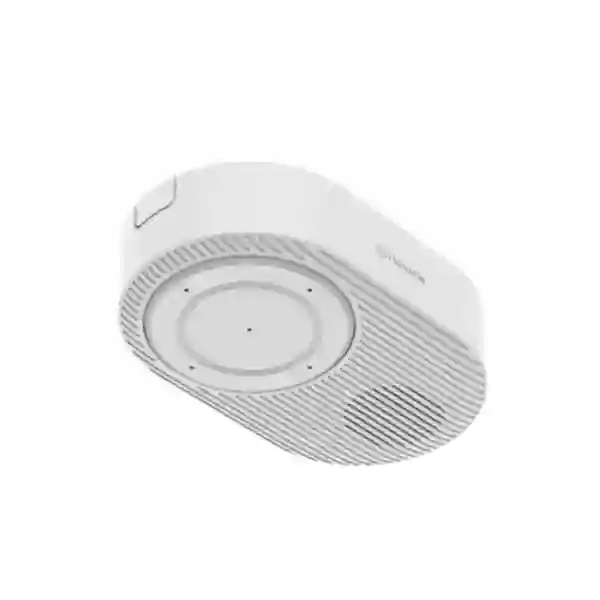
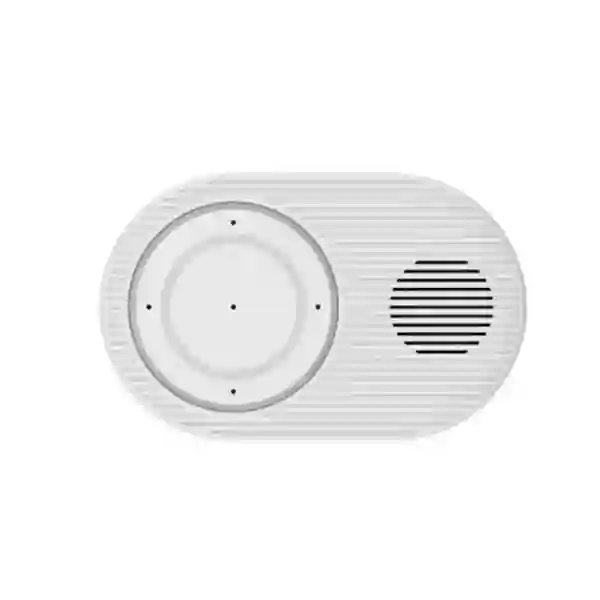
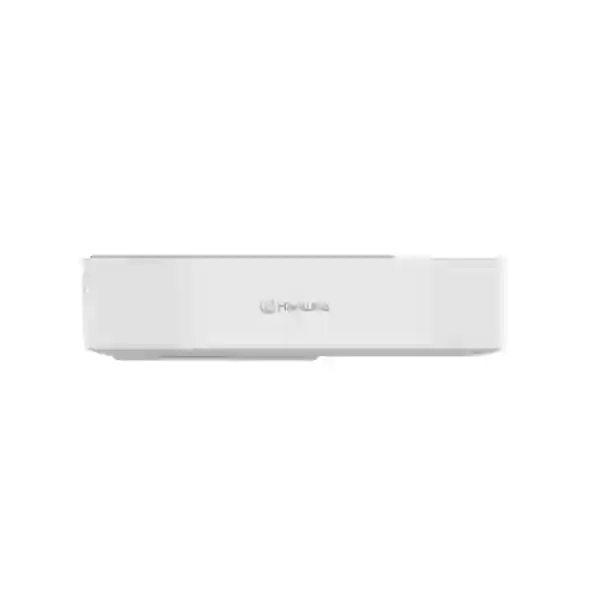
Hanwha SPS-A100M Audio Beacon
Bring together sound-event awareness, full-duplex talk-back and local audible or LED alerts at a defined indoor security point. Assess the Hanwha SPS-A100M for a Tanzania project by checking what your operators need to hear, communicate and verify—and what the installed software actually supports.
Key features at a glance
Verified technical overview
Specifications below reflect published Hanwha Vision product information. Confirm current documentation and application requirements before purchase, especially for software-dependent features.
| Manufacturer / model | Hanwha Vision / SPS-A100M |
|---|---|
| Device type | Indoor audio beacon: IP speaker, microphones and LED |
| Microphones | Five built-in MEMS microphones |
| Speaker | Up to 90 dB SPL at 1 m; 144 Hz–20 kHz |
| Communication | Selectable one-way or full-duplex two-way audio |
| Sound analysis | AI sound classification; sound direction and metadata |
| Event examples | Crashing glass, screaming, vehicle horn, tyre screech |
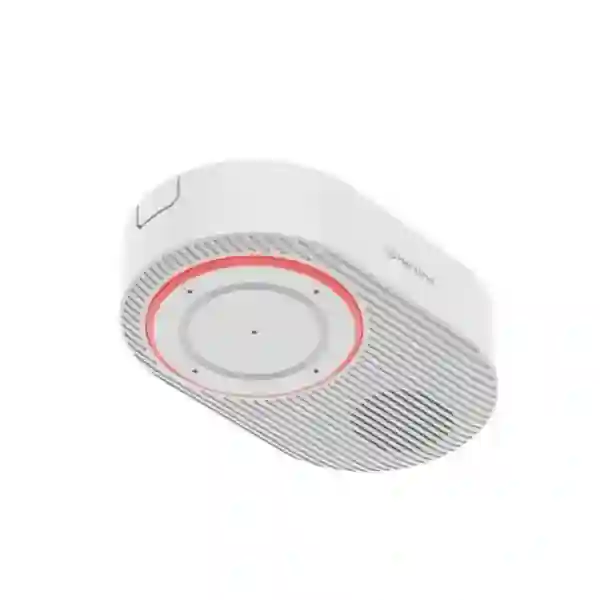
| Visual alert | LED ring: green, blue, red, pink, sky blue, purple |
| Alarm interface | Two configurable I/O ports |
| Network | RJ-45 Ethernet, 10/100 BASE-T |
| Power | IEEE 802.3at PoE+ Class 4 |
| Power consumption | Typical 8.2 W; maximum 18.5 W |
| Interoperability | ONVIF Profile S, SUNAPI; check software functionality |
| Environmental scope | Indoor rated; -20°C to +55°C operating temperature |
| Housing size / weight | 215.1 × 135.1 × 52.8 mm; approximately 973 g |
What is the Hanwha SPS-A100M and who should consider it?
The Hanwha SPS-A100M is an indoor network-connected audio beacon built for sites where security teams need to hear important events, communicate with people nearby and provide local audible or visual warnings. It combines five digital MEMS microphones, a speaker, a multicolour LED ring, event detection and network interfaces in one device. That combination is useful when a conventional CCTV camera shows an area but does not provide the specific audio functions the site requires. Rather than treating the product as a general public-address speaker, buyers should start with a clearly defined security or operational workflow and test that workflow at the intended mounting position.
Typical stakeholders include security managers, facilities teams, system integrators, consultants and IT personnel responsible for network policies. A buyer may need a spoken response at a reception approach, an audible notification in an indoor circulation area, or an additional signal when an unusual sound occurs near a monitored point. These are potential applications, not promises of detection in every environment. For projects in Tanzania, confirm the exact room conditions, equipment compatibility, local procurement arrangements and installation responsibilities before requesting a final quotation.
Understand the five-microphone approach
The five integrated MEMS microphones are a defining part of this device. Multiple microphones provide inputs for the product’s sound analysis and direction-finding functions, rather than requiring a separate basic microphone at the same position. The design can assist operators in interpreting where a relevant sound originated. Its usefulness depends on the acoustic environment: reflective ceilings, partitions, mechanical noise, crowds and the relationship between the beacon and the sound source can all influence the result. A specification number is not a substitute for a location test, especially in busy public interiors.
When planning coverage, sketch the main sources of concern and consider how speech, alarms, doors, vehicles near entrances and routine building noise will reach the microphones. Avoid assuming that one centrally mounted device covers every adjoining room or that a sound passing through walls will retain enough detail for classification. A pilot should measure representative operation during quiet and busy periods, then assess whether the metadata provides the context the team needs. If the aim is conversation, voice intelligibility must also be tested, not just microphone pickup.
AI sound classification: what it detects and what it does not
Hanwha documents AI-based sound classification, with specifications identifying categories such as crashing glass, screaming, vehicle horns and tyre screeching. Product features also refer to extreme-decibel events. A classified event can give an operator an earlier prompt to investigate than a video-only workflow in some circumstances. The output is an analytical interpretation of sound, however, not proof that a crime, accident or emergency has occurred. The site should define how staff will verify an alert through available cameras, personnel or other established procedures before responding.
Classification performance cannot be assumed to be identical across rooms. A dropped object might resemble another sharp sound, while a distant target sound may be masked by machinery or music. The correct question is not simply whether a sound category appears in the feature list; it is whether the proposed installation distinguishes useful events from everyday activity at that specific site. Establish expected sounds, test them safely where appropriate, record nuisance events and refine event handling. Do not present the device as a guaranteed emergency detector or as a replacement for a code-required life-safety system.
Sound direction and useful event metadata
Beyond the detected sound type, the SPS-A100M can supply metadata including sound direction, confidence, a timestamp, an audio clip and a decibel-level indication. This information can help a monitoring team prioritise which camera to open or which location to check. Hanwha specifies sound direction for ceiling mounting with an accuracy figure of plus or minus 15 degrees. That figure belongs to the stated mounting context; it should not be generalized to every orientation, room size or acoustic environment. Confidence should likewise be interpreted as a model output, not a certainty percentage for the incident itself.
Metadata becomes valuable only when the downstream workflow preserves its meaning. Confirm how the selected recorder, video-management system or integration displays event names, direction, timestamps and playback. Test whether operators can find the associated camera view without searching many screens, and whether alerts are distinguishable from ordinary device faults. If events trigger automated actions, document which values drive each rule and what happens if the sound data is unavailable. Direction hints can assist investigation, but they should not be used alone to dispatch personnel into a potentially dangerous situation.
Full-duplex two-way audio for human response
The built-in speaker and microphones support full-duplex two-way audio, with echo cancellation and noise reduction. Full duplex means the interaction can support speech in both directions without relying on a simple press-to-talk alternation. This is relevant where a guard needs to ask someone to identify themselves, provide an instruction or obtain a response from a location under observation. It may reduce the need for separate talk-back equipment in a suitable indoor area. Results still depend on the network path, monitoring software and ambient sound levels.
Consider who will initiate a conversation, where that person is stationed, and how the people within range will know they are being addressed. An audio conversation in a busy lobby has different privacy and intelligibility requirements from one at a controlled staff entrance. Assess background music, ventilation, reverberation and speaking distance. If an operator uses headphones or a workstation client, test the complete microphone-to-speaker path for acoustic feedback, delays and clarity. Policies should define when a remote user is authorised to listen or speak, and how interactions are supervised.
Speaker performance and audible alerts
Hanwha lists a maximum speaker sound-pressure level of 90 dB measured at one metre, with a frequency range of 144 Hz to 20 kHz. These figures describe the device under its specified measurement conditions; they do not mean an announcement will be equally intelligible throughout an entire floor or that every message will be heard above nearby equipment. Ceiling height, floor plan, occupants, furnishings and competing sound affect useful coverage. The product is best assessed as an alert or communication endpoint at a defined position, not a guaranteed building-wide paging system.
For a real project, determine the message content, recipient location, ambient noise and desired action. Check whether a recorded clip can be understood at the furthest intended listening point without uncomfortable loudness near the speaker. The device supports playback of stored audio clips as part of event actions, which can help standardise short warnings. Keep messages brief, unambiguous and aligned with the site’s incident plan. Never substitute an ordinary network audio device for a certified emergency voice evacuation arrangement where the latter is required by the applicable design standard.
LED-ring notifications as an additional signal
The integrated LED ring supports green, blue, red, pink, sky blue and purple indications for event actions. A visible status signal can reinforce an audible alert in a room where background noise is elevated or staff cannot continuously watch a monitor. It can also make a local endpoint easier to identify during testing. The presence of multiple colours does not automatically establish what each colour means in a particular deployment. Integrators should define an event-to-colour mapping based on the available configuration and record it in the operating instructions.
Before adoption, verify visibility from the actual approach directions, under day and night lighting and at the proposed mounting height. A high ceiling or obstructed sightline can reduce the value of the indicator. Colour alone should not be the sole means of conveying a critical condition because some users cannot distinguish certain hues. Pair colour assignments with clear operator notifications, audible cues or written procedures where needed. During commissioning, demonstrate normal, alert and recovery states so staff understand when a signal reflects an active incident, a test or a device condition.
Alarm I/O and response automation
Two configurable digital input/output ports and event-action functions make the unit relevant to more than simple audio monitoring. The manufacturer’s feature information includes event triggers from analytics, alarm inputs, schedules, network conditions and other configured sources. Actions may include speaker output, LED behaviour, notifications, messages to another system and handover to a PTZ preset. These interfaces are integration tools, not guarantees that any existing door controller, alarm panel or PTZ camera will communicate correctly without engineering. Electrical ratings and supported software workflows need confirmation before connections are made.
A practical design starts with a written cause-and-effect table. For each event, specify the trigger, validation step, response, responsible operator and timeout or reset behaviour. Consider a noisy event that appears repeatedly, a network outage while an alarm is active and a false trigger that requires manual cancellation. Avoid building a chain where one unverified sound event automatically causes a disruptive response without appropriate safeguards. Test alarm inputs and outputs using the manufacturer’s installation guidance, and keep physical wiring, network controls and monitoring procedures aligned with the wider security plan.
VMS integration: check the actual software combination
Hanwha identifies integration with Wisenet WAVE and with Milestone and Genetec using its plugin. It also lists ONVIF Profile S and its own SUNAPI interface. These are useful starting points for a modern video-management environment, but integration depth may differ among software versions, plugins and event workflows. Seeing an audio endpoint in a device list is not equivalent to confirming two-way audio, analytics metadata, stored clips, LED controls and alarm response features. Ask the integrator to demonstrate the precise features that make the deployment worthwhile.
For an existing CCTV estate, prepare an integration matrix covering discovery, authentication, live listening, remote speaking, event reception, event search and permissions. Record the VMS product and version, relevant plugin version, recorder configuration and supported licensing assumptions. Verify whether event timestamps align with associated camera footage, and whether operational users can handle the alert without administrator privileges. Where specific analytics data is needed for a custom dashboard, confirm the documented interfaces rather than assuming ONVIF support exposes every proprietary feature. A staged proof of concept is a better basis for procurement than a generic compatibility claim.
ONVIF, SUNAPI, MQTT and SIP: different purposes
The device’s published network specification includes ONVIF Profile S, SUNAPI over HTTP and protocols including MQTT and SIP 2.0. These names describe different ways the product may exchange media, commands or event information with other equipment. They should not be treated as interchangeable. ONVIF Profile S can help with standards-based discovery and compatible device functions; SUNAPI provides a Hanwha-specific integration path. MQTT may be useful for subscribed or published events, while SIP relates to supported communication workflows. Exact capabilities still depend on implementation.
An engineer should determine which protocol is required for each use case, then test only the necessary services. For example, a VMS may need the audio stream and analytics notifications, while a building platform may need an event indication. The presence of SIP in the specification does not verify compatibility with every IP PBX, phone model or call routing design. Similarly, a service speaking MQTT does not guarantee that its topic structure or payloads match the site’s automation platform. Document endpoints, authentication, encryption, firewall permissions and fallback behaviour before approving an integration design.
PoE+ power and network capacity
The SPS-A100M uses PoE+ compliant with IEEE 802.3at Class 4. Hanwha states typical power consumption of 8.2 W and a maximum of 18.5 W. The maximum figure is the more prudent basis for switch power-budget calculations, particularly where several devices share one access switch. A network switch or injector must support the required PoE class, and the cable installation must meet the applicable Ethernet requirements. Do not assume that a non-PoE port or an older low-budget PoE switch will power the unit reliably.
At the design stage, check the available PoE budget across all connected cameras, access points and audio endpoints, not only the individual port rating. Include uplink resilience, cable pathways, structured cabling records and the expected effect of a power outage. A switch on an appropriately designed uninterruptible supply may help maintain operation during some mains interruptions, but the duration depends on the overall electrical design. Test startup, software restart and recovery after loss of network connectivity. Procurement should also confirm whether any additional power or network accessories are needed for the chosen installation.
Ethernet and site IT readiness
The published wired interface is RJ-45 10/100 BASE-T. Even though the audio endpoint is not a high-resolution CCTV camera, reliable connectivity is important for two-way conversations, notifications, remote administration and integration with other security systems. Ask the network team how the security devices will be addressed, which services require local routing and whether remote operators will access them across additional networks. Establish the expected latency and resilience requirements for the actual conversation path instead of selecting a network merely because its headline bandwidth appears sufficient.
Security devices are commonly better managed on defined network segments with controlled access. Assign responsible administrators, document addressing and time synchronization, and ensure monitoring can distinguish a disconnected device from a quiet location. The published protocol set includes management and streaming options, but every enabled service represents a configuration decision. Limit exposure to necessary functions and use supported secure communications. For multi-building sites, test actual packet paths, firewalls and maintenance windows so an audio event from one area reaches the right team without unexpected delays or interruptions.
Cybersecurity controls and responsible configuration
Hanwha lists secure boot, signed and encrypted firmware protections, credential safeguards, secure communication options and a hardware secure element for the SPS-A100M. The specification also references IEEE 802.1X network authentication, HTTPS and SRTP. Those features offer useful ingredients for a controlled deployment, but a feature list does not by itself mean the finished system is secure. Password policies, firmware management, user permissions, certificate handling, network isolation and audit review remain the responsibility of the deployment team and system owner.
Ask who will own the administrator account and how operators receive limited permissions. Change default credentials according to current manufacturer guidance, apply approved firmware procedures and record configuration backups securely. Where available and supported, enable encrypted management and media paths appropriate to the chosen VMS or integration. Review whether a platform requires additional ports that the project did not originally anticipate. The manufacturer’s secure-element certificate specification should not be represented as certification of the whole Tanzanian installation, an assurance about every cloud connection or evidence of local regulatory approval.
Indoor rating, temperature and physical siting
The manufacturer identifies the audio beacon as indoor rated and gives an operating temperature range of minus 20 degrees Celsius to plus 55 degrees Celsius, with non-condensing relative humidity within its published limit. A temperature rating should not be mistaken for outdoor weather protection. Areas exposed to rain, wind-driven dust, splashing water, condensation or aggressive cleaning methods need a separate suitability review. In Tanzania, where building types and room ventilation conditions vary, inspect the actual proposed position rather than assuming the market’s climate determines all device conditions.
Mounting position affects sound quality, visibility, service access and protection from accidental damage. Identify ceiling structure, cable access and possible interference from nearby fans, loudspeakers or vibrating equipment. Consider who can reach the device for cleaning or servicing and whether an enclosure would obstruct the microphones or LED. The housing specification provides dimensions of approximately 215.1 by 135.1 by 52.8 millimetres and a weight of about 973 grams. These details can support planning, but the mounting method and supporting surface must still follow current manufacturer installation instructions.
Mounting accessories and alignment
Hanwha identifies related mounting accessories for the audio beacon, including conduit and hanging-mount options. Accessory selection should be based on the exact installation geometry, cable entry and supported hardware, not on a photo of a visually similar camera mount. Confirm the accessory part number and compatibility for the intended orientation before ordering. The published specifications also mention gang-box compatibility, but that does not remove the need for a secure fixing surface and correct cable routing. An installer should follow the applicable manual for mechanical and electrical steps.
Sound-direction functions make device orientation especially important. The manufacturer describes using its installation app to set the true-north point, which is relevant to meaningful direction indications. A device that is securely mounted but incorrectly oriented can still return unhelpful location cues to a monitoring operator. Include orientation, microphone clearance and LED visibility in the commissioning checklist. Record the position on an as-built drawing so later maintenance does not unintentionally change its alignment. When a device is moved, repeat the relevant setup and acceptance checks rather than assuming its previous calibration remains valid.
Audio events are not the same as safety detection
The product can support incident awareness, but buyers should distinguish between contextual audio analytics and a dedicated, approved life-safety alarm system. A scream classification could prompt a security review; it does not establish what caused the scream or whether medical assistance is required. Glass-break-like sounds can come from non-security activities. Vehicle-horn or tyre-screech events may be more relevant near some indoor-access areas than others. A site must choose categories that make sense for the local environment instead of enabling every possible alert and overwhelming its control room.
Build a triage process that puts people in charge. Describe which events require an immediate camera check, which warrant calling an onsite supervisor and which may be logged for later review. For critical safety functions, follow the applicable professional designs and dedicated systems independently of this audio beacon. Ask how operators will handle simultaneous alerts and whether the VMS preserves sufficient evidence to understand the sequence. Successful deployment means improving the quality of decisions and response procedures, not simply producing more notifications on a screen.
Example applications in business premises
A reception area may benefit from a local talk-back point when an operator is located elsewhere and needs to provide a short instruction. A controlled office corridor may benefit from a visible LED indication when a particular configured alarm event occurs. A warehouse office or indoor service entrance may need an audible warning associated with a security system action. In an education or healthcare setting, privacy, safeguarding and operational approval require especially careful planning before any microphone-based device is introduced. Each example is a possible design scenario rather than a statement that the unit is suitable for every site.
For each proposed location, write a short user story: who notices an event, what information reaches them, who speaks through the device and what a person nearby is expected to do. Separate normal operations from exceptional events, and set expectations for times when the control room is not staffed. Work with both facilities and IT colleagues, since the product touches acoustics, the network and physical workflows. In a multi-site Tanzanian organisation, test the local installation first, then repeat performance and policy checks in every distinct environment rather than assuming one pilot validates all buildings.
Privacy, access and retention decisions
A device capable of listening, communicating and generating audio clips needs a clear privacy and governance plan. Before deployment, determine the lawful purpose for audio collection, the spaces in which audio functionality will be enabled, the notice or consent requirements that may apply and the people authorised to access live or recorded sound. Relevant obligations must be reviewed against current Tanzanian law and the specific organisation’s circumstances. A hardware capability does not automatically grant permission to use it in sensitive or public-facing areas.
Review how the VMS, event email, file-upload functions and any integrations handle sound clips and metadata. The device can produce an audio event record, but the retention period for the overall solution depends on where data is stored and the configured policies. Define who may retrieve clips, how audit logs are reviewed, how recordings are deleted and how incidents are escalated. Where a use case only requires visual warning or two-way speech, evaluate whether continuous listening or unnecessary data storage can be avoided. Include these controls in the acceptance documentation and staff training.
False alarms, tuning and the acceptance test
Real installations contain sound patterns that a datasheet cannot fully describe. In a retail environment, routine conversations, trolleys and dropped items may generate sharp transients. In a mechanical room, steady noise may reduce the usefulness of speech and audio analytics. Before final sign-off, record the current acoustic conditions and determine which detection types serve a meaningful business purpose. Run controlled tests only in a safe, authorised manner and avoid simulated emergencies that would confuse occupants. A sensible acceptance plan includes positive tests, normal-operation observations and a review of unexpected alerts.
Measure outcomes that matter to the customer: whether operators notice the notification, whether they can understand the audio, whether the associated camera view is easy to retrieve and whether they can distinguish a nuisance event from a priority incident. Capture the settings used during testing so later technicians can reproduce or adjust them. If a configuration produces excessive false alarms, review its value rather than forcing staff to acknowledge hundreds of repetitive events. Plan a short operational review after the initial deployment to refine event categories, message wording and escalation responsibilities using real feedback.
Compare the audio beacon with simpler alternatives
A conventional IP speaker may be enough when the project only needs remote announcements. A basic network microphone may serve a listening-only requirement. A CCTV camera with a supported microphone or speaker can sometimes provide the necessary audio features without a separate endpoint. The SPS-A100M makes more sense when its combination of integrated multi-microphone analysis, sound-direction metadata, local LED indication, two-way speech and network event functions solves a specific operational problem. The buying decision should be based on feature fit and tested integration rather than assuming the more capable device is always the better purchase.
Create a comparison sheet that records the required event type, operator workflow, mounting constraints, power budget, privacy settings and VMS functions for each option. Ask whether a separate dedicated beacon improves the placement of microphones compared with a camera installed mainly for the view. Conversely, if the site only requires a short chime, the additional analytics may provide little value. Evaluate ongoing administrative complexity as well as hardware specifications. A correctly selected lower-feature device can be preferable to a sophisticated product whose functions are not used or supported by the existing platform.
Planning procurement for a Tanzania project
Before requesting the Hanwha SPS-A100M in Tanzania, define the number of locations, their room layouts and the software to which the devices must connect. Identify whether the specification includes audio analysis, talk-back, LED action, event messages or all of them. Supply the model reference, mounting concept and relevant VMS version with the enquiry to reduce ambiguity. Also indicate whether the customer expects a stand-alone endpoint design or an integrated security project. This information makes it easier to assess accessories, software dependencies, cabling and commissioning scope.
No stock position, local selling price, installation coverage, delivery period or warranty has been verified for this Tanzania listing. Those details need to be confirmed in an actual quotation, including any taxes or import-related charges where applicable. Do not rely on pricing from another country as if it were a local offer. Request an itemised proposal that distinguishes the product, optional mounts, PoE equipment, configuration effort and ongoing support responsibilities. Ask the seller or integrator to confirm current regional availability and the exact product variant before committing a deployment schedule.
Commissioning checklist: from first power-on to handover
A structured handover is important because this product combines several separate functions. First confirm the approved mounting hardware, cable routing and PoE+ budget. Next establish the network configuration, administrative access and time synchronization. Apply the manufacturer’s current supported setup instructions, align the device for sound direction where appropriate and validate the expected LED and speaker responses. Then connect the chosen VMS or other platform and test the real operator account, not just an installer login with unrestricted permissions. Record software versions and settings in the site documentation.
During final testing, demonstrate a relevant sound-event notification, a two-way conversation, the event-to-camera workflow and the response to a simulated device disconnection. Check whether a power or network restart leaves the device operating as expected. Confirm that the monitoring team understands what an analytics alert means and what it cannot prove. Provide a contact path for support and an agreed process for configuration changes. The owner should receive enough documentation to maintain the installation safely without relying on the memory of the original technician.
Long-term maintenance and service ownership
Plan regular review of firmware advisories, account permissions, network reachability and the ongoing quality of audio events. Changes to room use may matter: a new air-conditioning unit, partition, machine or background music system can alter the sound field even when the beacon itself has not moved. Review event logs and operator feedback after material changes to the premises. If the device is relocated, repeat alignment and acceptance checks. Maintenance should address both the endpoint and the VMS or integration that makes its events visible to staff.
Define who can update settings and who approves changes to notification behaviour. Keep a secure record of installed model, serial information, connection point, power budget, software versions and approved configuration. Review privacy and retention practices when a new team or monitoring provider takes responsibility. Where a support contract or warranty is required, obtain the actual applicable terms in the local quote rather than assuming those of a foreign distributor. A clear service plan reduces the risk of a technically functioning audio endpoint becoming operationally ignored.
Choosing the right next step
The most useful next step is to describe a representative room and the action the organisation wants to take when an audio event occurs. For example, a customer might need operators to receive a possible glass-break alert, open the related camera and speak a short message through the beacon. Another customer may simply want local event announcements without analytics. Those requirements lead to different testing plans and may even favour different products. A technical discussion should identify the minimum functions that must work before an order is placed.
Request a quotation or compatibility review for the exact SPS-A100M model, noting the intended mounting environment, expected VMS platform, audio privacy rules and PoE infrastructure. Ask for accessory compatibility and any software configuration requirements to be confirmed. If a trial is feasible under the project’s procurement arrangements, judge success against agreed operational checks rather than general feature descriptions. This approach gives a buyer in Tanzania a sound basis for comparing proposals without assuming stock, price, regional approvals or outcome guarantees that have not been established.
Frequently asked questions
Is the SPS-A100M a security camera?
No. Hanwha describes the model as an audio beacon with microphones, speaker and LED indicator. It is intended to add audio-related functions to a suitable network security workflow. Any static-image or video-format options appearing in an interface specification should not be interpreted as a conventional optical surveillance camera. If the project requires visual verification, include an appropriate camera and test how operators move between the alert and the camera view.
Can it listen and speak at the same time?
Yes. Its published feature set includes full-duplex, two-way audio with echo cancellation and noise reduction. The quality of a real conversation depends on the installed environment, available network path and receiving client or VMS. Test with representative background noise and with the account that security staff will actually use. Confirm whether the selected software exposes the talk and listen controls required by the operational workflow.
Which audio events can it identify?
The manufacturer lists sound classifications including crashing glass, screaming, vehicle horns and tyre screeching, and refers to extreme-decibel events in its features. The purpose is to provide contextual information for further evaluation. Detection is not a guarantee that a particular incident has happened, and the relevant category list should be checked against the deployed software version. Run authorised acceptance tests in the actual room and document false alerts before treating an event as operationally useful.
Does the product show the direction of a sound?
Sound-direction metadata is among its published functions. Hanwha specifies a ceiling-mounting direction figure of plus or minus 15 degrees, and describes alignment using an installation application. Accuracy may be influenced by orientation, echoes, barriers and the position of the sound source. Treat direction as assistance for operator review, not as a guaranteed pinpoint location. Confirm that the VMS or integration displays the field and that the mounting has been commissioned correctly.
Does it need PoE+?
The specified input is PoE+ under IEEE 802.3at Class 4. The manufacturer’s maximum power-consumption figure is 18.5 W, so the switch or approved injector should be selected with the necessary budget and headroom. Check the rest of the devices on the same switch before making a power assumption. Network wiring and any backup-power arrangement also need to be designed for the site rather than inferred from the product alone.
Will it work with my existing VMS?
Hanwha mentions Wisenet WAVE and integration with Milestone and Genetec using its plugin, alongside ONVIF Profile S and SUNAPI. The available functions can vary by platform, version and configuration. Supply the exact VMS and plugin details and ask for confirmation of analytics events, microphone listening, two-way talk and desired alarm actions. A successful network discovery test by itself does not establish full integration.
Is the speaker loud enough for a large building?
The published maximum sound-pressure level is 90 dB at a distance of one metre. That is not a guarantee of intelligible announcements over a large floor or through closed rooms. The design should consider distance, ambient noise, occupancy and reverberation. Test a representative announcement at the furthest intended listening point. For building-wide public address or dedicated evacuation messaging, use a purpose-designed and appropriately specified system.
Can I install it outdoors?
The manufacturer identifies this model as indoor rated. Its operating-temperature specification does not establish resistance to direct rainfall, condensation, outdoor dust or washdown. A partly exposed entrance or uncovered loading bay may therefore be unsuitable without a separately validated design. Evaluate the actual placement, environmental exposure and manufacturer’s installation limitations. Do not assume an enclosure is acceptable if it would block the microphones, speaker or LED indicator.
Can the beacon trigger another security action?
The product includes configurable alarm I/O and documented event actions, with options such as messages, audible clips, LED behaviour and PTZ preset handover. Whether a specific action works in your installation depends on the connected devices, software and configuration. Create a cause-and-effect table, verify the electrical and software interfaces, and test failure cases. Important automated actions should include the appropriate human oversight and safeguards.
Will it replace an emergency alarm system?
It should not be presented as a replacement for a required fire alarm, emergency voice evacuation or other dedicated life-safety system. Audio classification can support situational awareness, but it can miss an event or classify unrelated sounds. The system designer must determine the safety functions separately and apply the relevant requirements. Use beacon notifications as part of a defined, verified security workflow rather than as sole evidence of an emergency.
Is it appropriate for schools, hospitals or public areas?
Suitability depends on the actual setting, intended use and privacy rules. Because the device contains microphones and can create event-related audio material, owners should assess notice, consent where required, listening permissions, retention and safeguards for sensitive spaces. Those questions are especially important where vulnerable people or confidential conversations may be present. Engage the relevant decision makers and obtain site-specific legal and operational advice before enabling audio features.
What information should I provide for a quotation in Tanzania?
Give the exact Hanwha SPS-A100M model, expected quantity, room or floor layout, mounting height, existing VMS and version, available PoE+ switching, and the functions you need. Note whether your project requires two-way talk, a visual alert, particular audio event types or integration with another alarm system. Request confirmation of regional supply, accessories, pricing, delivery, warranty and installation services in the actual proposal; none should be assumed from this general product description.
Does ONVIF Profile S guarantee every AI feature?
No. Standards support is useful for certain interoperability functions, but advanced analytics fields, LED actions and other manufacturer-specific options may require additional software or APIs. Confirm the specific workflow with the integration provider and a demonstration. Ask to see an event arrive, be interpreted and be searchable using the same user permissions as the final system. This avoids treating a protocol label as proof of end-to-end feature compatibility.
How should we judge a pilot installation?
Choose one or two representative locations and document expected event types, ambient sound, speaker intelligibility, operator response time and nuisance-alert behaviour. Test the actual monitoring software and the intended mounting orientation. Include a network-disconnect scenario and confirm the restoration process. A pilot should produce recorded acceptance findings and an approved operating procedure, not merely show that the unit powers up and appears online.
Is the product supplied with a local warranty or stocked in Tanzania?
No Tanzania-specific stock, price, warranty or lead-time information has been verified for this listing. Manufacturer information establishes the product’s technical identity, not the commercial terms of an individual local seller. Ask for a current written quotation identifying supply conditions, warranty scope, any required accessories and service responsibilities. Avoid relying on a foreign distributor’s pricing, warranty or availability when assessing a Tanzania procurement decision.
Request a product and integration review
Share the intended indoor location, required audio functions, network details and current VMS platform when requesting a Tanzania quotation for the Hanwha SPS-A100M. Ask for current availability, local commercial terms and a compatibility check for the exact equipment and software combination.
The final choice should be based on a documented workflow and site-specific testing. Contact FourTeck Tanzania through its verified enquiry channel for product and project details.




Reviews
There are no reviews yet.