
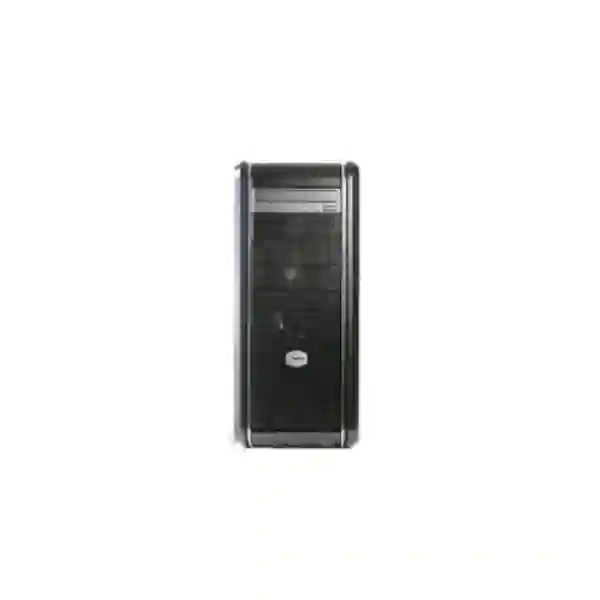
Hanwha SRN-SENCMS-DSP Central Video Management Display
A purpose-built display workstation from an earlier generation of Hanwha/Samsung video management systems, intended for SSM Console and VMS partner display modules.
For organisations in Tanzania assessing a replacement, recovering an existing deployment, or checking a legacy bill of materials, the first decision is not price. It is whether this older workstation is technically suitable and secure for the intended video management environment. Request a compatibility and sourcing assessment before planning procurement.
Product at a glance
| Manufacturer / model | Hanwha Vision (historically Samsung Techwin) / SRN-SENCMS-DSP |
|---|---|
| Equipment type | Central Video Management Display workstation; not a standalone NVR |
| Original intended application | SSM Console and VMS partner display module |
| Processor | 4th-generation Intel Core i7-4790, 3.4 GHz (manufacturer-listed) |
| Installed memory | 8 GB DDR3 |
| Graphics | NVIDIA GeForce GTX 660, 2 GB, two outputs |
| System drive | 1 TB 7200 rpm SATA hard drive |
| Original operating system | Windows 7 Professional, 64-bit |
| Other original equipment | 24× DVD-RW optical drive; desktop mid-tower format |
| Lifecycle status | Discontinued according to Hanwha Vision |
| Commercial status in Tanzania | Pricing, stock, warranty, and supply route require confirmation |
Figures describe the manufacturer’s historical configuration, not a promise about the condition, components or software of any particular unit now offered.
What this model actually does
The Hanwha SRN-SENCMS-DSP is best understood as an operator-facing display computer in a broader video management system. Its role is to give authorised staff a place to launch and use the management console, organise views, and interact with video already made available through the surrounding surveillance infrastructure. That is a different function from an IP camera, a camera-powered PoE recorder, or a central recording server. Purchasing the display workstation alone does not create a complete CCTV network, establish retention policies, or provide the recording services required for a working deployment.
This distinction is especially important when reviewing old project schedules. A line item with the word ‘CMS’ may sound like a complete central management solution, but a console computer is only one piece of a system. The associated recording servers, cameras, storage arrangements, software versions, accounts, licences and network permissions are separate design decisions. Before reusing the model number in a new specification, identify whether the requirement concerns operator viewing, server-side video recording, video-wall display, or a full replacement of the existing system. Those four procurement questions lead to quite different answers.
Who should consider the SRN-SENCMS-DSP today
This product is primarily relevant to organisations supporting a pre-existing surveillance installation that was originally engineered around its generation of hardware and software. It may appear in asset registers, older CCTV tender documents, maintenance schedules, spare-parts enquiries, and upgrade proposals. Facilities teams may want to know what it did; systems integrators may need to determine whether a like-for-like replacement is possible; IT teams may be evaluating whether the hardware can be retired safely. Each audience benefits more from a precise compatibility review than from a generic specification list.
For a new deployment, the discontinued status changes the buying logic. The original features remain useful as a historical reference, but they are not evidence that the unit is a suitable new control-room workstation. Current operating-system support, available graphics drivers, supported versions of the SSM Console, security policies and supplier support must all be checked. A modern vendor-approved workstation may be the better path. Conversely, an isolated legacy system with a short remaining service horizon may call for a carefully documented transitional plan rather than an immediate untested swap.
Processor and memory: what the original specification tells you
Hanwha lists a fourth-generation Intel Core i7-4790 processor running at 3.4 GHz and 8 GB of RAM for this central video management display model. These specifications establish the original workstation class and help technicians distinguish the unit from similarly named Seneca control servers or enterprise display models. They do not establish the number of simultaneous high-resolution feeds that can be used comfortably under every layout, codec, recording mode or VMS build. Those outcomes depend on software requirements and the real video workload as well as CPU and memory.
When validating a retained workstation, check the installed processor and actual memory reported by the operating system rather than relying only on a purchase document. Hardware might have been repaired, swapped or expanded over years of service. Establish whether the intended console release still supports that CPU architecture, the available RAM and the host operating system. If requirements call for contemporary high-resolution monitoring, analytics interfaces or resource-heavy applications, ask the software vendor for documented hardware sizing instead of treating an old processor model as a performance guarantee.
Graphics configuration and the two-output design
The manufacturer’s headline specification identifies an NVIDIA GeForce GTX 660 graphics card with 2 GB of memory and two outputs. That makes the SRN-SENCMS-DSP identifiable as a display-oriented workstation rather than a storage-focused recorder. The two-output detail is relevant to control rooms that originally used a primary operator screen alongside a second monitor. It is not a statement that any combination of modern monitors, cables, adapters, resolutions and refresh rates will work without testing. Physical port types and supported display modes should be verified on the actual card.
Before connecting existing monitors or planning a replacement display wall, document the screen count, resolutions, operator layout, cable runs and graphics requirements. Check whether the application expects specific video decoding capabilities, whether graphics drivers are available for the chosen operating system, and how performance changes when multiple camera tiles are open. An output-count figure alone cannot guarantee a suitable multi-screen CCTV experience. Where a large video wall is required, evaluate a dedicated, supported video-wall architecture rather than assuming this two-output console will act as the wall controller.
System drive and recording-storage misconceptions
The original configuration includes a 1 TB, 7200 rpm SATA system hard drive. On this model, the drive belongs to the workstation configuration; it should not be interpreted as a 1 TB retention allowance for a site’s camera footage. In an SSM environment, recording and retention are determined by the relevant recording services and storage design. A display workstation can present video stored elsewhere without itself being the primary archive. This is one of the most important checks when a legacy schedule describes multiple server, recorder and display line items together.
If an existing machine is being inspected, examine drive health, free capacity, system images and the location of relevant logs or local exports. Confirm where the authoritative recordings reside before wiping a drive, migrating an installation or replacing the computer. Organisations should preserve evidence and follow their retention rules whenever video is part of an investigation. If a customer asks how many days the listed 1 TB can record, the correct response is to obtain the architecture and recording configuration first; there is no defensible retention period from the workstation specification alone.
Operating system and historic software environment
Hanwha lists Windows 7 Professional 64-bit as the original operating system supplied with this workstation. That fact is essential to understanding the age and intended software environment of the hardware. Windows 7 reached the end of Microsoft’s mainstream support many years ago, and its general extended support ended in January 2020. Microsoft subsequently offered certain time-limited Extended Security Updates programmes, but these do not make an unverified old system equivalent to a currently supported platform. The security state of a particular machine must be assessed individually.
The existence of a current SSM release does not imply that it can be installed on the SRN-SENCMS-DSP or that an old license transfers to a modern platform. Conversely, the original application may depend on specific legacy components that are absent from current operating systems. An IT team should confirm the actual Windows build, patch history, drivers, console version and vendor lifecycle advice. Where the machine must be kept temporarily, document the risk, restrict access and set a transition plan. Do not promise an unsupported upgrade path based solely on the availability of new Windows media.
How the SSM Console fits into the wider system
Hanwha’s SSM documentation describes the console as the user-facing interface for working with live and recorded video provided by connected system components. Operators may use console functions such as device navigation, monitoring layouts, searches, playback and event review when supported by their installed SSM version and permissions. The SRN-SENCMS-DSP was designed to host this type of console workload. It does not independently provide every SSM feature, every recording service or every integration referenced in newer software manuals. Actual functions depend on the version, server architecture and configured rights.
A practical legacy-system review therefore begins with a simple diagram: identify cameras and encoders, recording servers, system management components, the operator workstation, displays, switches and the management network. Then record which software component performs each function. This prevents a costly mistake in which a display server is bought to fix a recording fault, or a recorder is replaced when the real problem is a graphics driver or console workstation. System boundaries also make troubleshooting more efficient because the team can test acquisition, storage, playback and display separately.
Software licences must be checked independently
Hardware model numbers do not establish current video management software licensing. Hanwha’s published SSM recorder-software guidance distinguishes server software from the licence keys required to activate relevant recording functionality, and notes that certain Seneca systems were supplied without the required recording licence key. Those server-side licensing details should not be confused with a blanket statement about the software entitlement of this specific display machine. For any offered SRN-SENCMS-DSP, confirm exactly which operating-system and VMS components, licence rights and installation media are included.
Ask the current system owner or supplier for an inventory of licence identifiers, software editions, maintenance entitlements, activation status and transfer restrictions. Establish whether the target VMS release is still supported, whether additional licences are needed for recording servers or connected devices, and who is authorised to perform changes. Record the answers before issuing a purchase order. Avoid posting licence keys in public correspondence or including them in a product enquiry. If licensing cannot be proven, treat the software component as an open dependency rather than advertising the hardware as a ready-to-use complete VMS.
Network role and connectivity planning
The legacy technical specification identifies gigabit-class Ethernet connectivity for the workstation. In practice, useful display performance also depends on the switch infrastructure, routes between the console and video servers, the number of active streams, and what the chosen VMS asks the network to transport. Gigabit connectivity is a port characteristic, not an unconditional guarantee of how many cameras can be displayed. Network assessment should therefore cover both throughput and stability, especially when operators use several monitors, high-bitrate streams or remote sites over constrained links.
Before any deployment, prepare an addressing plan and confirm DNS, routing, permitted ports, network segmentation and authentication requirements for the exact software version. Test from the proposed operator location rather than only from the server room. Document whether the video management system uses direct camera streams, server-mediated viewing or another workflow; that choice influences where bandwidth is consumed. If remote management or external access is required, it should be designed through an approved secure access method. Do not expose an outdated workstation directly to the public internet as a shortcut.
USB, peripheral and installation checks
The historical workstation specification includes USB connectivity and a DVD-RW drive, reflecting the peripherals and installation workflows common when the unit was introduced. Physical connectors may be useful for existing keyboard, mouse and service equipment, but every device should be approved for the site’s security environment. Uncontrolled removable media creates avoidable operational risk. Legacy optical drives can also fail mechanically with age. A service team should verify the actual hardware state and whether important installation packages are available through authorised, integrity-checked sources.
Control-room equipment often sits in a busy shared space, so small operational details matter. Confirm keyboard ergonomics, secure user sign-in, approved monitor attachments, desk or rack placement, cable strain relief and access to power. Record any interface adapters used between the graphics card and displays. If a vendor diagnostic tool or installer requires removable media, establish a controlled process with malware screening and custody records. The aim is not to preserve every old convenience but to retain only what supports stable, auditable operation without introducing avoidable support problems.
Chassis, cooling and physical condition
The SRN-SENCMS-DSP was offered as a desktop mid-tower workstation. Compared with a sealed appliance, a tower computer invites straightforward physical inspection, but it also carries age-related concerns. Fans, drives, thermal interfaces, power supplies and connectors can deteriorate. A unit that powers on during a short demonstration has not necessarily passed a realistic control-room workload test. Inspect ventilation paths, dust levels, unusual noise, system temperatures and any evidence of previous repairs before accepting a legacy workstation for continued service.
Installation space should allow sensible airflow and safe cable routing. Consider room temperature, dust exposure, power quality and who can physically access the system. In a monitored environment, an unexpected workstation shutdown can reduce situational awareness even while recording servers continue functioning. Plan a fallback viewing path if business continuity requires it. The service checklist should include an extended operating test, drive-health review, monitor-output test, restart validation and confirmation that the machine returns to the authorised console state after power or network restoration.
Why this is not a network video recorder
The word ‘video’ in the model’s product title can mislead buyers who are looking for an all-in-one camera recording appliance. The SRN-SENCMS-DSP is described by Hanwha as a central video management display, with a hardware configuration designed for console use. It is not presented as a recorder with a specified camera-channel count, dedicated surveillance drive bays, PoE camera ports, or a built-in recording-retention commitment. Product descriptions should therefore avoid assigning NVR-style channel capacities or claiming that the local system drive supplies a site’s evidence archive.
If the requirement is to capture, store or retrieve footage, start with the camera count, resolutions, frame rates, codecs, retention duration and redundancy objectives. Those inputs determine the recording platform and storage strategy. If the requirement is to view and manage video in a control room, start with displays, operator workflow, client software support and network reachability. Some projects need both categories of equipment, but they should be specified separately. This distinction helps Tanzanian buyers compare the right alternatives instead of relying on superficially similar legacy model names.
Example use: maintaining an existing control-room desk
An organisation may have one SRN-SENCMS-DSP still operating at a monitoring desk while the rest of the site has been maintained around it. The immediate task is to document its configuration, identify dependencies, make an image or backup through approved procedures, and understand what would happen if the workstation failed. The replacement decision should account for operator habits and approved layouts as well as technical compatibility. A direct change to a new computer may affect saved settings, user permissions, display arrangements or access to an older server.
The safer approach is to separate continuity needs from hardware nostalgia. Establish a tested viewing fallback, determine whether the installed SSM release can be moved to a supported workstation, and confirm any licence implications. If a short-term replacement with legacy hardware is considered, assess its provenance, condition and security exposure explicitly. A matching model name is not proof of interchangeable software images or drivers. Document the migration sequence and rollback criteria so that the control-room team is not dependent on improvisation during a critical shift.
Example use: reviewing an older tender specification
Legacy project drawings and bills of materials can remain in circulation long after individual components have been discontinued. The Hanwha SRN-SENCMS-DSP may appear next to server, decoder or NVR line items, making it easy to copy the entire schedule into a fresh request for quotation. Before doing so, translate each old model number into its functional requirement. For this unit, that requirement is an operator-facing central display workstation. A new tender should express the intended software, display, security and service outcomes rather than insist on obsolete hardware without a compatibility reason.
A well-structured replacement request can ask suppliers to identify a supported platform, specify the proposed client software version, document display support and provide evidence of compatibility with the installed surveillance architecture. The request should also explain whether historical recordings must remain accessible, whether the upgrade is phased, and whether downtime is permitted. That approach allows meaningful comparisons between proposals. It also helps procurement avoid accepting a quotation for a nominally similar computer that lacks the licensing, integration testing or ongoing security support the project actually needs.
Example use: evaluating a second-hand or refurbished unit
A discontinued workstation may occasionally be offered from retained stock or the secondary market. Its origin and history matter at least as much as the headline processor or memory. A buyer should request photographs of the actual unit, the confirmed model and serial identification, an inventory of installed components, storage condition, evidence of legitimate software licensing and results from a functional test. Missing documentation should be treated as uncertainty. Do not assume that any seller’s product image, generic datasheet or historical price describes a specific unit currently available.
The assessment should cover legal ownership, data sanitisation, BIOS or firmware configuration, administrator access, physical damage and evidence of component substitutions. Before introducing used equipment to a surveillance network, reinstall or validate its software under an approved process and check with the vendor or qualified integrator. Ask whether the machine is proposed as a temporary spare or a permanent production asset; the acceptable risk may differ substantially. A purchase decision should state any exclusions plainly rather than relying on an unsupported ‘fully compatible’ promise.
Cybersecurity risk in a discontinued Windows 7 workstation
A video management display can be operationally sensitive because operators may use it to see camera locations, review events and access recorded footage through the wider system. The historically supplied Windows 7 Professional operating system is out of general Microsoft support, which raises significant security and manageability concerns for continued production use. The manufacturer has also marked the hardware product discontinued. Neither fact automatically tells us the exact condition of a particular installation, but both are strong reasons to require an evidence-based risk decision before ongoing use.
Risks can arise from unsupported operating-system components, obsolete applications, unavailable graphics drivers, unpatched services, weak credentials and inadequate separation between a surveillance network and general office systems. Simply blocking internet access does not eliminate internal threats, removable-media risks or compromised administrative accounts. Likewise, applying an arbitrary operating-system upgrade can break a legacy console. Security should be considered together with functionality: the aim is a supported and testable monitoring capability, not a workstation that appears to run while remaining difficult to maintain or defend.
If temporary retention is unavoidable, the responsible team should record the business justification, assign an owner, enforce least-privilege accounts, minimise installed software, control removable media, restrict network paths and monitor the machine. Keep offline recovery materials and verify a replacement plan. Any compensating controls need to fit the organisation’s actual policies and threat model. Avoid claiming that the SRN-SENCMS-DSP can be made fully secure through a single configuration change; the combination of discontinued hardware and legacy operating system requires sustained governance or a carefully planned retirement.
SSM version and driver compatibility questions
Before a technician attempts to upgrade, rebuild or replace this workstation, identify the exact SSM Console version currently in use and the supporting server version. Determine whether those components are compatible with each other and with the proposed operating system. Also check graphics drivers, video decoding support, network requirements, device certificates, time synchronisation and account permissions. A compatibility answer should cite current vendor guidance for the actual version pair; older screenshots or a successful test on a different machine do not provide sufficient assurance.
An orderly compatibility test uses a representative subset of live cameras, recorded footage, search functions, user roles and display layouts. Verify routine operation and failure handling, including logout, reconnection, restart and loss of a remote server. Keep records of which test was passed and which requirement remains unverified. Do not assume that all current SSM functionality can be retrofitted to this hardware, or that an identical model purchased later will have exactly the same driver and firmware state. A signed-off test matrix is more useful than an unsupported compatibility statement.
Site and control-room planning in Tanzania
For a Tanzanian buyer, the relevant deployment questions are practical: where operators will sit, how cameras or recording servers connect to that location, what power protection is provided, and who will support the solution after installation. These questions matter whether the site is a single facility or an organisation with several connected buildings. However, a product page alone cannot confirm local stock, delivery coverage, an authorised repair route or regulatory status. Any commercial proposal should state those details only after they have been checked for the actual order.
Site surveys should document room layout, ventilation, electrical protection, cable pathways, monitor mounting and the relationship between the control room and network infrastructure. When locations rely on shared or long-distance connectivity, evaluate latency, outage behaviour and the data required by the actual video management architecture. Use the project’s measured conditions rather than generic national assumptions. If a modern replacement is proposed, include onsite acceptance tests and operator handover in the scope where appropriate. Avoid treating a discontinued hardware listing as proof that local installation support is included.
Power continuity and recovery planning
Operator viewing should be included in a surveillance system’s power and recovery plan. If power is interrupted to the display workstation, recording may or may not continue elsewhere depending on the wider architecture; the display server’s own specification cannot resolve that question. Confirm which network switches, servers, storage devices, monitors and control-room computers need protected power. Any UPS should be sized using the complete installed load and required shutdown or runtime objective, not by guessing from the model name or a generic desktop specification.
Recovery planning also includes configuration records and human procedures. Confirm that operators know how to regain access after a restart, that credentials are managed securely, and that the system’s time is synchronised for accurate review. Test whether the console reconnects to servers after a brief network loss and whether saved display layouts can be restored. A documented spare or replacement path is especially valuable for discontinued equipment because a failed component may not be promptly obtainable. The result should be a practical resilience plan, not an unverified promise of uninterrupted surveillance.
Monitoring performance: define an acceptance test
Performance should be measured against the job the workstation must perform. A useful test might define which cameras and layouts are needed during a normal shift, the expected video quality, the number of displays, access to recorded footage and acceptable operator response. The historical Core i7, RAM and graphics figures establish a baseline but not a universal frame-rate or camera-count guarantee. Workloads differ significantly across camera resolutions, video encodings, network conditions, software versions and decoding methods. Document the chosen workload so suppliers can demonstrate a relevant result.
During acceptance testing, watch for application crashes, excessive CPU or memory use, display instability, delayed video, missed operator events, and failures after prolonged operation. Verify live view and playback separately. Repeat critical tests after a reboot and after reconnecting network services. Capture the software build and driver versions alongside results; otherwise the evidence may be difficult to reproduce. If testing reveals a hard limit, first decide whether the problem belongs to the client, server, network or storage path. Buying another old display workstation may not address the underlying bottleneck.
Support, spares and lifecycle management
Lifecycle status affects not only initial purchasing but also the cost of keeping a system operational. Since Hanwha marks the SRN-SENCMS-DSP discontinued, the buyer should not assume availability of replacement units, original components, current operating-system drivers or routine manufacturer support. Request an explicit position on parts, repair options and software compatibility from a qualified source. A statement that a historical product page remains visible does not mean the hardware is in current production or that a new unit can be ordered in Tanzania.
Asset managers should maintain a register of model, serial number, operating system, SSM version, installed hardware, owner, support arrangements and target retirement date. That information makes failures easier to diagnose and reduces dependence on knowledge held by a single technician. If several identical legacy workstations remain, plan how configuration images, spare accessories and data-security controls will be managed. The business case for replacement should include operational downtime, supportability and security risk, not simply the purchase cost of the computer.
Deciding between replacement, repair and migration
There are three broad paths for an organisation holding this model: repair a limited hardware fault, replace the workstation while preserving the existing architecture, or modernise the video management platform. Repair may be practical when the environment is tightly controlled and the remaining service period is short, but it should not be chosen without examining the unsupported software risk. A workstation-only replacement can be appropriate when the surrounding VMS is still supported and compatible with a modern console. A larger migration becomes more attractive when server, operating-system and licensing issues are also unresolved.
Compare options against a shared list of outcomes: security support, compatible display workflows, licensing, live and recorded video access, installation effort, rollback, training, recoverability and lifecycle costs. Ask providers to identify what is confirmed by vendor documentation and what remains subject to testing. Do not name an unspecified modern Hanwha computer as a guaranteed drop-in successor. The correct replacement depends on the installed system and functional requirements, and an architecture review may be needed before any new model is selected.
How to request a technically useful quotation
A useful enquiry begins with the exact model name, Hanwha SRN-SENCMS-DSP, and a brief description of the requirement: an identical legacy spare, evaluation of an existing unit, or replacement of the console function. Include the site architecture at a high level, the installed SSM and server versions, the number and resolution of intended monitors, and whether the workstation is currently functioning. Explain whether live viewing, playback, alarm handling or a specialised integration is essential. Omit confidential access details, passwords and licence keys from ordinary messages.
Ask the proposed supplier to separate hardware, software, licensed entitlements, configuration services, testing and any optional support into identifiable parts of the offer. Request a written explanation of product status, compatibility evidence, offered condition, warranty terms if any, and limitations. If local availability is uncertain, the quote should say so rather than use an invented delivery commitment. A transparent answer could recommend a supported alternative instead of an obsolete unit. For security-critical installations, that is often more valuable than a nominally low hardware price.
Checklist before approving a legacy-system purchase
Confirm first that the product is the central display workstation and not the similarly named control server or enterprise multi-output variant. Verify the exact unit identification, installed CPU, memory, graphics card, system drive and operating system. Then collect proof of the console application version, software entitlement, network compatibility and required display outputs. Check any proposed refurbishment work and the condition of consumable or failure-prone parts. A generic specification is helpful for identification, but the offered device’s measured state is what determines whether it can be placed into service.
Complete the review with operating procedures: who owns the cyber-risk exception, how the unit will be isolated or hardened, whether protected power is available, and what operators should do if the screen fails. Make sure logs, settings and local video exports are handled under approved data policies. Record the acceptance test and any items that could not be validated. For a new installation, compare this lifecycle risk against a supported design. For a legacy installation, specify the maximum period for retaining the old workstation and the event that triggers migration.
Questions to ask about a proposed modern alternative
Do not compare replacements by CPU speed alone. Ask whether the proposed system supports the exact version of the video management software, the expected number and type of operator screens, the required codecs and video resolutions, and the viewing tasks that staff actually perform. The operating system should be within its support lifecycle, and the supplier should identify supported graphics and network drivers. If the surrounding VMS is also changing, ask how historical recordings, user permissions, alarm workflows and existing cameras will be handled.
A documented cutover plan should cover discovery, lab validation, backup, installation, acceptance testing and contingency arrangements. Training can matter where an unfamiliar console changes operator actions during an incident. Compare support terms and expected maintenance responsibilities, and verify whether a local service arrangement is actually available for the proposed solution. The goal is not to reproduce every old hardware feature: it is to deliver a maintainable operator experience that preserves the required surveillance outcomes and gives the business an understandable path for future upgrades.
Frequently asked questions
Is the Hanwha SRN-SENCMS-DSP a CCTV recording server?
No. Hanwha identifies it as a central video management display workstation intended for SSM Console and VMS partner display module use. It should not be presented as a standalone NVR or assigned a camera recording-channel capacity on the basis of its model number. Recording servers, storage and associated licences must be specified separately for the overall deployment.
Is this model still in production?
Hanwha Vision’s product listing labels the SRN-SENCMS-DSP discontinued. That describes the manufacturer’s published product status. It does not by itself establish whether a particular supplier has a verified refurbished unit or retained stock in Tanzania. Any offer should confirm the exact unit, its condition, the source of supply and the applicable commercial terms before an order is placed.
What operating system originally came with this workstation?
The manufacturer lists Windows 7 Professional 64-bit. Microsoft ended general Windows 7 extended support in January 2020. This makes software maintenance and cyber-risk assessment essential. Do not assume the machine can be safely upgraded to a current Windows release or that a newer SSM Console will run on its original hardware without an explicit compatibility check.
How many monitors can the SRN-SENCMS-DSP drive?
The original manufacturer summary identifies an NVIDIA GeForce GTX 660 graphics card with two outputs. Two outputs do not guarantee compatibility with every current monitor, adapter, resolution or display configuration. Verify the physical ports, drivers, screen modes and application workload on the actual unit before approving a control-room layout.
Does the listed 1 TB drive store all camera recordings?
Not necessarily, and it must not be treated as a guaranteed surveillance retention allowance. The 1 TB SATA drive is listed as system storage for this workstation. Recording capacity and retention are determined by the separate recording and storage components in the site’s video management architecture. Obtain the server and recorder design before making any storage-duration claim.
Does the workstation include an SSM licence?
The hardware description alone does not prove a present, transferable SSM software entitlement. Hanwha’s SSM recorder licensing guidance explains that recording server activation can require separate keys. The exact client, server and licensing position for any offered system should be verified with the relevant vendor or integrator. Do not treat a copied legacy bill of materials as current licence proof.
Can this product be used with newer Hanwha IP cameras?
That cannot be determined from the workstation model alone. Camera support depends on the installed VMS version, recording architecture, supported protocols, network design, licensing and the processing capability of the client and servers. Verify the exact camera models and firmware against the proposed software release, then test representative live and recorded video before making a compatibility commitment.
Is this a suitable choice for a brand-new Tanzania CCTV project?
Because the manufacturer has discontinued the model and the original operating system is out of support, a supported modern workstation or video management architecture deserves priority for a new project. A specific recommendation still requires details of the cameras, monitoring layouts, recording systems, software and operational requirements. This page does not claim local availability or authorised installation support for the legacy unit.
What information should be included in an enquiry?
Provide the model reference, whether the goal is repair, spare sourcing or replacement, and the site’s installed SSM version if known. Include the display count, required viewing and playback functions, operating-system constraints and any documented technical fault. Do not send passwords, private network access details or licence keys through an unsecured public enquiry. Ask for compatibility review before assuming a like-for-like replacement.
What is the difference between this model and a Seneca control server?
The SRN-SENCMS-DSP was positioned for the operator-facing display or console role. Other Seneca CMS models were positioned for different server or enterprise display functions. Similar names do not make them interchangeable. Identify the required function first, then confirm the manufacturer’s exact model documentation, software requirements, physical configuration and applicable licences before proposing substitutions.
Can an old SRN-SENCMS-DSP be retained temporarily?
A temporary exception may be a business decision if the responsible technical and security teams understand its condition and limitations. Retention should include restricted network access, controlled user privileges, a recovery plan, verified backups where applicable, monitoring and an agreed retirement milestone. No combination of simple precautions establishes that an unsupported Windows 7 workstation is equivalent to a supported modern system.
Are Tanzanian prices, stock, warranty and delivery confirmed?
No local price, inventory position, warranty entitlement or delivery date has been verified for this discontinued model. Ask for a written quotation covering the offered condition and precise scope before purchasing. If the intended use is a new installation rather than maintenance of an existing legacy system, request an assessment of supported replacement options as part of the same discussion.
Request a compatibility and sourcing assessment
Need to identify a Hanwha SRN-SENCMS-DSP already installed in your CCTV environment, source a suitable spare, or specify a supported replacement? Share the system role, existing software versions, intended screens and core operational needs through your normal approved enquiry channel. Request written confirmation of lifecycle, compatibility, licensing and commercial terms before making a purchase decision.
Important: no price, local stock, delivery, support entitlement or warranty is represented as confirmed on this page. This is an equipment identification and buyer-guidance resource for a discontinued product, not a promise of availability.




Reviews
There are no reviews yet.