
Thermal security and condition monitoring
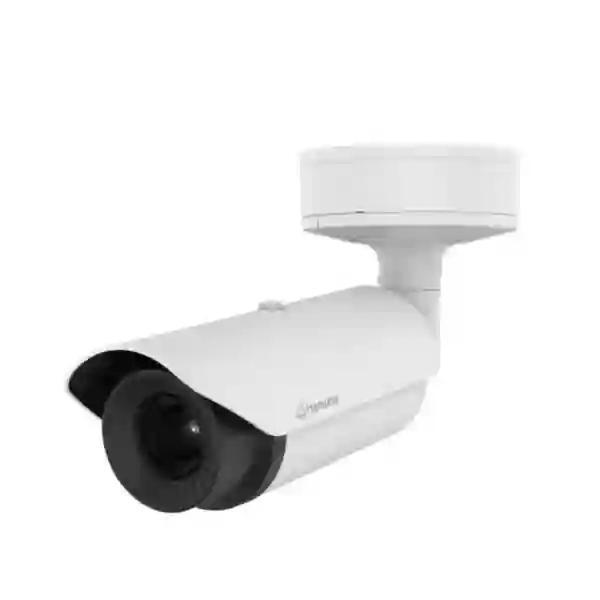
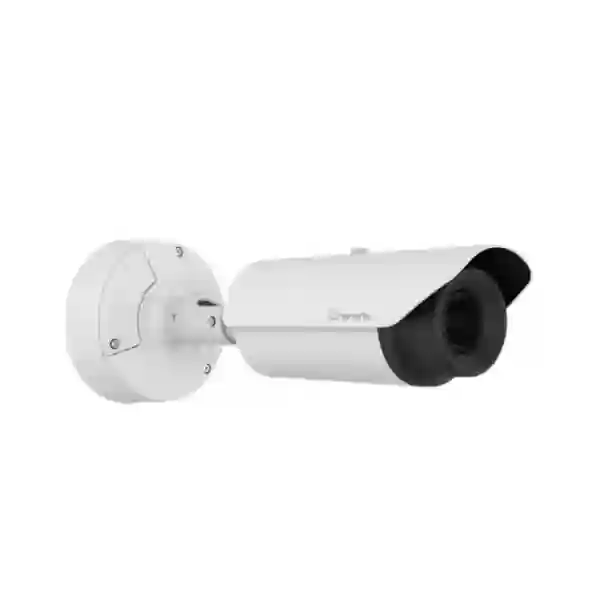
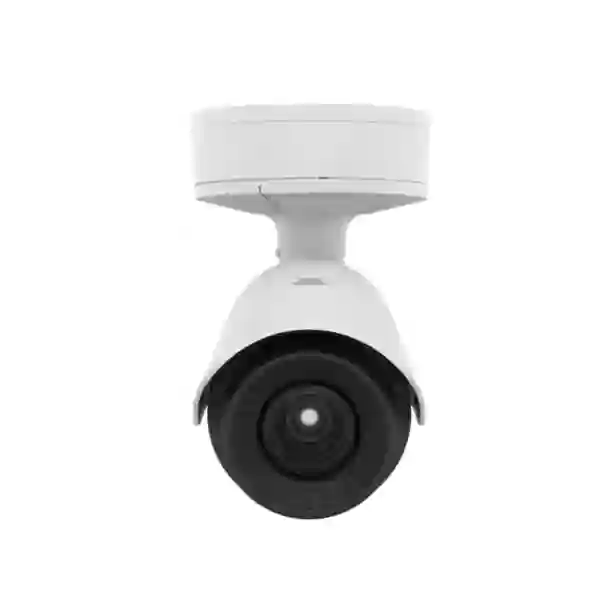
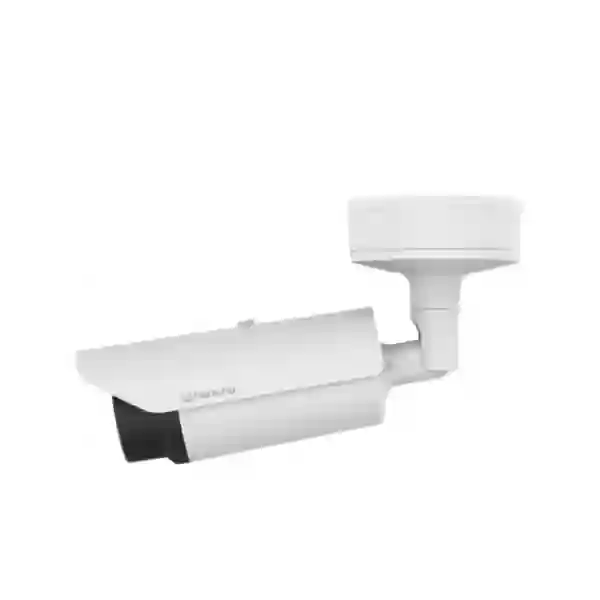
Hanwha TNO-L4030TR Thermal Camera
Evaluate a 640 × 480 thermal network camera with a fixed 13 mm lens, 8 fps video, outdoor-rated housing and selected temperature-event analytics for sites that need a clearly defined detection or monitoring task.
For Tanzania security and industrial buyers, the right next step is a project-specific fit assessment: provide the viewing distance, intended alarm action, existing recorder and site conditions so the design can be checked before a quotation is finalised.
Verified specifications at a glance
| Sensor | Uncooled microbolometer; 640 × 480 maximum thermal image |
|---|---|
| Lens | Fixed 13 mm, F1.0; 48.6° horizontal / 36.4° vertical field of view |
| Video | H.265 / H.264 / MJPEG; maximum 8 fps |
| Temperature | Detection range –20°C to +130°C; published accuracy ±5°C up to 100°C, ±20% above 100°C |
| Events | Motion, tampering, virtual-area and temperature-related analytics; selected alarm interfaces |
| Recording | One microSD/SDHC/SDXC slot, up to 256 GB |
| Connections | RJ-45 10/100 Ethernet; ONVIF Profiles S/G/T |
| Power | IEEE 802.3af Class 3 PoE, 12 V DC or 24 V AC |
| Protection | IP66, IK10 and NEMA 4X; –40°C to +60°C operating ambient |
Specifications are manufacturer-published figures for the stated model. Confirm firmware, accessories and project suitability during technical review.
Important limits before buying
The camera’s maximum 8 fps must be considered for fast motion. Thermal imaging does not provide ordinary visible colour or reliable personal identity detail. Published temperature accuracy is ±5°C at temperatures up to 100°C and ±20% above that level; do not position this camera as a precision temperature instrument, clinical screening tool or sole safety protection.
Distance suitability, detection performance, VMS events and actual installation outcomes require site-specific demonstration. Product availability, current pricing, delivery, service and warranty terms in Tanzania must be confirmed separately.
What this thermal camera is designed to solve
An outdoor security decision often begins with a practical question: how can a team become aware of movement or an unusual temperature condition when conventional visible-light images are not dependable? The Hanwha TNO-L4030TR thermal camera uses thermal radiation rather than ordinary scene illumination to form its image. That makes it relevant to selected perimeter and asset-monitoring tasks, especially where the primary requirement is detecting activity or monitoring temperature conditions rather than capturing the colour and fine detail expected from a conventional CCTV image. Its value depends on the entire surveillance design, including coverage, alert handling and response.
Procurement teams should regard this as a specialist camera, not a universal replacement for ordinary IP cameras. It can help an operator monitor a protected area at night, but a thermal image is not an identity photograph. It can observe temperature patterns, but it is not a laboratory temperature instrument. It can generate events, but an alarm is useful only when its location, threshold and response process have been designed properly. The best purchase decision starts with the exact operational problem, the distance to the target and the evidence the monitoring team actually needs.
How the thermal image is produced
The imaging device is an uncooled microbolometer with a maximum image size of 640 by 480 pixels. According to Hanwha Vision, the camera responds in the 8 to 14 micrometre spectral band and has a specified thermal sensitivity of 50 mK or better. These figures describe the thermal sensor and its ability to distinguish small temperature contrasts under defined circumstances. They do not mean that every object can be identified at a long distance or that the camera will deliver the same detail as a visible-light sensor with a comparable pixel count.
A useful distinction is detection versus recognition versus identification. A warm person or machine component may form a visible thermal region, yet the available pixels, background conditions and optics determine how much information an operator receives. Detection means the system has noticed something potentially relevant; recognition asks what type of object it is; identification demands finer detail. Do not assume a published thermal resolution establishes any of these distances. A site-specific pixel-on-target and field test is more dependable than a generic range claim, particularly when fences, poles, vegetation or heat sources alter the view.
13 mm fixed lens and field of view
The camera has a fixed 13 mm F1.0 lens, with a published horizontal field of view of 48.6 degrees and vertical field of view of 36.4 degrees. This relatively broad view can be useful when observing a defined frontage, a section of a perimeter or an equipment zone, provided that targets occupy enough image pixels. A wider view covers more space but can make small or distant objects occupy fewer pixels. Because the lens is fixed, the initial positioning and the target distance matter more than on a camera with optical zoom.
Before selecting a mounting point, draw the scene and mark the nearest and farthest relevant targets. Check whether the full width must be watched continuously or whether two narrower views would serve the operation better. The published minimum object distance is 5 metres, which also matters for close equipment monitoring. Survey the intended mounting height, viewing angle and obstructions, then verify framing with a real installation test. Design should not rely on digital enlargement to recover detail that the sensor did not record. Leave room in the site plan for future equipment or vegetation changes.
Why the maximum 8 fps matters
The TNO-L4030TR supports a maximum of 8 frames per second at its published resolutions with H.265, H.264 or MJPEG. This is a significant buying criterion, especially for fast traffic, rapid machinery movements or investigations requiring smooth frame-by-frame motion. Eight frames per second can be suitable for certain monitoring and event-detection applications, but it is not equivalent to a 25 or 30 fps security camera. Buyers should disclose the movement speed of relevant targets before deciding that thermal detection performance is sufficient.
Where the main question is whether a person has crossed a defined boundary, frame rate may be only one part of the design. Where the requirement is to analyse quick actions, a higher-frame-rate model or an additional conventional camera may be needed. Camera bandwidth and recording calculations must use the model’s actual frame rate rather than a standard CCTV assumption. Ask the installer to demonstrate a representative target moving through the scene at the fastest anticipated speed, test event timing and confirm that recorded evidence meets the security team’s expectations.
Temperature monitoring is an alerting tool
The manufacturer’s current specification lists a detectable temperature range from minus 20 degrees Celsius to plus 130 degrees Celsius. Accuracy is stated as plus or minus 5 degrees Celsius at measured temperatures up to 100 degrees Celsius, and plus or minus 20 percent above 100 degrees Celsius. These tolerances are important: a temperature event should not be described as a precise measurement of process temperature, equipment integrity or a human health condition. A threshold that looks decisive on a screen may be unsuitable if its margin is smaller than the stated measurement uncertainty.
Use the temperature information for appropriately designed monitoring and escalation, with site-specific validation. Temperature readings can depend on surface emissivity, reflections, viewing angle, distance, environmental factors and what part of the scene is sampled. A shiny surface or an obstructed hot component can produce a misleading operational picture. If a process requires traceable precision, regulatory monitoring or emergency shutdown, specify the required certified measurement and safety systems independently. The thermal camera can complement those systems but should not be presented as an approved replacement for them.
Temperature regions of interest
Hanwha Vision lists up to six quadrangular temperature-detection regions of interest for the current TNO-L4030TR specification. In an appropriate configuration, these regions let the installer monitor selected parts of the scene instead of applying one undifferentiated threshold to everything visible. Region conditions include above, below, increase and decrease. A spot temperature reading and hybrid palettes are also supported. Actual settings should be checked against the installed firmware and the relevant operating guide before a project depends on a particular event workflow.
Think of each region as an operational question. A switchgear enclosure, a machine boundary and a separate service area may have different expected temperature behaviour. The installer should agree on the region boundary, the condition being watched and the response when a notification appears. Test during normal working cycles as well as unusual conditions. If nearby hot surfaces, sun exposure or routine work repeatedly trigger the event, refine the region and escalation rule rather than simply raising every threshold. Recording context alongside alerts helps teams understand what happened.
Choosing alarm thresholds responsibly
An alarm threshold is not a universal number to copy between projects. Start by documenting normal readings for the actual monitored asset at different times and operating states. Understand how often legitimate temperature variation occurs, how quickly conditions change and who will review an alert. Keep a record of the monitoring purpose, approved escalation steps and the difference between an advisory warning and a safety-critical response. Temperature uncertainty should be reflected in every decision; the camera’s published accuracy is not fine enough to justify extremely narrow thresholds.
A planned commissioning period is valuable because the site may contain unexpected heat sources such as reflective cladding, sun-warmed paving, exhaust outlets or machinery that changes its duty cycle. Consider whether a change-based condition is more relevant than a fixed upper limit and how an operator will distinguish an ordinary daily fluctuation from an actionable event. Review both false alarms and missed-event risks. No camera setting should be the only protection against fire, equipment damage, electrical faults or injury where a dedicated safety system is required.
Security analytics beyond heat measurements
Supported analytics include motion and tampering detection, loitering, directional and virtual-line events, appear or disappear events, enter or exit activity, audio detection, sound classification and shock detection. The practical objective is to turn continuous video into manageable events that direct an operator’s attention. A boundary-crossing rule might be more useful than general motion in a scene containing wind-blown plants. A tampering alert might be worth routing differently from an ordinary intrusion event. Feature availability and behaviour should be checked in the actual firmware and management platform.
Analytics are not a substitute for designing a clean scene. Choose zones that match the real protected areas and avoid training an alerting process on unimportant movement. For each rule, document its purpose, hours of operation, authorised movements, acknowledgement procedure and escalation owner. Test with people or objects moving in different directions and against different thermal backgrounds. Distinguish an event being generated by the camera from an event being received and displayed correctly by the recorder or control-room system. End-to-end behaviour is what the buyer ultimately needs.
Low-light monitoring and visual identification
Because the image is based on thermal radiation, this camera does not depend on visible illumination in the same way as a daylight CCTV camera. That is an advantage for selected night-time detection needs. However, the ability to produce an image in darkness does not automatically provide facial recognition, clothing colour, registration-plate detail or the visual context required for a particular investigation. Thermal contrast is also scene-dependent. Rain, fog, glass, reflections, background temperatures and environmental conditions can affect what the operator sees.
Many well-designed sites benefit from complementary technologies. A thermal camera may draw attention to activity in an area, while a conventional visible-light camera can supply scene context and identity evidence where conditions permit. A PTZ handover workflow may support closer examination if the chosen system is configured accordingly. Specify the question each camera is supposed to answer, rather than paying for overlapping equipment without a clear purpose. During acceptance testing, inspect footage from both day and night and make sure operators understand the different meanings of thermal and ordinary images.
Use cases for a Tanzanian perimeter
For Tanzanian buyers assessing perimeter surveillance, the relevant starting points can include fenced facilities, industrial yards, utility premises, storage areas and remote infrastructure compounds. These are planning examples, not claims of stock, installation service or suitability at every site. A thermal view can help a monitoring team notice activity where ordinary scene illumination is limited, but fences, approach routes, guard stations and the expected response time still define the security outcome. Begin with a site risk assessment and identify zones where a confirmed event would justify action.
A long fence line might need several camera views because an object that is visible near the lens may be only a small cluster of pixels farther away. A depot may need separation between vehicle lanes and restricted storage. A utility compound may combine perimeter alerts with monitoring of selected temperature regions. Document whether intrusion detection, operator verification or condition monitoring has priority. Those are different requirements, and the same physical camera may not serve them equally. Choose a viewpoint and event workflow that support the highest-priority objective first.
Industrial and equipment-monitoring scenarios
Some operational teams are interested in watching the surface temperature of machinery, electrical installations or other equipment within the camera’s rated detection range. That may be a useful supplementary monitoring task when the part is visible, the surface properties are understood and the expected event is meaningfully above the camera’s stated uncertainty. Examples include trend-aware observation of selected assets, not a promise that the device can diagnose a fault. Hidden parts, reflective surfaces and processes outside the thermal range are important limits to establish before quoting.
An equipment-monitoring specification should identify precisely what can be seen from the mounting position, what operating states matter and whether a dedicated contact sensor or certified thermal instrument is already required. The camera’s broad environmental rating does not extend the measuring range beyond its stated values. If engineers need measurements on very small hot components or an absolute temperature with tight tolerance, they should select an instrument designed for that task. For supervisory use, pair event review with maintenance logs so alerts can be interpreted in the context of workload and known service activity.
Weather resistance and physical protection
The manufacturer’s enclosure claims include IP66, IK10 and NEMA 4X, with a specified operating ambient range from minus 40 to plus 60 degrees Celsius and relative humidity from zero to ninety percent, non-condensing. These ratings indicate documented resistance characteristics for the specified enclosure, not a guarantee that every installation will remain trouble-free. Cable terminations, glands, connectors, mounting hardware and any external junction box must be selected and installed to suit the actual environment. Water entry at an improperly sealed connection can defeat a robust camera housing.
Consider wind, rain, dust, vibration, direct sunlight, salt-laden air where relevant and service access at the proposed location. The aluminium housing is listed at approximately 3.124 kg; the mounting surface and bracket therefore need a suitable mechanical design and fixing method. Keep camera ventilation and surrounding structures in mind without assuming the device needs a special enclosure. If a site presents unusually corrosive or hazardous conditions, assess the complete assembly and applicable safety requirements rather than extrapolating from an outdoor protection label. Inspect all seals after installation.
Power design and resilience
The camera accepts IEEE 802.3af Class 3 PoE, 12 V DC or 24 V AC. Hanwha Vision publishes a maximum power consumption of 10 W on PoE, 9 W on 12 V DC and 10.5 W on 24 V AC. These are camera figures rather than the total power required for network switches, recorders, fibre converters or a control room. Choose a supported supply method based on the cable route and network topology, and check voltage drop, switch capacity and electrical protection under the full system load.
Plan what happens when utility power or connectivity is interrupted. The site may require a correctly sized UPS, surge protection, earthing, a protected network path or a recording strategy that tolerates a temporary outage. Those are system-design decisions, not features that come automatically from selecting PoE. A site acceptance test should include a controlled power interruption and recovery check if that scenario matters to operations. Establish who is alerted when the camera disconnects and how quickly monitoring staff can confirm whether the issue affects one view or the wider network.
Networking and video compression
The device supports 10/100 Ethernet through RJ-45 and provides H.265, H.264 and MJPEG encoding. WiseStream II is listed as a supported smart-codec feature. Multiple streams can help separate a management view from a recorded view, although actual bitrate and recording consumption depend on the selected image format, compression settings, scene activity and recorder profile. Do not base storage capacity solely on the 640 by 480 resolution. Test a representative scene, particularly if large temperature contrasts or frequent motion change the encoded data rate.
Design the camera network with addressing, switch ports, bandwidth headroom, clock synchronisation and secure management access in mind. The manufacturer lists RTSP and other common network protocols, but a recorder’s advertised protocol support is not proof that every camera-specific event or menu will work identically. Confirm how the selected software handles thermal palettes, event metadata, alarm acknowledgement and recordings. Record the tested firmware and software versions. A practical commissioning report should show both that video is visible and that the required operational functions work over the intended network.
ONVIF and management-platform integration
Hanwha lists ONVIF Profiles S, G and T along with its SUNAPI interface and open-platform support. These capabilities provide possible integration paths for video and related functions, but they should not be taken as an unconditional promise that all analytics, temperature-region events or recorder features will map into every third-party platform. Integration decisions belong to the exact camera firmware, VMS version, licence and configuration in the proposed project. Ask for a specific interoperability demonstration when an alarm workflow is part of the purchasing justification.
A sensible integration test begins with live view, expected resolution and frame rate, followed by camera credentials, recording, time synchronisation and event reception. Then verify user actions in the software that operators will actually use: finding a camera, responding to an event, opening recorded video, exporting authorised evidence and recognising a disconnected device. Where a temperature event is essential, confirm its full journey from sensor through network to alarm display. Include failure and recovery cases. The ability to display a stream is only the first stage of operational compatibility.
Recording and local storage
A microSD, SDHC or SDXC slot supports a card of up to 256 GB according to the manufacturer’s specification. Event-triggered recording to supported media or network-attached storage is included among the documented actions. Local storage may help with selected recording strategies, but a card slot does not by itself define the number of days available, resilience to card failure or evidence retention. Those depend on media suitability, video configuration, event volume, overwrite rules and how footage is retrieved after a disruption.
Decide whether the project primarily needs event clips, continuous recording or a combination. Create an estimate using measured bitrates and expected scene activity, then allow a margin for operational change. Recording capacity is not the same as usable investigation capacity: timestamps, export access, playback tools and a clear retention policy also matter. Confirm whether all required evidence will reach the central recorder after a network interruption; do not presume automatic backfill without testing the exact workflow. Operators should know which recording location is authoritative and how to verify that it is healthy.
Alarm outputs and PTZ handover
The current specification lists one alarm input and two alarm outputs and documents event actions that can include notifications, network or media recording, alarm output, PTZ preset handover and MQTT publication. These are potential building blocks for a broader monitoring design, not a ready-made safety system. Map each event to an approved action that is suitable for the site’s risk level. Some installations may need only a control-room notification; others may use a linked camera preset or a separate monitored alarm panel, subject to compatible equipment.
For a PTZ handover concept, verify that the receiving camera, controller and management software support the exact event behaviour intended. Confirm that the preset points at the correct area, that it does not interrupt a more urgent operation and that an operator can see what initiated the request. For an alarm output, document electrical interface requirements and ensure that any connected equipment is within the supported specification. Never allow an unverified thermal threshold to become the sole trigger for hazardous machinery actions. Maintain an operator-accessible event log.
Cybersecurity and access management
Camera security is as important as image quality when equipment sits on an operational network. Hanwha Vision documents features including encrypted firmware, HTTPS, user authentication, device certificates, access controls and logs. These provide useful controls to evaluate, but the deployed security outcome depends on configuration and ongoing administration. Use individually managed credentials, restrict administrative access, segment camera traffic where appropriate and disable unnecessary exposure. Do not assume a factory-default installation satisfies an organisation’s security policy.
Include firmware review in commissioning and maintenance procedures. Check the manufacturer’s documentation for an appropriate approved firmware version, change credentials through controlled handover, and retain a protected inventory of devices and configurations. Define who can view video, change temperature regions, export evidence or modify alarm rules. Network administrators should understand where multicast, remote access or external notifications are used. A secure setup is one that staff can maintain during personnel changes and incidents, not simply one that supports a list of encryption technologies.
Mounting, aiming and cable routing
The bullet-style camera body measures approximately 101.97 mm in diameter by 401.8 mm long, and the manufacturer’s stated weight is about 3.124 kg. These dimensions affect clearance, leverage on the mount, and maintenance access. Verify the substrate and fixings rather than assuming an existing small-camera bracket is sufficient. Position the camera so the relevant area remains visible after normal changes in vehicle parking, vegetation growth and site activity. Check the lens direction, view boundaries and maintenance reach from a safe working position.
Route the Ethernet or alternate power cable using methods appropriate to the building and outdoor environment. Protect connectors, strain relief and entry points from water and mechanical damage. Label the camera and the corresponding network port so troubleshooting does not depend on guesswork. A good installation drawing includes mounting height, direction, cable path, network connection and the exact regions or lines used for alarms. Leave sufficient access to inspect, clean or replace equipment without creating a hazardous work process. Recheck framing after final tightening.
Commissioning and acceptance tests
A useful factory specification becomes an operational result only after testing. Agree on acceptance criteria before installation: the monitored zones, example targets, alert routes, operator response, image quality, retention and connection status. During commissioning, capture evidence in representative daytime and night-time conditions. Demonstrate activity at the closest, middle and farthest relevant locations, then assess whether the recorded thermal image actually supports the required detection decision. Record the test conditions instead of claiming a generic maximum range.
Test event configuration one item at a time. A region should generate the expected alert when its condition is met and should not alarm continuously during ordinary operation. Validate timestamp accuracy, event search, playback and export in the intended VMS. For temperature monitoring, compare against an appropriate reference measurement and revisit thresholds with the responsible technical team. Finish with operator training, a configuration backup and an agreed defect list. A successful handover is more than a powered camera; it is a monitoring process that users can execute confidently.
Routine maintenance and performance reviews
Outdoor cameras should be inspected at intervals that reflect the site’s environment and risk. Checks can include unobstructed field of view, clean external surfaces, secure mounts, undamaged cable protection, current connection status and expected recordings. A thermal camera may still deliver video even when a change in framing or an unhelpful alert region has reduced its operational value. Review images against the original commissioning view and investigate unexpected alarm patterns. Use manufacturer-approved cleaning practices rather than abrasive methods or improvised solvents.
Maintain a controlled record of configuration changes, firmware decisions and reported incidents. If a new building, barrier, exhaust outlet or machine changes the thermal scene, reassess the field of view and alert rules. Periodically test alarm delivery to the real monitoring destination, not merely to a local test screen. Track whether recorded video can be retrieved within the organisation’s required time. This operational discipline can matter more than adding extra analytics features, because an unreviewed detection rule can be ignored when it triggers too often.
Planning for Tanzanian site conditions
Tanzania projects differ significantly in access, environmental exposure, infrastructure and the purpose of surveillance. A design for an urban commercial compound may not resemble one for a remote utility site or an industrial facility. Specify what is known about each location: available network connectivity, electrical supply, environmental exposure, staffing hours and physical access for maintenance. No particular local installation coverage, stock position, delivery commitment, certification or pricing is implied by this product guidance. Those commercial details must be confirmed in the exact quotation.
Where reliable internet access cannot be assumed, decide whether security monitoring will continue on a local network and how an operator will respond to an event. Where power interruptions would be consequential, include resilience equipment in the system design. Where heavy rain, dust or coastal exposure is relevant, evaluate connectors, surge protection and mounting materials alongside the camera’s documented enclosure ratings. Use local conditions to shape acceptance tests rather than adding place names to a generic bill of materials. The purchasing specification should describe the actual site.
Camera selection versus conventional CCTV
Choose a thermal camera when the operational advantage of seeing heat contrast or monitoring selected temperature patterns is relevant to the risk. Choose a conventional visible-light camera when colour, reading markings, detailed faces or visually recognisable evidence is the primary objective. Combining the two can be effective, but it adds network ports, recording capacity, mounting space and management responsibilities. Separate the budget for detecting an event from the budget for verifying and investigating it. That approach prevents one specialist device from being asked to solve every problem.
The TNO-L4030TR is also not identical to similarly named Hanwha thermal models. For example, other models can have different frame rates or capabilities, so specifications must be checked against the exact part number on the quote. Do not transfer a 30 fps claim from a different model to this 8 fps camera. Likewise, do not treat identical lens focal lengths as proof that cameras produce the same detection outcome. Compare lens field, sensor characteristics, analytics, integration and environmental requirements against the buyer’s written acceptance criteria.
Questions to answer before requesting a quote
Prepare a short project brief showing the number of protected zones, approximate camera positions, expected target movement, required alert types and the intended monitoring arrangement. Include whether temperature-event detection is essential or optional. Provide site drawings or photographs only through an appropriate secure quotation channel, especially where they reveal security-sensitive infrastructure. State whether the design needs new switches, cabling, mounts, surge protection, backup power, storage or VMS licences. This information makes a quotation more meaningful than a model number alone.
Ask the supplier to confirm the exact part number, product availability for the intended market, current firmware support, accessory compatibility and any project-specific documentation. Request a clear distinction between hardware, software licences, engineering work, site testing and support. Discuss acceptable alternatives if the camera’s fixed 13 mm lens, 8 fps limit or temperature accuracy are unsuitable. A responsible proposal may recommend a different device or multiple cameras rather than force-fit a listed product. The objective is a verifiable monitoring outcome with an understandable lifecycle cost.
Total system cost and operational ownership
The purchase price of a camera is only one element of a surveillance investment. Other cost categories may include site survey, mounting structure, protected cabling, power equipment, network switches, recorders, storage media, software licences, configuration, testing, training and periodic maintenance. For a remote site, safe access and travel for servicing can be more influential than a small difference in equipment cost. No unverified local price or stock figure should be assumed from this description. Obtain a written project-specific commercial offer.
Decide who will administer the camera once it is live. A contractor may commission the installation, but the asset owner still needs procedures for managing accounts, investigating alarms, updating software, reviewing storage and approving threshold changes. Set clear responsibilities for record retention and evidence export. Include sensible spare-part and recovery planning, especially if the monitored area is operationally important. Compare proposals on total functionality and acceptance testing, not merely on the number of devices. A working detection process is the true deliverable.
Operator training and incident workflow
An operator should be able to explain what a thermal alarm does and does not prove. A bright region in one palette is not automatically a specific object or an exact temperature, and a line-crossing alert still requires verification under the site’s procedure. Train personnel on the configured palettes, camera names, map positions, expected motion paths and the relationship between event notifications and recorded footage. Explain which alerts are informational, which require immediate review and who authorises escalation to response teams.
Give the team a short incident checklist: acknowledge the event, locate the relevant view, check associated cameras where available, review recent recording, follow the approved response plan and record the outcome. The system should preserve useful evidence without encouraging unnecessary access to unrelated footage. Run drills for a missed network connection and a false temperature event, not just a straightforward intrusion simulation. Feedback from these drills can refine analytics and reduce alarm fatigue. The operator experience is a core buying criterion, not an afterthought.
Troubleshooting and practical limitations
If the camera displays an image but an operator receives no event, start by confirming the relevant rule is enabled, the monitored region is correctly drawn and the destination system is configured to receive that event type. If recordings are missing, check the configured storage path, media condition, available capacity, time settings and network state. If the thermal image appears less informative than expected, review distance, aim, obstructions and the scene’s current temperature contrast before assuming the camera is defective.
Unexpected temperature readings require particular care. Verify that the correct surface is being observed, that a reflective or partly hidden object is not distorting the result and that the expected range is within the model’s published capability. Check whether an apparent problem began after a firmware, layout or threshold change. Record symptoms and conditions before making adjustments. Do not bypass protective equipment or change a safety-critical process based on an unconfirmed camera reading. Escalate unresolved technical issues through the appropriate product and site-support channels.
What to include in the final installation dossier
Before accepting the installation, request an asset register listing camera model, location identifier, firmware version and the management destination for each device. Include approved network settings, an access-control record, a drawing of views and detection regions, and reference images showing expected coverage. A useful dossier also contains the recording policy, retention calculation, alarm matrix and operator instructions. Keep passwords and sensitive network details in the organisation’s secure credential system rather than exposing them in general handover documents.
Ask for results from the commissioning tests, including the representative target movements, alert delivery checks, recording retrieval and any temperature reference checks that were agreed. Note open defects and the person responsible for correction. Specify a planned review after the site has experienced normal shifts and environmental variation. Confirm how future change requests will be assessed so a new camera direction or event threshold does not silently undermine the original design. This creates a maintainable system rather than a one-off hardware installation.
Buyer questions and practical answers
Is the TNO-L4030TR a thermal or ordinary daylight camera?
It is a thermal network camera using an uncooled microbolometer. The image represents thermal contrast rather than ordinary visible colour. That makes the camera relevant to selected low-light detection and temperature-monitoring tasks, but it is not a substitute for a high-detail visible-light camera when investigators need colour, faces, labels or registration plates. The right specification depends on the question the video must answer. A site using both technologies should give each camera a defined role.
What is its maximum resolution and frame rate?
Hanwha Vision specifies a maximum 640 by 480 image and up to 8 frames per second with H.265, H.264 or MJPEG. The 8 fps figure should appear in any comparison, recording calculation or acceptance plan. It is particularly important if fast movement or smooth evidence playback is required. Do not substitute the specification of another similarly named thermal camera. Demonstrate movement representative of the actual site before deciding the frame rate is adequate.
Can this camera measure an exact equipment temperature?
It supports temperature detection over a stated range of minus 20 to plus 130 degrees Celsius. The published accuracy is plus or minus 5 degrees Celsius at temperatures up to 100 degrees Celsius and plus or minus 20 percent above 100 degrees Celsius. Those are substantial measurement tolerances. Surface emissivity, reflection and installation conditions can also matter. Use it for appropriately validated monitoring, not as a precision reference thermometer or as the sole input to an essential safety function.
How many temperature-monitoring regions can be configured?
The current manufacturer specification lists six quadrangular regions of interest, with conditions such as above, below, increase and decrease. The exact user interface and event availability should be checked on the installed firmware and connected management system. Region layout ought to correspond to visible equipment or relevant sections of the scene. Thresholds need site testing, and the operator must know how to interpret the event. A successful test includes reception of the event at the monitoring destination.
Does it work when there is no visible light?
Thermal imaging does not need visible illumination to form its image in the way an ordinary daylight camera does. That can be helpful for some night-time security situations. It does not mean the camera will see through every obstruction or weather condition, and it will not provide colour detail. Thermal contrast, distance and target size still matter. Test the actual field of view under the conditions that the security team expects to face, especially where alert reliability matters.
Can it connect to an existing NVR or VMS?
The published network features include ONVIF Profiles S, G and T, RTSP and Hanwha SUNAPI. These can provide integration options, but the exact recorder or video-management system must be tested for the required functions. Video compatibility does not guarantee that all thermal temperature events, alarm outputs or metadata will be exposed in the same way. Ask for confirmation using the intended VMS version and licence, and include event delivery and playback in commissioning.
Which power options are supported?
The camera supports IEEE 802.3af Class 3 PoE, 12 V DC and 24 V AC. Maximum camera consumption is listed as 10 W on PoE, 9 W on 12 V DC and 10.5 W on 24 V AC. These figures do not include the surrounding network equipment or a backup power supply. The installer should verify the electrical design, switch budget, cables and protective devices. If continuity during an outage matters, test recovery and the chosen backup arrangement.
Is the device suitable for outdoor installation?
Hanwha Vision lists IP66, IK10 and NEMA 4X protection together with an ambient operating range of minus 40 to plus 60 degrees Celsius. These ratings support evaluation for outdoor use, but installers must still assess mounting, cable sealing, wind, corrosion exposure, maintenance access and surge protection. Site conditions are not uniform. The complete mounted and connected assembly needs attention, not only the camera housing. Use the manufacturer’s installation instructions and a site-specific risk review.
Does it record on a microSD card?
The specification includes one microSD, SDHC or SDXC slot supporting up to 256 GB. The system may also be configured for appropriate network recording workflows. Storage duration is not a fixed number because it depends on compression, bitrate, scene activity and recording rules. Confirm compatible media, capacity, event retrieval and how the organisation will handle retention or a failed card. A memory slot is convenient but does not automatically replace a managed evidence-storage plan.
Does thermal imaging identify people automatically?
The camera can support certain motion and virtual-area detection functions, but a thermal image does not inherently provide reliable personal identification. The purpose of a perimeter event is often to direct an operator to investigate the right location. If identity evidence is required, plan a suitable visible-light camera and a lawful operational process. Never promise recognition distance, identification accuracy or analytics outcomes without testing the intended scene and integration. Define detection, verification and identification as separate requirements.
Is it suitable for body-temperature or fever screening?
This model should not be sold as a medical thermometer or fever-screening device based on its general temperature-monitoring function. Its published accuracy is too broad to justify claims of clinical temperature assessment without purpose-specific evidence and approval. Human skin temperature is also affected by many environmental and physiological factors. For health screening, use devices and procedures specifically intended and validated for that use. A security thermal camera is not an adequate substitute simply because it displays temperature information.
What information should I provide for a quotation in Tanzania?
Share the type of facility, site plans where appropriate, approximate viewing distances, target movement, number of required views, existing network or recording equipment and whether temperature alerts are essential. Include known power and connectivity limitations and any environmental exposures that affect mounting. Ask the quotation team to confirm availability, current accessories, warranties, services and pricing for the exact offer; none is assumed here. A project brief allows the technical team to assess whether this model is suitable or a different design is preferable.
Request a project-specific technical review and quotation
If the Hanwha TNO-L4030TR thermal camera appears relevant to your perimeter, industrial or equipment-monitoring brief, ask for a technical review before committing to a design. Provide target distances, field-of-view needs, required events, VMS details, power method and operating environment. The quotation should confirm the exact model, deployment scope, regional availability and any necessary accessories or services. Where the requirements exceed this camera’s frame rate or measurement capability, the proposal should identify a more suitable option.
Next step: request a specification check and quotation for your Tanzania project.




Reviews
There are no reviews yet.