
Professional IP video surveillance | Tanzania project planning
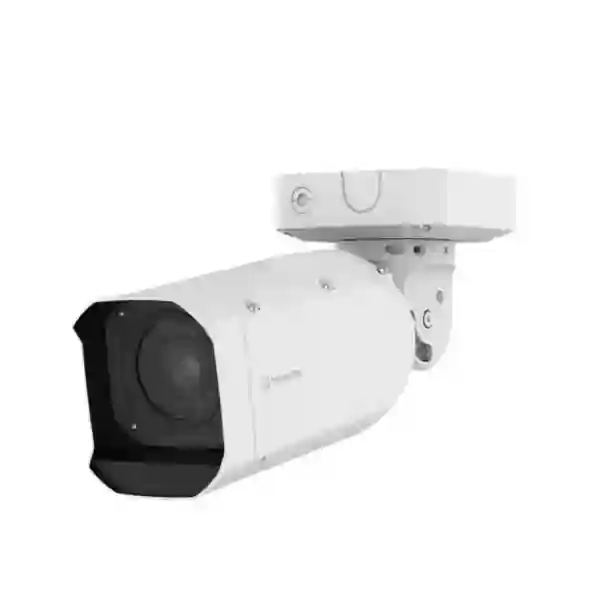
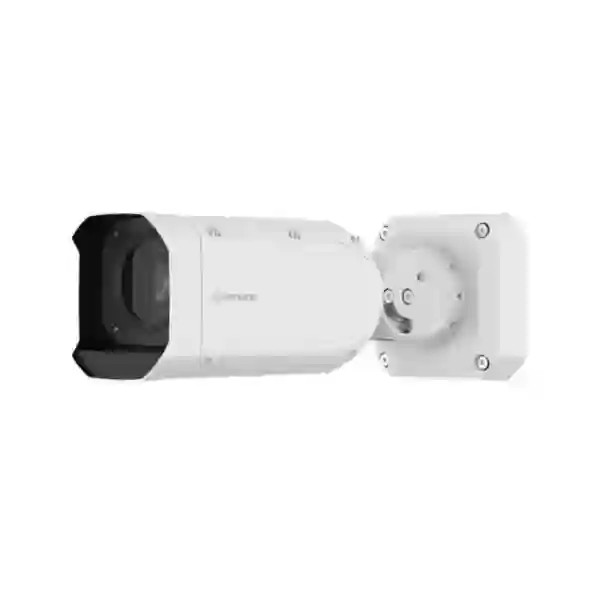
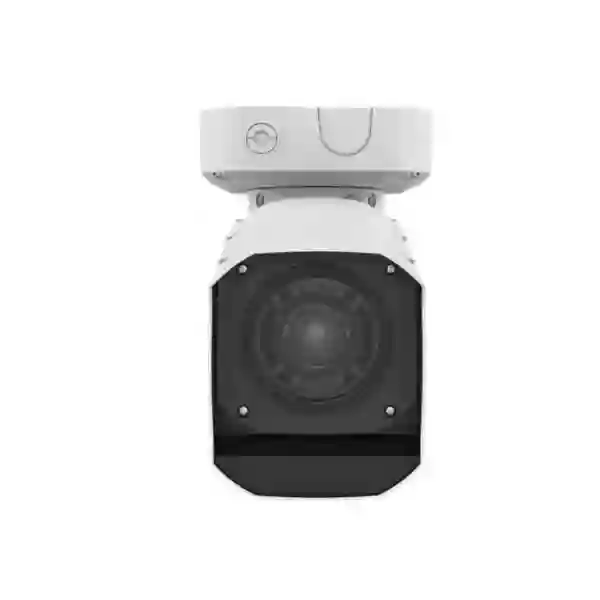
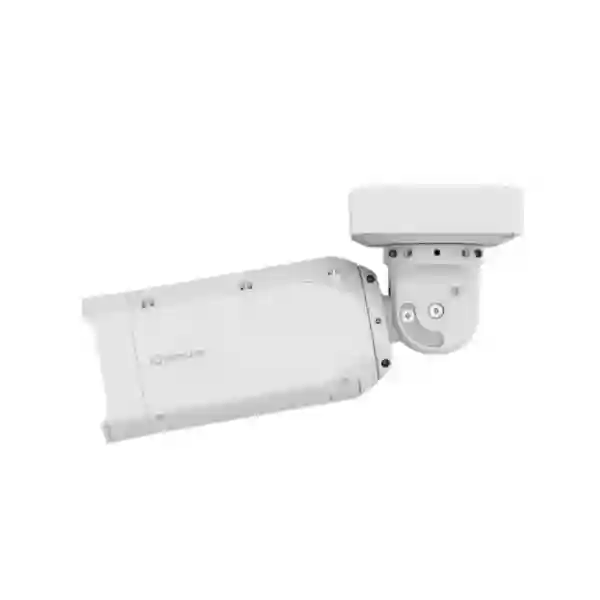
Hanwha Vision TNO-A26081 26MP AI Bullet Camera
The Hanwha TNO-A26081 is a fixed-position, ultra-high-resolution network bullet camera for projects where security teams need meaningful image detail at carefully selected distances. Its 26MP CMOS imaging, 55–250mm manual varifocal lens, onboard analytics and rugged outdoor housing suit applications such as large industrial compounds, transport facilities, logistics areas and critical observation points. The lens is designed for a relatively narrow, longer-distance view rather than a panoramic view of everything nearby.
For a Tanzania surveillance project, selecting this camera should begin with the exact scene: the distance to the subject, the field of view, available light, mounting conditions, network design and the recording system. A high pixel count cannot replace careful lens positioning, realistic night-time lighting or adequate storage. Request a configuration review and project quotation with the required camera quantities, sight lines, network and retention expectations.
Key specifications at a glance
| Camera class | Fixed outdoor IP bullet camera; optical imaging, not thermal |
|---|---|
| Maximum resolution | 26MP; 6240 × 4160 pixels |
| Image sensor | 28.3mm diagonal CMOS |
| Lens | 55–250mm manual varifocal; approximately 4.54× optical range |
| Field of view | Horizontal approximately 24° at wide to 5.4° at tele |
| Video | H.265, H.264 and MJPEG; up to 30fps, or up to 20fps with WiseAI enabled |
| AI and events | Object classification, virtual line/area rules, BestShot, counting and heatmap functions |
| Network | 10/100/1000BASE-T RJ-45, SFP interface; ONVIF S/G/T/M |
| Power | PoE++ IEEE 802.3bt Type 3 Class 6 or 12V DC |
| Edge storage | Two microSD slots; up to 512GB per slot |
| Outdoor durability | IP66, IP67, IK10 and NEMA 4X stated by manufacturer |
| Camera body | About 193.5 × 193.5 × 532mm; 8.1kg |
Values are from Hanwha Vision product and support specifications. Final performance depends on firmware, settings and site conditions; verify any specification that is mandatory for procurement.
Choose this camera for a defined distant subject
Large surveillance sites often contain two very different visual tasks: understanding what is happening across a wide area and obtaining actionable detail at a distant gate, road, fence section or equipment zone. The TNO-A26081 is best evaluated for the second task. Its optical design can concentrate pixels on a smaller part of the scene, allowing an operator to examine distant activity more closely than a conventional wide-angle camera positioned at the same location.
This does not mean one camera can replace a complete site design. A narrowly framed view may miss activity outside its field of view. For broad awareness, a separate overview camera, multisensor device or appropriately specified PTZ may be necessary. For a fixed gate, a predictable vehicle approach or a corridor of interest, however, the ability to define a specific scene is often a more useful starting point than maximizing general coverage.
Before ordering, identify the furthest relevant object, the closest relevant object and the width of the zone that needs to stay visible. Decide whether the footage must support general detection, observation, recognition or identification. Those outcomes require different amounts of image detail, especially when the scene contains moving subjects, unfavorable weather or poor lighting. The correct camera is the one that meets a written operational requirement, not simply the one with the highest megapixel rating.
What 26MP resolution means in practice
The camera produces a maximum image size of 6240 × 4160 pixels, around 26 megapixels. Compared with lower-resolution video, this creates more available picture information for an appropriately framed scene. It can be valuable when an operator needs to inspect fine detail, use digital zoom on recorded footage or review activity across a longer observation corridor. The benefit depends on optics, exposure, scene contrast and the distance of interest.
Resolution is not the same as guaranteed recognition. If a person occupies only a small portion of the sensor, high total pixel count may still deliver insufficient subject detail. Conversely, a properly aligned lens and a well-lit scene can extract significantly more value from available pixels. A commissioning test should therefore measure people or vehicle features at the actual target locations rather than judge only a live image viewed on a monitor.
Hanwha lists a maximum of 30 frames per second, with a stated limit of 20 frames per second when WiseAI is enabled. That distinction matters for fast movement, AI workflows and recorder sizing. The effective performance also depends on chosen codec, stream profile and system settings. Specify the required resolution and frame rate together, and confirm their behavior on the intended camera firmware before signing off on a system.
Understanding the 55–250mm lens
A 55–250mm manual varifocal lens provides roughly 4.54 times the optical focal-length range. At the wide end, the manufacturer lists a horizontal viewing angle of approximately 24 degrees; at the telephoto end this narrows to about 5.4 degrees. Increasing focal length makes distant subjects occupy more of the image, but it reduces the width of the area in view. There is no single setting that gives maximum detail and maximum scene width simultaneously.
Because this is a manual varifocal design, do not purchase it assuming continuous remote optical pan, tilt or zoom during normal operations. The camera is a fixed device. Plan for careful physical alignment and an appropriate lens setting during installation. A project requiring an operator to follow changing targets around a compound may call for an additional PTZ or another camera type instead.
For a practical test, draw the intended scene on a site plan and mark near, middle and far zones. Evaluate whether the gate, vehicle lane or perimeter segment fits within the chosen focal length, allowing space for subject movement. Consider that mounting height and angle change what can be seen, while obstructions such as trees, roofs and parked vehicles can create blind spots. Lens selection should be based on observed geometry, not a generic distance claim.
How to interpret distance and DORI figures
Manufacturers commonly publish DORI reference distances for detection, observation, recognition and identification, based on pixel-density thresholds. Hanwha’s published TNO-A26081 figures are useful for preliminary planning: at the 250mm end, its listed detection distance is approximately 2,646.4m, observation distance 1,058.6m, recognition distance 529.3m and identification distance 264.6m. At the 55mm end, the corresponding figures are 587.1m, 234.9m, 117.4m and 58.7m.
These are standardized planning calculations, not guarantees that a particular person, license plate or event will be identifiable at those distances. Heat shimmer, haze, rain, dust, motion blur, image compression, subject angle, visibility and lighting can reduce usable detail. A distant human silhouette may be detectable long before the footage supports a reliable forensic conclusion. Do not confuse automated license plate classification with guaranteed readable plate characters.
For any high-consequence use case, carry out a proof-of-view at representative distances and in relevant day and night conditions. Specify a target outcome such as observing activity at a crossing or distinguishing a vehicle in a selected lane. If an exact evidential task is required, establish it as a documented acceptance test. The DORI numbers are a starting point for optical selection, not a substitute for site validation.
Low-light and day–night performance
The TNO-A26081 uses automatic day–night switching with an infrared-cut filter and lists minimum illumination of 0.2 lux in color and 0.02 lux in black and white, under specified test settings. Those published values indicate sensor sensitivity, but they do not guarantee a bright, sharp night image in a particular installation. Available light, lens aperture, shutter speed and movement can all affect the result.
Do not assume that this model includes a built-in long-range infrared illuminator simply because it has day–night capability. The published product highlights focus on the optical sensor and lens, and separate scene lighting may be required. Lighting must be planned around the field of view and target range; poorly positioned lights can create glare, reflection or uneven exposure. A low-light picture that looks acceptable while still may become less useful when a fast-moving vehicle or person enters the frame.
For a Tanzania installation, evaluate conditions on the actual property rather than relying on a regional assumption. Some sites have floodlights, others have deep shadows, backlit gate entrances or seasonal dust and rain. Test the worst relevant operating period. If reliable night identification is essential, consider lighting design, alternative camera placements and whether another sensor technology is needed alongside the optical camera.
AI classification and event search
The camera supports onboard AI analysis of object categories including people, faces, vehicles and license plates. It also provides BestShot images and attribute-based functions listed by the manufacturer. These capabilities can help an operator separate meaningful activity from broad motion events and locate relevant clips more efficiently. A well-defined detection zone is especially valuable on complex scenes where vegetation, lighting changes or routine background movement could otherwise generate excessive alerts.
AI classification should be used as an aid to review, not treated as conclusive identity verification. A camera that can classify a face or license plate as an object is not necessarily performing biometric identification or guaranteed character recognition. Model performance changes with resolution at the subject, object angle, occlusion and weather. Privacy rules and permitted uses should be considered before enabling analytics that process individuals or identifying information.
When commissioning, start with one security question: for example, whether a person entered a restricted lane after hours or whether a vehicle crossed a perimeter line in the wrong direction. Configure the relevant object class, region and schedule, then measure missed detections and nuisance alerts. Keep realistic expectations about what the analytics will resolve automatically. Operators still need a sensible incident-review process and an appropriate way to handle false positives.
Virtual lines, areas and incident workflows
Hanwha documents AI-based virtual line events for crossing and direction, and virtual area events including loitering, intrusion, enter and exit. These are more precise building blocks than a generic recording-on-motion rule. A virtual line can monitor traffic across a defined boundary; an area rule can focus on an equipment compound or other critical zone. The proper rule depends on camera perspective, object movement and how a site defines unauthorized activity.
Analytics becomes useful only when an event triggers an appropriate operational response. The camera supports event-linked functions such as notifications, recording, and selected integrations. Define which events should be reviewed immediately, which should be searched later and which should be suppressed during authorized operations. For example, a delivery entrance may require different schedules from a restricted storage yard. Rules that alarm constantly are likely to be ignored, undermining the value of the technology.
Test every rule with representative people and vehicles, using both expected and unexpected travel directions. Review difficult cases: two vehicles traveling closely, a partially obscured person, rain, shadows and an object briefly stopping at the edge of a zone. Record the configuration and acceptance results. That approach produces a dependable security workflow and gives future maintenance teams a reference when settings need adjustment.
Business intelligence features and appropriate limits
In addition to security analytics, manufacturer specifications list people counting, vehicle counting, queue management and heatmap functions. These features can support operational review where a fixed scene and consistent movement direction are available. Examples include observing traffic through a defined entrance, assessing an approach lane or studying concentrations of activity. However, analytics must be configured for the actual geometry and the data should be interpreted with its limitations in mind.
Counting accuracy is affected by occlusion, overlapping objects, changes in illumination and how subjects cross the selected region. A queue measurement may be less meaningful if people move outside the observed zone. Heatmaps indicate patterns within a camera view, not complete site utilization. A wide site with several entrances will require more than one perspective for comprehensive reporting. Any use of demographic or face-related attributes should undergo additional privacy and governance review.
Before deploying these features, specify what management decision they need to inform. Decide whether counts must be audited, how often figures will be reviewed and whether comparison across days requires fixed camera settings. Changing lens focal length or camera orientation can change the measurement area and invalidate casual comparisons. Treat the resulting numbers as camera-derived observations, not unquestioned ground truth.
Recording quality, codecs and bandwidth
The camera supports H.265, H.264 and MJPEG video formats. Its compression options, including Hanwha’s WiseStream technology, can help balance picture quality and network or storage requirements. The right configuration depends on how much detail must be preserved, whether continuous or event recording is needed and whether operators view the main stream remotely. A highly compressed scene may look acceptable in normal playback yet lose detail during difficult movement or low-light events.
A 26MP feed can place meaningful demands on a network and recorder, particularly if several cameras operate simultaneously. Do not assume a single fixed bitrate for this model or size an entire system from a generic megapixel chart. Measure representative streams at the selected frame rate, codec, image quality and analytic settings. Include variation during night scenes, rain and rapid movement. Plan headroom for firmware updates, stream changes and live viewing.
Where practical, use separate stream profiles for full-resolution evidence recording and lower-bandwidth operator previews. Confirm which stream each recorder, VMS client and mobile view will consume. Document retention policies and test that exported evidence contains enough quality for the intended task. The goal is not simply to record more pixels; it is to preserve the right detail without making storage and remote access unreliable.
Network interfaces and deployment architecture
The TNO-A26081 provides a shielded RJ-45 interface supporting gigabit Ethernet, along with an SFP interface. This offers useful choices for a network design, but the full site architecture still needs to be verified. Check whether the intended SFP module, optical path, network topology and mounting accessories are supported by the final configuration. Avoid assuming that the presence of an SFP slot automatically makes every fiber module or power arrangement compatible.
A site with distant camera poles may have multiple network segments, intermediate switches and lightning exposure. Design the physical route, cable protection, grounding strategy and switch capacity before installation. Where copper is used, follow the relevant installation standards and equipment limits rather than extending Ethernet runs on assumption. Where fiber is chosen, verify termination, transceivers and the power source at the camera location.
Logical network design matters too. Define IP addressing, time synchronization, access controls, VLAN policy where appropriate, video traffic priorities and a method for secure administration. Check how event streams and recording traffic traverse the network. Large cameras frequently reveal weaknesses in otherwise adequate infrastructure because they make high throughput and stable timekeeping more important. A commissioning checklist should document both successful video delivery and recoverability after a power or network interruption.
VMS, ONVIF and integration considerations
Hanwha lists ONVIF Profiles S, G, T and M, alongside SUNAPI and its open-platform ecosystem. Those interfaces help evaluate interoperability with network video recorders, video management systems and analytics clients. Yet standards support is not a guarantee that every advanced function appears in every third-party VMS. Basic video recording may work even when a particular event, attribute or device management feature requires an integration update.
Before procuring a full system, confirm the exact VMS product version, camera firmware version, applicable channel licensing and desired feature set. Test live video, recorded playback, event notifications, time search, edge recording behavior and user permissions. If the project relies on metadata search or attribute filters, verify those functions specifically rather than assuming they are included with generic ONVIF connectivity.
Also determine who owns firmware maintenance and integration support after handover. Keep a record of the tested software versions and the initial configuration. A small proof of concept is particularly useful when integrating existing recorders, security control rooms or mixed-brand equipment. The purchase should be driven by demonstrable integration outcomes, not only by a compatibility logo or an assertion that all IP cameras work alike.
Cybersecurity for an enterprise camera
The manufacturer documents secure boot, signed or protected firmware, secure communications, authentication controls, device identity and support for audit logging. The specification also references secure hardware storage and encrypted storage features. These mechanisms can strengthen a managed surveillance deployment, but they need to be configured and maintained correctly. Hardware security features cannot compensate for shared passwords, an exposed management interface or an unpatched recorder.
Treat the camera as an enterprise network endpoint. Use unique administrative credentials, assign appropriate roles and restrict management access to trusted systems. Verify supported authentication options, encrypted transport and certificate handling against the organization’s policy. Disable unneeded services where available, review audit logs and establish a documented change process for firmware and analytics configuration. Protect access to recorded footage as carefully as access to the live stream.
Different Hanwha regional pages list differing wording for the FIPS security level and operating-temperature limit, so projects that have a formal certification requirement should validate the exact hardware revision and relevant certificate documentation before contract award. Do not infer a Tanzania-specific regulatory approval from international marks shown on manufacturer pages. A cybersecure project is the product of camera features, network design and ongoing administration together.
Power requirements and resilience
The manufacturer specifies IEEE 802.3bt Type 3 Class 6 PoE++ or 12V DC input. Its support specification lists maximum consumption of 44.3W through PoE and 35.4W on 12V DC. That means a standard low-power PoE port should not be assumed sufficient. The intended switch, injector or power supply must support the applicable class and allow for the camera’s full load, including planned operating conditions.
For multi-camera sites, prepare a power budget for every switch and field cabinet. Include the needs of network equipment, fiber components and any separate lighting. A system may pass a short daytime test yet become unstable after equipment changes or when a power source is loaded closer to its limit. Confirm actual device power negotiation and operation in the chosen topology. Do not substitute an unverified injector simply because its connector fits.
Power continuity deserves equal attention. Determine how long the site needs video recording and monitoring during an outage, and design suitable UPS or backup power arrangements according to that requirement. Remote poles and industrial sites may require dedicated protection and maintenance access. Make restart behavior and post-outage recording recovery part of the acceptance test, so the system does more than display a working image when conditions are ideal.
MicroSD edge recording and retention
Two microSD card slots are listed, with support for up to 512GB per slot and a combined maximum of 1TB. Edge storage can be useful for event footage or certain resilience arrangements, depending on the final recording workflow. It should not be mistaken for unlimited retention or a substitute for a properly specified central recorder when the project requires continuous multi-camera archival, controlled access or structured evidence management.
Capacity planning begins with measured video bitrate, the desired recording schedule and how long footage must be retained. Event-based recording may use less capacity than continuous recording, but it also depends on event logic and the frequency of activity. Cards must be selected for the intended workload, installed correctly and checked for recognized capacity and recording health. Verify whether the selected VMS can retrieve relevant edge recordings after a network disruption.
Document what happens when storage is full, a card fails or the camera loses its central connection. Test playback and export rather than relying on an icon indicating that recording is enabled. Where evidence retention is critical, establish backup procedures, permissions, tamper controls and a reviewable policy for deletion. Capacity claims should remain separate from promises about how many days a particular site can record.
Outdoor design, mounting and environmental fit
The camera carries manufacturer-stated IP66, IP67, IK10 and NEMA 4X enclosure ratings. Its listed dimensions are approximately 193.5 by 193.5 by 532mm, with a weight of about 8.1kg. These are important procurement and installation details: this is not a small indoor camera, and a stable mounting arrangement is necessary to keep a long focal-length scene properly aligned.
Evaluate the mounting surface, bracket, wind exposure, cable entries and the ability to service the unit safely. Minor vibration can become visible when the lens is set toward 250mm. For a high pole or exposed industrial structure, use a mounting design suited to the structure and the applicable engineering conditions. A well-rated enclosure still needs correct cable glands, connector protection and installation practice. Condensation, salt-laden air and contaminated environments should be assessed at the site level.
Hanwha’s global support listing specifies an operating range extending from minus 40 to plus 55 degrees Celsius, while another regional product page lists a plus 50 degree upper limit. For specification-critical projects, request confirmation for the exact product version and use the conservative validated limit until resolved. The site team should also consider direct sun, enclosure heat and access for inspection. An outdoor rating is not permission to neglect mechanical engineering or planned maintenance.
Planning a perimeter or long-range gate view
A perimeter project starts with a map, not with a camera count. Divide the boundary into segments with a distinct security objective. One segment may need to detect movement near a fence; another may need to observe a vehicle gate; another may need clear images of a specific high-value asset. Use the 55–250mm lens only where the distance and scene width match its strengths.
At a gate, draw the travel path of people and vehicles and establish whether they approach the camera head-on, diagonally or across the frame. Ensure that key subjects are not consistently hidden behind a boom barrier, parked trucks or other structures. For vehicles, consider headlight glare and the speed of travel at night. For people, assess the placement of lighting and the effect of backlighting from adjacent facilities.
Do not use a single theoretical field of view to promise full perimeter coverage. Combine a distant-detail camera with complementary overview devices where necessary. Define overlap between adjacent cameras and decide how operators will move from a wide incident view to a detailed view of the target area. The desired result is useful coverage with known limitations and a documented incident workflow, not merely a network diagram containing many camera icons.
Industrial yards, logistics sites and transport facilities
Industrial operations may need to monitor loading lanes, storage areas, critical machinery and controlled entrances. High resolution is valuable when a relevant object is far from a suitable mounting point, but the camera’s narrow field of view can be a poor fit for closely spaced loading bays or broad situational awareness. Assess each zone separately rather than applying the same camera specification across the entire property.
For a logistics entrance, it may be more useful to place the camera at a fixed checkpoint than at the highest roof position. For a production or storage area, the angle should show the relevant process without allowing large equipment to block the scene. For a transport facility, consider vibration, vehicle speed and changing lighting throughout the operational day. Detailed video cannot recover objects that never appear in the frame.
The TNO-A26081’s event analytics may support restricted-zone monitoring and targeted review when rules are appropriately configured. However, it should not be marketed as a complete automated safety system, a certified industrial sensor or a guaranteed license-plate reading solution. Any operational decision depending on computer vision must have an appropriate validation process and human oversight. Ask the site owner for its most important incident examples, then test the actual camera view against those examples before standardizing the design.
Public venues, campuses and large facilities
A stadium, campus or large public facility may contain extensive distances, changing crowds and very different areas of risk. A fixed high-resolution bullet camera can serve a defined distant point, but it is usually one part of a broader surveillance design. Wide crowd areas, doors, corridors and restricted compounds often need different focal lengths and camera placements. Treat the TNO-A26081 as a specialist view within that architecture.
Where crowd-related analytics are considered, document the exact monitored zones and the operational interpretation of the results. Counting and queue functions can support management review, but they should not be assumed to measure the complete venue population. Occlusion and movement outside the field of view can affect the numbers. Reconfigure and retest analytics whenever the camera view changes or the venue’s physical layout is modified.
Privacy and retention planning are especially important where cameras cover publicly accessible spaces. Define legitimate security purposes, authorized viewers, retention periods and incident handling procedures. Do not deploy face-related classifications or other personal-data features merely because they are available. Good project design ties each enabled analytic to a real need, a documented operational action and appropriate safeguards. The objective is an intelligible surveillance system rather than maximal collection of footage or metadata.
Tanzania project preparation checklist
For a Tanzania deployment, begin with the actual premises and its operating conditions. Record outdoor camera positions, target distances, nearby lighting, likely sight-line obstructions, safe cable routes, available electrical supply and the network room or recorder location. Identify whether the requirement is one camera for a specific observation point or a multi-camera system needing coordinated review and central storage.
Next, identify local engineering constraints that must be checked rather than guessed. These may include power interruptions, planned backup duration, access for high-level maintenance, exposed cabling, environmental contamination and the ability to test at night. A professional site survey can reduce expensive changes during commissioning. None of these practical questions should be replaced by a claim that the product is automatically suitable for all conditions in the country.
Prepare a project brief containing the camera quantity, target views, required recognition outcome, retention period, recording architecture, preferred VMS, cybersecurity expectations and installation responsibilities. Request a quotation that clearly distinguishes camera equipment, mounts, cabling, switching, storage, lighting, configuration and commissioning. Confirm product availability, local commercial terms, warranty arrangements and support scope directly through the quotation process; they are not stated as facts on this page.
Commissioning and acceptance tests
A useful acceptance test starts with a written view requirement. Capture images of representative people, vehicles or assets at the nearest, typical and furthest relevant points. Test at the desired focal length and verify that the selected frame rate, resolution and codec are active. Record the results with date, firmware version, lens settings and lighting conditions, then repeat key tests at night or in other challenging conditions.
Next, test each configured analytic event. Walk across virtual lines in both directions, enter defined areas and perform representative legitimate activity to assess nuisance alarms. Verify that notifications and recordings reach the intended systems. Where VMS integration is required, test playback, exports and permissions on the actual operator workstations, not only on the camera web interface. Review what happens during network interruptions and power restoration.
Finally, hand over a maintainable configuration. Document IP addresses and device identification through a secure inventory, store administrative access safely, save approved configuration information and establish escalation routes for support. Train operators on camera limitations, alert review and evidence export. Successful commissioning should prove that the camera meets the project purpose and that the team can use it reliably after the installer leaves.
Buying criteria and total project cost
A purchase decision should compare more than the price of the camera body. The complete cost includes compatible power equipment, suitable mounts, data cabling or fiber, switching, storage, video management software, licensing where applicable, installation labor and commissioning. Long-range views may also require external lighting or additional overview cameras. The camera’s 26MP stream can influence recorder and network sizing, so these design choices belong in the initial budget.
Evaluate commercial quotations on equivalent requirements. Confirm whether the listed scope includes the correct lens arrangement, required mounting hardware, supported power source, firmware configuration, storage media, VMS integration work and after-installation support. Ask vendors to state what is excluded. An inexpensive camera-only quotation is not directly comparable with a tested, functioning surveillance solution.
There is no verified Tanzania price, live stock position, delivery commitment or warranty term in this content. Those details must be confirmed for the exact offer before purchasing. Where the camera will protect a critical operation, give extra weight to documented acceptance tests and support responsibilities. The best-value solution is the one that provides the required evidence and operational workflow within the organization’s budget and maintenance capacity.
When another camera might be a better choice
The TNO-A26081 is not the default answer for every surveillance task. A wide-angle model may be better for a nearby lobby or a compact loading bay. A PTZ may be preferable where operators must actively change viewing direction and follow targets. A thermal camera may be worth evaluating for certain detection tasks in darkness where a conventional optical image cannot meet the requirement, although thermal imagery has different capabilities and limitations.
A lower-resolution camera may be entirely adequate when subjects are close, the field of view is limited and the required detail is modest. Conversely, the 26MP model may make sense where the scene is distant and the optical design provides sufficient pixels on target. Selecting a camera by resolution alone can increase bandwidth and storage costs without improving the mission outcome. Consider how each option fits the broader site, including the need for overview, lighting and event response.
A strong quotation request describes the use case instead of mandating an arbitrary feature list. Tell the design team which incidents must be seen, how far away they occur, when they occur and what evidence is needed. That allows an informed comparison of this fixed long-range bullet camera with other optics or sensor approaches, while keeping the decision tied to actual site performance.
Ongoing maintenance and change management
After installation, periodically verify focus, framing and mounting stability. A small movement may have a significant effect on a narrow telephoto view. Inspect outdoor seals, cable protection and visible physical damage as part of an appropriate maintenance program. Clean optical surfaces using approved procedures; aggressive cleaning or poorly handled enclosure access can create new problems. Retest the view after any mechanical adjustment.
Review recording health, card condition if edge storage is used, network connectivity and time synchronization. Check firmware advisories through the manufacturer’s support process and assess updates before applying them to a working security system. Changes to camera settings or VMS integration should be documented and tested so that a useful analytic rule is not accidentally disabled.
Maintain a review of operational relevance as the site changes. New structures, traffic patterns, lighting equipment and vegetation can alter whether the camera still sees its intended target. Update detection zones and privacy controls as needed, with appropriate approvals. Regularly sample evidence exports to confirm that the system still meets the original requirement. Long-term value comes from an accurately aimed, maintained and governed installation, not only from the camera’s initial technical specification.
Frequently asked questions
Is the TNO-A26081 a thermal camera?
No. It is an optical network bullet camera using a CMOS image sensor. It can operate in low light and switch between color and black-and-white modes, but that is not the same as detecting thermal radiation. If a project specifically requires heat-based detection or thermal imaging, select and verify an appropriate thermal sensor instead.
Can it record 26MP video at 30fps?
The manufacturer lists up to 30fps for video streaming and notes a maximum of 20fps when WiseAI is enabled. Actual settings and codec behavior need validation for the chosen firmware and recording system. Include both the 26MP resolution and required analytic features in acceptance testing rather than assuming every function runs at the maximum headline frame rate.
Does the camera have motorized remote zoom or PTZ?
It is a fixed bullet camera with a 55–250mm manual varifocal lens. The focal length should be set during installation for the required scene. It is not a remotely steerable PTZ camera. For continuous operator-directed tracking or scene changes, evaluate an additional PTZ or a different camera architecture.
What does its 55–250mm lens suit?
The lens is useful for carefully framed, more distant views such as a selected gate, approach lane or perimeter point. Its narrow viewing angles are less suitable for broad nearby coverage. Survey the actual scene width and subject distance before committing to a camera position or quantity.
Does it have built-in infrared illumination?
Do not assume that it does. Hanwha states low-light sensitivity and automatic day–night operation, but the reviewed core product specification does not establish an integrated long-range IR illuminator. Plan and test scene lighting according to the required night-time evidence quality, and confirm any accessory or lighting package separately.
What PoE equipment is required?
The camera specifies PoE++ conforming to IEEE 802.3bt Type 3 Class 6, with 12V DC as an alternative power input. It is not prudent to assume a basic PoE switch will be sufficient. Verify power negotiation, actual switch budget, cable infrastructure and required backup power as part of the system design.
Can it work with an existing VMS or NVR?
It supports ONVIF Profiles S, G, T and M and manufacturer integration interfaces. Basic video interoperability and advanced AI metadata integration are different questions. Confirm exact software versions, licensing, supported events, recording functions and firmware through a practical integration test before purchasing for an existing system.
How much footage can its microSD slots hold?
The two slots support up to 512GB each according to the manufacturer, but the number of recording days depends on video bitrate, codec, frame rate, scene complexity and whether the camera records continuously. Ask for retention calculations based on actual project settings; card capacity alone does not establish a guaranteed retention period.
Is it suitable for outdoor industrial use?
The manufacturer’s IP66, IP67, IK10 and NEMA 4X ratings support consideration for challenging outdoor installations. Final suitability also depends on mounting stability, cable entries, environmental exposure, power, access for maintenance and the applicable product version. An onsite engineering assessment remains necessary.
How do I request a Tanzania project quote?
Prepare the quantity required, camera positions, target distances, use cases, day-and-night requirements, retention period, network and recorder details, and installation scope. Request a site-specific technical configuration and commercial quote. Confirm availability, delivery, warranty, installation and local support in the actual offer rather than assuming they are included.
Request a TNO-A26081 solution quotation
Share your surveillance objectives, approximate distances, site conditions, number of views, video management system and recording requirements. Ask for a configuration recommendation that identifies the camera’s role, supporting infrastructure and commissioning tests. The buying decision should follow a review of the actual scene, not only the camera datasheet.
Next step: Request a Tanzania project quote and confirm pricing, stock, supply scope, warranty and installation arrangements directly for your exact requirements.




Reviews
There are no reviews yet.