
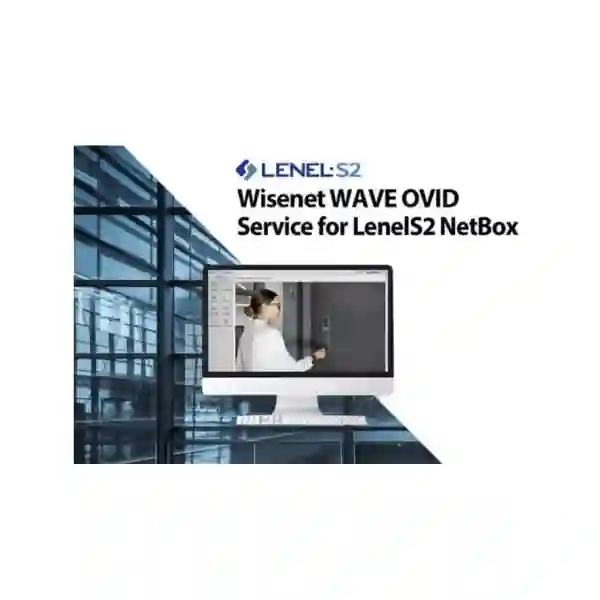
Hanwha Vision | Video + access-control integration
WAVE Plugin for LenelS2 NetBox
Bring selected Wisenet WAVE camera feeds and alarm-linked video into the LenelS2 NetBox interface. Designed for security teams that need clearer visual context at controlled doors and faster access to relevant footage without routinely switching between two separate workspaces.
Product type: Licensed OVID software service | Primary use: NetBox and WAVE integration | Next step: Request version and licensing verification
At a glance
View WAVE footage through the NetBox operator interface.
Link cameras to doors and readers and configure supported alarms.
WAVE 5.0.0.35745+ and NetBox 5.6.2+.
Compatibility and licensing require confirmation for the specific production environment. The WAVE integration entitlement does not replace any separate NetBox camera licensing.
What the integration does
The WAVE Plugin for LenelS2 NetBox connects two systems that frequently sit side by side in a physical-security environment: Wisenet WAVE for managing camera video and LenelS2 NetBox for managing access-control activity. Instead of asking a guard to switch applications, identify the relevant camera and manually locate footage, the integration allows selected WAVE cameras and their video to be viewed within the NetBox interface. That connection can make investigations more consistent because the operator has door or reader context alongside associated video. It does not replace either underlying system; both must continue to be configured, licensed, maintained and operated.
The integration is described by Hanwha Vision as the Wisenet WAVE OVID Service for LenelS2 NetBox. It is a software integration rather than a camera, door controller, network video recorder or complete access-control package. The correct purchase decision therefore starts with the versions, licensing and intended workflow already deployed at the customer site. Ask for a compatibility and licensing review before ordering the service for a new installation, expansion or existing-system retrofit.
What operators can do within NetBox
Once the integration is correctly established, operators can import cameras configured in Wisenet WAVE, open live video within NetBox and review recorded footage associated with alarms. Hanwha Vision documents playback functions that include pause, resume, fast-forward, next frame and previous frame. These are practical tools for examining who approached an entrance, how a movement developed or whether a reported incident corresponds to the footage. The precise footage a user can see still depends on camera permissions, recording availability and the configuration of both platforms.
The integration also supports PTZ camera control from the NetBox interface for compatible WAVE PTZ cameras. That is useful where a trained operator needs to adjust a view during a live event. PTZ behaviour is not a promise that every camera can pan, tilt or zoom; fixed cameras and devices without compatible control capabilities should not be presented as PTZ-enabled. Confirm camera types and the privileges of the NetBox-linked WAVE account before specifying live operational procedures.
Access events and visual verification
A common reason to join access control with video is to answer a question quickly: what actually happened at a controlled doorway? A card event or alarm may establish that NetBox registered activity, but video can supply the visual context needed by an authorized reviewer. The service allows WAVE cameras to be associated with NetBox hardware such as doors and readers, so the operator can work from a relevant access-control resource rather than searching a large camera inventory. The value comes from deliberately mapping the correct camera to the correct location.
Good mapping is specific. A camera pointed at the outside approach may support a different question from an interior camera viewing the door threshold. An obstructed or poorly positioned camera will remain limited even if it appears correctly in software. Before commissioning, verify that each linked view shows the intended door, that timestamps can be interpreted consistently and that the right NetBox role can retrieve the footage without being given access to unrelated cameras.
Camera motion and connection-state alarms
Hanwha Vision lists the ability to create NetBox alarms from WAVE camera motion detection, a camera going offline and a camera returning online. These event types support different operating decisions. Motion may prompt a review of activity in a monitored area; an offline notification may indicate that an expected visual record is unavailable; and an online notification may help the operator understand restoration of visibility. They should not all receive the same priority by default.
Alarm design matters as much as connectivity. If every camera sends frequent motion events, the control room can become overwhelmed. Plan which cameras and event types have a real security purpose, decide whether a particular event should appear during staffed or unstaffed periods and verify how duplicate or repeated notifications are handled. Record those choices in the site’s alarm response procedure. The plugin provides event integration, not automatic assurance that a detection is accurate, urgent or evidence of an intrusion.
Live viewing and recorded playback
Live and recorded viewing serve different tasks. Live video supports immediate situational awareness while an operator is watching an active doorway or alarm location. Recorded video helps reconstruct what happened before or during an event. The NetBox interface can present relevant WAVE footage, but video retention remains a function of the underlying WAVE recording configuration, available storage, recording schedules and camera health. An alarm that references a time does not guarantee that an archive still exists for that time.
Define a practical review test. Generate a known event, confirm the related camera appears in NetBox, view the live image and open the recorded segment. Test seeking and frame controls using an account with the permissions intended for actual operators. Then repeat with a restricted account to ensure the integration does not expose an unintended view. If the organization needs exported evidence, retention assurance or formal chain-of-custody procedures, document those requirements separately instead of assuming that video viewing alone fulfils them.
PTZ operation in a shared interface
For sites with PTZ cameras managed in WAVE, access to PTZ controls within NetBox can help an operator inspect a relevant scene without leaving the access-control workspace. The operator may be able to change the view while responding to an incident, but configuration must take account of camera capabilities, supported controls and user permissions. Check that the same camera behaves as expected from the WAVE client before evaluating it through NetBox.
An important operational trade-off is that changing a PTZ view may move the camera away from a normal monitoring position. Establish site rules for who can operate PTZ, whether presets should be used and how the camera returns to a useful view after an incident. Do not treat PTZ as a substitute for a fixed overview camera in areas where continuous scene coverage is important. Document operator behaviour during testing, especially where multiple staff members may attempt control.
Minimum versions and compatibility review
Hanwha Vision specifies Wisenet WAVE version 5.0.0.35745 or higher and LenelS2 NetBox version 5.6.2 or higher as the published minimum versions for this integration. These are minimums, not a guarantee that every later release, deployment architecture or mixed-version environment is validated. Confirm the exact installed builds, the supported integration package and the manufacturer’s current release guidance before making changes to production servers.
Check the NetBox environment as well as the video environment. The review should identify the NetBox appliance or server, current NetBox software version, WAVE system and server versions, existing integration services, network segmentation and how operators access the interface. If a system is already working with another video integration, establish whether the new service will coexist with it. A successful software installation is not the same as an end-to-end verified deployment.
Licensing: the important distinction
The Hanwha WAVE OVID service requires its own integration entitlement. Hanwha Vision’s integration documentation identifies part number WAVE-S2NETBOX-INT for the service. Its product-listing information describes a license for one NetBox server with multiple WAVE connections; that description must not be mistaken for unlimited licensed camera access inside NetBox. The NetBox side has its own video-integration and camera-channel licensing conditions. A purchaser should verify both vendor entitlements for the exact system and planned camera count.
Earlier Hanwha and LenelS2 integration documentation identifies the NetBox integration license S2-VMS-B-HW, described as including four cameras, and additional camera licensing under S2-VMS-C-HW. These references are useful for a licensing conversation, but the current available SKUs, edition rules and commercial terms should be confirmed with the respective authorized sales channels before a quote is issued. No Tanzania selling price, tax treatment, activation period or stock status is assumed here.
Counting the cameras you actually need
License planning should follow the intended operator workflow rather than the total number of cameras on the premises. For a pilot, identify a small group of doors or alarm locations and list the camera views required to verify them. A single access point may benefit from more than one view, while some cameras have no practical relationship to NetBox at all. Count each camera intended for import and establish whether that count fits the current NetBox entitlements.
A useful camera schedule has a camera name, WAVE system, physical location, associated NetBox door or reader, expected event types, PTZ requirement and operator group. Keep the schedule with the commissioning records. If new doors or additional cameras are planned, review possible licensing changes before installation. This avoids the frustrating result in which a camera is technically visible in WAVE but cannot be used as intended in NetBox because entitlement or account scope is insufficient.
Plan the integration around a real incident
Start the design with an example incident rather than a long list of features. For an entry-control location, the desired sequence might be: NetBox records activity at a reader; the operator selects the associated resource; NetBox presents an appropriate WAVE view; and the operator inspects live or recorded video before following the site’s response procedure. Design each camera association and user privilege around this sequence. The product becomes easier to evaluate when success can be described in visible, repeatable steps.
Build at least two additional scenarios. One should test a motion-triggered WAVE event reaching NetBox. Another should test a camera going offline and later coming back online. Those scenarios check a different part of the integration from a simple door-to-camera association. Include both normal operation and an error path, such as a camera lacking archive footage. The purpose is to establish what an operator will actually see, not simply whether installation screens complete without an error.
WAVE account design and permissions
Hanwha’s integration manual recommends creating a dedicated Wisenet WAVE account with permission to the specific cameras needed by NetBox rather than using unrestricted day-to-day credentials. This makes it easier to control which video resources the connected platform can use. The documented workflow includes creating an appropriate custom role, selecting camera resources and configuring the supported authentication method for the integration. Implement the steps from the current manufacturer guide for the installed software build.
Keep account administration deliberate. Assign only the resources required for the accepted design, protect credentials, document ownership and apply the organization’s password-change procedure. Review whether a password or role modification interrupts the integration and plan a controlled test afterward. Because the integration can expose images of people and controlled premises, decisions about who may view and operate cameras should be made by the system owner, not left to default privileges.
Network and server readiness
The WAVE and NetBox systems need reliable connectivity for an integration to operate consistently. Before installation, identify the systems that will communicate, their network addresses, approved ports and any firewall or routing controls between them. The older LenelS2 integration technical note addresses firewall access for the WAVE OVID service and video viewing, but exact values and browser requirements should be checked against the current supported installation guide for the chosen deployment. Avoid copying historical example addresses or port settings without validation.
Think about the complete path from the camera to WAVE, from WAVE to NetBox and from NetBox to the operator’s workstation. A failure anywhere in that path may affect what the user sees. Document service-account authentication, name resolution if used, workstation browser behaviour and whether the sites share a local network or depend on a wider connection. Arrange firewall changes through the customer’s IT team and test them against approved security policy rather than broadly opening access.
Installation and license activation
Installation should be performed by personnel who can administer the relevant WAVE and NetBox systems and follow the latest supported guidance. The established process involves obtaining the integration service package, confirming prerequisites, installing or configuring the WAVE OVID service for NetBox, applying the required license through the manufacturer’s supported license-management workflow and completing the NetBox-side configuration. The integration documentation references Hanwha’s HVA License Manager for license application.
Before changing a production system, record software versions and current settings, confirm that an appropriate backup and change window exist, and ensure that administrators have the credentials and approvals they need. After installation, verify service status, system connectivity and actual video functions. Do not use a successful license activation screen as the only acceptance test. Installation paths and activation steps may change with package revisions; use the current documentation distributed for the specific release.
Configure camera resources thoughtfully
Importing every available WAVE camera is rarely the best first step. Choose resources according to the purpose of the NetBox deployment and make the naming scheme understandable to operators. A label such as a building zone and doorway is often more helpful than a manufacturer serial number or an unexplained numeric sequence. Where multiple cameras cover the same entry, distinguish the approach view from the verification view in the camera schedule and related NetBox mapping.
After assigning permissions to the integration account, confirm that NetBox imports the intended WAVE resources. Check for renamed cameras, duplicate names and cameras moved to another WAVE system. If a resource is present in WAVE but absent from NetBox, review both camera permissions and licensed camera capacity before assuming a network fault. A stable initial camera list makes future changes easier to track and prevents an operator from selecting a misleading view during an incident.
Configure WAVE event rules for NetBox
The Hanwha integration manual describes configuring camera events in WAVE through the Rules and Events Engine. Its documented approach is to select the relevant camera, choose an event condition and use the ‘Write to log’ action, with an action interval controlling how often the event is written and sent onward. This provides a useful basis for designing motion and camera-state events that NetBox can use. Apply only supported event types for the active integration version.
Review the event cadence with operations staff. Too short an interval may create noise from repeated activity; too long an interval may suppress meaningful repetitions. Test how the chosen setting behaves for the specific camera and operational scenario. Ensure staff can distinguish a motion alarm from a connectivity alarm and know which situations require escalation. Not every camera analytic or VMS rule should be assumed to appear in NetBox merely because it exists in WAVE.
A practical acceptance-testing sequence
A commissioning checklist should prove that the integration supports its promised workflow. First, confirm WAVE and NetBox versions and the required license status. Second, verify that the dedicated integration account sees only approved cameras. Third, import the planned cameras and check that each mapped NetBox door or reader opens the expected view. Fourth, observe live images and retrieve recorded footage from a known event. Fifth, test playback commands and, where appropriate, PTZ control.
Continue with the event path. Generate a supported motion event and confirm that it reaches NetBox with useful camera context. Disconnect a controlled test camera or otherwise perform an approved connectivity test, then verify offline and restoration notifications. Finally, test with the real operator role, not only an administrator account. Record test date, software builds, camera identifiers, outcomes and open issues. Any failed step should have a documented owner and retest, especially where the integration is expected to support a security response.
Browser and workstation checks
The NetBox viewing experience depends partly on the workstation and browser used by the operator. An older LenelS2 technical note includes browser-related guidance for viewing the Hanwha WAVE feed, including handling a self-signed certificate in its example environment. Treat that note as version-specific historical documentation rather than a standing instruction to bypass browser warnings. For a current installation, confirm supported browsers, certificate requirements and the organization’s trusted-certificate policy.
Test on the actual operations workstations. A view that works on an administrator’s laptop may behave differently on a shared monitoring terminal because of policy restrictions, browser settings or routing. Check live video, alarm-linked playback and controls under the intended account. Record any workstation prerequisites and keep them in the local support runbook. If a certificate, service or browser problem occurs, involve IT security and follow approved remediation instead of weakening workstation protections.
Security, access and audit considerations
Video and access-control information can be sensitive. An integrated screen may reveal both an individual’s movement and a record of access activity, making role design especially important. Review which personnel are authorized to view live video, retrieve recordings, operate PTZ cameras and administer the connection. A shared operator workstation needs appropriate session controls and sign-out practices. The integration itself does not create an organization-wide data-governance policy.
Plan how administrative changes are reviewed and recorded. Keep a record of authorized camera mappings, the integration account’s scope and changes to event rules. Coordinate retention and incident-record procedures with the organization’s existing policies and applicable obligations. Do not assume the plugin changes WAVE’s recording retention, provides an independent video archive, encrypts every network segment or satisfies a particular regulation by itself. Those claims require separate verification for the complete environment.
Availability and operational resilience
The plugin depends on the continued health of several components: the camera, WAVE services, network path, OVID integration service, license state and NetBox platform. A site can have a working access-control system while a camera is offline, or a working WAVE recording environment while a workstation is unable to display a NetBox video panel. Monitoring and support procedures should distinguish these conditions instead of describing every video problem as an access-control outage.
Define fallback actions before rollout. If the video link is temporarily unavailable, operators may need to use the approved native WAVE interface or follow a manual verification procedure, subject to their normal permissions. Document who can restart services, how incidents are logged and when specialist support is requested. Where the site has unreliable power or connectivity, incorporate backup-power and network-continuity planning into the wider security design; the integration software alone does not eliminate infrastructure risks.
Maintenance and changes over time
Compatibility is an ongoing responsibility, not a one-time installation fact. Version upgrades to WAVE, NetBox, browsers or supporting operating systems can alter requirements. Schedule a brief regression test after relevant updates: check camera import, a door association, live viewing, recorded playback, a supported event and any PTZ controls. Record which plugin package was installed and retain the approved change procedure so a later technician can understand the environment.
Camera additions and physical changes matter too. A camera may be renamed, relocated, replaced or reassigned; a doorway might be modified; and a different team may gain access to a monitoring position. Review resource mappings and role permissions after those changes. When a camera count increases, verify entitlements before expanding the integration. A clear maintenance schedule helps preserve the usefulness of the combined operator interface without relying on a single person remembering how it was originally configured.
Troubleshooting without guessing
If cameras do not import, check the integration account’s permissions, WAVE connectivity, licensed camera allowance and the configuration of the NetBox video integration. If cameras import but video does not display, separate browser or client issues from WAVE recording and service availability. Test a known working camera in WAVE, then test the matching view in NetBox with the same expected permissions. This comparison narrows the problem without prematurely changing the entire environment.
If live video works but recorded playback is missing, check whether WAVE has the relevant footage and whether the operator can access its archive. If video is present but alarms are absent, examine the supported WAVE event rule, log action, configured interval and service connectivity. If PTZ controls are unavailable, verify camera capabilities and user privileges. Escalate with software builds, error messages, time of failure and test results; those details are more useful than a vague statement that the plugin is not working.
Example: an office entrance
Consider an office using NetBox readers to control entry and WAVE cameras to observe reception and selected doors. The operator wants to evaluate unusual access activity without looking through dozens of video tiles. Map the relevant reader or door to a view that shows the access point, then use a known test event to verify the relationship. The integration may reduce application switching, but a clear operator procedure remains essential for interpreting an event responsibly.
For example, a reader event alone may not explain whether a person was admitted, whether a door remained open or whether several people moved through together. A relevant camera view can add context, provided the camera is positioned appropriately and the archive is available. Avoid claiming that the integration automatically identifies individuals or proves the cause of every incident. Its main strength is making appropriate video more accessible while an operator works in NetBox.
Example: a warehouse or loading area
A warehouse often has gates, staff entry doors and areas where deliveries occur. Connecting selected WAVE views to relevant NetBox resources may help an authorized operator examine a gate event alongside live or recorded images. The initial design should identify which camera actually sees the gate opening, whether vehicle movements require a wide view and whether a second camera is needed for detail. Those are camera-design questions, not capabilities automatically provided by the plugin.
Motion alarms can sometimes help with after-hours monitoring, but the security team should validate whether those events are useful in the chosen scene. Outdoor lighting, changing weather or other movement can affect the practical value of motion notifications. Configure supported event rules deliberately and test them against the actual response workflow. Site-specific conditions in Tanzania, including power quality and network reliability, should be considered as engineering inputs without assuming a universal operating environment.
Example: education, healthcare and multi-area sites
Schools, clinics and larger commercial buildings may need staff to evaluate incidents at several controlled entrances. An integrated NetBox view can help trained personnel move from an access-control resource to its associated WAVE camera without memorizing which video screen corresponds to each door. The design should distinguish public areas, restricted areas and sensitive locations so only authorized staff can see relevant footage.
For multi-area sites, build and review the camera-to-door schedule by area. Test a representative entry in every distinct deployment group rather than accepting a single successful test as proof that all buildings are configured. Consider whether operating hours, staffing and local incident procedures differ across areas. Where privacy or sensitive operations are involved, apply the customer’s video-monitoring policy and applicable legal review rather than assuming that a technically available camera view should always be accessible.
When this plugin is a suitable choice
This integration is worth evaluating when an organization already uses, or plans to use, both Wisenet WAVE and LenelS2 NetBox and needs WAVE video within the NetBox operator interface. It is particularly relevant when door verification, alarm-linked playback and camera-state events form part of routine operations. The project has the best foundation when its NetBox resources, WAVE cameras and security roles are already well documented and the organizations responsible for each system can cooperate during installation.
It may be a poor fit if the site does not use LenelS2 NetBox, needs a completely different access-control platform or expects a video integration to provide features outside the documented scope. The WAVE Plugin for LenelS2 NetBox is not interchangeable with the separately named WAVE plugin for LenelS2 OnGuard. OnGuard and NetBox have distinct integration packages, license conditions and configuration paths. Identify the actual access-control product before requesting a quote.
Tanzania deployment planning
For a Tanzania-based project, useful pre-purchase questions include who will administer each system, where the required servers are located, whether critical monitoring workstations have dependable power and whether connectivity is sufficient for the intended video workflows. A facility using a wide-area connection should establish what will continue functioning during a network interruption and how operators will respond when integrated video is inaccessible. These are deployment checks, not statements that any particular provider or service is required.
Local procurement should be verified for the actual project. Request the correct integration entitlement, confirm NetBox camera licensing, identify the software package supported by the installed versions and ask for an implementation scope covering configuration and acceptance tests. FourTeck Tanzania pricing, inventory, installation coverage, warranty and delivery conditions have not been verified for this listing and should be confirmed through a formal quotation. No local regulatory certification or blanket site compatibility is implied.
What to prepare when requesting a quote
A well-prepared enquiry makes it easier to distinguish a license request from a full integration project. Provide the exact access-control platform name, its version, the WAVE version, whether the systems are already operational and the number of camera feeds intended for NetBox. Describe any existing video-integration licenses and provide a summary of the NetBox doors or readers that require camera associations. Do not include passwords, private access tokens or confidential network configurations in an ordinary public enquiry.
Also identify whether you need motion or camera-state alarms, recorded playback, PTZ control, workstation testing and help with the WAVE OVID service. Note whether the request concerns a new deployment, an expansion or a repair of an existing installation. A supplier can then assess compatibility and licensing scope before discussing an appropriate quote. The objective is a defined outcome and an auditable acceptance checklist, not simply a software item without a deployment plan.
Frequently asked questions
Is this a camera or a software integration?
It is a software integration for connecting Wisenet WAVE video resources with LenelS2 NetBox access control. It is not a camera, recorder, door controller or complete VMS. Both underlying platforms remain necessary. A purchase should therefore be based on the systems already installed, their software builds and the exact operator tasks the connection must support.
Can NetBox display live WAVE video?
Yes. Hanwha Vision identifies viewing live WAVE video in NetBox as a core function of this plugin. The required camera must be imported and appropriately accessible through the integration. Live playback should be tested on the intended operator workstation, since camera permissions, network conditions and the client environment can still affect the actual result.
Can operators review video from an alarm?
Hanwha Vision lists recorded WAVE video from an alarm and playback controls among the integration features. The recording must exist in the WAVE archive and be accessible to the relevant role. Confirm the camera association, test a known event and inspect pause, resume, fast-forward and frame-navigation behaviour rather than assuming every alarm has usable archive footage.
Which WAVE and NetBox versions are required?
The published minimums are Wisenet WAVE 5.0.0.35745 and LenelS2 NetBox 5.6.2. They are minimum stated requirements, not proof of all future combinations. Check the exact builds and current manufacturer guidance before installing a newer package, upgrading a production system or committing to a project design.
Does one plugin license cover every NetBox camera?
Do not assume that. The Hanwha integration entitlement and the NetBox-side video or camera licenses are separate considerations. Earlier published integration documentation identifies S2-VMS-B-HW and S2-VMS-C-HW for NetBox video integration and additional camera capacity. Confirm present licensing conditions for the planned camera count with the relevant vendor channel before quoting.
Can it create alerts when a camera goes offline?
Hanwha Vision documents NetBox alarms for WAVE camera motion, offline and online events. Actual delivery depends on correctly configured and supported integration services and event rules. Test the intended camera-state scenarios in a controlled way and decide who should receive and respond to these alerts, particularly at sites with many cameras.
Does it support pan, tilt and zoom?
The manufacturer’s feature list includes PTZ control of WAVE cameras in the NetBox interface. This applies where the underlying cameras and user privileges support the required controls. Confirm PTZ operation in WAVE first, then test the corresponding action in NetBox. Fixed cameras do not become movable simply because the integration supports PTZ.
Is it the same as the WAVE plugin for OnGuard?
No. LenelS2 NetBox and LenelS2 OnGuard are distinct products with different WAVE integration components and associated documentation. The NetBox service discussed here should not be quoted or installed merely because a customer mentions LenelS2. Confirm whether the operational access-control system is NetBox or OnGuard before selecting an integration entitlement.
Will this integration store an extra copy of my recordings?
The manufacturer describes access to WAVE live and recorded video through NetBox, not a separate independent recording system supplied by the plugin. Plan recording schedules, storage capacity and retention within the appropriate video infrastructure. If a project requires a particular retention duration or evidence procedure, validate that requirement against the complete WAVE setup.
What should a Tanzanian buyer verify before ordering?
Confirm the existing software versions, required number of imported cameras, separate NetBox licensing, OVID service entitlement, network access, workstation requirements and the scope of installation testing. Request project-specific price and commercial terms rather than relying on an unverified regional amount. A clear camera-to-door schedule is one of the most helpful documents to prepare.
Request a NetBox–WAVE compatibility review
Before placing an order for the WAVE Plugin for LenelS2 NetBox, prepare your NetBox and WAVE software versions, proposed camera count, available license details, intended event functions and site commissioning requirements. Ask FourTeck Tanzania for a project-specific assessment and quotation. The aim is to confirm the correct integration entitlement, NetBox camera allowance and implementation scope before any changes are made to a working security system.
Next step: Request product compatibility, licensing and quotation details.




Reviews
There are no reviews yet.